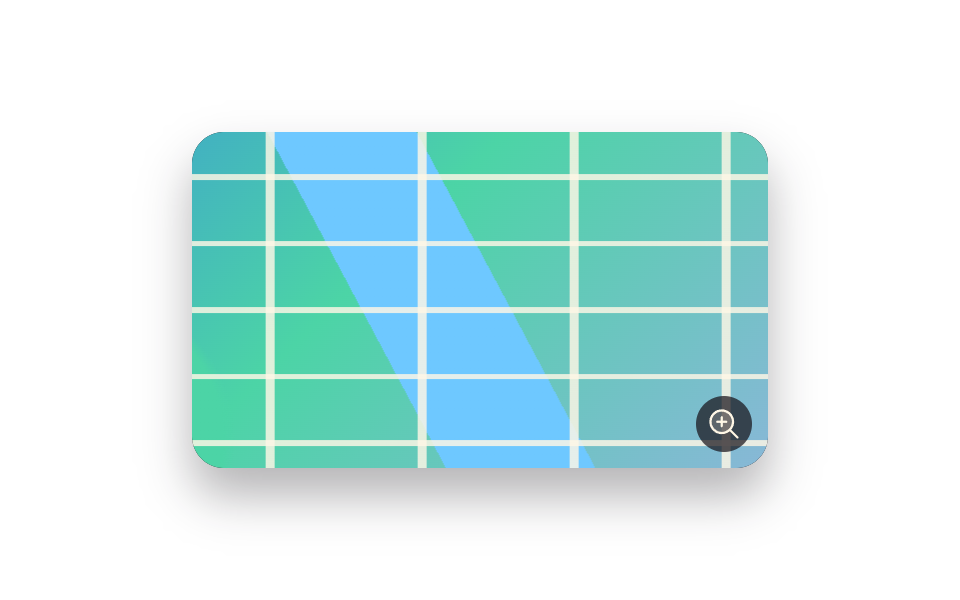
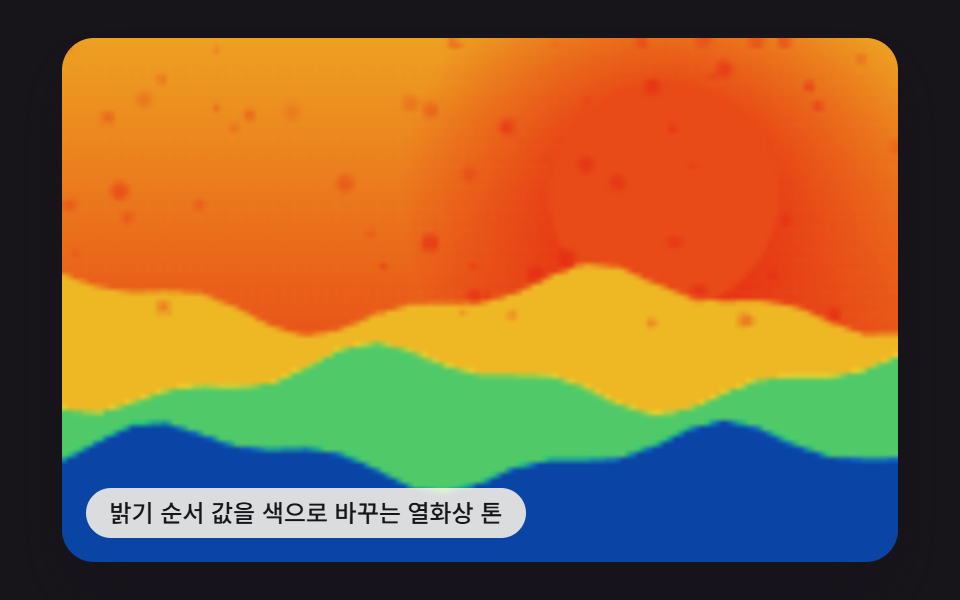
05ホイールを一コマずつ受ける縦スライダー
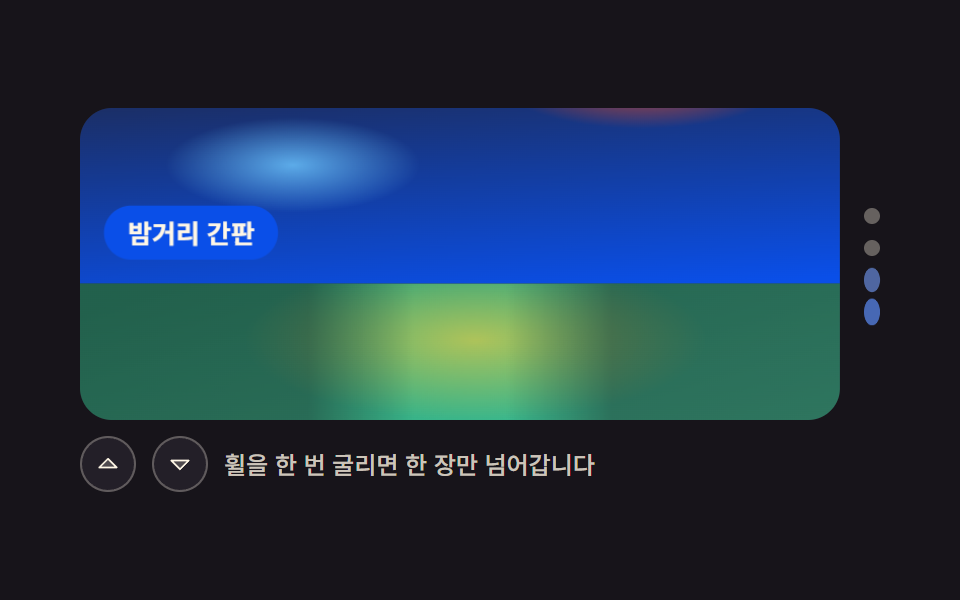
ホイール 1 回で 1 枚だけ送るために wheel イベントをロック時間だけ止め、トラックは translateY で上下だけに動きます。
使いどころ縦長写真のまとめ、モバイルのストーリー風紹介
translateYwheelaria-orientation
<main class="stage">
<div class="vw is-demo" id="vw">
  <div class="vw__row">
    <div class="vw__view" id="view" role="region" aria-roledescription="carousel" aria-orientation="vertical" aria-label="ホイールで1枚ずつ送る縦スライダー" tabindex="0">
      <div class="vw__track" id="track">
        <div class="vw__shot" role="group" aria-roledescription="slide" aria-label="4枚中1枚目">
          <span class="vw__photo vw__photo--stair" role="img" aria-label="古い壁の間を段々と続く狭い階段"></span>
          <span class="vw__cap">古い階段</span>
        </div>
        <div class="vw__shot" role="group" aria-roledescription="slide" aria-label="4枚中2枚目">
          <span class="vw__photo vw__photo--curtain" role="img" aria-label="朝日が差す窓辺に下がる薄いカーテン"></span>
          <span class="vw__cap">窓辺のカーテン</span>
        </div>
        <div class="vw__shot" role="group" aria-roledescription="slide" aria-label="4枚中3枚目">
          <span class="vw__photo vw__photo--sign" role="img" aria-label="雨の夜の街に並んで灯る看板の明かり"></span>
          <span class="vw__cap">夜の街の看板</span>
        </div>
        <div class="vw__shot" role="group" aria-roledescription="slide" aria-label="4枚中4枚目">
          <span class="vw__photo vw__photo--path" role="img" aria-label="高い木々の間に続く細い森の小道"></span>
          <span class="vw__cap">森の小道</span>
        </div>
      </div>
    </div>
    <span class="vw__steps" role="group" aria-label="スライドを選ぶ">
      <button class="vw__step" type="button" data-go="0" aria-label="1枚目" aria-current="true"></button>
      <button class="vw__step" type="button" data-go="1" aria-label="2枚目" aria-current="false"></button>
      <button class="vw__step" type="button" data-go="2" aria-label="3枚目" aria-current="false"></button>
      <button class="vw__step" type="button" data-go="3" aria-label="4枚目" aria-current="false"></button>
    </span>
  </div>
  <div class="vw__bar">
    <button class="vw__nav" type="button" data-step="-1" aria-label="前のスライド"><svg viewBox="0 0 256 256" width="1em" height="1em" aria-hidden="true" focusable="false"><g fill="currentColor"><path d="M208,160H48l80-80Z" opacity="0.2"/><path d="M213.66,154.34l-80-80a8,8,0,0,0-11.32,0l-80,80A8,8,0,0,0,48,168H208a8,8,0,0,0,5.66-13.66ZM67.31,152,128,91.31,188.69,152Z"/></g></svg></button>
    <button class="vw__nav" type="button" data-step="1" aria-label="次のスライド"><svg viewBox="0 0 256 256" width="1em" height="1em" aria-hidden="true" focusable="false"><g fill="currentColor"><path d="M208,96l-80,80L48,96Z" opacity="0.2"/><path d="M215.39,92.94A8,8,0,0,0,208,88H48a8,8,0,0,0-5.66,13.66l80,80a8,8,0,0,0,11.32,0l80-80A8,8,0,0,0,215.39,92.94ZM128,164.69,67.31,104H188.69Z"/></g></svg></button>
    <span class="vw__hint">ホイールを1回転がすと1枚だけ進みます</span>
  </div>
</div>
</main>@use "../../../../site/static/demo-tokens" as *;
// 휠을 한 칸씩 받는 세로 슬라이더.
// 스크롤 컨테이너가 아니다 — overflow 는 hidden 이고 scroll-snap 도 쓰지 않는다.
// 위치를 정하는 값은 트랙의 `--i` 하나이고, 화면은 translateY 로만 움직인다.
// 슬라이드가 flex-basis 100% 라서 트랙 높이 = 무대 높이이고,
// translateY(-100%) 한 번이 정확히 한 장이다 (트랙 전체 높이를 기준으로 잡으면 네 장이 한 번에 지나간다).
// 한 번 굴릴 때 수십 개가 이어서 오는 wheel 이벤트는 JS 의 잠금 시간(420ms)이 삼킨다.
$duration: $dur-base;
$easing: $ease-spring;
$color: $subject-blue;
$cap-face: $subject-blue-deep; // 크림 글자를 얹는 파란 면 (blog-design 대비표)
$dim: rgba($subject-cream, .78);
@include stage($stage-ink);
.vw {
display: flex; flex-direction: column; gap: $sp-2;
box-sizing: border-box; width: min(100%, 400px);
}
.vw__row { display: flex; align-items: stretch; gap: $sp-3; }
// ── 창. 넘치는 장은 잘라 두고 스크롤은 만들지 않는다
.vw__view {
position: relative; flex: 1 1 auto; min-width: 0;
height: clamp(96px, 34vw, 156px);
border-radius: $r-card; overflow: hidden;
background: $tick-panel;
overscroll-behavior: contain; touch-action: pan-x;
}
.vw__view:focus-visible { outline: 2px solid $color; outline-offset: 2px; }
.vw__track {
--i: 0;
display: flex; flex-direction: column; height: 100%;
transform: translateY(calc(var(--i) * -100%));
transition: transform $duration $easing;
will-change: transform;
}
.vw__shot { position: relative; flex: 0 0 100%; }
// ── 사진 자리 (FLUX 대기 중 — 지금은 토큰 팔레트로 합성한 장면 그라디언트)
.vw__photo { position: absolute; inset: 0; display: block; }
.vw__photo--stair {
background:
repeating-linear-gradient(196deg, rgba($subject-ink, .30) 0 10px, rgba($subject-ink, 0) 10px 26px),
linear-gradient(160deg, $subject-lilac 4%, $subject-blue-deep 98%);
}
.vw__photo--curtain {
background:
repeating-linear-gradient(92deg, rgba($stage-paper, .26) 0 6px, rgba($stage-paper, 0) 6px 22px),
radial-gradient(44% 48% at 22% 20%, rgba($stage-yellow, .74), rgba($stage-yellow, 0) 72%),
linear-gradient(168deg, $subject-cream 6%, $subject-pink 96%);
}
.vw__photo--sign {
background:
radial-gradient(26% 22% at 74% 34%, rgba($stage-orange, .86), rgba($stage-orange, 0) 74%),
radial-gradient(22% 20% at 28% 62%, rgba($subject-sky, .80), rgba($subject-sky, 0) 76%),
linear-gradient(176deg, $tick-panel 8%, $subject-blue-deep 98%);
}
.vw__photo--path {
background:
linear-gradient(to right, rgba($subject-ink, .44) 0 30%, rgba($subject-ink, 0) 44%, rgba($subject-ink, 0) 56%, rgba($subject-ink, .44) 70% 100%),
radial-gradient(18% 62% at 50% 96%, rgba($subject-cream, .62), rgba($subject-cream, 0) 74%),
radial-gradient(40% 34% at 52% 18%, rgba($stage-yellow, .60), rgba($stage-yellow, 0) 76%),
linear-gradient(164deg, $chart-3 6%, $subject-mint 98%);
}
.vw__cap {
position: absolute; left: $sp-3; bottom: $sp-3;
padding: $sp-1 $sp-3; border-radius: $r-pill;
background: $cap-face; color: $subject-cream;
font-weight: 700; font-size: clamp(11px, 3vw, 13px); line-height: 1.5;
white-space: nowrap;
}
// ── 오른쪽 계단 표시. 세로 슬라이더라 점도 세로로 선다
.vw__steps {
display: flex; flex-direction: column; justify-content: center; gap: $sp-2;
flex: 0 0 auto;
}
.vw__step {
width: 8px; height: 8px; padding: 0;
border: 0; border-radius: $r-pill;
background: rgba($subject-cream, .34);
cursor: pointer;
transition: transform $dur-quick $easing, background-color $dur-quick $easing;
}
.vw__step[aria-current="true"] { background: $color; transform: scaleY(2.2); }
.vw__step:focus-visible { outline: 2px solid $color; outline-offset: 2px; }
// ── 조작 줄
.vw__bar { display: flex; align-items: center; gap: $sp-2; }
.vw__nav {
display: grid; place-items: center;
width: 28px; height: 28px; padding: 0;
border: 1px solid rgba($subject-cream, .28); border-radius: $r-pill;
background: $tick-panel; color: $subject-cream;
font-size: 14px; cursor: pointer;
transition: transform $dur-quick $easing;
}
.vw__nav:hover { transform: scale(1.08); }
.vw__nav:active { transform: scale(.94); }
.vw__nav:focus-visible { outline: 2px solid $color; outline-offset: 2px; }
.vw__hint {
flex: 1 1 auto; min-width: 0;
color: $dim;
font-weight: 500; font-size: clamp(10px, 2.6vw, 12px); line-height: 1.4;
}
// ── 좁은 화면: 안내문을 접고 사진만 남긴다
@media (max-width: 340px) {
.vw__row { gap: $sp-2; }
.vw__cap { left: $sp-2; bottom: $sp-2; padding: 0 $sp-2; }
.vw__nav { width: 24px; height: 24px; font-size: 12px; }
.vw__hint { display: none; }
}
@media (prefers-reduced-motion: reduce) {
.vw__track, .vw__nav, .vw__step { transition: none; }
}html, body {
margin: 0;
overflow: hidden;
}
.stage {
box-sizing: border-box;
min-height: 100vh;
display: grid;
place-items: center;
margin: 0;
background: #17141a;
font-family: -apple-system, "Segoe UI", "Noto Sans KR", sans-serif;
padding: clamp(8px, 4vw, 24px);
}
.vw {
display: flex;
flex-direction: column;
gap: 8px;
box-sizing: border-box;
width: min(100%, 400px);
}
.vw__row {
display: flex;
align-items: stretch;
gap: 12px;
}
.vw__view {
position: relative;
flex: 1 1 auto;
min-width: 0;
height: clamp(96px, 34vw, 156px);
border-radius: 16px;
overflow: hidden;
background: #231f28;
overscroll-behavior: contain;
touch-action: pan-x;
}
.vw__view:focus-visible {
outline: 2px solid #2f6df6;
outline-offset: 2px;
}
.vw__track {
--i: 0;
display: flex;
flex-direction: column;
height: 100%;
transform: translateY(calc(var(--i) * -100%));
transition: transform 300ms cubic-bezier(0.2, 0.8, 0.2, 1);
will-change: transform;
}
.vw__shot {
position: relative;
flex: 0 0 100%;
}
.vw__photo {
position: absolute;
inset: 0;
display: block;
}
.vw__photo--stair {
background: repeating-linear-gradient(196deg, rgba(23, 20, 26, 0.3) 0 10px, rgba(23, 20, 26, 0) 10px 26px), linear-gradient(160deg, #b9a0ff 4%, #0a4fe8 98%);
}
.vw__photo--curtain {
background: repeating-linear-gradient(92deg, rgba(255, 255, 255, 0.26) 0 6px, rgba(255, 255, 255, 0) 6px 22px), radial-gradient(44% 48% at 22% 20%, rgba(255, 210, 63, 0.74), rgba(255, 210, 63, 0) 72%), linear-gradient(168deg, #fff7e6 6%, #ff9ebb 96%);
}
.vw__photo--sign {
background: radial-gradient(26% 22% at 74% 34%, rgba(255, 77, 31, 0.86), rgba(255, 77, 31, 0) 74%), radial-gradient(22% 20% at 28% 62%, rgba(110, 200, 255, 0.8), rgba(110, 200, 255, 0) 76%), linear-gradient(176deg, #231f28 8%, #0a4fe8 98%);
}
.vw__photo--path {
background: linear-gradient(to right, rgba(23, 20, 26, 0.44) 0 30%, rgba(23, 20, 26, 0) 44%, rgba(23, 20, 26, 0) 56%, rgba(23, 20, 26, 0.44) 70% 100%), radial-gradient(18% 62% at 50% 96%, rgba(255, 247, 230, 0.62), rgba(255, 247, 230, 0) 74%), radial-gradient(40% 34% at 52% 18%, rgba(255, 210, 63, 0.6), rgba(255, 210, 63, 0) 76%), linear-gradient(164deg, #2b9d74 6%, #4cd4a6 98%);
}
.vw__cap {
position: absolute;
left: 12px;
bottom: 12px;
padding: 4px 12px;
border-radius: 999px;
background: #0a4fe8;
color: #fff7e6;
font-weight: 700;
font-size: clamp(11px, 3vw, 13px);
line-height: 1.5;
white-space: nowrap;
}
.vw__steps {
display: flex;
flex-direction: column;
justify-content: center;
gap: 8px;
flex: 0 0 auto;
}
.vw__step {
width: 8px;
height: 8px;
padding: 0;
border: 0;
border-radius: 999px;
background: rgba(255, 247, 230, 0.34);
cursor: pointer;
transition: transform 220ms cubic-bezier(0.2, 0.8, 0.2, 1), background-color 220ms cubic-bezier(0.2, 0.8, 0.2, 1);
}
.vw__step[aria-current=true] {
background: #2f6df6;
transform: scaleY(2.2);
}
.vw__step:focus-visible {
outline: 2px solid #2f6df6;
outline-offset: 2px;
}
.vw__bar {
display: flex;
align-items: center;
gap: 8px;
}
.vw__nav {
display: grid;
place-items: center;
width: 28px;
height: 28px;
padding: 0;
border: 1px solid rgba(255, 247, 230, 0.28);
border-radius: 999px;
background: #231f28;
color: #fff7e6;
font-size: 14px;
cursor: pointer;
transition: transform 220ms cubic-bezier(0.2, 0.8, 0.2, 1);
}
.vw__nav:hover {
transform: scale(1.08);
}
.vw__nav:active {
transform: scale(0.94);
}
.vw__nav:focus-visible {
outline: 2px solid #2f6df6;
outline-offset: 2px;
}
.vw__hint {
flex: 1 1 auto;
min-width: 0;
color: rgba(255, 247, 230, 0.78);
font-weight: 500;
font-size: clamp(10px, 2.6vw, 12px);
line-height: 1.4;
}
@media (max-width: 340px) {
.vw__row {
gap: 8px;
}
.vw__cap {
left: 8px;
bottom: 8px;
padding: 0 8px;
}
.vw__nav {
width: 24px;
height: 24px;
font-size: 12px;
}
.vw__hint {
display: none;
}
}
@media (prefers-reduced-motion: reduce) {
.vw__track, .vw__nav, .vw__step {
transition: none;
}
}var root = document.getElementById('vw');
var view = document.getElementById('view');
var track = document.getElementById('track');
var shots = Array.prototype.slice.call(root.querySelectorAll('.vw__shot'));
var steps = Array.prototype.slice.call(root.querySelectorAll('.vw__step'));
var LOCK = 420;
var index = 0;
var locked = false;
var timer = 0;
// 트랙 높이는 무대 높이와 같다. 슬라이드가 각각 flex-basis 100% 라서
// translateY(-100%) 한 번이 정확히 한 장이다 — 트랙 전체 높이로 계산하지 않는다
function show(next) {
index = (next + shots.length) % shots.length;
track.style.setProperty('--i', index);
steps.forEach(function (step, i) {
step.setAttribute('aria-current', i === index ? 'true' : 'false');
});
}
function stopPreview() {
root.classList.remove('is-demo');
if (timer) { clearInterval(timer); timer = 0; }
}
// 잠금 시간 동안 뒤따라 오는 wheel 이벤트를 삼킨다. 관성 스크롤은 한 번 굴려도
// 수십 개가 이어서 날아오므로, 이 문이 없으면 한 번에 끝까지 지나간다
view.addEventListener('wheel', function (e) {
e.preventDefault();
if (locked) { return; }
locked = true;
setTimeout(function () { locked = false; }, LOCK);
stopPreview();
show(index + (e.deltaY > 0 ? 1 : -1));
}, { passive: false });
root.addEventListener('click', function (e) {
var nav = e.target.closest('[data-step]');
var step = e.target.closest('[data-go]');
if (!nav && !step) { return; }
stopPreview();
show(nav ? index + Number(nav.getAttribute('data-step')) : Number(step.getAttribute('data-go')));
});
view.addEventListener('keydown', function (e) {
if (e.key !== 'ArrowDown' && e.key !== 'ArrowUp') { return; }
e.preventDefault();
stopPreview();
show(index + (e.key === 'ArrowDown' ? 1 : -1));
});
if (root.classList.contains('is-demo')) {
timer = setInterval(function () { show(index + 1); }, 620);
}// VerticalWheelSlider — vanilla 판(run/082/demo/05-slider-vertical-wheel-steps/index.html) 의 React 포트.
// 스크롤 컨테이너가 아니다. 위치를 정하는 값은 트랙의 `--i` 하나이고 화면은 translateY 로만 움직인다.
// 한 번 굴릴 때 수십 개가 이어서 오는 wheel 이벤트는 잠금 시간(LOCK)이 삼킨다 — vanilla 와 같은 값이다.
import { useEffect, useRef, useState } from "react";
import type { CSSProperties } from "react";
import styles from "./VerticalWheelSlider.module.scss";
export type VerticalWheelSliderProps = {
duration?: number;
easing?: string;
color?: string;
lock?: number;
interval?: number;
autoPlay?: boolean;
};
type Vars = CSSProperties & { "--duration"?: string; "--easing"?: string; "--color"?: string };
type TrackVars = CSSProperties & { "--i"?: number };
type Box<T> = { current: T | null };
type Shot = { tone: string; cap: string; alt: string; slide: string; step: string };
const REGION = "휠로 한 장씩 넘기는 세로 슬라이더";
const HINT = "휠을 한 번 굴리면 한 장만 넘어갑니다";
const STEPS_LABEL = "장 고르기";
const PREV = "이전 장";
const NEXT = "다음 장";
const SHOTS: Shot[] = [
{ tone: "stair", cap: "오래된 계단", alt: "낡은 벽 사이로 층층이 이어진 좁은 계단", slide: "4장 중 1장", step: "1번째 장" },
{ tone: "curtain", cap: "창가 커튼", alt: "아침 햇살이 비치는 창가에 드리운 얇은 커튼", slide: "4장 중 2장", step: "2번째 장" },
{ tone: "sign", cap: "밤거리 간판", alt: "비 내린 밤거리에 줄지어 켜진 간판 불빛", slide: "4장 중 3장", step: "3번째 장" },
{ tone: "path", cap: "숲속 오솔길", alt: "키 큰 나무 사이로 난 좁은 숲속 오솔길", slide: "4장 중 4장", step: "4번째 장" },
];
export default function VerticalWheelSlider(props: VerticalWheelSliderProps) {
const duration = props.duration ?? 300;
const easing = props.easing ?? "cubic-bezier(.2, .8, .2, 1)";
const color = props.color ?? "#2f6df6";
const lock = props.lock ?? 420;
const interval = props.interval ?? 620;
const [index, setIndex] = useState<number>(0);
const [preview, setPreview] = useState<boolean>(props.autoPlay ?? true);
const lockedRef = useRef<boolean>(false) as Box<boolean>;
const viewRef = useRef<HTMLDivElement>(null) as Box<HTMLDivElement>;
useEffect(() => {
if (!preview) { return; }
const id = window.setInterval(() => {
setIndex((prev: number) => (prev + 1) % SHOTS.length);
}, interval);
return () => window.clearInterval(id);
}, [preview, interval]);
const go = (next: number) => {
setPreview(false);
setIndex((next + SHOTS.length) % SHOTS.length);
};
// React 의 onWheel 은 passive 라 preventDefault 가 통하지 않는다 — 창에 직접 건다
useEffect(() => {
const view = viewRef.current;
if (!view) { return; }
const onWheel = (e: WheelEvent) => {
e.preventDefault();
if (lockedRef.current) { return; }
lockedRef.current = true;
window.setTimeout(() => { lockedRef.current = false; }, lock);
setPreview(false);
setIndex((prev: number) => (prev + (e.deltaY > 0 ? 1 : -1) + SHOTS.length) % SHOTS.length);
};
view.addEventListener("wheel", onWheel, { passive: false });
return () => view.removeEventListener("wheel", onWheel);
}, [lock]);
const vars: Vars ={ "--duration": duration + "ms", "--easing": easing, "--color": color };
const trackVars: TrackVars = { "--i": index };
return (
<main className={styles.stage}>
<div className={styles.root} style={vars}>
<div className={styles.row}>
<div
className={styles.view}
ref={viewRef}
role="region"
aria-roledescription="carousel"
aria-orientation="vertical"
aria-label={REGION}
tabIndex={0}
onKeyDown={(e: { key: string; preventDefault: () => void }) => {
if (e.key !== "ArrowDown" && e.key !== "ArrowUp") { return; }
e.preventDefault();
go(index + (e.key === "ArrowDown" ? 1 : -1));
}}
>
<div className={styles.track} style={trackVars}>
{SHOTS.map((shot) => (
<div key={shot.tone} className={styles.shot} role="group" aria-roledescription="slide" aria-label={shot.slide}>
<span className={styles.photo + " " + styles["photo--" + shot.tone]} role="img" aria-label={shot.alt} />
<span className={styles.cap}>{shot.cap}</span>
</div>
))}
</div>
</div>
<span className={styles.steps} role="group" aria-label={STEPS_LABEL}>
{SHOTS.map((shot, i) => (
<button
key={shot.step}
className={styles.step}
type="button"
aria-label={shot.step}
aria-current={i === index ? "true" : "false"}
onClick={() => go(i)}
/>
))}
</span>
</div>
<div className={styles.bar}>
<button className={styles.nav} type="button" aria-label={PREV} onClick={() => go(index - 1)}>
<svg viewBox="0 0 256 256" width="1em" height="1em" aria-hidden="true" focusable="false">
<g fill="currentColor">
<path d="M208,160H48l80-80Z" opacity="0.2" />
<path d="M213.66,154.34l-80-80a8,8,0,0,0-11.32,0l-80,80A8,8,0,0,0,48,168H208a8,8,0,0,0,5.66-13.66ZM67.31,152,128,91.31,188.69,152Z" />
</g>
</svg>
</button>
<button className={styles.nav} type="button" aria-label={NEXT} onClick={() => go(index + 1)}>
<svg viewBox="0 0 256 256" width="1em" height="1em" aria-hidden="true" focusable="false">
<g fill="currentColor">
<path d="M208,96l-80,80L48,96Z" opacity="0.2" />
<path d="M215.39,92.94A8,8,0,0,0,208,88H48a8,8,0,0,0-5.66,13.66l80,80a8,8,0,0,0,11.32,0l80-80A8,8,0,0,0,215.39,92.94ZM128,164.69,67.31,104H188.69Z" />
</g>
</svg>
</button>
<span className={styles.hint}>{HINT}</span>
</div>
</div>
</main>
);
}05 ホイールを一コマずつ受ける縦スライダー — 計測 累積面積 41.397% · 動いたフレーム 14/23GODRICH オリジナル · SCSS と React は zip に同梱 · 画像 スライダー css 9種 — GSAPなしでレスポンシブ対応
このデモが属する記事
 画像 スライダー css 9種 — GSAPなしでレスポンシブ対応画像 スライダー css とは、写真の枠を1列に並べて矢印・ドット・指で1枚ずつ見せる部品のことです。GSAPなしで9つ組んであり、JavaScript が扱うのはインデックスの数字ひとつだけ、距離と色は calc() と transiti この記事のデモをすべて見る