08録画と再生 — 描いた過程を巻き戻すループ
座標配列をフレーム単位で保存すれば、消した後も順番どおり再描画できます。自動再生は読み取りを妨げないよう、操作できる停止状態から始めます。
使いどころチュートリアル、作品ショーケース
requestAnimationFramesetTransformarc(
<main class="stage">
<div class="krec" id="krec">
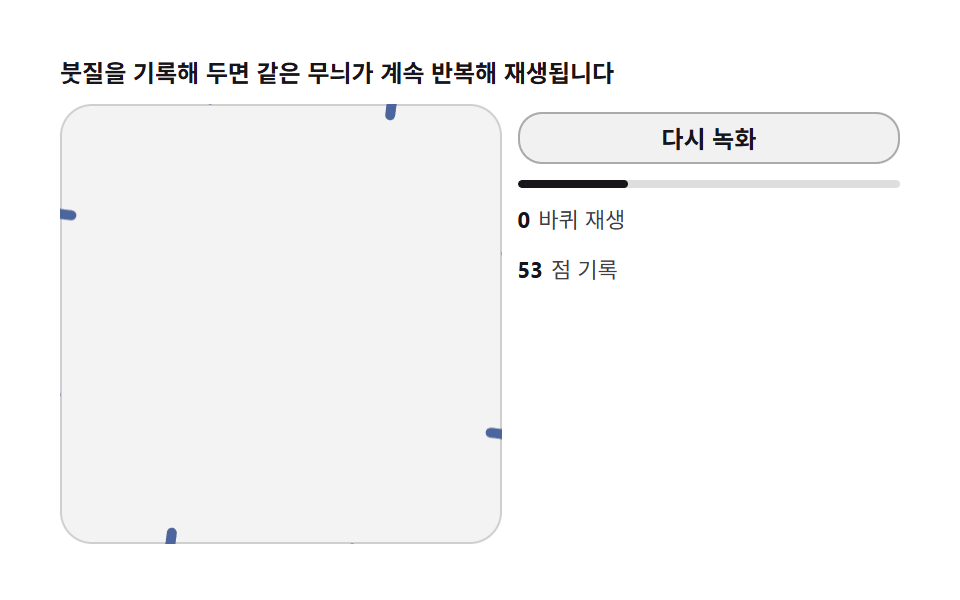
  <p class="krec__hint">記録したストロークが同じ模様を繰り返し再生します</p>
  <div class="krec__row">
    <div class="krec__field" id="field" role="application" aria-label="録画再生実験盤" tabindex="0">
      <canvas class="krec__cv" id="cv"></canvas>
    </div>
    <div class="krec__side">
      <button class="krec__btn" id="rec" type="button" aria-label="もう一度録画">もう一度録画</button>
      <div class="krec__bar"><div class="krec__fill" id="fill"></div></div>
      <p class="krec__meta"><b id="loop">0</b>再生ループ</p>
      <p class="krec__meta"><b id="pts">0</b>記録点</p>
    </div>
  </div>
</div>
</main>
@use "../../../../site/static/demo-tokens" as *;
// 녹화 재생 루프(08) — rAF 캔버스 데모. 그린 좌표를 기록해 무한 재생한다.
// 종이 무대 위 짙은 파스텔 재생 궤적 — 초록 재생 커서.
$duration: $dur-loop;
$easing: $ease-out;
$color: $subject-ink;
@include stage($stage-paper);
.krec {
--c1: #4d659d; // 파랑 파스텔 짙음 — 녹화 붓
--c2: #9d4d54; // 붉은기 파스텔 짙음 — 재생 붓
--c3: #4d9d61; // 연두 파스텔 짙음 — 재생 커서
display: flex; flex-direction: column; gap: $sp-2;
width: 100%; max-width: 420px;
}
.krec__hint {
margin: 0; font-weight: 700; font-size: clamp(10px, 2.8vw, 12px); line-height: 1.35;
color: $subject-ink;
}
.krec__row { display: flex; gap: $sp-2; align-items: stretch; }
.krec__field {
position: relative; overflow: hidden;
flex: 0 0 auto;
width: clamp(176px, 46vw, 232px);
height: clamp(176px, 46vw, 232px);
border-radius: $r-card;
background: rgba($subject-ink, .05);
box-shadow: inset 0 0 0 1px rgba($subject-ink, .16);
cursor: crosshair; touch-action: none;
}
.krec__field:focus-visible { outline: 2px solid $color; outline-offset: 2px; }
.krec__cv { display: block; width: 100%; height: 100%; }
.krec__side {
flex: 1; min-width: 0;
display: flex; flex-direction: column; gap: $sp-2;
padding-top: $sp-1;
}
.krec__btn {
width: 100%; margin: 0; padding: $sp-1 $sp-2;
font-family: inherit; font-weight: 700; font-size: clamp(10px, 2.6vw, 12px); line-height: 1.4;
color: $subject-ink;
background: rgba($subject-ink, .06);
border: 1px solid rgba($subject-ink, .32); border-radius: $r-control;
cursor: pointer;
}
.krec__btn:focus-visible { outline: 2px solid $color; outline-offset: 2px; }
.krec__bar {
height: 4px; border-radius: $r-pill;
background: rgba($subject-ink, .14);
overflow: hidden;
}
.krec__fill {
height: 100%; width: 0%;
background: $subject-ink; border-radius: $r-pill;
}
.krec__meta { margin: 0; font-size: clamp(9px, 2.4vw, 11px); line-height: 1.5; color: rgba($subject-ink, .82); }
.krec__meta b { font-weight: 700; color: $subject-ink; font-variant-numeric: tabular-nums; margin-right: $sp-1; }
@media (max-width: 340px) {
.krec { gap: $sp-1; }
.krec__field { width: 150px; height: 150px; }
.krec__meta { font-size: 8px; }
}
// reduce — 루프가 안 돈다. 재생이 끝난 완성 궤적 한 장이 남는다.
@media (prefers-reduced-motion: reduce) {
.krec.is-still .krec__field { cursor: default !important; }
.krec.is-still .krec__btn { pointer-events: none !important; }
}html, body {
margin: 0;
overflow: hidden;
}
.stage {
box-sizing: border-box;
min-height: 100vh;
display: grid;
place-items: center;
margin: 0;
background: #ffffff;
font-family: -apple-system, "Segoe UI", "Noto Sans KR", sans-serif;
padding: clamp(8px, 4vw, 24px);
}
.krec {
--c1: #4d659d;
--c2: #9d4d54;
--c3: #4d9d61;
display: flex;
flex-direction: column;
gap: 8px;
width: 100%;
max-width: 420px;
}
.krec__hint {
margin: 0;
font-weight: 700;
font-size: clamp(10px, 2.8vw, 12px);
line-height: 1.35;
color: #17141a;
}
.krec__row {
display: flex;
gap: 8px;
align-items: stretch;
}
.krec__field {
position: relative;
overflow: hidden;
flex: 0 0 auto;
width: clamp(176px, 46vw, 232px);
height: clamp(176px, 46vw, 232px);
border-radius: 16px;
background: rgba(23, 20, 26, 0.05);
box-shadow: inset 0 0 0 1px rgba(23, 20, 26, 0.16);
cursor: crosshair;
touch-action: none;
}
.krec__field:focus-visible {
outline: 2px solid #17141a;
outline-offset: 2px;
}
.krec__cv {
display: block;
width: 100%;
height: 100%;
}
.krec__side {
flex: 1;
min-width: 0;
display: flex;
flex-direction: column;
gap: 8px;
padding-top: 4px;
}
.krec__btn {
width: 100%;
margin: 0;
padding: 4px 8px;
font-family: inherit;
font-weight: 700;
font-size: clamp(10px, 2.6vw, 12px);
line-height: 1.4;
color: #17141a;
background: rgba(23, 20, 26, 0.06);
border: 1px solid rgba(23, 20, 26, 0.32);
border-radius: 12px;
cursor: pointer;
}
.krec__btn:focus-visible {
outline: 2px solid #17141a;
outline-offset: 2px;
}
.krec__bar {
height: 4px;
border-radius: 999px;
background: rgba(23, 20, 26, 0.14);
overflow: hidden;
}
.krec__fill {
height: 100%;
width: 0%;
background: #17141a;
border-radius: 999px;
}
.krec__meta {
margin: 0;
font-size: clamp(9px, 2.4vw, 11px);
line-height: 1.5;
color: rgba(23, 20, 26, 0.82);
}
.krec__meta b {
font-weight: 700;
color: #17141a;
font-variant-numeric: tabular-nums;
margin-right: 4px;
}
@media (max-width: 340px) {
.krec {
gap: 4px;
}
.krec__field {
width: 150px;
height: 150px;
}
.krec__meta {
font-size: 8px;
}
}
@media (prefers-reduced-motion: reduce) {
.krec.is-still .krec__field {
cursor: default !important;
}
.krec.is-still .krec__btn {
pointer-events: none !important;
}
}// 녹화 재생 루프 — 붓질을 [x, y, 시각] 배열로 기록한다. 기록이 끝나면 처음부터
// 같은 속도로 재생하되, 반사 행렬 N 갈래 무늬는 매번 다시 찍힌다(기록은 한 扇形
// 분량만). 재생 커서는 초록 점. 루프 카운터가 오르며 무한 반복한다.
(function () {
var root = document.getElementById('krec');
var field = document.getElementById('field');
var cv = document.getElementById('cv');
var rec = document.getElementById('rec');
var fill = document.getElementById('fill');
var loop = document.getElementById('loop');
var pts = document.getElementById('pts');
if (!root || !field || !cv || !rec || !fill || !loop || !pts) return;
var ctx = cv.getContext('2d');
var css = getComputedStyle(root);
var C1 = css.getPropertyValue('--c1').trim();
var C2 = css.getPropertyValue('--c2').trim();
var C3 = css.getPropertyValue('--c3').trim();
var N = 8;
var W = 0, H = 0, dpr = 1, cx = 0, cy = 0, R = 0;
function fit() {
W = field.clientWidth; H = field.clientHeight;
dpr = Math.min(2, window.devicePixelRatio || 1);
cv.width = Math.round(W * dpr); cv.height = Math.round(H * dpr);
cx = W / 2; cy = H / 2; R = Math.min(W, H) / 2 - 6;
}
// 반사 복제 스트로크 — 01 과 같은 코어
function mirroredSeg(x0, y0, x1, y1, col) {
for (var k = 0; k < N; k++) {
var a = k * 2 * Math.PI / N, c = Math.cos(a), s = Math.sin(a);
ctx.setTransform(dpr * c, dpr * s, dpr * s, -dpr * c, cx * dpr, cy * dpr);
ctx.strokeStyle = col;
ctx.lineWidth = 5; ctx.lineCap = 'round';
ctx.beginPath(); ctx.moveTo(x0, y0); ctx.lineTo(x1, y1); ctx.stroke();
}
ctx.setTransform(dpr, 0, 0, dpr, 0, 0);
}
// 시드 고정 녹화 경로 — 루프가 이어지는 나선 (끝점 = 시작점)
function pathAt(u) { // u: 0~1 루프 파라미터
var ang = u * 2 * Math.PI * 2 + Math.sin(u * 2 * Math.PI * 3) * 0.6;
var r = R * (0.16 + 0.60 * (0.5 - 0.5 * Math.cos(u * 2 * Math.PI)));
return [cx + r * Math.cos(ang), cy + r * Math.sin(ang)];
}
var reduce = window.matchMedia('(prefers-reduced-motion: reduce)').matches;
var REC_DUR = 3.0; // 한 바퀴 녹화 길이(초) — 시간 표기와 일치
var t = 0, last = 0;
var phase = 0; // 0 녹화 · 1 재생
var recU = 0; // 녹화 진행 0~1
var playU = 0; // 재생 진행 0~1
var loops = 0;
var record = []; // [u, x, y] — 재생 보간용
var playPrev = null;
function clear() {
ctx.setTransform(dpr, 0, 0, dpr, 0, 0);
ctx.clearRect(0, 0, W, H);
}
rec.addEventListener('click', function () {
phase = 0; recU = 0; playU = 0; loops = 0; record = []; playPrev = null;
loop.textContent = '0'; pts.textContent = '0'; fill.style.width = '0%';
clear();
});
// 녹화 — 붓이 지나간 자리만 즉시 반사 찍힌다 (잔상 축적)
function recStep(du) {
recU += du;
var u = Math.min(1, recU / REC_DUR);
var prev = record.length ? [record[record.length - 1][1], record[record.length - 1][2]] : null;
var p = pathAt(u);
record.push([u, p[0], p[1]]);
pts.textContent = String(record.length);
if (prev) mirroredSeg(prev[0], prev[1], p[0], p[1], C1);
fill.style.width = String(Math.round(u * 100)) + '%';
if (u >= 1) { phase = 1; playU = 0; playPrev = null; clear(); }
}
// 재생 — 기록을 같은 속도로 되찍는다. 루프마다 색이 번갈아 온다
function playStep(du) {
playU += du;
var u = playU / REC_DUR;
if (u >= 1) { loops += 1; loop.textContent = String(loops); playU = 0; playPrev = null; u = 0; }
var col = (loops % 2 === 0) ? C2 : C1;
// 기록 보간 — u 에 가장 가까운 두 점
var i = Math.min(record.length - 1, Math.floor(u * (record.length - 1)));
var a = record[i], b = record[Math.min(record.length - 1, i + 1)];
var f = (u * (record.length - 1)) - i;
var x = a[1] + (b[1] - a[1]) * f, y = a[2] + (b[2] - a[2]) * f;
if (playPrev) mirroredSeg(playPrev[0], playPrev[1], x, y, col);
playPrev = [x, y];
// 재생 커서 — 초록 점
ctx.setTransform(dpr, 0, 0, dpr, 0, 0);
ctx.fillStyle = C3;
ctx.beginPath(); ctx.arc(x, y, 4, 0, 2 * Math.PI); ctx.fill();
fill.style.width = String(Math.round(u * 100)) + '%';
}
function step(now) {
var dt = Math.min(64, now - last) / 1000; last = now;
t += dt;
if (phase === 0) recStep(dt);
else playStep(dt);
requestAnimationFrame(step);
}
fit();
window.addEventListener('resize', fit);
if (reduce) {
// 정지 한 장 — 녹화 완료 + 재생 1바퀴 궤적
clear();
var prevP = null;
for (var j = 0; j <= 120; j++) {
var u2 = j / 120;
var p2 = pathAt(u2);
if (prevP) mirroredSeg(prevP[0], prevP[1], p2[0], p2[1], C1);
prevP = p2;
}
prevP = null;
for (var j2 = 0; j2 <= 90; j2++) {
var u3 = j2 / 90;
var p3 = pathAt(u3);
if (prevP) mirroredSeg(prevP[0], prevP[1], p3[0], p3[1], C2);
prevP = p3;
}
pts.textContent = '121'; loop.textContent = '1'; fill.style.width = '100%';
root.classList.add('is-still');
} else {
last = performance.now();
requestAnimationFrame(step);
}
})();// KaleidoRecordReplayLoop — vanilla 판(run/331/demo/08-kaleido-record-replay-loop/index.html) 의 React 포트.
// 붓질을 [x, y, 시각] 배열로 기록한다. 기록이 끝나면 처음부터 같은 속도로 재생하되,
// 반사 행렬 N 갈래 무늬는 매번 다시 찍힌다(기록은 한 부채꼴 분량만). 재생 커서는
// 초록 점. 루프 카운터가 오르며 무한 반복한다. 한 바퀴 녹화 길이 REC_DUR = 3.0초 —
// 시간 표기와 소스 상수가 같다. 값·수치는 vanilla 와 같다.
// 움직임은 전부 캔버스 rAF 루프가 그리므로 CSS 애니메이션이 없다.
// reduce 에서는 루프를 돌리지 않고 녹화 완료 + 재생 1바퀴 궤적 한 장만 남긴다(.isStill).
import { useEffect, useRef, useState } from "react";
import type { CSSProperties } from "react";
import styles from "./KaleidoRecordReplayLoop.module.scss";
export type KaleidoRecordReplayLoopProps = {
duration?: string;
easing?: string;
color?: string;
};
type Vars = CSSProperties & { "--duration"?: string; "--easing"?: string; "--color"?: string };
// useRef 는 T | null 을 돌려준다. 처음부터 값이 있고 절대 비지 않는 상자는 이렇게 좁혀 쓴다
type Box<T> = { current: T };
const N = 8;
const C1 = "#4d659d"; // 파랑 파스텔 짙음 — 녹화 붓
const C2 = "#9d4d54"; // 붉은기 파스텔 짙음 — 재생 붓
const C3 = "#4d9d61"; // 연두 파스텔 짙음 — 재생 커서
const REC_DUR = 3.0; // 한 바퀴 녹화 길이(초) — 시간 표기와 일치
const HINT = "붓질을 기록해 두면 같은 무늬가 계속 반복해 재생됩니다";
const ARIA_FIELD = "녹화 재생 실험판";
const REC_BTN = "다시 녹화";
const REC_ARIA = "다시 녹화";
const LOOP_UNIT = "바퀴 재생";
const PTS_UNIT = "점 기록";
// 기록 점 [u, x, y] — 재생 보간용
type RecPt = [number, number, number];
export default function KaleidoRecordReplayLoop({
duration = "2s",
easing = "ease-out",
color = "#17141a"
}: KaleidoRecordReplayLoopProps) {
const fieldRef = useRef<HTMLDivElement | null>(null);
const cvRef = useRef<HTMLCanvasElement | null>(null);
const fillRef = useRef<HTMLDivElement | null>(null);
const loopRef = useRef<HTMLSpanElement | null>(null);
const ptsRef = useRef<HTMLSpanElement | null>(null);
const ctxRef = useRef<CanvasRenderingContext2D | null>(null);
const stRef = useRef({
W: 0, H: 0, dpr: 1, cx: 0, cy: 0, R: 0,
t: 0, phase: 0, recU: 0, playU: 0, loops: 0,
record: [] as RecPt[], playPrev: null as [number, number] | null
}) as Box<{
W: number; H: number; dpr: number; cx: number; cy: number; R: number;
t: number; phase: number; recU: number; playU: number; loops: number;
record: RecPt[]; playPrev: [number, number] | null;
}>;
const lastRef = useRef(0) as Box<number>;
const rafRef = useRef(0) as Box<number>;
const [still, setStill] = useState(false);
function reduced(): boolean {
return window.matchMedia("(prefers-reduced-motion: reduce)").matches;
}
function fit(): void {
const st = stRef.current;
const field = fieldRef.current, cv = cvRef.current;
if (!field || !cv) return;
const ctx = cv.getContext("2d");
if (!ctx) return;
st.W = field.clientWidth; st.H = field.clientHeight;
st.dpr = Math.min(2, window.devicePixelRatio || 1);
cv.width = Math.round(st.W * st.dpr); cv.height = Math.round(st.H * st.dpr);
st.cx = st.W / 2; st.cy = st.H / 2; st.R = Math.min(st.W, st.H) / 2 - 6;
ctxRef.current = ctx;
}
// 반사 복제 스트로크 — 01 과 같은 코어
function mirroredSeg(x0: number, y0: number, x1: number, y1: number, col: string): void {
const st = stRef.current;
const ctx = ctxRef.current;
if (!ctx) return;
for (let k = 0; k < N; k++) {
const a = k * 2 * Math.PI / N, c = Math.cos(a), s = Math.sin(a);
ctx.setTransform(st.dpr * c, st.dpr * s, st.dpr * s, -st.dpr * c, st.cx * st.dpr, st.cy * st.dpr);
ctx.strokeStyle = col;
ctx.lineWidth = 5; ctx.lineCap = "round";
ctx.beginPath(); ctx.moveTo(x0, y0); ctx.lineTo(x1, y1); ctx.stroke();
}
ctx.setTransform(st.dpr, 0, 0, st.dpr, 0, 0);
}
// 시드 고정 녹화 경로 — 루프가 이어지는 나선 (끝점 = 시작점)
function pathAt(u: number): [number, number] { // u: 0~1 루프 파라미터
const st = stRef.current;
const ang = u * 2 * Math.PI * 2 + Math.sin(u * 2 * Math.PI * 3) * 0.6;
const r = st.R * (0.16 + 0.60 * (0.5 - 0.5 * Math.cos(u * 2 * Math.PI)));
return [st.cx + r * Math.cos(ang), st.cy + r * Math.sin(ang)];
}
function clear(): void {
const st = stRef.current;
const ctx = ctxRef.current;
if (!ctx) return;
ctx.setTransform(st.dpr, 0, 0, st.dpr, 0, 0);
ctx.clearRect(0, 0, st.W, st.H);
}
function onRecClick(): void {
const st = stRef.current;
st.phase = 0; st.recU = 0; st.playU = 0; st.loops = 0; st.record = []; st.playPrev = null;
const loop = loopRef.current, pts = ptsRef.current, fill = fillRef.current;
if (loop) loop.textContent = "0";
if (pts) pts.textContent = "0";
if (fill) fill.style.width = "0%";
clear();
}
// 녹화 — 붓이 지나간 자리만 즉시 반사 찍힌다 (잔상 축적)
function recStep(du: number): void {
const st = stRef.current;
st.recU += du;
const u = Math.min(1, st.recU / REC_DUR);
const lastRec = st.record.length ? st.record[st.record.length - 1] : null;
const prev: [number, number] | null = lastRec ? [lastRec[1], lastRec[2]] : null;
const p = pathAt(u);
st.record.push([u, p[0], p[1]]);
const pts = ptsRef.current, fill = fillRef.current;
if (pts) pts.textContent = String(st.record.length);
if (prev) mirroredSeg(prev[0], prev[1], p[0], p[1], C1);
if (fill) fill.style.width = String(Math.round(u * 100)) + "%";
if (u >= 1) { st.phase = 1; st.playU = 0; st.playPrev = null; clear(); }
}
// 재생 — 기록을 같은 속도로 되찍는다. 루프마다 색이 번갈아 온다
function playStep(du: number): void {
const st = stRef.current;
st.playU += du;
let u = st.playU / REC_DUR;
if (u >= 1) {
st.loops += 1;
const loop = loopRef.current;
if (loop) loop.textContent = String(st.loops);
st.playU = 0; st.playPrev = null; u = 0;
}
const col = (st.loops % 2 === 0) ? C2 : C1;
// 기록 보간 — u 에 가장 가까운 두 점
const i = Math.min(st.record.length - 1, Math.floor(u * (st.record.length - 1)));
const a = st.record[i], b = st.record[Math.min(st.record.length - 1, i + 1)];
const f = (u * (st.record.length - 1)) - i;
const x = a[1] + (b[1] - a[1]) * f, y = a[2] + (b[2] - a[2]) * f;
if (st.playPrev) mirroredSeg(st.playPrev[0], st.playPrev[1], x, y, col);
st.playPrev = [x, y];
// 재생 커서 — 초록 점
const ctx = ctxRef.current;
if (ctx) {
ctx.setTransform(st.dpr, 0, 0, st.dpr, 0, 0);
ctx.fillStyle = C3;
ctx.beginPath(); ctx.arc(x, y, 4, 0, 2 * Math.PI); ctx.fill();
}
const fill = fillRef.current;
if (fill) fill.style.width = String(Math.round(u * 100)) + "%";
}
function step(now: number): void {
const st = stRef.current;
const dt = Math.min(64, now - lastRef.current) / 1000; lastRef.current = now;
st.t += dt;
if (st.phase === 0) recStep(dt);
else playStep(dt);
rafRef.current = requestAnimationFrame(step);
}
useEffect(() => {
fit();
function onResize(): void { fit(); }
window.addEventListener("resize", onResize);
if (reduced()) {
// 정지 한 장 — 녹화 완료 + 재생 1바퀴 궤적
clear();
let prevP: [number, number] | null = null;
for (let j = 0; j <= 120; j++) {
const u2 = j / 120;
const p2 = pathAt(u2);
if (prevP) mirroredSeg(prevP[0], prevP[1], p2[0], p2[1], C1);
prevP = p2;
}
prevP = null;
for (let j2 = 0; j2 <= 90; j2++) {
const u3 = j2 / 90;
const p3 = pathAt(u3);
if (prevP) mirroredSeg(prevP[0], prevP[1], p3[0], p3[1], C2);
prevP = p3;
}
const pts = ptsRef.current, loop = loopRef.current, fill = fillRef.current;
if (pts) pts.textContent = "121";
if (loop) loop.textContent = "1";
if (fill) fill.style.width = "100%";
setStill(true);
} else {
lastRef.current = performance.now();
rafRef.current = requestAnimationFrame(step);
}
return () => {
window.removeEventListener("resize", onResize);
cancelAnimationFrame(rafRef.current);
};
// eslint-disable-next-line react-hooks/exhaustive-deps
}, []);
const rootCls = still ? styles.krec + " " + styles.isStill : styles.krec;
return (
<main className={styles.stage}>
<div className={rootCls} style={{ "--duration": duration, "--easing": easing, "--color": color } as Vars}>
<p className={styles.hint}>{HINT}</p>
<div className={styles.row}>
<div
className={styles.field}
ref={fieldRef}
role="application"
aria-label={ARIA_FIELD}
tabIndex={0}
>
<canvas className={styles.cv} ref={cvRef}></canvas>
</div>
<div className={styles.side}>
<button className={styles.btn} type="button" aria-label={REC_ARIA} onClick={onRecClick}>{REC_BTN}</button>
<div className={styles.bar}><div className={styles.fill} ref={fillRef}></div></div>
<p className={styles.meta}><b><span ref={loopRef}>0</span></b>{LOOP_UNIT}</p>
<p className={styles.meta}><b><span ref={ptsRef}>0</span></b>{PTS_UNIT}</p>
</div>
</div>
</div>
</main>
);
}08 録画と再生 — 描いた過程を巻き戻すループ — 計測 累積面積 5.417% · 動いたフレーム 23/23GODRICH オリジナル · SCSS と React は zip に同梱 · 万華鏡 アプリ — 鏡の角度で描く対称お絵かき9種
このデモが属する記事
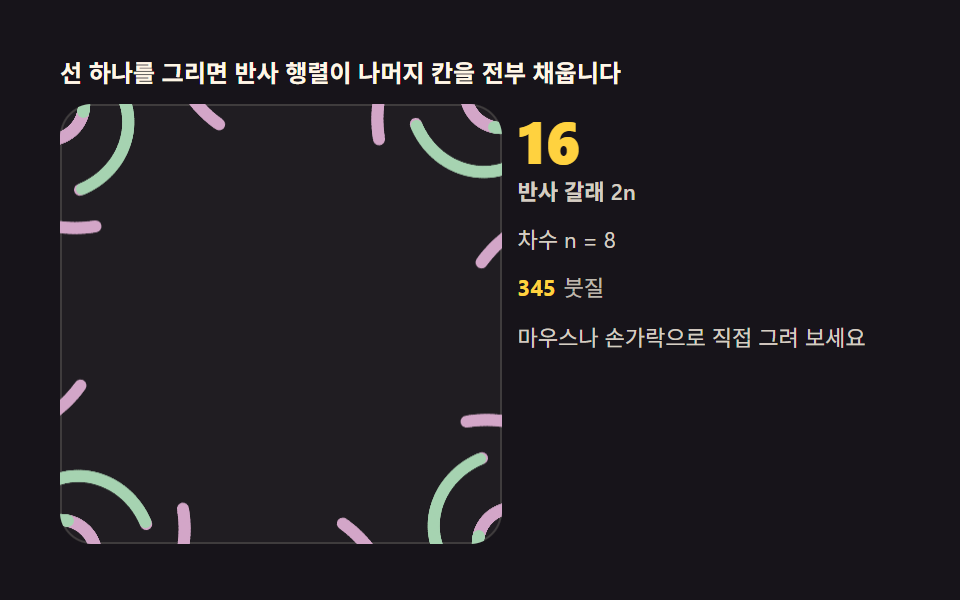 万華鏡 アプリ — 鏡の角度で描く対称お絵かき9種1本の線を描くと反射行列が残りの扇形をすべて埋めます。鏡の角度・対称次数・色相サイクルを自分で変える万華鏡描画ツール — ライブラリなしのキャンバス1枚、コードはパスワード付きzipでお渡しします。万華鏡 アプリと検索した人がブラウザで探し この記事のデモをすべて見る