04ドラッグハンドルで並び替え
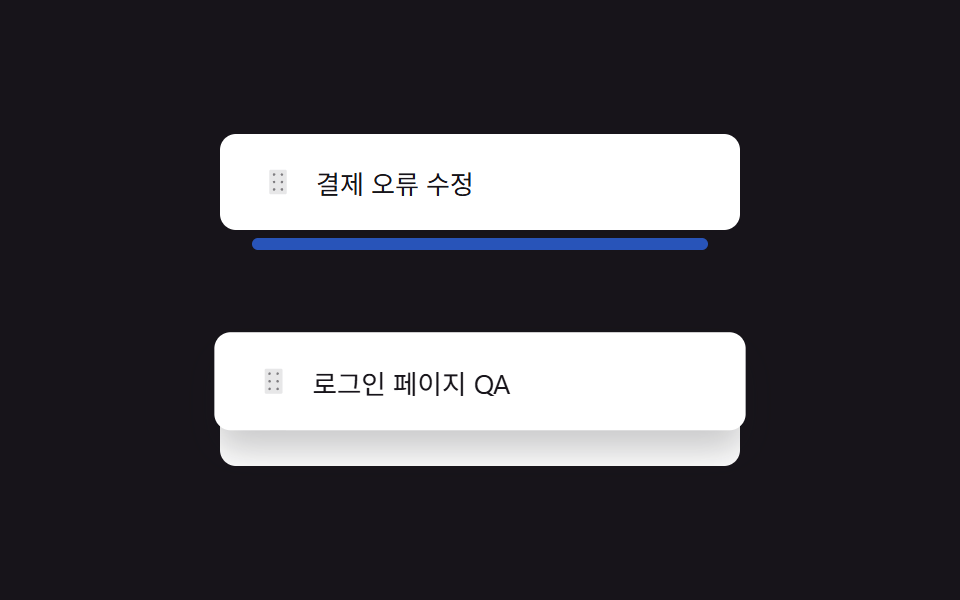
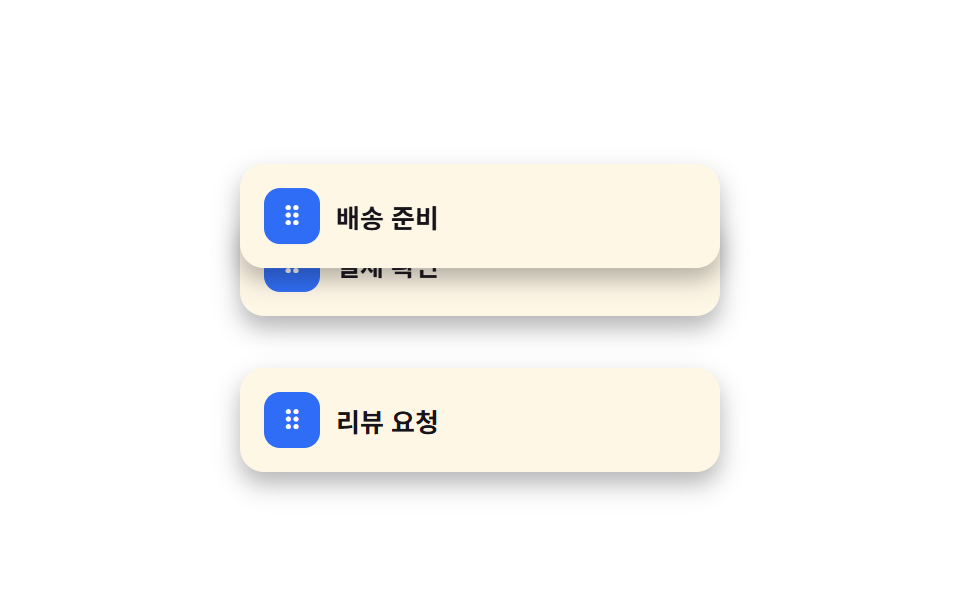
行の左にある六点ハンドルをつかんで上下に動かすと、通過する行が場所を譲り順番が入れ替わる。
使いどころプレイリストの並び替え、優先度タスクリスト
pointerdown 드래그형제 요소 reflowdrop index 계산
<main class="stage">
  <ul class="drag-list is-demo" aria-label="処理順">
    <li class="drag-row">
      <button class="drag-row__handle" type="button" aria-label="ドラッグまたは矢印キーで並び替え">⠿</button>
      <span class="drag-row__label">決済確認</span>
    </li>
    <li class="drag-row">
      <button class="drag-row__handle" type="button" aria-label="ドラッグまたは矢印キーで並び替え">⠿</button>
      <span class="drag-row__label">発送準備</span>
    </li>
    <li class="drag-row">
      <button class="drag-row__handle" type="button" aria-label="ドラッグまたは矢印キーで並び替え">⠿</button>
      <span class="drag-row__label">レビュー依頼</span>
    </li>
  </ul>
</main>
@use "../../../../site/static/demo-tokens" as *;
$duration: $dur-quick; // 드래그 중 스냅 시간
$easing: $ease-out;
$color: $subject-blue; // 핸들 색
@include stage($stage-paper);
.drag-list {
position: relative;
list-style: none;
margin: 0;
padding: 0;
width: min(240px, 78vw);
display: flex;
flex-direction: column;
gap: $sp-2;
}
.drag-row {
display: flex;
align-items: center;
gap: $sp-2;
padding: $sp-3;
border-radius: $r-control;
background: $subject-cream;
box-shadow: $shadow-press;
transition: transform $duration $easing;
&.is-dragging { transition: none; z-index: 2; box-shadow: $shadow-raised; }
}
.drag-row__handle {
flex: 0 0 auto;
width: 28px;
height: 28px;
border: 0;
border-radius: $r-sm;
background: $color;
color: $stage-paper;
font-size: 14px;
line-height: 1;
cursor: grab;
touch-action: none;
}
.drag-row__handle:focus-visible { outline: 2px solid $stage-ink; outline-offset: 2px; }
.drag-row__label { font-weight: 700; font-size: 13px; color: $stage-ink; font-family: inherit; }
.drag-list.is-demo .drag-row:nth-child(1) { animation: drag-a $dur-loop $easing infinite; }
.drag-list.is-demo .drag-row:nth-child(2) { animation: drag-b $dur-loop $easing infinite; }
@keyframes drag-a {
0%, 10% { transform: translateY(0); }
45%, 65% { transform: translateY(60px); }
95%, 100% { transform: translateY(0); }
}
@keyframes drag-b {
0%, 10% { transform: translateY(0); }
45%, 65% { transform: translateY(-60px); }
95%, 100% { transform: translateY(0); }
}
@media (prefers-reduced-motion: reduce) {
.drag-row { transition: none; }
.drag-list.is-demo .drag-row:nth-child(1),
.drag-list.is-demo .drag-row:nth-child(2) { animation: none; }
}html, body {
margin: 0;
overflow: hidden;
}
.stage {
box-sizing: border-box;
min-height: 100vh;
display: grid;
place-items: center;
margin: 0;
background: #ffffff;
font-family: -apple-system, "Segoe UI", "Noto Sans KR", sans-serif;
padding: clamp(8px, 4vw, 24px);
}
.drag-list {
position: relative;
list-style: none;
margin: 0;
padding: 0;
width: min(240px, 78vw);
display: flex;
flex-direction: column;
gap: 8px;
}
.drag-row {
display: flex;
align-items: center;
gap: 8px;
padding: 12px;
border-radius: 12px;
background: #fff7e6;
box-shadow: 0 6px 12px rgba(23, 20, 26, 0.32);
transition: transform 220ms ease-out;
}
.drag-row.is-dragging {
transition: none;
z-index: 2;
box-shadow: 0 14px 24px rgba(23, 20, 26, 0.32);
}
.drag-row__handle {
flex: 0 0 auto;
width: 28px;
height: 28px;
border: 0;
border-radius: 8px;
background: #2f6df6;
color: #ffffff;
font-size: 14px;
line-height: 1;
cursor: grab;
touch-action: none;
}
.drag-row__handle:focus-visible {
outline: 2px solid #17141a;
outline-offset: 2px;
}
.drag-row__label {
font-weight: 700;
font-size: 13px;
color: #17141a;
font-family: inherit;
}
.drag-list.is-demo .drag-row:nth-child(1) {
animation: drag-a 2s ease-out infinite;
}
.drag-list.is-demo .drag-row:nth-child(2) {
animation: drag-b 2s ease-out infinite;
}
@keyframes drag-a {
0%, 10% {
transform: translateY(0);
}
45%, 65% {
transform: translateY(60px);
}
95%, 100% {
transform: translateY(0);
}
}
@keyframes drag-b {
0%, 10% {
transform: translateY(0);
}
45%, 65% {
transform: translateY(-60px);
}
95%, 100% {
transform: translateY(0);
}
}
@media (prefers-reduced-motion: reduce) {
.drag-row {
transition: none;
}
.drag-list.is-demo .drag-row:nth-child(1),
.drag-list.is-demo .drag-row:nth-child(2) {
animation: none;
}
}(function () {
var list = document.querySelector('.drag-list');
Array.prototype.forEach.call(list.children, function (row) {
var handle = row.querySelector('.drag-row__handle');
var startY = 0, dy = 0, dragging = false;
handle.addEventListener('pointerdown', function (e) {
list.classList.remove('is-demo');
dragging = true; startY = e.clientY; row.classList.add('is-dragging');
handle.setPointerCapture(e.pointerId);
});
handle.addEventListener('pointermove', function (e) {
if (!dragging) return;
dy = e.clientY - startY;
row.style.transform = 'translateY(' + dy + 'px)';
});
function end() {
if (!dragging) return;
dragging = false; row.classList.remove('is-dragging');
var target = dy > 30 ? row.nextElementSibling : dy < -30 ? row.previousElementSibling : null;
row.style.transform = '';
if (target) list.insertBefore(dy > 0 ? target : row, dy > 0 ? row : target);
dy = 0;
}
handle.addEventListener('pointerup', end);
handle.addEventListener('pointercancel', end);
handle.addEventListener('keydown', function (e) {
list.classList.remove('is-demo');
var sib = e.key === 'ArrowDown' ? row.nextElementSibling : e.key === 'ArrowUp' ? row.previousElementSibling : null;
if (!sib) return;
e.preventDefault();
if (e.key === 'ArrowDown') list.insertBefore(sib, row); else list.insertBefore(row, sib);
handle.focus({ preventScroll: true });
});
});
})();import { useEffect, useRef, useState, type CSSProperties, type PointerEvent } from "react";
import styles from "./DragHandleReorder.module.scss";
export type DragHandleReorderProps = {
items: string[];
/** 드래그 스냅 시간 (기본 220ms) */
duration?: number;
easing?: string;
/** 핸들 색 */
color?: string;
};
type Vars = CSSProperties & { "--duration"?: string; "--easing"?: string; "--color"?: string };
export default function DragHandleReorder({
items,
duration = 220,
easing = "ease-out",
color = "#2f6df6",
}: DragHandleReorderProps) {
const [rows, setRows] = useState(items);
const [dragIndex, setDragIndex] = useState<number | null>(null);
const [dy, setDy] = useState(0);
const startY = useRef(0);
const handles = useRef<{ [label: string]: HTMLButtonElement | null }>({});
const refocusLabel = useRef<string | null>(null);
const vars: Vars = { "--duration": `${duration}ms`, "--easing": easing, "--color": color };
// 키보드로 순서를 바꾼 뒤에도 같은 핸들에 포커스가 남아 있어야 연속으로 화살표 키를 누를 수 있다
// (vanilla 판의 handle.focus({ preventScroll: true }) 와 같은 목적 — react 는 key 재조정으로도
// 대개 포커스가 유지되지만, 여기서는 명시적으로 한 번 더 확인해 다른 리렌더에 흔들리지 않게 한다)
useEffect(() => {
const label = refocusLabel.current;
if (label) { handles.current![label]?.focus({ preventScroll: true }); refocusLabel.current = null; }
}, [rows]);
const swap = (i: number, j: number, keyboardLabel?: string) => {
if (j < 0 || j >= rows.length) return;
const next = rows.slice();
const t = next[i]; next[i] = next[j]; next[j] = t;
if (keyboardLabel) refocusLabel.current = keyboardLabel;
setRows(next);
};
const down = (i: number) => (e: PointerEvent<HTMLButtonElement>) => {
setDragIndex(i); startY.current = e.clientY;
e.currentTarget.setPointerCapture(e.pointerId);
};
const move = (e: PointerEvent<HTMLButtonElement>) => {
if (dragIndex === null) return;
setDy(e.clientY - (startY.current ?? 0));
};
const up = () => {
if (dragIndex === null) return;
if (dy > 30) swap(dragIndex, dragIndex + 1);
else if (dy < -30) swap(dragIndex, dragIndex - 1);
setDragIndex(null); setDy(0);
};
const key = (i: number, label: string) => (e: any) => {
if (e.key === "ArrowDown") { e.preventDefault(); swap(i, i + 1, label); }
else if (e.key === "ArrowUp") { e.preventDefault(); swap(i, i - 1, label); }
};
return (
<ul className={styles.list} style={vars}>
{rows.map((label, i) => (
<li
key={label}
className={styles.row}
style={dragIndex === i ? { transform: `translateY(${dy}px)`, transition: "none" } : undefined}
>
<button
ref={(el: HTMLButtonElement | null) => { handles.current![label] = el; }}
className={styles.handle}
type="button"
aria-label="드래그하거나 화살표 키로 순서 변경"
onPointerDown={down(i)}
onPointerMove={move}
onPointerUp={up}
onPointerCancel={up}
onKeyDown={key(i, label)}
>⠿</button>
<span className={styles.label}>{label}</span>
</li>
))}
</ul>
);
}04 ドラッグハンドルで並び替え — 計測 累積面積 18.702% · 動いたフレーム 17/23GODRICH オリジナル · SCSS と React は zip に同梱 · スワイプ削除リストUI 9選 — ページネーションまで
このデモが属する記事
 スワイプ削除リストUI 9選 — ページネーションまでスワイプ削除とは、リストの行を横に押すと裏に隠れていた削除ボタンが現れる動きのことで、アプリで見たあの操作をウェブでもそのまま使いたい人は多いです。この記事では、そのスワイプ削除を含むリストのインタラクションを9個、実際に動くコードでまとめ この記事のデモをすべて見る