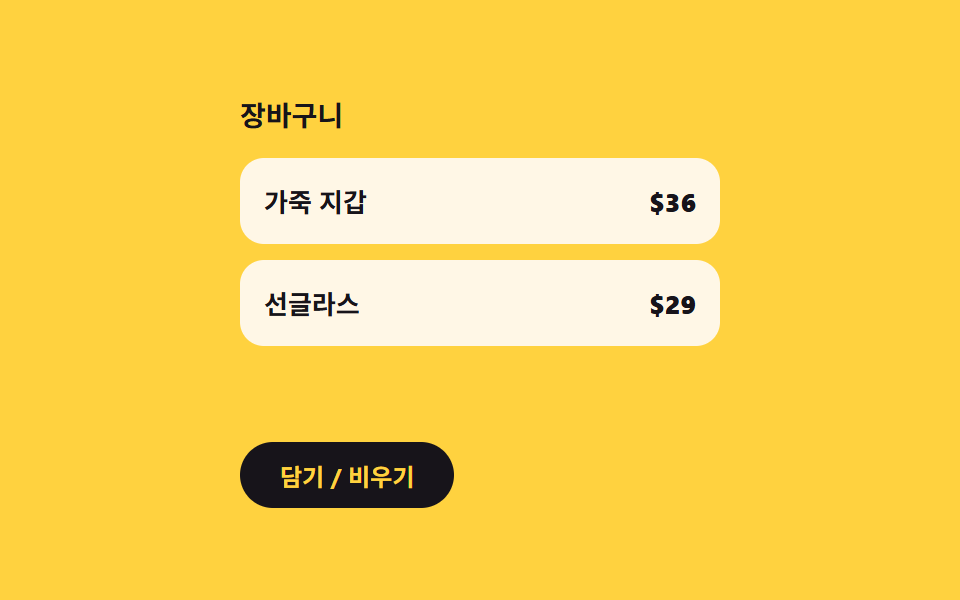
07残り件数の値が0になると入れ替わる空状態の文言
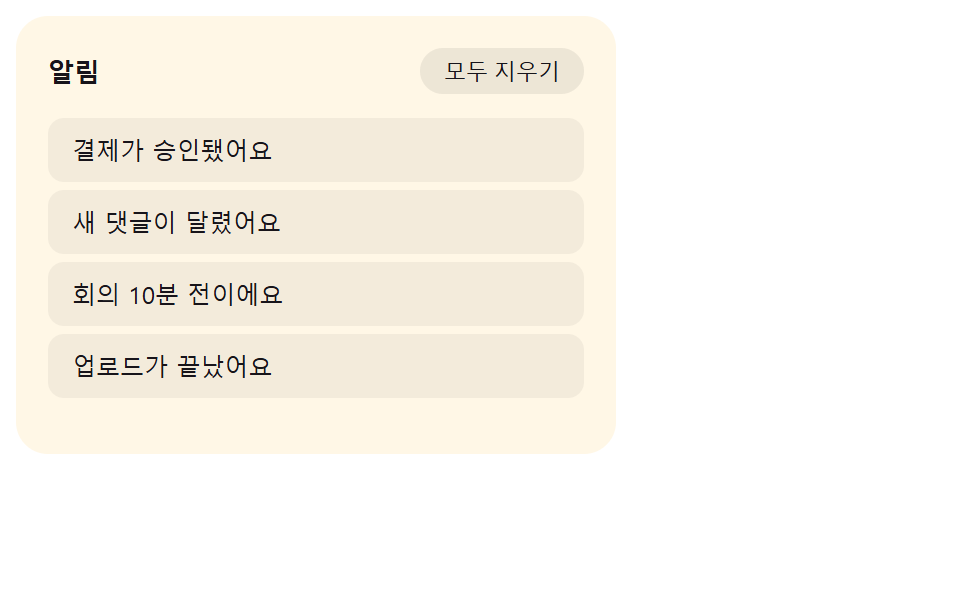
残り通知件数の値を監視し続け、0になった瞬間にリストの不透明度の値を下げると同時に空状態文言の不透明度の値を上げて入れ替える。
使いどころすべての通知を処理した後に見える空パネル
showEmptyshowListfill
<main class="stage">
  <div class="es is-demo" id="es">
    <div class="es__head">
      <span class="es__headLabel">通知</span>
      <button class="es__clear" id="esClear" type="button">すべて消去</button>
    </div>
    <div class="es__body" id="esBody">
      <ul class="es__list" id="esList" role="list"></ul>
      <div class="es__empty" id="esEmpty" hidden>
        <svg class="es__trayIc" viewBox="0 0 256 256" aria-hidden="true" focusable="false">
          <g fill="currentColor">
            <path opacity=".2" d="M216 48v112h-36.69a8 8 0 0 0-5.66 2.34l-19.31 19.32a8 8 0 0 1-5.66 2.34h-41.37a8 8 0 0 1-5.66-2.34l-19.31-19.32a8 8 0 0 0-5.66-2.34H40V48a8 8 0 0 1 8-8h160a8 8 0 0 1 8 8"/>
            <path d="M208 32H48a16 16 0 0 0-16 16v160a16 16 0 0 0 16 16h160a16 16 0 0 0 16-16V48a16 16 0 0 0-16-16m0 16v104h-28.7a15.86 15.86 0 0 0-11.3 4.69L148.69 176h-41.38L88 156.68A15.9 15.9 0 0 0 76.69 152H48V48Zm0 160H48v-40h28.69L96 187.32a15.9 15.9 0 0 0 11.31 4.68h41.38a15.86 15.86 0 0 0 11.31-4.69L179.31 168H208z"/>
          </g>
        </svg>
        <p class="es__emptyText">受け取った通知がありません</p>
        <button class="es__refill" id="esRefill" type="button">新しい通知を受け取る</button>
      </div>
    </div>
    <p class="es__sr" id="esSr" aria-live="polite"></p>
  </div>
</main>
@use "../../../../site/static/demo-tokens" as *;
// 계산 겹: index.html 은 목록 → 빈 상태 전환에서 opacity 만 바꾸지 않는다. 목록은 위로
// 이동하며(translateY(-10px)) 사라지고 빈 상태 그림은 아래(12px)에서 올라오며 나타나
// 두 상태가 겹치는 정지 프레임이 "반쯤 섞인 유령"처럼 보이지 않게 한다.
.stage { @include stage($stage-orange); }
.es {
width: min(100%, 300px);
background: $subject-cream;
border-radius: $r-card;
padding: $sp-4;
box-sizing: border-box;
display: flex;
flex-direction: column;
gap: $sp-3;
}
.es__head { display: flex; align-items: center; justify-content: space-between; gap: $sp-2; }
.es__headLabel { font-size: 13px; font-weight: 700; color: $subject-ink; }
.es__clear {
border: none;
background: rgba($subject-ink, .08);
color: $subject-ink;
font-size: 11px;
border-radius: $r-pill;
padding: $sp-1 $sp-3;
cursor: pointer;
}
.es__clear:disabled { opacity: .4; cursor: default; }
.es__body { position: relative; min-height: 152px; }
.es__list {
position: absolute;
inset: 0;
list-style: none;
margin: 0;
padding: 0;
display: flex;
flex-direction: column;
gap: $sp-1;
opacity: 1;
transform: translateY(0);
transition: opacity $dur-base $ease-out, transform $dur-base $ease-out;
}
.es__list--out { opacity: 0; transform: translateY(-10px); }
.es__item {
border-radius: $r-sm;
background: rgba($subject-ink, .05);
color: $subject-ink;
font-size: 12px;
padding: $sp-2 $sp-3;
box-sizing: border-box;
}
.es__empty {
position: absolute;
inset: 0;
display: flex;
flex-direction: column;
align-items: center;
justify-content: center;
gap: $sp-2;
opacity: 0;
transform: translateY(12px);
transition: opacity $dur-base $ease-out, transform $dur-base $ease-out;
}
.es__empty--in { opacity: 1; transform: translateY(0); }
.es__trayIc { width: 34px; height: 34px; color: rgba($subject-ink, .4); }
.es__emptyText { margin: 0; font-size: 12px; color: rgba($subject-ink, .7); }
.es__refill {
border: none;
background: $subject-blue-deep;
color: $subject-cream;
font-size: 11px;
border-radius: $r-pill;
padding: $sp-1 $sp-4;
cursor: pointer;
}
.es__sr {
position: absolute; width: 1px; height: 1px; overflow: hidden;
clip: rect(0 0 0 0); margin: -1px; padding: 0; border: 0;
}
@media (max-width: 340px) {
.es { width: 100%; }
.es__body { min-height: 110px; }
.es__list { overflow-y: auto; max-height: 110px; }
}
@media (prefers-reduced-motion: reduce) {
.es__list,
.es__empty { transition: none; }
}.stage html, .stage body {
margin: 0;
overflow: hidden;
}
.stage .stage {
box-sizing: border-box;
min-height: 100vh;
display: grid;
place-items: center;
margin: 0;
background: #ff4d1f;
font-family: -apple-system, "Segoe UI", "Noto Sans KR", sans-serif;
padding: clamp(8px, 4vw, 24px);
}
.es {
width: min(100%, 300px);
background: #fff7e6;
border-radius: 16px;
padding: 16px;
box-sizing: border-box;
display: flex;
flex-direction: column;
gap: 12px;
}
.es__head {
display: flex;
align-items: center;
justify-content: space-between;
gap: 8px;
}
.es__headLabel {
font-size: 13px;
font-weight: 700;
color: #17141a;
}
.es__clear {
border: none;
background: rgba(23, 20, 26, 0.08);
color: #17141a;
font-size: 11px;
border-radius: 999px;
padding: 4px 12px;
cursor: pointer;
}
.es__clear:disabled {
opacity: 0.4;
cursor: default;
}
.es__body {
position: relative;
min-height: 152px;
}
.es__list {
position: absolute;
inset: 0;
list-style: none;
margin: 0;
padding: 0;
display: flex;
flex-direction: column;
gap: 4px;
opacity: 1;
transform: translateY(0);
transition: opacity 300ms ease-out, transform 300ms ease-out;
}
.es__list--out {
opacity: 0;
transform: translateY(-10px);
}
.es__item {
border-radius: 8px;
background: rgba(23, 20, 26, 0.05);
color: #17141a;
font-size: 12px;
padding: 8px 12px;
box-sizing: border-box;
}
.es__empty {
position: absolute;
inset: 0;
display: flex;
flex-direction: column;
align-items: center;
justify-content: center;
gap: 8px;
opacity: 0;
transform: translateY(12px);
transition: opacity 300ms ease-out, transform 300ms ease-out;
}
.es__empty--in {
opacity: 1;
transform: translateY(0);
}
.es__trayIc {
width: 34px;
height: 34px;
color: rgba(23, 20, 26, 0.4);
}
.es__emptyText {
margin: 0;
font-size: 12px;
color: rgba(23, 20, 26, 0.7);
}
.es__refill {
border: none;
background: #0a4fe8;
color: #fff7e6;
font-size: 11px;
border-radius: 999px;
padding: 4px 16px;
cursor: pointer;
}
.es__sr {
position: absolute;
width: 1px;
height: 1px;
overflow: hidden;
clip: rect(0 0 0 0);
margin: -1px;
padding: 0;
border: 0;
}
@media (max-width: 340px) {
.es {
width: 100%;
}
.es__body {
min-height: 110px;
}
.es__list {
overflow-y: auto;
max-height: 110px;
}
}
@media (prefers-reduced-motion: reduce) {
.es__list,
.es__empty {
transition: none;
}
}(function () {
"use strict";
var NAMES = [
"決済が承認されました", "新しいコメントが付きました", "会議まであと10分です", "アップロードが完了しました"
];
var root = document.getElementById("es");
var list = document.getElementById("esList");
var empty = document.getElementById("esEmpty");
var body = document.getElementById("esBody");
var sr = document.getElementById("esSr");
var clearBtn = document.getElementById("esClear");
var refillBtn = document.getElementById("esRefill");
var reduce = window.matchMedia("(prefers-reduced-motion: reduce)").matches;
var synthetic = false;
function human() {
if (synthetic) return;
if (root.classList.contains("is-demo")) root.classList.remove("is-demo");
}
function makeRow(name) {
var li = document.createElement("li");
li.className = "es__item";
li.setAttribute("role", "listitem");
li.textContent = name;
return li;
}
function fill() {
list.innerHTML = "";
NAMES.forEach(function (name) { list.appendChild(makeRow(name)); });
}
fill();
// 계산 겹: 목록 → 빈 상태 전환은 투명도만 바꾸지 않는다. 목록은 살짝 위로 이동하며
// 사라지고 빈 상태 그림은 아래에서 올라오며 나타나도록 opacity 와 transform(translateY)
// 을 함께 바꿔, 정지 사진 한 장만으로는 두 상태가 섞인 유령 프레임처럼 보이지 않게 한다.
function showEmpty() {
empty.removeAttribute("hidden");
requestAnimationFrame(function () {
list.classList.add("es__list--out");
empty.classList.add("es__empty--in");
});
window.setTimeout(function () {
list.setAttribute("hidden", "");
}, reduce ? 0 : 260);
clearBtn.disabled = true;
sr.textContent = "受け取った通知がありません";
}
function showList() {
fill();
list.removeAttribute("hidden");
requestAnimationFrame(function () {
list.classList.remove("es__list--out");
empty.classList.remove("es__empty--in");
});
window.setTimeout(function () {
empty.setAttribute("hidden", "");
}, reduce ? 0 : 260);
clearBtn.disabled = false;
sr.textContent = NAMES.length + "件の通知を受け取りました";
}
clearBtn.addEventListener("click", function () {
human();
if (clearBtn.disabled) return;
showEmpty();
});
refillBtn.addEventListener("click", function () {
human();
showList();
});
if (reduce) {
showEmpty();
} else {
var phase = "clear";
function loop() {
if (!root.classList.contains("is-demo")) return;
synthetic = true;
if (phase === "clear") { showEmpty(); phase = "fill"; } else { showList(); phase = "clear"; }
synthetic = false;
window.setTimeout(loop, 1600);
}
window.setTimeout(loop, 700);
}
})();// NotifEmptyStateCrossfade — vanilla 판(run/405/demo/07-.../index.html) 의 React 포트.
// 계산 겹: 목록 → 빈 상태 전환은 투명도만 바꾸지 않는다. 목록은 살짝 위로 이동하며 사라지고
// 빈 상태 그림은 아래에서 올라오며 나타나도록 opacity 와 transform(translateY)을 함께 바꿔,
// 정지 사진 한 장만으로는 두 상태가 섞인 유령 프레임처럼 보이지 않게 한다 — vanilla 와 동일.
import { useEffect, useRef, useState } from "react";
import styles from "./NotifEmptyStateCrossfade.module.scss";
type Box<T> = { current: T };
const NAMES = ["결제가 승인됐어요", "새 댓글이 달렸어요", "회의 10분 전이에요", "업로드가 끝났어요"];
export default function NotifEmptyStateCrossfade() {
const [isDemo, setIsDemo] = useState(true);
const [clearDisabled, setClearDisabled] = useState(false);
const isDemoRef = useRef(true) as unknown as Box<boolean>;
const synthRef = useRef(false) as unknown as Box<boolean>;
const rootRef = useRef(null) as unknown as Box<HTMLDivElement>;
const listRef = useRef(null) as unknown as Box<HTMLUListElement>;
const emptyRef = useRef(null) as unknown as Box<HTMLDivElement>;
const srRef = useRef(null) as unknown as Box<HTMLParagraphElement>;
const reduceRef = useRef(false) as unknown as Box<boolean>;
const loopTimerRef = useRef(0) as unknown as Box<number>;
function human() {
if (synthRef.current) return;
if (isDemoRef.current) { isDemoRef.current = false; setIsDemo(false); }
}
function makeRow(name: string): HTMLLIElement {
const li = document.createElement("li");
li.className = styles.item;
li.setAttribute("role", "listitem");
li.textContent = name;
return li;
}
function fill() {
const list = listRef.current;
if (!list) return;
list.innerHTML = "";
NAMES.forEach((name) => { list.appendChild(makeRow(name)); });
}
function showEmpty() {
const reduce = reduceRef.current;
const list = listRef.current, empty = emptyRef.current;
if (!list || !empty) return;
empty.removeAttribute("hidden");
requestAnimationFrame(() => {
list.classList.add(styles.listOut);
empty.classList.add(styles.emptyIn);
});
window.setTimeout(() => { list.setAttribute("hidden", ""); }, reduce ? 0 : 260);
setClearDisabled(true);
if (srRef.current) srRef.current.textContent = "받은 알림이 없어요";
}
function showList() {
const reduce = reduceRef.current;
const list = listRef.current, empty = emptyRef.current;
if (!list || !empty) return;
fill();
list.removeAttribute("hidden");
requestAnimationFrame(() => {
list.classList.remove(styles.listOut);
empty.classList.remove(styles.emptyIn);
});
window.setTimeout(() => { empty.setAttribute("hidden", ""); }, reduce ? 0 : 260);
setClearDisabled(false);
if (srRef.current) srRef.current.textContent = NAMES.length + "개 알림을 받았습니다";
}
function onClear() {
human();
if (clearDisabled) return;
showEmpty();
}
function onRefill() {
human();
showList();
}
useEffect(() => {
const reduce = window.matchMedia("(prefers-reduced-motion: reduce)").matches;
reduceRef.current = reduce;
fill();
if (reduce) {
showEmpty();
} else {
let phase = "clear";
function loop() {
if (!isDemoRef.current) return;
synthRef.current = true;
if (phase === "clear") { showEmpty(); phase = "fill"; } else { showList(); phase = "clear"; }
synthRef.current = false;
loopTimerRef.current = window.setTimeout(loop, 1600);
}
loopTimerRef.current = window.setTimeout(loop, 700);
}
return () => { window.clearTimeout(loopTimerRef.current); };
// eslint-disable-next-line react-hooks/exhaustive-deps
}, []);
return (
<main className={styles.stage}>
<div className={styles.es + " " + (isDemo ? styles.isDemo : "")} ref={rootRef}>
<div className={styles.head}>
<span className={styles.headLabel}>알림</span>
<button className={styles.clear} type="button" disabled={clearDisabled} onClick={onClear}>모두 지우기</button>
</div>
<div className={styles.body}>
<ul className={styles.list} role="list" ref={listRef} />
<div className={styles.empty} ref={emptyRef} hidden>
<svg className={styles.trayIc} viewBox="0 0 256 256" aria-hidden="true" focusable="false">
<g fill="currentColor">
<path opacity=".2" d="M216 48v112h-36.69a8 8 0 0 0-5.66 2.34l-19.31 19.32a8 8 0 0 1-5.66 2.34h-41.37a8 8 0 0 1-5.66-2.34l-19.31-19.32a8 8 0 0 0-5.66-2.34H40V48a8 8 0 0 1 8-8h160a8 8 0 0 1 8 8" />
<path d="M208 32H48a16 16 0 0 0-16 16v160a16 16 0 0 0 16 16h160a16 16 0 0 0 16-16V48a16 16 0 0 0-16-16m0 16v104h-28.7a15.86 15.86 0 0 0-11.3 4.69L148.69 176h-41.38L88 156.68A15.9 15.9 0 0 0 76.69 152H48V48Zm0 160H48v-40h28.69L96 187.32a15.9 15.9 0 0 0 11.31 4.68h41.38a15.86 15.86 0 0 0 11.31-4.69L179.31 168H208z" />
</g>
</svg>
<p className={styles.emptyText}>받은 알림이 없어요</p>
<button className={styles.refill} type="button" onClick={onRefill}>새 알림 받기</button>
</div>
</div>
<p className={styles.sr} aria-live="polite" ref={srRef} />
</div>
</main>
);
}07 残り件数の値が0になると入れ替わる空状態の文言 — 計測 累積面積 6.199% · 動いたフレーム 8/23GODRICH オリジナル · SCSS と React は zip に同梱 · css 通知 9選 — バッジ・パネルアニメーション
このデモが属する記事
 css 通知 9選 — バッジ・パネルアニメーションcss 通知で探す人に、バッジの値一つで答えるパネルを九種集めました。「未読はあといくつ?」と聞かれたら、このパネルは未読件数の値ひとつで答える。3番はその値が0になった瞬間にバッジを輪の形に戻し、6番は同じ値が空になるとリスト全体を空状態 この記事のデモをすべて見る