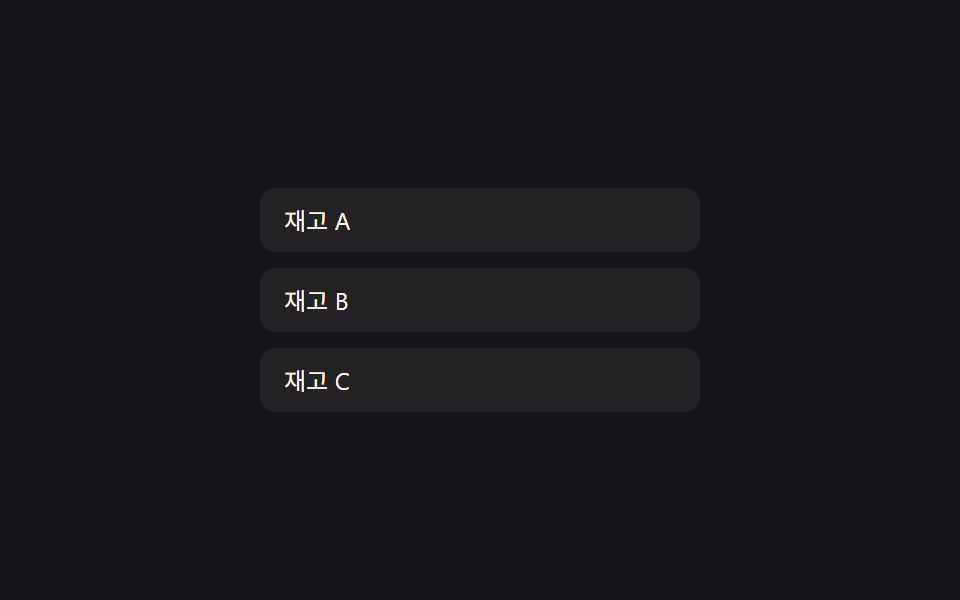
08空リスト状態値の切替 — 表示する行が1つもない状態値がオンになると空状態文言の出現値が徐々に上がる方式
行が1つもない状態値がオンになると、空状態の文言の出現値が0から徐々に上がって表の代わりになります。
使いどころ検索結果がない管理者用表、絞り込み後に項目が消えた一覧
emptyProgLERP 0.2.tef__empty
<main class="stage">
<div class="tef is-demo" id="tef">
  <div class="tef__list" id="tefList"></div>
  <div class="tef__empty" id="tefEmpty">表示する項目がありません</div>
</div>
</main>
@use "../../../../site/static/demo-tokens" as *;
// 계산 겹: 행이 하나도 없는 상태 값이 켜지면 빈 화면 문구의 등장 값(emptyProg)이 0에서
// 매 프레임 남은 거리의 20%씩 올라간다 — index.html tick() 참조
@include stage($stage-ink);
.tef {
position: relative;
width: 100%;
max-width: 220px;
cursor: pointer;
}
.tef__list {
display: flex;
flex-direction: column;
gap: $sp-2;
}
.tef__row {
overflow: hidden;
box-sizing: border-box;
height: 32px;
display: flex;
align-items: center;
padding: 0 $sp-3;
background: rgba(255, 247, 230, .06);
border-radius: $r-sm;
color: $subject-cream;
font: 400 12px/1 -apple-system, "Segoe UI", "Noto Sans KR", sans-serif;
}
.tef__empty {
position: absolute;
top: 0;
left: 0;
width: 100%;
text-align: center;
padding: $sp-6 $sp-3;
color: $tick-mute;
font: 400 12px/1.4 -apple-system, "Segoe UI", "Noto Sans KR", sans-serif;
opacity: 0;
pointer-events: none;
}
@media (max-width: 340px) {
.tef { max-width: 190px; }
.tef__row { height: 28px; font-size: 11px; }
}
@media (prefers-reduced-motion: reduce) {
.tef__row, .tef__empty { transition: none; }
}html, body {
margin: 0;
overflow: hidden;
}
.stage {
box-sizing: border-box;
min-height: 100vh;
display: grid;
place-items: center;
margin: 0;
background: #17141a;
font-family: -apple-system, "Segoe UI", "Noto Sans KR", sans-serif;
padding: clamp(8px, 4vw, 24px);
}
.tef {
position: relative;
width: 100%;
max-width: 220px;
cursor: pointer;
}
.tef__list {
display: flex;
flex-direction: column;
gap: 8px;
}
.tef__row {
overflow: hidden;
box-sizing: border-box;
height: 32px;
display: flex;
align-items: center;
padding: 0 12px;
background: rgba(255, 247, 230, 0.06);
border-radius: 8px;
color: #fff7e6;
font: 400 12px/1 -apple-system, "Segoe UI", "Noto Sans KR", sans-serif;
}
.tef__empty {
position: absolute;
top: 0;
left: 0;
width: 100%;
text-align: center;
padding: 24px 12px;
color: #9a93a6;
font: 400 12px/1.4 -apple-system, "Segoe UI", "Noto Sans KR", sans-serif;
opacity: 0;
pointer-events: none;
}
@media (max-width: 340px) {
.tef {
max-width: 190px;
}
.tef__row {
height: 28px;
font-size: 11px;
}
}
@media (prefers-reduced-motion: reduce) {
.tef__row, .tef__empty {
transition: none;
}
}(function () {
var root = document.getElementById('tef');
var list = document.getElementById('tefList');
var empty = document.getElementById('tefEmpty');
// 상수: 행 높이(px) · 등장 값 보간 속도 · 자동 루프 간격
var ROW_H = 32;
var LERP = 0.2;
var AUTO_STEP_MS = 900;
var REFILL_LABELS = ['在庫 A', '在庫 B', '在庫 C'];
var rows = [];
var emptyProg = 0; // 빈 상태 등장 값(0~1)
function makeRow(label) {
var el = document.createElement('div');
el.className = 'tef__row';
el.textContent = label;
list.appendChild(el);
return { el: el, removing: false, h: ROW_H };
}
function refill() {
REFILL_LABELS.forEach(function (label) { rows.push(makeRow(label)); });
}
refill();
function removeLast() {
for (var i = rows.length - 1; i >= 0; i--) {
if (!rows[i].removing) { rows[i].removing = true; return; }
}
}
// 계산 겹: 행이 하나도 없는 상태 값이 켜지면 빈 화면 문구의 등장 값(emptyProg)이 0에서
// 매 프레임 남은 거리의 20%씩 올라간다 — index.html tick() 참조
function tick() {
for (var i = rows.length - 1; i >= 0; i--) {
var r = rows[i];
var targetH = r.removing ? 0 : ROW_H;
r.h += (targetH - r.h) * LERP;
r.el.style.height = Math.max(0, r.h).toFixed(1) + 'px';
r.el.style.opacity = (r.h / ROW_H).toFixed(2);
if (r.removing && r.h < 0.5) {
r.el.remove();
rows.splice(i, 1);
}
}
var noRows = rows.length === 0;
var target = noRows ? 1 : 0;
emptyProg += (target - emptyProg) * LERP;
empty.style.opacity = emptyProg.toFixed(2);
empty.style.transform = 'translateY(' + ((1 - emptyProg) * 10).toFixed(1) + 'px)';
requestAnimationFrame(tick);
}
requestAnimationFrame(tick);
root.addEventListener('click', function () {
root.classList.remove('is-demo');
if (rows.length) removeLast(); else refill();
});
// 자동 루프: 행을 하나씩 지우다가 비면 잠시 뒤 다시 채운다
function autoStep() {
if (root.classList.contains('is-demo')) {
if (rows.length) removeLast();
else refill();
}
setTimeout(autoStep, AUTO_STEP_MS);
}
setTimeout(autoStep, AUTO_STEP_MS);
})();import { useEffect, useRef } from "react";
import styles from "./TableRowEmptyStateFade.module.scss";
type Box<T> = { current: T };
type Row = { el: HTMLDivElement; removing: boolean; h: number };
export default function TableRowEmptyStateFade() {
const rootRef = useRef(null) as unknown as Box<HTMLDivElement | null>;
const listRef = useRef(null) as unknown as Box<HTMLDivElement | null>;
const emptyRef = useRef(null) as unknown as Box<HTMLDivElement | null>;
useEffect(() => {
const root = rootRef.current;
const list = listRef.current;
const empty = emptyRef.current;
if (!root || !list || !empty) return;
// 상수: 행 높이(px) · 등장 값 보간 속도 · 자동 루프 간격
const ROW_H = 32;
const LERP = 0.2;
const AUTO_STEP_MS = 900;
const REFILL_LABELS = ["재고 A", "재고 B", "재고 C"];
let rows: Row[] = [];
let emptyProg = 0;
let stopped = false;
let rafId = 0;
let autoTimer = 0;
function makeRow(label: string): Row {
const el = document.createElement("div");
el.className = styles.row;
el.textContent = label;
list!.appendChild(el);
return { el, removing: false, h: ROW_H };
}
function refill() {
REFILL_LABELS.forEach((label) => rows.push(makeRow(label)));
}
refill();
function removeLast() {
for (let i = rows.length - 1; i >= 0; i--) {
if (!rows[i].removing) { rows[i].removing = true; return; }
}
}
// 계산 겹: 행이 하나도 없는 상태 값이 켜지면 빈 화면 문구의 등장 값(emptyProg)이 0에서
// 매 프레임 남은 거리의 20%씩 올라간다
function tick() {
if (stopped) return;
for (let i = rows.length - 1; i >= 0; i--) {
const r = rows[i];
const targetH = r.removing ? 0 : ROW_H;
r.h += (targetH - r.h) * LERP;
r.el.style.height = Math.max(0, r.h).toFixed(1) + "px";
r.el.style.opacity = (r.h / ROW_H).toFixed(2);
if (r.removing && r.h < 0.5) {
r.el.remove();
rows.splice(i, 1);
}
}
const noRows = rows.length === 0;
const target = noRows ? 1 : 0;
emptyProg += (target - emptyProg) * LERP;
empty!.style.opacity = emptyProg.toFixed(2);
empty!.style.transform = "translateY(" + ((1 - emptyProg) * 10).toFixed(1) + "px)";
rafId = requestAnimationFrame(tick);
}
rafId = requestAnimationFrame(tick);
function onClick() {
root!.classList.remove(styles["is-demo"]);
if (rows.length) removeLast(); else refill();
}
root.addEventListener("click", onClick);
function autoStep() {
if (stopped) return;
if (root!.classList.contains(styles["is-demo"])) {
if (rows.length) removeLast();
else refill();
}
autoTimer = window.setTimeout(autoStep, AUTO_STEP_MS);
}
autoTimer = window.setTimeout(autoStep, AUTO_STEP_MS);
return () => {
stopped = true;
cancelAnimationFrame(rafId);
window.clearTimeout(autoTimer);
root!.removeEventListener("click", onClick);
rows.forEach((r) => r.el.remove());
};
}, []);
return (
<div ref={rootRef} className={`${styles.stage} ${styles.tef} ${styles["is-demo"]}`}>
<div ref={listRef} className={styles.list} />
<div ref={emptyRef} className={styles.empty}>표시할 항목이 없습니다</div>
</div>
);
}08 空リスト状態値の切替 — 表示する行が1つもない状態値がオンになると空状態文言の出現値が徐々に上がる方式 — 計測 累積面積 17.008% · 動いたフレーム 9/23GODRICH オリジナル · SCSS と React は zip に同梱 · アコーディオン テーブル 9選 — 行が開閉する9つの方式
このデモが属する記事
 アコーディオン テーブル 9選 — 行が開閉する9つの方式このアコーディオン テーブル特集では、9つのうち1つは行の展開値が変わるとその下の詳細領域の高さ値が一緒に伸び、1つは行の存在値が消える瞬間その行の高さ値が0まで縮んで下の行の位置値が空いた場所を埋め、もう1つはスクロール位置値が基準を超え この記事のデモをすべて見る