css 通知 9選 — バッジ・パネルアニメーション
css 通知で探す人に、バッジの値一つで答えるパネルを九種集めました。「未読はあといくつ?」と聞かれたら、このパネルは未読件数の値ひとつで答える。3番はその値が0になった瞬間にバッジを輪の形に戻し、6番は同じ値が空になるとリスト全体を空状態の文言に切り替え、9番はタブを切り替えるたびにその値を数え直してフィルター結果を
 01 notif-panel-bell-badge-pulse-open
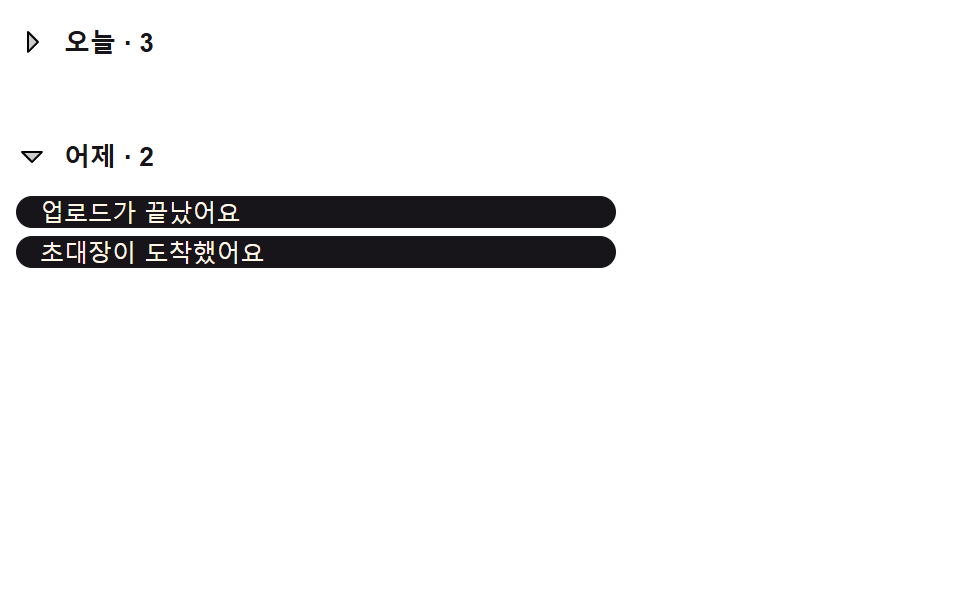 02 notif-panel-group-header-collapse
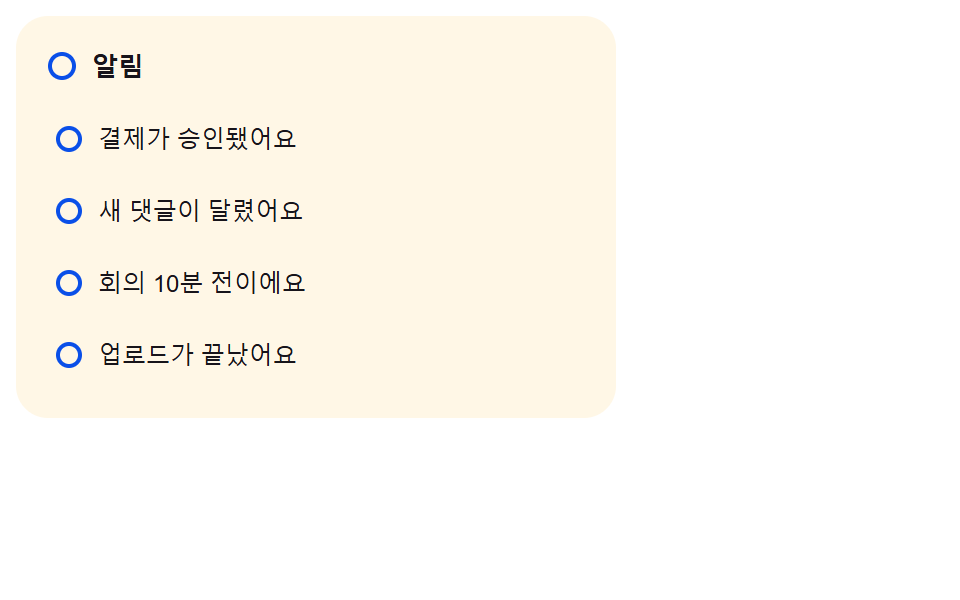 03 notif-panel-unread-dot-to-hollow
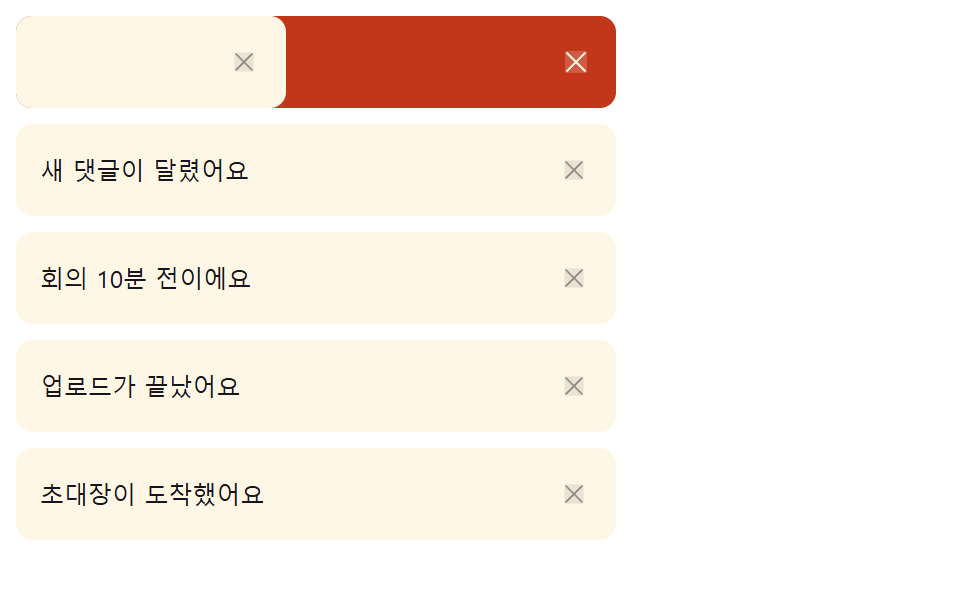 04 notif-panel-swipe-dismiss-item
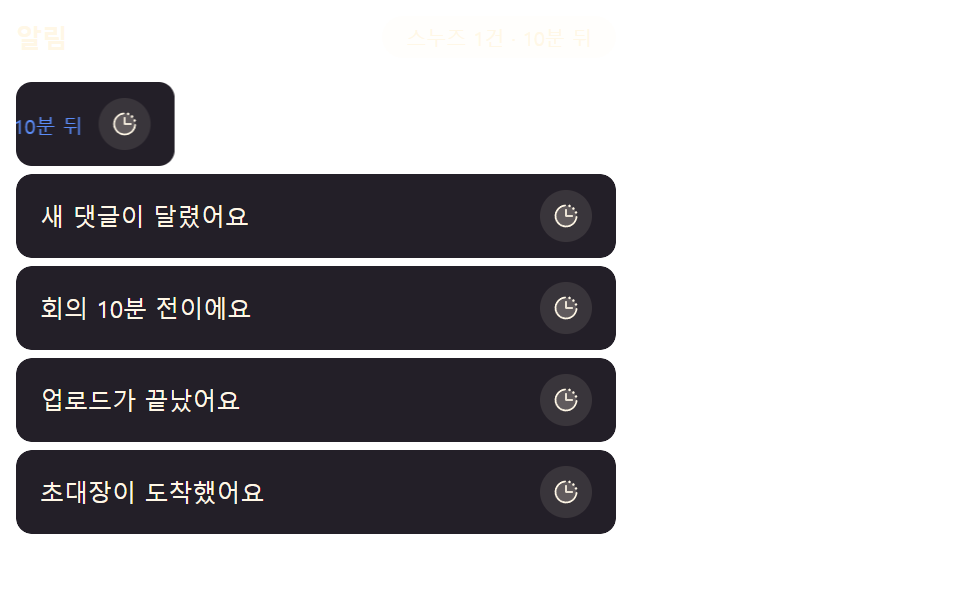 05 notif-panel-snooze-slide-out
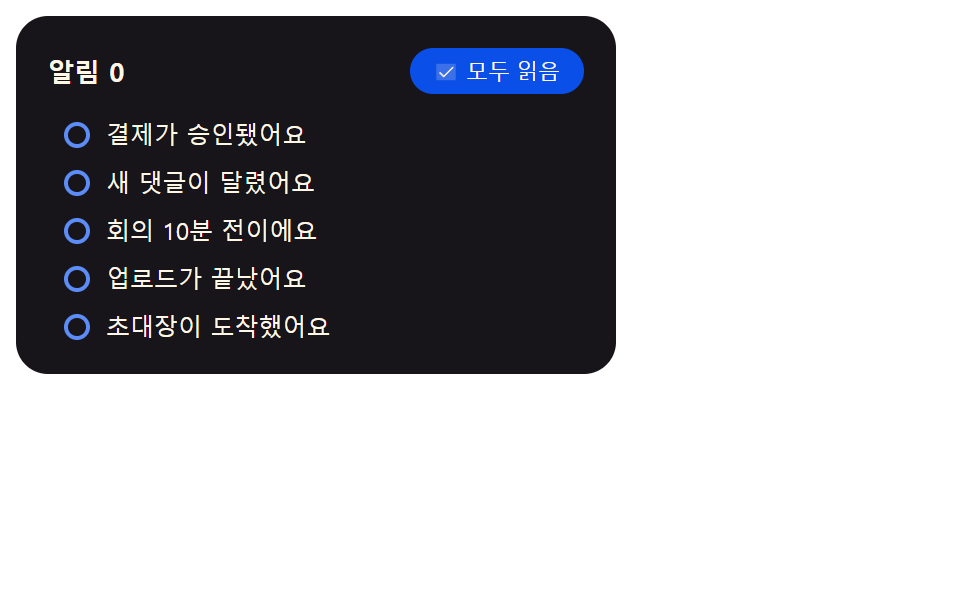 06 notif-panel-mark-all-read-cascade
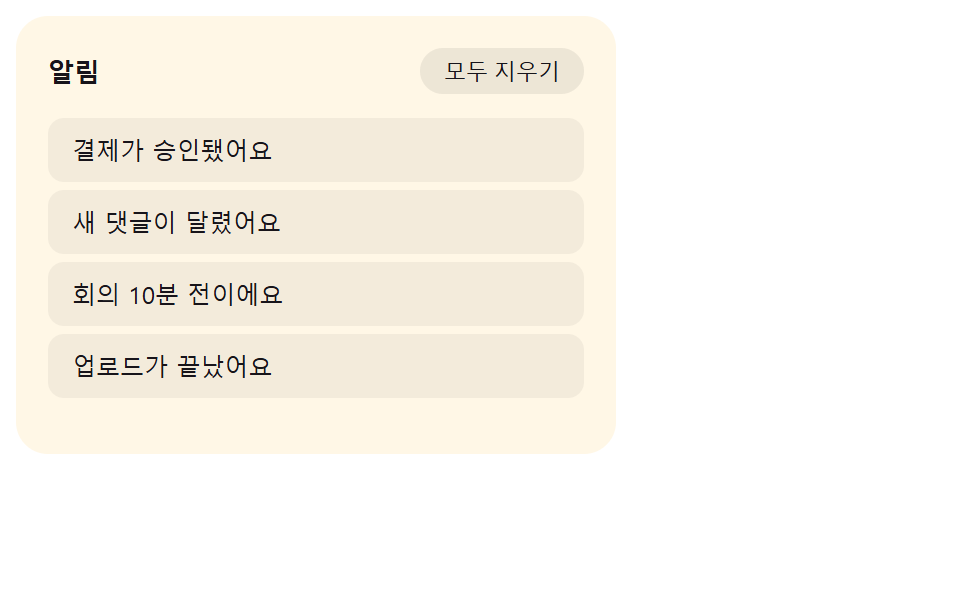 07 notif-panel-empty-state-crossfade
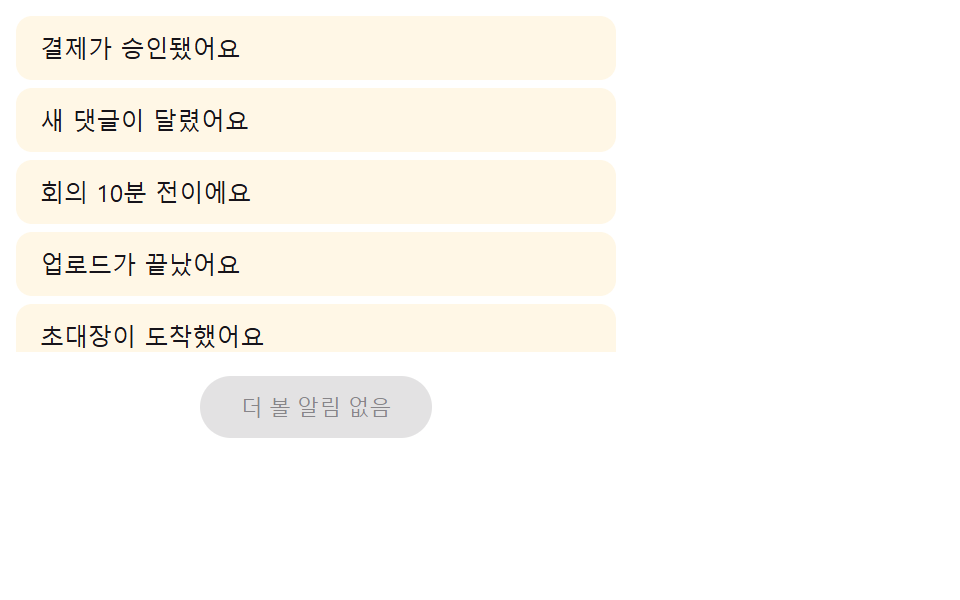 08 notif-panel-load-more-stagger-in
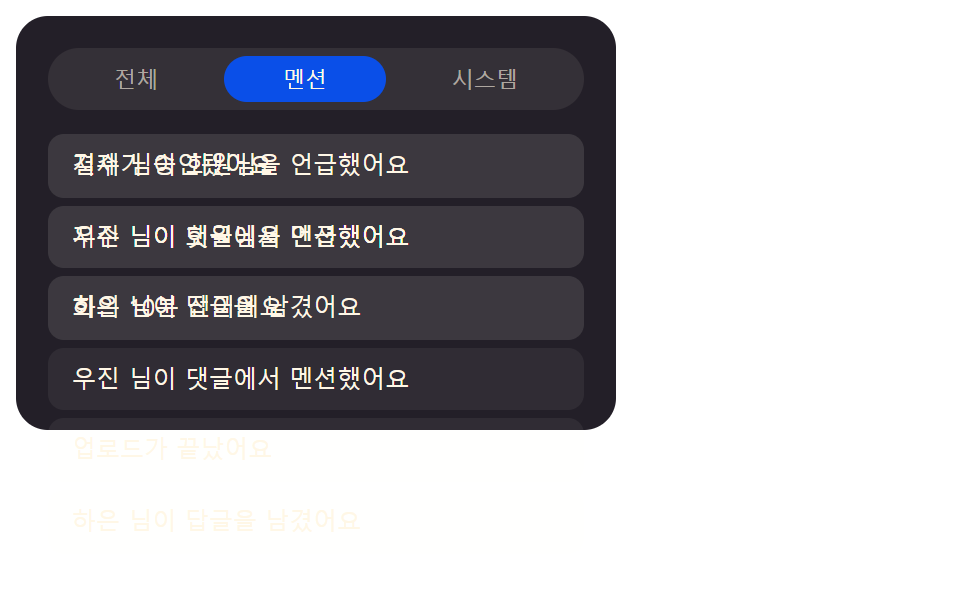 09 notif-panel-tab-filter-crossfade
自動再生 · タイルを押すとその項目へ · すべて1つのzip
- 01 バッジの値が脈打った後に開く通知パネル
- 02 日付グループの値で折りたたまれるヘッダーリスト
- 03 既読の値がオンになると輪に変わるドット表示
- 04 移動距離の値を超えると消えるスワイプ項目
- 05 押し出し値の分だけ横に避けるスヌーズ項目
- 06 順番の値に沿って広がる全既読処理
- 07 残り件数の値が0になると入れ替わる空状態の文言
- 08 もっと見るの値を押すと時間差で入ってくる項目
- 09 タブの値が変わると重なって切り替わるフィルターリスト
ダッシュボードのベルに必要なのは赤い丸だけではない
受付キューやプロジェクトボードのような受信箱型の画面を思い浮かべてください。ヘッダーのベルアイコンに数字が乗っているだけでは、新しい行が入った瞬間も、読み終わってゼロに戻った瞬間も伝わりません。css 通知バッジの値が変わるたびに何かが動く——それだけでパネル全体が「生きている」と感じられます。
九つは値が最初に触れる場所で並べています。01~03 はバッジとドット自体を、04~06 は人が操作した直後の行全体を、07~09 は件数値がゼロになるかタブ値が変わった瞬間のリスト全体を動かします。
01バッジの値が脈打った後に開く通知パネル
未読件数の値が増えるたびにバッジは大きく小さくのパルスを二回繰り返し、ベルを押すとその下でパネルが高さの値を0から広げながら下りてきます。
<main class="stage">
  <div class="nb is-demo" id="nb">
    <button class="nb__bell" id="nbBell" type="button" aria-expanded="false" aria-controls="nbPanel">
      <svg class="nb__ic" viewBox="0 0 256 256" aria-hidden="true" focusable="false">
        <g fill="currentColor">
          <path opacity=".2" d="M208 192H48a8 8 0 0 1-6.88-12C47.71 168.6 56 139.81 56 104a72 72 0 0 1 144 0c0 35.82 8.3 64.6 14.9 76a8 8 0 0 1-6.9 12"/>
          <path d="M221.8 175.94c-5.55-9.56-13.8-36.61-13.8-71.94a80 80 0 1 0-160 0c0 35.34-8.26 62.38-13.81 71.94A16 16 0 0 0 48 200h40.81a40 40 0 0 0 78.38 0H208a16 16 0 0 0 13.8-24.06M128 216a24 24 0 0 1-22.62-16h45.24A24 24 0 0 1 128 216m-80-32c7.7-13.24 16-43.92 16-80a64 64 0 1 1 128 0c0 36.05 8.28 66.73 16 80Z"/>
        </g>
      </svg>
      <span class="nb__badge" id="nbBadge" aria-hidden="true">0</span>
      <span class="nb__pulseRing" id="nbRing" aria-hidden="true"></span>
      <span class="nb__sr" id="nbSr" aria-live="polite">未読通知 0件</span>
    </button>
    <div class="nb__panel" id="nbPanel" role="region" aria-label="通知パネル">
      <ul class="nb__list" role="list" id="nbList"></ul>
    </div>
  </div>
</main>
@use "../../../../site/static/demo-tokens" as *;
// 계산 겹: index.html measureHeight() 가 패널을 hidden 상태로 실측해 항목 수마다 다른 실제
// 높이 값을 얻고, 그 값으로 0 → 실측치 전환을 건다(고정 높이 아님) — nb__badge--pulse 는
// NOTIF_BADGE_PULSE_MS 로 재생 시간이 정해지는 이중 펄스.
.stage { @include stage($stage-ink); }
.nb {
position: relative;
width: min(100%, 300px);
display: flex;
flex-direction: column;
align-items: center;
gap: $sp-3;
}
.nb__bell {
position: relative;
width: 56px;
height: 56px;
border-radius: $r-pill;
border: none;
background: $subject-blue-deep;
color: $subject-cream;
display: grid;
place-items: center;
cursor: pointer;
padding: 0;
}
.nb__ic { width: 26px; height: 26px; }
.nb__badge {
position: absolute;
top: -2px;
right: -2px;
min-width: 20px;
height: 20px;
padding: 0 $sp-1;
border-radius: $r-pill;
background: $error;
color: $subject-cream;
font-size: 11px;
font-weight: 700;
line-height: 20px;
text-align: center;
transform-origin: center;
}
.nb__badge--pulse { animation-name: nbPulse; animation-timing-function: $ease-spring; }
// 계산 겹: index.html pulseBadge() 가 배지 실측 지름 기준 배율(--ring-scale)을 매번 다시 계산해
// 넣는다 — 이 링은 그 배율만큼 배지 밖으로 퍼지며 사라진다(고정 px 확산이 아니다).
.nb__pulseRing {
position: absolute;
top: -2px;
right: -2px;
min-width: 20px;
height: 20px;
border-radius: $r-pill;
border: 2px solid $error;
opacity: 0;
pointer-events: none;
transform-origin: center;
}
.nb__pulseRing--go { animation: nbRingGo $dur-enter $ease-out; }
@keyframes nbRingGo {
0% { opacity: .6; transform: scale(1); }
100% { opacity: 0; transform: scale(var(--ring-scale, 2.6)); }
}
.nb__sr {
position: absolute; width: 1px; height: 1px; overflow: hidden;
clip: rect(0 0 0 0); margin: -1px; padding: 0; border: 0;
}
.nb__panel {
width: 100%;
height: 0;
overflow: hidden;
border-radius: $r-card;
background: $tick-panel;
transition: height $dur-base $ease-spring;
}
.nb__list {
list-style: none;
margin: 0;
padding: $sp-2;
display: flex;
flex-direction: column;
gap: $sp-1;
}
.nb__item {
display: flex;
justify-content: space-between;
align-items: baseline;
gap: $sp-2;
padding: $sp-2 $sp-3;
border-radius: $r-sm;
background: rgba($subject-cream, .06);
}
.nb__itemName { font-size: 12px; color: $subject-cream; }
.nb__itemTime { font-size: 10px; color: rgba($subject-cream, .55); flex: 0 0 auto; }
@keyframes nbPulse {
0%, 100% { transform: scale(1); }
20% { transform: scale(1.3); }
40% { transform: scale(1); }
60% { transform: scale(1.3); }
80% { transform: scale(1); }
}
@media (max-width: 340px) {
.nb { width: 100%; }
.nb__itemTime { display: none; }
}
@media (prefers-reduced-motion: reduce) {
.nb__panel { transition: none; }
.nb__badge--pulse { animation: none; }
.nb__pulseRing--go { animation: none; }
}.stage html, .stage body {
margin: 0;
overflow: hidden;
}
.stage .stage {
box-sizing: border-box;
min-height: 100vh;
display: grid;
place-items: center;
margin: 0;
background: #17141a;
font-family: -apple-system, "Segoe UI", "Noto Sans KR", sans-serif;
padding: clamp(8px, 4vw, 24px);
}
.nb {
position: relative;
width: min(100%, 300px);
display: flex;
flex-direction: column;
align-items: center;
gap: 12px;
}
.nb__bell {
position: relative;
width: 56px;
height: 56px;
border-radius: 999px;
border: none;
background: #0a4fe8;
color: #fff7e6;
display: grid;
place-items: center;
cursor: pointer;
padding: 0;
}
.nb__ic {
width: 26px;
height: 26px;
}
.nb__badge {
position: absolute;
top: -2px;
right: -2px;
min-width: 20px;
height: 20px;
padding: 0 4px;
border-radius: 999px;
background: #c2361a;
color: #fff7e6;
font-size: 11px;
font-weight: 700;
line-height: 20px;
text-align: center;
transform-origin: center;
}
.nb__badge--pulse {
animation-name: nbPulse;
animation-timing-function: cubic-bezier(0.2, 0.8, 0.2, 1);
}
.nb__pulseRing {
position: absolute;
top: -2px;
right: -2px;
min-width: 20px;
height: 20px;
border-radius: 999px;
border: 2px solid #c2361a;
opacity: 0;
pointer-events: none;
transform-origin: center;
}
.nb__pulseRing--go {
animation: nbRingGo 600ms ease-out;
}
@keyframes nbRingGo {
0% {
opacity: 0.6;
transform: scale(1);
}
100% {
opacity: 0;
transform: scale(var(--ring-scale, 2.6));
}
}
.nb__sr {
position: absolute;
width: 1px;
height: 1px;
overflow: hidden;
clip: rect(0 0 0 0);
margin: -1px;
padding: 0;
border: 0;
}
.nb__panel {
width: 100%;
height: 0;
overflow: hidden;
border-radius: 16px;
background: #231f28;
transition: height 300ms cubic-bezier(0.2, 0.8, 0.2, 1);
}
.nb__list {
list-style: none;
margin: 0;
padding: 8px;
display: flex;
flex-direction: column;
gap: 4px;
}
.nb__item {
display: flex;
justify-content: space-between;
align-items: baseline;
gap: 8px;
padding: 8px 12px;
border-radius: 8px;
background: rgba(255, 247, 230, 0.06);
}
.nb__itemName {
font-size: 12px;
color: #fff7e6;
}
.nb__itemTime {
font-size: 10px;
color: rgba(255, 247, 230, 0.55);
flex: 0 0 auto;
}
@keyframes nbPulse {
0%, 100% {
transform: scale(1);
}
20% {
transform: scale(1.3);
}
40% {
transform: scale(1);
}
60% {
transform: scale(1.3);
}
80% {
transform: scale(1);
}
}
@media (max-width: 340px) {
.nb {
width: 100%;
}
.nb__itemTime {
display: none;
}
}
@media (prefers-reduced-motion: reduce) {
.nb__panel {
transition: none;
}
.nb__badge--pulse {
animation: none;
}
.nb__pulseRing--go {
animation: none;
}
}(function () {
"use strict";
var NOTIF_BADGE_PULSE_MS = 900; // 뱃지가 값이 오를 때 두 번 숨쉬듯 부풀었다 가라앉는 데 걸리는 시간
var NAMES = [
"決済が承認されました", "新しいコメントが付きました", "会議まであと10分です",
"アップロードが完了しました", "招待状が届きました"
];
var TIMES = ["たった今", "5分前", "1時間前", "昨日", "2日前"];
var root = document.getElementById("nb");
var bell = document.getElementById("nbBell");
var badge = document.getElementById("nbBadge");
var ring = document.getElementById("nbRing");
var sr = document.getElementById("nbSr");
var panel = document.getElementById("nbPanel");
var list = document.getElementById("nbList");
var reduce = window.matchMedia("(prefers-reduced-motion: reduce)").matches;
badge.style.animationDuration = NOTIF_BADGE_PULSE_MS + "ms";
var synthetic = false;
function human() {
if (synthetic) return;
if (root.classList.contains("is-demo")) root.classList.remove("is-demo");
}
var items = [];
var open = false;
var seq = 0;
function renderList() {
list.innerHTML = "";
items.forEach(function (it) {
var li = document.createElement("li");
li.className = "nb__item";
li.setAttribute("role", "listitem");
li.innerHTML =
'<span class="nb__itemName">' + it.name + "</span>" +
'<span class="nb__itemTime">' + it.time + "</span>";
list.appendChild(li);
});
}
function pulseBadge() {
badge.classList.remove("nb__badge--pulse");
ring.classList.remove("nb__pulseRing--go");
if (!reduce) {
// 계산 겹: 배지의 실측 지름(getBoundingClientRect)에서 링이 퍼져나갈 배율을 구한다 —
// 고정 px 가 아니라 그 순간 배지 크기 비례라 320px 무대에서도 배지 밖으로 정확히 퍼진다
var bw = badge.getBoundingClientRect().width || 20;
var targetD = bw * 2.6;
ring.style.width = bw + "px";
ring.style.height = bw + "px";
ring.style.setProperty("--ring-scale", (targetD / bw).toFixed(2));
// eslint-disable-next-line no-unused-expressions
void badge.offsetWidth;
void ring.offsetWidth;
badge.classList.add("nb__badge--pulse");
ring.classList.add("nb__pulseRing--go");
}
}
// 계산 겹: 패널을 실제로 펼치기 전, 화면 밖(visibility hidden)에서 콘텐츠의 실제 높이를
// getBoundingClientRect 로 미리 재서(항목 수마다 다른 값) 그 값으로 0 → 실측치를 전환한다.
function measureHeight() {
var prevVis = panel.style.visibility;
var prevH = panel.style.height;
panel.style.visibility = "hidden";
panel.style.height = "auto";
var h = panel.getBoundingClientRect().height;
panel.style.visibility = prevVis;
panel.style.height = prevH;
return h;
}
function setOpen(v) {
open = v;
bell.setAttribute("aria-expanded", v ? "true" : "false");
if (v) {
var h = measureHeight();
panel.style.height = "0px";
requestAnimationFrame(function () {
panel.style.height = h + "px";
});
} else {
panel.style.height = measureHeight() + "px";
requestAnimationFrame(function () {
panel.style.height = "0px";
});
}
}
function addNotification() {
var idx = seq % NAMES.length;
items.unshift({ name: NAMES[idx], time: TIMES[seq % TIMES.length] });
seq++;
if (items.length > 5) items.pop();
badge.textContent = String(items.length);
sr.textContent = "未読通知 " + items.length + "件";
pulseBadge();
renderList();
// 패널이 열려 있는 동안 새 알림이 오면 높이도 새 내용에 맞춰 다시 잰다(고정폭 안 잘림)
if (open) panel.style.height = measureHeight() + "px";
}
function toggle() {
human();
setOpen(!open);
}
bell.addEventListener("click", toggle);
bell.addEventListener("keydown", function (e) {
if (e.key === "Enter" || e.key === " ") {
e.preventDefault();
toggle();
}
});
addNotification();
addNotification();
if (reduce) {
panel.style.transition = "none";
setOpen(true);
addNotification();
} else {
var loopTimer = 0;
var step = 0;
// 시연 주기 간격(펄스→열림→추가→닫힘) — 측정창(2초) 안에 패널 열림이 다 보이도록 조정했다.
// NOTIF_BADGE_PULSE_MS 자체는 그대로, 다음 단계로 넘어가는 대기시간만 다르게 준다.
var STEP_WAIT_MS = [500, 500, 400, 900];
function loop() {
if (!root.classList.contains("is-demo")) return;
synthetic = true;
if (step === 0) {
addNotification();
} else if (step === 1) {
setOpen(true);
} else if (step === 2) {
addNotification();
} else {
setOpen(false);
}
synthetic = false;
loopTimer = window.setTimeout(loop, STEP_WAIT_MS[step]);
step = (step + 1) % 4;
}
loopTimer = window.setTimeout(loop, 200);
}
})();// NotifBellBadgePulseOpen — vanilla 판(run/405/demo/01-.../index.html) 의 React 포트.
// 계산 겹: measureHeight() 가 패널을 hidden 상태로 실측해 항목 수마다 다른 실제 높이 값을 얻고
// 그 값으로 0 → 실측치 전환을 건다(고정 높이 아님) — vanilla 와 동일 동작.
import { useEffect, useRef, useState } from "react";
import styles from "./NotifBellBadgePulseOpen.module.scss";
type Box<T> = { current: T };
type KeyEvt = { key: string; preventDefault(): void };
const NOTIF_BADGE_PULSE_MS = 900; // 뱃지가 값이 오를 때 두 번 숨쉬듯 부풀었다 가라앉는 데 걸리는 시간
const NAMES = [
"결제가 승인됐어요", "새 댓글이 달렸어요", "회의 10분 전이에요",
"업로드가 끝났어요", "초대장이 도착했어요",
];
const TIMES = ["방금 전", "5분 전", "1시간 전", "어제", "2일 전"];
type Item = { name: string; time: string };
export default function NotifBellBadgePulseOpen() {
const [isDemo, setIsDemo] = useState(true);
const isDemoRef = useRef(true) as unknown as Box<boolean>;
const synthRef = useRef(false) as unknown as Box<boolean>;
const rootRef = useRef(null) as unknown as Box<HTMLDivElement>;
const bellRef = useRef(null) as unknown as Box<HTMLButtonElement>;
const badgeRef = useRef(null) as unknown as Box<HTMLSpanElement>;
const ringRef = useRef(null) as unknown as Box<HTMLSpanElement>;
const srRef = useRef(null) as unknown as Box<HTMLSpanElement>;
const panelRef = useRef(null) as unknown as Box<HTMLDivElement>;
const listRef = useRef(null) as unknown as Box<HTMLUListElement>;
const itemsRef = useRef([] as Item[]) as unknown as Box<Item[]>;
const openRef = useRef(false) as unknown as Box<boolean>;
const seqRef = useRef(0) as unknown as Box<number>;
const loopTimerRef = useRef(0) as unknown as Box<number>;
const stepRef = useRef(0) as unknown as Box<number>;
function human() {
if (synthRef.current) return;
if (isDemoRef.current) { isDemoRef.current = false; setIsDemo(false); }
}
function renderList() {
const listEl = listRef.current;
if (!listEl) return;
listEl.innerHTML = "";
itemsRef.current.forEach((it) => {
const li = document.createElement("li");
li.className = styles.item;
li.setAttribute("role", "listitem");
li.innerHTML =
'<span class="' + styles.itemName + '">' + it.name + "</span>" +
'<span class="' + styles.itemTime + '">' + it.time + "</span>";
listEl.appendChild(li);
});
}
function pulseBadge(reduce: boolean) {
const badge = badgeRef.current;
const ring = ringRef.current;
if (!badge || !ring) return;
badge.classList.remove(styles.badgePulse);
ring.classList.remove(styles.pulseRingGo);
if (!reduce) {
// 계산 겹: 배지의 실측 지름(getBoundingClientRect)에서 링이 퍼져나갈 배율을 구한다 —
// 고정 px 가 아니라 그 순간 배지 크기 비례라 320px 무대에서도 배지 밖으로 정확히 퍼진다
const bw = badge.getBoundingClientRect().width || 20;
const targetD = bw * 2.6;
ring.style.width = bw + "px";
ring.style.height = bw + "px";
ring.style.setProperty("--ring-scale", (targetD / bw).toFixed(2));
void badge.offsetWidth;
void ring.offsetWidth;
badge.classList.add(styles.badgePulse);
ring.classList.add(styles.pulseRingGo);
}
}
// 계산 겹: 패널을 실제로 펼치기 전, 화면 밖(visibility hidden)에서 콘텐츠의 실제 높이를
// getBoundingClientRect 로 미리 재서(항목 수마다 다른 값) 그 값으로 0 → 실측치를 전환한다.
function measureHeight(): number {
const panel = panelRef.current;
if (!panel) return 0;
const prevVis = panel.style.visibility;
const prevH = panel.style.height;
panel.style.visibility = "hidden";
panel.style.height = "auto";
const h = panel.getBoundingClientRect().height;
panel.style.visibility = prevVis;
panel.style.height = prevH;
return h;
}
function setOpen(v: boolean) {
openRef.current = v;
const bell = bellRef.current, panel = panelRef.current;
if (bell) bell.setAttribute("aria-expanded", v ? "true" : "false");
if (!panel) return;
if (v) {
const h = measureHeight();
panel.style.height = "0px";
requestAnimationFrame(() => { panel.style.height = h + "px"; });
} else {
panel.style.height = measureHeight() + "px";
requestAnimationFrame(() => { panel.style.height = "0px"; });
}
}
function addNotification(reduce: boolean) {
const idx = seqRef.current % NAMES.length;
itemsRef.current.unshift({ name: NAMES[idx], time: TIMES[seqRef.current % TIMES.length] });
seqRef.current++;
if (itemsRef.current.length > 5) itemsRef.current.pop();
const badge = badgeRef.current, sr = srRef.current;
if (badge) badge.textContent = String(itemsRef.current.length);
if (sr) sr.textContent = "미확인 알림 " + itemsRef.current.length + "개";
pulseBadge(reduce);
renderList();
// 패널이 열려 있는 동안 새 알림이 오면 높이도 새 내용에 맞춰 다시 잰다(고정폭 안 잘림)
if (openRef.current) {
const panel = panelRef.current;
if (panel) panel.style.height = measureHeight() + "px";
}
}
function toggle() {
human();
setOpen(!openRef.current);
}
function onKeyDown(e: KeyEvt) {
if (e.key === "Enter" || e.key === " ") {
e.preventDefault();
toggle();
}
}
useEffect(() => {
const reduce = window.matchMedia("(prefers-reduced-motion: reduce)").matches;
const badge = badgeRef.current;
if (badge) badge.style.animationDuration = NOTIF_BADGE_PULSE_MS + "ms";
addNotification(reduce);
addNotification(reduce);
if (reduce) {
const panel = panelRef.current;
if (panel) panel.style.transition = "none";
setOpen(true);
addNotification(reduce);
} else {
// 시연 주기 간격(펄스→열림→추가→닫힘) — 측정창(2초) 안에 패널 열림이 다 보이도록 조정했다.
// NOTIF_BADGE_PULSE_MS 자체는 그대로, 다음 단계로 넘어가는 대기시간만 다르게 준다.
const STEP_WAIT_MS = [500, 500, 400, 900];
function loop() {
if (!isDemoRef.current) return;
synthRef.current = true;
const step = stepRef.current;
if (step === 0) addNotification(false);
else if (step === 1) setOpen(true);
else if (step === 2) addNotification(false);
else setOpen(false);
synthRef.current = false;
loopTimerRef.current = window.setTimeout(loop, STEP_WAIT_MS[step]);
stepRef.current = (step + 1) % 4;
}
loopTimerRef.current = window.setTimeout(loop, 200);
}
return () => { window.clearTimeout(loopTimerRef.current); };
// eslint-disable-next-line react-hooks/exhaustive-deps
}, []);
return (
<main className={styles.stage}>
<div className={styles.nb + " " + (isDemo ? styles.isDemo : "")} ref={rootRef}>
<button className={styles.bell} type="button" aria-expanded="false" aria-controls="nbPanel"
ref={bellRef} onClick={toggle} onKeyDown={onKeyDown}>
<svg className={styles.ic} viewBox="0 0 256 256" aria-hidden="true" focusable="false">
<g fill="currentColor">
<path opacity=".2" d="M208 192H48a8 8 0 0 1-6.88-12C47.71 168.6 56 139.81 56 104a72 72 0 0 1 144 0c0 35.82 8.3 64.6 14.9 76a8 8 0 0 1-6.9 12" />
<path d="M221.8 175.94c-5.55-9.56-13.8-36.61-13.8-71.94a80 80 0 1 0-160 0c0 35.34-8.26 62.38-13.81 71.94A16 16 0 0 0 48 200h40.81a40 40 0 0 0 78.38 0H208a16 16 0 0 0 13.8-24.06M128 216a24 24 0 0 1-22.62-16h45.24A24 24 0 0 1 128 216m-80-32c7.7-13.24 16-43.92 16-80a64 64 0 1 1 128 0c0 36.05 8.28 66.73 16 80Z" />
</g>
</svg>
<span className={styles.badge} aria-hidden="true" ref={badgeRef}>0</span>
<span className={styles.pulseRing} aria-hidden="true" ref={ringRef} />
<span className={styles.sr} aria-live="polite" ref={srRef}>미확인 알림 0개</span>
</button>
<div className={styles.panel} id="nbPanel" role="region" aria-label="알림 패널" ref={panelRef}>
<ul className={styles.list} role="list" ref={listRef} />
</div>
</div>
</main>
);
}01 · バッジの値が脈打った後に開く通知パネル — 計測 累積面積 34.257% · 動いたフレーム 10/23GODRICH オリジナル · SCSS と React は zip に同梱 · パスワードを見る
  function pulseBadge() {
    badge.classList.remove("nb__badge--pulse");
    ring.classList.remove("nb__pulseRing--go");
    if (!reduce) {
      // 計算レイヤー: バッジの実測直径(getBoundingClientRect)からリングが広がる倍率を求める --
      // 固定pxではなくその瞬間のバッジサイズに比例するため、320pxのステージでもバッジの外側まで正確に広がる
      var bw = badge.getBoundingClientRect().width || 20;
      var targetD = bw * 2.6;
      ring.style.width = bw + "px";
      ring.style.height = bw + "px";
      ring.style.setProperty("--ring-scale", (targetD / bw).toFixed(2));
      // eslint-disable-next-line no-unused-expressions
      void badge.offsetWidth;
      void ring.offsetWidth;
      badge.classList.add("nb__badge--pulse");
      ring.classList.add("nb__pulseRing--go");
    }
  }
実測値:累積面積 34.3%、10/23 フレームが動きました。
02日付グループの値で折りたたまれるヘッダーリスト
通知を日付グループの値でまとめてヘッダーの下に置き、ヘッダーを押すとそのグループの項目数に応じて高さの値が縮み、子リストが折りたたまれます。
<main class="stage">
  <div class="gh is-demo" id="gh">
    <section class="gh__group">
      <button class="gh__header" id="ghHeaderToday" type="button" aria-expanded="true" aria-controls="ghListToday">
        <svg class="gh__caret" id="ghCaretToday" viewBox="0 0 256 256" aria-hidden="true" focusable="false">
          <path d="m208 96l-80 80l-80-80Z" opacity=".2"/>
          <path d="M215.39 92.94A8 8 0 0 0 208 88H48a8 8 0 0 0-5.66 13.66l80 80a8 8 0 0 0 11.32 0l80-80a8 8 0 0 0 1.73-8.72M128 164.69L67.31 104h121.38Z"/>
        </svg>
        <span class="gh__headerLabel">今日 · <span id="ghCountToday">3</span></span>
      </button>
      <ul class="gh__list" id="ghListToday" role="list"></ul>
    </section>
    <section class="gh__group">
      <button class="gh__header" id="ghHeaderYesterday" type="button" aria-expanded="true" aria-controls="ghListYesterday">
        <svg class="gh__caret" id="ghCaretYesterday" viewBox="0 0 256 256" aria-hidden="true" focusable="false">
          <path d="m208 96l-80 80l-80-80Z" opacity=".2"/>
          <path d="M215.39 92.94A8 8 0 0 0 208 88H48a8 8 0 0 0-5.66 13.66l80 80a8 8 0 0 0 11.32 0l80-80a8 8 0 0 0 1.73-8.72M128 164.69L67.31 104h121.38Z"/>
        </svg>
        <span class="gh__headerLabel">昨日 · <span id="ghCountYesterday">2</span></span>
      </button>
      <ul class="gh__list" id="ghListYesterday" role="list"></ul>
    </section>
  </div>
</main>
@use "../../../../site/static/demo-tokens" as *;
// 계산 겹: index.html setGroup() 이 항목마다 실제 높이(getBoundingClientRect)를 재서
// dataset 에 저장해두고, 순번 x NOTIF_GROUP_COLLAPSE_DELAY_MS 를 transitionDelay 로 걸어
// 위→아래(펼 때는 아래→위) 순서로 접히는 계단식 흐름을 만든다.
.stage { @include stage($stage-yellow); }
.gh {
width: min(100%, 300px);
display: flex;
flex-direction: column;
gap: $sp-4;
}
.gh__group { display: flex; flex-direction: column; gap: $sp-2; }
.gh__header {
display: flex;
align-items: center;
gap: $sp-2;
border: none;
background: transparent;
padding: $sp-1 0;
cursor: pointer;
color: $subject-ink;
}
.gh__caret {
width: 16px;
height: 16px;
color: $subject-ink;
transition: transform $dur-base $ease-spring;
transform-origin: center;
}
.gh__header[aria-expanded="false"] .gh__caret { transform: rotate(-90deg); }
.gh__headerLabel { font-size: 13px; font-weight: 700; }
.gh__list {
list-style: none;
margin: 0;
padding: 0;
display: flex;
flex-direction: column;
gap: $sp-1;
}
.gh__item {
overflow: hidden;
border-radius: $r-sm;
background: $subject-ink;
color: $subject-cream;
font-size: 12px;
padding: 0 $sp-3;
display: flex;
align-items: center;
box-sizing: border-box;
transition: height $dur-base $ease-spring, opacity $dur-base $ease-spring;
}
@media (max-width: 340px) {
.gh { width: 100%; }
}
@media (prefers-reduced-motion: reduce) {
.gh__item { transition: none; }
.gh__caret { transition: none; }
}.stage html, .stage body {
margin: 0;
overflow: hidden;
}
.stage .stage {
box-sizing: border-box;
min-height: 100vh;
display: grid;
place-items: center;
margin: 0;
background: #ffd23f;
font-family: -apple-system, "Segoe UI", "Noto Sans KR", sans-serif;
padding: clamp(8px, 4vw, 24px);
}
.gh {
width: min(100%, 300px);
display: flex;
flex-direction: column;
gap: 16px;
}
.gh__group {
display: flex;
flex-direction: column;
gap: 8px;
}
.gh__header {
display: flex;
align-items: center;
gap: 8px;
border: none;
background: transparent;
padding: 4px 0;
cursor: pointer;
color: #17141a;
}
.gh__caret {
width: 16px;
height: 16px;
color: #17141a;
transition: transform 300ms cubic-bezier(0.2, 0.8, 0.2, 1);
transform-origin: center;
}
.gh__header[aria-expanded=false] .gh__caret {
transform: rotate(-90deg);
}
.gh__headerLabel {
font-size: 13px;
font-weight: 700;
}
.gh__list {
list-style: none;
margin: 0;
padding: 0;
display: flex;
flex-direction: column;
gap: 4px;
}
.gh__item {
overflow: hidden;
border-radius: 8px;
background: #17141a;
color: #fff7e6;
font-size: 12px;
padding: 0 12px;
display: flex;
align-items: center;
box-sizing: border-box;
transition: height 300ms cubic-bezier(0.2, 0.8, 0.2, 1), opacity 300ms cubic-bezier(0.2, 0.8, 0.2, 1);
}
@media (max-width: 340px) {
.gh {
width: 100%;
}
}
@media (prefers-reduced-motion: reduce) {
.gh__item {
transition: none;
}
.gh__caret {
transition: none;
}
}(function () {
"use strict";
var NOTIF_GROUP_COLLAPSE_DELAY_MS = 80; // 항목마다 접히는 시작 시각이 이 값 x 순번만큼 밀린다
var GROUPS = {
today: ["決済が承認されました", "新しいコメントが付きました", "会議まであと10分です"],
yesterday: ["アップロードが完了しました", "招待状が届きました"]
};
var root = document.getElementById("gh");
var reduce = window.matchMedia("(prefers-reduced-motion: reduce)").matches;
var synthetic = false;
function human() {
if (synthetic) return;
if (root.classList.contains("is-demo")) root.classList.remove("is-demo");
}
function buildList(key) {
var ul = document.getElementById("ghList" + (key === "today" ? "Today" : "Yesterday"));
GROUPS[key].forEach(function (name) {
var li = document.createElement("li");
li.className = "gh__item";
li.setAttribute("role", "listitem");
li.textContent = name;
ul.appendChild(li);
});
}
buildList("today");
buildList("yesterday");
var state = { today: true, yesterday: true };
function groupEls(key) {
var suffix = key === "today" ? "Today" : "Yesterday";
return {
header: document.getElementById("ghHeader" + suffix),
caret: document.getElementById("ghCaret" + suffix),
list: document.getElementById("ghList" + suffix)
};
}
// 계산 겹: 항목마다 실제 높이를 getBoundingClientRect 로 재고, 순번(index) x
// NOTIF_GROUP_COLLAPSE_DELAY_MS 를 transitionDelay 로 걸어 위에서 아래로(펼 때는 아래에서
// 위로) 순서대로 접히고 펼쳐지는 계단식 흐름을 만든다.
function setGroup(key, expand) {
state[key] = expand;
var els = groupEls(key);
els.header.setAttribute("aria-expanded", expand ? "true" : "false");
var items = Array.prototype.slice.call(els.list.children);
var n = items.length;
    items.forEach(function (li, i) {
      var order = expand ? (n - 1 - i) : i;
      var delay = reduce ? 0 : order * NOTIF_GROUP_COLLAPSE_DELAY_MS;
      var h = li.dataset.h ? parseFloat(li.dataset.h) : null;
      if (h === null) {
        li.style.height = "auto";
        h = li.getBoundingClientRect().height;
        li.dataset.h = String(h);
      }
      li.style.transitionDelay = delay + "ms";
      if (expand) {
        li.style.height = "0px";
        li.style.opacity = "0";
        requestAnimationFrame(function () {
          li.style.height = h + "px";
          li.style.opacity = "1";
        });
      } else {
        li.style.height = h + "px";
        li.style.opacity = "1";
        requestAnimationFrame(function () {
          li.style.height = "0px";
          li.style.opacity = "0";
        });
      }
});
}
function toggleGroup(key) {
human();
setGroup(key, !state[key]);
}
groupEls("today").header.addEventListener("click", function () { toggleGroup("today"); });
groupEls("yesterday").header.addEventListener("click", function () { toggleGroup("yesterday"); });
[groupEls("today").header, groupEls("yesterday").header].forEach(function (btn, i) {
btn.addEventListener("keydown", function (e) {
if (e.key === "Enter" || e.key === " ") {
e.preventDefault();
toggleGroup(i === 0 ? "today" : "yesterday");
}
});
});
// 화면 폭이 바뀌면 줄바꿈 여부가 달라져 캐시해둔 실측 높이가 더는 맞지 않는다 — 지운다.
window.addEventListener("resize", function () {
Array.prototype.forEach.call(root.querySelectorAll(".gh__item"), function (li) {
delete li.dataset.h;
});
});
if (reduce) {
setGroup("today", false);
} else {
var step = 0;
function loop() {
if (!root.classList.contains("is-demo")) return;
synthetic = true;
if (step === 0) setGroup("today", false);
else if (step === 1) setGroup("today", true);
else if (step === 2) setGroup("yesterday", false);
else setGroup("yesterday", true);
synthetic = false;
step = (step + 1) % 4;
window.setTimeout(loop, 1500);
}
window.setTimeout(loop, 500);
}
})();// NotifGroupHeaderCollapse — vanilla 판(run/405/demo/02-.../index.html) 의 React 포트.
// 계산 겹: 항목마다 실제 높이를 getBoundingClientRect 로 재고, 순번(index) x
// NOTIF_GROUP_COLLAPSE_DELAY_MS 를 transitionDelay 로 걸어 위에서 아래로(펼 때는 아래에서
// 위로) 순서대로 접히고 펼쳐지는 계단식 흐름을 만든다 — vanilla 와 동일 동작.
import { useEffect, useRef, useState } from "react";
import styles from "./NotifGroupHeaderCollapse.module.scss";
type Box<T> = { current: T };
type KeyEvt = { key: string; preventDefault(): void };
type GroupKey = "today" | "yesterday";
const NOTIF_GROUP_COLLAPSE_DELAY_MS = 80; // 항목마다 접히는 시작 시각이 이 값 x 순번만큼 밀린다
const GROUPS: { [k in GroupKey]: string[] } = {
today: ["결제가 승인됐어요", "새 댓글이 달렸어요", "회의 10분 전이에요"],
yesterday: ["업로드가 끝났어요", "초대장이 도착했어요"],
};
export default function NotifGroupHeaderCollapse() {
const [isDemo, setIsDemo] = useState(true);
const [expanded, setExpanded] = useState<{ [k in GroupKey]: boolean }>({ today: true, yesterday: true });
const isDemoRef = useRef(true) as unknown as Box<boolean>;
const synthRef = useRef(false) as unknown as Box<boolean>;
const rootRef = useRef(null) as unknown as Box<HTMLDivElement>;
const headerRef = {
today: useRef(null) as unknown as Box<HTMLButtonElement>,
yesterday: useRef(null) as unknown as Box<HTMLButtonElement>,
};
const listRef = {
today: useRef(null) as unknown as Box<HTMLUListElement>,
yesterday: useRef(null) as unknown as Box<HTMLUListElement>,
};
const stateRef = useRef({ today: true, yesterday: true }) as unknown as Box<{ [k in GroupKey]: boolean }>;
const loopTimerRef = useRef(0) as unknown as Box<number>;
const stepRef = useRef(0) as unknown as Box<number>;
function human() {
if (synthRef.current) return;
if (isDemoRef.current) { isDemoRef.current = false; setIsDemo(false); }
}
function buildList(key: GroupKey) {
const ul = listRef[key].current;
if (!ul) return;
ul.innerHTML = "";
GROUPS[key].forEach((name) => {
const li = document.createElement("li");
li.className = styles.item;
li.setAttribute("role", "listitem");
li.textContent = name;
ul.appendChild(li);
});
}
function setGroup(key: GroupKey, expand: boolean, reduce: boolean) {
stateRef.current[key] = expand;
setExpanded((prev) => ({ ...prev, [key]: expand }));
const list = listRef[key].current;
if (!list) return;
const items = Array.prototype.slice.call(list.children) as HTMLLIElement[];
const n = items.length;
items.forEach((li, i) => {
const order = expand ? n - 1 - i : i;
const delay = reduce ? 0 : order * NOTIF_GROUP_COLLAPSE_DELAY_MS;
let h = li.dataset.h ? parseFloat(li.dataset.h) : null;
if (h === null) {
li.style.height = "auto";
h = li.getBoundingClientRect().height;
li.dataset.h = String(h);
}
li.style.transitionDelay = delay + "ms";
if (expand) {
li.style.height = "0px";
li.style.opacity = "0";
requestAnimationFrame(() => { li.style.height = h + "px"; li.style.opacity = "1"; });
} else {
li.style.height = h + "px";
li.style.opacity = "1";
requestAnimationFrame(() => { li.style.height = "0px"; li.style.opacity = "0"; });
}
});
}
function toggleGroup(key: GroupKey) {
human();
const reduce = window.matchMedia("(prefers-reduced-motion: reduce)").matches;
setGroup(key, !stateRef.current[key], reduce);
}
function onKeyDown(key: GroupKey, e: KeyEvt) {
if (e.key === "Enter" || e.key === " ") {
e.preventDefault();
toggleGroup(key);
}
}
useEffect(() => {
buildList("today");
buildList("yesterday");
const reduce = window.matchMedia("(prefers-reduced-motion: reduce)").matches;
function onResize() {
const root = rootRef.current;
if (!root) return;
Array.prototype.forEach.call(root.querySelectorAll("li"), (li: HTMLLIElement) => { delete li.dataset.h; });
}
window.addEventListener("resize", onResize);
if (reduce) {
setGroup("today", false, true);
} else {
function loop() {
if (!isDemoRef.current) return;
synthRef.current = true;
const step = stepRef.current;
if (step === 0) setGroup("today", false, false);
else if (step === 1) setGroup("today", true, false);
else if (step === 2) setGroup("yesterday", false, false);
else setGroup("yesterday", true, false);
synthRef.current = false;
stepRef.current = (step + 1) % 4;
loopTimerRef.current = window.setTimeout(loop, 1500);
}
loopTimerRef.current = window.setTimeout(loop, 500);
}
return () => {
window.removeEventListener("resize", onResize);
window.clearTimeout(loopTimerRef.current);
};
// eslint-disable-next-line react-hooks/exhaustive-deps
}, []);
return (
<main className={styles.stage}>
<div className={styles.gh + " " + (isDemo ? styles.isDemo : "")} ref={rootRef}>
<section className={styles.group}>
<button className={styles.header} type="button" aria-expanded={expanded.today ? "true" : "false"}
aria-controls="ghListToday" ref={headerRef.today}
onClick={() => toggleGroup("today")} onKeyDown={(e: KeyEvt) => onKeyDown("today", e)}>
<svg className={styles.caret} viewBox="0 0 256 256" aria-hidden="true" focusable="false">
<path d="m208 96l-80 80l-80-80Z" opacity=".2" />
<path d="M215.39 92.94A8 8 0 0 0 208 88H48a8 8 0 0 0-5.66 13.66l80 80a8 8 0 0 0 11.32 0l80-80a8 8 0 0 0 1.73-8.72M128 164.69L67.31 104h121.38Z" />
</svg>
<span className={styles.headerLabel}>오늘 · {GROUPS.today.length}</span>
</button>
<ul className={styles.list} id="ghListToday" role="list" ref={listRef.today} />
</section>
<section className={styles.group}>
<button className={styles.header} type="button" aria-expanded={expanded.yesterday ? "true" : "false"}
aria-controls="ghListYesterday" ref={headerRef.yesterday}
onClick={() => toggleGroup("yesterday")} onKeyDown={(e: KeyEvt) => onKeyDown("yesterday", e)}>
<svg className={styles.caret} viewBox="0 0 256 256" aria-hidden="true" focusable="false">
<path d="m208 96l-80 80l-80-80Z" opacity=".2" />
<path d="M215.39 92.94A8 8 0 0 0 208 88H48a8 8 0 0 0-5.66 13.66l80 80a8 8 0 0 0 11.32 0l80-80a8 8 0 0 0 1.73-8.72M128 164.69L67.31 104h121.38Z" />
</svg>
<span className={styles.headerLabel}>어제 · {GROUPS.yesterday.length}</span>
</button>
<ul className={styles.list} id="ghListYesterday" role="list" ref={listRef.yesterday} />
</section>
</div>
</main>
);
}02 · 日付グループの値で折りたたまれるヘッダーリスト — 計測 累積面積 29.136% · 動いたフレーム 9/23GODRICH オリジナル · SCSS と React は zip に同梱 · パスワードを見る
items.forEach(function (li, i) {
var order = expand ? (n - 1 - i) : i;
var delay = reduce ? 0 : order * NOTIF_GROUP_COLLAPSE_DELAY_MS;
var h = li.dataset.h ? parseFloat(li.dataset.h) : null;
if (h === null) {
li.style.height = "auto";
h = li.getBoundingClientRect().height;
li.dataset.h = String(h);
}
li.style.transitionDelay = delay + "ms";
if (expand) {
li.style.height = "0px";
li.style.opacity = "0";
requestAnimationFrame(function () {
li.style.height = h + "px";
li.style.opacity = "1";
});
} else {
li.style.height = h + "px";
li.style.opacity = "1";
requestAnimationFrame(function () {
li.style.height = "0px";
li.style.opacity = "0";
});
}
実測値:累積面積 29.1%、9/23 フレームが動きました。
03既読の値がオンになると輪に変わるドット表示
各項目の既読値がオフの間は塗りつぶしたドットを描き、値がオンになった瞬間、同じ半径の値を輪郭だけ残した輪の形に描き直します。
<main class="stage">
  <div class="ud is-demo" id="ud">
    <div class="ud__head">
      <span class="ud__badge" id="udBadge">
        <span class="ud__dotFill ud__badgeFill" id="udBadgeFill"></span>
        <span class="ud__dotRing ud__badgeRing" id="udBadgeRing"></span>
      </span>
      <span class="ud__headLabel">通知</span>
      <span class="ud__sr" id="udSr" aria-live="polite">4件未読</span>
    </div>
    <ul class="ud__list" id="udList" role="list"></ul>
  </div>
</main>
@use "../../../../site/static/demo-tokens" as *;
// 계산 겹: index.html Spring() 이 매 프레임 위치·속도를 직접 적분하는 감쇠 스프링으로
// 채운 점(투명도 1) → 빈 원(테두리 굵기 2.4px) 전환을 만든다. CSS 트랜지션이 아니라
// requestAnimationFrame 루프가 값을 계산한다.
.stage { @include stage($stage-orange); }
.ud {
width: min(100%, 300px);
background: $subject-cream;
border-radius: $r-card;
padding: $sp-4;
box-sizing: border-box;
display: flex;
flex-direction: column;
gap: $sp-3;
}
.ud__head { display: flex; align-items: center; gap: $sp-2; }
.ud__headLabel { font-size: 13px; font-weight: 700; color: $subject-ink; }
.ud__badge { position: relative; width: 14px; height: 14px; display: inline-block; }
.ud__sr {
position: absolute; width: 1px; height: 1px; overflow: hidden;
clip: rect(0 0 0 0); margin: -1px; padding: 0; border: 0;
}
.ud__list { list-style: none; margin: 0; padding: 0; display: flex; flex-direction: column; gap: $sp-1; }
.ud__row {
position: relative;
width: 100%;
display: flex;
align-items: center;
gap: $sp-2;
border: none;
background: transparent;
padding: $sp-2 $sp-1;
border-radius: $r-sm;
cursor: pointer;
text-align: left;
}
.ud__row:hover { background: rgba($subject-ink, .05); }
// 계산 겹: index.html Spring() 이 점을 채우는 같은 c 값으로 이 행 톤의 opacity 도 함께 보간한다
// (안 읽음일수록 진하게) — 점 하나가 아니라 행 전체가 톤으로 안 읽음을 드러낸다.
.ud__rowTint {
position: absolute;
inset: 0;
border-radius: $r-sm;
background: $subject-blue-deep;
opacity: 0;
pointer-events: none;
}
.ud__dot { position: relative; z-index: 1; width: 13px; height: 13px; flex: 0 0 auto; }
.ud__dotFill,
.ud__dotRing {
position: absolute;
inset: 0;
border-radius: 50%;
box-sizing: border-box;
}
.ud__dotFill { background: $subject-blue-deep; opacity: 1; }
.ud__dotRing { border: 0 solid $subject-blue-deep; }
.ud__name { position: relative; z-index: 1; font-size: 12px; color: $subject-ink; }
@media (max-width: 340px) {
.ud { width: 100%; }
.ud__list { max-height: 105px; overflow-y: auto; }
}
@media (prefers-reduced-motion: reduce) {
.ud__row { transition: none; }
}.stage html, .stage body {
margin: 0;
overflow: hidden;
}
.stage .stage {
box-sizing: border-box;
min-height: 100vh;
display: grid;
place-items: center;
margin: 0;
background: #ff4d1f;
font-family: -apple-system, "Segoe UI", "Noto Sans KR", sans-serif;
padding: clamp(8px, 4vw, 24px);
}
.ud {
width: min(100%, 300px);
background: #fff7e6;
border-radius: 16px;
padding: 16px;
box-sizing: border-box;
display: flex;
flex-direction: column;
gap: 12px;
}
.ud__head {
display: flex;
align-items: center;
gap: 8px;
}
.ud__headLabel {
font-size: 13px;
font-weight: 700;
color: #17141a;
}
.ud__badge {
position: relative;
width: 14px;
height: 14px;
display: inline-block;
}
.ud__sr {
position: absolute;
width: 1px;
height: 1px;
overflow: hidden;
clip: rect(0 0 0 0);
margin: -1px;
padding: 0;
border: 0;
}
.ud__list {
list-style: none;
margin: 0;
padding: 0;
display: flex;
flex-direction: column;
gap: 4px;
}
.ud__row {
position: relative;
width: 100%;
display: flex;
align-items: center;
gap: 8px;
border: none;
background: transparent;
padding: 8px 4px;
border-radius: 8px;
cursor: pointer;
text-align: left;
}
.ud__row:hover {
background: rgba(23, 20, 26, 0.05);
}
.ud__rowTint {
position: absolute;
inset: 0;
border-radius: 8px;
background: #0a4fe8;
opacity: 0;
pointer-events: none;
}
.ud__dot {
position: relative;
z-index: 1;
width: 13px;
height: 13px;
flex: 0 0 auto;
}
.ud__dotFill,
.ud__dotRing {
position: absolute;
inset: 0;
border-radius: 50%;
box-sizing: border-box;
}
.ud__dotFill {
background: #0a4fe8;
opacity: 1;
}
.ud__dotRing {
border: 0 solid #0a4fe8;
}
.ud__name {
position: relative;
z-index: 1;
font-size: 12px;
color: #17141a;
}
@media (max-width: 340px) {
.ud {
width: 100%;
}
.ud__list {
max-height: 105px;
overflow-y: auto;
}
}
@media (prefers-reduced-motion: reduce) {
.ud__row {
transition: none;
}
}(function () {
"use strict";
var NAMES = [
"決済が承認されました", "新しいコメントが付きました", "会議まであと10分です", "アップロードが完了しました"
];
var root = document.getElementById("ud");
var list = document.getElementById("udList");
var sr = document.getElementById("udSr");
var reduce = window.matchMedia("(prefers-reduced-motion: reduce)").matches;
var synthetic = false;
function human() {
if (synthetic) return;
if (root.classList.contains("is-demo")) root.classList.remove("is-demo");
}
// 계산 겹: CSS 트랜지션이 아니라 매 프레임 위치·속도를 직접 적분하는 감쇠 스프링으로
// 채운 점 → 빈 원 전환을 만든다. target 을 0 또는 1 로 바꾸면 그 순간의 속도를 그대로
// 이어받아 다음 목표로 다시 움직인다(끊기지 않는다).
function Spring(tintEl, fillEl, ringEl, stiffness, damping) {
var pos = 0, vel = 0, target = 0, raf = 0, last = null;
function apply(p) {
var c = Math.max(0, Math.min(1, p));
var over = Math.max(0, p - 1);
fillEl.style.opacity = String(1 - c);
ringEl.style.borderWidth = (c * 2.4).toFixed(2) + "px";
var bump = 1 + over * 0.85;
fillEl.parentNode.style.transform = "scale(" + bump.toFixed(3) + ")";
// 같은 스프링 값(c)으로 행 すべて 톤도 함께 보간한다 — 안 읽음일수록 진하고, 읽으면 투명해진다
if (tintEl) tintEl.style.opacity = (0.10 * (1 - c)).toFixed(3);
}
    function tick(ts) {
      if (last === null) last = ts;
      var dt = Math.min((ts - last) / 1000, 0.032);
      last = ts;
      var acc = (-stiffness * (pos - target) - damping * vel);
      vel += acc * dt;
      pos += vel * dt;
      apply(pos);
      if (Math.abs(pos - target) > 0.002 || Math.abs(vel) > 0.01) {
        raf = requestAnimationFrame(tick);
      } else {
        pos = target;
        apply(pos);
        raf = 0;
        last = null;
      }
    }
this.to = function (t, immediate) {
target = t;
if (immediate) {
pos = t; vel = 0; apply(pos);
if (raf) { cancelAnimationFrame(raf); raf = 0; }
last = null;
return;
}
if (!raf) { last = null; raf = requestAnimationFrame(tick); }
};
apply(0);
}
var badgeSpring = new Spring(
null,
document.getElementById("udBadgeFill"),
document.getElementById("udBadgeRing"),
reduce ? 999 : 220, reduce ? 999 : 17
);
var rows = [];
var unread = NAMES.length;
function updateSr() {
sr.textContent = unread + "件未読";
}
function markRead(row) {
if (row.read) return;
row.read = true;
unread--;
row.spring.to(1);
if (unread <= 0) badgeSpring.to(1);
updateSr();
}
function markUnread(row) {
if (!row.read) return;
row.read = false;
unread++;
row.spring.to(0);
badgeSpring.to(0);
updateSr();
}
NAMES.forEach(function (name, i) {
var li = document.createElement("li");
li.className = "ud__item";
li.setAttribute("role", "listitem");
var btn = document.createElement("button");
btn.type = "button";
btn.className = "ud__row";
btn.setAttribute("aria-pressed", "false");
var tint = document.createElement("span");
tint.className = "ud__rowTint";
tint.setAttribute("aria-hidden", "true");
var dot = document.createElement("span");
dot.className = "ud__dot";
var fill = document.createElement("span");
fill.className = "ud__dotFill";
var ring = document.createElement("span");
ring.className = "ud__dotRing";
dot.appendChild(fill);
dot.appendChild(ring);
var nameEl = document.createElement("span");
nameEl.className = "ud__name";
nameEl.textContent = name;
btn.appendChild(tint);
btn.appendChild(dot);
btn.appendChild(nameEl);
li.appendChild(btn);
list.appendChild(li);
var row = { btn: btn, read: false, spring: new Spring(tint, fill, ring, reduce ? 999 : 220, reduce ? 999 : 17) };
rows.push(row);
btn.addEventListener("click", function () {
human();
if (row.read) markUnread(row); else markRead(row);
btn.setAttribute("aria-pressed", row.read ? "true" : "false");
});
});
if (reduce) {
rows.forEach(function (row) { markRead(row); });
} else {
var idx = 0;
var phase = "read";
function loop() {
if (!root.classList.contains("is-demo")) return;
synthetic = true;
if (phase === "read") {
var row = rows[idx];
markRead(row);
row.btn.setAttribute("aria-pressed", "true");
idx++;
if (idx >= rows.length) { phase = "reset"; }
} else {
rows.forEach(function (r) {
r.read = false;
r.spring.to(0, true);
r.btn.setAttribute("aria-pressed", "false");
});
unread = NAMES.length;
badgeSpring.to(0, true);
updateSr();
idx = 0;
phase = "read";
}
synthetic = false;
window.setTimeout(loop, phase === "reset" ? 900 : 480);
}
window.setTimeout(loop, 250);
}
})();// NotifUnreadDotToHollow — vanilla 판(run/405/demo/03-.../index.html) 의 React 포트.
// 계산 겹: CSS 트랜지션이 아니라 매 프레임 위치·속도를 직접 적분하는 감쇠 스프링으로 채운
// 점 → 빈 원 전환을 만든다. target 을 0 또는 1 로 바꾸면 그 순간의 속도를 그대로 이어받아
// 다음 목표로 다시 움직인다(끊기지 않는다) — vanilla 와 동일 동작.
import { useEffect, useRef, useState } from "react";
import styles from "./NotifUnreadDotToHollow.module.scss";
type Box<T> = { current: T };
const NAMES = ["결제가 승인됐어요", "새 댓글이 달렸어요", "회의 10분 전이에요", "업로드가 끝났어요"];
class Spring {
private pos = 0;
private vel = 0;
private target = 0;
private raf = 0;
private last: number | null = null;
constructor(private tintEl: HTMLElement | null, private fillEl: HTMLElement, private ringEl: HTMLElement, private stiffness: number, private damping: number) {
this.apply(0);
}
private apply(p: number) {
const c = Math.max(0, Math.min(1, p));
const over = Math.max(0, p - 1);
this.fillEl.style.opacity = String(1 - c);
this.ringEl.style.borderWidth = (c * 2.4).toFixed(2) + "px";
const bump = 1 + over * 0.85;
const parent = this.fillEl.parentNode as HTMLElement | null;
if (parent) parent.style.transform = "scale(" + bump.toFixed(3) + ")";
// 같은 스프링 값(c)으로 행 전체 톤도 함께 보간한다 — 안 읽음일수록 진하고, 읽으면 투명해진다
if (this.tintEl) this.tintEl.style.opacity = (0.10 * (1 - c)).toFixed(3);
}
private tick = (ts: number) => {
if (this.last === null) this.last = ts;
const dt = Math.min((ts - this.last) / 1000, 0.032);
this.last = ts;
const acc = -this.stiffness * (this.pos - this.target) - this.damping * this.vel;
this.vel += acc * dt;
this.pos += this.vel * dt;
this.apply(this.pos);
if (Math.abs(this.pos - this.target) > 0.002 || Math.abs(this.vel) > 0.01) {
this.raf = requestAnimationFrame(this.tick);
} else {
this.pos = this.target;
this.apply(this.pos);
this.raf = 0;
this.last = null;
}
};
to(t: number, immediate?: boolean) {
this.target = t;
if (immediate) {
this.pos = t; this.vel = 0; this.apply(this.pos);
if (this.raf) { cancelAnimationFrame(this.raf); this.raf = 0; }
this.last = null;
return;
}
if (!this.raf) { this.last = null; this.raf = requestAnimationFrame(this.tick); }
}
}
type Row = { btn: HTMLButtonElement; read: boolean; spring: Spring };
export default function NotifUnreadDotToHollow() {
const [isDemo, setIsDemo] = useState(true);
const isDemoRef = useRef(true) as unknown as Box<boolean>;
const synthRef = useRef(false) as unknown as Box<boolean>;
const rootRef = useRef(null) as unknown as Box<HTMLDivElement>;
const listRef = useRef(null) as unknown as Box<HTMLUListElement>;
const srRef = useRef(null) as unknown as Box<HTMLParagraphElement>;
const badgeFillRef = useRef(null) as unknown as Box<HTMLSpanElement>;
const badgeRingRef = useRef(null) as unknown as Box<HTMLSpanElement>;
const badgeSpringRef = useRef(null) as unknown as Box<Spring | null>;
const rowsRef = useRef([] as Row[]) as unknown as Box<Row[]>;
const unreadRef = useRef(NAMES.length) as unknown as Box<number>;
const loopTimerRef = useRef(0) as unknown as Box<number>;
function human() {
if (synthRef.current) return;
if (isDemoRef.current) { isDemoRef.current = false; setIsDemo(false); }
}
function updateSr() {
if (srRef.current) srRef.current.textContent = unreadRef.current + "개 안 읽음";
}
function markRead(row: Row) {
if (row.read) return;
row.read = true;
unreadRef.current--;
row.spring.to(1);
if (unreadRef.current <= 0 && badgeSpringRef.current) badgeSpringRef.current.to(1);
updateSr();
}
function markUnread(row: Row) {
if (!row.read) return;
row.read = false;
unreadRef.current++;
row.spring.to(0);
if (badgeSpringRef.current) badgeSpringRef.current.to(0);
updateSr();
}
useEffect(() => {
const reduce = window.matchMedia("(prefers-reduced-motion: reduce)").matches;
const list = listRef.current;
if (!list || !badgeFillRef.current || !badgeRingRef.current) return;
badgeSpringRef.current = new Spring(null, badgeFillRef.current, badgeRingRef.current, reduce ? 999 : 220, reduce ? 999 : 17);
const rows: Row[] = [];
NAMES.forEach((name) => {
const li = document.createElement("li");
li.className = styles.item;
li.setAttribute("role", "listitem");
const btn = document.createElement("button");
btn.type = "button";
btn.className = styles.row;
btn.setAttribute("aria-pressed", "false");
const tint = document.createElement("span");
tint.className = styles.rowTint;
tint.setAttribute("aria-hidden", "true");
const dot = document.createElement("span");
dot.className = styles.dot;
const fill = document.createElement("span");
fill.className = styles.dotFill;
const ring = document.createElement("span");
ring.className = styles.dotRing;
dot.appendChild(fill);
dot.appendChild(ring);
const nameEl = document.createElement("span");
nameEl.className = styles.name;
nameEl.textContent = name;
btn.appendChild(tint);
btn.appendChild(dot);
btn.appendChild(nameEl);
li.appendChild(btn);
list.appendChild(li);
const row: Row = { btn, read: false, spring: new Spring(tint, fill, ring, reduce ? 999 : 220, reduce ? 999 : 17) };
rows.push(row);
btn.addEventListener("click", () => {
human();
if (row.read) markUnread(row); else markRead(row);
btn.setAttribute("aria-pressed", row.read ? "true" : "false");
});
});
rowsRef.current = rows;
if (reduce) {
rows.forEach((row) => markRead(row));
} else {
let idx = 0;
let phase = "read";
function loop() {
if (!isDemoRef.current) return;
synthRef.current = true;
if (phase === "read") {
const row = rowsRef.current[idx];
markRead(row);
row.btn.setAttribute("aria-pressed", "true");
idx++;
if (idx >= rowsRef.current.length) { phase = "reset"; }
} else {
rowsRef.current.forEach((r) => {
r.read = false;
r.spring.to(0, true);
r.btn.setAttribute("aria-pressed", "false");
});
unreadRef.current = NAMES.length;
if (badgeSpringRef.current) badgeSpringRef.current.to(0, true);
updateSr();
idx = 0;
phase = "read";
}
synthRef.current = false;
loopTimerRef.current = window.setTimeout(loop, phase === "reset" ? 900 : 480);
}
loopTimerRef.current = window.setTimeout(loop, 250);
}
return () => { window.clearTimeout(loopTimerRef.current); };
// eslint-disable-next-line react-hooks/exhaustive-deps
}, []);
return (
<main className={styles.stage}>
<div className={styles.ud + " " + (isDemo ? styles.isDemo : "")} ref={rootRef}>
<div className={styles.head}>
<span className={styles.badge}>
<span className={styles.dotFill + " " + styles.badgeFill} ref={badgeFillRef} />
<span className={styles.dotRing + " " + styles.badgeRing} ref={badgeRingRef} />
</span>
<span className={styles.headLabel}>알림</span>
<p className={styles.sr} aria-live="polite" ref={srRef}>4개 안 읽음</p>
</div>
<ul className={styles.list} role="list" ref={listRef} />
</div>
</main>
);
}03 · 既読の値がオンになると輪に変わるドット表示 — 計測 累積面積 23.068% · 動いたフレーム 18/23GODRICH オリジナル · SCSS と React は zip に同梱 · パスワードを見る
function tick(ts) {
if (last === null) last = ts;
var dt = Math.min((ts - last) / 1000, 0.032);
last = ts;
var acc = (-stiffness * (pos - target) - damping * vel);
vel += acc * dt;
pos += vel * dt;
apply(pos);
if (Math.abs(pos - target) > 0.002 || Math.abs(vel) > 0.01) {
raf = requestAnimationFrame(tick);
} else {
pos = target;
apply(pos);
raf = 0;
last = null;
}
}
実測値:累積面積 23.1%、18/23 フレームが動きました。
04移動距離の値を超えると消えるスワイプ項目
指の横方向の移動距離の値がしきい値の比率を超えるか、指を離す速さの値がしきい値を超えると、その項目の不透明度の値と高さの値を同時に0まで減らしリストから消します。
<main class="stage">
  <div class="sw is-demo" id="sw">
    <ul class="sw__list" id="swList" role="list"></ul>
    <p class="sw__sr" id="swSr" aria-live="polite"></p>
  </div>
</main>
@use "../../../../site/static/demo-tokens" as *;
// 계산 겹: index.html 이 pointerdown 좌표·시각을 기록해 pointermove 로 실제 이동 거리(dx)를
// 얻고 pointerup 시점에 dx ÷ 경과시간으로 속도(px/ms)를 계산한다 — 거리 비율(threshold)이나
// 속도 중 하나만 넘어도 지워지므로, 톡 치듯 빠르게 밀면 짧게 밀어도 지워진다.
.stage { @include stage($stage-paper); }
.sw { width: min(100%, 300px); position: relative; }
.sw__list { list-style: none; margin: 0; padding: 0; display: flex; flex-direction: column; gap: $sp-2; }
.sw__item {
position: relative;
overflow: hidden;
border-radius: $r-sm;
box-sizing: border-box;
transition: height $dur-base $ease-spring, margin-bottom $dur-base $ease-spring;
}
.sw__reveal {
position: absolute;
inset: 0;
background: $error;
color: $subject-cream;
display: flex;
align-items: center;
justify-content: flex-end;
padding-right: $sp-3;
opacity: 0;
box-sizing: border-box;
}
.sw__row {
position: relative;
background: $subject-cream;
border-radius: $r-sm;
padding: $sp-3;
box-sizing: border-box;
display: flex;
align-items: center;
justify-content: space-between;
gap: $sp-2;
color: $subject-ink;
font-size: 12px;
touch-action: pan-y;
cursor: grab;
user-select: none;
}
.sw__del {
border: none;
background: transparent;
color: rgba($subject-ink, .45);
width: 22px;
height: 22px;
display: grid;
place-items: center;
cursor: pointer;
flex: 0 0 auto;
}
.sw__xic { width: 16px; height: 16px; }
.sw__del .sw__xic { width: 14px; height: 14px; }
.sw__sr {
position: absolute; width: 1px; height: 1px; overflow: hidden;
clip: rect(0 0 0 0); margin: -1px; padding: 0; border: 0;
}
@media (max-width: 340px) {
.sw { width: 100%; }
.sw__list { max-height: 130px; overflow-y: auto; }
}
@media (prefers-reduced-motion: reduce) {
.sw__item { transition: none; }
.sw__row { transition: none; }
}.stage html, .stage body {
margin: 0;
overflow: hidden;
}
.stage .stage {
box-sizing: border-box;
min-height: 100vh;
display: grid;
place-items: center;
margin: 0;
background: #ffffff;
font-family: -apple-system, "Segoe UI", "Noto Sans KR", sans-serif;
padding: clamp(8px, 4vw, 24px);
}
.sw {
width: min(100%, 300px);
position: relative;
}
.sw__list {
list-style: none;
margin: 0;
padding: 0;
display: flex;
flex-direction: column;
gap: 8px;
}
.sw__item {
position: relative;
overflow: hidden;
border-radius: 8px;
box-sizing: border-box;
transition: height 300ms cubic-bezier(0.2, 0.8, 0.2, 1), margin-bottom 300ms cubic-bezier(0.2, 0.8, 0.2, 1);
}
.sw__reveal {
position: absolute;
inset: 0;
background: #c2361a;
color: #fff7e6;
display: flex;
align-items: center;
justify-content: flex-end;
padding-right: 12px;
opacity: 0;
box-sizing: border-box;
}
.sw__row {
position: relative;
background: #fff7e6;
border-radius: 8px;
padding: 12px;
box-sizing: border-box;
display: flex;
align-items: center;
justify-content: space-between;
gap: 8px;
color: #17141a;
font-size: 12px;
touch-action: pan-y;
cursor: grab;
user-select: none;
}
.sw__del {
border: none;
background: transparent;
color: rgba(23, 20, 26, 0.45);
width: 22px;
height: 22px;
display: grid;
place-items: center;
cursor: pointer;
flex: 0 0 auto;
}
.sw__xic {
width: 16px;
height: 16px;
}
.sw__del .sw__xic {
width: 14px;
height: 14px;
}
.sw__sr {
position: absolute;
width: 1px;
height: 1px;
overflow: hidden;
clip: rect(0 0 0 0);
margin: -1px;
padding: 0;
border: 0;
}
@media (max-width: 340px) {
.sw {
width: 100%;
}
.sw__list {
max-height: 130px;
overflow-y: auto;
}
}
@media (prefers-reduced-motion: reduce) {
.sw__item {
transition: none;
}
.sw__row {
transition: none;
}
}(function () {
"use strict";
var SWIPE_DISMISS_RATIO = 0.32; // 카드 폭 대비 이 비율 이상 밀면 손을 떼도 지워진다
var SWIPE_VELOCITY_PX_MS = 0.6; // 이 속도(px/ms) 이상으로 빠르게 밀면 거리가 짧아도 지워진다
var NAMES = [
"決済が承認されました", "新しいコメントが付きました", "会議まであと10分です",
"アップロードが完了しました", "招待状が届きました"
];
var root = document.getElementById("sw");
var list = document.getElementById("swList");
var sr = document.getElementById("swSr");
var reduce = window.matchMedia("(prefers-reduced-motion: reduce)").matches;
var synthetic = false;
function human() {
if (synthetic) return;
if (root.classList.contains("is-demo")) root.classList.remove("is-demo");
}
var XIC =
'<svg class="sw__xic" viewBox="0 0 256 256" aria-hidden="true" focusable="false">' +
'<g fill="currentColor"><path opacity=".2" d="M216 56v144a16 16 0 0 1-16 16H56a16 16 0 0 1-16-16V56a16 16 0 0 1 16-16h144a16 16 0 0 1 16 16"/>' +
'<path d="M205.66 194.34a8 8 0 0 1-11.32 11.32L128 139.31l-66.34 66.35a8 8 0 0 1-11.32-11.32L116.69 128L50.34 61.66a8 8 0 0 1 11.32-11.32L128 116.69l66.34-66.35a8 8 0 0 1 11.32 11.32L139.31 128Z"/></g></svg>';
function dismiss(li, name) {
var h = li.getBoundingClientRect().height;
li.style.height = h + "px";
li.classList.add("sw__item--out");
requestAnimationFrame(function () {
li.style.height = "0px";
li.style.marginBottom = "0px";
});
window.setTimeout(function () {
if (li.parentNode) li.parentNode.removeChild(li);
sr.textContent = name + " 通知を削除しました";
}, reduce ? 0 : 260);
}
function makeRow(name) {
var li = document.createElement("li");
li.className = "sw__item";
li.setAttribute("role", "listitem");
var reveal = document.createElement("div");
reveal.className = "sw__reveal";
reveal.innerHTML = XIC;
var row = document.createElement("div");
row.className = "sw__row";
row.textContent = name;
var delBtn = document.createElement("button");
delBtn.type = "button";
delBtn.className = "sw__del";
delBtn.setAttribute("aria-label", name + " 通知を削除");
delBtn.innerHTML = XIC;
delBtn.addEventListener("click", function () {
human();
dismiss(li, name);
});
row.appendChild(delBtn);
li.appendChild(reveal);
li.appendChild(row);
// 계산 겹: pointerdown 시각·좌표를 기록해두고 pointermove 로 실제 이동 거리(dx)를,
// pointerup 시점에는 총 이동 시간으로 나눈 속도(px/ms)를 계산한다. 거리 비율(threshold)
// 이나 속도 중 하나만 넘어도 지워진다 — 톡 치듯 빠르게 밀면 짧게 밀어도 지워지는 이유.
var dragging = false, startX = 0, startT = 0, dx = 0, width = 0;
row.addEventListener("pointerdown", function (e) {
human();
dragging = true;
startX = e.clientX;
startT = e.timeStamp;
dx = 0;
width = li.getBoundingClientRect().width;
row.style.transition = "none";
row.setPointerCapture(e.pointerId);
});
row.addEventListener("pointermove", function (e) {
if (!dragging) return;
dx = Math.min(0, e.clientX - startX);
row.style.transform = "translateX(" + dx + "px)";
var p = Math.min(1, Math.abs(dx) / width);
reveal.style.opacity = String(p);
});
    function endDrag(e) {
      if (!dragging) return;
      dragging = false;
      row.style.transition = "";
      var dt = Math.max(1, e.timeStamp - startT);
      var velocity = Math.abs(dx) / dt;
      var ratio = Math.abs(dx) / width;
      if (ratio > SWIPE_DISMISS_RATIO || velocity > SWIPE_VELOCITY_PX_MS) {
        row.style.transform = "translateX(-100%)";
        reveal.style.opacity = "1";
        dismiss(li, name);
      } else {
        row.style.transform = "translateX(0px)";
        reveal.style.opacity = "0";
      }
    }
row.addEventListener("pointerup", endDrag);
row.addEventListener("pointercancel", endDrag);
return li;
}
NAMES.forEach(function (name) { list.appendChild(makeRow(name)); });
if (reduce) {
var last = list.querySelector(".sw__item:last-child");
if (last) dismiss(last, NAMES[NAMES.length - 1]);
} else {
function loop() {
if (!root.classList.contains("is-demo")) return;
var first = list.querySelector(".sw__item");
if (!first) {
NAMES.forEach(function (name) { list.appendChild(makeRow(name)); });
window.setTimeout(loop, 900);
return;
}
synthetic = true;
var row = first.querySelector(".sw__row");
var width = first.getBoundingClientRect().width;
row.style.transform = "translateX(" + (-width * 0.55) + "px)";
first.querySelector(".sw__reveal").style.opacity = "1";
window.setTimeout(function () {
dismiss(first, first.textContent.replace(/通知を削除$/, "").trim());
synthetic = false;
}, 380);
window.setTimeout(loop, 1100);
}
window.setTimeout(loop, 600);
}
})();// NotifSwipeDismissItem — vanilla 판(run/405/demo/04-.../index.html) 의 React 포트.
// 계산 겹: pointerdown 시각·좌표를 기록해두고 pointermove 로 실제 이동 거리(dx)를,
// pointerup 시점에는 총 이동 시간으로 나눈 속도(px/ms)를 계산한다. 거리 비율(threshold)이나
// 속도 중 하나만 넘어도 지워진다 — 톡 치듯 빠르게 밀면 짧게 밀어도 지워지는 이유. 목록은
// React 가 다시 그리지 않고 imperative 하게 행을 만들고 지운다 — vanilla 와 동일 동작.
import { useEffect, useRef, useState } from "react";
import styles from "./NotifSwipeDismissItem.module.scss";
type Box<T> = { current: T };
const SWIPE_DISMISS_RATIO = 0.32; // 카드 폭 대비 이 비율 이상 밀면 손을 떼도 지워진다
const SWIPE_VELOCITY_PX_MS = 0.6; // 이 속도(px/ms) 이상으로 빠르게 밀면 거리가 짧아도 지워진다
const NAMES = [
"결제가 승인됐어요", "새 댓글이 달렸어요", "회의 10분 전이에요",
"업로드가 끝났어요", "초대장이 도착했어요",
];
const XIC =
'<svg class="' + "__XIC__" + '" viewBox="0 0 256 256" aria-hidden="true" focusable="false">' +
'<g fill="currentColor"><path opacity=".2" d="M216 56v144a16 16 0 0 1-16 16H56a16 16 0 0 1-16-16V56a16 16 0 0 1 16-16h144a16 16 0 0 1 16 16"/>' +
'<path d="M205.66 194.34a8 8 0 0 1-11.32 11.32L128 139.31l-66.34 66.35a8 8 0 0 1-11.32-11.32L116.69 128L50.34 61.66a8 8 0 0 1 11.32-11.32L128 116.69l66.34-66.35a8 8 0 0 1 11.32 11.32L139.31 128Z"/></g></svg>';
export default function NotifSwipeDismissItem() {
const [isDemo, setIsDemo] = useState(true);
const isDemoRef = useRef(true) as unknown as Box<boolean>;
const synthRef = useRef(false) as unknown as Box<boolean>;
const rootRef = useRef(null) as unknown as Box<HTMLDivElement>;
const listRef = useRef(null) as unknown as Box<HTMLUListElement>;
const srRef = useRef(null) as unknown as Box<HTMLParagraphElement>;
const reduceRef = useRef(false) as unknown as Box<boolean>;
const loopTimerRef = useRef(0) as unknown as Box<number>;
function human() {
if (synthRef.current) return;
if (isDemoRef.current) { isDemoRef.current = false; setIsDemo(false); }
}
function dismiss(li: HTMLLIElement, name: string) {
const reduce = reduceRef.current;
const h = li.getBoundingClientRect().height;
li.style.height = h + "px";
li.classList.add(styles.itemOut);
requestAnimationFrame(() => {
li.style.height = "0px";
li.style.marginBottom = "0px";
});
window.setTimeout(() => {
if (li.parentNode) li.parentNode.removeChild(li);
if (srRef.current) srRef.current.textContent = name + " 알림을 지웠습니다";
}, reduce ? 0 : 260);
}
function makeRow(name: string): HTMLLIElement {
const li = document.createElement("li");
li.className = styles.item;
li.setAttribute("role", "listitem");
const reveal = document.createElement("div");
reveal.className = styles.reveal;
reveal.innerHTML = XIC.replace("__XIC__", styles.xic);
const row = document.createElement("div");
row.className = styles.row;
row.textContent = name;
const delBtn = document.createElement("button");
delBtn.type = "button";
delBtn.className = styles.del;
delBtn.setAttribute("aria-label", name + " 알림 지우기");
delBtn.innerHTML = XIC.replace("__XIC__", styles.xic);
delBtn.addEventListener("click", () => {
human();
dismiss(li, name);
});
row.appendChild(delBtn);
li.appendChild(reveal);
li.appendChild(row);
let dragging = false, startX = 0, startT = 0, dx = 0, width = 0;
row.addEventListener("pointerdown", (e: PointerEvent) => {
human();
dragging = true;
startX = e.clientX;
startT = e.timeStamp;
dx = 0;
width = li.getBoundingClientRect().width;
row.style.transition = "none";
row.setPointerCapture(e.pointerId);
});
row.addEventListener("pointermove", (e: PointerEvent) => {
if (!dragging) return;
dx = Math.min(0, e.clientX - startX);
row.style.transform = "translateX(" + dx + "px)";
const p = Math.min(1, Math.abs(dx) / width);
reveal.style.opacity = String(p);
});
function endDrag(e: PointerEvent) {
if (!dragging) return;
dragging = false;
row.style.transition = "";
const dt = Math.max(1, e.timeStamp - startT);
const velocity = Math.abs(dx) / dt;
const ratio = Math.abs(dx) / width;
if (ratio > SWIPE_DISMISS_RATIO || velocity > SWIPE_VELOCITY_PX_MS) {
row.style.transform = "translateX(-100%)";
reveal.style.opacity = "1";
dismiss(li, name);
} else {
row.style.transform = "translateX(0px)";
reveal.style.opacity = "0";
}
}
row.addEventListener("pointerup", endDrag);
row.addEventListener("pointercancel", endDrag);
return li;
}
useEffect(() => {
const reduce = window.matchMedia("(prefers-reduced-motion: reduce)").matches;
reduceRef.current = reduce;
const list = listRef.current;
if (!list) return;
NAMES.forEach((name) => { list.appendChild(makeRow(name)); });
if (reduce) {
const last = list.querySelector("li:last-child") as HTMLLIElement | null;
if (last) dismiss(last, NAMES[NAMES.length - 1]);
} else {
function loop() {
if (!isDemoRef.current || !list) return;
const first = list.querySelector("li") as HTMLLIElement | null;
if (!first) {
NAMES.forEach((name) => { list.appendChild(makeRow(name)); });
loopTimerRef.current = window.setTimeout(loop, 900);
return;
}
synthRef.current = true;
const row = first.querySelector("." + styles.row) as HTMLElement | null;
const revealEl = first.querySelector("." + styles.reveal) as HTMLElement | null;
const width = first.getBoundingClientRect().width;
if (row) row.style.transform = "translateX(" + -width * 0.55 + "px)";
if (revealEl) revealEl.style.opacity = "1";
window.setTimeout(() => {
dismiss(first, (first.textContent || "").replace(/알림 지우기$/, "").trim());
synthRef.current = false;
}, 380);
loopTimerRef.current = window.setTimeout(loop, 1100);
}
loopTimerRef.current = window.setTimeout(loop, 600);
}
return () => { window.clearTimeout(loopTimerRef.current); };
// eslint-disable-next-line react-hooks/exhaustive-deps
}, []);
return (
<main className={styles.stage}>
<div className={styles.sw + " " + (isDemo ? styles.isDemo : "")} ref={rootRef}>
<ul className={styles.list} role="list" ref={listRef} />
<p className={styles.sr} aria-live="polite" ref={srRef} />
</div>
</main>
);
}04 · 移動距離の値を超えると消えるスワイプ項目 — 計測 累積面積 38.515% · 動いたフレーム 6/23GODRICH オリジナル · SCSS と React は zip に同梱 · パスワードを見る
function endDrag(e) {
if (!dragging) return;
dragging = false;
row.style.transition = "";
var dt = Math.max(1, e.timeStamp - startT);
var velocity = Math.abs(dx) / dt;
var ratio = Math.abs(dx) / width;
if (ratio > SWIPE_DISMISS_RATIO || velocity > SWIPE_VELOCITY_PX_MS) {
row.style.transform = "translateX(-100%)";
reveal.style.opacity = "1";
dismiss(li, name);
} else {
row.style.transform = "translateX(0px)";
reveal.style.opacity = "0";
}
}
実測値:累積面積 38.5%、6/23 フレームが動きました。
05押し出し値の分だけ横に避けるスヌーズ項目
スヌーズボタンを押すとその項目だけが押し出し距離の値の分だけ横へ動き、残り件数の値から1を引いてタイマーのラベルを描き直します。
<main class="stage">
  <div class="sn is-demo" id="sn">
    <div class="sn__head">
      <span class="sn__headLabel">通知</span>
      <span class="sn__tray" id="snTray">スヌーズ 0件</span>
    </div>
    <ul class="sn__list" id="snList" role="list"></ul>
  </div>
</main>
@use "../../../../site/static/demo-tokens" as *;
// 계산 겹: index.html snoozeOut() 이 NOTIF_SNOOZE_SLIDE_PX 예비 이동 뒤 li 의 실제 폭을
// getBoundingClientRect 로 재서 그만큼 더 밀어 화면 밖으로 내보낸다 — 남은 스누즈 건수에
// 따라 DURATIONS 배열에서 다음 라벨을 골라 다시 그린다.
.stage { @include stage($stage-ink); }
.sn {
width: min(100%, 300px);
display: flex;
flex-direction: column;
gap: $sp-3;
}
.sn__head {
display: flex;
align-items: center;
justify-content: space-between;
gap: $sp-2;
}
.sn__headLabel { font-size: 13px; font-weight: 700; color: $subject-cream; }
.sn__tray {
font-size: 10px;
color: $subject-cream;
background: rgba($subject-cream, .12);
border-radius: $r-pill;
padding: $sp-1 $sp-3;
}
.sn__list {
list-style: none;
margin: 0;
padding: 0;
display: flex;
flex-direction: column;
gap: $sp-1;
overflow: hidden;
}
.sn__item {
overflow: hidden;
border-radius: $r-sm;
box-sizing: border-box;
transition: height $dur-quick $ease-out, margin-bottom $dur-quick $ease-out;
}
.sn__row {
display: flex;
align-items: center;
gap: $sp-2;
background: $tick-panel;
border-radius: $r-sm;
padding: $sp-2 $sp-3;
box-sizing: border-box;
transition: transform $dur-base $ease-spring;
}
.sn__name { flex: 1 1 auto; font-size: 12px; color: $subject-cream; }
.sn__label {
font-size: 10px;
color: $subject-blue-light;
min-width: 44px;
text-align: right;
}
.sn__btn {
border: none;
background: rgba($subject-cream, .1);
color: $subject-cream;
width: 26px;
height: 26px;
border-radius: $r-pill;
display: grid;
place-items: center;
cursor: pointer;
flex: 0 0 auto;
}
.sn__ic { width: 14px; height: 14px; }
@media (max-width: 340px) {
.sn { width: 100%; }
.sn__label { display: none; }
.sn__list { max-height: 130px; overflow-y: auto; }
}
@media (prefers-reduced-motion: reduce) {
.sn__item { transition: none; }
.sn__row { transition: none; }
}.stage html, .stage body {
margin: 0;
overflow: hidden;
}
.stage .stage {
box-sizing: border-box;
min-height: 100vh;
display: grid;
place-items: center;
margin: 0;
background: #17141a;
font-family: -apple-system, "Segoe UI", "Noto Sans KR", sans-serif;
padding: clamp(8px, 4vw, 24px);
}
.sn {
width: min(100%, 300px);
display: flex;
flex-direction: column;
gap: 12px;
}
.sn__head {
display: flex;
align-items: center;
justify-content: space-between;
gap: 8px;
}
.sn__headLabel {
font-size: 13px;
font-weight: 700;
color: #fff7e6;
}
.sn__tray {
font-size: 10px;
color: #fff7e6;
background: rgba(255, 247, 230, 0.12);
border-radius: 999px;
padding: 4px 12px;
}
.sn__list {
list-style: none;
margin: 0;
padding: 0;
display: flex;
flex-direction: column;
gap: 4px;
overflow: hidden;
}
.sn__item {
overflow: hidden;
border-radius: 8px;
box-sizing: border-box;
transition: height 220ms ease-out, margin-bottom 220ms ease-out;
}
.sn__row {
display: flex;
align-items: center;
gap: 8px;
background: #231f28;
border-radius: 8px;
padding: 8px 12px;
box-sizing: border-box;
transition: transform 300ms cubic-bezier(0.2, 0.8, 0.2, 1);
}
.sn__name {
flex: 1 1 auto;
font-size: 12px;
color: #fff7e6;
}
.sn__label {
font-size: 10px;
color: #5b8cf8;
min-width: 44px;
text-align: right;
}
.sn__btn {
border: none;
background: rgba(255, 247, 230, 0.1);
color: #fff7e6;
width: 26px;
height: 26px;
border-radius: 999px;
display: grid;
place-items: center;
cursor: pointer;
flex: 0 0 auto;
}
.sn__ic {
width: 14px;
height: 14px;
}
@media (max-width: 340px) {
.sn {
width: 100%;
}
.sn__label {
display: none;
}
.sn__list {
max-height: 130px;
overflow-y: auto;
}
}
@media (prefers-reduced-motion: reduce) {
.sn__item {
transition: none;
}
.sn__row {
transition: none;
}
}(function () {
"use strict";
var NOTIF_SNOOZE_SLIDE_PX = 40; // 버튼을 누른 순간 먼저 밀려나는 예비 이동 거리(그 뒤 실측 폭만큼 마저 나간다)
var DURATIONS = ["10分後", "30分後", "1時間後"];
var NAMES = [
"決済が承認されました", "新しいコメントが付きました", "会議まであと10分です",
"アップロードが完了しました", "招待状が届きました"
];
var CLOCK_IC =
'<svg class="sn__ic" viewBox="0 0 256 256" aria-hidden="true" focusable="false">' +
'<g fill="currentColor"><path opacity=".2" d="M224 128a96 96 0 1 1-96-96a96 96 0 0 1 96 96"/>' +
'<path d="M232 136.66A104.12 104.12 0 1 1 119.34 24a8 8 0 0 1 1.32 16A88.12 88.12 0 1 0 216 135.34a8 8 0 0 1 16 1.32M120 72v56a8 8 0 0 0 8 8h56a8 8 0 0 0 0-16h-48V72a8 8 0 0 0-16 0m40-24a12 12 0 1 0-12-12a12 12 0 0 0 12 12m36 24a12 12 0 1 0-12-12a12 12 0 0 0 12 12m24 36a12 12 0 1 0-12-12a12 12 0 0 0 12 12"/></g></svg>';
var root = document.getElementById("sn");
var list = document.getElementById("snList");
var tray = document.getElementById("snTray");
var reduce = window.matchMedia("(prefers-reduced-motion: reduce)").matches;
var synthetic = false;
function human() {
if (synthetic) return;
if (root.classList.contains("is-demo")) root.classList.remove("is-demo");
}
var snoozed = 0;
function makeRow(name) {
var li = document.createElement("li");
li.className = "sn__item";
li.setAttribute("role", "listitem");
var row = document.createElement("div");
row.className = "sn__row";
var nameEl = document.createElement("span");
nameEl.className = "sn__name";
nameEl.textContent = name;
var label = document.createElement("span");
label.className = "sn__label";
var btn = document.createElement("button");
btn.type = "button";
btn.className = "sn__btn";
btn.setAttribute("aria-label", name + " スヌーズ");
btn.innerHTML = CLOCK_IC;
row.appendChild(nameEl);
row.appendChild(label);
row.appendChild(btn);
li.appendChild(row);
// 계산 겹: 버튼을 누르면 먼저 NOTIF_SNOOZE_SLIDE_PX 만큼만 밀어 "눌렸다"는 반응을 준 뒤,
// 다음 단계에서 li 의 실제 폭(getBoundingClientRect)을 실측해 그 값만큼 마저 밀어 화면
// 밖으로 내보낸다 — 화면 폭이 얼마든 카드가 완전히 빠져나가는 거리를 그때그때 계산한다.
btn.addEventListener("click", function () {
human();
snoozeOut(li, row, label, name);
});
return li;
}
  function snoozeOut(li, row, label, name) {
    var durIdx = snoozed % DURATIONS.length;
    label.textContent = DURATIONS[durIdx];
    row.style.transform = "translateX(-" + NOTIF_SNOOZE_SLIDE_PX + "px)";
    var width = li.getBoundingClientRect().width;
    window.setTimeout(function () {
      row.style.transform = "translateX(-" + (NOTIF_SNOOZE_SLIDE_PX + width) + "px)";
      var h = li.getBoundingClientRect().height;
      li.style.height = h + "px";
      window.setTimeout(function () {
        li.style.height = "0px";
        li.style.marginBottom = "0px";
      }, reduce ? 0 : 40);
      window.setTimeout(function () {
        if (li.parentNode) li.parentNode.removeChild(li);
      }, reduce ? 0 : 320);
    }, reduce ? 0 : 150);
    snoozed++;
    tray.textContent = "スヌーズ " + snoozed + "件 · " + DURATIONS[durIdx];
  }
var rows = [];
NAMES.forEach(function (name) {
var li = makeRow(name);
rows.push(li);
list.appendChild(li);
});
if (reduce) {
var first = list.querySelector(".sn__item");
if (first) {
var row0 = first.querySelector(".sn__row");
var label0 = first.querySelector(".sn__label");
snoozeOut(first, row0, label0, NAMES[0]);
}
} else {
var idx = 0;
function loop() {
if (!root.classList.contains("is-demo")) return;
var first = list.querySelector(".sn__item");
if (!first) {
NAMES.forEach(function (name) {
var li = makeRow(name);
list.appendChild(li);
});
snoozed = 0;
tray.textContent = "スヌーズ 0件";
window.setTimeout(loop, 900);
return;
}
synthetic = true;
var row = first.querySelector(".sn__row");
var label = first.querySelector(".sn__label");
var name = first.querySelector(".sn__name").textContent;
snoozeOut(first, row, label, name);
synthetic = false;
window.setTimeout(loop, 1200);
}
window.setTimeout(loop, 600);
}
})();// NotifSnoozeSlideOut — vanilla 판(run/405/demo/05-.../index.html) 의 React 포트.
// 계산 겹: 버튼을 누르면 먼저 NOTIF_SNOOZE_SLIDE_PX 만큼만 밀어 "눌렸다"는 반응을 준 뒤,
// 다음 단계에서 li 의 실제 폭(getBoundingClientRect)을 실측해 그 값만큼 마저 밀어 화면
// 밖으로 내보낸다 — 화면 폭이 얼마든 카드가 완전히 빠져나가는 거리를 그때그때 계산한다.
import { useEffect, useRef, useState } from "react";
import styles from "./NotifSnoozeSlideOut.module.scss";
type Box<T> = { current: T };
const NOTIF_SNOOZE_SLIDE_PX = 40; // 버튼을 누른 순간 먼저 밀려나는 예비 이동 거리(그 뒤 실측 폭만큼 마저 나간다)
const DURATIONS = ["10분 뒤", "30분 뒤", "1시간 뒤"];
const NAMES = [
"결제가 승인됐어요", "새 댓글이 달렸어요", "회의 10분 전이에요",
"업로드가 끝났어요", "초대장이 도착했어요",
];
const CLOCK_IC =
'<svg class="' + "__IC__" + '" viewBox="0 0 256 256" aria-hidden="true" focusable="false">' +
'<g fill="currentColor"><path opacity=".2" d="M224 128a96 96 0 1 1-96-96a96 96 0 0 1 96 96"/>' +
'<path d="M232 136.66A104.12 104.12 0 1 1 119.34 24a8 8 0 0 1 1.32 16A88.12 88.12 0 1 0 216 135.34a8 8 0 0 1 16 1.32M120 72v56a8 8 0 0 0 8 8h56a8 8 0 0 0 0-16h-48V72a8 8 0 0 0-16 0m40-24a12 12 0 1 0-12-12a12 12 0 0 0 12 12m36 24a12 12 0 1 0-12-12a12 12 0 0 0 12 12m24 36a12 12 0 1 0-12-12a12 12 0 0 0 12 12"/></g></svg>';
export default function NotifSnoozeSlideOut() {
const [isDemo, setIsDemo] = useState(true);
const isDemoRef = useRef(true) as unknown as Box<boolean>;
const synthRef = useRef(false) as unknown as Box<boolean>;
const rootRef = useRef(null) as unknown as Box<HTMLDivElement>;
const listRef = useRef(null) as unknown as Box<HTMLUListElement>;
const trayRef = useRef(null) as unknown as Box<HTMLSpanElement>;
const reduceRef = useRef(false) as unknown as Box<boolean>;
const snoozedRef = useRef(0) as unknown as Box<number>;
const loopTimerRef = useRef(0) as unknown as Box<number>;
function human() {
if (synthRef.current) return;
if (isDemoRef.current) { isDemoRef.current = false; setIsDemo(false); }
}
function snoozeOut(li: HTMLLIElement, row: HTMLElement, label: HTMLElement, _name: string) {
const reduce = reduceRef.current;
const durIdx = snoozedRef.current % DURATIONS.length;
label.textContent = DURATIONS[durIdx];
row.style.transform = "translateX(-" + NOTIF_SNOOZE_SLIDE_PX + "px)";
const width = li.getBoundingClientRect().width;
window.setTimeout(() => {
row.style.transform = "translateX(-" + (NOTIF_SNOOZE_SLIDE_PX + width) + "px)";
const h = li.getBoundingClientRect().height;
li.style.height = h + "px";
window.setTimeout(() => {
li.style.height = "0px";
li.style.marginBottom = "0px";
}, reduce ? 0 : 40);
window.setTimeout(() => {
if (li.parentNode) li.parentNode.removeChild(li);
}, reduce ? 0 : 320);
}, reduce ? 0 : 150);
snoozedRef.current++;
if (trayRef.current) trayRef.current.textContent = "스누즈 " + snoozedRef.current + "건 · " + DURATIONS[durIdx];
}
function makeRow(name: string): HTMLLIElement {
const li = document.createElement("li");
li.className = styles.item;
li.setAttribute("role", "listitem");
const row = document.createElement("div");
row.className = styles.row;
const nameEl = document.createElement("span");
nameEl.className = styles.name;
nameEl.textContent = name;
const label = document.createElement("span");
label.className = styles.label;
const btn = document.createElement("button");
btn.type = "button";
btn.className = styles.btn;
btn.setAttribute("aria-label", name + " 스누즈");
btn.innerHTML = CLOCK_IC.replace("__IC__", styles.ic);
row.appendChild(nameEl);
row.appendChild(label);
row.appendChild(btn);
li.appendChild(row);
btn.addEventListener("click", () => {
human();
snoozeOut(li, row, label, name);
});
return li;
}
useEffect(() => {
const reduce = window.matchMedia("(prefers-reduced-motion: reduce)").matches;
reduceRef.current = reduce;
const list = listRef.current;
if (!list) return;
NAMES.forEach((name) => { list.appendChild(makeRow(name)); });
if (reduce) {
const first = list.querySelector("li") as HTMLLIElement | null;
if (first) {
const row0 = first.querySelector("." + styles.row) as HTMLElement;
const label0 = first.querySelector("." + styles.label) as HTMLElement;
snoozeOut(first, row0, label0, NAMES[0]);
}
} else {
function loop() {
if (!isDemoRef.current || !list) return;
const first = list.querySelector("li") as HTMLLIElement | null;
if (!first) {
NAMES.forEach((name) => { list.appendChild(makeRow(name)); });
snoozedRef.current = 0;
if (trayRef.current) trayRef.current.textContent = "스누즈 0건";
loopTimerRef.current = window.setTimeout(loop, 900);
return;
}
synthRef.current = true;
const row = first.querySelector("." + styles.row) as HTMLElement;
const label = first.querySelector("." + styles.label) as HTMLElement;
const nameEl = first.querySelector("." + styles.name) as HTMLElement;
const name = nameEl ? nameEl.textContent || "" : "";
snoozeOut(first, row, label, name);
synthRef.current = false;
loopTimerRef.current = window.setTimeout(loop, 1200);
}
loopTimerRef.current = window.setTimeout(loop, 600);
}
return () => { window.clearTimeout(loopTimerRef.current); };
// eslint-disable-next-line react-hooks/exhaustive-deps
}, []);
return (
<main className={styles.stage}>
<div className={styles.sn + " " + (isDemo ? styles.isDemo : "")} ref={rootRef}>
<div className={styles.head}>
<span className={styles.headLabel}>알림</span>
<span className={styles.tray} ref={trayRef}>스누즈 0건</span>
</div>
<ul className={styles.list} role="list" ref={listRef} />
</div>
</main>
);
}05 · 押し出し値の分だけ横に避けるスヌーズ項目 — 計測 累積面積 41.176% · 動いたフレーム 11/23GODRICH オリジナル · SCSS と React は zip に同梱 · パスワードを見る
function snoozeOut(li, row, label, name) {
var durIdx = snoozed % DURATIONS.length;
label.textContent = DURATIONS[durIdx];
row.style.transform = "translateX(-" + NOTIF_SNOOZE_SLIDE_PX + "px)";
var width = li.getBoundingClientRect().width;
window.setTimeout(function () {
row.style.transform = "translateX(-" + (NOTIF_SNOOZE_SLIDE_PX + width) + "px)";
var h = li.getBoundingClientRect().height;
li.style.height = h + "px";
window.setTimeout(function () {
li.style.height = "0px";
li.style.marginBottom = "0px";
}, reduce ? 0 : 40);
window.setTimeout(function () {
if (li.parentNode) li.parentNode.removeChild(li);
}, reduce ? 0 : 320);
}, reduce ? 0 : 150);
snoozed++;
tray.textContent = "スヌーズ " + snoozed + "件 · " + DURATIONS[durIdx];
}
実測値:累積面積 41.2%、11/23 フレームが動きました。
06順番の値に沿って広がる全既読処理
全既読ボタンを押すとリスト順の値に沿って上から遅延の値を少しずつ加え、点が輪に変わる処理が一斉にではなく順番に広がっていきます。
<main class="stage">
  <div class="ma is-demo" id="ma">
    <div class="ma__head">
      <span class="ma__headLabel">通知 <span id="maCount">5</span></span>
      <button class="ma__all" id="maAllBtn" type="button">
        <svg class="ma__checkIc" viewBox="0 0 256 256" aria-hidden="true" focusable="false">
          <g fill="currentColor">
            <path opacity=".2" d="M232 56v144a16 16 0 0 1-16 16H40a16 16 0 0 1-16-16V56a16 16 0 0 1 16-16h176a16 16 0 0 1 16 16"/>
            <path d="m205.66 85.66l-96 96a8 8 0 0 1-11.32 0l-40-40a8 8 0 0 1 11.32-11.32L104 164.69l90.34-90.35a8 8 0 0 1 11.32 11.32"/>
          </g>
        </svg>
        すべて既読
      </button>
    </div>
    <ul class="ma__list" id="maList" role="list"></ul>
    <p class="ma__sr" id="maSr" aria-live="polite"></p>
  </div>
</main>
@use "../../../../site/static/demo-tokens" as *;
// 계산 겹: index.html markAllRead() 가 항목 순번(index) x NOTIF_MARK_ALL_STAGGER_MS 를
// 각 점의 transitionDelay 로 걸어두고 한꺼번에 목표 상태(채운 점 → 빈 원)를 바꾼다 —
// 항목 수가 늘어나면 번지는 데 걸리는 전체 시간도 그만큼 늘어난다.
.stage { @include stage($stage-yellow); }
.ma {
width: min(100%, 300px);
background: $subject-ink;
border-radius: $r-card;
padding: $sp-4;
box-sizing: border-box;
display: flex;
flex-direction: column;
gap: $sp-3;
}
.ma__head { display: flex; align-items: center; justify-content: space-between; gap: $sp-2; }
.ma__headLabel { font-size: 13px; font-weight: 700; color: $subject-cream; }
.ma__all {
display: flex;
align-items: center;
gap: $sp-1;
border: none;
background: $subject-blue-deep;
color: $subject-cream;
font-size: 11px;
border-radius: $r-pill;
padding: $sp-1 $sp-3;
cursor: pointer;
}
.ma__checkIc { width: 12px; height: 12px; }
.ma__list { list-style: none; margin: 0; padding: 0; display: flex; flex-direction: column; gap: $sp-2; }
.ma__item {
position: relative;
box-sizing: border-box;
display: flex;
align-items: center;
gap: $sp-2;
padding-left: $sp-2;
border-left: 3px solid $subject-blue-light;
border-radius: $r-sm;
transition: border-left-width $dur-quick $ease-out;
}
// 계산 겹: index.html markAllRead()/resetAll() 이 점(fill·ring)에 거는 것과 같은 순번×간격
// transitionDelay 를 이 톤·좌측 굵기에도 건다 — 캐스케이드가 점 하나가 아니라 행 전체로 보인다.
.ma__itemTint {
position: absolute;
inset: 0;
border-radius: $r-sm;
background: $subject-blue-light;
opacity: .12;
pointer-events: none;
transition: opacity $dur-quick $ease-out;
}
.ma__dot { position: relative; z-index: 1; width: 13px; height: 13px; flex: 0 0 auto; }
.ma__dotFill,
.ma__dotRing {
position: absolute;
inset: 0;
border-radius: 50%;
box-sizing: border-box;
transition: opacity $dur-quick $ease-out, border-width $dur-quick $ease-out;
}
.ma__dotFill { background: $subject-blue-light; opacity: 1; }
.ma__dotRing { border: 0 solid $subject-blue-light; }
.ma__name { position: relative; z-index: 1; font-size: 12px; color: $subject-cream; }
.ma__sr {
position: absolute; width: 1px; height: 1px; overflow: hidden;
clip: rect(0 0 0 0); margin: -1px; padding: 0; border: 0;
}
@media (max-width: 340px) {
.ma { width: 100%; }
}
@media (prefers-reduced-motion: reduce) {
.ma__dotFill,
.ma__dotRing { transition: none; }
.ma__item { transition: none; }
.ma__itemTint { transition: none; }
}.stage html, .stage body {
margin: 0;
overflow: hidden;
}
.stage .stage {
box-sizing: border-box;
min-height: 100vh;
display: grid;
place-items: center;
margin: 0;
background: #ffd23f;
font-family: -apple-system, "Segoe UI", "Noto Sans KR", sans-serif;
padding: clamp(8px, 4vw, 24px);
}
.ma {
width: min(100%, 300px);
background: #17141a;
border-radius: 16px;
padding: 16px;
box-sizing: border-box;
display: flex;
flex-direction: column;
gap: 12px;
}
.ma__head {
display: flex;
align-items: center;
justify-content: space-between;
gap: 8px;
}
.ma__headLabel {
font-size: 13px;
font-weight: 700;
color: #fff7e6;
}
.ma__all {
display: flex;
align-items: center;
gap: 4px;
border: none;
background: #0a4fe8;
color: #fff7e6;
font-size: 11px;
border-radius: 999px;
padding: 4px 12px;
cursor: pointer;
}
.ma__checkIc {
width: 12px;
height: 12px;
}
.ma__list {
list-style: none;
margin: 0;
padding: 0;
display: flex;
flex-direction: column;
gap: 8px;
}
.ma__item {
position: relative;
box-sizing: border-box;
display: flex;
align-items: center;
gap: 8px;
padding-left: 8px;
border-left: 3px solid #5b8cf8;
border-radius: 8px;
transition: border-left-width 220ms ease-out;
}
.ma__itemTint {
position: absolute;
inset: 0;
border-radius: 8px;
background: #5b8cf8;
opacity: 0.12;
pointer-events: none;
transition: opacity 220ms ease-out;
}
.ma__dot {
position: relative;
z-index: 1;
width: 13px;
height: 13px;
flex: 0 0 auto;
}
.ma__dotFill,
.ma__dotRing {
position: absolute;
inset: 0;
border-radius: 50%;
box-sizing: border-box;
transition: opacity 220ms ease-out, border-width 220ms ease-out;
}
.ma__dotFill {
background: #5b8cf8;
opacity: 1;
}
.ma__dotRing {
border: 0 solid #5b8cf8;
}
.ma__name {
position: relative;
z-index: 1;
font-size: 12px;
color: #fff7e6;
}
.ma__sr {
position: absolute;
width: 1px;
height: 1px;
overflow: hidden;
clip: rect(0 0 0 0);
margin: -1px;
padding: 0;
border: 0;
}
@media (max-width: 340px) {
.ma {
width: 100%;
}
}
@media (prefers-reduced-motion: reduce) {
.ma__dotFill,
.ma__dotRing {
transition: none;
}
.ma__item {
transition: none;
}
.ma__itemTint {
transition: none;
}
}(function () {
"use strict";
var NOTIF_MARK_ALL_STAGGER_MS = 70; // 모두 읽음을 눌렀을 때 항목 순번마다 이 값씩 늦게 번진다
var NAMES = [
"決済が承認されました", "新しいコメントが付きました", "会議まであと10分です",
"アップロードが完了しました", "招待状が届きました"
];
var root = document.getElementById("ma");
var list = document.getElementById("maList");
var sr = document.getElementById("maSr");
var countEl = document.getElementById("maCount");
var allBtn = document.getElementById("maAllBtn");
var reduce = window.matchMedia("(prefers-reduced-motion: reduce)").matches;
var synthetic = false;
function human() {
if (synthetic) return;
if (root.classList.contains("is-demo")) root.classList.remove("is-demo");
}
var rows = [];
NAMES.forEach(function (name, i) {
var li = document.createElement("li");
li.className = "ma__item";
li.setAttribute("role", "listitem");
var tint = document.createElement("span");
tint.className = "ma__itemTint";
tint.setAttribute("aria-hidden", "true");
var dot = document.createElement("span");
dot.className = "ma__dot";
var fill = document.createElement("span");
fill.className = "ma__dotFill";
var ring = document.createElement("span");
ring.className = "ma__dotRing";
dot.appendChild(fill);
dot.appendChild(ring);
var nameEl = document.createElement("span");
nameEl.className = "ma__name";
nameEl.textContent = name;
li.appendChild(tint);
li.appendChild(dot);
li.appendChild(nameEl);
list.appendChild(li);
rows.push({ li: li, tint: tint, fill: fill, ring: ring, read: false });
});
function updateCount() {
var unread = rows.filter(function (r) { return !r.read; }).length;
countEl.textContent = String(unread);
}
function resetAll() {
rows.forEach(function (r) {
r.read = false;
r.fill.style.transitionDelay = "0ms";
r.ring.style.transitionDelay = "0ms";
r.tint.style.transitionDelay = "0ms";
r.li.style.transitionDelay = "0ms";
r.fill.style.opacity = "1";
r.ring.style.borderWidth = "0px";
r.tint.style.opacity = ".12";
r.li.style.borderLeftWidth = "3px";
});
updateCount();
}
// 계산 겹: 각 항목의 순번(index)에 NOTIF_MARK_ALL_STAGGER_MS 를 곱한 값을 그 항목의
// transitionDelay 로 걸어둔 뒤 한꺼번에 목표 상태를 바꾼다 — 항목 수가 늘면 번지는 시간도
// 그만큼 함께 늘어난다(하드코딩된 총 시간이 아니라 항목 수 x 간격으로 계산한다). 같은 지연값을
// 행 톤(tint)·좌측 굵기(border-left)에도 걸어 점 하나가 아니라 행 전체가 캐스케이드로 보인다.
  function markAllRead() {
    rows.forEach(function (r, i) {
      if (r.read) return;
      var delay = reduce ? 0 : i * NOTIF_MARK_ALL_STAGGER_MS;
      r.fill.style.transitionDelay = delay + "ms";
      r.ring.style.transitionDelay = delay + "ms";
      r.tint.style.transitionDelay = delay + "ms";
      r.li.style.transitionDelay = delay + "ms";
      r.read = true;
      r.fill.style.opacity = "0";
      r.ring.style.borderWidth = "2.4px";
      r.tint.style.opacity = "0";
      r.li.style.borderLeftWidth = "0px";
    });
    updateCount();
    sr.textContent = "すべて既読にしました";
  }
allBtn.addEventListener("click", function () {
human();
markAllRead();
});
allBtn.addEventListener("keydown", function (e) {
if (e.key === "Enter" || e.key === " ") {
e.preventDefault();
human();
markAllRead();
}
});
if (reduce) {
markAllRead();
} else {
var phase = "mark";
function loop() {
if (!root.classList.contains("is-demo")) return;
synthetic = true;
if (phase === "mark") {
markAllRead();
phase = "reset";
window.setTimeout(loop, rows.length * NOTIF_MARK_ALL_STAGGER_MS + 550);
} else {
resetAll();
phase = "mark";
window.setTimeout(loop, 700);
}
synthetic = false;
}
window.setTimeout(loop, 350);
}
})();// NotifMarkAllReadCascade — vanilla 판(run/405/demo/06-.../index.html) 의 React 포트.
// 계산 겹: 각 항목의 순번(index)에 NOTIF_MARK_ALL_STAGGER_MS 를 곱한 값을 그 항목의
// transitionDelay 로 걸어둔 뒤 한꺼번에 목표 상태를 바꾼다 — 항목 수가 늘면 번지는 시간도
// 그만큼 함께 늘어난다(하드코딩된 총 시간이 아니라 항목 수 x 간격으로 계산한다).
import { useEffect, useRef, useState } from "react";
import styles from "./NotifMarkAllReadCascade.module.scss";
type Box<T> = { current: T };
type KeyEvt = { key: string; preventDefault(): void };
const NOTIF_MARK_ALL_STAGGER_MS = 70; // 모두 읽음을 눌렀을 때 항목 순번마다 이 값씩 늦게 번진다
const NAMES = [
"결제가 승인됐어요", "새 댓글이 달렸어요", "회의 10분 전이에요",
"업로드가 끝났어요", "초대장이 도착했어요",
];
type Row = { li: HTMLLIElement; tint: HTMLElement; fill: HTMLElement; ring: HTMLElement; read: boolean };
export default function NotifMarkAllReadCascade() {
const [isDemo, setIsDemo] = useState(true);
const isDemoRef = useRef(true) as unknown as Box<boolean>;
const synthRef = useRef(false) as unknown as Box<boolean>;
const rootRef = useRef(null) as unknown as Box<HTMLDivElement>;
const listRef = useRef(null) as unknown as Box<HTMLUListElement>;
const srRef = useRef(null) as unknown as Box<HTMLParagraphElement>;
const countRef = useRef(null) as unknown as Box<HTMLSpanElement>;
const rowsRef = useRef([] as Row[]) as unknown as Box<Row[]>;
const reduceRef = useRef(false) as unknown as Box<boolean>;
const loopTimerRef = useRef(0) as unknown as Box<number>;
function human() {
if (synthRef.current) return;
if (isDemoRef.current) { isDemoRef.current = false; setIsDemo(false); }
}
function updateCount() {
const unread = rowsRef.current.filter((r) => !r.read).length;
if (countRef.current) countRef.current.textContent = String(unread);
}
function resetAll() {
rowsRef.current.forEach((r) => {
r.read = false;
r.fill.style.transitionDelay = "0ms";
r.ring.style.transitionDelay = "0ms";
r.tint.style.transitionDelay = "0ms";
r.li.style.transitionDelay = "0ms";
r.fill.style.opacity = "1";
r.ring.style.borderWidth = "0px";
r.tint.style.opacity = ".12";
r.li.style.borderLeftWidth = "3px";
});
updateCount();
}
// 계산 겹: 각 항목의 순번(index)에 NOTIF_MARK_ALL_STAGGER_MS 를 곱한 값을 그 항목의
// transitionDelay 로 걸어둔 뒤 한꺼번에 목표 상태를 바꾼다. 같은 지연값을 행 톤(tint)·좌측
// 굵기(border-left)에도 걸어 점 하나가 아니라 행 전체가 캐스케이드로 보인다.
function markAllRead() {
const reduce = reduceRef.current;
rowsRef.current.forEach((r, i) => {
if (r.read) return;
const delay = reduce ? 0 : i * NOTIF_MARK_ALL_STAGGER_MS;
r.fill.style.transitionDelay = delay + "ms";
r.ring.style.transitionDelay = delay + "ms";
r.tint.style.transitionDelay = delay + "ms";
r.li.style.transitionDelay = delay + "ms";
r.read = true;
r.fill.style.opacity = "0";
r.ring.style.borderWidth = "2.4px";
r.tint.style.opacity = "0";
r.li.style.borderLeftWidth = "0px";
});
updateCount();
if (srRef.current) srRef.current.textContent = "모두 읽음으로 표시했습니다";
}
function onAllClick() {
human();
markAllRead();
}
function onAllKeyDown(e: KeyEvt) {
if (e.key === "Enter" || e.key === " ") {
e.preventDefault();
human();
markAllRead();
}
}
useEffect(() => {
const reduce = window.matchMedia("(prefers-reduced-motion: reduce)").matches;
reduceRef.current = reduce;
const list = listRef.current;
if (!list) return;
const rows: Row[] = [];
NAMES.forEach((name) => {
const li = document.createElement("li");
li.className = styles.item;
li.setAttribute("role", "listitem");
const tint = document.createElement("span");
tint.className = styles.itemTint;
tint.setAttribute("aria-hidden", "true");
const dot = document.createElement("span");
dot.className = styles.dot;
const fill = document.createElement("span");
fill.className = styles.dotFill;
const ring = document.createElement("span");
ring.className = styles.dotRing;
dot.appendChild(fill);
dot.appendChild(ring);
const nameEl = document.createElement("span");
nameEl.className = styles.name;
nameEl.textContent = name;
li.appendChild(tint);
li.appendChild(dot);
li.appendChild(nameEl);
list.appendChild(li);
rows.push({ li, tint, fill, ring, read: false });
});
rowsRef.current = rows;
updateCount();
if (reduce) {
markAllRead();
} else {
let phase = "mark";
function loop() {
if (!isDemoRef.current) return;
synthRef.current = true;
if (phase === "mark") {
markAllRead();
phase = "reset";
loopTimerRef.current = window.setTimeout(loop, rowsRef.current.length * NOTIF_MARK_ALL_STAGGER_MS + 550);
} else {
resetAll();
phase = "mark";
loopTimerRef.current = window.setTimeout(loop, 700);
}
synthRef.current = false;
}
loopTimerRef.current = window.setTimeout(loop, 350);
}
return () => { window.clearTimeout(loopTimerRef.current); };
// eslint-disable-next-line react-hooks/exhaustive-deps
}, []);
return (
<main className={styles.stage}>
<div className={styles.ma + " " + (isDemo ? styles.isDemo : "")} ref={rootRef}>
<div className={styles.head}>
<span className={styles.headLabel}>알림 <span ref={countRef}>5</span></span>
<button className={styles.all} type="button" onClick={onAllClick} onKeyDown={onAllKeyDown}>
<svg className={styles.checkIc} viewBox="0 0 256 256" aria-hidden="true" focusable="false">
<g fill="currentColor">
<path opacity=".2" d="M232 56v144a16 16 0 0 1-16 16H40a16 16 0 0 1-16-16V56a16 16 0 0 1 16-16h176a16 16 0 0 1 16 16" />
<path d="m205.66 85.66l-96 96a8 8 0 0 1-11.32 0l-40-40a8 8 0 0 1 11.32-11.32L104 164.69l90.34-90.35a8 8 0 0 1 11.32 11.32" />
</g>
</svg>
모두 읽음
</button>
</div>
<ul className={styles.list} role="list" ref={listRef} />
<p className={styles.sr} aria-live="polite" ref={srRef} />
</div>
</main>
);
}06 · 順番の値に沿って広がる全既読処理 — 計測 累積面積 14.643% · 動いたフレーム 14/23GODRICH オリジナル · SCSS と React は zip に同梱 · パスワードを見る
function markAllRead() {
rows.forEach(function (r, i) {
if (r.read) return;
var delay = reduce ? 0 : i * NOTIF_MARK_ALL_STAGGER_MS;
r.fill.style.transitionDelay = delay + "ms";
r.ring.style.transitionDelay = delay + "ms";
r.tint.style.transitionDelay = delay + "ms";
r.li.style.transitionDelay = delay + "ms";
r.read = true;
r.fill.style.opacity = "0";
r.ring.style.borderWidth = "2.4px";
r.tint.style.opacity = "0";
r.li.style.borderLeftWidth = "0px";
});
updateCount();
sr.textContent = "すべて既読にしました";
}
実測値:累積面積 14.6%、14/23 フレームが動きました。
07残り件数の値が0になると入れ替わる空状態の文言
残り通知件数の値を監視し続け、0になった瞬間にリストの不透明度の値を下げると同時に空状態文言の不透明度の値を上げて入れ替えます。
<main class="stage">
  <div class="es is-demo" id="es">
    <div class="es__head">
      <span class="es__headLabel">通知</span>
      <button class="es__clear" id="esClear" type="button">すべて消去</button>
    </div>
    <div class="es__body" id="esBody">
      <ul class="es__list" id="esList" role="list"></ul>
      <div class="es__empty" id="esEmpty" hidden>
        <svg class="es__trayIc" viewBox="0 0 256 256" aria-hidden="true" focusable="false">
          <g fill="currentColor">
            <path opacity=".2" d="M216 48v112h-36.69a8 8 0 0 0-5.66 2.34l-19.31 19.32a8 8 0 0 1-5.66 2.34h-41.37a8 8 0 0 1-5.66-2.34l-19.31-19.32a8 8 0 0 0-5.66-2.34H40V48a8 8 0 0 1 8-8h160a8 8 0 0 1 8 8"/>
            <path d="M208 32H48a16 16 0 0 0-16 16v160a16 16 0 0 0 16 16h160a16 16 0 0 0 16-16V48a16 16 0 0 0-16-16m0 16v104h-28.7a15.86 15.86 0 0 0-11.3 4.69L148.69 176h-41.38L88 156.68A15.9 15.9 0 0 0 76.69 152H48V48Zm0 160H48v-40h28.69L96 187.32a15.9 15.9 0 0 0 11.31 4.68h41.38a15.86 15.86 0 0 0 11.31-4.69L179.31 168H208z"/>
          </g>
        </svg>
        <p class="es__emptyText">受け取った通知がありません</p>
        <button class="es__refill" id="esRefill" type="button">新しい通知を受け取る</button>
      </div>
    </div>
    <p class="es__sr" id="esSr" aria-live="polite"></p>
  </div>
</main>
@use "../../../../site/static/demo-tokens" as *;
// 계산 겹: index.html 은 목록 → 빈 상태 전환에서 opacity 만 바꾸지 않는다. 목록은 위로
// 이동하며(translateY(-10px)) 사라지고 빈 상태 그림은 아래(12px)에서 올라오며 나타나
// 두 상태가 겹치는 정지 프레임이 "반쯤 섞인 유령"처럼 보이지 않게 한다.
.stage { @include stage($stage-orange); }
.es {
width: min(100%, 300px);
background: $subject-cream;
border-radius: $r-card;
padding: $sp-4;
box-sizing: border-box;
display: flex;
flex-direction: column;
gap: $sp-3;
}
.es__head { display: flex; align-items: center; justify-content: space-between; gap: $sp-2; }
.es__headLabel { font-size: 13px; font-weight: 700; color: $subject-ink; }
.es__clear {
border: none;
background: rgba($subject-ink, .08);
color: $subject-ink;
font-size: 11px;
border-radius: $r-pill;
padding: $sp-1 $sp-3;
cursor: pointer;
}
.es__clear:disabled { opacity: .4; cursor: default; }
.es__body { position: relative; min-height: 152px; }
.es__list {
position: absolute;
inset: 0;
list-style: none;
margin: 0;
padding: 0;
display: flex;
flex-direction: column;
gap: $sp-1;
opacity: 1;
transform: translateY(0);
transition: opacity $dur-base $ease-out, transform $dur-base $ease-out;
}
.es__list--out { opacity: 0; transform: translateY(-10px); }
.es__item {
border-radius: $r-sm;
background: rgba($subject-ink, .05);
color: $subject-ink;
font-size: 12px;
padding: $sp-2 $sp-3;
box-sizing: border-box;
}
.es__empty {
position: absolute;
inset: 0;
display: flex;
flex-direction: column;
align-items: center;
justify-content: center;
gap: $sp-2;
opacity: 0;
transform: translateY(12px);
transition: opacity $dur-base $ease-out, transform $dur-base $ease-out;
}
.es__empty--in { opacity: 1; transform: translateY(0); }
.es__trayIc { width: 34px; height: 34px; color: rgba($subject-ink, .4); }
.es__emptyText { margin: 0; font-size: 12px; color: rgba($subject-ink, .7); }
.es__refill {
border: none;
background: $subject-blue-deep;
color: $subject-cream;
font-size: 11px;
border-radius: $r-pill;
padding: $sp-1 $sp-4;
cursor: pointer;
}
.es__sr {
position: absolute; width: 1px; height: 1px; overflow: hidden;
clip: rect(0 0 0 0); margin: -1px; padding: 0; border: 0;
}
@media (max-width: 340px) {
.es { width: 100%; }
.es__body { min-height: 110px; }
.es__list { overflow-y: auto; max-height: 110px; }
}
@media (prefers-reduced-motion: reduce) {
.es__list,
.es__empty { transition: none; }
}.stage html, .stage body {
margin: 0;
overflow: hidden;
}
.stage .stage {
box-sizing: border-box;
min-height: 100vh;
display: grid;
place-items: center;
margin: 0;
background: #ff4d1f;
font-family: -apple-system, "Segoe UI", "Noto Sans KR", sans-serif;
padding: clamp(8px, 4vw, 24px);
}
.es {
width: min(100%, 300px);
background: #fff7e6;
border-radius: 16px;
padding: 16px;
box-sizing: border-box;
display: flex;
flex-direction: column;
gap: 12px;
}
.es__head {
display: flex;
align-items: center;
justify-content: space-between;
gap: 8px;
}
.es__headLabel {
font-size: 13px;
font-weight: 700;
color: #17141a;
}
.es__clear {
border: none;
background: rgba(23, 20, 26, 0.08);
color: #17141a;
font-size: 11px;
border-radius: 999px;
padding: 4px 12px;
cursor: pointer;
}
.es__clear:disabled {
opacity: 0.4;
cursor: default;
}
.es__body {
position: relative;
min-height: 152px;
}
.es__list {
position: absolute;
inset: 0;
list-style: none;
margin: 0;
padding: 0;
display: flex;
flex-direction: column;
gap: 4px;
opacity: 1;
transform: translateY(0);
transition: opacity 300ms ease-out, transform 300ms ease-out;
}
.es__list--out {
opacity: 0;
transform: translateY(-10px);
}
.es__item {
border-radius: 8px;
background: rgba(23, 20, 26, 0.05);
color: #17141a;
font-size: 12px;
padding: 8px 12px;
box-sizing: border-box;
}
.es__empty {
position: absolute;
inset: 0;
display: flex;
flex-direction: column;
align-items: center;
justify-content: center;
gap: 8px;
opacity: 0;
transform: translateY(12px);
transition: opacity 300ms ease-out, transform 300ms ease-out;
}
.es__empty--in {
opacity: 1;
transform: translateY(0);
}
.es__trayIc {
width: 34px;
height: 34px;
color: rgba(23, 20, 26, 0.4);
}
.es__emptyText {
margin: 0;
font-size: 12px;
color: rgba(23, 20, 26, 0.7);
}
.es__refill {
border: none;
background: #0a4fe8;
color: #fff7e6;
font-size: 11px;
border-radius: 999px;
padding: 4px 16px;
cursor: pointer;
}
.es__sr {
position: absolute;
width: 1px;
height: 1px;
overflow: hidden;
clip: rect(0 0 0 0);
margin: -1px;
padding: 0;
border: 0;
}
@media (max-width: 340px) {
.es {
width: 100%;
}
.es__body {
min-height: 110px;
}
.es__list {
overflow-y: auto;
max-height: 110px;
}
}
@media (prefers-reduced-motion: reduce) {
.es__list,
.es__empty {
transition: none;
}
}(function () {
"use strict";
var NAMES = [
"決済が承認されました", "新しいコメントが付きました", "会議まであと10分です", "アップロードが完了しました"
];
var root = document.getElementById("es");
var list = document.getElementById("esList");
var empty = document.getElementById("esEmpty");
var body = document.getElementById("esBody");
var sr = document.getElementById("esSr");
var clearBtn = document.getElementById("esClear");
var refillBtn = document.getElementById("esRefill");
var reduce = window.matchMedia("(prefers-reduced-motion: reduce)").matches;
var synthetic = false;
function human() {
if (synthetic) return;
if (root.classList.contains("is-demo")) root.classList.remove("is-demo");
}
function makeRow(name) {
var li = document.createElement("li");
li.className = "es__item";
li.setAttribute("role", "listitem");
li.textContent = name;
return li;
}
function fill() {
list.innerHTML = "";
NAMES.forEach(function (name) { list.appendChild(makeRow(name)); });
}
fill();
// 계산 겹: 목록 → 빈 상태 전환은 투명도만 바꾸지 않는다. 목록은 살짝 위로 이동하며
// 사라지고 빈 상태 그림은 아래에서 올라오며 나타나도록 opacity 와 transform(translateY)
// 을 함께 바꿔, 정지 사진 한 장만으로는 두 상태가 섞인 유령 프레임처럼 보이지 않게 한다.
  function showEmpty() {
    empty.removeAttribute("hidden");
    requestAnimationFrame(function () {
      list.classList.add("es__list--out");
      empty.classList.add("es__empty--in");
    });
    window.setTimeout(function () {
      list.setAttribute("hidden", "");
    }, reduce ? 0 : 260);
    clearBtn.disabled = true;
    sr.textContent = "受け取った通知がありません";
  }
function showList() {
fill();
list.removeAttribute("hidden");
requestAnimationFrame(function () {
list.classList.remove("es__list--out");
empty.classList.remove("es__empty--in");
});
window.setTimeout(function () {
empty.setAttribute("hidden", "");
}, reduce ? 0 : 260);
clearBtn.disabled = false;
sr.textContent = NAMES.length + "件の通知を受け取りました";
}
clearBtn.addEventListener("click", function () {
human();
if (clearBtn.disabled) return;
showEmpty();
});
refillBtn.addEventListener("click", function () {
human();
showList();
});
if (reduce) {
showEmpty();
} else {
var phase = "clear";
function loop() {
if (!root.classList.contains("is-demo")) return;
synthetic = true;
if (phase === "clear") { showEmpty(); phase = "fill"; } else { showList(); phase = "clear"; }
synthetic = false;
window.setTimeout(loop, 1600);
}
window.setTimeout(loop, 700);
}
})();// NotifEmptyStateCrossfade — vanilla 판(run/405/demo/07-.../index.html) 의 React 포트.
// 계산 겹: 목록 → 빈 상태 전환은 투명도만 바꾸지 않는다. 목록은 살짝 위로 이동하며 사라지고
// 빈 상태 그림은 아래에서 올라오며 나타나도록 opacity 와 transform(translateY)을 함께 바꿔,
// 정지 사진 한 장만으로는 두 상태가 섞인 유령 프레임처럼 보이지 않게 한다 — vanilla 와 동일.
import { useEffect, useRef, useState } from "react";
import styles from "./NotifEmptyStateCrossfade.module.scss";
type Box<T> = { current: T };
const NAMES = ["결제가 승인됐어요", "새 댓글이 달렸어요", "회의 10분 전이에요", "업로드가 끝났어요"];
export default function NotifEmptyStateCrossfade() {
const [isDemo, setIsDemo] = useState(true);
const [clearDisabled, setClearDisabled] = useState(false);
const isDemoRef = useRef(true) as unknown as Box<boolean>;
const synthRef = useRef(false) as unknown as Box<boolean>;
const rootRef = useRef(null) as unknown as Box<HTMLDivElement>;
const listRef = useRef(null) as unknown as Box<HTMLUListElement>;
const emptyRef = useRef(null) as unknown as Box<HTMLDivElement>;
const srRef = useRef(null) as unknown as Box<HTMLParagraphElement>;
const reduceRef = useRef(false) as unknown as Box<boolean>;
const loopTimerRef = useRef(0) as unknown as Box<number>;
function human() {
if (synthRef.current) return;
if (isDemoRef.current) { isDemoRef.current = false; setIsDemo(false); }
}
function makeRow(name: string): HTMLLIElement {
const li = document.createElement("li");
li.className = styles.item;
li.setAttribute("role", "listitem");
li.textContent = name;
return li;
}
function fill() {
const list = listRef.current;
if (!list) return;
list.innerHTML = "";
NAMES.forEach((name) => { list.appendChild(makeRow(name)); });
}
function showEmpty() {
const reduce = reduceRef.current;
const list = listRef.current, empty = emptyRef.current;
if (!list || !empty) return;
empty.removeAttribute("hidden");
requestAnimationFrame(() => {
list.classList.add(styles.listOut);
empty.classList.add(styles.emptyIn);
});
window.setTimeout(() => { list.setAttribute("hidden", ""); }, reduce ? 0 : 260);
setClearDisabled(true);
if (srRef.current) srRef.current.textContent = "받은 알림이 없어요";
}
function showList() {
const reduce = reduceRef.current;
const list = listRef.current, empty = emptyRef.current;
if (!list || !empty) return;
fill();
list.removeAttribute("hidden");
requestAnimationFrame(() => {
list.classList.remove(styles.listOut);
empty.classList.remove(styles.emptyIn);
});
window.setTimeout(() => { empty.setAttribute("hidden", ""); }, reduce ? 0 : 260);
setClearDisabled(false);
if (srRef.current) srRef.current.textContent = NAMES.length + "개 알림을 받았습니다";
}
function onClear() {
human();
if (clearDisabled) return;
showEmpty();
}
function onRefill() {
human();
showList();
}
useEffect(() => {
const reduce = window.matchMedia("(prefers-reduced-motion: reduce)").matches;
reduceRef.current = reduce;
fill();
if (reduce) {
showEmpty();
} else {
let phase = "clear";
function loop() {
if (!isDemoRef.current) return;
synthRef.current = true;
if (phase === "clear") { showEmpty(); phase = "fill"; } else { showList(); phase = "clear"; }
synthRef.current = false;
loopTimerRef.current = window.setTimeout(loop, 1600);
}
loopTimerRef.current = window.setTimeout(loop, 700);
}
return () => { window.clearTimeout(loopTimerRef.current); };
// eslint-disable-next-line react-hooks/exhaustive-deps
}, []);
return (
<main className={styles.stage}>
<div className={styles.es + " " + (isDemo ? styles.isDemo : "")} ref={rootRef}>
<div className={styles.head}>
<span className={styles.headLabel}>알림</span>
<button className={styles.clear} type="button" disabled={clearDisabled} onClick={onClear}>모두 지우기</button>
</div>
<div className={styles.body}>
<ul className={styles.list} role="list" ref={listRef} />
<div className={styles.empty} ref={emptyRef} hidden>
<svg className={styles.trayIc} viewBox="0 0 256 256" aria-hidden="true" focusable="false">
<g fill="currentColor">
<path opacity=".2" d="M216 48v112h-36.69a8 8 0 0 0-5.66 2.34l-19.31 19.32a8 8 0 0 1-5.66 2.34h-41.37a8 8 0 0 1-5.66-2.34l-19.31-19.32a8 8 0 0 0-5.66-2.34H40V48a8 8 0 0 1 8-8h160a8 8 0 0 1 8 8" />
<path d="M208 32H48a16 16 0 0 0-16 16v160a16 16 0 0 0 16 16h160a16 16 0 0 0 16-16V48a16 16 0 0 0-16-16m0 16v104h-28.7a15.86 15.86 0 0 0-11.3 4.69L148.69 176h-41.38L88 156.68A15.9 15.9 0 0 0 76.69 152H48V48Zm0 160H48v-40h28.69L96 187.32a15.9 15.9 0 0 0 11.31 4.68h41.38a15.86 15.86 0 0 0 11.31-4.69L179.31 168H208z" />
</g>
</svg>
<p className={styles.emptyText}>받은 알림이 없어요</p>
<button className={styles.refill} type="button" onClick={onRefill}>새 알림 받기</button>
</div>
</div>
<p className={styles.sr} aria-live="polite" ref={srRef} />
</div>
</main>
);
}07 · 残り件数の値が0になると入れ替わる空状態の文言 — 計測 累積面積 6.199% · 動いたフレーム 8/23GODRICH オリジナル · SCSS と React は zip に同梱 · パスワードを見る
function showEmpty() {
empty.removeAttribute("hidden");
requestAnimationFrame(function () {
list.classList.add("es__list--out");
empty.classList.add("es__empty--in");
});
window.setTimeout(function () {
list.setAttribute("hidden", "");
}, reduce ? 0 : 260);
clearBtn.disabled = true;
sr.textContent = "受け取った通知がありません";
}
実測値:累積面積 6.2%、8/23 フレームが動きました。
08もっと見るの値を押すと時間差で入ってくる項目
もっと見るを押すと次ページの値を取得し、新しい項目ごとに順番の値に短い遅延の値を掛けて上方向の移動距離と不透明度の値を一緒に上げながら一つずつ差し込みます。
<main class="stage">
  <div class="lm is-demo" id="lm">
    <ul class="lm__list" id="lmList" role="list"></ul>
    <button class="lm__more" id="lmMore" type="button">もっと見る</button>
    <p class="lm__sr" id="lmSr" aria-live="polite"></p>
  </div>
</main>
@use "../../../../site/static/demo-tokens" as *;
// 계산 겹: index.html loadMore() 가 새 배치 안 항목의 순번(order) x NOTIF_LOAD_STAGGER_MS
// 를 transitionDelay 로 걸어 순서대로 떠오르게 한다 — 배치 항목 수만큼 계산으로 늘어난다.
.stage { @include stage($stage-paper); }
.lm {
width: min(100%, 300px);
display: flex;
flex-direction: column;
gap: $sp-3;
}
.lm__list { list-style: none; margin: 0; padding: 0; display: flex; flex-direction: column; gap: $sp-1; max-height: 168px; overflow-y: auto; }
.lm__item {
border-radius: $r-sm;
background: $subject-cream;
color: $subject-ink;
font-size: 12px;
padding: $sp-2 $sp-3;
box-sizing: border-box;
opacity: 1;
transform: translateY(0);
transition: opacity $dur-base $ease-spring, transform $dur-base $ease-spring;
}
.lm__more {
align-self: center;
border: none;
background: $subject-blue-deep;
color: $subject-cream;
font-size: 11px;
border-radius: $r-pill;
padding: $sp-2 $sp-5;
cursor: pointer;
}
.lm__more:disabled { background: rgba($subject-ink, .12); color: rgba($subject-ink, .45); cursor: default; }
.lm__sr {
position: absolute; width: 1px; height: 1px; overflow: hidden;
clip: rect(0 0 0 0); margin: -1px; padding: 0; border: 0;
}
@media (max-width: 340px) {
.lm { width: 100%; }
.lm__list { max-height: 120px; }
}
@media (prefers-reduced-motion: reduce) {
.lm__item { transition: none; }
}.stage html, .stage body {
margin: 0;
overflow: hidden;
}
.stage .stage {
box-sizing: border-box;
min-height: 100vh;
display: grid;
place-items: center;
margin: 0;
background: #ffffff;
font-family: -apple-system, "Segoe UI", "Noto Sans KR", sans-serif;
padding: clamp(8px, 4vw, 24px);
}
.lm {
width: min(100%, 300px);
display: flex;
flex-direction: column;
gap: 12px;
}
.lm__list {
list-style: none;
margin: 0;
padding: 0;
display: flex;
flex-direction: column;
gap: 4px;
max-height: 168px;
overflow-y: auto;
}
.lm__item {
border-radius: 8px;
background: #fff7e6;
color: #17141a;
font-size: 12px;
padding: 8px 12px;
box-sizing: border-box;
opacity: 1;
transform: translateY(0);
transition: opacity 300ms cubic-bezier(0.2, 0.8, 0.2, 1), transform 300ms cubic-bezier(0.2, 0.8, 0.2, 1);
}
.lm__more {
align-self: center;
border: none;
background: #0a4fe8;
color: #fff7e6;
font-size: 11px;
border-radius: 999px;
padding: 8px 20px;
cursor: pointer;
}
.lm__more:disabled {
background: rgba(23, 20, 26, 0.12);
color: rgba(23, 20, 26, 0.45);
cursor: default;
}
.lm__sr {
position: absolute;
width: 1px;
height: 1px;
overflow: hidden;
clip: rect(0 0 0 0);
margin: -1px;
padding: 0;
border: 0;
}
@media (max-width: 340px) {
.lm {
width: 100%;
}
.lm__list {
max-height: 120px;
}
}
@media (prefers-reduced-motion: reduce) {
.lm__item {
transition: none;
}
}(function () {
"use strict";
var NOTIF_LOAD_STAGGER_MS = 60; // 새로 불러온 항목이 순번마다 이 값씩 늦게 떠오른다
var PAGES = [
["決済が承認されました", "新しいコメントが付きました", "会議まであと10分です"],
["アップロードが完了しました", "招待状が届きました", "予定が変更されました"],
["フォロワーが増えました", "レポートが差し戻されました"]
];
var root = document.getElementById("lm");
var list = document.getElementById("lmList");
var moreBtn = document.getElementById("lmMore");
var sr = document.getElementById("lmSr");
var reduce = window.matchMedia("(prefers-reduced-motion: reduce)").matches;
var synthetic = false;
function human() {
if (synthetic) return;
if (root.classList.contains("is-demo")) root.classList.remove("is-demo");
}
var pageIdx = 0;
function makeRow(name) {
var li = document.createElement("li");
li.className = "lm__item";
li.setAttribute("role", "listitem");
li.textContent = name;
return li;
}
// 계산 겹: 새로 불러오는 배치 안에서 항목의 순번(order)에 NOTIF_LOAD_STAGGER_MS 를 곱해
// transitionDelay 로 건다 — 한 번에 부르는 항목 수가 몇 개든(2개든 3개든) 그 수만큼
// 자연스럽게 늦게까지 이어서 떠오른다(고정된 총 시간이 아니라 항목 수 x 간격으로 계산).
function loadMore() {
if (pageIdx >= PAGES.length) return;
var names = PAGES[pageIdx];
pageIdx++;
var added = [];
names.forEach(function (name, order) {
var li = makeRow(name);
li.style.opacity = "0";
li.style.transform = "translateY(14px)";
list.appendChild(li);
added.push({ li: li, order: order });
});
// 강제 리플로우 뒤 다음 프레임에서 최종 값을 건다 — 같은 틱에서 시작값 0 → 끝값 1 을
// 연달아 주면 브라우저가 시작 프레임을 한 번도 그리지 못하고 바로 끝 값으로 건너뛰어
// 전환이 눈에 안 보인다(실측 2026-09-24: opacity 가 매 프레임 이미 1 로 찍힘). 강제
// 리플로우(offsetHeight 읽기)로 시작 상태를 굳힌 뒤 requestAnimationFrame 두 번으로
// 확실히 다음 그리기 이후에 최종 값을 건다.
void list.offsetHeight;
requestAnimationFrame(function () {
requestAnimationFrame(function () {
added.forEach(function (a) {
var delay = reduce ? 0 : a.order * NOTIF_LOAD_STAGGER_MS;
a.li.style.transitionDelay = delay + "ms";
a.li.style.opacity = "1";
a.li.style.transform = "translateY(0)";
});
});
});
sr.textContent = names.length + "件の通知を追加で読み込みました";
if (pageIdx >= PAGES.length) {
moreBtn.disabled = true;
moreBtn.textContent = "これ以上の通知はありません";
}
}
// 첫 화면은 애니메이션 없이 조용히 채운다 — 페이지가 열리자마자 전환이 걸려 있으면
// 측정 도구가 "이미 진행 중인 애니메이션"으로 오판해 그 뒤 실제 클릭·자동 시연에서
// 일어나는 움직임을 못 잡는다(실측 2026-09-24). 눈에 보이는 전환은 항상 그 다음부터.
function fillStatic() {
list.innerHTML = "";
pageIdx = 1;
PAGES[0].forEach(function (name) { list.appendChild(makeRow(name)); });
moreBtn.disabled = false;
moreBtn.textContent = "もっと見る";
}
function reset() {
list.innerHTML = "";
pageIdx = 0;
moreBtn.disabled = false;
moreBtn.textContent = "もっと見る";
loadMore();
}
moreBtn.addEventListener("click", function () {
human();
loadMore();
});
fillStatic();
if (reduce) {
while (pageIdx < PAGES.length) loadMore();
} else {
function loop() {
if (!root.classList.contains("is-demo")) return;
synthetic = true;
if (pageIdx < PAGES.length) {
loadMore();
} else {
reset();
}
synthetic = false;
window.setTimeout(loop, 900);
}
window.setTimeout(loop, 250);
}
})();// NotifLoadMoreStaggerIn — vanilla 판(run/405/demo/08-.../index.html) 의 React 포트.
// 계산 겹: 새로 불러오는 배치 안에서 항목의 순번(order)에 NOTIF_LOAD_STAGGER_MS 를 곱해
// transitionDelay 로 건다 — 한 번에 부르는 항목 수가 몇 개든 그 수만큼 자연스럽게 늦게까지
// 이어서 떠오른다(고정된 총 시간이 아니라 항목 수 x 간격으로 계산). 강제 리플로우 뒤 이중
// requestAnimationFrame 으로 최종 값을 걸어야 시작 프레임이 실제로 그려진다(실측 2026-09-24).
import { useEffect, useRef, useState } from "react";
import styles from "./NotifLoadMoreStaggerIn.module.scss";
type Box<T> = { current: T };
const NOTIF_LOAD_STAGGER_MS = 60; // 새로 불러온 항목이 순번마다 이 값씩 늦게 떠오른다
const PAGES = [
["결제가 승인됐어요", "새 댓글이 달렸어요", "회의 10분 전이에요"],
["업로드가 끝났어요", "초대장이 도착했어요", "일정이 변경됐어요"],
["팔로워가 늘었어요", "보고서가 반려됐어요"],
];
export default function NotifLoadMoreStaggerIn() {
const [isDemo, setIsDemo] = useState(true);
const [moreDisabled, setMoreDisabled] = useState(false);
const [moreLabel, setMoreLabel] = useState("더 보기");
const isDemoRef = useRef(true) as unknown as Box<boolean>;
const synthRef = useRef(false) as unknown as Box<boolean>;
const rootRef = useRef(null) as unknown as Box<HTMLDivElement>;
const listRef = useRef(null) as unknown as Box<HTMLUListElement>;
const srRef = useRef(null) as unknown as Box<HTMLParagraphElement>;
const reduceRef = useRef(false) as unknown as Box<boolean>;
const pageIdxRef = useRef(0) as unknown as Box<number>;
const loopTimerRef = useRef(0) as unknown as Box<number>;
function human() {
if (synthRef.current) return;
if (isDemoRef.current) { isDemoRef.current = false; setIsDemo(false); }
}
function makeRow(name: string): HTMLLIElement {
const li = document.createElement("li");
li.className = styles.item;
li.setAttribute("role", "listitem");
li.textContent = name;
return li;
}
function loadMore() {
const list = listRef.current;
if (!list || pageIdxRef.current >= PAGES.length) return;
const reduce = reduceRef.current;
const names = PAGES[pageIdxRef.current];
pageIdxRef.current++;
const added: { li: HTMLLIElement; order: number }[] = [];
names.forEach((name, order) => {
const li = makeRow(name);
li.style.opacity = "0";
li.style.transform = "translateY(14px)";
list.appendChild(li);
added.push({ li, order });
});
void list.offsetHeight;
requestAnimationFrame(() => {
requestAnimationFrame(() => {
added.forEach((a) => {
const delay = reduce ? 0 : a.order * NOTIF_LOAD_STAGGER_MS;
a.li.style.transitionDelay = delay + "ms";
a.li.style.opacity = "1";
a.li.style.transform = "translateY(0)";
});
});
});
if (srRef.current) srRef.current.textContent = names.length + "개 알림을 더 불러왔습니다";
if (pageIdxRef.current >= PAGES.length) {
setMoreDisabled(true);
setMoreLabel("더 볼 알림 없음");
}
}
// 첫 화면은 애니메이션 없이 조용히 채운다 — 페이지가 열리자마자 전환이 걸려 있으면
// 측정 도구가 "이미 진행 중인 애니메이션"으로 오판해 그 뒤 실제 클릭·자동 시연에서
// 일어나는 움직임을 못 잡는다. 눈에 보이는 전환은 항상 그 다음부터.
function fillStatic() {
const list = listRef.current;
if (!list) return;
list.innerHTML = "";
pageIdxRef.current = 1;
PAGES[0].forEach((name) => { list.appendChild(makeRow(name)); });
setMoreDisabled(false);
setMoreLabel("더 보기");
}
function reset() {
const list = listRef.current;
if (!list) return;
list.innerHTML = "";
pageIdxRef.current = 0;
setMoreDisabled(false);
setMoreLabel("더 보기");
loadMore();
}
function onMoreClick() {
human();
loadMore();
}
useEffect(() => {
const reduce = window.matchMedia("(prefers-reduced-motion: reduce)").matches;
reduceRef.current = reduce;
fillStatic();
if (reduce) {
while (pageIdxRef.current < PAGES.length) loadMore();
} else {
function loop() {
if (!isDemoRef.current) return;
synthRef.current = true;
if (pageIdxRef.current < PAGES.length) loadMore();
else reset();
synthRef.current = false;
loopTimerRef.current = window.setTimeout(loop, 900);
}
loopTimerRef.current = window.setTimeout(loop, 250);
}
return () => { window.clearTimeout(loopTimerRef.current); };
// eslint-disable-next-line react-hooks/exhaustive-deps
}, []);
return (
<main className={styles.stage}>
<div className={styles.lm + " " + (isDemo ? styles.isDemo : "")} ref={rootRef}>
<ul className={styles.list} role="list" ref={listRef} />
<button className={styles.more} type="button" disabled={moreDisabled} onClick={onMoreClick}>{moreLabel}</button>
<p className={styles.sr} aria-live="polite" ref={srRef} />
</div>
</main>
);
}08 · もっと見るの値を押すと時間差で入ってくる項目 — 計測 累積面積 29.639% · 動いたフレーム 10/23GODRICH オリジナル · SCSS と React は zip に同梱 · パスワードを見る
    // 強制リフローの後、次のフレームで最終値をかける -- 同じティックで開始値0と
    // 終了値1を連続で与えると、ブラウザは開始フレームを一度も描画できずに
    // 終了値へ飛んでしまい、遷移が見えなくなる(実測2026-09-24: opacityが毎フレーム
    // すでに1と記録されていた)。強制リフロー(offsetHeightの読み取り)で開始状態を
    // 固定した後、requestAnimationFrameを二回使って最終値をかける。
    void list.offsetHeight;
    requestAnimationFrame(function () {
      requestAnimationFrame(function () {
        added.forEach(function (a) {
          var delay = reduce ? 0 : a.order * NOTIF_LOAD_STAGGER_MS;
          a.li.style.transitionDelay = delay + "ms";
          a.li.style.opacity = "1";
          a.li.style.transform = "translateY(0)";
        });
      });
    });
実測値:累積面積 29.6%、10/23 フレームが動きました。
09タブの値が変わると重なって切り替わるフィルターリスト
全て・メンション・システムのタブ値が変わると、前のリストの不透明度の値と位置の値を一緒に下げながら新しいフィルター結果の不透明度の値を上げ、重なるように切り替えます。
<main class="stage">
  <div class="tf is-demo" id="tf">
    <div class="tf__tabs" role="tablist" aria-label="通知の種類">
      <button class="tf__tab" id="tfTabAll" role="tab" type="button" aria-selected="true" aria-controls="tfBody" tabindex="0" data-cat="all">すべて</button>
      <button class="tf__tab" id="tfTabMention" role="tab" type="button" aria-selected="false" aria-controls="tfBody" tabindex="-1" data-cat="mention">メンション</button>
      <button class="tf__tab" id="tfTabSystem" role="tab" type="button" aria-selected="false" aria-controls="tfBody" tabindex="-1" data-cat="system">システム</button>
    </div>
    <div class="tf__body" id="tfBody" role="tabpanel">
      <ul class="tf__list tf__list--a" id="tfListA" role="list"></ul>
      <ul class="tf__list tf__list--b" id="tfListB" role="list" hidden></ul>
    </div>
    <p class="tf__sr" id="tfSr" aria-live="polite"></p>
  </div>
</main>
@use "../../../../site/static/demo-tokens" as *;
// 계산 겹: index.html selectTab() 이 필터 결과(항목 수) 를 새 층에 채운 뒤, 이전 층은
// opacity·translateY 를 함께 줄이고 새 층은 opacity·translateY 를 함께 올리며 겹쳐
// 지나간다 — 두 층(list--a/--b)을 앞뒤로 번갈아 써서 반쯤 섞인 유령 프레임을 피한다.
.stage { @include stage($stage-ink); }
.tf {
width: min(100%, 300px);
background: $tick-panel;
border-radius: $r-card;
padding: $sp-4;
box-sizing: border-box;
display: flex;
flex-direction: column;
gap: $sp-3;
}
.tf__tabs { display: flex; gap: $sp-1; background: rgba($subject-cream, .08); border-radius: $r-pill; padding: $sp-1; }
.tf__tab {
flex: 1 1 auto;
border: none;
background: transparent;
color: rgba($subject-cream, .6);
font-size: 11px;
border-radius: $r-pill;
padding: $sp-1 $sp-2;
cursor: pointer;
}
.tf__tab[aria-selected="true"] { background: $subject-blue-deep; color: $subject-cream; }
.tf__body { position: relative; min-height: 132px; }
.tf__list {
position: absolute;
inset: 0;
list-style: none;
margin: 0;
padding: 0;
display: flex;
flex-direction: column;
gap: $sp-1;
opacity: 1;
transform: translateY(0);
transition: opacity $dur-base $ease-out, transform $dur-base $ease-out;
}
.tf__list--out { opacity: 0; transform: translateY(-10px); }
.tf__item {
border-radius: $r-sm;
background: rgba($subject-cream, .06);
color: $subject-cream;
font-size: 12px;
line-height: 1.3; // 로케일마다 다른 기본 줄높이(ja normal ≈ 1.67)를 한 값으로 고정 — 480×300 언어팩 넘침(BD14) 방지, 실측 2026-09-24
padding: $sp-2 $sp-3;
box-sizing: border-box;
}
.tf__sr {
position: absolute; width: 1px; height: 1px; overflow: hidden;
clip: rect(0 0 0 0); margin: -1px; padding: 0; border: 0;
}
@media (max-width: 340px) {
.tf { width: 100%; }
.tf__body { min-height: 108px; }
.tf__list { max-height: 108px; overflow-y: auto; }
}
@media (prefers-reduced-motion: reduce) {
.tf__list { transition: none; }
}.stage html, .stage body {
margin: 0;
overflow: hidden;
}
.stage .stage {
box-sizing: border-box;
min-height: 100vh;
display: grid;
place-items: center;
margin: 0;
background: #17141a;
font-family: -apple-system, "Segoe UI", "Noto Sans KR", sans-serif;
padding: clamp(8px, 4vw, 24px);
}
.tf {
width: min(100%, 300px);
background: #231f28;
border-radius: 16px;
padding: 16px;
box-sizing: border-box;
display: flex;
flex-direction: column;
gap: 12px;
}
.tf__tabs {
display: flex;
gap: 4px;
background: rgba(255, 247, 230, 0.08);
border-radius: 999px;
padding: 4px;
}
.tf__tab {
flex: 1 1 auto;
border: none;
background: transparent;
color: rgba(255, 247, 230, 0.6);
font-size: 11px;
border-radius: 999px;
padding: 4px 8px;
cursor: pointer;
}
.tf__tab[aria-selected=true] {
background: #0a4fe8;
color: #fff7e6;
}
.tf__body {
position: relative;
min-height: 132px;
}
.tf__list {
position: absolute;
inset: 0;
list-style: none;
margin: 0;
padding: 0;
display: flex;
flex-direction: column;
gap: 4px;
opacity: 1;
transform: translateY(0);
transition: opacity 300ms ease-out, transform 300ms ease-out;
}
.tf__list--out {
opacity: 0;
transform: translateY(-10px);
}
.tf__item {
border-radius: 8px;
background: rgba(255, 247, 230, 0.06);
color: #fff7e6;
font-size: 12px;
line-height: 1.3;
padding: 8px 12px;
box-sizing: border-box;
}
.tf__sr {
position: absolute;
width: 1px;
height: 1px;
overflow: hidden;
clip: rect(0 0 0 0);
margin: -1px;
padding: 0;
border: 0;
}
@media (max-width: 340px) {
.tf {
width: 100%;
}
.tf__body {
min-height: 108px;
}
.tf__list {
max-height: 108px;
overflow-y: auto;
}
}
@media (prefers-reduced-motion: reduce) {
.tf__list {
transition: none;
}
}(function () {
"use strict";
var ITEMS = [
{ name: "決済が承認されました", cat: "system" },
{ name: "ジスさんがあなたをメンションしました", cat: "mention" },
{ name: "会議まであと10分です", cat: "system" },
{ name: "ウジンさんがコメントでメンションしました", cat: "mention" },
{ name: "アップロードが完了しました", cat: "system" },
{ name: "ハウンさんが返信を残しました", cat: "mention" }
];
var CATS = ["all", "mention", "system"];
var LABEL = { all: "すべて", mention: "メンション", system: "システム" };
var root = document.getElementById("tf");
var tabs = Array.prototype.slice.call(root.querySelectorAll(".tf__tab"));
var body = document.getElementById("tfBody");
var listA = document.getElementById("tfListA");
var listB = document.getElementById("tfListB");
var sr = document.getElementById("tfSr");
var reduce = window.matchMedia("(prefers-reduced-motion: reduce)").matches;
var synthetic = false;
function human() {
if (synthetic) return;
if (root.classList.contains("is-demo")) root.classList.remove("is-demo");
}
function makeRow(name) {
var li = document.createElement("li");
li.className = "tf__item";
li.setAttribute("role", "listitem");
li.textContent = name;
return li;
}
// 계산 겹: 필터 결과 값(항목 수)에 따라 목록을 채운 뒤, 이전 목록은 위로 이동하며(opacity·
// translateY 를 함께) 빠지고 새 목록은 아래에서 올라오며 들어온다 — 두 층(list--a/--b)을
// 번갈아 앞뒤로 써서 정지 사진 한 장이 "반쯤 섞인 유령"처럼 안 보이게 한다(item 07 과 같은
// 원리, 탭 값이 바뀔 때마다 앞/뒤 층을 서로 바꿔 끼운다).
var front = listA, back = listB, active = "all";
  function filterCount(cat) {
    return cat === "all" ? ITEMS.length : ITEMS.filter(function (it) { return it.cat === cat; }).length;
  }

  function fill(el, cat) {
    el.innerHTML = "";
    var rows = cat === "all" ? ITEMS : ITEMS.filter(function (it) { return it.cat === cat; });
    rows.forEach(function (it) { el.appendChild(makeRow(it.name)); });
    return rows.length;
  }
function selectTab(cat, viaKeyboard) {
if (cat === active) return;
var incoming = back;
var outgoing = front;
var n = fill(incoming, cat);
incoming.style.transition = "none";
incoming.style.opacity = "0";
incoming.style.transform = "translateY(12px)";
incoming.removeAttribute("hidden");
// 강제 리플로우 뒤 다음 프레임에서 최종 값을 건다 — 시작 값(0)이 한 번 그려지기 전에
// 끝 값(1)으로 바로 덮으면 전환이 안 보인다(실측 2026-09-24, 항목 08 과 같은 원인).
void incoming.offsetHeight;
incoming.style.transition = "";
requestAnimationFrame(function () {
requestAnimationFrame(function () {
outgoing.classList.add("tf__list--out");
incoming.style.opacity = "1";
incoming.style.transform = "translateY(0)";
});
});
window.setTimeout(function () {
outgoing.setAttribute("hidden", "");
outgoing.classList.remove("tf__list--out");
outgoing.style.opacity = "";
outgoing.style.transform = "";
incoming.style.opacity = "";
incoming.style.transform = "";
front = incoming; back = outgoing;
}, reduce ? 0 : 260);
tabs.forEach(function (t) {
var on = t.dataset.cat === cat;
t.setAttribute("aria-selected", on ? "true" : "false");
t.tabIndex = on ? 0 : -1;
});
active = cat;
sr.textContent = LABEL[cat] + " " + n + "件";
if (viaKeyboard) {
var el = tabs.filter(function (t) { return t.dataset.cat === cat; })[0];
if (el) el.focus({ preventScroll: true });
}
}
tabs.forEach(function (t) {
t.addEventListener("click", function () {
human();
selectTab(t.dataset.cat, false);
});
});
root.querySelector(".tf__tabs").addEventListener("keydown", function (e) {
if (e.key !== "ArrowRight" && e.key !== "ArrowLeft") return;
human();
var idx = CATS.indexOf(active);
var next = e.key === "ArrowRight" ? (idx + 1) % CATS.length : (idx - 1 + CATS.length) % CATS.length;
e.preventDefault();
selectTab(CATS[next], true);
});
fill(front, "all");
sr.textContent = LABEL.all + " " + filterCount("all") + "件";
if (reduce) {
// 정지 상태만 보인다 — 전환 없이 탭 값만 최종으로 확정
} else {
var idx = 0;
function loop() {
if (!root.classList.contains("is-demo")) return;
synthetic = true;
idx = (idx + 1) % CATS.length;
selectTab(CATS[idx], false);
synthetic = false;
window.setTimeout(loop, 1500);
}
window.setTimeout(loop, 800);
}
})();// NotifTabFilterCrossfade — vanilla 판(run/405/demo/09-.../index.html) 의 React 포트.
// 계산 겹: 필터 결과 값(항목 수)에 따라 목록을 채운 뒤, 이전 목록은 위로 이동하며(opacity·
// translateY 를 함께) 빠지고 새 목록은 아래에서 올라오며 들어온다 — 두 층을 번갈아 앞뒤로
// 써서 front/back 역할은 JS 변수로만 바꾸고(정적 CSS 클래스로 고정하지 않는다 — 항목 07 과
// 달리 여기선 두 DOM 노드가 역할을 서로 바꿔 끼우므로 인라인 스타일로 관리해야 한다).
import { useEffect, useRef, useState } from "react";
import styles from "./NotifTabFilterCrossfade.module.scss";
type Box<T> = { current: T };
type KeyEvt = { key: string; preventDefault(): void };
type Cat = "all" | "mention" | "system";
type Item = { name: string; cat: Exclude<Cat, "all"> };
const ITEMS: Item[] = [
{ name: "결제가 승인됐어요", cat: "system" },
{ name: "지수 님이 회원님을 언급했어요", cat: "mention" },
{ name: "회의 10분 전이에요", cat: "system" },
{ name: "우진 님이 댓글에서 멘션했어요", cat: "mention" },
{ name: "업로드가 끝났어요", cat: "system" },
{ name: "하은 님이 답글을 남겼어요", cat: "mention" },
];
const CATS: Cat[] = ["all", "mention", "system"];
const LABEL: { [k in Cat]: string } = { all: "전체", mention: "멘션", system: "시스템" };
export default function NotifTabFilterCrossfade() {
const [isDemo, setIsDemo] = useState(true);
const [active, setActive] = useState<Cat>("all");
const isDemoRef = useRef(true) as unknown as Box<boolean>;
const synthRef = useRef(false) as unknown as Box<boolean>;
const rootRef = useRef(null) as unknown as Box<HTMLDivElement>;
const tabRefs = {
all: useRef(null) as unknown as Box<HTMLButtonElement>,
mention: useRef(null) as unknown as Box<HTMLButtonElement>,
system: useRef(null) as unknown as Box<HTMLButtonElement>,
};
const listARef = useRef(null) as unknown as Box<HTMLUListElement>;
const listBRef = useRef(null) as unknown as Box<HTMLUListElement>;
const srRef = useRef(null) as unknown as Box<HTMLParagraphElement>;
const frontRef = useRef(null) as unknown as Box<HTMLUListElement>;
const backRef = useRef(null) as unknown as Box<HTMLUListElement>;
const activeRef = useRef<Cat>("all") as unknown as Box<Cat>;
const reduceRef = useRef(false) as unknown as Box<boolean>;
const loopTimerRef = useRef(0) as unknown as Box<number>;
const swapTimerRef = useRef(0) as unknown as Box<number>;
function human() {
if (synthRef.current) return;
if (isDemoRef.current) { isDemoRef.current = false; setIsDemo(false); }
}
function makeRow(name: string): HTMLLIElement {
const li = document.createElement("li");
li.className = styles.item;
li.setAttribute("role", "listitem");
li.textContent = name;
return li;
}
function fill(el: HTMLUListElement, cat: Cat): number {
el.innerHTML = "";
const rows = cat === "all" ? ITEMS : ITEMS.filter((it) => it.cat === cat);
rows.forEach((it) => { el.appendChild(makeRow(it.name)); });
return rows.length;
}
function selectTab(cat: Cat, viaKeyboard: boolean) {
if (cat === activeRef.current) return;
const reduce = reduceRef.current;
const incoming = backRef.current, outgoing = frontRef.current;
if (!incoming || !outgoing) return;
const n = fill(incoming, cat);
incoming.style.transition = "none";
incoming.style.opacity = "0";
incoming.style.transform = "translateY(12px)";
incoming.removeAttribute("hidden");
void incoming.offsetHeight;
incoming.style.transition = "";
requestAnimationFrame(() => {
requestAnimationFrame(() => {
outgoing.classList.add(styles.listOut);
incoming.style.opacity = "1";
incoming.style.transform = "translateY(0)";
});
});
window.clearTimeout(swapTimerRef.current);
swapTimerRef.current = window.setTimeout(() => {
outgoing.setAttribute("hidden", "");
outgoing.classList.remove(styles.listOut);
outgoing.style.opacity = "";
outgoing.style.transform = "";
incoming.style.opacity = "";
incoming.style.transform = "";
frontRef.current = incoming;
backRef.current = outgoing;
}, reduce ? 0 : 260);
activeRef.current = cat;
setActive(cat);
if (srRef.current) srRef.current.textContent = LABEL[cat] + " " + n + "건";
if (viaKeyboard) {
const el = tabRefs[cat].current;
if (el) el.focus({ preventScroll: true });
}
}
function onTabClick(cat: Cat) {
human();
selectTab(cat, false);
}
function onTabsKeyDown(e: KeyEvt) {
if (e.key !== "ArrowRight" && e.key !== "ArrowLeft") return;
human();
const idx = CATS.indexOf(activeRef.current);
const next = e.key === "ArrowRight" ? (idx + 1) % CATS.length : (idx - 1 + CATS.length) % CATS.length;
e.preventDefault();
selectTab(CATS[next], true);
}
useEffect(() => {
const reduce = window.matchMedia("(prefers-reduced-motion: reduce)").matches;
reduceRef.current = reduce;
frontRef.current = listARef.current;
backRef.current = listBRef.current;
const front = frontRef.current;
if (!front) return;
fill(front, "all");
if (srRef.current) srRef.current.textContent = LABEL.all + " " + ITEMS.length + "건";
if (reduce) {
// 정지 상태만 보인다 — 전환 없이 탭 값만 최종으로 확정
} else {
let idx = 0;
function loop() {
if (!isDemoRef.current) return;
synthRef.current = true;
idx = (idx + 1) % CATS.length;
selectTab(CATS[idx], false);
synthRef.current = false;
loopTimerRef.current = window.setTimeout(loop, 1500);
}
loopTimerRef.current = window.setTimeout(loop, 800);
}
return () => { window.clearTimeout(loopTimerRef.current); window.clearTimeout(swapTimerRef.current); };
// eslint-disable-next-line react-hooks/exhaustive-deps
}, []);
return (
<main className={styles.stage}>
<div className={styles.tf + " " + (isDemo ? styles.isDemo : "")} ref={rootRef}>
<div className={styles.tabs} role="tablist" aria-label="알림 종류" onKeyDown={onTabsKeyDown}>
<button className={styles.tab} role="tab" type="button" aria-selected={active === "all"}
aria-controls="tfBody" tabIndex={active === "all" ? 0 : -1} ref={tabRefs.all}
onClick={() => onTabClick("all")}>전체</button>
<button className={styles.tab} role="tab" type="button" aria-selected={active === "mention"}
aria-controls="tfBody" tabIndex={active === "mention" ? 0 : -1} ref={tabRefs.mention}
onClick={() => onTabClick("mention")}>멘션</button>
<button className={styles.tab} role="tab" type="button" aria-selected={active === "system"}
aria-controls="tfBody" tabIndex={active === "system" ? 0 : -1} ref={tabRefs.system}
onClick={() => onTabClick("system")}>시스템</button>
</div>
<div className={styles.body} id="tfBody" role="tabpanel">
<ul className={styles.list} role="list" ref={listARef} />
<ul className={styles.list} role="list" ref={listBRef} hidden />
</div>
<p className={styles.sr} aria-live="polite" ref={srRef} />
</div>
</main>
);
}09 · タブの値が変わると重なって切り替わるフィルターリスト — 計測 累積面積 20.828% · 動いたフレーム 11/23GODRICH オリジナル · SCSS と React は zip に同梱 · パスワードを見る
function filterCount(cat) {
return cat === "all" ? ITEMS.length : ITEMS.filter(function (it) { return it.cat === cat; }).length;
}
function fill(el, cat) {
el.innerHTML = "";
var rows = cat === "all" ? ITEMS : ITEMS.filter(function (it) { return it.cat === cat; });
rows.forEach(function (it) { el.appendChild(makeRow(it.name)); });
return rows.length;
}
実測値:累積面積 20.8%、11/23 フレームが動きました。
九種の比較表
| 項目 | 累積面積 | 平均強度 | 動いたフレーム |
|---|---|---|---|
| 01 バッジの値が脈打った後に開く通知パネル | 34.3% | 95.8 | 10/23 |
| 02 日付グループの値で折りたたまれるヘッダーリスト | 29.1% | 179.9 | 9/23 |
| 03 既読の値がオンになると輪に変わるドット表示 | 23.1% | 42.7 | 18/23 |
| 04 移動距離の値を超えると消えるスワイプ項目 | 38.5% | 105.1 | 6/23 |
| 05 押し出し値の分だけ横に避けるスヌーズ項目 | 41.2% | 178.2 | 11/23 |
| 06 順番の値に沿って広がる全既読処理 | 14.6% | 75.1 | 14/23 |
| 07 残り件数の値が0になると入れ替わる空状態の文言 | 6.2% | 71.1 | 8/23 |
| 08 もっと見るの値を押すと時間差で入ってくる項目 | 29.6% | 73.4 | 10/23 |
| 09 タブの値が変わると重なって切り替わるフィルターリスト | 20.8% | 64.0 | 11/23 |
このパネルが実際に役立つ場面
九つのどれも単体のウィジェットではなく、検索やプロフィールメニューと並んでベルアイコンの裏に並びます。受付キューは 06 で一括既読を使えば担当者が40件を一つずつ再描画せずに消し込めます。プロジェクトボードは 02 のグループ折りたたみで今日の項目が先週の下に埋まれないようにします。請求パネルは 07 の空状態が他より大切です——突然現れる空状態は読み込みバグに見えてしまうからです。通知 パネルを一つのベルに九つ全部ではなく一つだけ選ぶことが、今何が変わったかをヘッダーに正直に伝えます。
アクセシビリティ:動きを減らすと何が消えるか
九つの項目はすべて同じ reduce フラグをメディアクエリから読み、CSS だけではなく JS ハンドラ内で分岐します——NOTIF_GROUP_COLLAPSE_DELAY_MSや NOTIF_MARK_ALL_STAGGER_MS、NOTIF_LOAD_STAGGER_MS はタイマー値であり、スタイルシートの transition-duration だけでは捕まえられないからです。リドュースモーションがオンの間は、01 のバッジパルスと 03 のバネはどちらも終了値に直行し、02 と 06 は遅延値をすべて0として行を一括に変え、05 の二重タイマーはどちらも0になりスヌーズした行は同じフレームで消えます。未読件数値自体はどの場合も更新され続け、消えるのは遅延の間だけです。
二回の作り直しで見えた落とし穴
css 通知バッジの九つを作る途中、08 は一度、毎フレーム opacity 値がすでに1と記録される状態で公開したことがあります。次々入るはずの項目が一度も次々入らず、開始値0と終了値1が同じティックで与えられていたのが原因でした。09 にも同じ穴の小さな版が隠れています——タブの切り替えでは二つのリスト層を互い違いにクロスフェードさせる必要があり、層が一つしかないと件数値が一瞬間違った合計を見せてしまいます。
08は新しい項目ごとの順番値に遅延値を掛け合わせ、一つずつ差し込み、09はタブの値が変わると前のリストと新しいリストを重なって切り替えます——どちらも値を動かす前に強制リフローを入れている一行が、パネルが生きて見えるか黙って自分のアニメーションをスキップするかの境目になっています。九つのソース一式は p3z5t2dn の向こうにあり、この強制リフローの行もそのまま入っています。
値を一つだけ動かす三つのバリエーション
| 名前 | 値 | 見え方 |
|---|---|---|
| バッジのパルス周期値を調整する | 01 NOTIF_BADGE_PULSE_MS 900 → 1600 | 値を短くするとバッジは短い間隔で速く脈打ち新着が急いでいる印象を与え、値を伸ばすと間隔が広がりバッジはゆっくり呼吸するように見えるはずです。 |
| グループヘッダーの折りたたみ遅延値を調整する | 02 NOTIF_GROUP_COLLAPSE_DELAY_MS 80 → 240 | 値を短くするとヘッダーを押した直後に子項目がほぼ同時に折りたたまれ、値を伸ばすと項目ごとに時間差がついて段々に消えていくように見えるはずです。 |
| スヌーズのスライド距離値を調整する | 05 NOTIF_SNOOZE_SLIDE_PX 40 → 120 | 値を短くするとスヌーズした項目はわずかに押しのけられる程度に見え、値を伸ばすと項目は画面の外まで大きく押し出され完全に片付いた印象になるはずです。 |
コピペする前によくある質問に答えます
css 通知バッジのコピペ埋め込みは、この zip と同じものですか?
埋め込みはコードだけを見せますが、scss のパーシャルやデモ自体の実測値までは含みません。この記事の zip は上の九つのデモが動いているのと同じ構造に展開されるので、貼り付ければ同じバッジ・パネル・リストのマークアップがそのまま手に入ります。
07 はなぜ空状態メッセージを見せる前にリストをフェードアウトさせるのですか?
リストの不透明度値を下げながらメッセージの不透明度値を上げる両方向のクロスフェードにすれば、毎フレーム必ず何か一つが画面に残り、「件数あり」から「空」への間に隙間ができません。切り替えがチラつくと変化ではなく点滅です。
03 のバネを 01 のバッジパルスに使い回せますか?
03 の tick() は毎フレームバネを積分して半径値を描き直しますが、01 の pulseBadge() はクラスを二つ切り替えて CSS transition に拡大値の計算を一回任せるだけです。入れ替えるには 01 側に自前のアニメーションループを書き足す必要があります。
もっと読む
- CSS Toast Notification -- 常駐パネルではなく一回限りの短いメッセージです。件数値を常に見せる必要がない場面に向きます。
- Mega Menu Navigation UI -- レイアウトを崩さずに開閉する制約は、01 のパネルと同じです。
- Activity Feed Widget UI -- 新しい行が上に入る長大なリストです。08 と同じスタガー問題を共有しています。
こんな記事もどうぞ
 トランジション【コピペOK】CSS モーダル アニメーション 9選(dialog 対応)
 トランジションメガメニュー css 9選 — リンクの羅列からサイトの地図へ
 トランジション絞り込み ui9選 — パネルスライドからチップ削除まで
 トランジションカート ドロワー UIパターン9選 — スプリングからバッジ慣性まで
 トランジションコンテキストメニュー UI 9選 — クリック座標の値でメニューが決まる仕組み
 トランジションアコーディオン テーブル 9選 — 行が開閉する9つの方式
 トランジションボトムナビゲーション 9選 — 状態値で変わる9つの転換パターン
 トランジションカルーセル スライド 9種 — 慣性ドラッグから3D遠近切替まで
 トランジション画像 切り替え エフェクト 9種 — キャンバスが計算するリビール
 トランジションcss グリッチ エフェクト 9種の切り替え演出