09完了お祝いの紙吹雪
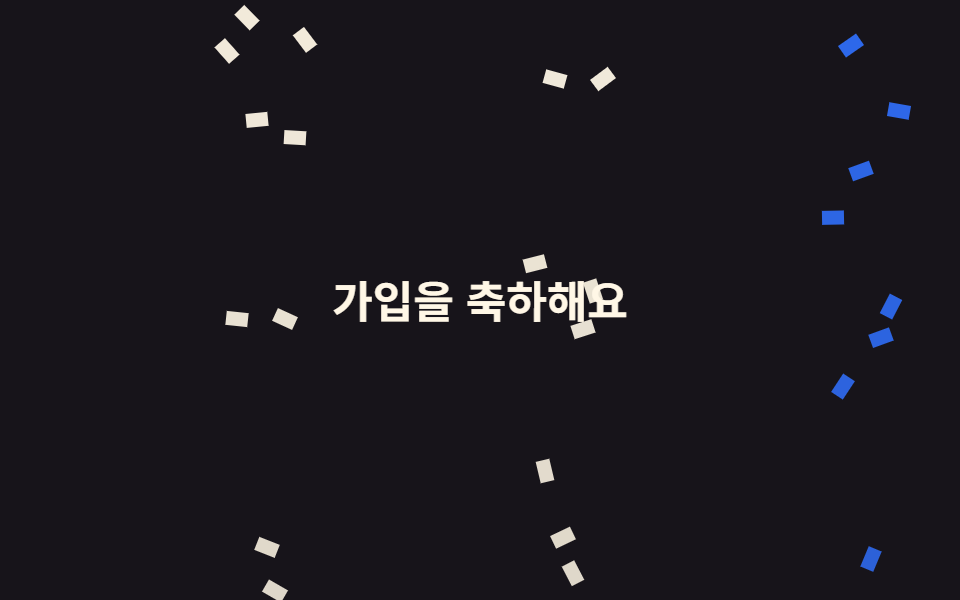
最後のステップを終えるとオレンジのチェック円が一度沈んで跳ね返り、その上を12個の紙片が別々の角度と時間差で落ちるため、同じ瞬間にまかれたようには見えません。
使いどころオンボーディング最後の画面、決済・送信完了の確認
12조각 시차scale 0.8→1.12radius 50%

<main class="stage is-demo">
  <div class="scene">
    <div class="bits" aria-hidden="true">
      <i class="b b1"></i><i class="b b2"></i><i class="b b3"></i><i class="b b4"></i>
      <i class="b b5"></i><i class="b b6"></i><i class="b b7"></i><i class="b b8"></i>
      <i class="b b9"></i><i class="b b10"></i><i class="b b11"></i><i class="b b12"></i>
    </div>
    <span class="seal" role="img" aria-label="オンボーディング完了">
      <svg xmlns="http://www.w3.org/2000/svg" viewBox="0 0 256 256" fill="currentColor"><path d="M232,56V200a16,16,0,0,1-16,16H40a16,16,0,0,1-16-16V56A16,16,0,0,1,40,40H216A16,16,0,0,1,232,56Z" opacity="0.2"/><path d="M205.66,85.66l-96,96a8,8,0,0,1-11.32,0l-40-40a8,8,0,0,1,11.32-11.32L104,164.69l90.34-90.35a8,8,0,0,1,11.32,11.32Z"/></svg>
    </span>
    <p class="msg">すべて完了</p>
  </div>
</main>
@use "../../../../site/static/demo-tokens" as *;
// ── 변수 3개 ──────────────────────────────────────────
$duration: $dur-loop; // 2s — 도장 한 번 + 조각 열두 개가 떨어지는 한 바퀴
$easing: $ease-pop;
$color: $stage-orange;
@include stage(#fff4ee);
// 조각이 밖으로 나가지 않게 자른다 — 안 자르면 scrollHeight 가 늘어 BD8 이 막는다
.scene {
position: relative;
box-sizing: border-box;
width: min(100%, 240px);
height: 152px;
overflow: hidden;
display: grid; place-content: center; justify-items: center;
gap: $sp-2;
}
.seal {
display: inline-flex; align-items: center; justify-content: center;
width: 56px; height: 56px;
border-radius: 50%;
background: $color;
color: #fff;
transform: scale(1);
}
.seal svg { width: 30px; height: 30px; display: block; }
// 한 겹(도장 착지 감쇠 진자 settle — 개별 속성 rotate, 콤마 확장) — stamp 52% 착지 뒤 56% 부터
// 3.5 → -2 → 1 → 0 으로 비틀렸다 제자리를 잡는다. delay 없는 요소라 단축+콤마 OK
.seal { transform-origin: 50% 50%; rotate: 0deg; }
.stage.is-demo .seal { animation: stamp $duration $easing infinite, settle $duration ease-in-out infinite; }
// 한 겹(도장 감쇠 진자 회전 + 메시지 탄성 팝) — 2026-09-15 형태 2차. 쾅 찍히며 비틀리고, 26% 찍힘 시점에 메시지가 같이 튄다
.stage.is-demo .msg { animation: msg-pop $duration $ease-lerp-settle infinite; }
.msg {
margin: 0;
font-size: 13px; font-weight: 700;
color: $subject-ink; // 주황 위 흰 글자는 대비가 안 나온다 — 글자는 바탕 위 잉크로
}
.bits { position: absolute; inset: 0; }
.b {
position: absolute;
top: -12px;
width: 6px; height: 10px;
border-radius: $r-xs;
opacity: 0;
}
// 열두 조각 — 가로 위치·각도·시차가 전부 다르다. 같이 뿌려진 티가 나면 가짜로 보인다
.b1 { left: 6%; background: $color; animation-delay: 0s; --r: 24deg; }
.b2 { left: 16%; background: $subject-pink; animation-delay: .09s; --r: -38deg; }
.b3 { left: 26%; background: $subject-blue; animation-delay: .21s; --r: 61deg; }
.b4 { left: 34%; background: $subject-mint; animation-delay: .05s; --r: -17deg; }
.b5 { left: 44%; background: $color; animation-delay: .33s; --r: 44deg; }
.b6 { left: 52%; background: $subject-lilac; animation-delay: .14s; --r: -55deg; }
.b7 { left: 61%; background: $subject-blue; animation-delay: .27s; --r: 12deg; }
.b8 { left: 69%; background: $subject-mint; animation-delay: .4s; --r: -29deg; }
.b9 { left: 77%; background: $color; animation-delay: .17s; --r: 71deg; }
.b10 { left: 85%; background: $subject-pink; animation-delay: .3s; --r: -46deg; }
.b11 { left: 92%; background: $subject-sky; animation-delay: .11s; --r: 33deg; }
.b12 { left: 47%; background: $subject-sky; animation-delay: .45s; --r: -63deg; }
.stage.is-demo .b { animation-name: fall; animation-duration: $duration; animation-timing-function: $easing; animation-iteration-count: infinite; }
// 한 겹(기존 scale 압축에 rotate 결합 — 도장이 찍히며 비틀린다)
@keyframes stamp {
0% { transform: scale(1) rotate(0); }
10% { transform: scale(.8) rotate(-6deg); }
26% { transform: scale(1.12) rotate(4deg); }
36% { transform: scale(.98) rotate(-2deg); }
44% { transform: scale(1.02) rotate(1deg); }
52%, 100% { transform: scale(1) rotate(0); }
}
@keyframes msg-pop {
0% { transform: scale(1); }
15% { transform: scale(.96); }
30% { transform: scale(1.06); }
42% { transform: scale(.99); }
52%,100% { transform: scale(1); }
}
// 한 겹(개별 속성 키프레임) — 기존 stamp(transform) 와 병렬 합성
// 감쇠 진자 settle — 도장이 찍힌 뒤(56%~) 비틀림이 3.5 → -2 → 1 → 0 으로 감쇠해 자리를 잡는다
@keyframes settle {
0%, 56% { rotate: 0deg; }
62% { rotate: 3.5deg; }
74% { rotate: -2deg; }
85% { rotate: 1deg; }
93%, 100% { rotate: 0deg; }
}
@keyframes fall {
0% { opacity: 0; transform: translateY(0) rotate(0deg); }
12% { opacity: 1; }
78% { opacity: 1; }
100% { opacity: 0; transform: translateY(168px) rotate(var(--r)); }
}
@media (prefers-reduced-motion: reduce) {
.stage.is-demo .seal { animation: none; transform: none; rotate: 0deg; }
.stage.is-demo .msg { animation: none; transform: none; }
.stage.is-demo .b { animation: none; opacity: 0; }
}html, body {
margin: 0;
overflow: hidden;
}
.stage {
box-sizing: border-box;
min-height: 100vh;
display: grid;
place-items: center;
margin: 0;
background: #fff4ee;
font-family: -apple-system, "Segoe UI", "Noto Sans KR", sans-serif;
padding: clamp(8px, 4vw, 24px);
}
.scene {
position: relative;
box-sizing: border-box;
width: min(100%, 240px);
height: 152px;
overflow: hidden;
display: grid;
place-content: center;
justify-items: center;
gap: 8px;
}
.seal {
display: inline-flex;
align-items: center;
justify-content: center;
width: 56px;
height: 56px;
border-radius: 50%;
background: #ff4d1f;
color: #fff;
transform: scale(1);
}
.seal svg {
width: 30px;
height: 30px;
display: block;
}
.seal {
transform-origin: 50% 50%;
rotate: 0deg;
}
.stage.is-demo .seal {
animation: stamp 2s cubic-bezier(0.2, 1.4, 0.4, 1) infinite, settle 2s ease-in-out infinite;
}
.stage.is-demo .msg {
animation: msg-pop 2s linear(0, 0.051, 0.176, 0.341, 0.518, 0.685, 0.831, 0.947, 1.032, 1.087, 1.117, 1.126, 1.121, 1.105, 1.085, 1.062, 1.041, 1.022, 1.008, 0.997, 1) infinite;
}
.msg {
margin: 0;
font-size: 13px;
font-weight: 700;
color: #17141a;
}
.bits {
position: absolute;
inset: 0;
}
.b {
position: absolute;
top: -12px;
width: 6px;
height: 10px;
border-radius: 4px;
opacity: 0;
}
.b1 {
left: 6%;
background: #ff4d1f;
animation-delay: 0s;
--r: 24deg;
}
.b2 {
left: 16%;
background: #ff9ebb;
animation-delay: 0.09s;
--r: -38deg;
}
.b3 {
left: 26%;
background: #2f6df6;
animation-delay: 0.21s;
--r: 61deg;
}
.b4 {
left: 34%;
background: #4cd4a6;
animation-delay: 0.05s;
--r: -17deg;
}
.b5 {
left: 44%;
background: #ff4d1f;
animation-delay: 0.33s;
--r: 44deg;
}
.b6 {
left: 52%;
background: #b9a0ff;
animation-delay: 0.14s;
--r: -55deg;
}
.b7 {
left: 61%;
background: #2f6df6;
animation-delay: 0.27s;
--r: 12deg;
}
.b8 {
left: 69%;
background: #4cd4a6;
animation-delay: 0.4s;
--r: -29deg;
}
.b9 {
left: 77%;
background: #ff4d1f;
animation-delay: 0.17s;
--r: 71deg;
}
.b10 {
left: 85%;
background: #ff9ebb;
animation-delay: 0.3s;
--r: -46deg;
}
.b11 {
left: 92%;
background: #6ec8ff;
animation-delay: 0.11s;
--r: 33deg;
}
.b12 {
left: 47%;
background: #6ec8ff;
animation-delay: 0.45s;
--r: -63deg;
}
.stage.is-demo .b {
animation-name: fall;
animation-duration: 2s;
animation-timing-function: cubic-bezier(0.2, 1.4, 0.4, 1);
animation-iteration-count: infinite;
}
@keyframes stamp {
0% {
transform: scale(1) rotate(0);
}
10% {
transform: scale(0.8) rotate(-6deg);
}
26% {
transform: scale(1.12) rotate(4deg);
}
36% {
transform: scale(0.98) rotate(-2deg);
}
44% {
transform: scale(1.02) rotate(1deg);
}
52%, 100% {
transform: scale(1) rotate(0);
}
}
@keyframes msg-pop {
0% {
transform: scale(1);
}
15% {
transform: scale(0.96);
}
30% {
transform: scale(1.06);
}
42% {
transform: scale(0.99);
}
52%, 100% {
transform: scale(1);
}
}
@keyframes settle {
0%, 56% {
rotate: 0deg;
}
62% {
rotate: 3.5deg;
}
74% {
rotate: -2deg;
}
85% {
rotate: 1deg;
}
93%, 100% {
rotate: 0deg;
}
}
@keyframes fall {
0% {
opacity: 0;
transform: translateY(0) rotate(0deg);
}
12% {
opacity: 1;
}
78% {
opacity: 1;
}
100% {
opacity: 0;
transform: translateY(168px) rotate(var(--r));
}
}
@media (prefers-reduced-motion: reduce) {
.stage.is-demo .seal {
animation: none;
transform: none;
rotate: 0deg;
}
.stage.is-demo .msg {
animation: none;
transform: none;
}
.stage.is-demo .b {
animation: none;
opacity: 0;
}
}import type { CSSProperties } from "react";
import styles from "./CompletionConfetti.module.scss";
export type CompletionConfettiProps = {
duration?: number;
easing?: string;
color?: string;
message?: string;
label?: string;
};
// 조각마다 가로 위치·색·각도·시차가 다르다. 같은 순간에 같은 각도로 뿌려지면 가짜로 보인다
const BITS: { left: number; bg: string; delay: number; rotate: number }[] = [
{ left: 6, bg: "#ff4d1f", delay: 0, rotate: 24 },
{ left: 16, bg: "#ff9ebb", delay: 90, rotate: -38 },
{ left: 26, bg: "#2f6df6", delay: 210, rotate: 61 },
{ left: 34, bg: "#4cd4a6", delay: 50, rotate: -17 },
{ left: 44, bg: "#ff4d1f", delay: 330, rotate: 44 },
{ left: 52, bg: "#b9a0ff", delay: 140, rotate: -55 },
{ left: 61, bg: "#2f6df6", delay: 270, rotate: 12 },
{ left: 69, bg: "#4cd4a6", delay: 400, rotate: -29 },
{ left: 77, bg: "#ff4d1f", delay: 170, rotate: 71 },
{ left: 85, bg: "#ff9ebb", delay: 300, rotate: -46 },
{ left: 92, bg: "#6ec8ff", delay: 110, rotate: 33 },
{ left: 47, bg: "#6ec8ff", delay: 450, rotate: -63 },
];
export default function CompletionConfetti({
duration = 2000,
easing = "cubic-bezier(.2, 1.4, .4, 1)",
color = "#ff4d1f",
message = "All done",
label = "Onboarding complete",
}: CompletionConfettiProps) {
const vars: CSSProperties = {
"--duration": `${duration}ms`,
"--easing": easing,
"--color": color,
} as CSSProperties;
return (
<div className={styles.scene} style={vars}>
<div className={styles.bits} aria-hidden="true">
{BITS.map((b, i) => (
<i
key={i}
className={styles.b}
style={{
left: `${b.left}%`,
background: b.bg,
animationDelay: `${b.delay}ms`,
"--r": `${b.rotate}deg`,
} as CSSProperties}
/>
))}
</div>
<span className={styles.seal} role="img" aria-label={label}>
<svg xmlns="http://www.w3.org/2000/svg" viewBox="0 0 256 256" fill="currentColor">
<path d="M232,56V200a16,16,0,0,1-16,16H40a16,16,0,0,1-16-16V56A16,16,0,0,1,40,40H216A16,16,0,0,1,232,56Z" opacity="0.2" />
<path d="M205.66,85.66l-96,96a8,8,0,0,1-11.32,0l-40-40a8,8,0,0,1,11.32-11.32L104,164.69l90.34-90.35a8,8,0,0,1,11.32,11.32Z" />
</svg>
</span>
<p className={styles.msg}>{message}</p>
</div>
);
}09 完了お祝いの紙吹雪 — 計測 累積面積 5.094% · 動いたフレーム 21/23GODRICH オリジナル · SCSS と React は zip に同梱 · チュートリアル UI デザイン9選 — コピペOKのツアー部品
このデモが属する記事
 チュートリアル UI デザイン9選 — コピペOKのツアー部品チュートリアル ui デザインは、登録したばかりの人に「次にどこを押せばいいか」を画面上で直接指し示す部品です。チェックリスト・スポットライト・ステップ式ツールチップなど、形はだいたい決まっているので、選んで貼るだけで済みます。実際に動かし この記事のデモをすべて見る