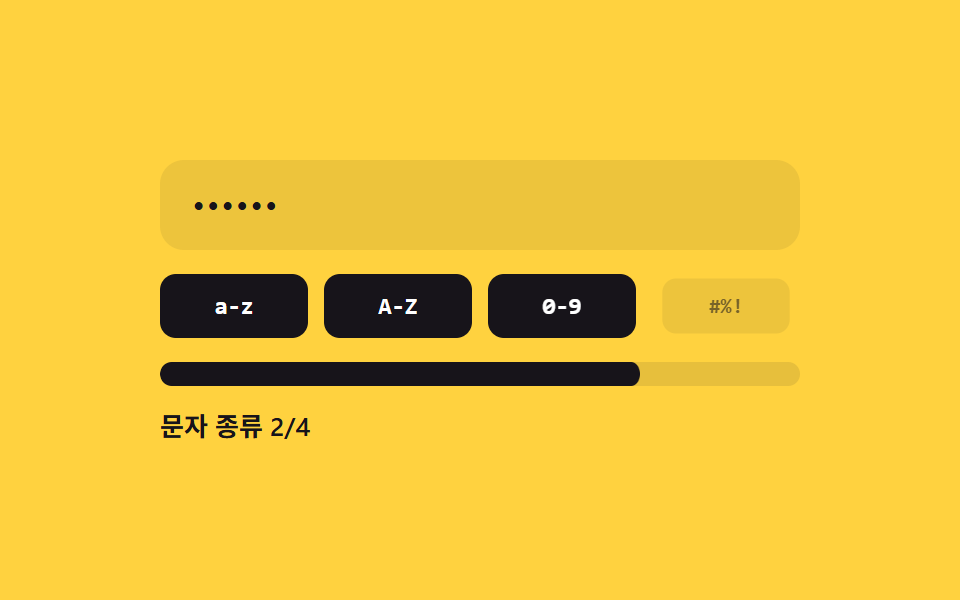
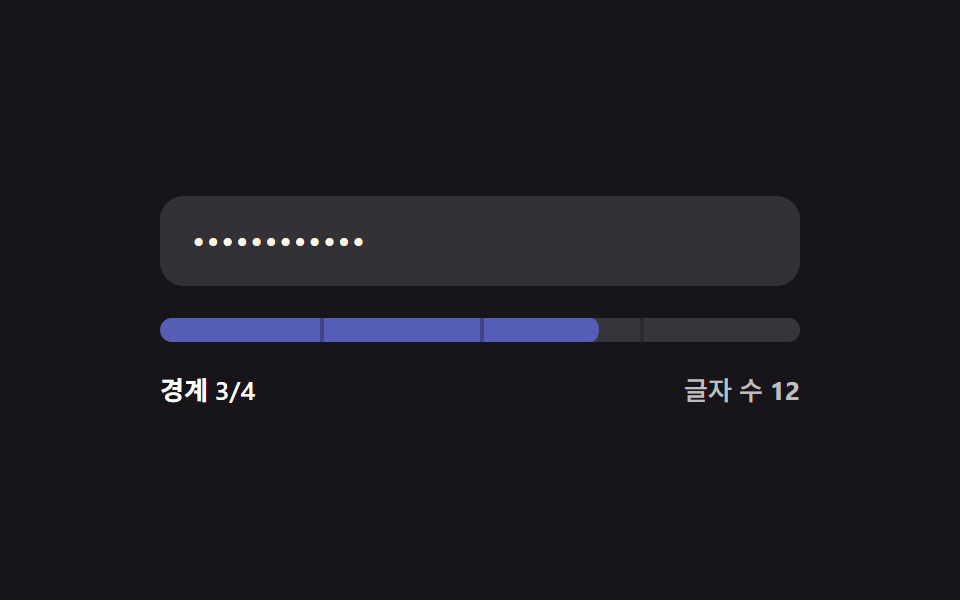
02文字種数塗り — 入力値に混ざった異なる文字種の値の数によって強度の値が決まる方式
入力値の中に異なる文字種の値がいくつ混ざっているかによって強度の値が決まります。
使いどころ大文字小文字・数字・記号の組み合わせを求めるアカウントセキュリティ設定、社内システムのパスワード変更フォーム
CLASSES 정규식 4종countClasses(value).cc__badge--on
<main class="stage">
<div class="cc is-demo" id="cc">
  <label class="cc__field">
    <input class="cc__input" id="ccInput" type="text" autocomplete="off" spellcheck="false" value="">
  </label>
  <div class="cc__badges">
    <div class="cc__badge" id="ccB0"><span>a-z</span></div>
    <div class="cc__badge" id="ccB1"><span>A-Z</span></div>
    <div class="cc__badge" id="ccB2"><span>0-9</span></div>
    <div class="cc__badge" id="ccB3"><span>#%!</span></div>
  </div>
  <div class="cc__track"><div class="cc__fill" id="ccFill"></div></div>
  <div class="cc__label" id="ccLabel">文字種 0/4</div>
</div>
</main>
@use "../../../../site/static/demo-tokens" as *;
// 계산 겹: 4개 문자 종류 정규식을 입력 값에 검사해 참인 개수를 세고, 그 개수만큼
// 배지가 중심에서 커지며(scale) 켜지고 막대 채움 비율도 같은 개수/4 로 맞춘다.
@include stage($stage-yellow);
.cc {
width: 100%;
max-width: 320px;
display: grid;
gap: $sp-3;
}
.cc__field { display: block; }
.cc__input {
width: 100%;
box-sizing: border-box;
padding: $sp-3 $sp-4;
border-radius: $r-control;
border: 0;
background: rgba($stage-ink, .08);
color: $stage-ink;
font: 500 16px/1.3 -apple-system, "Segoe UI", "Noto Sans KR", sans-serif;
letter-spacing: .04em;
-webkit-text-security: disc;
&:focus { outline: 2px solid $stage-ink; outline-offset: 2px; }
}
.cc__badges {
display: grid;
grid-template-columns: repeat(4, 1fr);
gap: $sp-2;
}
.cc__badge {
height: 32px;
border-radius: $r-sm;
background: rgba($stage-ink, .08);
display: grid;
place-items: center;
transform: scale(.86);
transform-origin: center; // 스스로 완결한 배지가 중심에서 커진다
transition: transform $dur-quick $ease-spring, background-color $dur-quick $ease-out;
span {
font: 700 12px/1 "Space Mono", monospace;
color: rgba($stage-ink, .55);
transition: color $dur-quick $ease-out;
}
&--on {
background: $stage-ink;
transform: scale(1);
span { color: $stage-paper; }
}
}
.cc__track {
position: relative;
height: $sp-3;
border-radius: $r-sm;
background: rgba($stage-ink, .1);
overflow: hidden;
}
.cc__fill {
position: absolute;
inset: 0;
border-radius: $r-sm;
background: $stage-ink;
transform: scaleX(0);
transform-origin: left center;
transition: transform $dur-base $ease-out;
}
.cc__label {
font: 600 13px/1.2 -apple-system, "Segoe UI", "Noto Sans KR", sans-serif;
color: $stage-ink;
}
@media (max-width: 340px) {
.cc { max-width: 260px; }
.cc__input { padding: $sp-2 $sp-3; font-size: 14px; }
.cc__badge { height: 28px; }
.cc__badge span { font-size: 10px; }
}
@media (prefers-reduced-motion: reduce) {
.cc__badge, .cc__fill { transition: none; }
}html, body {
margin: 0;
overflow: hidden;
}
.stage {
box-sizing: border-box;
min-height: 100vh;
display: grid;
place-items: center;
margin: 0;
background: #ffd23f;
font-family: -apple-system, "Segoe UI", "Noto Sans KR", sans-serif;
padding: clamp(8px, 4vw, 24px);
}
.cc {
width: 100%;
max-width: 320px;
display: grid;
gap: 12px;
}
.cc__field {
display: block;
}
.cc__input {
width: 100%;
box-sizing: border-box;
padding: 12px 16px;
border-radius: 12px;
border: 0;
background: rgba(23, 20, 26, 0.08);
color: #17141a;
font: 500 16px/1.3 -apple-system, "Segoe UI", "Noto Sans KR", sans-serif;
letter-spacing: 0.04em;
-webkit-text-security: disc;
}
.cc__input:focus {
outline: 2px solid #17141a;
outline-offset: 2px;
}
.cc__badges {
display: grid;
grid-template-columns: repeat(4, 1fr);
gap: 8px;
}
.cc__badge {
height: 32px;
border-radius: 8px;
background: rgba(23, 20, 26, 0.08);
display: grid;
place-items: center;
transform: scale(0.86);
transform-origin: center;
transition: transform 220ms cubic-bezier(0.2, 0.8, 0.2, 1), background-color 220ms ease-out;
}
.cc__badge span {
font: 700 12px/1 "Space Mono", monospace;
color: rgba(23, 20, 26, 0.55);
transition: color 220ms ease-out;
}
.cc__badge--on {
background: #17141a;
transform: scale(1);
}
.cc__badge--on span {
color: #ffffff;
}
.cc__track {
position: relative;
height: 12px;
border-radius: 8px;
background: rgba(23, 20, 26, 0.1);
overflow: hidden;
}
.cc__fill {
position: absolute;
inset: 0;
border-radius: 8px;
background: #17141a;
transform: scaleX(0);
transform-origin: left center;
transition: transform 300ms ease-out;
}
.cc__label {
font: 600 13px/1.2 -apple-system, "Segoe UI", "Noto Sans KR", sans-serif;
color: #17141a;
}
@media (max-width: 340px) {
.cc {
max-width: 260px;
}
.cc__input {
padding: 8px 12px;
font-size: 14px;
}
.cc__badge {
height: 28px;
}
.cc__badge span {
font-size: 10px;
}
}
@media (prefers-reduced-motion: reduce) {
.cc__badge, .cc__fill {
transition: none;
}
}(function () {
var root = document.getElementById('cc');
var input = document.getElementById('ccInput');
var fill = document.getElementById('ccFill');
var label = document.getElementById('ccLabel');
var badges = [document.getElementById('ccB0'), document.getElementById('ccB1'), document.getElementById('ccB2'), document.getElementById('ccB3')];
// 계산 겹: 입력 값을 4개 文字種 정규식으로 각각 검사해 참인 개수를 센다.
var CLASSES = [/[a-z]/, /[A-Z]/, /[0-9]/, /[^A-Za-z0-9]/];
function countClasses(value) {
var n = 0;
for (var i = 0; i < CLASSES.length; i++) {
var hit = CLASSES[i].test(value);
badges[i].classList.toggle('cc__badge--on', hit);
if (hit) n++;
}
return n;
}
function paint(value) {
var n = countClasses(value);
fill.style.transform = 'scaleX(' + (n / CLASSES.length) + ')';
label.textContent = '文字種 ' + n + '/4';
}
input.addEventListener('input', function () {
root.classList.remove('is-demo');
stopAutoplay();
paint(input.value);
});
paint(input.value);
// 자동 루프: 시드 고정 문자열 배열로 문자 종류를 하나씩 늘렸다 줄인다.
var SEQ = ['', 'abc', 'abcABC', 'abcABC123', 'abcABC123!@#', 'abcABC123', 'abcABC', 'abc', ''];
var si = 0;
var autoTimer = null;
function autoTick() { input.value = SEQ[si]; paint(SEQ[si]); si = (si + 1) % SEQ.length; }
function stopAutoplay() { if (autoTimer) { clearInterval(autoTimer); autoTimer = null; } }
var reduce = window.matchMedia('(prefers-reduced-motion: reduce)').matches;
if (!reduce) { autoTimer = setInterval(autoTick, 340); autoTick(); }
})();import { useEffect, useRef } from "react";
import styles from "./CharclassFill.module.scss";
type Box<T> = { current: T };
const CLASSES = [/[a-z]/, /[A-Z]/, /[0-9]/, /[^A-Za-z0-9]/];
const LABELS = ["a-z", "A-Z", "0-9", "#%!"];
export default function CharclassFill() {
const rootRef = useRef(null) as unknown as Box<HTMLDivElement | null>;
useEffect(() => {
const root = rootRef.current;
if (!root) return;
const input = root.querySelector(`.${styles.input}`) as HTMLInputElement | null;
const fill = root.querySelector(`.${styles.fill}`) as HTMLElement | null;
const label = root.querySelector(`.${styles.label}`) as HTMLElement | null;
const badges = Array.prototype.slice.call(
root.querySelectorAll(`.${styles["cc__badge"]}`)
) as HTMLElement[];
if (!input || !fill || !label) return;
// 계산 겹: 입력 값을 4개 문자 종류 정규식으로 각각 검사해 참인 개수를 센다.
function countClasses(value: string) {
let n = 0;
for (let i = 0; i < CLASSES.length; i++) {
const hit = CLASSES[i].test(value);
badges[i].classList.toggle(styles["cc__badge--on"], hit);
if (hit) n++;
}
return n;
}
function paint(value: string) {
const n = countClasses(value);
fill!.style.transform = "scaleX(" + (n / CLASSES.length) + ")";
label!.textContent = "문자 종류 " + n + "/4";
}
function onInput() {
root!.classList.remove(styles["is-demo"]);
stopAutoplay();
paint(input!.value);
}
input.addEventListener("input", onInput);
paint(input.value);
// 자동 루프: 시드 고정 문자열 배열로 문자 종류를 하나씩 늘렸다 줄인다.
const SEQ = ["", "abc", "abcABC", "abcABC123", "abcABC123!@#", "abcABC123", "abcABC", "abc", ""];
let si = 0;
let autoTimer: number | null = null;
function autoTick() { input!.value = SEQ[si]; paint(SEQ[si]); si = (si + 1) % SEQ.length; }
function stopAutoplay() { if (autoTimer !== null) { window.clearInterval(autoTimer); autoTimer = null; } }
const reduce = window.matchMedia("(prefers-reduced-motion: reduce)").matches;
if (!reduce) { autoTimer = window.setInterval(autoTick, 340); autoTick(); }
return () => {
stopAutoplay();
input.removeEventListener("input", onInput);
};
}, []);
return (
<div ref={rootRef} className={`${styles.stage} ${styles.cc} ${styles["is-demo"]}`}>
<label className={styles.field}>
<input className={styles.input} type="text" autoComplete="off" spellCheck={false} defaultValue="" />
</label>
<div className={styles.badges}>
{LABELS.map((l) => (
<div key={l} className={styles["cc__badge"]}>
<span>{l}</span>
</div>
))}
</div>
<div className={styles.track}><div className={styles.fill} /></div>
<div className={styles.label}>문자 종류 0/4</div>
</div>
);
}02 文字種数塗り — 入力値に混ざった異なる文字種の値の数によって強度の値が決まる方式 — 計測 累積面積 9.395% · 動いたフレーム 22/23GODRICH オリジナル · SCSS と React は zip に同梱 · パスワード強度チェック UI 9選 — 強度の値が計算される仕組み
このデモが属する記事
 パスワード強度チェック UI 9選 — 強度の値が計算される仕組み9つのうち1つは文字種の値がいくつ混ざっているかで強度の値が決まり、1つはよくある値のリストと同じ状態になると強度の値が減り、もう1つは確認入力の値と元の値が食い違い始める位置の値をリアルタイムで見つけます。パスワード強度チェック、9つの作 この記事のデモをすべて見る