05受信バイト数から進行率を計算するプログレッシブロードバー
これまで受信したバイト数を全体のファイルサイズで割って進行率を毎瞬計算し、バーはその比率ぶん満ちながら残りページ数も一緒に減っていく。
使いどころ大容量レポートの初回ロード
speedCurveTOTAL_BYTESHOLD_MS
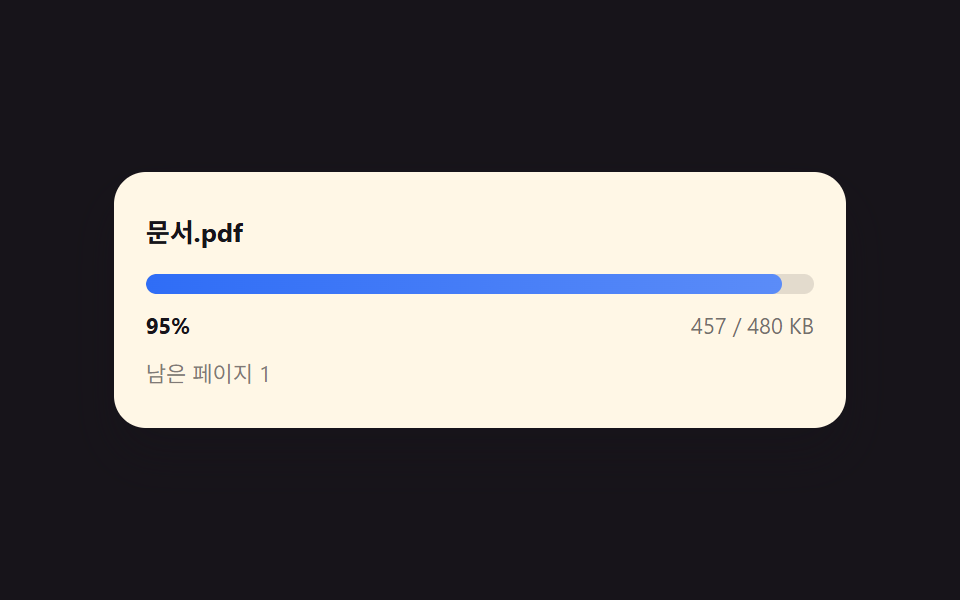
<main class="stage">
<div class="pvb is-demo" id="pvbRoot" tabindex="0" aria-label="ダウンロード進行バー、スペースで一時停止・矢印キーで速度調整">
  <p class="pvb__title">文書.pdf</p>
  <div class="pvb__track" id="pvbTrack">
    <div class="pvb__fill" id="pvbFill"></div>
  </div>
  <div class="pvb__row">
    <span class="pvb__pct" id="pvbPct">0%</span>
    <span class="pvb__bytes" id="pvbBytes">0 / 0 KB</span>
  </div>
  <p class="pvb__pages" id="pvbPages">残りページ12</p>
</div>
</main>
@use "../../../../site/static/demo-tokens" as *;
@include stage($stage-ink);
.pvb {
position: relative;
width: min(84vw, calc(140vh - 11.2vw));
margin: 0 auto;
border-radius: $r-card;
background: $subject-cream;
box-shadow: $shadow-raised;
padding: $sp-5 $sp-4;
box-sizing: border-box;
outline: none;
}
.pvb__title {
margin: 0 0 $sp-3;
font-size: 13px;
font-weight: 700;
color: $subject-ink;
}
.pvb__track {
position: relative;
height: 10px;
border-radius: $r-pill;
background: rgba(23, 20, 26, .12);
overflow: hidden;
}
.pvb__fill {
position: absolute;
inset: 0 auto 0 0;
width: 0%;
border-radius: $r-pill;
background: linear-gradient(90deg, $subject-blue, $subject-blue-light);
}
.pvb__row {
display: flex;
justify-content: space-between;
margin-top: $sp-2;
font-size: 11px;
color: rgba(23, 20, 26, .6);
}
.pvb__pct { font-weight: 700; color: $subject-ink; }
.pvb__pages {
margin: $sp-2 0 0;
font-size: 11px;
color: rgba(23, 20, 26, .55);
}
@media (max-width: 340px) {
.pvb { padding: $sp-4 $sp-3; }
}
@media (prefers-reduced-motion: reduce) {
.pvb__fill { transition: none; }
}html, body {
margin: 0;
overflow: hidden;
}
.stage {
box-sizing: border-box;
min-height: 100vh;
display: grid;
place-items: center;
margin: 0;
background: #17141a;
font-family: -apple-system, "Segoe UI", "Noto Sans KR", sans-serif;
padding: clamp(8px, 4vw, 24px);
}
.pvb {
position: relative;
width: min(84vw, 140vh - 11.2vw);
margin: 0 auto;
border-radius: 16px;
background: #fff7e6;
box-shadow: 0 14px 24px rgba(23, 20, 26, 0.32);
padding: 20px 16px;
box-sizing: border-box;
outline: none;
}
.pvb__title {
margin: 0 0 12px;
font-size: 13px;
font-weight: 700;
color: #17141a;
}
.pvb__track {
position: relative;
height: 10px;
border-radius: 999px;
background: rgba(23, 20, 26, 0.12);
overflow: hidden;
}
.pvb__fill {
position: absolute;
inset: 0 auto 0 0;
width: 0%;
border-radius: 999px;
background: linear-gradient(90deg, #2f6df6, #5b8cf8);
}
.pvb__row {
display: flex;
justify-content: space-between;
margin-top: 8px;
font-size: 11px;
color: rgba(23, 20, 26, 0.6);
}
.pvb__pct {
font-weight: 700;
color: #17141a;
}
.pvb__pages {
margin: 8px 0 0;
font-size: 11px;
color: rgba(23, 20, 26, 0.55);
}
@media (max-width: 340px) {
.pvb {
padding: 16px 12px;
}
}
@media (prefers-reduced-motion: reduce) {
.pvb__fill {
transition: none;
}
}(function () {
// 기법: 초당 전송 속도를 사인 합성 곡선(결정적, 시드 없이도 매 실행 동일)으로 만들어
// 프레임마다 받은 바이트 수에 더한다. 받은 바이트 / 전체 바이트로 진행률을 매 순간
// 다시 계산해 막대 너비와 残りページ 수(전체 ページ 중 아직 못 받은 비율)를 함께 갱신한다.
var root = document.getElementById('pvbRoot');
var fill = document.getElementById('pvbFill');
var pctEl = document.getElementById('pvbPct');
var bytesEl = document.getElementById('pvbBytes');
var pagesEl = document.getElementById('pvbPages');
var TOTAL_BYTES = 480000;
var TOTAL_PAGES = 12;
var HOLD_MS = 260;
function speedCurve(tSec) {
// 결정적 의사 지터: 세 개의 사인을 더해 "빨라졌다 느려졌다" 하는 네트워크 느낌
var base = 210000;
var v = base
+ 90000 * Math.sin(tSec * 2.3)
+ 40000 * Math.sin(tSec * 5.1 + 1.4)
+ 20000 * Math.sin(tSec * 9.7 + 0.6);
return Math.max(30000, v);
}
var received = 0, speedMul = 1, paused = false, holdT = 0;
function render() {
var ratio = Math.max(0, Math.min(1, received / TOTAL_BYTES));
fill.style.width = (ratio * 100).toFixed(1) + '%';
pctEl.textContent = Math.round(ratio * 100) + '%';
bytesEl.textContent = Math.round(received / 1000) + ' / ' + Math.round(TOTAL_BYTES / 1000) + ' KB';
var remain = Math.ceil((1 - ratio) * TOTAL_PAGES);
pagesEl.textContent = ratio >= 1 ? '全ページ準備完了' : ('残りページ ' + remain);
}
var userActive = false;
function markActive() { if (!userActive) { userActive = true; root.classList.remove('is-demo'); } }
root.addEventListener('keydown', function (e) {
if (e.key === ' ' || e.key === 'Spacebar') { e.preventDefault(); markActive(); paused = !paused; }
else if (e.key === 'ArrowUp') { e.preventDefault(); markActive(); speedMul = Math.min(4, speedMul * 1.5); }
else if (e.key === 'ArrowDown') { e.preventDefault(); markActive(); speedMul = Math.max(0.25, speedMul / 1.5); }
});
root.addEventListener('click', function () { markActive(); paused = !paused; });
var reduce = window.matchMedia('(prefers-reduced-motion: reduce)').matches;
if (reduce) { root.classList.remove('is-demo'); userActive = true; received = TOTAL_BYTES * 0.5; render(); }
var lastTs = null;
function tick(ts) {
if (lastTs === null) lastTs = ts;
var dt = Math.min(ts - lastTs, 48);
lastTs = ts;
if (!paused) {
if (received >= TOTAL_BYTES) {
holdT += dt;
if (holdT >= HOLD_MS) { received = 0; holdT = 0; }
} else {
var sec = ts / 1000;
received = Math.min(TOTAL_BYTES, received + speedCurve(sec) * speedMul * (dt / 1000));
}
render();
}
requestAnimationFrame(tick);
}
render();
requestAnimationFrame(tick);
})();import { useEffect, useRef } from "react";
import styles from "./PdfViewerByteProgressLoadBar.module.scss";
type KeyEvt = { key: string; preventDefault(): void };
export default function PdfViewerByteProgressLoadBar() {
const rootRef = useRef<HTMLDivElement>(null);
const fillRef = useRef<HTMLDivElement>(null);
const pctRef = useRef<HTMLSpanElement>(null);
const bytesRef = useRef<HTMLSpanElement>(null);
const pagesRef = useRef<HTMLParagraphElement>(null);
useEffect(() => {
const root = rootRef.current, fill = fillRef.current, pctEl = pctRef.current;
const bytesEl = bytesRef.current, pagesEl = pagesRef.current;
if (!root || !fill || !pctEl || !bytesEl || !pagesEl) return;
const TOTAL_BYTES = 480000;
const TOTAL_PAGES = 12;
const HOLD_MS = 260;
function speedCurve(tSec: number) {
const base = 210000;
const v = base
+ 90000 * Math.sin(tSec * 2.3)
+ 40000 * Math.sin(tSec * 5.1 + 1.4)
+ 20000 * Math.sin(tSec * 9.7 + 0.6);
return Math.max(30000, v);
}
let received = 0, speedMul = 1, paused = false, holdT = 0;
function render() {
const ratio = Math.max(0, Math.min(1, received / TOTAL_BYTES));
fill!.style.width = (ratio * 100).toFixed(1) + "%";
pctEl!.textContent = Math.round(ratio * 100) + "%";
bytesEl!.textContent = Math.round(received / 1000) + " / " + Math.round(TOTAL_BYTES / 1000) + " KB";
const remain = Math.ceil((1 - ratio) * TOTAL_PAGES);
pagesEl!.textContent = ratio >= 1 ? "전체 페이지 준비 완료" : ("남은 페이지 " + remain);
}
let userActive = false;
function markActive() { if (!userActive) { userActive = true; root!.classList.remove("is-demo"); } }
function onKeydown(e: KeyEvt) {
if (e.key === " " || e.key === "Spacebar") { e.preventDefault(); markActive(); paused = !paused; }
else if (e.key === "ArrowUp") { e.preventDefault(); markActive(); speedMul = Math.min(4, speedMul * 1.5); }
else if (e.key === "ArrowDown") { e.preventDefault(); markActive(); speedMul = Math.max(0.25, speedMul / 1.5); }
}
function onClick() { markActive(); paused = !paused; }
root.addEventListener("keydown", onKeydown as unknown as EventListener);
root.addEventListener("click", onClick);
const reduce = window.matchMedia("(prefers-reduced-motion: reduce)").matches;
if (reduce) { root.classList.remove("is-demo"); userActive = true; received = TOTAL_BYTES * 0.5; render(); }
let lastTs: number | null = null, raf = 0;
function tick(ts: number) {
if (lastTs === null) lastTs = ts;
const dt = Math.min(ts - lastTs, 48);
lastTs = ts;
if (!paused) {
if (received >= TOTAL_BYTES) {
holdT += dt;
if (holdT >= HOLD_MS) { received = 0; holdT = 0; }
} else {
const sec = ts / 1000;
received = Math.min(TOTAL_BYTES, received + speedCurve(sec) * speedMul * (dt / 1000));
}
render();
}
raf = requestAnimationFrame(tick);
}
render();
raf = requestAnimationFrame(tick);
return () => {
cancelAnimationFrame(raf);
root.removeEventListener("keydown", onKeydown as unknown as EventListener);
root.removeEventListener("click", onClick);
};
}, []);
return (
<main className={styles.stage}>
<div className={`${styles.pvb} is-demo`} ref={rootRef} tabIndex={0} aria-label="다운로드 진행 막대, 스페이스로 정지·화살표로 속도 조절">
<p className={styles.title}>문서.pdf</p>
<div className={styles.track}>
<div className={styles.fill} ref={fillRef} />
</div>
<div className={styles.row}>
<span className={styles.pct} ref={pctRef}>0%</span>
<span className={styles.bytesTxt} ref={bytesRef}>0 / 0 KB</span>
</div>
<p className={styles.pages} ref={pagesRef}>남은 페이지 12</p>
</div>
</main>
);
}05 受信バイト数から進行率を計算するプログレッシブロードバー — 計測 累積面積 2.847% · 動いたフレーム 22/23GODRICH オリジナル · SCSS と React は zip に同梱 · pdf 表示 js 実装 9パターン — スクロールでページを計算するビューア
このデモが属する記事
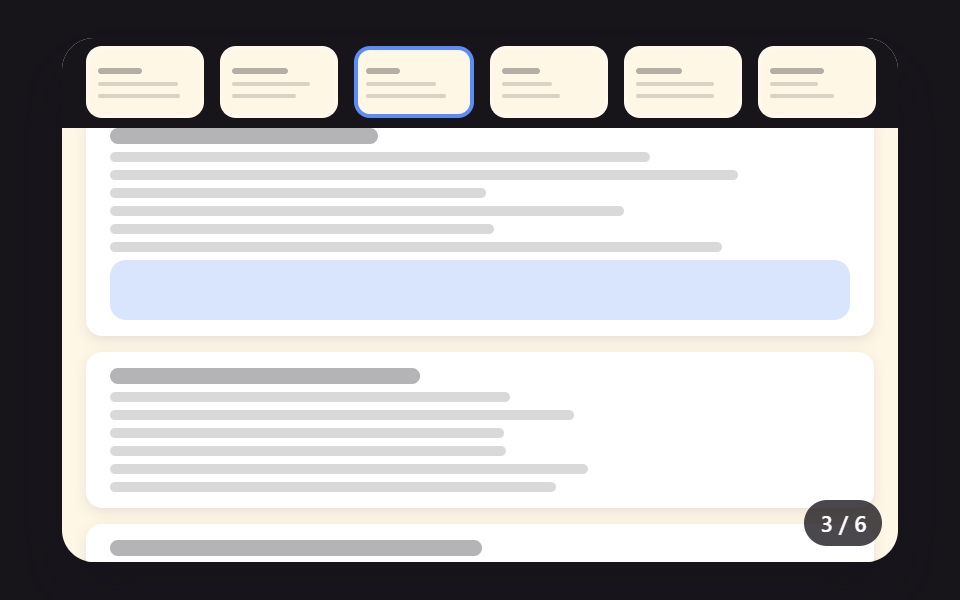 pdf 表示 js 実装 9パターン — スクロールでページを計算するビューア「pdf 表示 js」の作り方は9通りあります。スクロール値がページ番号を作るのか、ページ番号がスクロール値を作るのか — 02番の拡大中心はポインター座標で、04番の次ページは指を離す速度で、08番のダウンロードリングは受信バイト数で答え この記事のデモをすべて見る