09グリッド→単一ビュー モーフ切替
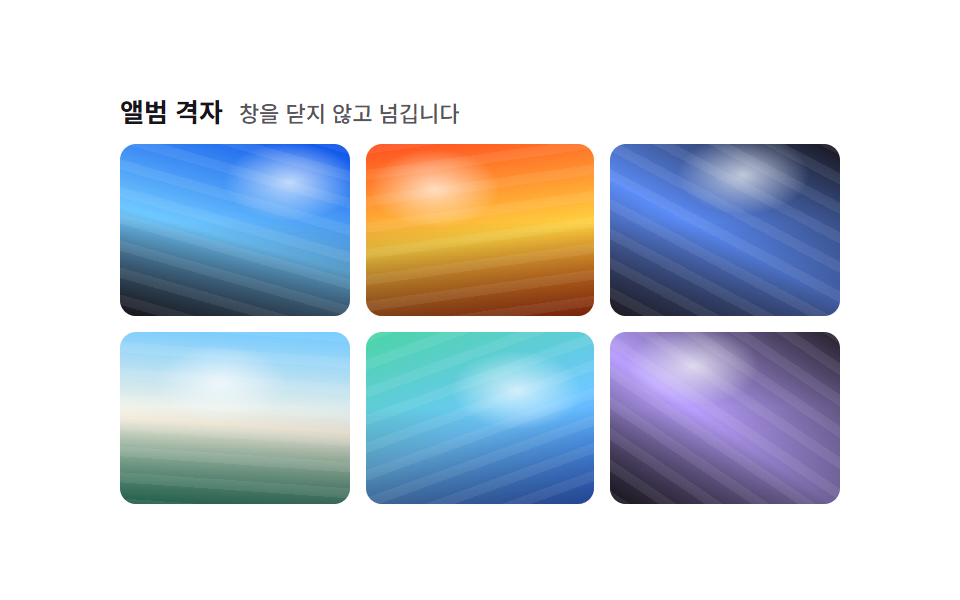
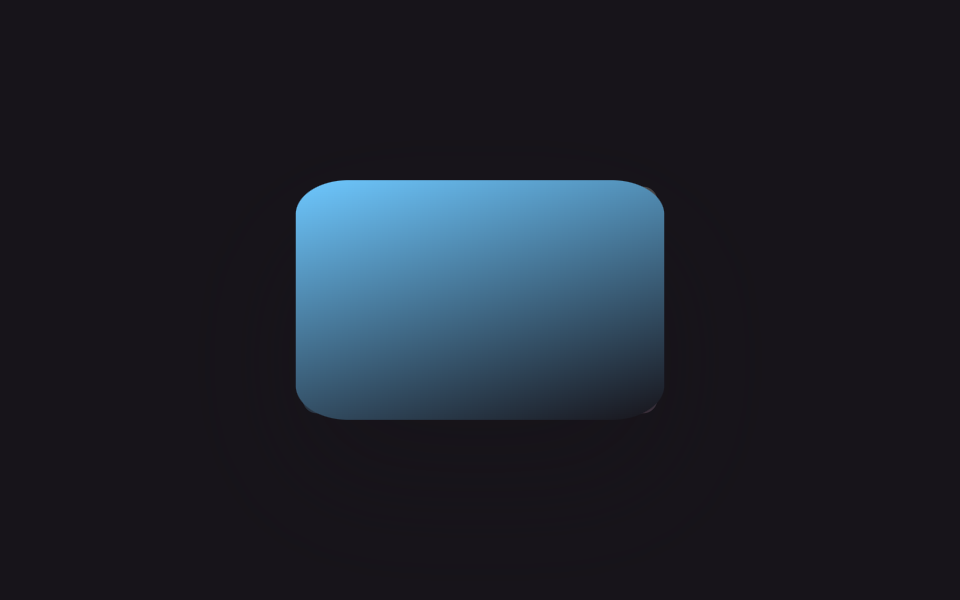
マスを1つクリックしてもモーダルは開かず、グリッド自体が組み替わり、選んだマスがその場で拡大し残りのマスは薄くなって脇へ寄ります。もう一度クリックすると元の格子に戻ります。
使いどころモーダルなしで代表作を1つ大きく見せるポートフォリオ、詳細パネルなしで写真そのもので魅せるギャラリー
:checked 상태 분기transform: translate+scalez-index 승격
<main class="stage">
  <div class="g-frame is-demo">
    <div class="g-grid" role="radiogroup" aria-label="写真を選んで大きく見る">
      <label class="g-tile"><input type="radio" name="g-sel" class="g-radio" aria-label="1枚目の写真を大きく見る"><span class="g-tile__img g-tile__img--a"></span></label>
      <label class="g-tile"><input type="radio" name="g-sel" class="g-radio" aria-label="2枚目の写真を大きく見る"><span class="g-tile__img g-tile__img--b"></span></label>
      <label class="g-tile"><input type="radio" name="g-sel" class="g-radio" aria-label="3枚目の写真を大きく見る"><span class="g-tile__img g-tile__img--c"></span></label>
      <label class="g-tile"><input type="radio" name="g-sel" class="g-radio" aria-label="4枚目の写真を大きく見る"><span class="g-tile__img g-tile__img--d"></span></label>
      <label class="g-tile"><input type="radio" name="g-sel" class="g-radio" aria-label="5枚目の写真を大きく見る"><span class="g-tile__img g-tile__img--e"></span></label>
      <label class="g-tile"><input type="radio" name="g-sel" class="g-radio" aria-label="6枚目の写真を大きく見る"><span class="g-tile__img g-tile__img--f"></span></label>
    </div>
  </div>
</main>
@use "../../../../site/static/demo-tokens" as *;
$duration: $dur-base; // 모프 전환 시간
$easing: $ease-spring;
$color: $subject-sky; // 포커스·선택 강조 색
@include stage($stage-ink);
.g-grid {
position: relative;
display: grid;
grid-template-columns: repeat(3, 56px);
grid-template-rows: repeat(2, 56px);
gap: $sp-2;
width: 184px;
height: 120px;
}
.g-tile {
position: relative;
display: block;
border-radius: $r-sm;
cursor: pointer;
transition: transform $duration $easing, opacity $duration $easing, box-shadow $duration $easing;
}
.g-tile:focus-within { outline: 2px solid $color; outline-offset: 2px; }
.g-radio { position: absolute; width: 1px; height: 1px; opacity: 0; }
.g-tile__img { display: block; width: 100%; height: 100%; border-radius: inherit; }
.g-tile__img--a { background: linear-gradient(155deg, $color 0%, $stage-ink 100%); }
.g-tile__img--b { background: linear-gradient(205deg, $subject-lilac 0%, $color 100%); }
.g-tile__img--c { background: linear-gradient(115deg, $color 0%, $subject-cream 55%); }
.g-tile__img--d { background: linear-gradient(250deg, $subject-pink 0%, $color 100%); }
.g-tile__img--e { background: linear-gradient(160deg, $subject-mint 0%, $color 100%); }
.g-tile__img--f { background: linear-gradient(200deg, $color 0%, $subject-pink 100%); }
// 모달·::backdrop 없이 그리드 자체가 재배치된다 — 라디오 하나가 켜지면 나머지는 옅어지고,
// 켜진 칸만 자기 위치에서 격자 전체 크기로 커진다 (칸마다 자리가 고정이라 이동량도 고정값)
.g-grid:has(.g-radio:checked) .g-tile:not(:has(.g-radio:checked)) { opacity: .22; transform: scale(.88); }
.g-grid .g-tile:has(.g-radio:checked) { z-index: 5; box-shadow: $shadow-raised; }
.g-grid .g-tile:nth-child(1):has(.g-radio:checked) { transform: translate(64px, 32px) scale(3.29, 2.14); }
.g-grid .g-tile:nth-child(2):has(.g-radio:checked) { transform: translate(0, 32px) scale(3.29, 2.14); }
.g-grid .g-tile:nth-child(3):has(.g-radio:checked) { transform: translate(-64px, 32px) scale(3.29, 2.14); }
.g-grid .g-tile:nth-child(4):has(.g-radio:checked) { transform: translate(64px, -32px) scale(3.29, 2.14); }
.g-grid .g-tile:nth-child(5):has(.g-radio:checked) { transform: translate(0, -32px) scale(3.29, 2.14); }
.g-grid .g-tile:nth-child(6):has(.g-radio:checked) { transform: translate(-64px, -32px) scale(3.29, 2.14); }
@media (prefers-reduced-motion: reduce) {
.g-tile { transition: none; }
}html, body {
margin: 0;
overflow: hidden;
}
.stage {
box-sizing: border-box;
min-height: 100vh;
display: grid;
place-items: center;
margin: 0;
background: #17141a;
font-family: -apple-system, "Segoe UI", "Noto Sans KR", sans-serif;
padding: clamp(8px, 4vw, 24px);
}
.g-grid {
position: relative;
display: grid;
grid-template-columns: repeat(3, 56px);
grid-template-rows: repeat(2, 56px);
gap: 8px;
width: 184px;
height: 120px;
}
.g-tile {
position: relative;
display: block;
border-radius: 8px;
cursor: pointer;
transition: transform 300ms cubic-bezier(0.2, 0.8, 0.2, 1), opacity 300ms cubic-bezier(0.2, 0.8, 0.2, 1), box-shadow 300ms cubic-bezier(0.2, 0.8, 0.2, 1);
}
.g-tile:focus-within {
outline: 2px solid #6ec8ff;
outline-offset: 2px;
}
.g-radio {
position: absolute;
width: 1px;
height: 1px;
opacity: 0;
}
.g-tile__img {
display: block;
width: 100%;
height: 100%;
border-radius: inherit;
}
.g-tile__img--a {
background: linear-gradient(155deg, #6ec8ff 0%, #17141a 100%);
}
.g-tile__img--b {
background: linear-gradient(205deg, #b9a0ff 0%, #6ec8ff 100%);
}
.g-tile__img--c {
background: linear-gradient(115deg, #6ec8ff 0%, #fff7e6 55%);
}
.g-tile__img--d {
background: linear-gradient(250deg, #ff9ebb 0%, #6ec8ff 100%);
}
.g-tile__img--e {
background: linear-gradient(160deg, #4cd4a6 0%, #6ec8ff 100%);
}
.g-tile__img--f {
background: linear-gradient(200deg, #6ec8ff 0%, #ff9ebb 100%);
}
.g-grid:has(.g-radio:checked) .g-tile:not(:has(.g-radio:checked)) {
opacity: 0.22;
transform: scale(0.88);
}
.g-grid .g-tile:has(.g-radio:checked) {
z-index: 5;
box-shadow: 0 14px 24px rgba(23, 20, 26, 0.32);
}
.g-grid .g-tile:nth-child(1):has(.g-radio:checked) {
transform: translate(64px, 32px) scale(3.29, 2.14);
}
.g-grid .g-tile:nth-child(2):has(.g-radio:checked) {
transform: translate(0, 32px) scale(3.29, 2.14);
}
.g-grid .g-tile:nth-child(3):has(.g-radio:checked) {
transform: translate(-64px, 32px) scale(3.29, 2.14);
}
.g-grid .g-tile:nth-child(4):has(.g-radio:checked) {
transform: translate(64px, -32px) scale(3.29, 2.14);
}
.g-grid .g-tile:nth-child(5):has(.g-radio:checked) {
transform: translate(0, -32px) scale(3.29, 2.14);
}
.g-grid .g-tile:nth-child(6):has(.g-radio:checked) {
transform: translate(-64px, -32px) scale(3.29, 2.14);
}
@media (prefers-reduced-motion: reduce) {
.g-tile {
transition: none;
}
}(function () {
var frame = document.querySelector('.g-frame');
var radios = document.querySelectorAll('.g-radio');
function stopDemo() { frame.classList.remove('is-demo'); if (window.__gIv) clearInterval(window.__gIv); }
// 라디오는 같은 것을 다시 눌러도 기본으로는 안 꺼진다 — 눌렀을 때 이미 켜져 있으면 직접 끈다 (다시 클릭하면 격자로)
radios.forEach(function (r) {
r.addEventListener('pointerdown', function (e) {
stopDemo();
if (r.checked) { e.preventDefault(); r.checked = false; }
});
r.addEventListener('keydown', function (e) {
stopDemo();
if (e.key === 'Enter' || e.key === ' ') { if (r.checked) { e.preventDefault(); r.checked = false; } }
});
});
if (frame.classList.contains('is-demo')) {
var step = 0;
window.__gIv = setInterval(function () {
var i = Math.floor(step / 2) % radios.length;
radios[i].checked = step % 2 === 0;
step++;
}, 600);
}
})();import { useState } from "react";
import type { CSSProperties } from "react";
import styles from "./GridToSingleViewMorph.module.scss";
export type GridToSingleViewMorphProps = {
/** 모프 전환 시간 (기본 300ms) */
duration?: number;
easing?: string;
/** 선택 강조 색 */
color?: string;
};
type Vars = CSSProperties & { "--duration"?: string; "--easing"?: string; "--color"?: string };
const TONES = ["a", "b", "c", "d", "e", "f"] as const;
// 칸마다 고정 위치라 "격자 전체 크기로 커질 때" 이동량도 고정값 — 3열×2행 격자에서 계산
const OFFSETS = [
"translate(64px, 32px) scale(3.29, 2.14)",
"translate(0, 32px) scale(3.29, 2.14)",
"translate(-64px, 32px) scale(3.29, 2.14)",
"translate(64px, -32px) scale(3.29, 2.14)",
"translate(0, -32px) scale(3.29, 2.14)",
"translate(-64px, -32px) scale(3.29, 2.14)",
];
/** 칸을 클릭하면 모달 없이 그리드 자체가 재배치되어 그 칸이 자리에서 커진다. 다시 클릭하면 되돌아간다 */
export default function GridToSingleViewMorph({
duration = 300,
easing = "cubic-bezier(.2,.8,.2,1)",
color = "#6ec8ff",
}: GridToSingleViewMorphProps) {
const vars: Vars = { "--duration": `${duration}ms`, "--easing": easing, "--color": color };
const [selected, setSelected] = useState<number | null>(null);
return (
<div className={styles.grid} style={vars} role="radiogroup" aria-label="Pick a photo to view large">
{TONES.map((tone, i) => {
const isSelected = selected === i;
const dim = selected !== null && !isSelected;
return (
<button
key={i}
type="button"
role="radio"
aria-checked={isSelected}
aria-label={`View photo ${i + 1} large`}
className={`${styles.tile} ${dim ? styles.dim : ""} ${isSelected ? styles.selected : ""}`}
style={isSelected ? { transform: OFFSETS[i] } : undefined}
onClick={() => setSelected(isSelected ? null : i)}
>
<span className={`${styles.img} ${styles["img-" + tone]}`} />
</button>
);
})}
</div>
);
}09 グリッド→単一ビュー モーフ切替 — 計測 累積面積 15.53% · 動いたフレーム 16/23GODRICH オリジナル · SCSS と React は zip に同梱 · ポートフォリオ ギャラリー UI 9選 — ドラッグからモーフ切替まで
このデモが属する記事
 ポートフォリオ ギャラリー UI 9選 — ドラッグからモーフ切替までポートフォリオ ギャラリーとは、写真や作品を格子状に並べ、ホバーやクリックで拡大・絞り込み・並び替え・切り替えが起こる画面のことです。Pinterestで保存したあのポートフォリオギャラリーを、9通りの方式に分けてそのままコードでお届けしま この記事のデモをすべて見る