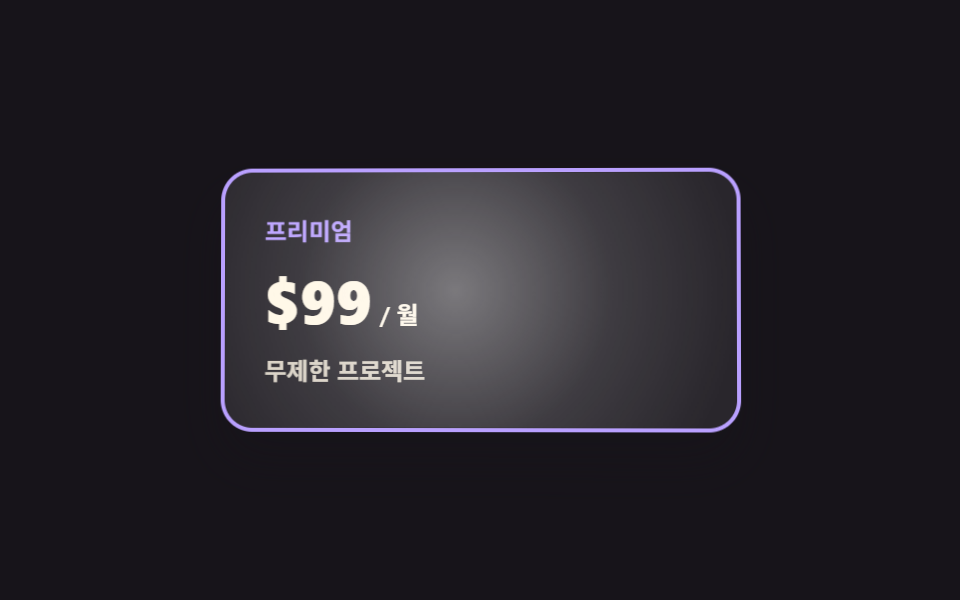
05カーソルに合わせて傾くプランカード
カードの上でマウスを動かすと座標が二軸の角度に変わってカードが手に追従して傾き、同じ座標で動く明るい帯が表面をなぞります。
使いどころ上位プランを特別に見せる料金表のカード
perspectiverotateYpointermove
<main class="stage">
  <div class="ct is-demo">
    <div class="ct__scene" id="ct-scene">
      <div class="ct__card" id="ct-card">
        <span class="ct__name">プレミアム</span>
        <span class="ct__price">
          <span class="ct__amount">$99</span>
          <span class="ct__unit">/ 月</span>
        </span>
        <span class="ct__feat">プロジェクト無制限</span>
      </div>
    </div>
  </div>
</main>
@use "../../../../site/static/demo-tokens" as *;
$duration: $dur-base;
$easing: $ease-out;
$color: $subject-lilac;
@include stage($stage-ink);
.ct {
box-sizing: border-box;
font-family: -apple-system, "Segoe UI", "Noto Sans KR", sans-serif;
color: $subject-cream;
}
// 3D 는 감싸는 요소가 만든다 — perspective 가 여기 없으면 rotateX/Y 가 납작한 찌그러짐으로 보인다
.ct__scene {
perspective: 700px;
padding: $sp-2;
}
.ct__card {
box-sizing: border-box;
position: relative;
overflow: hidden;
width: min(260px, 76vw);
padding: $sp-5;
display: flex;
flex-direction: column;
align-items: flex-start;
gap: $sp-2;
border: 2px solid $color;
border-radius: $r-card;
background-color: rgba(255, 255, 255, .08);
box-shadow: $shadow-raised;
transform: rotateX(var(--rx, 0deg)) rotateY(var(--ry, 0deg));
}
// 커서를 따라가는 동안은 transition 없이(한 프레임 늦게 따라오면 고무처럼 늘어져 보인다),
// 떠날 때만 .is-idle 이 붙어 스르르 눕는다
.ct__card.is-idle { transition: transform $duration $easing; }
// 글레어 — 커서와 같은 좌표(--mx·--my)를 중심으로 밝은 띠가 얹힌다. 색은 투명 흰색만
.ct__card::after {
content: "";
position: absolute;
inset: -30%;
pointer-events: none;
background-image: radial-gradient(circle at var(--mx, 50%) var(--my, 50%),
rgba(255, 255, 255, .38), rgba(255, 255, 255, .10) 34%, rgba(255, 255, 255, 0) 62%);
}
.ct__name {
font-size: 12px;
line-height: 18px;
font-weight: 700;
color: $color;
}
.ct__price {
display: flex;
align-items: baseline;
gap: $sp-1;
}
.ct__amount {
font-size: 30px;
line-height: 36px;
font-weight: 800;
}
.ct__unit {
font-size: 12px;
line-height: 18px;
font-weight: 600;
opacity: 1;
}
.ct__feat {
font-size: 12px;
line-height: 18px;
font-weight: 600;
opacity: .82;
}
// ── 자동 루프: 8자(리사주 1:2)로 천천히 돈다. 90도 근처로 가지 않으니 컷(steps) 없이 linear 로 이어 붙인다 ──
.ct.is-demo .ct__card {
animation-name: ct-tilt;
animation-duration: $dur-loop;
animation-timing-function: linear;
animation-iteration-count: infinite;
}
@keyframes ct-tilt {
0% { transform: rotateX(0deg) rotateY(0deg); }
11% { transform: rotateX(5deg) rotateY(6.4deg); }
22% { transform: rotateX(0deg) rotateY(9deg); }
33% { transform: rotateX(-5deg) rotateY(6.4deg); }
44% { transform: rotateX(0deg) rotateY(0deg); }
55% { transform: rotateX(5deg) rotateY(-6.4deg); }
66% { transform: rotateX(0deg) rotateY(-9deg); }
77% { transform: rotateX(-5deg) rotateY(-6.4deg); }
88% { transform: rotateX(0deg) rotateY(0deg); }
100% { transform: rotateX(0deg) rotateY(0deg); }
}
// 글레어는 같은 시계로 같은 궤적을 돈다 — 기울기와 빛이 어긋나면 3D 로 안 읽힌다
.ct.is-demo .ct__card::after {
animation-name: ct-glare;
animation-duration: $dur-loop;
animation-timing-function: linear;
animation-iteration-count: infinite;
}
@keyframes ct-glare {
0% { transform: translate(0%, 0%); }
11% { transform: translate(18%, -14%); }
22% { transform: translate(26%, 0%); }
33% { transform: translate(18%, 14%); }
44% { transform: translate(0%, 0%); }
55% { transform: translate(-18%, -14%); }
66% { transform: translate(-26%, 0%); }
77% { transform: translate(-18%, 14%); }
88% { transform: translate(0%, 0%); }
100% { transform: translate(0%, 0%); }
}
@media (max-width: 340px) {
.ct__scene { padding: $sp-1; }
.ct__card { padding: $sp-4; gap: $sp-1; }
.ct__amount { font-size: 24px; line-height: 28px; }
.ct__name { font-size: 11px; line-height: 16px; }
.ct__unit { font-size: 11px; line-height: 16px; }
.ct__feat { font-size: 11px; line-height: 16px; }
}
@media (prefers-reduced-motion: reduce) {
.ct__card.is-idle { transition: none; }
.ct.is-demo .ct__card,
.ct.is-demo .ct__card::after { animation: none !important; }
.ct.is-demo .ct__card { transform: rotateX(0deg) rotateY(0deg); }
}html, body {
margin: 0;
overflow: hidden;
}
.stage {
box-sizing: border-box;
min-height: 100vh;
display: grid;
place-items: center;
margin: 0;
background: #17141a;
font-family: -apple-system, "Segoe UI", "Noto Sans KR", sans-serif;
padding: clamp(8px, 4vw, 24px);
}
.ct {
box-sizing: border-box;
font-family: -apple-system, "Segoe UI", "Noto Sans KR", sans-serif;
color: #fff7e6;
}
.ct__scene {
perspective: 700px;
padding: 8px;
}
.ct__card {
box-sizing: border-box;
position: relative;
overflow: hidden;
width: min(260px, 76vw);
padding: 20px;
display: flex;
flex-direction: column;
align-items: flex-start;
gap: 8px;
border: 2px solid #b9a0ff;
border-radius: 16px;
background-color: rgba(255, 255, 255, 0.08);
box-shadow: 0 14px 24px rgba(23, 20, 26, 0.32);
transform: rotateX(var(--rx, 0deg)) rotateY(var(--ry, 0deg));
}
.ct__card.is-idle {
transition: transform 300ms ease-out;
}
.ct__card::after {
content: "";
position: absolute;
inset: -30%;
pointer-events: none;
background-image: radial-gradient(circle at var(--mx, 50%) var(--my, 50%), rgba(255, 255, 255, 0.38), rgba(255, 255, 255, 0.1) 34%, rgba(255, 255, 255, 0) 62%);
}
.ct__name {
font-size: 12px;
line-height: 18px;
font-weight: 700;
color: #b9a0ff;
}
.ct__price {
display: flex;
align-items: baseline;
gap: 4px;
}
.ct__amount {
font-size: 30px;
line-height: 36px;
font-weight: 800;
}
.ct__unit {
font-size: 12px;
line-height: 18px;
font-weight: 600;
opacity: 1;
}
.ct__feat {
font-size: 12px;
line-height: 18px;
font-weight: 600;
opacity: 0.82;
}
.ct.is-demo .ct__card {
animation-name: ct-tilt;
animation-duration: 2s;
animation-timing-function: linear;
animation-iteration-count: infinite;
}
@keyframes ct-tilt {
0% {
transform: rotateX(0deg) rotateY(0deg);
}
11% {
transform: rotateX(5deg) rotateY(6.4deg);
}
22% {
transform: rotateX(0deg) rotateY(9deg);
}
33% {
transform: rotateX(-5deg) rotateY(6.4deg);
}
44% {
transform: rotateX(0deg) rotateY(0deg);
}
55% {
transform: rotateX(5deg) rotateY(-6.4deg);
}
66% {
transform: rotateX(0deg) rotateY(-9deg);
}
77% {
transform: rotateX(-5deg) rotateY(-6.4deg);
}
88% {
transform: rotateX(0deg) rotateY(0deg);
}
100% {
transform: rotateX(0deg) rotateY(0deg);
}
}
.ct.is-demo .ct__card::after {
animation-name: ct-glare;
animation-duration: 2s;
animation-timing-function: linear;
animation-iteration-count: infinite;
}
@keyframes ct-glare {
0% {
transform: translate(0%, 0%);
}
11% {
transform: translate(18%, -14%);
}
22% {
transform: translate(26%, 0%);
}
33% {
transform: translate(18%, 14%);
}
44% {
transform: translate(0%, 0%);
}
55% {
transform: translate(-18%, -14%);
}
66% {
transform: translate(-26%, 0%);
}
77% {
transform: translate(-18%, 14%);
}
88% {
transform: translate(0%, 0%);
}
100% {
transform: translate(0%, 0%);
}
}
@media (max-width: 340px) {
.ct__scene {
padding: 4px;
}
.ct__card {
padding: 16px;
gap: 4px;
}
.ct__amount {
font-size: 24px;
line-height: 28px;
}
.ct__name {
font-size: 11px;
line-height: 16px;
}
.ct__unit {
font-size: 11px;
line-height: 16px;
}
.ct__feat {
font-size: 11px;
line-height: 16px;
}
}
@media (prefers-reduced-motion: reduce) {
.ct__card.is-idle {
transition: none;
}
.ct.is-demo .ct__card,
.ct.is-demo .ct__card::after {
animation: none !important;
}
.ct.is-demo .ct__card {
transform: rotateX(0deg) rotateY(0deg);
}
}// 실제 동작: pointermove 로 커서의 카드 안 상대 좌표(0~1)를 읽어 --rx·--ry(기울기)와 --mx·--my(글레어 위치)로 넣는다.
// CSS 는 그 변수만 본다 — 각도 계산은 여기, 그리기는 저쪽.
var root = document.querySelector('.ct');
var scene = document.getElementById('ct-scene');
var card = document.getElementById('ct-card');
var LIMIT = 9; // deg — 이보다 크게 기울이면 카드가 모서리에서 본 그림이 된다
function tilt(e) {
root.classList.remove('is-demo');
card.classList.remove('is-idle'); // 따라다니는 동안은 transition 없이 바로 붙는다
var r = card.getBoundingClientRect();
var x = (e.clientX - r.left) / r.width;
var y = (e.clientY - r.top) / r.height;
card.style.setProperty('--ry', ((x - 0.5) * 2 * LIMIT).toFixed(2) + 'deg');
card.style.setProperty('--rx', ((0.5 - y) * 2 * LIMIT).toFixed(2) + 'deg');
card.style.setProperty('--mx', (x * 100).toFixed(1) + '%');
card.style.setProperty('--my', (y * 100).toFixed(1) + '%');
}
function rest() {
card.classList.add('is-idle'); // 떠날 때만 transition 이 걸려 스르르 눕는다
card.style.setProperty('--rx', '0deg');
card.style.setProperty('--ry', '0deg');
card.style.setProperty('--mx', '50%');
card.style.setProperty('--my', '50%');
}
scene.addEventListener('pointermove', tilt);
scene.addEventListener('pointerleave', rest);import { useState } from "react";
import type { CSSProperties } from "react";
import styles from "./CardTilt.module.scss";
// React 이벤트 타입은 'react' 앰비언트에 없다 — 쓰는 모양만 여기서 직접 적는다
type PtrEvt = {
clientX: number;
clientY: number;
currentTarget: { getBoundingClientRect(): { left: number; top: number; width: number; height: number } };
};
export type CardTiltProps = {
planName?: string;
amount?: string;
unit?: string;
feature?: string;
/** 기울기 한계(deg). 이보다 크면 모서리에서 본 그림이 된다 */
limit?: number;
duration?: number;
easing?: string;
color?: string;
};
type Vars = CSSProperties & {
"--duration"?: string;
"--easing"?: string;
"--color"?: string;
"--rx"?: string;
"--ry"?: string;
"--mx"?: string;
"--my"?: string;
};
const REST = { rx: 0, ry: 0, mx: 50, my: 50 };
export default function CardTilt({
planName = "Premium",
amount = "$99",
unit = "/ mo",
feature = "Unlimited projects",
limit = 9,
duration = 300,
easing = "ease-out",
color = "#b9a0ff",
}: CardTiltProps) {
const [demo, setDemo] = useState(true);
const [idle, setIdle] = useState(false);
const [t, setT] = useState(REST);
// 커서의 카드 안 상대 좌표(0~1)를 각도와 글레어 위치로 옮긴다
function move(e: PtrEvt) {
const r = e.currentTarget.getBoundingClientRect();
const x = (e.clientX - r.left) / r.width;
const y = (e.clientY - r.top) / r.height;
setDemo(false);
setIdle(false); // 따라다니는 동안은 transition 없이 바로 붙는다
setT({ rx: (0.5 - y) * 2 * limit, ry: (x - 0.5) * 2 * limit, mx: x * 100, my: y * 100 });
}
function leave() {
setIdle(true); // 떠날 때만 transition 이 걸려 스르르 눕는다
setT(REST);
}
const vars: Vars = {
"--duration": `${duration}ms`,
"--easing": easing,
"--color": color,
"--rx": `${t.rx.toFixed(2)}deg`,
"--ry": `${t.ry.toFixed(2)}deg`,
"--mx": `${t.mx.toFixed(1)}%`,
"--my": `${t.my.toFixed(1)}%`,
};
return (
<div className={`${styles.ct} ${demo ? styles.isDemo : ""}`} style={vars}>
<div className={styles.scene}>
<div
className={`${styles.card} ${idle ? styles.isIdle : ""}`}
onPointerMove={move}
onPointerLeave={leave}
>
<span className={styles.name}>{planName}</span>
<span className={styles.price}>
<span className={styles.amount}>{amount}</span>
<span className={styles.unit}>{unit}</span>
</span>
<span className={styles.feat}>{feature}</span>
</div>
</div>
</div>
);
}05 カーソルに合わせて傾くプランカード — 計測 累積面積 24.617% · 動いたフレーム 22/23GODRICH オリジナル · SCSS と React は zip に同梱 · 料金表 デザイン 実装9選 — 切り替えも計算も動く
このデモが属する記事
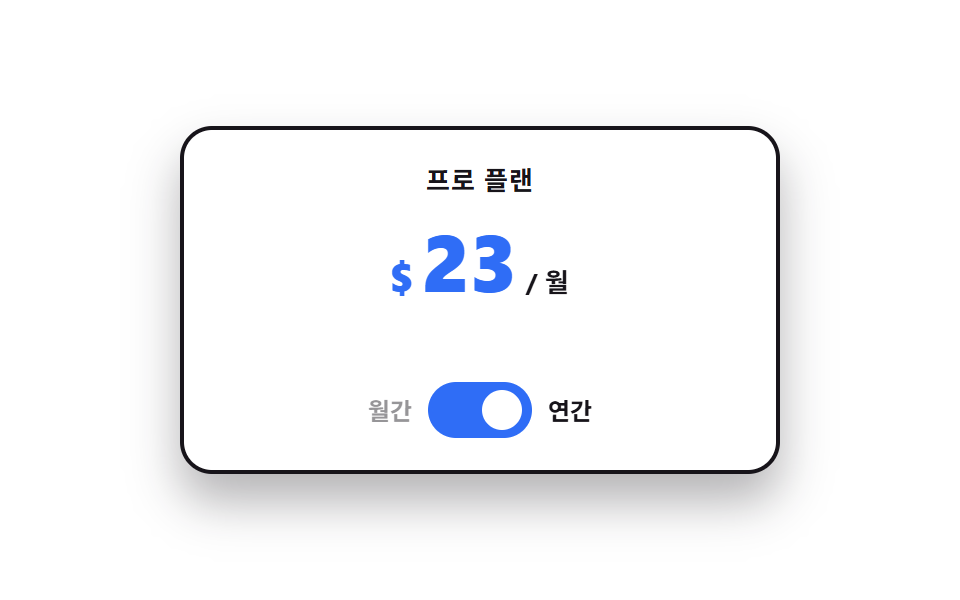 料金表 デザイン 実装9選 — 切り替えも計算も動く料金表 デザインで実際に効くのはカードの形ではなく、その上で起きるインタラクションです。9 つはすべてライブラリなしの素の JS と SCSS だけで動き、最初の 1 つは支払い周期を切り替えたときに数字が実際に変わる、その動作だけを入れま この記事のデモをすべて見る