08カード隅のグリップ
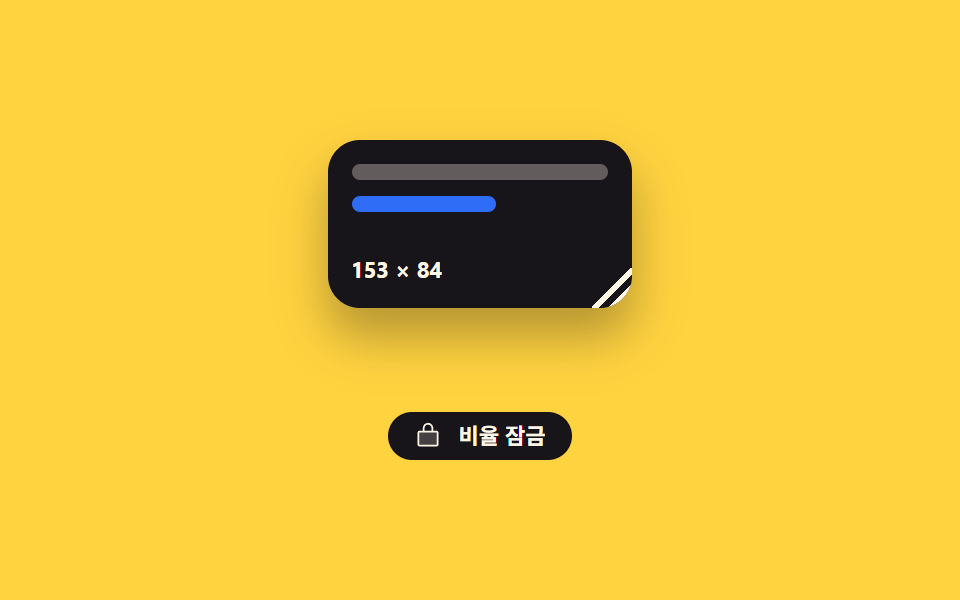
カード右下の角をつかんで引くと横と縦が一緒に伸び、ロックボタンを入れておくと最初の比率を保ったまま大きくなります。
使いどころウィジェットや画像ボックスを利用者自身が広げて使う編集画面やボード型ダッシュボードに
pointerdownaspectMath.round
<main class="stage">
  <div class="cg is-demo" id="cg-root">
    <div class="cg__field">
      <div class="cg__card" id="cg-card">
        <span class="cg__row"></span>
        <span class="cg__row cg__row--short"></span>
        <span class="cg__size"></span>
        <i class="cg__grip" id="cg-grip" role="slider" tabindex="0"
           aria-label="カードの大きさ" aria-valuemin="120" aria-valuemax="220" aria-valuenow="176"></i>
      </div>
    </div>
    <button class="cg__lock is-on" id="cg-lock" type="button" aria-pressed="true">
      <span class="cg__ico" aria-hidden="true"><svg viewBox="0 0 256 256"><g fill="currentColor"><path d="M216 96v112a8 8 0 0 1-8 8H48a8 8 0 0 1-8-8V96a8 8 0 0 1 8-8h160a8 8 0 0 1 8 8" opacity=".2"/><path d="M208 80h-32V56a48 48 0 0 0-96 0v24H48a16 16 0 0 0-16 16v112a16 16 0 0 0 16 16h160a16 16 0 0 0 16-16V96a16 16 0 0 0-16-16M96 56a32 32 0 0 1 64 0v24H96Zm112 152H48V96h160z"/></g></svg></span>
      比率を固定
    </button>
  </div>
</main>
@use "../../../../site/static/demo-tokens" as *;
$duration: $dur-quick;
$easing: $ease-spring;
$color: $subject-blue;
@include stage($stage-yellow);
@property --w {
syntax: "<length>";
inherits: true;
initial-value: 176px;
}
@property --h {
syntax: "<length>";
inherits: true;
initial-value: 96px;
}
// 숫자도 등록해 둬야 키프레임에서 정수로 보간된다 — counter 가 이 값을 읽는다
@property --wn {
syntax: "<integer>";
inherits: true;
initial-value: 176;
}
@property --hn {
syntax: "<integer>";
inherits: true;
initial-value: 96;
}
.cg {
--w: 176px;
--h: 96px;
--wn: 176;
--hn: 96;
display: flex;
flex-direction: column;
align-items: center;
gap: $sp-3;
}
// 카드가 커져도 무대 높이가 안 흔들리게 자리를 미리 잡아 둔다
.cg__field {
display: grid;
place-items: start center;
width: 228px;
max-width: 92vw;
height: 124px;
}
.cg__card {
position: relative;
box-sizing: border-box;
width: min(var(--w), 100%);
height: var(--h);
display: flex;
flex-direction: column;
gap: $sp-2;
padding: $sp-3;
border-radius: $r-card;
background: $subject-ink;
box-shadow: $shadow-raised;
overflow: hidden;
}
.cg__row {
flex: 0 0 auto;
height: 8px;
border-radius: $r-xs;
background: rgba(255, 247, 230, .32);
}
.cg__row--short { width: 56%; background: $color; }
.cg__size {
margin-top: auto;
counter-reset: wn var(--wn) hn var(--hn);
color: $subject-cream;
font-size: 11px;
line-height: 14px;
font-weight: 700;
font-variant-numeric: tabular-nums;
}
.cg__size::after { content: counter(wn) " × " counter(hn); }
.cg__grip {
position: absolute;
right: 0;
bottom: 0;
width: 20px;
height: 20px;
cursor: nwse-resize;
touch-action: none;
// 코너 삼각형 — 두 줄이 같은 꼭짓점에서 갈라진다
background:
linear-gradient(135deg, transparent 48%, #{$subject-cream} 48%, #{$subject-cream} 58%, transparent 58%),
linear-gradient(135deg, transparent 70%, #{$subject-cream} 70%, #{$subject-cream} 80%, transparent 80%);
}
.cg__grip:focus-visible { outline: 2px solid $color; outline-offset: -2px; }
.cg__lock {
display: inline-flex;
align-items: center;
gap: $sp-2;
height: 24px;
padding: 0 $sp-3;
border: 1px solid rgba(23, 20, 26, .28);
border-radius: $r-pill;
background: transparent;
color: rgba(23, 20, 26, .8);
font-family: inherit;
font-size: 11px;
line-height: 20px;
font-weight: 700;
cursor: pointer;
transition: background $duration $easing, color $duration $easing;
}
.cg__lock.is-on {
background: $subject-ink;
border-color: $subject-ink;
color: $subject-cream;
}
.cg__ico { display: block; width: 14px; height: 14px; }
.cg__ico svg { display: block; width: 14px; height: 14px; }
.cg__lock:focus-visible { outline: 2px solid $subject-ink; outline-offset: 2px; }
// ── 자동 루프: 비율을 지킨 채 커졌다 작아진다 ──
.cg.is-demo {
animation-name: cg-size;
animation-duration: $dur-loop;
animation-timing-function: $easing;
animation-iteration-count: infinite;
}
@keyframes cg-size {
0%, 8% { --w: 176px; --h: 96px; --wn: 176; --hn: 96; }
40% { --w: 220px; --h: 120px; --wn: 220; --hn: 120; }
68% { --w: 124px; --h: 68px; --wn: 124; --hn: 68; }
88%, 100% { --w: 176px; --h: 96px; --wn: 176; --hn: 96; }
}
@media (prefers-reduced-motion: reduce) {
.cg.is-demo { animation: none !important; }
.cg__lock { transition: none; }
}
@media (max-width: 340px) {
.cg__card { padding: $sp-2; }
}@charset "UTF-8";
html, body {
margin: 0;
overflow: hidden;
}
.stage {
box-sizing: border-box;
min-height: 100vh;
display: grid;
place-items: center;
margin: 0;
background: #ffd23f;
font-family: -apple-system, "Segoe UI", "Noto Sans KR", sans-serif;
padding: clamp(8px, 4vw, 24px);
}
@property --w {
syntax: "<length>";
inherits: true;
initial-value: 176px;
}
@property --h {
syntax: "<length>";
inherits: true;
initial-value: 96px;
}
@property --wn {
syntax: "<integer>";
inherits: true;
initial-value: 176;
}
@property --hn {
syntax: "<integer>";
inherits: true;
initial-value: 96;
}
.cg {
--w: 176px;
--h: 96px;
--wn: 176;
--hn: 96;
display: flex;
flex-direction: column;
align-items: center;
gap: 12px;
}
.cg__field {
display: grid;
place-items: start center;
width: 228px;
max-width: 92vw;
height: 124px;
}
.cg__card {
position: relative;
box-sizing: border-box;
width: min(var(--w), 100%);
height: var(--h);
display: flex;
flex-direction: column;
gap: 8px;
padding: 12px;
border-radius: 16px;
background: #17141a;
box-shadow: 0 14px 24px rgba(23, 20, 26, 0.32);
overflow: hidden;
}
.cg__row {
flex: 0 0 auto;
height: 8px;
border-radius: 4px;
background: rgba(255, 247, 230, 0.32);
}
.cg__row--short {
width: 56%;
background: #2f6df6;
}
.cg__size {
margin-top: auto;
counter-reset: wn var(--wn) hn var(--hn);
color: #fff7e6;
font-size: 11px;
line-height: 14px;
font-weight: 700;
font-variant-numeric: tabular-nums;
}
.cg__size::after {
content: counter(wn) " × " counter(hn);
}
.cg__grip {
position: absolute;
right: 0;
bottom: 0;
width: 20px;
height: 20px;
cursor: nwse-resize;
touch-action: none;
background: linear-gradient(135deg, transparent 48%, #fff7e6 48%, #fff7e6 58%, transparent 58%), linear-gradient(135deg, transparent 70%, #fff7e6 70%, #fff7e6 80%, transparent 80%);
}
.cg__grip:focus-visible {
outline: 2px solid #2f6df6;
outline-offset: -2px;
}
.cg__lock {
display: inline-flex;
align-items: center;
gap: 8px;
height: 24px;
padding: 0 12px;
border: 1px solid rgba(23, 20, 26, 0.28);
border-radius: 999px;
background: transparent;
color: rgba(23, 20, 26, 0.8);
font-family: inherit;
font-size: 11px;
line-height: 20px;
font-weight: 700;
cursor: pointer;
transition: background 220ms cubic-bezier(0.2, 0.8, 0.2, 1), color 220ms cubic-bezier(0.2, 0.8, 0.2, 1);
}
.cg__lock.is-on {
background: #17141a;
border-color: #17141a;
color: #fff7e6;
}
.cg__ico {
display: block;
width: 14px;
height: 14px;
}
.cg__ico svg {
display: block;
width: 14px;
height: 14px;
}
.cg__lock:focus-visible {
outline: 2px solid #17141a;
outline-offset: 2px;
}
.cg.is-demo {
animation-name: cg-size;
animation-duration: 2s;
animation-timing-function: cubic-bezier(0.2, 0.8, 0.2, 1);
animation-iteration-count: infinite;
}
@keyframes cg-size {
0%, 8% {
--w: 176px;
--h: 96px;
--wn: 176;
--hn: 96;
}
40% {
--w: 220px;
--h: 120px;
--wn: 220;
--hn: 120;
}
68% {
--w: 124px;
--h: 68px;
--wn: 124;
--hn: 68;
}
88%, 100% {
--w: 176px;
--h: 96px;
--wn: 176;
--hn: 96;
}
}
@media (prefers-reduced-motion: reduce) {
.cg.is-demo {
animation: none !important;
}
.cg__lock {
transition: none;
}
}
@media (max-width: 340px) {
.cg__card {
padding: 8px;
}
}// 실제 동작: 코너 그립의 포인터 델타로 폭·높이를 함께 바꾼다. 잠금이 켜져 있으면 높이는 폭 × 처음 비율.
var root = document.getElementById('cg-root');
var card = document.getElementById('cg-card');
var grip = document.getElementById('cg-grip');
var lock = document.getElementById('cg-lock');
var RATIO = 96 / 176, locked = true, dragging = false, w0 = 0, h0 = 0, x0 = 0, y0 = 0;
function set(w, h) {
var W = Math.max(120, Math.min(Math.round(w), 220));
var H = locked ? Math.round(W * RATIO) : Math.max(64, Math.min(Math.round(h), 132));
root.style.setProperty('--w', W + 'px');
root.style.setProperty('--h', H + 'px');
// 숫자 표시는 counter 가 읽는 --wn/--hn 한 쌍이다. 자동 루프도 같은 값을 움직이므로
// 카드 크기와 글자가 어긋나는 프레임이 없다
root.style.setProperty('--wn', String(W));
root.style.setProperty('--hn', String(H));
grip.setAttribute('aria-valuenow', String(W));
}
lock.addEventListener('click', function () {
locked = !locked;
lock.classList.toggle('is-on', locked);
lock.setAttribute('aria-pressed', String(locked));
root.classList.toggle('is-aspect', locked);
});
grip.addEventListener('pointerdown', function (e) {
root.classList.remove('is-demo');
dragging = true;
var r = card.getBoundingClientRect();
w0 = r.width; h0 = r.height; x0 = e.clientX; y0 = e.clientY;
grip.setPointerCapture(e.pointerId);
e.preventDefault();
});
grip.addEventListener('pointermove', function (e) {
if (!dragging) return;
set(w0 + (e.clientX - x0), h0 + (e.clientY - y0));
});
grip.addEventListener('pointerup', function () { dragging = false; });
grip.addEventListener('keydown', function (e) {
var d = e.key === 'ArrowLeft' ? -8 : e.key === 'ArrowRight' ? 8 : 0;
if (!d) return;
root.classList.remove('is-demo');
var n = Number(grip.getAttribute('aria-valuenow')) + d;
set(n, n * RATIO);
grip.focus({ preventScroll: true });
e.preventDefault();
});import { useRef, useState } from "react";
import type { CSSProperties } from "react";
import styles from "./CornerResizeCard.module.scss";
export type CornerResizeCardProps = {
startWidth?: number;
startHeight?: number;
duration?: number;
easing?: string;
color?: string;
};
type PEvt = { clientX: number; clientY: number; pointerId: number; preventDefault(): void; currentTarget: { setPointerCapture(id: number): void } };
type KeyEvt = { key: string; preventDefault(): void };
type Box<T> = { current: T };
type Grab = { w: number; h: number; x: number; y: number; on: boolean };
type Vars = CSSProperties & {
"--w"?: string; "--h"?: string; "--wn"?: string; "--hn"?: string;
"--duration"?: string; "--easing"?: string; "--color"?: string;
};
export default function CornerResizeCard({
startWidth = 176,
startHeight = 96,
duration = 220,
easing = "cubic-bezier(.2,.8,.2,1)",
color = "#2f6df6",
}: CornerResizeCardProps) {
const ratio = startHeight / startWidth;
const [size, setSize] = useState({ w: startWidth, h: startHeight });
const [locked, setLocked] = useState(true);
const cardRef = useRef<HTMLDivElement>(null);
const from = useRef({ w: 0, h: 0, x: 0, y: 0, on: false }) as Box<Grab>;
function set(w: number, h: number): void {
const W = Math.max(120, Math.min(Math.round(w), 220));
const H = locked ? Math.round(W * ratio) : Math.max(64, Math.min(Math.round(h), 132));
setSize({ w: W, h: H });
}
function onDown(e: PEvt): void {
const card = cardRef.current;
if (!card) return;
const r = card.getBoundingClientRect();
from.current = { w: r.width, h: r.height, x: e.clientX, y: e.clientY, on: true };
e.currentTarget.setPointerCapture(e.pointerId);
e.preventDefault();
}
function onMove(e: PEvt): void {
if (!from.current.on) return;
set(from.current.w + (e.clientX - from.current.x), from.current.h + (e.clientY - from.current.y));
}
function onUp(): void { from.current.on = false; }
function onKey(e: KeyEvt): void {
const d = e.key === "ArrowLeft" ? -8 : e.key === "ArrowRight" ? 8 : 0;
if (!d) return;
set(size.w + d, (size.w + d) * ratio);
e.preventDefault();
}
const vars: Vars = {
"--w": `${size.w}px`,
"--h": `${size.h}px`,
"--wn": String(size.w),
"--hn": String(size.h),
"--duration": `${duration}ms`,
"--easing": easing,
"--color": color,
};
return (
<div className={locked ? `${styles.cg} ${styles.isAspect}` : styles.cg} style={vars}>
<div className={styles.field}>
<div className={styles.card} ref={cardRef}>
<span className={styles.row} />
<span className={`${styles.row} ${styles.rowShort}`} />
<span className={styles.size} />
<i
className={styles.grip}
role="slider"
tabIndex={0}
aria-label="Card size"
aria-valuemin={120}
aria-valuemax={220}
aria-valuenow={size.w}
onPointerDown={onDown}
onPointerMove={onMove}
onPointerUp={onUp}
onPointerCancel={onUp}
onKeyDown={onKey}
/>
</div>
</div>
<button
type="button"
className={locked ? `${styles.lock} ${styles.isOn}` : styles.lock}
aria-pressed={locked}
onClick={(): void => setLocked(!locked)}
>
<span className={styles.ico} aria-hidden="true">
<svg viewBox="0 0 256 256"><g fill="currentColor"><path d="M216 96v112a8 8 0 0 1-8 8H48a8 8 0 0 1-8-8V96a8 8 0 0 1 8-8h160a8 8 0 0 1 8 8" opacity=".2" /><path d="M208 80h-32V56a48 48 0 0 0-96 0v24H48a16 16 0 0 0-16 16v112a16 16 0 0 0 16 16h160a16 16 0 0 0 16-16V96a16 16 0 0 0-16-16M96 56a32 32 0 0 1 64 0v24H96Zm112 152H48V96h160z" /></g></svg>
</span>
Lock ratio
</button>
</div>
);
}08 カード隅のグリップ — 計測 累積面積 18.377% · 動いたフレーム 20/23GODRICH オリジナル · SCSS と React は zip に同梱 · 画面分割 css レイアウト9選 — ドラッグで幅が変わる
このデモが属する記事
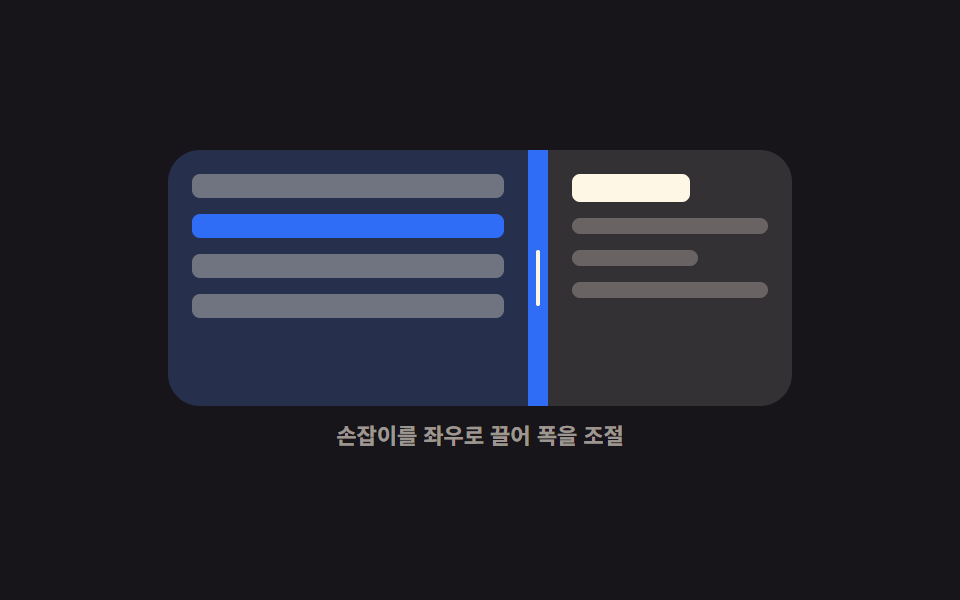 画面分割 css レイアウト9選 — ドラッグで幅が変わる画面分割 css とは、1つの画面を2つ以上の枠に区切り、その境界線をつかんで引くと各枠の大きさが変わる組み方です。9つのうち8つは境界線1本を動かすだけで隣の枠が縮み、1つは箱が狭くなった瞬間に左右が上下へ入れ替わります。 この記事のデモをすべて見る