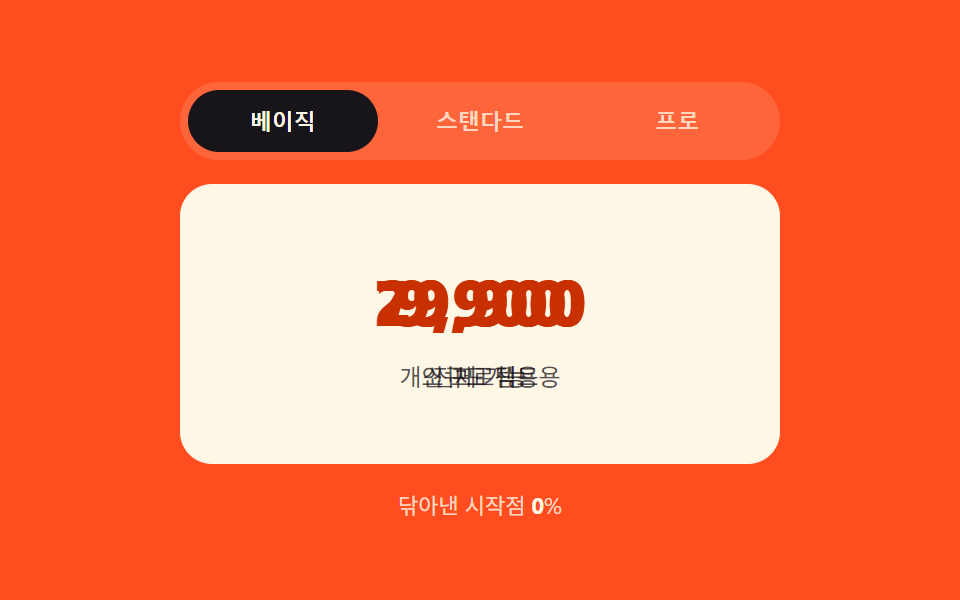
03クリック座標の比率が拭い取るクリップパスパネル
クリックしたタブのx座標をタブバー全幅に対する比率(0〜1)に変換し、その値をclip-pathの起点にして新しいパネルがその位置から拭われるように現れる。
使いどころ製品スペックタブ・料金プラン比較パネル
clipPathinset()클릭 x 비율
<main class="stage">
<div class="cw is-demo" id="cw">
  <div class="cw__tabs" id="cwTabs" role="tablist" aria-label="プランタブ">
    <button type="button" class="cw__tab is-active" role="tab" id="cw-tab-0" aria-selected="true" aria-controls="cw-panel-0" data-idx="0">ベーシック</button>
    <button type="button" class="cw__tab" role="tab" id="cw-tab-1" aria-selected="false" aria-controls="cw-panel-1" data-idx="1" tabindex="-1">スタンダード</button>
    <button type="button" class="cw__tab" role="tab" id="cw-tab-2" aria-selected="false" aria-controls="cw-panel-2" data-idx="2" tabindex="-1">プロ</button>
  </div>
  <div class="cw__wrap" id="cwWrap">
    <div class="cw__panel is-visible" id="cw-panel-0" role="tabpanel" aria-labelledby="cw-tab-0" tabindex="0">
      <span class="cw__num">9,900</span><p class="cw__line">個人プロジェクト向け</p>
    </div>
    <div class="cw__panel" id="cw-panel-1" role="tabpanel" aria-labelledby="cw-tab-1" tabindex="0" hidden>
      <span class="cw__num">29,900</span><p class="cw__line">小規模チーム向け</p>
    </div>
    <div class="cw__panel" id="cw-panel-2" role="tabpanel" aria-labelledby="cw-tab-2" tabindex="0" hidden>
      <span class="cw__num">79,900</span><p class="cw__line">全機能</p>
    </div>
  </div>
  <p class="cw__meta">拭き取り開始点 <b id="cwR">0</b>%</p>
</div>
</main>
@use "../../../../site/static/demo-tokens" as *;
// 계산 겹: index.html select() 가 클릭 x 좌표를 탭바 폭 대비 비율(0~1)로 바꿔 그 지점에서
// 폭 0인 clip-path 슬릿으로 새 패널을 시작한 뒤 inset(0)으로 넓혀 그 지점부터 좌우로 닦아낸다.
@include stage($stage-orange);
.cw { width: min(100%, 300px); display: flex; flex-direction: column; gap: $sp-3; }
.cw__tabs { display: flex; gap: $sp-1; background: rgba($subject-cream, .14); padding: $sp-1; border-radius: $r-pill; }
.cw__tab {
flex: 1 1 0; border: none; background: transparent; border-radius: $r-pill; cursor: pointer;
padding: $sp-2 $sp-2; font-size: 11px; font-weight: 700; color: rgba($subject-cream, .78);
}
.cw__tab.is-active { background: $subject-ink; color: $subject-cream; }
.cw__tab:focus-visible { outline: 2px solid $subject-cream; outline-offset: 2px; }
.cw__wrap {
position: relative; min-width: 0; height: 140px; border-radius: $r-card; overflow: hidden;
background: $subject-cream;
}
.cw__panel {
position: absolute; inset: 0; box-sizing: border-box; padding: $sp-4;
display: flex; flex-direction: column; align-items: center; justify-content: center; gap: $sp-2;
clip-path: inset(0 0 0 0);
transition: clip-path $dur-enter $ease-out;
}
.cw__num { font-size: 32px; font-weight: 800; color: $subject-orange-deep; }
.cw__line { margin: 0; font-size: 12px; color: rgba($subject-ink, .72); }
.cw__meta { margin: 0; font-size: 11px; color: rgba($subject-cream, .8); text-align: center; }
.cw__meta b { color: $subject-cream; font-weight: 700; }
@media (max-width: 340px) {
.cw { width: 100%; gap: $sp-2; }
.cw__tab { padding: $sp-1 $sp-2; }
.cw__wrap { height: 96px; }
.cw__num { font-size: 26px; }
}
@media (prefers-reduced-motion: reduce) {
.cw__panel { transition: none; }
}html, body {
margin: 0;
overflow: hidden;
}
.stage {
box-sizing: border-box;
min-height: 100vh;
display: grid;
place-items: center;
margin: 0;
background: #ff4d1f;
font-family: -apple-system, "Segoe UI", "Noto Sans KR", sans-serif;
padding: clamp(8px, 4vw, 24px);
}
.cw {
width: min(100%, 300px);
display: flex;
flex-direction: column;
gap: 12px;
}
.cw__tabs {
display: flex;
gap: 4px;
background: rgba(255, 247, 230, 0.14);
padding: 4px;
border-radius: 999px;
}
.cw__tab {
flex: 1 1 0;
border: none;
background: transparent;
border-radius: 999px;
cursor: pointer;
padding: 8px 8px;
font-size: 11px;
font-weight: 700;
color: rgba(255, 247, 230, 0.78);
}
.cw__tab.is-active {
background: #17141a;
color: #fff7e6;
}
.cw__tab:focus-visible {
outline: 2px solid #fff7e6;
outline-offset: 2px;
}
.cw__wrap {
position: relative;
min-width: 0;
height: 140px;
border-radius: 16px;
overflow: hidden;
background: #fff7e6;
}
.cw__panel {
position: absolute;
inset: 0;
box-sizing: border-box;
padding: 16px;
display: flex;
flex-direction: column;
align-items: center;
justify-content: center;
gap: 8px;
clip-path: inset(0 0 0 0);
transition: clip-path 600ms ease-out;
}
.cw__num {
font-size: 32px;
font-weight: 800;
color: #c93000;
}
.cw__line {
margin: 0;
font-size: 12px;
color: rgba(23, 20, 26, 0.72);
}
.cw__meta {
margin: 0;
font-size: 11px;
color: rgba(255, 247, 230, 0.8);
text-align: center;
}
.cw__meta b {
color: #fff7e6;
font-weight: 700;
}
@media (max-width: 340px) {
.cw {
width: 100%;
gap: 8px;
}
.cw__tab {
padding: 4px 8px;
}
.cw__wrap {
height: 96px;
}
.cw__num {
font-size: 26px;
}
}
@media (prefers-reduced-motion: reduce) {
.cw__panel {
transition: none;
}
}(function () {
var HOLD_MS = 720; // 전환(css $dur-enter) 뒤 자동 순환이 머무는 시간
var COUNT = 3;
var reduce = window.matchMedia('(prefers-reduced-motion: reduce)').matches;
var root = document.getElementById('cw');
var tabsBar = document.getElementById('cwTabs');
var wrap = document.getElementById('cwWrap');
var rEl = document.getElementById('cwR');
var tabs = [0, 1, 2].map(function (i) { return document.getElementById('cw-tab-' + i); });
var panels = [0, 1, 2].map(function (i) { return document.getElementById('cw-panel-' + i); });
var isDemo = true;
var active = 0;
function human() {
if (isDemo) { root.classList.remove('is-demo'); isDemo = false; }
}
function select(idx, originX) {
if (idx === active) return;
var barRect = tabsBar.getBoundingClientRect();
var x = (typeof originX === 'number') ? originX : (tabs[idx].getBoundingClientRect().left + tabs[idx].getBoundingClientRect().width / 2);
var r = barRect.width > 0 ? Math.min(1, Math.max(0, (x - barRect.left) / barRect.width)) : 0.5; // 계산 겹: 클릭 x 좌표 → 탭바 폭 대비 비율(0~1)
var pct = (r * 100).toFixed(1) + '%';
tabs[active].classList.remove('is-active');
tabs[active].setAttribute('aria-selected', 'false');
tabs[active].setAttribute('tabindex', '-1');
panels[active].classList.remove('is-visible');
panels[active].setAttribute('hidden', '');
var next = panels[idx];
next.style.transition = 'none';
next.style.clipPath = 'inset(0 calc(100% - ' + pct + ') 0 ' + pct + ')'; // 계산 겹: 비율 지점에서 폭 0 인 슬릿으로 시작
next.removeAttribute('hidden');
next.getBoundingClientRect();
next.style.transition = '';
requestAnimationFrame(function () {
next.style.clipPath = 'inset(0 0 0 0)'; // 다음 프레임에 전체 노출로 전환 → transition 이 닦아내는 모양을 그린다
next.classList.add('is-visible');
});
tabs[idx].classList.add('is-active');
tabs[idx].setAttribute('aria-selected', 'true');
tabs[idx].setAttribute('tabindex', '0');
rEl.textContent = (r * 100).toFixed(0);
active = idx;
}
tabs.forEach(function (t, i) {
t.addEventListener('click', function () {
human();
var rect = t.getBoundingClientRect();
select(i, rect.left + rect.width / 2);
});
});
root.addEventListener('keydown', function (e) {
var idx = tabs.indexOf(document.activeElement);
if (idx === -1) return;
var next = null;
if (e.key === 'ArrowRight') next = (idx + 1) % COUNT;
else if (e.key === 'ArrowLeft') next = (idx - 1 + COUNT) % COUNT;
else if (e.key === 'Home') next = 0;
else if (e.key === 'End') next = COUNT - 1;
if (next === null) return;
e.preventDefault();
human();
tabs[next].focus({ preventScroll: true });
var rect = tabs[next].getBoundingClientRect();
select(next, rect.left + rect.width / 2);
});
function loop() {
if (!isDemo) return;
var next = (active + 1) % COUNT;
var rect = tabs[next].getBoundingClientRect();
select(next, rect.left + rect.width / 2);
window.setTimeout(loop, HOLD_MS);
}
if (!reduce) {
window.setTimeout(loop, HOLD_MS);
} else {
root.classList.remove('is-demo');
}
})();// TabClipWipeProgress — vanilla 판(run/394/demo/03-tab-panel-clip-wipe-progress/index.html) 의 React 포트.
// select() 가 클릭 x 좌표를 탭바 폭 대비 비율(0~1)로 바꿔 그 지점에서 폭 0인 clip-path 슬릿으로
// 새 패널을 시작한 뒤 inset(0)으로 넓혀 그 지점부터 좌우로 닦아낸다.
import { useEffect, useRef } from "react";
import styles from "./TabClipWipeProgress.module.scss";
type Box<T> = { current: T };
const HOLD_MS = 720; // 전환(css $dur-enter) 뒤 자동 순환이 머무는 시간
const COUNT = 3;
export default function TabClipWipeProgress() {
const rootRef = useRef(null) as unknown as Box<HTMLDivElement>;
const tabsBarRef = useRef(null) as unknown as Box<HTMLDivElement>;
const rEl = useRef(null) as unknown as Box<HTMLElement>;
const tabRefs = useRef([null, null, null]) as unknown as Box<(HTMLButtonElement | null)[]>;
const panelRefs = useRef([null, null, null]) as unknown as Box<(HTMLDivElement | null)[]>;
const timerRef = useRef(0) as unknown as Box<number>;
useEffect(() => {
const reduce = window.matchMedia("(prefers-reduced-motion: reduce)").matches;
let isDemo = true;
let active = 0;
function human() {
if (isDemo) { rootRef.current?.classList.remove(styles.isDemo); isDemo = false; }
}
function select(idx: number, originX?: number) {
if (idx === active) return;
const tabsBar = tabsBarRef.current;
const tab = tabRefs.current[idx];
if (!tabsBar || !tab) return;
const barRect = tabsBar.getBoundingClientRect();
const x = typeof originX === "number" ? originX : tab.getBoundingClientRect().left + tab.getBoundingClientRect().width / 2;
const r = barRect.width > 0 ? Math.min(1, Math.max(0, (x - barRect.left) / barRect.width)) : 0.5; // 계산 겹: 클릭 x 좌표 → 탭바 폭 대비 비율(0~1)
const pct = (r * 100).toFixed(1) + "%";
const prevTab = tabRefs.current[active], nextTab = tabRefs.current[idx];
const prevPanel = panelRefs.current[active], nextPanel = panelRefs.current[idx];
prevTab?.classList.remove(styles.isActive);
prevTab?.setAttribute("aria-selected", "false");
prevTab?.setAttribute("tabindex", "-1");
prevPanel?.classList.remove(styles.isVisible);
prevPanel?.setAttribute("hidden", "");
if (nextPanel) {
nextPanel.style.transition = "none";
nextPanel.style.clipPath = "inset(0 calc(100% - " + pct + ") 0 " + pct + ")"; // 계산 겹: 비율 지점에서 폭 0 인 슬릿으로 시작
nextPanel.removeAttribute("hidden");
nextPanel.getBoundingClientRect();
nextPanel.style.transition = "";
requestAnimationFrame(() => {
nextPanel.style.clipPath = "inset(0 0 0 0)";
nextPanel.classList.add(styles.isVisible);
});
}
nextTab?.classList.add(styles.isActive);
nextTab?.setAttribute("aria-selected", "true");
nextTab?.setAttribute("tabindex", "0");
if (rEl.current) rEl.current.textContent = (r * 100).toFixed(0);
active = idx;
}
function onKeydown(e: KeyboardEvent) {
const idx = tabRefs.current.indexOf(document.activeElement as HTMLButtonElement);
if (idx === -1) return;
let next: number | null = null;
if (e.key === "ArrowRight") next = (idx + 1) % COUNT;
else if (e.key === "ArrowLeft") next = (idx - 1 + COUNT) % COUNT;
else if (e.key === "Home") next = 0;
else if (e.key === "End") next = COUNT - 1;
if (next === null) return;
e.preventDefault();
human();
const t = tabRefs.current[next];
t?.focus({ preventScroll: true });
const rect = t?.getBoundingClientRect();
select(next, rect ? rect.left + rect.width / 2 : undefined);
}
function onTabClick(i: number) {
return () => {
human();
const t = tabRefs.current[i];
const rect = t?.getBoundingClientRect();
select(i, rect ? rect.left + rect.width / 2 : undefined);
};
}
const clickHandlers = [0, 1, 2].map(onTabClick);
tabRefs.current.forEach((t, i) => t?.addEventListener("click", clickHandlers[i]));
rootRef.current?.addEventListener("keydown", onKeydown);
function loop() {
if (!isDemo) return;
const next = (active + 1) % COUNT;
const t = tabRefs.current[next];
const rect = t?.getBoundingClientRect();
select(next, rect ? rect.left + rect.width / 2 : undefined);
timerRef.current = window.setTimeout(loop, HOLD_MS);
}
if (!reduce) {
timerRef.current = window.setTimeout(loop, HOLD_MS);
} else {
rootRef.current?.classList.remove(styles.isDemo);
}
return () => {
window.clearTimeout(timerRef.current);
tabRefs.current.forEach((t, i) => t?.removeEventListener("click", clickHandlers[i]));
rootRef.current?.removeEventListener("keydown", onKeydown);
};
}, []);
const plans = [
{ name: "베이직", price: "9,900", line: "개인 프로젝트용" },
{ name: "스탠다드", price: "29,900", line: "소규모 팀용" },
{ name: "프로", price: "79,900", line: "전체 기능" },
];
return (
<main className={styles.stage}>
<div className={styles.cw + " " + styles.isDemo} ref={rootRef}>
<div className={styles.tabs} ref={tabsBarRef} role="tablist" aria-label="플랜 탭">
{plans.map((p, i) => (
<button
key={p.name}
type="button"
className={styles.tab + (i === 0 ? " " + styles.isActive : "")}
role="tab"
aria-selected={i === 0 ? "true" : "false"}
tabIndex={i === 0 ? 0 : -1}
ref={(el: HTMLButtonElement | null) => { tabRefs.current[i] = el; }}
>{p.name}</button>
))}
</div>
<div className={styles.wrap}>
{plans.map((p, i) => (
<div
key={p.name}
className={styles.panel + (i === 0 ? " " + styles.isVisible : "")}
role="tabpanel"
tabIndex={0}
hidden={i !== 0}
ref={(el: HTMLDivElement | null) => { panelRefs.current[i] = el; }}
>
<span className={styles.num}>{p.price}</span>
<p className={styles.line}>{p.line}</p>
</div>
))}
</div>
<p className={styles.meta}>
닦아낸 시작점 <b ref={rEl}>0</b>%
</p>
</div>
</main>
);
}03 クリック座標の比率が拭い取るクリップパスパネル — 計測 累積面積 7.335% · 動いたフレーム 12/23GODRICH オリジナル · SCSS と React は zip に同梱 · css タブ 切り替え ふわっと 9パターン — コードそのまま
このデモが属する記事
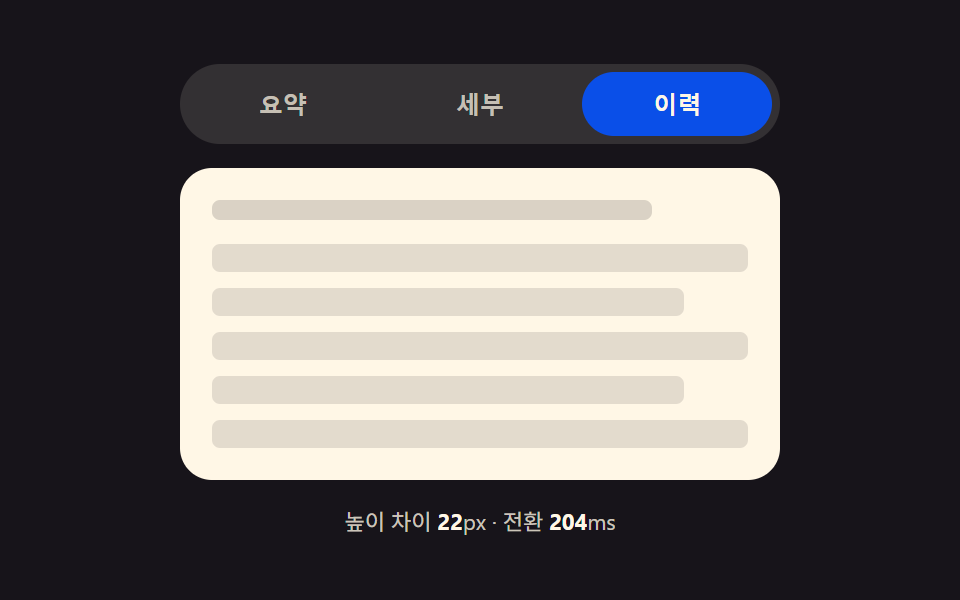 css タブ 切り替え ふわっと 9パターン — コードそのままcss タブ 切り替え ふわっと の9パターンは、それぞれ違う値を計算の起点にしています。高さモーフは2枚のパネルの実測ピクセル差で伸びる時間を決め、スタック型はアクティブタブとのインデックス距離で縮小率を決め、弾性スライドはバネ定数で弾ん この記事のデモをすべて見る