03八方向の値が重なり輪郭線になる文字
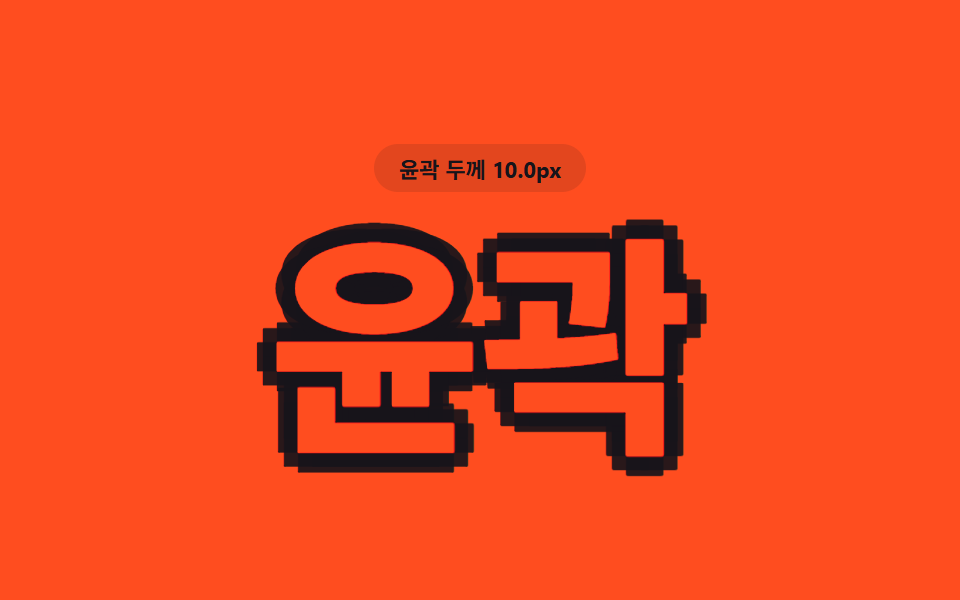
影を上下左右と斜めの八方向へ同じ距離の値だけ配置し、塗りなしでも文字の周りに輪郭線だけが残る。
使いどころイベントポスターの数字
OUTLINE_MAX_PXbuildOutlineShadowrenderOutline
<main class="stage">
<div class="ol is-demo" id="ol">
  <p class="ol__badge"><span class="ol__badgeLabel">輪郭の太さ</span> <span class="ol__badgeValue" id="olValue">0.5px</span></p>
  <h1 class="ol__word" id="olWord">輪郭</h1>
</div>
</main>
@use "../../../../site/static/demo-tokens" as *;
// 핵심: 값 d 하나를 여덟 방향(상하좌우+대각선)에 같은 거리만큼 겹쳐, 글자 채움 없이도
// 둘레에 윤곽선만 남는다. d 가 커질수록 윤곽선이 두꺼워진다.
$duration: $dur-loop;
$easing: linear;
$color: $stage-orange;
@include stage($stage-orange);
.ol {
display: grid;
gap: $sp-4;
justify-items: center;
text-align: center;
}
.ol__badge {
margin: 0;
padding: $sp-1 $sp-3;
border-radius: $r-pill;
background: rgba(23, 20, 26, .12);
color: $subject-ink;
font-weight: 700;
font-size: 11px;
font-variant-numeric: tabular-nums;
}
.ol__word {
margin: 0;
font-weight: 800;
font-size: clamp(72px, 24vw, 140px);
line-height: 1;
white-space: nowrap;
color: $color;
will-change: text-shadow;
}
@media (max-width: 340px) {
.ol__word { font-size: clamp(52px, 26vw, 92px); }
}
@media (prefers-reduced-motion: reduce) {
.ol__word { transition: none; }
}html, body {
margin: 0;
overflow: hidden;
}
.stage {
box-sizing: border-box;
min-height: 100vh;
display: grid;
place-items: center;
margin: 0;
background: #ff4d1f;
font-family: -apple-system, "Segoe UI", "Noto Sans KR", sans-serif;
padding: clamp(8px, 4vw, 24px);
}
.ol {
display: grid;
gap: 16px;
justify-items: center;
text-align: center;
}
.ol__badge {
margin: 0;
padding: 4px 12px;
border-radius: 999px;
background: rgba(23, 20, 26, 0.12);
color: #17141a;
font-weight: 700;
font-size: 11px;
font-variant-numeric: tabular-nums;
}
.ol__word {
margin: 0;
font-weight: 800;
font-size: clamp(72px, 24vw, 140px);
line-height: 1;
white-space: nowrap;
color: #ff4d1f;
will-change: text-shadow;
}
@media (max-width: 340px) {
.ol__word {
font-size: clamp(52px, 26vw, 92px);
}
}
@media (prefers-reduced-motion: reduce) {
.ol__word {
transition: none;
}
}(function () {
var OUTLINE_MAX_PX = 15;
var PERIOD_MS = 1000;
var DIRS = [
[1, 0], [-1, 0], [0, 1], [0, -1],
[0.7071, 0.7071], [-0.7071, 0.7071], [0.7071, -0.7071], [-0.7071, -0.7071]
];
var word = document.getElementById('olWord');
var value = document.getElementById('olValue');
var reduce = window.matchMedia('(prefers-reduced-motion: reduce)').matches;
// 값(d) 하나를 여덟 방향에 같은 거리만큼 겹쳐 채움 없이도 윤곽선만 남긴다
function buildOutlineShadow(d) {
var parts = [];
for (var i = 0; i < DIRS.length; i++) {
var x = (DIRS[i][0] * d).toFixed(2);
var y = (DIRS[i][1] * d).toFixed(2);
parts.push(x + 'px ' + y + 'px 0 rgba(23,20,26,.92)');
}
return parts.join(', ');
}
function renderOutline(d) {
word.style.textShadow = buildOutlineShadow(d);
value.textContent = d.toFixed(1) + 'px';
}
var startTime = null;
function loop(now) {
if (startTime === null) startTime = now;
var t = (now - startTime) % PERIOD_MS;
var phase = (Math.sin((t / PERIOD_MS) * Math.PI * 2 - Math.PI / 2) + 1) / 2;
renderOutline(0.4 + (OUTLINE_MAX_PX - 0.4) * phase);
requestAnimationFrame(loop);
}
if (reduce) {
renderOutline(OUTLINE_MAX_PX);
} else {
requestAnimationFrame(loop);
}
})();// TextShadowStrokeOutlineMulti — vanilla 판(run/412/demo/03-text-shadow-stroke-outline-multi/index.html) 의 React 포트.
// 값 d 하나를 여덟 방향(상하좌우+대각선)에 같은 거리만큼 겹쳐, 글자 채움 없이도
// 둘레에 윤곽선만 남는다. d 가 커질수록 윤곽선이 두꺼워진다.
import { useEffect, useRef, useState } from "react";
import styles from "./TextShadowStrokeOutlineMulti.module.scss";
type Box<T> = { current: T };
const OUTLINE_MAX_PX = 15;
const PERIOD_MS = 1000;
const DIRS: [number, number][] = [
[1, 0], [-1, 0], [0, 1], [0, -1],
[0.7071, 0.7071], [-0.7071, 0.7071], [0.7071, -0.7071], [-0.7071, -0.7071]
];
function buildOutlineShadow(d: number): string {
const parts: string[] = [];
for (let i = 0; i < DIRS.length; i++) {
const x = (DIRS[i][0] * d).toFixed(2);
const y = (DIRS[i][1] * d).toFixed(2);
parts.push(x + "px " + y + "px 0 rgba(23,20,26,.92)");
}
return parts.join(", ");
}
export default function TextShadowStrokeOutlineMulti() {
const wordRef = useRef<HTMLHeadingElement | null>(null);
const valueRef = useRef<HTMLSpanElement | null>(null);
const t0Ref = useRef<number>(0) as Box<number>;
const frameRef = useRef<number>(0) as Box<number>;
const [demo] = useState(true);
const [reduce, setReduce] = useState(false);
function render(d: number): void {
const word = wordRef.current;
const value = valueRef.current;
if (!word || !value) return;
word.style.textShadow = buildOutlineShadow(d);
value.textContent = d.toFixed(1) + "px";
}
useEffect(() => {
setReduce(window.matchMedia("(prefers-reduced-motion: reduce)").matches);
}, []);
useEffect(() => {
if (reduce) {
render(OUTLINE_MAX_PX);
return;
}
function loop(now: number): void {
if (t0Ref.current === 0) t0Ref.current = now;
const t = (now - t0Ref.current) % PERIOD_MS;
const phase = (Math.sin((t / PERIOD_MS) * Math.PI * 2 - Math.PI / 2) + 1) / 2;
render(0.4 + (OUTLINE_MAX_PX - 0.4) * phase);
frameRef.current = requestAnimationFrame(loop);
}
frameRef.current = requestAnimationFrame(loop);
return () => cancelAnimationFrame(frameRef.current);
}, [reduce]);
const cls = [styles.ol, demo ? styles.isDemo : ""].filter(Boolean).join(" ");
return (
<main className={styles.stage}>
<div className={cls}>
<p className={styles.badge}><span>윤곽 두께</span> <span ref={valueRef}>0.5px</span></p>
<h1 className={styles.word} ref={wordRef}>윤곽</h1>
</div>
</main>
);
}03 八方向の値が重なり輪郭線になる文字 — 計測 累積面積 10.6% · 動いたフレーム 21/23GODRICH オリジナル · SCSS と React は zip に同梱 · css text-shadow 9パターン — 影の値で立つ文字
このデモが属する記事
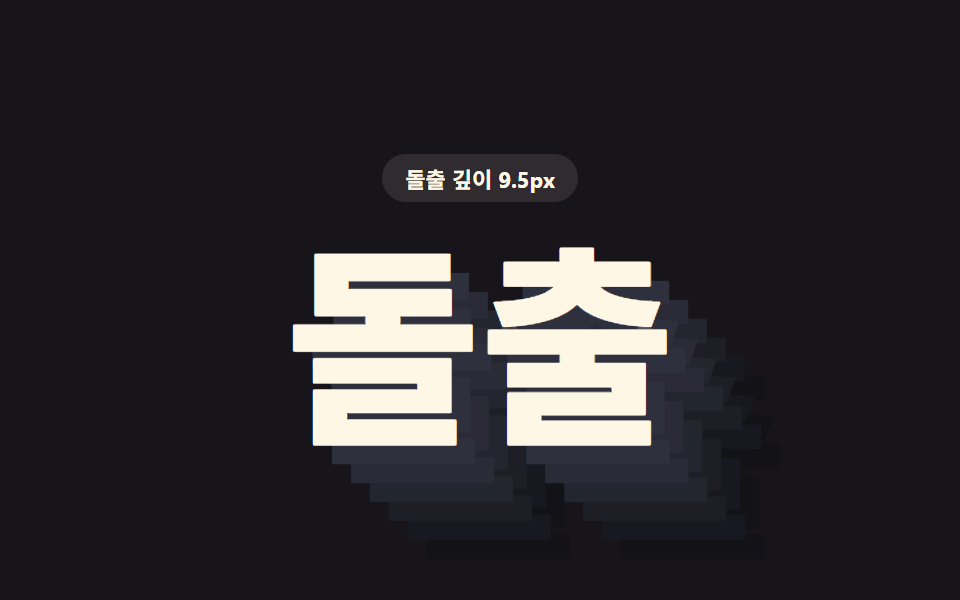 css text-shadow 9パターン — 影の値で立つ文字css text-shadowでは、影とは光が消えた場所のはずなのに、この九つの文字は影だけで輝く — 1番は重ねた層の値で立体を立て、5番はずれた色の値で揺らし、9番はカーソルが乗った瞬間その深さの値を押し上げる。 この記事のデモをすべて見る