06並べ替え挿入線プレビュー
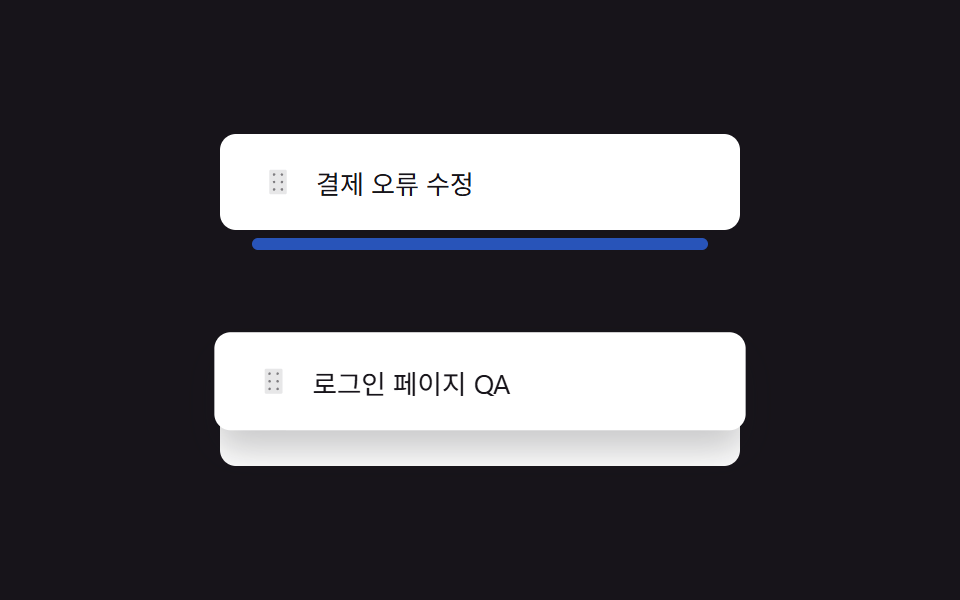
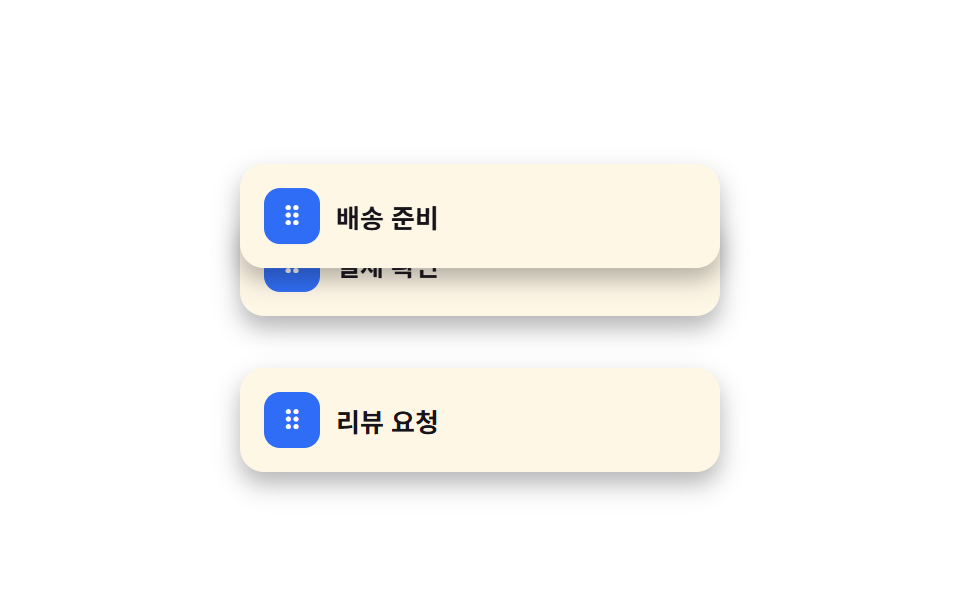
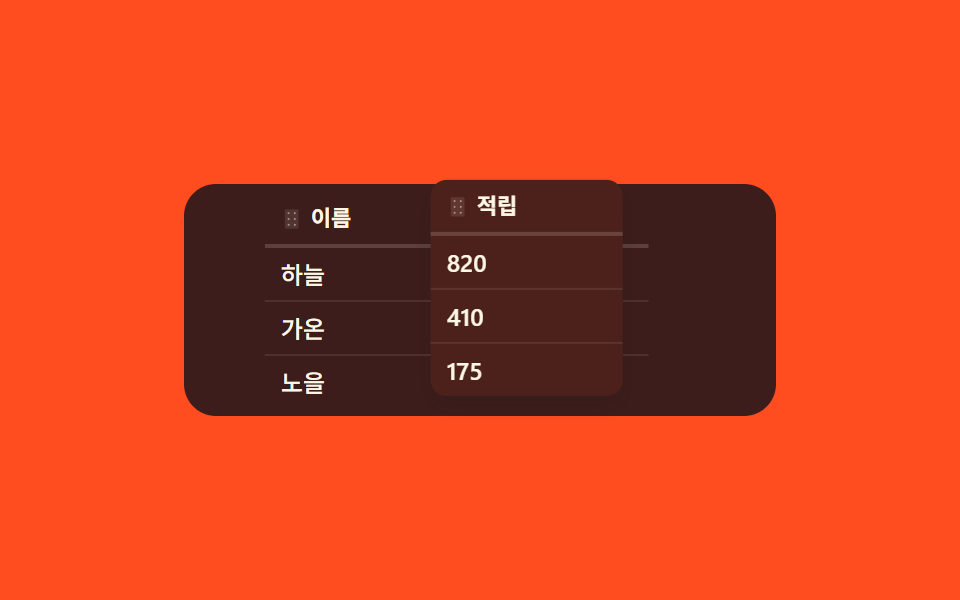
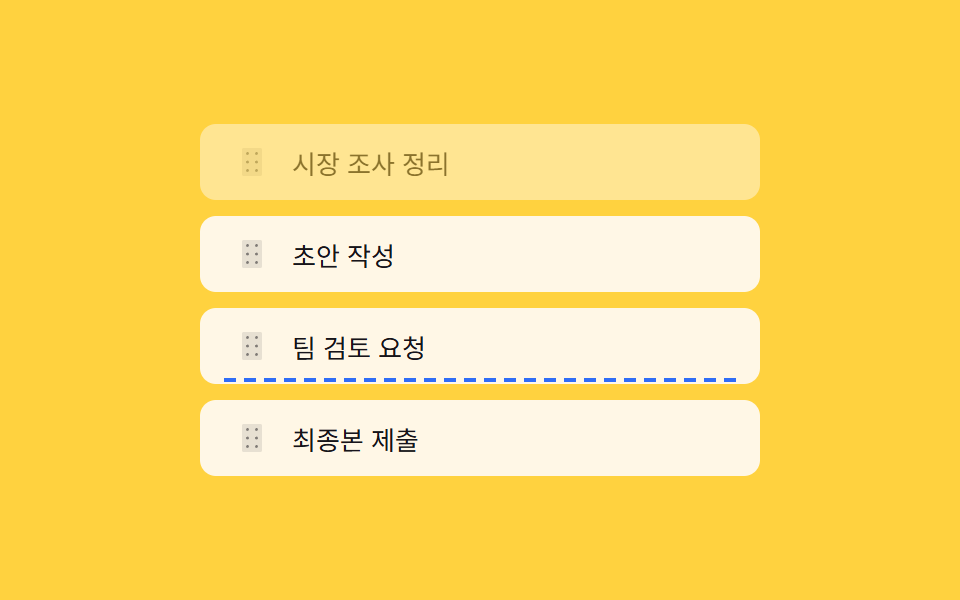
ハンドルを押して上下に動かしても項目はリアルタイムには移動せず、置かれる位置に点線の挿入線だけが現れ、指を離した瞬間に一気に入れ替わる(231の青い空行・336のリアルタイムドラッグ移動とは異なる実演 — ここでは移動なしで判定だけ行う軽量プレビュー)。
使いどころ軽量な並べ替え判定、低スペック端末向けリスト
gapIndexFor() 포인터Y 위치 비교점선 삽입선 — 드롭 전 실이동 없음keydown 방향키 재정렬
<main class="stage">
<ul class="list is-demo" id="list">
</ul>
<p class="liveNote" id="liveNote" aria-live="polite"></p>
</main>
@use "../../../../site/static/demo-tokens" as *;
// 계산 겹은 index.html 의 gapIndexFor()/showLineAt() 에 있다 — 포인터 Y 를 각 행의 실측 경계와
// 비교해 삽입선 위치를 정한다. 항목 자체는 놓기 전까지 옮기지 않는다(라이브 이동 없음).
@include stage($stage-yellow);
.list {
position: relative;
list-style: none;
margin: 0;
padding: 0;
width: 280px;
display: grid;
gap: $sp-2;
}
.row {
display: flex;
align-items: center;
gap: $sp-3;
padding: $sp-2 $sp-3;
border-radius: $r-sm;
background: $subject-cream;
&.dragging { opacity: .5; }
}
.handle {
appearance: none;
border: none;
background: none;
flex: none;
width: 22px;
height: 22px;
display: grid;
place-items: center;
color: rgba($subject-ink, .5);
cursor: grab;
touch-action: none;
svg { width: 16px; height: 16px; }
&:focus-visible { outline: 2px solid $subject-blue-light; outline-offset: 2px; }
}
.rowText {
color: $subject-ink;
font-size: 13px;
}
.insertLine {
position: absolute;
left: $sp-3;
right: $sp-3;
height: 0;
border-top: 2px dashed $subject-blue;
pointer-events: none;
transition: top $dur-quick $ease-out;
}
.liveNote {
position: absolute;
width: 1px;
height: 1px;
overflow: hidden;
clip: rect(0 0 0 0);
margin: -1px;
}
@media (max-width: 340px) {
.list { width: 220px; gap: $sp-1; }
.row { padding: $sp-1 $sp-3; }
}
@media (prefers-reduced-motion: reduce) {
// 실사용 경로에도 적용 — 삽입선이 전환 없이 즉시 다음 위치로 옮는다
.insertLine { transition: none !important; }
}html, body {
margin: 0;
overflow: hidden;
}
.stage {
box-sizing: border-box;
min-height: 100vh;
display: grid;
place-items: center;
margin: 0;
background: #ffd23f;
font-family: -apple-system, "Segoe UI", "Noto Sans KR", sans-serif;
padding: clamp(8px, 4vw, 24px);
}
.list {
position: relative;
list-style: none;
margin: 0;
padding: 0;
width: 280px;
display: grid;
gap: 8px;
}
.row {
display: flex;
align-items: center;
gap: 12px;
padding: 8px 12px;
border-radius: 8px;
background: #fff7e6;
}
.row.dragging {
opacity: 0.5;
}
.handle {
appearance: none;
border: none;
background: none;
flex: none;
width: 22px;
height: 22px;
display: grid;
place-items: center;
color: rgba(23, 20, 26, 0.5);
cursor: grab;
touch-action: none;
}
.handle svg {
width: 16px;
height: 16px;
}
.handle:focus-visible {
outline: 2px solid #5b8cf8;
outline-offset: 2px;
}
.rowText {
color: #17141a;
font-size: 13px;
}
.insertLine {
position: absolute;
left: 12px;
right: 12px;
height: 0;
border-top: 2px dashed #2f6df6;
pointer-events: none;
transition: top 220ms ease-out;
}
.liveNote {
position: absolute;
width: 1px;
height: 1px;
overflow: hidden;
clip: rect(0 0 0 0);
margin: -1px;
}
@media (max-width: 340px) {
.list {
width: 220px;
gap: 4px;
}
.row {
padding: 4px 12px;
}
}
@media (prefers-reduced-motion: reduce) {
.insertLine {
transition: none !important;
}
}(function () {
var reduce = window.matchMedia('(prefers-reduced-motion: reduce)').matches;
var list = document.getElementById('list');
var liveNote = document.getElementById('liveNote');
var HANDLE_SVG = '<svg viewBox="0 0 256 256" aria-hidden="true"><g fill="currentColor"><path d="M208 32v192a16 16 0 0 1-16 16H64a16 16 0 0 1-16-16V32a16 16 0 0 1 16-16h128a16 16 0 0 1 16 16" opacity=".2"/><path d="M104 60a12 12 0 1 1-12-12a12 12 0 0 1 12 12m60 12a12 12 0 1 0-12-12a12 12 0 0 0 12 12m-72 44a12 12 0 1 0 12 12a12 12 0 0 0-12-12m72 0a12 12 0 1 0 12 12a12 12 0 0 0-12-12m-72 68a12 12 0 1 0 12 12a12 12 0 0 0-12-12m72 0a12 12 0 1 0 12 12a12 12 0 0 0-12-12"/></g></svg>';
var order = ['市場調査整理', '草案作成', 'チームレビュー依頼', '最終版提出'];
var dragIndex = -1;
var line = document.createElement('div');
line.className = 'insertLine';
line.setAttribute('aria-hidden', 'true');
function human() { list.classList.remove('is-demo'); window.clearInterval(autoTimer); }
function render() {
list.innerHTML = '';
order.forEach(function (text, i) {
var li = document.createElement('li');
li.className = 'row';
li.dataset.index = i;
li.innerHTML =
'<button class="handle" type="button" aria-label="' + text + ' 並べ替えハンドル — 矢印キーでも移動できます">' + HANDLE_SVG + '</button>' +
'<span class="rowText">' + text + '</span>';
list.appendChild(li);
});
bindHandles();
}
// 계산 겹: 포인터 Y 좌표를 각 행의 실측 경계(top/bottom)와 비교해 삽입 지점을 찾는다.
// 요소를 실시간으로 옮기지 않고, 삽입선 하나만 그 지점으로 옮긴다.
function gapIndexFor(pointerY, excludeIndex) {
var rows = Array.prototype.slice.call(list.querySelectorAll('.row'));
var visible = rows.filter(function (r) { return Number(r.dataset.index) !== excludeIndex; });
for (var i = 0; i < visible.length; i++) {
var rect = visible[i].getBoundingClientRect();
var mid = rect.top + rect.height / 2;
if (pointerY < mid) return i;
}
return visible.length;
}
function showLineAt(gapIndex, excludeIndex) {
var rows = Array.prototype.slice.call(list.querySelectorAll('.row'));
var visible = rows.filter(function (r) { return Number(r.dataset.index) !== excludeIndex; });
var listRect = list.getBoundingClientRect();
var y;
if (visible.length === 0) { y = 0; }
else if (gapIndex <= 0) { y = visible[0].getBoundingClientRect().top - listRect.top - 3; }
else if (gapIndex >= visible.length) { y = visible[visible.length - 1].getBoundingClientRect().bottom - listRect.top + 3; }
else {
var a = visible[gapIndex - 1].getBoundingClientRect();
var b = visible[gapIndex].getBoundingClientRect();
y = ((a.bottom + b.top) / 2) - listRect.top;
}
line.style.top = y + 'px';
if (!line.parentNode) list.appendChild(line);
}
function hideLine() {
if (line.parentNode) line.parentNode.removeChild(line);
}
function commitMove(fromIndex, gapIndex) {
var item = order[fromIndex];
var rest = order.slice(0, fromIndex).concat(order.slice(fromIndex + 1));
var insertAt = gapIndex;
rest.splice(insertAt, 0, item);
order = rest;
liveNote.textContent = '"' + item + '」を ' + (insertAt + 1) + '番目に移動しました。';
render();
}
function bindHandles() {
var handles = list.querySelectorAll('.handle');
handles.forEach(function (h) {
var row = h.closest('.row');
h.addEventListener('pointerdown', function (e) {
human();
dragIndex = Number(row.dataset.index);
row.classList.add('dragging');
h.setPointerCapture(e.pointerId);
});
h.addEventListener('pointermove', function (e) {
if (dragIndex < 0) return;
var gap = gapIndexFor(e.clientY, dragIndex);
showLineAt(gap, dragIndex);
});
h.addEventListener('pointerup', function (e) {
if (dragIndex < 0) return;
var gap = gapIndexFor(e.clientY, dragIndex);
hideLine();
var from = dragIndex;
dragIndex = -1;
commitMove(from, gap);
});
h.addEventListener('keydown', function (e) {
human();
var i = Number(row.dataset.index);
if (e.key === 'ArrowUp' && i > 0) {
e.preventDefault();
var tmp = order[i - 1]; order[i - 1] = order[i]; order[i] = tmp;
render();
list.querySelectorAll('.handle')[i - 1].focus({ preventScroll: true });
} else if (e.key === 'ArrowDown' && i < order.length - 1) {
e.preventDefault();
var tmp2 = order[i + 1]; order[i + 1] = order[i]; order[i] = tmp2;
render();
list.querySelectorAll('.handle')[i + 1].focus({ preventScroll: true });
}
});
});
}
render();
var autoTimer;
function autoStep() {
var listRect = list.getBoundingClientRect();
var fromRow = list.querySelector('.row[data-index="0"]');
if (!fromRow) return;
var fromRect = fromRow.getBoundingClientRect();
var targetY = listRect.bottom - 8;
dragIndex = 0;
fromRow.classList.add('dragging');
var steps = 16;
var i = 0;
var iv = setInterval(function () {
i++;
var y = fromRect.top + (targetY - fromRect.top) * (i / steps);
var gap = gapIndexFor(y, dragIndex);
showLineAt(gap, dragIndex);
if (i >= steps) {
clearInterval(iv);
var gapFinal = gapIndexFor(targetY, dragIndex);
hideLine();
var from = dragIndex;
dragIndex = -1;
commitMove(from, gapFinal);
}
}, 60);
}
if (!reduce) { autoStep(); autoTimer = window.setInterval(autoStep, 1500); }
})();// ReorderIndicator — vanilla 판(run/377/demo/06-reorder-indicator/index.html) 의 React 포트.
// 계산 겹: 포인터 Y 를 각 행의 실측 경계와 비교해 삽입선 위치를 정한다. 항목은 놓을 때만 옮긴다.
import { useEffect, useRef, useState } from "react";
import type { PointerEvent as ReactPointerEvent } from "react";
// KeyboardEvent 는 "react" 스텁이 export 하지 않는다(demo.py ambient.d.ts) — lib.dom 의 전역 타입을 그대로 쓴다.
import styles from "./ReorderIndicator.module.scss";
type Box<T> = { current: T };
export default function ReorderIndicator() {
const [isDemo, setIsDemo] = useState(true);
const [order, setOrder] = useState(["시장 조사 정리", "초안 작성", "팀 검토 요청", "최종본 제출"]);
const [liveNote, setLiveNote] = useState("");
const [lineTop, setLineTop] = useState<number | null>(null);
const listRef = useRef(null) as unknown as Box<HTMLUListElement>;
const rowRefs = useRef([]) as unknown as Box<(HTMLLIElement | null)[]>;
const handleRefs = useRef([]) as unknown as Box<(HTMLButtonElement | null)[]>;
const dragIndexRef = useRef(-1) as unknown as Box<number>;
const [draggingIndex, setDraggingIndex] = useState(-1);
const timerRef = useRef(0) as unknown as Box<number>;
const focusNextRef = useRef(-1) as unknown as Box<number>;
function human() {
if (isDemo) { setIsDemo(false); window.clearInterval(timerRef.current); }
}
function gapIndexFor(pointerY: number, excludeIndex: number) {
const rows = rowRefs.current.filter(function (_r, i) { return i !== excludeIndex; });
for (let i = 0; i < rows.length; i++) {
const el = rows[i];
if (!el) continue;
const rect = el.getBoundingClientRect();
const mid = rect.top + rect.height / 2;
if (pointerY < mid) return i;
}
return rows.length;
}
function showLineAt(gapIndex: number, excludeIndex: number) {
const list = listRef.current;
if (!list) return;
const rows = rowRefs.current.filter(function (_r, i) { return i !== excludeIndex; });
const listRect = list.getBoundingClientRect();
let y;
if (rows.length === 0) y = 0;
else if (gapIndex <= 0) y = (rows[0] as HTMLLIElement).getBoundingClientRect().top - listRect.top - 3;
else if (gapIndex >= rows.length) y = (rows[rows.length - 1] as HTMLLIElement).getBoundingClientRect().bottom - listRect.top + 3;
else {
const a = (rows[gapIndex - 1] as HTMLLIElement).getBoundingClientRect();
const b = (rows[gapIndex] as HTMLLIElement).getBoundingClientRect();
y = (a.bottom + b.top) / 2 - listRect.top;
}
setLineTop(y);
}
function commitMove(fromIndex: number, gapIndex: number) {
setOrder(function (prev) {
const item = prev[fromIndex];
const rest = prev.slice(0, fromIndex).concat(prev.slice(fromIndex + 1));
rest.splice(gapIndex, 0, item);
setLiveNote('"' + item + '" 항목을 ' + (gapIndex + 1) + "번째 자리로 옮겼습니다.");
return rest;
});
}
function onHandlePointerDown(i: number, e: ReactPointerEvent<HTMLButtonElement>) {
human();
dragIndexRef.current = i;
setDraggingIndex(i);
(e.target as HTMLButtonElement).setPointerCapture(e.pointerId);
}
function onHandlePointerMove(e: ReactPointerEvent<HTMLButtonElement>) {
if (dragIndexRef.current < 0) return;
const gap = gapIndexFor(e.clientY, dragIndexRef.current);
showLineAt(gap, dragIndexRef.current);
}
function onHandlePointerUp(e: ReactPointerEvent<HTMLButtonElement>) {
if (dragIndexRef.current < 0) return;
const gap = gapIndexFor(e.clientY, dragIndexRef.current);
setLineTop(null);
const from = dragIndexRef.current;
dragIndexRef.current = -1;
setDraggingIndex(-1);
commitMove(from, gap);
}
function onHandleKeyDown(i: number, e: KeyboardEvent) {
human();
if (e.key === "ArrowUp" && i > 0) {
e.preventDefault();
setOrder(function (prev) {
const n = prev.slice();
const t = n[i - 1]; n[i - 1] = n[i]; n[i] = t;
return n;
});
focusNextRef.current = i - 1;
} else if (e.key === "ArrowDown" && i < order.length - 1) {
e.preventDefault();
setOrder(function (prev) {
const n = prev.slice();
const t = n[i + 1]; n[i + 1] = n[i]; n[i] = t;
return n;
});
focusNextRef.current = i + 1;
}
}
// 화살표로 옮긴 뒤에도 같은 손잡이를 계속 조작할 수 있도록, 옮겨간 자리로 포커스를 따라가게 한다.
useEffect(function () {
if (focusNextRef.current < 0) return;
const target = handleRefs.current[focusNextRef.current];
focusNextRef.current = -1;
if (target) target.focus({ preventScroll: true });
}, [order]);
useEffect(function () {
const reduce = window.matchMedia("(prefers-reduced-motion: reduce)").matches;
if (reduce) return;
function autoStep() {
const list = listRef.current;
const fromRow = rowRefs.current[0];
if (!list || !fromRow) return;
const listRect = list.getBoundingClientRect();
const fromRect = fromRow.getBoundingClientRect();
const targetY = listRect.bottom - 8;
dragIndexRef.current = 0;
setDraggingIndex(0);
const steps = 16;
let i = 0;
const iv = window.setInterval(function () {
i++;
const y = fromRect.top + (targetY - fromRect.top) * (i / steps);
const gap = gapIndexFor(y, 0);
showLineAt(gap, 0);
if (i >= steps) {
window.clearInterval(iv);
const gapFinal = gapIndexFor(targetY, 0);
setLineTop(null);
dragIndexRef.current = -1;
setDraggingIndex(-1);
commitMove(0, gapFinal);
}
}, 60);
}
autoStep();
timerRef.current = window.setInterval(autoStep, 1500);
return function () { window.clearInterval(timerRef.current); };
// eslint-disable-next-line
}, []);
return (
<main className={styles.stage}>
<ul className={styles.list + (isDemo ? " " + styles.isDemo : "")} ref={listRef}>
{order.map(function (text, i) {
return (
<li
key={text}
className={styles.row + (draggingIndex === i ? " " + styles.dragging : "")}
ref={function (el: HTMLLIElement | null) { rowRefs.current[i] = el; }}
>
<button
className={styles.handle}
type="button"
ref={function (el: HTMLButtonElement | null) { handleRefs.current[i] = el; }}
aria-label={text + " 순서 이동 손잡이 — 방향키로도 이동할 수 있습니다"}
onPointerDown={function (e: ReactPointerEvent<HTMLButtonElement>) { onHandlePointerDown(i, e); }}
onPointerMove={onHandlePointerMove}
onPointerUp={onHandlePointerUp}
onKeyDown={function (e: KeyboardEvent) { onHandleKeyDown(i, e); }}
>
<svg viewBox="0 0 256 256" aria-hidden="true">
<g fill="currentColor">
<path d="M208 32v192a16 16 0 0 1-16 16H64a16 16 0 0 1-16-16V32a16 16 0 0 1 16-16h128a16 16 0 0 1 16 16" opacity=".2" />
<path d="M104 60a12 12 0 1 1-12-12a12 12 0 0 1 12 12m60 12a12 12 0 1 0-12-12a12 12 0 0 0 12 12m-72 44a12 12 0 1 0 12 12a12 12 0 0 0-12-12m72 0a12 12 0 1 0 12 12a12 12 0 0 0-12-12m-72 68a12 12 0 1 0 12 12a12 12 0 0 0-12-12m72 0a12 12 0 1 0 12 12a12 12 0 0 0-12-12" />
</g>
</svg>
</button>
<span className={styles.rowText}>{text}</span>
</li>
);
})}
{lineTop !== null ? <div className={styles.insertLine} aria-hidden="true" style={{ top: lineTop + "px" }} /> : null}
</ul>
<p className={styles.liveNote} aria-live="polite">{liveNote}</p>
</main>
);
}06 並べ替え挿入線プレビュー — 計測 累積面積 10.539% · 動いたフレーム 12/23GODRICH オリジナル · SCSS と React は zip に同梱 · todo リスト ui 9パターン — 進捗ゲージから巻き戻しまで一気に整理
このデモが属する記事
 todo リスト ui 9パターン — 進捗ゲージから巻き戻しまで一気に整理このtodo リスト ui 9パターンのうち、1つはもっと見るを押すたびに読み込む件数が2倍に増え、1つは巻き戻しを押すと完了タイムラインが直前の順の逆順で消え、1つはチェックのたびに円形ゲージがその比率ぶんすぐ満ちます。 この記事のデモをすべて見る