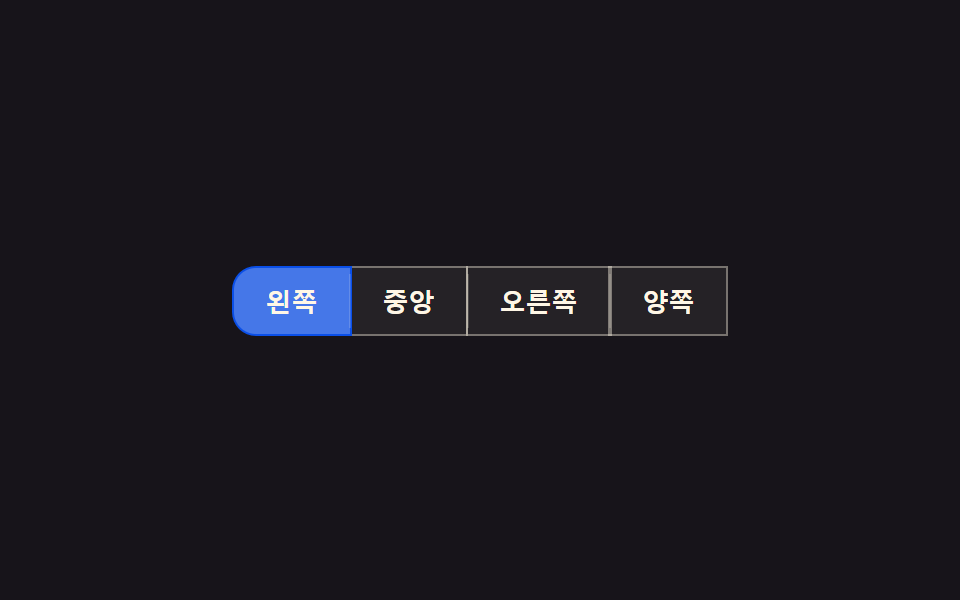
02アクティブ表示子スライド — アクティブボタンの値が変わると強調背景の位置の値が実測座標に沿って隣のボタンへ滑る方式
アクティブ値が別のボタンに移ると、強調背景の位置の値が二つのボタンの実測座標の間を滑るように移動します。
使いどころタブ型ボタングループ、並び順選択ボタン
STIFF 210 / DAMP 18translateX + scaleXspring integrate

<main class="stage">
<div class="asi-wrap">
<div class="asi is-demo" id="asi" role="group" aria-label="並び替え">
  <span class="asi__indicator" id="asiIndicator" aria-hidden="true"></span>
  <button class="asi__btn asi__btn--on" data-i="0" aria-pressed="true">新着順</button>
  <button class="asi__btn" data-i="1" aria-pressed="false">人気順</button>
  <button class="asi__btn" data-i="2" aria-pressed="false">価格順</button>
  <button class="asi__btn" data-i="3" aria-pressed="false">評価順</button>
</div>
</div>
</main>
@use "../../../../site/static/demo-tokens" as *;
// 계산 겹: index.html 이 getBoundingClientRect 로 활성 버튼의 실측 좌표·폭을 재고, 감쇠 스프링
// 방정식(x'' = k*(target-x) - c*x')을 매 프레임 적분해 표시자를 오버슛 후 정착시킨다.
// 폭 변화는 CSS width 가 아니라 transform: scaleX 비율로만 표현해 레이아웃을 다시 계산하지 않는다.
@include stage($stage-ink);
.asi-wrap {
max-width: 100%;
overflow-x: auto;
overflow-y: hidden;
}
.asi {
position: relative;
display: inline-flex;
gap: 0;
padding: 4px;
border-radius: $r-pill;
background: rgba($subject-cream, .07);
}
.asi__indicator {
position: absolute;
top: 4px;
left: 4px;
height: calc(100% - #{$sp-2});
border-radius: $r-pill;
background: $subject-blue-deep;
transform-origin: left center;
will-change: transform;
z-index: 0;
}
.asi__btn {
position: relative;
z-index: 1;
appearance: none;
border: none;
background: transparent;
color: rgba($subject-cream, .78);
font-size: 13px;
font-weight: 600;
padding: $sp-2 $sp-4;
white-space: nowrap;
cursor: pointer;
border-radius: $r-pill;
transition: color $dur-quick $ease-out;
}
.asi__btn--on {
color: $subject-cream;
}
.asi__btn:focus-visible {
outline: 2px solid $subject-blue-light;
outline-offset: 2px;
}
@media (max-width: 340px) {
.asi__btn { font-size: 12px; padding: $sp-1 $sp-3; }
}
@media (prefers-reduced-motion: reduce) {
.asi__btn { transition: none; }
}html, body {
margin: 0;
overflow: hidden;
}
.stage {
box-sizing: border-box;
min-height: 100vh;
display: grid;
place-items: center;
margin: 0;
background: #17141a;
font-family: -apple-system, "Segoe UI", "Noto Sans KR", sans-serif;
padding: clamp(8px, 4vw, 24px);
}
.asi-wrap {
max-width: 100%;
overflow-x: auto;
overflow-y: hidden;
}
.asi {
position: relative;
display: inline-flex;
gap: 0;
padding: 4px;
border-radius: 999px;
background: rgba(255, 247, 230, 0.07);
}
.asi__indicator {
position: absolute;
top: 4px;
left: 4px;
height: calc(100% - 8px);
border-radius: 999px;
background: #0a4fe8;
transform-origin: left center;
will-change: transform;
z-index: 0;
}
.asi__btn {
position: relative;
z-index: 1;
appearance: none;
border: none;
background: transparent;
color: rgba(255, 247, 230, 0.78);
font-size: 13px;
font-weight: 600;
padding: 8px 16px;
white-space: nowrap;
cursor: pointer;
border-radius: 999px;
transition: color 220ms ease-out;
}
.asi__btn--on {
color: #fff7e6;
}
.asi__btn:focus-visible {
outline: 2px solid #5b8cf8;
outline-offset: 2px;
}
@media (max-width: 340px) {
.asi__btn {
font-size: 12px;
padding: 4px 12px;
}
}
@media (prefers-reduced-motion: reduce) {
.asi__btn {
transition: none;
}
}(function () {
var CYCLE_MS = 1100; // 자동 루프가 다음 버튼으로 넘어가는 간격
var STIFF = 210; // 계산 겹 상수: 스프링 강성(k) — 클수록 목표에 빨리 붙는다
var DAMP = 18; // 계산 겹 상수: 감쇠(c) — 작을수록 오버슛이 크게 남는다
var reduce = window.matchMedia('(prefers-reduced-motion: reduce)').matches;
var root = document.getElementById('asi');
var indicator = document.getElementById('asiIndicator');
var btns = Array.prototype.slice.call(root.querySelectorAll('.asi__btn'));
var isDemo = true;
// 계산 겹: 목표(버튼 실측 좌표)를 향해 감쇠 스프링 방정식으로 위치·폭 비율을 매 프레임 적분한다.
// x'' = STIFF*(target-x) - DAMP*x' — cubic-bezier 로는 못 만드는 오버슛 후 정착 곡선이다.
// 폭은 CSS width 가 아니라 scaleX(비율) 로만 바꿔 레이아웃을 다시 계산하지 않는다(transform 전용 규칙).
var x = 0, w = 0, vx = 0, vw = 0, targetX = 0, targetW = 0, last = 0, activeIdx = 0;
var maxW = 0;
function measure(idx) {
var rootRect = root.getBoundingClientRect();
var r = btns[idx].getBoundingClientRect();
return { x: r.left - rootRect.left, w: r.width };
}
// 시작 시 모든 버튼 폭을 실측해 인디케이터의 고정 기준 폭(maxW)을 정한다 — scaleX 는 이 기준에 대한 비율이다
btns.forEach(function (b) { maxW = Math.max(maxW, b.getBoundingClientRect().width); });
indicator.style.width = maxW + 'px';
function goTo(idx, ts) {
activeIdx = idx;
btns.forEach(function (b, i) {
b.classList.toggle('asi__btn--on', i === idx);
b.setAttribute('aria-pressed', String(i === idx));
});
var m = measure(idx);
targetX = m.x; targetW = m.w;
if (reduce) { x = targetX; w = targetW; vx = 0; vw = 0; }
}
function human() {
if (isDemo) { root.classList.remove('is-demo'); isDemo = false; }
}
btns.forEach(function (b, i) {
b.addEventListener('click', function () { human(); goTo(i, performance.now()); });
});
window.addEventListener('resize', function () { var m = measure(activeIdx); targetX = m.x; targetW = m.w; });
// 초기 위치를 즉시 실측값으로 놓는다
requestAnimationFrame(function () { var m = measure(0); x = targetX = m.x; w = targetW = m.w; render(); });
function render() {
var scale = maxW > 0 ? w / maxW : 1;
indicator.style.transform = 'translateX(' + x.toFixed(2) + 'px) scaleX(' + scale.toFixed(4) + ')';
}
var cycleStart = 0, lastIdx = -1;
function loop(ts) {
if (!last) last = ts;
var dt = Math.min(0.032, (ts - last) / 1000);
last = ts;
if (!cycleStart) cycleStart = ts;
if (isDemo && !reduce) {
var idx = Math.floor((ts - cycleStart) / CYCLE_MS) % btns.length;
if (idx !== lastIdx) { lastIdx = idx; goTo(idx, ts); }
}
var ax = STIFF * (targetX - x) - DAMP * vx;
var aw = STIFF * (targetW - w) - DAMP * vw;
vx += ax * dt; x += vx * dt;
vw += aw * dt; w += vw * dt;
render();
requestAnimationFrame(loop);
}
requestAnimationFrame(loop);
})();// ActiveSlideIndicator — vanilla 판(run/369/demo/02-btn-group-active-slide-indicator/index.html) 의 React 포트.
// getBoundingClientRect 로 활성 버튼의 실측 좌표·폭을 재고, 감쇠 스프링 방정식을 매 프레임 적분해
// 표시자를 오버슛 후 정착시킨다. 폭 변화는 transform: scaleX 비율로만 표현한다.
import { useEffect, useRef } from "react";
import styles from "./ActiveSlideIndicator.module.scss";
type Box<T> = { current: T };
const LABELS = ["최신순", "인기순", "가격순", "평점 높은순"];
export default function ActiveSlideIndicator() {
const rootRef = useRef(null) as unknown as Box<HTMLDivElement>;
const indicatorRef = useRef(null) as unknown as Box<HTMLSpanElement>;
const btnRefs = useRef([]) as unknown as Box<HTMLButtonElement[]>;
const rafRef = useRef(0) as unknown as Box<number>;
useEffect(() => {
const CYCLE_MS = 1100;
const STIFF = 210; // 계산 겹 상수: 스프링 강성(k)
const DAMP = 18; // 계산 겹 상수: 감쇠(c)
const reduce = window.matchMedia("(prefers-reduced-motion: reduce)").matches;
const root = rootRef.current;
const indicator = indicatorRef.current;
const btns = btnRefs.current;
if (!root || !indicator || btns.length === 0) return;
let isDemo = true;
let x = 0, w = 0, vx = 0, vw = 0, targetX = 0, targetW = 0, last = 0, activeIdx = 0;
let maxW = 0;
btns.forEach((b) => { maxW = Math.max(maxW, b.getBoundingClientRect().width); });
indicator.style.width = maxW + "px";
function measure(idx: number) {
const rootRect = root!.getBoundingClientRect();
const r = btns[idx].getBoundingClientRect();
return { x: r.left - rootRect.left, w: r.width };
}
function goTo(idx: number) {
activeIdx = idx;
btns.forEach((b, i) => {
b.classList.toggle(styles.btnOn, i === idx);
b.setAttribute("aria-pressed", String(i === idx));
});
const m = measure(idx);
targetX = m.x; targetW = m.w;
if (reduce) { x = targetX; w = targetW; vx = 0; vw = 0; }
}
function human() { if (isDemo) { root!.classList.remove(styles.isDemo); isDemo = false; } }
function onResize() { const m = measure(activeIdx); targetX = m.x; targetW = m.w; }
window.addEventListener("resize", onResize);
const clicks: (() => void)[] = [];
btns.forEach((b, i) => {
const fn = () => { human(); goTo(i); };
b.addEventListener("click", fn);
clicks.push(fn);
});
function render() {
const scale = maxW > 0 ? w / maxW : 1;
indicator!.style.transform = "translateX(" + x.toFixed(2) + "px) scaleX(" + scale.toFixed(4) + ")";
}
let cycleStart = 0, lastIdx = -1;
function loop(ts: number) {
if (!last) last = ts;
const dt = Math.min(0.032, (ts - last) / 1000);
last = ts;
if (!cycleStart) cycleStart = ts;
if (isDemo && !reduce) {
const idx = Math.floor((ts - cycleStart) / CYCLE_MS) % btns.length;
if (idx !== lastIdx) { lastIdx = idx; goTo(idx); }
}
const ax = STIFF * (targetX - x) - DAMP * vx;
const aw = STIFF * (targetW - w) - DAMP * vw;
vx += ax * dt; x += vx * dt;
vw += aw * dt; w += vw * dt;
render();
rafRef.current = requestAnimationFrame(loop);
}
requestAnimationFrame(() => { const m = measure(0); x = targetX = m.x; w = targetW = m.w; render(); });
rafRef.current = requestAnimationFrame(loop);
return () => {
window.removeEventListener("resize", onResize);
btns.forEach((b, i) => b.removeEventListener("click", clicks[i]));
cancelAnimationFrame(rafRef.current);
};
}, []);
return (
<main className={styles.stage}>
<div className={styles.asiWrap}>
<div className={styles.asi + " " + styles.isDemo} ref={rootRef} role="group" aria-label="정렬 기준">
<span className={styles.indicator} ref={indicatorRef} aria-hidden="true" />
{LABELS.map((label, i) => (
<button
key={label}
className={styles.btn + (i === 0 ? " " + styles.btnOn : "")}
aria-pressed={i === 0}
ref={(el: HTMLButtonElement | null) => { if (el) btnRefs.current[i] = el; }}
>
{label}
</button>
))}
</div>
</div>
</main>
);
}02 アクティブ表示子スライド — アクティブボタンの値が変わると強調背景の位置の値が実測座標に沿って隣のボタンへ滑る方式 — 計測 累積面積 4.878% · 動いたフレーム 13/23GODRICH オリジナル · SCSS と React は zip に同梱 · ボタン グループ ui 9選 — 隣り合うボタンが一つに動く仕組み
このデモが属する記事
 ボタン グループ ui 9選 — 隣り合うボタンが一つに動く仕組みボタン グループ ui: 9つのうち1つはアクティブボタンの値が変わるとスライド表示子の位置の値が実測座標に沿って移動し、1つはグループの幅の値が縮むと溢れたボタンがもっと見る値の中に折り畳まれ、もう1つは方向キーでフォーカスの値が移る際に この記事のデモをすべて見る