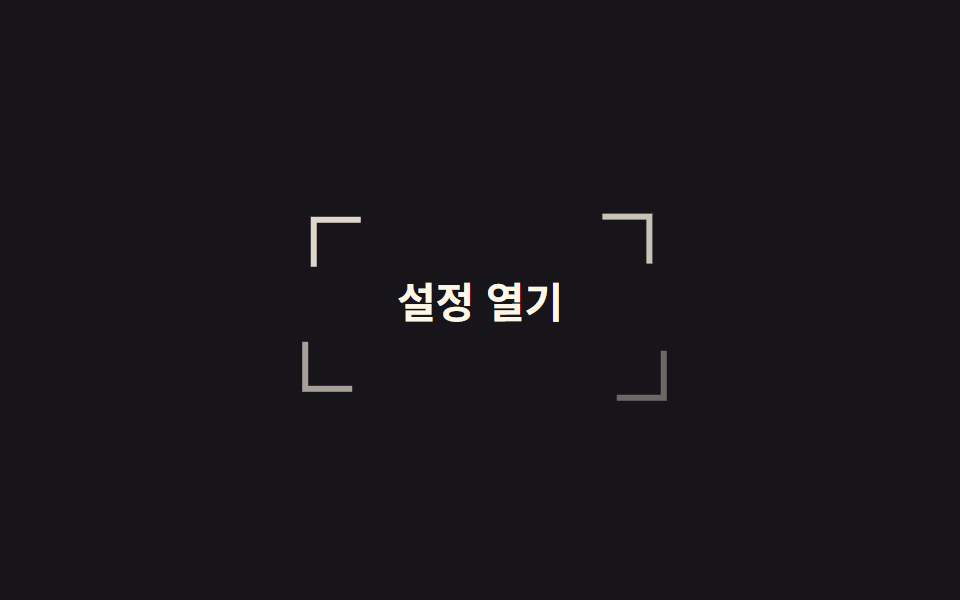
08모서리 괄호 조준
네 모서리의 ㄱ자 조각이 바깥에서 안쪽으로 모여들어 버튼을 감싸는 테두리를 완성합니다. 조각마다 지우는 변과 이동 방향만 다르고 이동 거리는 같습니다.
쓰임키보드 포커스 표시를 기본 파란 테두리 말고 디자인 안으로 들여오고 싶은 대시보드·관리자 화면
translatefocus-visible순차 지연
<main class="stage">
  <button class="brk is-demo" type="button">
    <span class="brk__c brk__c--tl" aria-hidden="true"></span>
    <span class="brk__c brk__c--tr" aria-hidden="true"></span>
    <span class="brk__c brk__c--bl" aria-hidden="true"></span>
    <span class="brk__c brk__c--br" aria-hidden="true"></span>
    <span class="brk__label">설정 열기</span>
  </button>
</main>
@use "../../../../site/static/demo-tokens" as *;
// 변형은 이 세 줄만 바꾼다
$duration: $dur-loop;
$easing: $ease-spring;
$color: $subject-cream;
@include stage($stage-ink);
.brk {
position: relative;
border: 0;
cursor: pointer;
padding: $sp-4 $sp-8;
border-radius: 0;
background: transparent;
color: $color;
font-family: inherit;
font-size: clamp(16px, 5vw, 21px);
font-weight: 700;
}
// 조각 넷은 같은 크기·같은 이동 거리. 다른 건 어느 쪽 변을 지우느냐뿐이다
.brk__c {
position: absolute;
width: 22px;
height: 22px;
border: 3px solid $color;
--tx: -18px;
--ty: -18px;
}
.brk__c--tl { top: -8px; left: -8px; border-right: 0; border-bottom: 0; --i: 0; }
.brk__c--tr { top: -8px; right: -8px; border-left: 0; border-bottom: 0; --tx: 18px; --i: 1; }
.brk__c--bl { bottom: -8px; left: -8px; border-right: 0; border-top: 0; --ty: 18px; --i: 2; }
.brk__c--br { bottom: -8px; right: -8px; border-left: 0; border-top: 0; --tx: 18px; --ty: 18px; --i: 3; }
.brk.is-demo .brk__c {
animation: brk-close $duration $easing infinite;
animation-delay: calc(var(--i) * 60ms);
}
// 모였다가 다시 흩어져 시작 위치로 돌아온다. 모인 상태에서 끝내면 매 바퀴 조각이 순간이동한다
@keyframes brk-close {
0% { translate: var(--tx) var(--ty); opacity: 0; }
38%, 66% { translate: 0 0; opacity: 1; }
100% { translate: var(--tx) var(--ty); opacity: 0; }
}
// 키보드 포커스에도 같은 조준선
.brk:focus-visible {
outline: none;
.brk__c { animation: none; translate: 0 0; opacity: 1; }
}
@media (prefers-reduced-motion: reduce) {
.brk.is-demo .brk__c { animation: none; translate: 0 0; opacity: 1; }
}html, body {
margin: 0;
overflow: hidden;
}
.stage {
box-sizing: border-box;
min-height: 100vh;
display: grid;
place-items: center;
margin: 0;
background: #17141a;
font-family: -apple-system, "Segoe UI", "Noto Sans KR", sans-serif;
padding: clamp(8px, 4vw, 24px);
}
.brk {
position: relative;
border: 0;
cursor: pointer;
padding: 16px 32px;
border-radius: 0;
background: transparent;
color: #fff7e6;
font-family: inherit;
font-size: clamp(16px, 5vw, 21px);
font-weight: 700;
}
.brk__c {
position: absolute;
width: 22px;
height: 22px;
border: 3px solid #fff7e6;
--tx: -18px;
--ty: -18px;
}
.brk__c--tl {
top: -8px;
left: -8px;
border-right: 0;
border-bottom: 0;
--i: 0;
}
.brk__c--tr {
top: -8px;
right: -8px;
border-left: 0;
border-bottom: 0;
--tx: 18px;
--i: 1;
}
.brk__c--bl {
bottom: -8px;
left: -8px;
border-right: 0;
border-top: 0;
--ty: 18px;
--i: 2;
}
.brk__c--br {
bottom: -8px;
right: -8px;
border-left: 0;
border-top: 0;
--tx: 18px;
--ty: 18px;
--i: 3;
}
.brk.is-demo .brk__c {
animation: brk-close 2s cubic-bezier(0.2, 0.8, 0.2, 1) infinite;
animation-delay: calc(var(--i) * 60ms);
}
@keyframes brk-close {
0% {
translate: var(--tx) var(--ty);
opacity: 0;
}
38%, 66% {
translate: 0 0;
opacity: 1;
}
100% {
translate: var(--tx) var(--ty);
opacity: 0;
}
}
.brk:focus-visible {
outline: none;
}
.brk:focus-visible .brk__c {
animation: none;
translate: 0 0;
opacity: 1;
}
@media (prefers-reduced-motion: reduce) {
.brk.is-demo .brk__c {
animation: none;
translate: 0 0;
opacity: 1;
}
}import type { CSSProperties } from "react";
import styles from "./CornerBracketButton.module.scss";
export type CornerBracketButtonProps = {
label?: string;
duration?: number;
easing?: string;
color?: string;
};
type Vars = CSSProperties & { "--duration"?: string; "--easing"?: string; "--color"?: string };
const corners = ["tl", "tr", "bl", "br"] as const;
export default function CornerBracketButton({
label = "Open settings",
duration = 2000,
easing = "cubic-bezier(.2,.8,.2,1)",
color = "#fff7e6",
}: CornerBracketButtonProps) {
const vars: Vars = { "--duration": `${duration}ms`, "--easing": easing, "--color": color };
return (
<button type="button" className={styles.brk} style={vars}>
{corners.map((c) => (
<span key={c} className={`${styles.c} ${styles[c]}`} aria-hidden="true" />
))}
<span className={styles.label}>{label}</span>
</button>
);
}08 모서리 괄호 조준 — 측정 누적면적 2.501% · 움직인 프레임 19/23GODRICH 원작 · zip 에 SCSS·React 포함 · css 버튼 hover 효과 모음 9종 — 수상작에서 반복되는 기법
이 데모가 속한 글
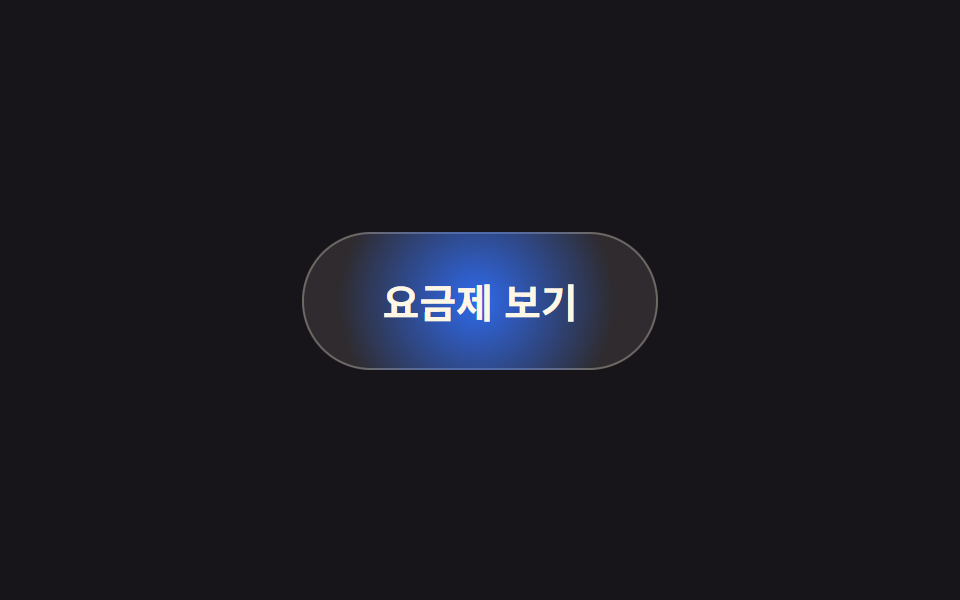 css 버튼 hover 효과 모음 9종 — 수상작에서 반복되는 기법css 버튼 hover 효과 모음은 마우스를 올렸을 때 버튼이 어떻게 반응하는지를 기법별로 나눠 정리한 것입니다. 아홉 개 중 하나는 누르는 순간 버튼 폭이 원으로 줄어 스피너가 돌고, 끝나면 체크가 그려진 뒤 원래 이 글의 데모 전부 보기