08줌 동기화 비교 슬라이더
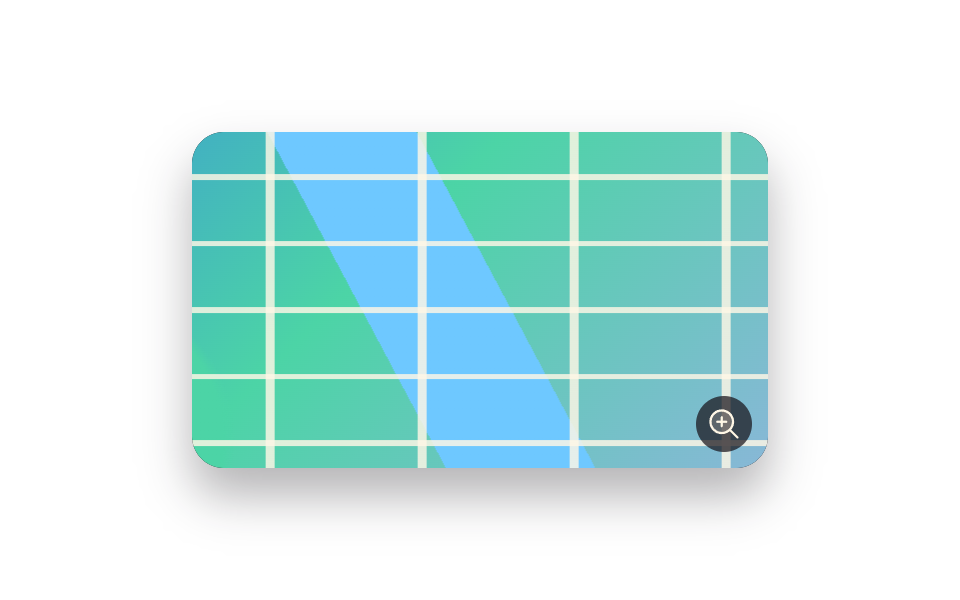
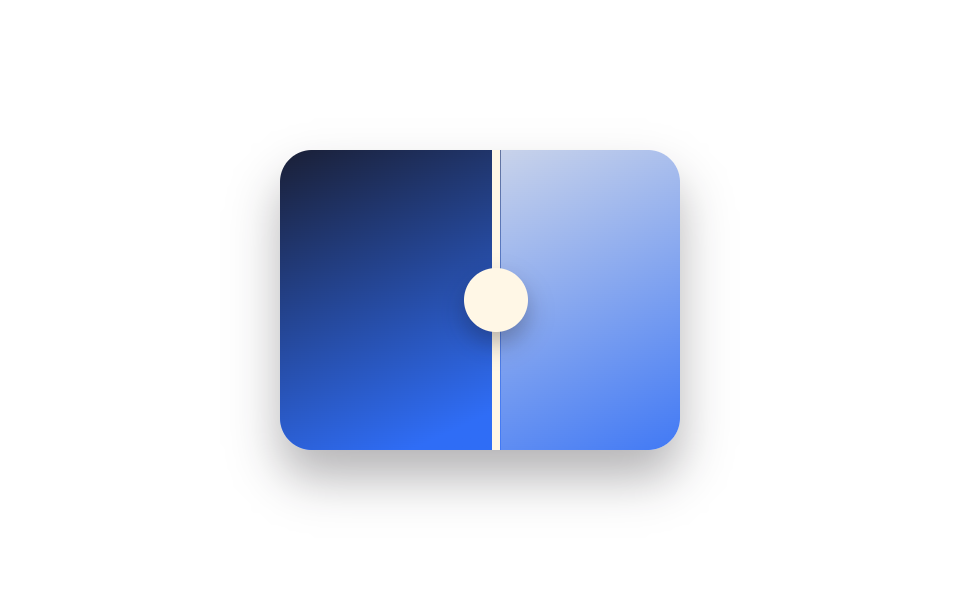
슬라이더 위에서 휠을 굴리면 전·후 두 장이 같은 배율·같은 중심점으로 함께 확대돼, 확대해서 봐도 세부 비교가 어긋나지 않습니다.
쓰임피부 모공·헤어라인처럼 세부를 확대해 봐야 하는 전후 비교, 원단·소재 클로즈업 비교
transform:scale() 동기화wheel 줌transform-origin 고정
<main class="stage">
  <div class="ba is-demo" id="ba">
    <div class="ba__frame">
      <div class="ba__after"></div>
      <div class="ba__before"></div>
    </div>
    <div class="ba__handle"><span class="ba__grip"></span></div>
  </div>
</main>
@use "../../../../site/static/demo-tokens" as *;
$duration: $dur-loop;
$easing: $ease-spring;
$color: $subject-blue;
@property --reveal {
syntax: "<percentage>";
inherits: true;
initial-value: 50%;
}
@property --zoom {
syntax: "<number>";
inherits: true;
initial-value: 1;
}
@include stage($stage-paper);
.ba {
position: relative;
width: 200px;
max-width: 100%;
aspect-ratio: 4 / 3;
border-radius: $r-card;
overflow: hidden;
box-shadow: $shadow-raised;
touch-action: none;
cursor: ew-resize;
--reveal: 50%;
--zoom: 1;
}
.ba__frame {
position: absolute;
inset: 0;
overflow: hidden;
}
.ba__after,
.ba__before {
position: absolute;
inset: 0;
transform: scale(var(--zoom));
transform-origin: center;
}
.ba__after { background: linear-gradient(155deg, $subject-cream 0%, $color 100%); }
.ba__before {
background: linear-gradient(155deg, $subject-ink 0%, $color 70%);
clip-path: inset(0 calc(100% - var(--reveal)) 0 0);
}
.ba__handle {
position: absolute;
top: 0;
bottom: 0;
left: var(--reveal);
width: $sp-1;
transform: translateX(-50%);
background: $subject-cream;
}
.ba__grip {
position: absolute;
top: 50%;
left: 50%;
width: $sp-8;
height: $sp-8;
border-radius: $r-pill;
background: $subject-cream;
transform: translate(-50%, -50%);
box-shadow: $shadow-press;
}
.ba.is-demo { animation: reveal-loop $dur-loop $easing infinite; }
@keyframes reveal-loop {
0%, 8% { --reveal: 30%; --zoom: 1; }
50% { --reveal: 70%; --zoom: 1.35; }
92%, 100% { --reveal: 30%; --zoom: 1; }
}
@media (prefers-reduced-motion: reduce) {
.ba.is-demo { animation: none; --reveal: 50%; --zoom: 1; }
}@property --reveal {
syntax: "<percentage>";
inherits: true;
initial-value: 50%;
}
@property --zoom {
syntax: "<number>";
inherits: true;
initial-value: 1;
}
html, body {
margin: 0;
overflow: hidden;
}
.stage {
box-sizing: border-box;
min-height: 100vh;
display: grid;
place-items: center;
margin: 0;
background: #ffffff;
font-family: -apple-system, "Segoe UI", "Noto Sans KR", sans-serif;
padding: clamp(8px, 4vw, 24px);
}
.ba {
position: relative;
width: 200px;
max-width: 100%;
aspect-ratio: 4/3;
border-radius: 16px;
overflow: hidden;
box-shadow: 0 14px 24px rgba(23, 20, 26, 0.32);
touch-action: none;
cursor: ew-resize;
--reveal: 50%;
--zoom: 1;
}
.ba__frame {
position: absolute;
inset: 0;
overflow: hidden;
}
.ba__after,
.ba__before {
position: absolute;
inset: 0;
transform: scale(var(--zoom));
transform-origin: center;
}
.ba__after {
background: linear-gradient(155deg, #fff7e6 0%, #2f6df6 100%);
}
.ba__before {
background: linear-gradient(155deg, #17141a 0%, #2f6df6 70%);
clip-path: inset(0 calc(100% - var(--reveal)) 0 0);
}
.ba__handle {
position: absolute;
top: 0;
bottom: 0;
left: var(--reveal);
width: 4px;
transform: translateX(-50%);
background: #fff7e6;
}
.ba__grip {
position: absolute;
top: 50%;
left: 50%;
width: 32px;
height: 32px;
border-radius: 999px;
background: #fff7e6;
transform: translate(-50%, -50%);
box-shadow: 0 6px 12px rgba(23, 20, 26, 0.32);
}
.ba.is-demo {
animation: reveal-loop 2s cubic-bezier(0.2, 0.8, 0.2, 1) infinite;
}
@keyframes reveal-loop {
0%, 8% {
--reveal: 30%;
--zoom: 1;
}
50% {
--reveal: 70%;
--zoom: 1.35;
}
92%, 100% {
--reveal: 30%;
--zoom: 1;
}
}
@media (prefers-reduced-motion: reduce) {
.ba.is-demo {
animation: none;
--reveal: 50%;
--zoom: 1;
}
}(function () {
var el = document.getElementById("ba");
var dragging = false;
function setReveal(pct) {
pct = Math.max(0, Math.min(100, pct));
el.style.setProperty("--reveal", pct + "%");
}
function setZoom(z) {
z = Math.max(1, Math.min(2.2, z));
el.style.setProperty("--zoom", z.toFixed(2));
}
function fromX(x) {
var r = el.getBoundingClientRect();
return ((x - r.left) / r.width) * 100;
}
el.addEventListener("pointerdown", function (e) {
el.classList.remove("is-demo");
dragging = true;
el.setPointerCapture(e.pointerId);
setReveal(fromX(e.clientX));
});
el.addEventListener("pointermove", function (e) { if (dragging) setReveal(fromX(e.clientX)); });
el.addEventListener("pointerup", function () { dragging = false; });
el.addEventListener("wheel", function (e) {
el.classList.remove("is-demo");
e.preventDefault();
var cur = parseFloat(getComputedStyle(el).getPropertyValue("--zoom")) || 1;
setZoom(cur + (e.deltaY < 0 ? 0.15 : -0.15));
}, { passive: false });
})();import { useRef, useState, useCallback } from "react";
import type { CSSProperties, PointerEvent } from "react";
import styles from "./BeforeAfterZoomSync.module.scss";
export type BeforeAfterZoomSyncProps = {
duration?: string;
easing?: string;
color?: string;
};
type Vars = CSSProperties & { "--reveal"?: string; "--zoom"?: string };
type WheelEv = { deltaY: number; preventDefault: () => void; [k: string]: any };
/** 휠을 굴리면 전·후 두 장이 같은 배율·중심점으로 함께 확대돼 세부 비교가 어긋나지 않는다. */
export default function BeforeAfterZoomSync({
duration = "2s",
easing = "cubic-bezier(.2,.8,.2,1)",
color = "#2f6df6",
}: BeforeAfterZoomSyncProps) {
const ref = useRef<HTMLDivElement | null>(null);
const [reveal, setReveal] = useState(50);
const [zoom, setZoom] = useState(1);
const [demo, setDemo] = useState(true);
const dragging = useRef(false);
const setFromX = useCallback((x: number) => {
const el = ref.current;
if (!el) return;
const r = el.getBoundingClientRect();
setReveal(Math.max(0, Math.min(100, ((x - r.left) / r.width) * 100)));
}, []);
const onDown = useCallback((e: PointerEvent<HTMLDivElement>) => {
setDemo(false);
dragging.current = true;
(e.currentTarget as HTMLDivElement).setPointerCapture(e.pointerId);
setFromX(e.clientX);
}, [setFromX]);
const onMove = useCallback((e: PointerEvent<HTMLDivElement>) => { if (dragging.current) setFromX(e.clientX); }, [setFromX]);
const onUp = useCallback(() => { dragging.current = false; }, []);
const onWheel = useCallback((e: WheelEv) => {
setDemo(false);
e.preventDefault();
setZoom((z) => Math.max(1, Math.min(2.2, z + (e.deltaY < 0 ? 0.15 : -0.15))));
}, []);
const vars: Vars = {
"--reveal": `${reveal}%`,
"--zoom": zoom.toFixed(2),
["--duration" as string]: duration,
["--easing" as string]: easing,
["--color" as string]: color,
};
return (
<div
ref={ref}
className={demo ? `${styles.ba} ${styles.isDemo}` : styles.ba}
style={vars}
onPointerDown={onDown}
onPointerMove={onMove}
onPointerUp={onUp}
onWheel={onWheel}
>
<div className={styles.frame}>
<div className={styles.after} />
<div className={styles.before} />
</div>
<div className={styles.handle}>
<span className={styles.grip} />
</div>
</div>
);
}08 줌 동기화 비교 슬라이더 — 측정 누적면적 15.303% · 움직인 프레임 19/23GODRICH 원작 · zip 에 SCSS·React 포함 · 이미지 비교 슬라이더 UI 9종 — 드래그하면 바로 보이는
이 데모가 속한 글
 이미지 비교 슬라이더 UI 9종 — 드래그하면 바로 보이는이미지 비교 슬라이더는 사진 한 장 위에 다른 사진을 겹쳐 놓고, 경계선을 움직이면 전과 후가 갈라져 보이는 UI입니다. 리모델링·시술 후기 페이지에서 흔히 보지만 클릭 한 번에 바로 켜지는 동작이라 CSS만으로는 이 글의 데모 전부 보기