03상품 갤러리 호버 확대
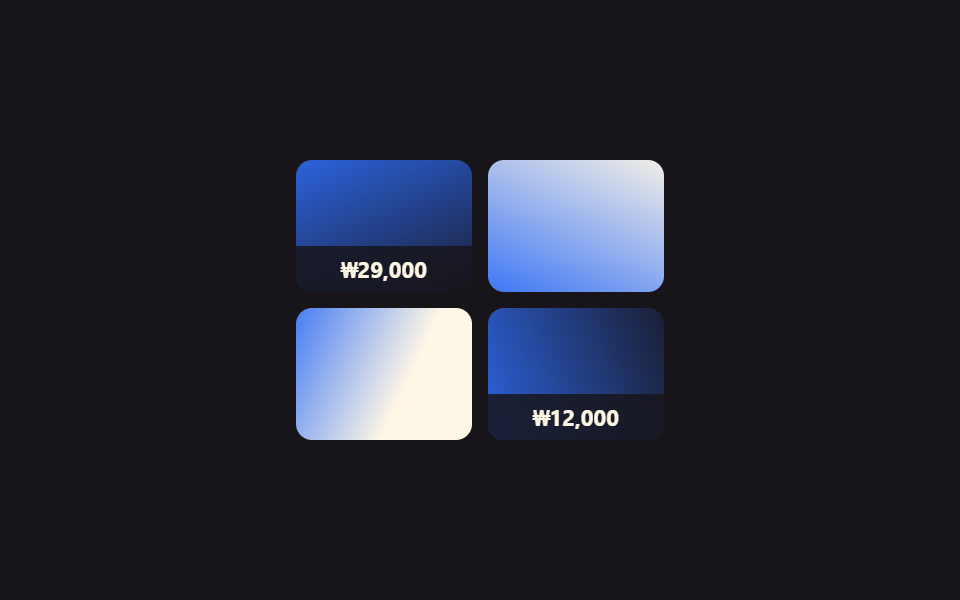
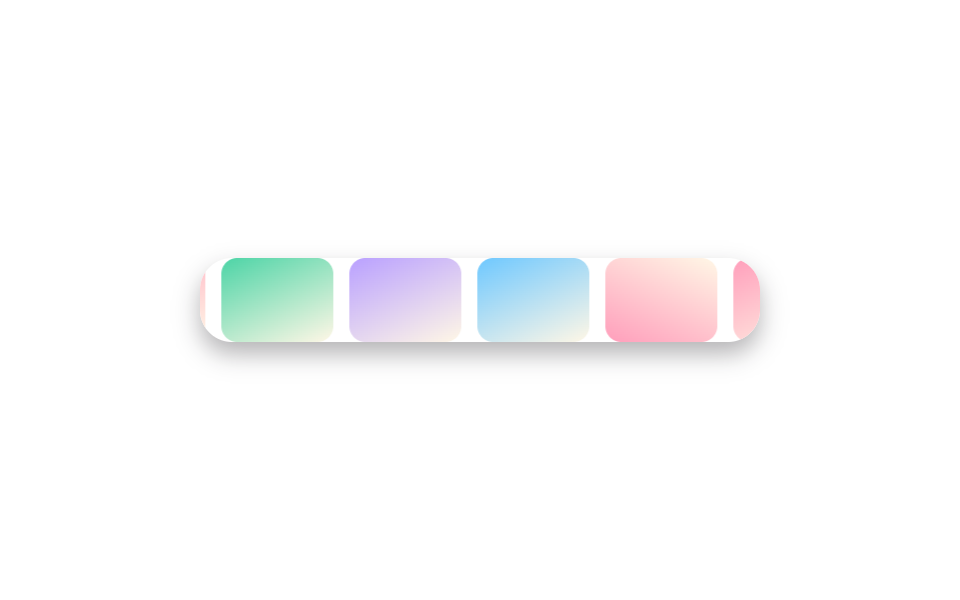
상품 사진 칸에 커서를 올리면 액자 크기는 그대로인 채 안쪽 사진만 확대되고, 동시에 아래에서 가격표가 슬라이드로 올라옵니다.
쓰임쇼핑몰 상품 목록, 가격을 은근히 보여주고 싶은 커머스 랜딩
overflow:hidden 프레임내부 이미지만 scaletranslateY 가격바
<main class="stage">
  <ul class="pgallery is-demo" aria-label="상품 갤러리">
    <li class="pcard" tabindex="0"><span class="pcard__img pcard__img--a"></span><span class="pcard__price">₩29,000</span></li>
    <li class="pcard" tabindex="0"><span class="pcard__img pcard__img--b"></span><span class="pcard__price">₩18,000</span></li>
    <li class="pcard" tabindex="0"><span class="pcard__img pcard__img--c"></span><span class="pcard__price">₩42,000</span></li>
    <li class="pcard" tabindex="0"><span class="pcard__img pcard__img--d"></span><span class="pcard__price">₩12,000</span></li>
  </ul>
</main>
@use "../../../../site/static/demo-tokens" as *;
$duration: $dur-base; // 확대·가격바 애니메이션 시간
$easing: $ease-out;
$color: $subject-blue; // 사진 그러데이션 포인트
@include stage($stage-ink);
.pgallery {
display: grid;
grid-template-columns: repeat(2, 1fr);
gap: $sp-2;
list-style: none;
margin: 0;
padding: 0;
width: 184px;
max-width: 100%;
}
.pcard {
position: relative;
aspect-ratio: 4 / 3;
overflow: hidden;
border-radius: $r-sm;
outline: none;
cursor: pointer;
}
.pcard__img {
position: absolute;
inset: -8%;
transition: transform $duration $easing;
}
.pcard__img--a { background: linear-gradient(155deg, $color 0%, $stage-ink 100%); }
.pcard__img--b { background: linear-gradient(205deg, $subject-cream 0%, $color 100%); }
.pcard__img--c { background: linear-gradient(115deg, $color 0%, $subject-cream 60%); }
.pcard__img--d { background: linear-gradient(250deg, $stage-ink 0%, $color 100%); }
.pcard__price {
position: absolute;
left: 0; right: 0; bottom: 0;
padding: $sp-1 $sp-2;
background: rgba(23, 20, 26, .84);
color: $subject-cream;
font: 700 11px/1.4 -apple-system, "Segoe UI", "Noto Sans KR", sans-serif;
font-family: inherit;
text-align: center;
transform: translateY(100%);
transition: transform $duration $easing;
}
.pcard:hover .pcard__img, .pcard:focus-visible .pcard__img { transform: scale(1.14); }
.pcard:hover .pcard__price, .pcard:focus-visible .pcard__price { transform: translateY(0); }
.pgallery.is-demo .pcard__img,
.pgallery.is-demo .pcard__price { animation-duration: $duration; animation-timing-function: $easing; animation-iteration-count: infinite; }
.pgallery.is-demo .pcard:nth-child(1) .pcard__img { animation-name: zoom-loop; }
.pgallery.is-demo .pcard:nth-child(1) .pcard__price { animation-name: price-loop; }
.pgallery.is-demo .pcard:nth-child(2) .pcard__img { animation-name: zoom-loop; animation-delay: -0.5s; }
.pgallery.is-demo .pcard:nth-child(2) .pcard__price { animation-name: price-loop; animation-delay: -0.5s; }
.pgallery.is-demo .pcard:nth-child(3) .pcard__img { animation-name: zoom-loop; animation-delay: -1s; }
.pgallery.is-demo .pcard:nth-child(3) .pcard__price { animation-name: price-loop; animation-delay: -1s; }
.pgallery.is-demo .pcard:nth-child(4) .pcard__img { animation-name: zoom-loop; animation-delay: -1.5s; }
.pgallery.is-demo .pcard:nth-child(4) .pcard__price { animation-name: price-loop; animation-delay: -1.5s; }
@keyframes zoom-loop {
0%, 10% { transform: scale(1); }
25%, 35% { transform: scale(1.14); }
50%, 100% { transform: scale(1); }
}
@keyframes price-loop {
0%, 10% { transform: translateY(100%); }
25%, 35% { transform: translateY(0); }
50%, 100% { transform: translateY(100%); }
}
@media (hover: none) {
.pcard:active .pcard__img { transform: scale(1.14); }
.pcard:active .pcard__price { transform: translateY(0); }
}
@media (prefers-reduced-motion: reduce) {
.pcard__img, .pcard__price { transition: none; }
.pgallery.is-demo .pcard__img, .pgallery.is-demo .pcard__price { animation: none; }
}html, body {
margin: 0;
overflow: hidden;
}
.stage {
box-sizing: border-box;
min-height: 100vh;
display: grid;
place-items: center;
margin: 0;
background: #17141a;
font-family: -apple-system, "Segoe UI", "Noto Sans KR", sans-serif;
padding: clamp(8px, 4vw, 24px);
}
.pgallery {
display: grid;
grid-template-columns: repeat(2, 1fr);
gap: 8px;
list-style: none;
margin: 0;
padding: 0;
width: 184px;
max-width: 100%;
}
.pcard {
position: relative;
aspect-ratio: 4/3;
overflow: hidden;
border-radius: 8px;
outline: none;
cursor: pointer;
}
.pcard__img {
position: absolute;
inset: -8%;
transition: transform 300ms ease-out;
}
.pcard__img--a {
background: linear-gradient(155deg, #2f6df6 0%, #17141a 100%);
}
.pcard__img--b {
background: linear-gradient(205deg, #fff7e6 0%, #2f6df6 100%);
}
.pcard__img--c {
background: linear-gradient(115deg, #2f6df6 0%, #fff7e6 60%);
}
.pcard__img--d {
background: linear-gradient(250deg, #17141a 0%, #2f6df6 100%);
}
.pcard__price {
position: absolute;
left: 0;
right: 0;
bottom: 0;
padding: 4px 8px;
background: rgba(23, 20, 26, 0.84);
color: #fff7e6;
font: 700 11px/1.4 -apple-system, "Segoe UI", "Noto Sans KR", sans-serif;
font-family: inherit;
text-align: center;
transform: translateY(100%);
transition: transform 300ms ease-out;
}
.pcard:hover .pcard__img, .pcard:focus-visible .pcard__img {
transform: scale(1.14);
}
.pcard:hover .pcard__price, .pcard:focus-visible .pcard__price {
transform: translateY(0);
}
.pgallery.is-demo .pcard__img,
.pgallery.is-demo .pcard__price {
animation-duration: 300ms;
animation-timing-function: ease-out;
animation-iteration-count: infinite;
}
.pgallery.is-demo .pcard:nth-child(1) .pcard__img {
animation-name: zoom-loop;
}
.pgallery.is-demo .pcard:nth-child(1) .pcard__price {
animation-name: price-loop;
}
.pgallery.is-demo .pcard:nth-child(2) .pcard__img {
animation-name: zoom-loop;
animation-delay: -0.5s;
}
.pgallery.is-demo .pcard:nth-child(2) .pcard__price {
animation-name: price-loop;
animation-delay: -0.5s;
}
.pgallery.is-demo .pcard:nth-child(3) .pcard__img {
animation-name: zoom-loop;
animation-delay: -1s;
}
.pgallery.is-demo .pcard:nth-child(3) .pcard__price {
animation-name: price-loop;
animation-delay: -1s;
}
.pgallery.is-demo .pcard:nth-child(4) .pcard__img {
animation-name: zoom-loop;
animation-delay: -1.5s;
}
.pgallery.is-demo .pcard:nth-child(4) .pcard__price {
animation-name: price-loop;
animation-delay: -1.5s;
}
@keyframes zoom-loop {
0%, 10% {
transform: scale(1);
}
25%, 35% {
transform: scale(1.14);
}
50%, 100% {
transform: scale(1);
}
}
@keyframes price-loop {
0%, 10% {
transform: translateY(100%);
}
25%, 35% {
transform: translateY(0);
}
50%, 100% {
transform: translateY(100%);
}
}
@media (hover: none) {
.pcard:active .pcard__img {
transform: scale(1.14);
}
.pcard:active .pcard__price {
transform: translateY(0);
}
}
@media (prefers-reduced-motion: reduce) {
.pcard__img, .pcard__price {
transition: none;
}
.pgallery.is-demo .pcard__img, .pgallery.is-demo .pcard__price {
animation: none;
}
}import type { CSSProperties } from "react";
import styles from "./HoverZoomProductGallery.module.scss";
export type HoverZoomProductGalleryProps = {
duration?: number;
easing?: string;
/** 사진 그러데이션 포인트 색 */
color?: string;
};
type Vars = CSSProperties & { "--duration"?: string; "--easing"?: string; "--color"?: string };
const PRODUCTS = [
{ tone: "a", price: "$29" },
{ tone: "b", price: "$18" },
{ tone: "c", price: "$42" },
{ tone: "d", price: "$12" },
];
/** 커서를 올리면 액자는 그대로인 채 안쪽 사진만 확대되고, 아래에서 가격표가 슬라이드로 올라온다 */
export default function HoverZoomProductGallery({
duration = 300,
easing = "ease-out",
color = "#2f6df6",
}: HoverZoomProductGalleryProps) {
const vars: Vars = { "--duration": `${duration}ms`, "--easing": easing, "--color": color };
return (
<ul className={styles.gallery} style={vars} aria-label="Product gallery">
{PRODUCTS.map((p, i) => (
<li key={i} className={styles.card} tabIndex={0}>
<span className={`${styles.img} ${styles["img-" + p.tone]}`} />
<span className={styles.price}>{p.price}</span>
</li>
))}
</ul>
);
}03 상품 갤러리 호버 확대 — 측정 누적면적 5.825% · 움직인 프레임 23/23GODRICH 원작 · zip 에 SCSS·React 포함 · 포트폴리오 갤러리 UI 9종 — 드래그 정렬부터 모프 전환까지
이 데모가 속한 글
 포트폴리오 갤러리 UI 9종 — 드래그 정렬부터 모프 전환까지포트폴리오 갤러리는 사진이나 작업물을 격자로 늘어놓고, 마우스를 올리거나 클릭했을 때 확대·정렬·전환이 일어나는 화면입니다. 핀터레스트에 저장해 둔 그 포트폴리오 갤러리를 아홉 가지 방식으로 나눠 그대로 코드로 드립 이 글의 데모 전부 보기