02휠로 당기고 끌어서 옮기는 뷰어
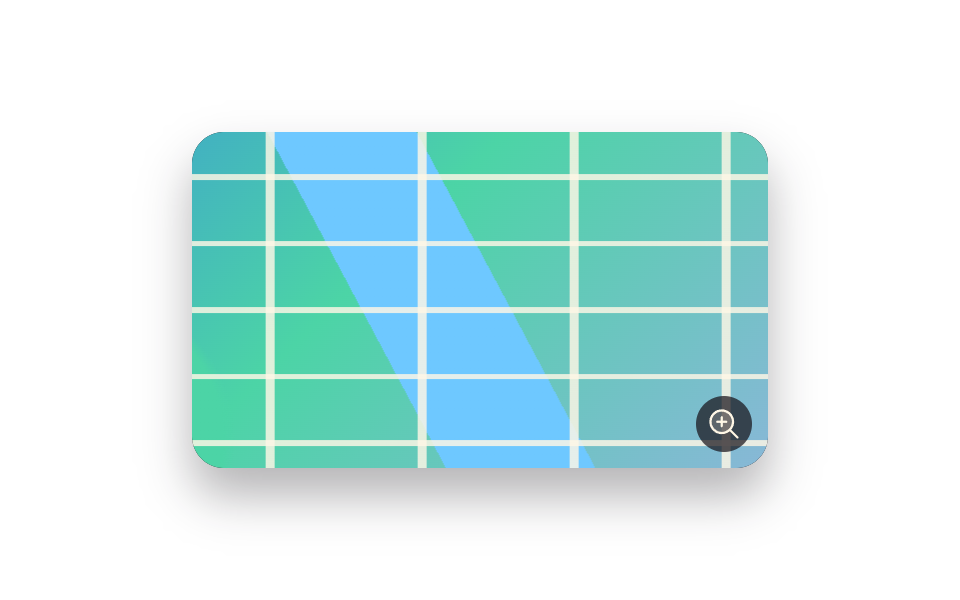
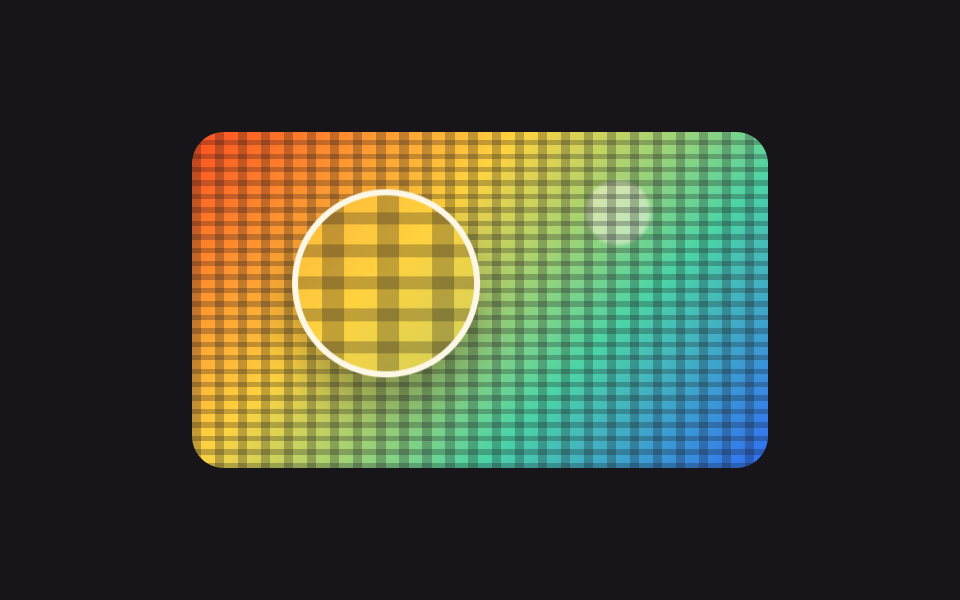
휠을 굴리면 배율이 1배에서 3배 사이로 오르내리고, 끌면 그림이 따라옵니다. 옮길 수 있는 거리는 Math.min 과 Math.max 로 잘라 두어 아무리 끌어도 빈 여백이 보이지 않습니다.
쓰임도면·지도·스크린샷처럼 한 화면에 다 안 들어오는 이미지
transform-originwheelMath.min
<main class="stage">
  <div class="zp is-demo" id="zp">
    <div class="zp__view" id="zp-view" tabindex="0" role="img" aria-label="도시 지도. 휠로 확대하고 화살표 키로 옮깁니다">
      <div class="zp__layer" id="zp-layer"></div>
      <span class="zp__badge" aria-hidden="true"><svg viewBox="0 0 256 256" width="18" height="18"><g fill="currentColor"><path d="M192 112a80 80 0 1 1-80-80a80 80 0 0 1 80 80" opacity=".2"/><path d="m229.66 218.34l-50.06-50.06a88.21 88.21 0 1 0-11.32 11.31l50.06 50.07a8 8 0 0 0 11.32-11.32M40 112a72 72 0 1 1 72 72a72.08 72.08 0 0 1-72-72m112 0a8 8 0 0 1-8 8h-24v24a8 8 0 0 1-16 0v-24H80a8 8 0 0 1 0-16h24V80a8 8 0 0 1 16 0v24h24a8 8 0 0 1 8 8"/></g></svg></span>
    </div>
  </div>
</main>
@use "../../../../site/static/demo-tokens" as *;
$duration: $dur-base;
$easing: $ease-spring;
$color: $subject-blue;
@include stage($stage-paper);
// 가짜 사진 — 파일 없이 그린 도시 지도. 골목이 촘촘해서 당길수록 볼 것이 늘어난다
$map:
repeating-linear-gradient(0deg, rgba(255, 247, 230, .82) 0 .7%, transparent .7% 9%),
repeating-linear-gradient(90deg, rgba(255, 247, 230, .82) 0 .7%, transparent .7% 12%),
linear-gradient(62deg, transparent 0 44%, $subject-sky 44% 53%, transparent 53%),
radial-gradient(circle at 22% 72%, $subject-mint 0 12%, transparent 13%),
linear-gradient(135deg, $subject-blue 0%, $subject-mint 46%, $subject-lilac 100%);
.zp { position: relative; }
.zp__view {
position: relative;
box-sizing: border-box;
width: 288px;
height: 168px;
overflow: hidden;
border-radius: $r-card;
background: $stage-ink;
box-shadow: $shadow-raised;
cursor: grab;
touch-action: none;
}
.zp__view:focus-visible { outline: 3px solid $color; outline-offset: 2px; }
.zp__layer {
width: 100%;
height: 100%;
background: $map;
transform-origin: center center;
transform: scale(1) translate(0, 0);
}
.zp__badge {
position: absolute;
right: $sp-2;
bottom: $sp-2;
display: inline-flex;
width: 28px;
height: 28px;
align-items: center;
justify-content: center;
border-radius: 50%;
background: rgba(23, 20, 26, .72);
color: $subject-cream;
pointer-events: none;
}
// ── 자동 루프 (2s) ────────────────────────────────────
// 1배에서 2.2배까지 당겼다가 두 곳을 둘러보고 다시 1배로 돌아온다. 끝과 처음이 같은 값이다
.zp.is-demo .zp__layer {
animation-name: zp-pan;
animation-duration: $dur-loop;
animation-timing-function: $easing;
animation-iteration-count: infinite;
}
@keyframes zp-pan {
0% { transform: scale(1) translate(0, 0); }
30% { transform: scale(2.2) translate(-38px, -22px); }
62% { transform: scale(2.2) translate(34px, 18px); }
100% { transform: scale(1) translate(0, 0); }
}
@media (prefers-reduced-motion: reduce) {
.zp.is-demo .zp__layer { animation: none !important; transform: scale(1.6) translate(0, 0); }
}html, body {
margin: 0;
overflow: hidden;
}
.stage {
box-sizing: border-box;
min-height: 100vh;
display: grid;
place-items: center;
margin: 0;
background: #ffffff;
font-family: -apple-system, "Segoe UI", "Noto Sans KR", sans-serif;
padding: clamp(8px, 4vw, 24px);
}
.zp {
position: relative;
}
.zp__view {
position: relative;
box-sizing: border-box;
width: 288px;
height: 168px;
overflow: hidden;
border-radius: 16px;
background: #17141a;
box-shadow: 0 14px 24px rgba(23, 20, 26, 0.32);
cursor: grab;
touch-action: none;
}
.zp__view:focus-visible {
outline: 3px solid #2f6df6;
outline-offset: 2px;
}
.zp__layer {
width: 100%;
height: 100%;
background: repeating-linear-gradient(0deg, rgba(255, 247, 230, 0.82) 0 0.7%, transparent 0.7% 9%), repeating-linear-gradient(90deg, rgba(255, 247, 230, 0.82) 0 0.7%, transparent 0.7% 12%), linear-gradient(62deg, transparent 0 44%, #6ec8ff 44% 53%, transparent 53%), radial-gradient(circle at 22% 72%, #4cd4a6 0 12%, transparent 13%), linear-gradient(135deg, #2f6df6 0%, #4cd4a6 46%, #b9a0ff 100%);
transform-origin: center center;
transform: scale(1) translate(0, 0);
}
.zp__badge {
position: absolute;
right: 8px;
bottom: 8px;
display: inline-flex;
width: 28px;
height: 28px;
align-items: center;
justify-content: center;
border-radius: 50%;
background: rgba(23, 20, 26, 0.72);
color: #fff7e6;
pointer-events: none;
}
.zp.is-demo .zp__layer {
animation-name: zp-pan;
animation-duration: 2s;
animation-timing-function: cubic-bezier(0.2, 0.8, 0.2, 1);
animation-iteration-count: infinite;
}
@keyframes zp-pan {
0% {
transform: scale(1) translate(0, 0);
}
30% {
transform: scale(2.2) translate(-38px, -22px);
}
62% {
transform: scale(2.2) translate(34px, 18px);
}
100% {
transform: scale(1) translate(0, 0);
}
}
@media (prefers-reduced-motion: reduce) {
.zp.is-demo .zp__layer {
animation: none !important;
transform: scale(1.6) translate(0, 0);
}
}// 실제 동작: 휠은 배율, 드래그는 위치. 옮길 수 있는 거리는 배율에서 계산해 잘라 낸다.
var zp = document.getElementById('zp');
var zpView = document.getElementById('zp-view');
var zpLayer = document.getElementById('zp-layer');
var zpScale = 1, zpX = 0, zpY = 0, zpDrag = null;
function zpPaint() {
var box = zpView.getBoundingClientRect();
var maxX = box.width * (zpScale - 1) / 2 / zpScale;
var maxY = box.height * (zpScale - 1) / 2 / zpScale;
zpX = Math.min(Math.max(zpX, -maxX), maxX);
zpY = Math.min(Math.max(zpY, -maxY), maxY);
zpLayer.style.transform = 'scale(' + zpScale + ') translate(' + zpX + 'px,' + zpY + 'px)';
}
function zpZoom(d) { zp.classList.remove('is-demo'); zpScale = Math.min(Math.max(zpScale + d, 1), 3); zpPaint(); }
zpView.addEventListener('wheel', function (e) { e.preventDefault(); zpZoom(-e.deltaY / 400); }, { passive: false });
zpView.addEventListener('pointerdown', function (e) {
zp.classList.remove('is-demo');
zpDrag = { x: e.clientX, y: e.clientY };
zpView.setPointerCapture(e.pointerId);
});
zpView.addEventListener('pointermove', function (e) {
if (!zpDrag) return;
zpX += (e.clientX - zpDrag.x) / zpScale;
zpY += (e.clientY - zpDrag.y) / zpScale;
zpDrag = { x: e.clientX, y: e.clientY };
zpPaint();
});
zpView.addEventListener('pointerup', function () { zpDrag = null; });
zpView.addEventListener('keydown', function (e) {
var pan = { ArrowLeft: [24, 0], ArrowRight: [-24, 0], ArrowUp: [0, 24], ArrowDown: [0, -24] }[e.key];
if (pan) { e.preventDefault(); zp.classList.remove('is-demo'); zpX += pan[0]; zpY += pan[1]; zpPaint(); }
if (e.key === '+' || e.key === '=') { e.preventDefault(); zpZoom(0.4); }
if (e.key === '-') { e.preventDefault(); zpZoom(-0.4); }
});import { useRef, useState } from "react";
import type { CSSProperties } from "react";
import styles from "./WheelZoomPan.module.scss";
export type WheelZoomPanProps = {
label?: string;
minScale?: number;
maxScale?: number;
/** 자동 재생 루프 (갤러리용). 사람이 손대면 꺼진다 */
demo?: boolean;
duration?: number;
easing?: string;
color?: string;
};
type Vars = CSSProperties & { "--duration"?: string; "--easing"?: string; "--color"?: string };
type WheelEvt = { deltaY: number; preventDefault: () => void };
type DragEvt = { clientX: number; clientY: number; pointerId: number };
type KeyEvt = { key: string; preventDefault: () => void };
const clamp = (v: number, lo: number, hi: number) => Math.min(Math.max(v, lo), hi);
export default function WheelZoomPan({
label = "City map. Zoom with the wheel, pan with the arrow keys",
minScale = 1,
maxScale = 3,
demo = true,
duration = 300,
easing = "cubic-bezier(.2,.8,.2,1)",
color = "#2f6df6",
}: WheelZoomPanProps) {
const view = useRef<HTMLDivElement>(null);
const drag = useRef<{ x: number; y: number } | null>(null);
const [live, setLive] = useState(demo);
const [scale, setScale] = useState(1);
const [at, setAt] = useState({ x: 0, y: 0 });
function fit(next: number, x: number, y: number) {
const box = view.current ? view.current.getBoundingClientRect() : null;
const w = box ? box.width : 288;
const h = box ? box.height : 168;
const maxX = (w * (next - 1)) / 2 / next;
const maxY = (h * (next - 1)) / 2 / next;
setLive(false);
setScale(next);
setAt({ x: clamp(x, -maxX, maxX), y: clamp(y, -maxY, maxY) });
}
const vars: Vars = { "--duration": `${duration}ms`, "--easing": easing, "--color": color };
const layer: CSSProperties = { transform: `scale(${scale}) translate(${at.x}px,${at.y}px)` };
return (
<div className={[styles.root, live ? styles.isDemo : ""].join(" ")} style={vars}>
<div
className={styles.view}
ref={view}
tabIndex={0}
role="img"
aria-label={label}
onWheel={(e: WheelEvt) => {
e.preventDefault();
fit(clamp(scale - e.deltaY / 400, minScale, maxScale), at.x, at.y);
}}
onPointerDown={(e: DragEvt) => { drag.current = { x: e.clientX, y: e.clientY }; }}
onPointerMove={(e: DragEvt) => {
const d = drag.current;
if (!d) return;
fit(scale, at.x + (e.clientX - d.x) / scale, at.y + (e.clientY - d.y) / scale);
drag.current = { x: e.clientX, y: e.clientY };
}}
onPointerUp={() => { drag.current = null; }}
onKeyDown={(e: KeyEvt) => {
const pan: { [k: string]: number[] } = {
ArrowLeft: [24, 0], ArrowRight: [-24, 0], ArrowUp: [0, 24], ArrowDown: [0, -24],
};
if (pan[e.key]) {
e.preventDefault();
fit(scale, at.x + pan[e.key][0], at.y + pan[e.key][1]);
}
if (e.key === "+" || e.key === "=") { e.preventDefault(); fit(clamp(scale + 0.4, minScale, maxScale), at.x, at.y); }
if (e.key === "-") { e.preventDefault(); fit(clamp(scale - 0.4, minScale, maxScale), at.x, at.y); }
}}
>
<div className={styles.layer} style={live ? undefined : layer} />
<span className={styles.badge} aria-hidden="true" />
</div>
</div>
);
}02 휠로 당기고 끌어서 옮기는 뷰어 — 측정 누적면적 33.417% · 움직인 프레임 23/23GODRICH 원작 · zip 에 SCSS·React 포함 · 이미지 확대 보기 UI 9종 — 사진 파일 없이 만드는 뷰어
이 데모가 속한 글
 이미지 확대 보기 UI 9종 — 사진 파일 없이 만드는 뷰어이미지 확대 보기는 한 장의 그림을 크게 키우거나, 돌리거나, 한 부분만 짚어 보게 해 주는 화면 장치입니다. 아홉 개 모두 실제로 움직이며, 사진 파일은 한 장도 쓰지 않고 그라디언트로만 그렸습니다. 이 글의 데모 전부 보기