03보안 코드 초점 값 전환 — 보안 코드 칸의 초점 값이 켜지면 카드 뒷면을 보여주는 값으로 화면이 바뀌는 방식
보안 코드 칸의 초점 값이 켜지면 카드 앞면 값이 뒷면 값으로 바뀌어 보이고, 초점 값이 꺼지면 다시 앞면 값으로 돌아갑니다.
쓰임결제 폼의 CVC 입력 칸, 카드 등록 화면의 보안 코드 안내
setFlippedcv__input--focus$ease-lerp-settle
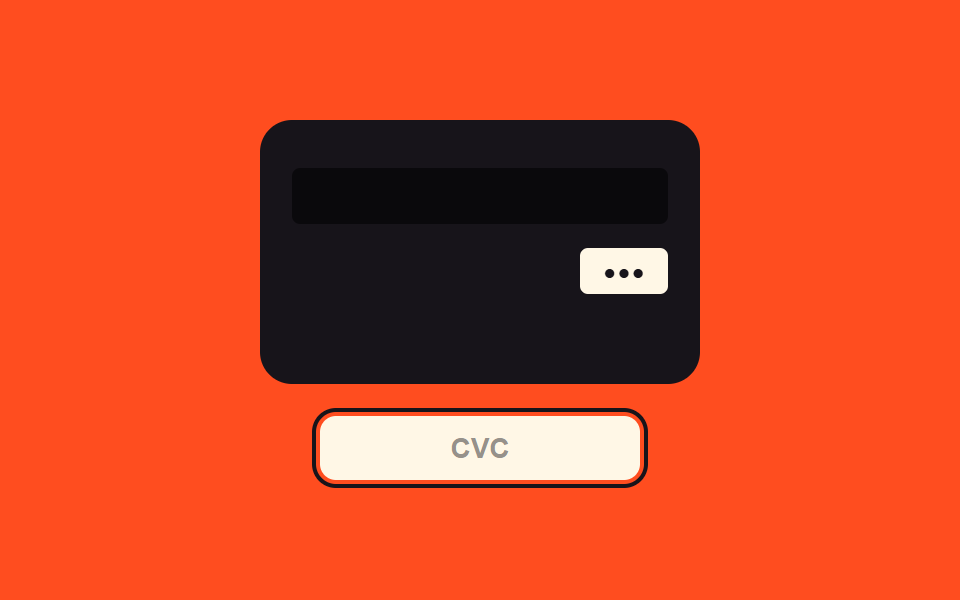
<main class="stage">
<div class="cv is-demo" id="cv">
  <div class="cv__scene">
    <div class="cv__card" id="cvCard">
      <div class="cv__face cv__face--front">
        <span class="cv__chipIcon"></span>
        <span class="cv__num">9999 99•• •••• 9995</span>
        <span class="cv__exp">12/29</span>
      </div>
      <div class="cv__face cv__face--back">
        <span class="cv__strip"></span>
        <span class="cv__cvcRow"><span class="cv__cvcBox" id="cvBox">•••</span></span>
      </div>
    </div>
  </div>
  <label class="cv__field">
    <input class="cv__input" id="cvInput" type="text" inputmode="numeric" autocomplete="off" spellcheck="false" maxlength="3" placeholder="CVC">
  </label>
</div>
</main>
@use "../../../../site/static/demo-tokens" as *;
// 계산 겹: 초점 값 on/off → 3D 회전 각 값이 스프링 곡선을 타고 넘겼다가 정착한다(index.html).
@include stage($stage-orange);
.cv {
width: 100%;
max-width: 300px;
display: grid;
gap: $sp-4;
justify-items: center;
}
.cv__scene {
width: 220px;
height: 132px;
perspective: 800px;
}
.cv__card {
position: relative;
width: 100%;
height: 100%;
transform-style: preserve-3d;
transform: rotateY(0deg);
transition: transform $dur-enter $ease-lerp-settle;
}
.cv__card--flipped { transform: rotateY(180deg); }
.cv__face {
position: absolute;
inset: 0;
box-sizing: border-box;
border-radius: $r-card;
backface-visibility: hidden;
padding: $sp-4;
display: grid;
color: $subject-cream;
}
.cv__face--front {
background: $subject-ink;
align-content: space-between;
}
.cv__face--back {
background: $subject-ink;
transform: rotateY(180deg);
align-content: start;
gap: $sp-3;
}
.cv__chipIcon {
width: 28px;
height: 20px;
border-radius: $r-xs;
background: rgba($subject-cream, .7);
}
.cv__num {
font-family: "SFMono-Regular", Consolas, monospace;
font-weight: 600;
font-size: 15px;
letter-spacing: .05em;
}
.cv__exp {
font-family: "SFMono-Regular", Consolas, monospace;
font-weight: 600;
font-size: 12px;
color: rgba($subject-cream, .7);
}
.cv__strip {
display: block;
width: 100%;
height: 28px;
margin-top: $sp-2;
background: rgba(0, 0, 0, .55);
border-radius: $r-xs;
}
.cv__cvcRow { display: flex; justify-content: flex-end; }
.cv__cvcBox {
min-width: 44px;
box-sizing: border-box;
padding: $sp-1 $sp-2;
border-radius: $r-xs;
background: $subject-cream;
color: $subject-ink;
font-family: "SFMono-Regular", Consolas, monospace;
font-weight: 700;
font-size: 13px;
text-align: center;
}
.cv__field { width: 100%; max-width: 160px; }
.cv__input {
width: 100%;
box-sizing: border-box;
padding: $sp-2 $sp-3;
border-radius: $r-sm;
border: 0;
background: $subject-cream;
color: $subject-ink;
font-weight: 600;
font-size: 14px;
text-align: center;
&::placeholder { color: rgba($subject-ink, .45); }
&:focus, &.cv__input--focus { outline: 2px solid $subject-ink; outline-offset: 2px; }
}
@media (max-width: 340px) {
.cv__scene { width: 190px; height: 114px; }
}
@media (prefers-reduced-motion: reduce) {
.cv__card { transition: none; }
}html, body {
margin: 0;
overflow: hidden;
}
.stage {
box-sizing: border-box;
min-height: 100vh;
display: grid;
place-items: center;
margin: 0;
background: #ff4d1f;
font-family: -apple-system, "Segoe UI", "Noto Sans KR", sans-serif;
padding: clamp(8px, 4vw, 24px);
}
.cv {
width: 100%;
max-width: 300px;
display: grid;
gap: 16px;
justify-items: center;
}
.cv__scene {
width: 220px;
height: 132px;
perspective: 800px;
}
.cv__card {
position: relative;
width: 100%;
height: 100%;
transform-style: preserve-3d;
transform: rotateY(0deg);
transition: transform 600ms linear(0, 0.051, 0.176, 0.341, 0.518, 0.685, 0.831, 0.947, 1.032, 1.087, 1.117, 1.126, 1.121, 1.105, 1.085, 1.062, 1.041, 1.022, 1.008, 0.997, 1);
}
.cv__card--flipped {
transform: rotateY(180deg);
}
.cv__face {
position: absolute;
inset: 0;
box-sizing: border-box;
border-radius: 16px;
backface-visibility: hidden;
padding: 16px;
display: grid;
color: #fff7e6;
}
.cv__face--front {
background: #17141a;
align-content: space-between;
}
.cv__face--back {
background: #17141a;
transform: rotateY(180deg);
align-content: start;
gap: 12px;
}
.cv__chipIcon {
width: 28px;
height: 20px;
border-radius: 4px;
background: rgba(255, 247, 230, 0.7);
}
.cv__num {
font-family: "SFMono-Regular", Consolas, monospace;
font-weight: 600;
font-size: 15px;
letter-spacing: 0.05em;
}
.cv__exp {
font-family: "SFMono-Regular", Consolas, monospace;
font-weight: 600;
font-size: 12px;
color: rgba(255, 247, 230, 0.7);
}
.cv__strip {
display: block;
width: 100%;
height: 28px;
margin-top: 8px;
background: rgba(0, 0, 0, 0.55);
border-radius: 4px;
}
.cv__cvcRow {
display: flex;
justify-content: flex-end;
}
.cv__cvcBox {
min-width: 44px;
box-sizing: border-box;
padding: 4px 8px;
border-radius: 4px;
background: #fff7e6;
color: #17141a;
font-family: "SFMono-Regular", Consolas, monospace;
font-weight: 700;
font-size: 13px;
text-align: center;
}
.cv__field {
width: 100%;
max-width: 160px;
}
.cv__input {
width: 100%;
box-sizing: border-box;
padding: 8px 12px;
border-radius: 8px;
border: 0;
background: #fff7e6;
color: #17141a;
font-weight: 600;
font-size: 14px;
text-align: center;
}
.cv__input::placeholder {
color: rgba(23, 20, 26, 0.45);
}
.cv__input:focus, .cv__input.cv__input--focus {
outline: 2px solid #17141a;
outline-offset: 2px;
}
@media (max-width: 340px) {
.cv__scene {
width: 190px;
height: 114px;
}
}
@media (prefers-reduced-motion: reduce) {
.cv__card {
transition: none;
}
}(function () {
var root = document.getElementById('cv');
var input = document.getElementById('cvInput');
var card = document.getElementById('cvCard');
var box = document.getElementById('cvBox');
// 계산 겹: 초점 값 on/off 에 따라 카드의 3D 회전 각 값이 스프링 곡선($ease-lerp-settle)을
// 타고 180deg 를 넘겼다가 되돌아와 정착한다 — 등속 회전이 아니라 관성 있는 회전.
function setFlipped(on) { card.classList.toggle('cv__card--flipped', on); }
input.addEventListener('focus', function () { root.classList.remove('is-demo'); stopAutoplay(); setFlipped(true); });
input.addEventListener('blur', function () { setFlipped(false); });
input.addEventListener('input', function () {
box.textContent = (input.value.replace(/\D/g, '').slice(0, 3) || '').padEnd(3, '•');
});
// 자동 루프: 초점 on/off 를 시드 간격으로 오간다.
var SEQ = [true, true, false, false];
var si = 0;
var autoTimer = null;
function autoTick() {
var on = SEQ[si];
setFlipped(on);
input.classList.toggle('cv__input--focus', on);
si = (si + 1) % SEQ.length;
}
function stopAutoplay() { if (autoTimer) { clearInterval(autoTimer); autoTimer = null; } }
var reduce = window.matchMedia('(prefers-reduced-motion: reduce)').matches;
if (!reduce) { autoTimer = setInterval(autoTick, 900); autoTick(); }
})();import { useEffect, useRef } from "react";
import styles from "./CvcFlipReveal.module.scss";
type Box<T> = { current: T };
export default function CvcFlipReveal() {
const rootRef = useRef(null) as unknown as Box<HTMLDivElement | null>;
useEffect(() => {
const root = rootRef.current;
if (!root) return;
const input = root.querySelector(`.${styles.input}`) as HTMLInputElement | null;
const card = root.querySelector(`.${styles.card}`) as HTMLElement | null;
const box = root.querySelector(`.${styles.cvcBox}`) as HTMLElement | null;
if (!input || !card || !box) return;
// 계산 겹: 초점 값 on/off 에 따라 카드의 3D 회전 각 값이 스프링 곡선($ease-lerp-settle)을
// 타고 180deg 를 넘겼다가 되돌아와 정착한다 — 등속 회전이 아니라 관성 있는 회전.
function setFlipped(on: boolean) { card!.classList.toggle(styles["card--flipped"], on); }
function onFocus() { root!.classList.remove(styles["is-demo"]); stopAutoplay(); setFlipped(true); }
function onBlur() { setFlipped(false); }
function onInput() {
box!.textContent = (input!.value.replace(/\D/g, "").slice(0, 3) || "").padEnd(3, "•");
}
input.addEventListener("focus", onFocus);
input.addEventListener("blur", onBlur);
input.addEventListener("input", onInput);
// 자동 루프: 초점 on/off 를 시드 간격으로 오간다.
const SEQ = [true, true, false, false];
let si = 0;
let autoTimer: number | null = null;
function autoTick() {
const on = SEQ[si];
setFlipped(on);
input!.classList.toggle(styles["input--focus"], on);
si = (si + 1) % SEQ.length;
}
function stopAutoplay() {
if (autoTimer !== null) { window.clearInterval(autoTimer); autoTimer = null; }
}
const reduce = window.matchMedia("(prefers-reduced-motion: reduce)").matches;
if (!reduce) { autoTimer = window.setInterval(autoTick, 900); autoTick(); }
return () => {
stopAutoplay();
input.removeEventListener("focus", onFocus);
input.removeEventListener("blur", onBlur);
input.removeEventListener("input", onInput);
};
}, []);
return (
<div ref={rootRef} className={`${styles.stage} ${styles.cv} ${styles["is-demo"]}`}>
<div className={styles.scene}>
<div className={styles.card}>
<div className={`${styles.face} ${styles["face--front"]}`}>
<span className={styles.chipIcon} />
<span className={styles.num}>9999 99•• •••• 9995</span>
<span className={styles.exp}>12/29</span>
</div>
<div className={`${styles.face} ${styles["face--back"]}`}>
<span className={styles.strip} />
<span className={styles.cvcRow}><span className={styles.cvcBox}>•••</span></span>
</div>
</div>
</div>
<label className={styles.field}>
<input className={styles.input} type="text" inputMode="numeric" autoComplete="off" spellCheck={false} maxLength={3} placeholder="CVC" />
</label>
</div>
);
}03 보안 코드 초점 값 전환 — 보안 코드 칸의 초점 값이 켜지면 카드 뒷면을 보여주는 값으로 화면이 바뀌는 방식 — 측정 누적면적 17.101% · 움직인 프레임 6/23GODRICH 원작 · zip 에 SCSS·React 포함 · 카드 번호 입력 UI 9종 — 자릿수 값마다 반응이 달라지는 아홉 가지 방식
이 데모가 속한 글
 카드 번호 입력 UI 9종 — 자릿수 값마다 반응이 달라지는 아홉 가지 방식카드 번호 입력 ui는 자릿수 값이 채워지는 상태에 따라 화면 여러 곳의 값이 함께 바뀌는 인터랙션인데, 아홉 개 중 하나는 입력된 숫자 값이 네 자리에 이를 때마다 그 사이 간격 값이 자동으로 생기고, 하나는 자릿 이 글의 데모 전부 보기
이 효과가 마음에 들면 — 비슷한 데모
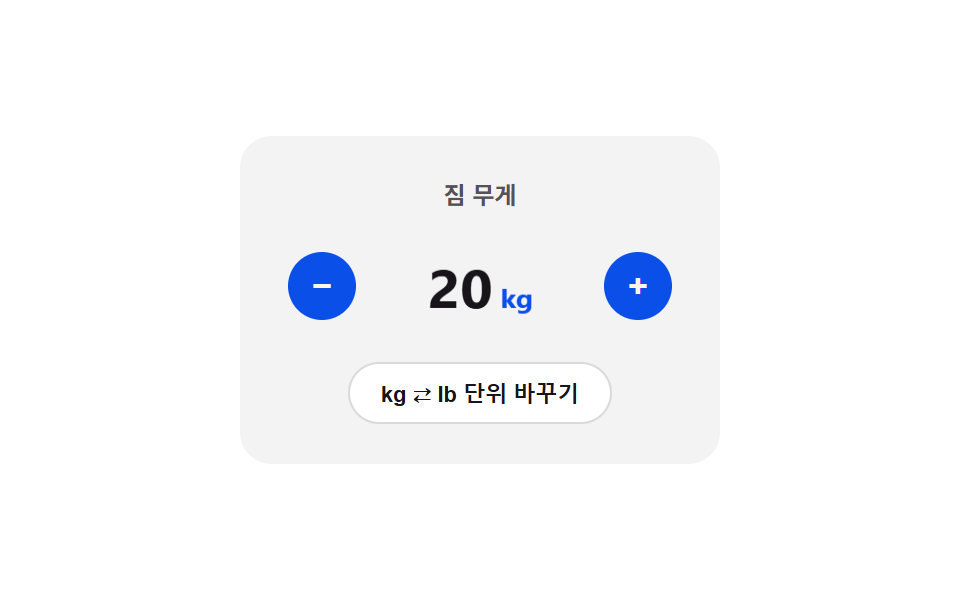 입력 UI08 단위 플립 전환 — 단위가 바뀐 상태가 되면 카드가 뒤집히며 90도 지점에서 표시 값이 바뀌는 스텝퍼숫자 스텝퍼 UI 패턴 9종 — 길게 누를수록 빨라지는 것부터 눈금에 붙는 것까지
 입력 UI01 체크 선 그리기 전환 — 체크 값이 켜지면 체크 표시의 선 길이 값이 0에서 끝까지 순서대로 그려지는 방식커스텀 체크박스 9종 — 체크 값으로 바뀌는 아홉 가지 방식
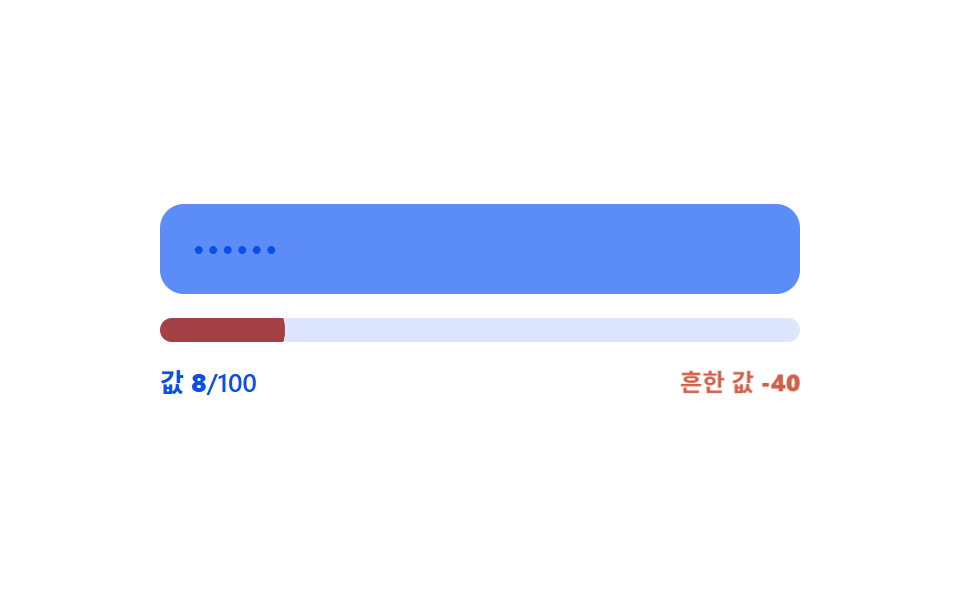 입력 UI04 흔한 값 감점 — 입력 값이 미리 정해둔 흔한 값 목록과 같은 상태가 되면 강도 값이 깎이는 방식비밀번호 강도 UI 9종 — 강도 값이 계산되는 아홉 가지 방식