08단위 플립 전환 — 단위가 바뀐 상태가 되면 카드가 뒤집히며 90도 지점에서 표시 값이 바뀌는 스텝퍼
단위가 바뀐 상태가 되면 카드가 0도에서 180도까지 도는 동안 각도의 코사인 절댓값으로 세로 비율 값을 다시 계산해 90도 지점에서 납작해지고, 그 순간 같은 값을 새 단위로 다시 계산한 표시 값으로 바뀐 뒤 다시 펴집니다 — 겹쳐 흐려지는 방식이 아니라 뒤집혀 바뀌는 컷입니다.
쓰임무게·부피 단위를 바꿀 수 있는 상품 옵션, 국가별 단위 전환 폼
FACTOR=2.20462Math.cosflipToggle
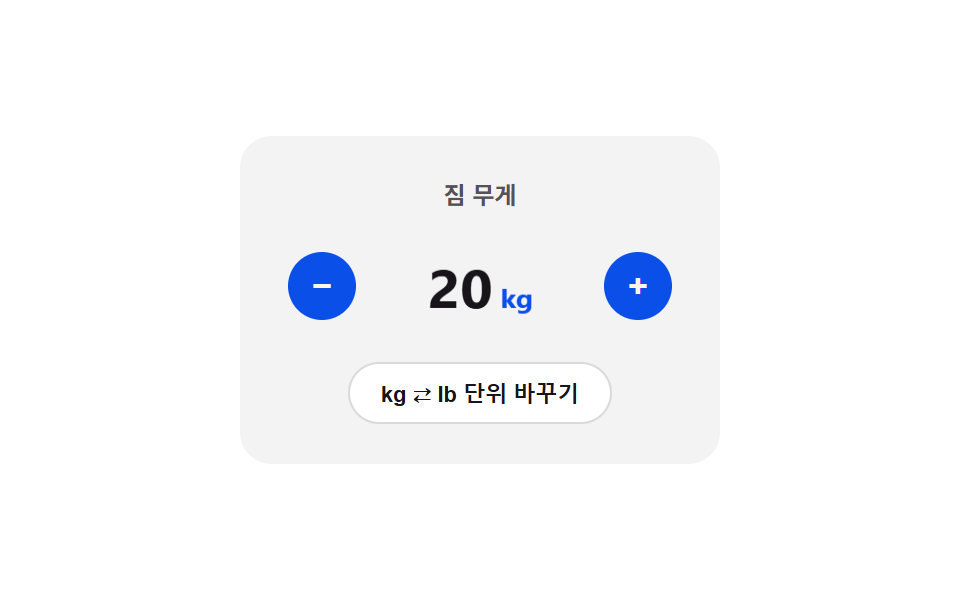
<main class="stage">
<div class="nsputc is-demo" id="nsputc">
  <div class="nsputc__panel">
    <span class="nsputc__label">짐 무게</span>
    <div class="nsputc__row">
      <button class="nsputc__btn" id="nsputcMinus" aria-label="1 감소" type="button">−</button>
      <div class="nsputc__flipBox" id="nsputcFlipBox">
        <span class="nsputc__value" id="nsputcValue">20<small id="nsputcUnit">kg</small></span>
      </div>
      <button class="nsputc__btn" id="nsputcPlus" aria-label="1 증가" type="button">+</button>
    </div>
    <button class="nsputc__toggle" id="nsputcToggle" type="button">kg ⇄ lb 단위 바꾸기</button>
  </div>
</div>
</main>
@use "../../../../site/static/demo-tokens" as *;
// 계산 겹: 카드가 0~180도 도는 동안 |cos(angle)| 로 세로 비율을 계산해 90도에서 두께 0 —
// 그 한 프레임에 진짜 환산식(factor 곱)으로 값을 바꿔 끼운다. 흐려지는 크로스페이드가 아니다.
$duration: $dur-base;
$easing: $ease-out;
$color: $subject-blue-deep;
@include stage($stage-paper);
.stage { position: relative; }
.nsputc {
width: min(240px, 70vw);
}
.nsputc__panel {
display: flex;
flex-direction: column;
align-items: center;
gap: $sp-4;
padding: $sp-5;
border-radius: $r-card;
background: rgba($subject-ink, .05);
}
.nsputc__label {
color: rgba($subject-ink, .72);
font-weight: 700;
font-size: 12px;
}
.nsputc__row {
display: flex;
align-items: center;
gap: $sp-4;
}
.nsputc__flipBox {
width: 92px;
height: 44px;
display: grid;
place-items: center;
will-change: transform;
}
.nsputc__value {
color: $subject-ink;
font-weight: 700;
font-size: 28px;
font-variant-numeric: tabular-nums;
transition: transform $duration $easing;
will-change: transform;
small {
margin-left: $sp-1;
font-size: 14px;
font-weight: 700;
color: $color;
}
}
.nsputc__btn {
width: 34px;
height: 34px;
border: 0;
border-radius: $r-pill;
background: $color;
color: $subject-cream;
font-size: 17px;
font-weight: 700;
line-height: 1;
cursor: pointer;
flex: 0 0 auto;
&:active { transform: scale(.92); }
}
.nsputc__toggle {
border: 0;
border-radius: $r-pill;
padding: $sp-2 $sp-4;
background: $stage-paper;
box-shadow: inset 0 0 0 1px rgba($subject-ink, .16);
color: $subject-ink;
font-size: 11px;
font-weight: 700;
cursor: pointer;
}
@media (max-width: 340px) {
.nsputc__panel { padding: $sp-4; gap: $sp-3; }
.nsputc__value { font-size: 24px; }
.nsputc__flipBox { width: 78px; height: 38px; }
.nsputc__btn { width: 30px; height: 30px; }
}
@media (prefers-reduced-motion: reduce) {
.nsputc__value { transition: none !important; }
}html, body {
margin: 0;
overflow: hidden;
}
.stage {
box-sizing: border-box;
min-height: 100vh;
display: grid;
place-items: center;
margin: 0;
background: #ffffff;
font-family: -apple-system, "Segoe UI", "Noto Sans KR", sans-serif;
padding: clamp(8px, 4vw, 24px);
}
.stage {
position: relative;
}
.nsputc {
width: min(240px, 70vw);
}
.nsputc__panel {
display: flex;
flex-direction: column;
align-items: center;
gap: 16px;
padding: 20px;
border-radius: 16px;
background: rgba(23, 20, 26, 0.05);
}
.nsputc__label {
color: rgba(23, 20, 26, 0.72);
font-weight: 700;
font-size: 12px;
}
.nsputc__row {
display: flex;
align-items: center;
gap: 16px;
}
.nsputc__flipBox {
width: 92px;
height: 44px;
display: grid;
place-items: center;
will-change: transform;
}
.nsputc__value {
color: #17141a;
font-weight: 700;
font-size: 28px;
font-variant-numeric: tabular-nums;
transition: transform 300ms ease-out;
will-change: transform;
}
.nsputc__value small {
margin-left: 4px;
font-size: 14px;
font-weight: 700;
color: #0a4fe8;
}
.nsputc__btn {
width: 34px;
height: 34px;
border: 0;
border-radius: 999px;
background: #0a4fe8;
color: #fff7e6;
font-size: 17px;
font-weight: 700;
line-height: 1;
cursor: pointer;
flex: 0 0 auto;
}
.nsputc__btn:active {
transform: scale(0.92);
}
.nsputc__toggle {
border: 0;
border-radius: 999px;
padding: 8px 16px;
background: #ffffff;
box-shadow: inset 0 0 0 1px rgba(23, 20, 26, 0.16);
color: #17141a;
font-size: 11px;
font-weight: 700;
cursor: pointer;
}
@media (max-width: 340px) {
.nsputc__panel {
padding: 16px;
gap: 12px;
}
.nsputc__value {
font-size: 24px;
}
.nsputc__flipBox {
width: 78px;
height: 38px;
}
.nsputc__btn {
width: 30px;
height: 30px;
}
}
@media (prefers-reduced-motion: reduce) {
.nsputc__value {
transition: none !important;
}
}(function () {
var root = document.getElementById('nsputc');
var btnPlus = document.getElementById('nsputcPlus');
var btnMinus = document.getElementById('nsputcMinus');
var btnToggle = document.getElementById('nsputcToggle');
var flipBox = document.getElementById('nsputcFlipBox');
var valueEl = document.getElementById('nsputcValue');
var unitEl = document.getElementById('nsputcUnit');
var MIN_KG = 1, MAX_KG = 200, STEP_KG = 1;
var FACTOR = 2.20462;
var baseKg = 20;
var unit = 'kg';
var flipRaf = null;
function displayValue() {
if (unit === 'kg') { return String(baseKg); }
return (Math.round(baseKg * FACTOR * 10) / 10).toFixed(1);
}
function render() {
valueEl.firstChild.textContent = displayValue();
unitEl.textContent = unit;
}
function bump() {
valueEl.style.transform = 'scale(1.1)';
setTimeout(function () { valueEl.style.transform = 'scale(1)'; }, 90);
}
function setKg(next) {
next = Math.max(MIN_KG, Math.min(MAX_KG, next));
if (next === baseKg) { return; }
baseKg = next;
render();
bump();
}
// 계산 겹: 카드가 0~180도 도는 동안 |cos(angle)| 로 세로 비율을 계산해 90도 지점에서
// 두께가 0 이 되게 만들고, 그 순간(딱 한 프레임)에 값을 실제 환산식(factor 곱)으로 바꿔 끼운다 —
// 겹쳐서 흐려지는 크로스페이드가 아니라 진짜로 "뒤집혀서 바뀌는" 컷이다.
function flipToggle() {
if (flipRaf) { cancelAnimationFrame(flipRaf); }
var duration = 340;
var start = performance.now();
var swapped = false;
function frame(now) {
var t = Math.min(1, (now - start) / duration);
var angle = t * Math.PI;
var scaleY = Math.abs(Math.cos(angle));
flipBox.style.transform = 'scaleY(' + Math.max(0.06, scaleY).toFixed(3) + ')';
if (!swapped && t >= 0.5) {
unit = unit === 'kg' ? 'lb' : 'kg';
render();
swapped = true;
}
if (t < 1) {
flipRaf = requestAnimationFrame(frame);
} else {
flipBox.style.transform = 'scaleY(1)';
flipRaf = null;
}
}
flipRaf = requestAnimationFrame(frame);
}
btnPlus.addEventListener('click', function () { root.classList.remove('is-demo'); stopAutoplay(); setKg(baseKg + STEP_KG); });
btnMinus.addEventListener('click', function () { root.classList.remove('is-demo'); stopAutoplay(); setKg(baseKg - STEP_KG); });
btnToggle.addEventListener('click', function () { root.classList.remove('is-demo'); stopAutoplay(); flipToggle(); });
var seq = ['bump', 'bump', 'flip', 'bump', 'flip', 'bump'];
var idx = 0;
var autoplayTimer = null;
function stopAutoplay() { if (autoplayTimer) { clearInterval(autoplayTimer); autoplayTimer = null; } }
var reduce = window.matchMedia('(prefers-reduced-motion: reduce)').matches;
if (!reduce) {
autoplayTimer = setInterval(function () {
var op = seq[idx % seq.length];
idx += 1;
if (op === 'flip') { flipToggle(); } else { setKg(baseKg + (Math.random() > 0.5 ? 3 : -3)); }
}, 700);
}
render();
})();import { useEffect, useRef } from "react";
import styles from "./NumberStepperUnitToggleCrossfade.module.scss";
export type NumberStepperUnitToggleCrossfadeProps = {
color?: string;
};
export default function NumberStepperUnitToggleCrossfade({
color = "#0a4fe8",
}: NumberStepperUnitToggleCrossfadeProps) {
const rootRef = useRef<HTMLDivElement | null>(null);
useEffect(() => {
const root = rootRef.current;
if (!root) return;
const btnPlus = root.querySelector<HTMLButtonElement>(`.${styles.btnPlus}`);
const btnMinus = root.querySelector<HTMLButtonElement>(`.${styles.btnMinus}`);
const btnToggle = root.querySelector<HTMLButtonElement>(`.${styles.toggle}`);
const flipBox = root.querySelector<HTMLDivElement>(`.${styles.flipBox}`);
const valueEl = root.querySelector<HTMLSpanElement>(`.${styles.value}`);
const unitEl = root.querySelector<HTMLElement>(`.${styles.unit}`);
if (!btnPlus || !btnMinus || !btnToggle || !flipBox || !valueEl || !unitEl) return;
const MIN_KG = 1, MAX_KG = 200, STEP_KG = 1;
const FACTOR = 2.20462;
let baseKg = 20;
let unit: "kg" | "lb" = "kg";
let flipRaf: number | null = null;
function displayValue() {
if (unit === "kg") { return String(baseKg); }
return (Math.round(baseKg * FACTOR * 10) / 10).toFixed(1);
}
function render() {
valueEl!.firstChild!.textContent = displayValue();
unitEl!.textContent = unit;
}
function bump() {
valueEl!.style.transform = "scale(1.1)";
setTimeout(() => { valueEl!.style.transform = "scale(1)"; }, 90);
}
function setKg(next: number) {
next = Math.max(MIN_KG, Math.min(MAX_KG, next));
if (next === baseKg) { return; }
baseKg = next;
render();
bump();
}
// 계산 겹: 카드가 0~180도 도는 동안 |cos(angle)| 로 세로 비율을 계산해 90도 지점에서
// 두께가 0 이 되게 만들고, 그 순간(딱 한 프레임)에 값을 실제 환산식(factor 곱)으로 바꿔 끼운다 —
// 겹쳐서 흐려지는 크로스페이드가 아니라 진짜로 "뒤집혀서 바뀌는" 컷이다.
function flipToggle() {
if (flipRaf) { cancelAnimationFrame(flipRaf); }
const duration = 340;
const start = performance.now();
let swapped = false;
function frame(now: number) {
const t = Math.min(1, (now - start) / duration);
const angle = t * Math.PI;
const scaleY = Math.abs(Math.cos(angle));
flipBox!.style.transform = "scaleY(" + Math.max(0.06, scaleY).toFixed(3) + ")";
if (!swapped && t >= 0.5) {
unit = unit === "kg" ? "lb" : "kg";
render();
swapped = true;
}
if (t < 1) {
flipRaf = requestAnimationFrame(frame);
} else {
flipBox!.style.transform = "scaleY(1)";
flipRaf = null;
}
}
flipRaf = requestAnimationFrame(frame);
}
const onPlus = () => { root!.classList.remove(styles.isDemo); stopAutoplay(); setKg(baseKg + STEP_KG); };
const onMinus = () => { root!.classList.remove(styles.isDemo); stopAutoplay(); setKg(baseKg - STEP_KG); };
const onToggle = () => { root!.classList.remove(styles.isDemo); stopAutoplay(); flipToggle(); };
btnPlus.addEventListener("click", onPlus);
btnMinus.addEventListener("click", onMinus);
btnToggle.addEventListener("click", onToggle);
const seq = ["bump", "bump", "flip", "bump", "flip", "bump"];
let idx = 0;
let autoplayTimer: ReturnType<typeof setInterval> | null = null;
function stopAutoplay() {
if (autoplayTimer) { clearInterval(autoplayTimer); autoplayTimer = null; }
}
const reduce = window.matchMedia("(prefers-reduced-motion: reduce)").matches;
if (!reduce) {
autoplayTimer = setInterval(() => {
const op = seq[idx % seq.length];
idx += 1;
if (op === "flip") { flipToggle(); } else { setKg(baseKg + (Math.random() > 0.5 ? 3 : -3)); }
}, 700);
}
render();
return () => {
stopAutoplay();
if (flipRaf) cancelAnimationFrame(flipRaf);
btnPlus!.removeEventListener("click", onPlus);
btnMinus!.removeEventListener("click", onMinus);
btnToggle!.removeEventListener("click", onToggle);
};
}, []);
return (
<div ref={rootRef} className={`${styles.stage} ${styles.isDemo}`} style={{ ["--color" as string]: color }}>
<div className={styles.panel}>
<span className={styles.label}>짐 무게</span>
<div className={styles.row}>
<button className={`${styles.btn} ${styles.btnMinus}`} aria-label="1 감소" type="button">−</button>
<div className={styles.flipBox}>
<span className={styles.value}>20<small className={styles.unit}>kg</small></span>
</div>
<button className={`${styles.btn} ${styles.btnPlus}`} aria-label="1 증가" type="button">+</button>
</div>
<button className={styles.toggle} type="button">kg ⇄ lb 단위 바꾸기</button>
</div>
</div>
);
}08 단위 플립 전환 — 단위가 바뀐 상태가 되면 카드가 뒤집히며 90도 지점에서 표시 값이 바뀌는 스텝퍼 — 측정 누적면적 0.93% · 움직인 프레임 12/23GODRICH 원작 · zip 에 SCSS·React 포함 · 숫자 스텝퍼 UI 패턴 9종 — 길게 누를수록 빨라지는 것부터 눈금에 붙는 것까지
이 데모가 속한 글
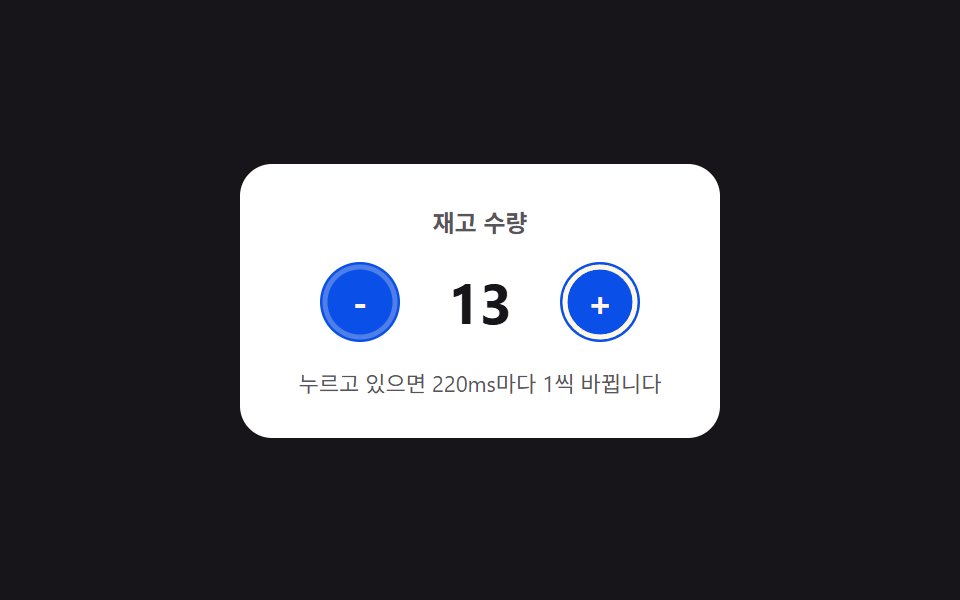 숫자 스텝퍼 UI 패턴 9종 — 길게 누를수록 빨라지는 것부터 눈금에 붙는 것까지숫자 스텝퍼는 버튼이나 드래그로 값을 하나씩 늘리고 줄이는 입력 장치인데, 아홉 개 중 하나는 눌린 상태가 길어질수록 값이 바뀌는 간격이 점점 짧아지고, 하나는 값이 상한에 닿으면 그 지점을 살짝 넘었다가 스프링 곡 이 글의 데모 전부 보기
이 효과가 마음에 들면 — 비슷한 데모
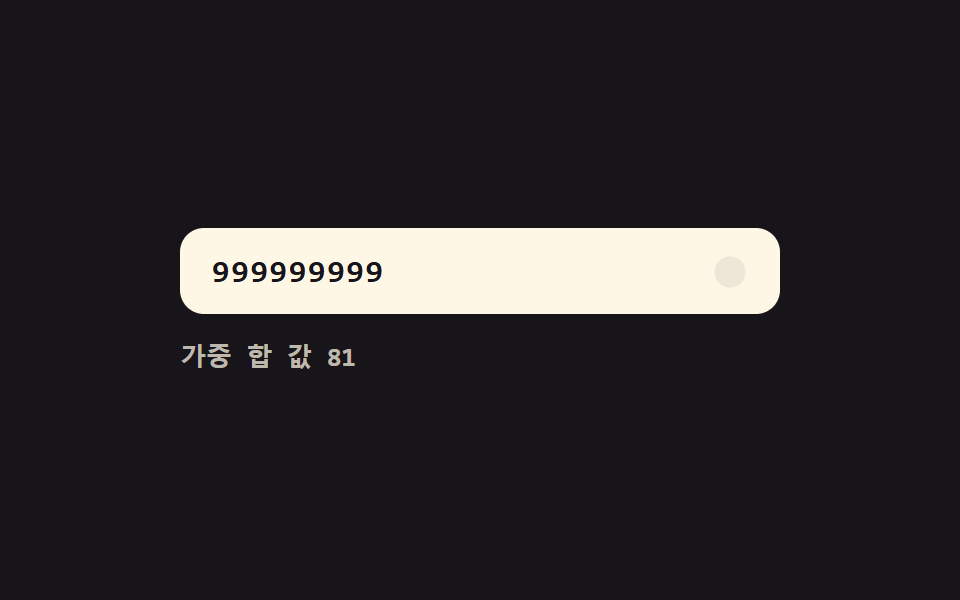 입력 UI05 유효성 값 실시간 전환 — 자릿수 값이 채워질 때마다 번호 전체의 유효성 값이 계산되어 표시 값이 바뀌는 방식카드 번호 입력 UI 9종 — 자릿수 값마다 반응이 달라지는 아홉 가지 방식
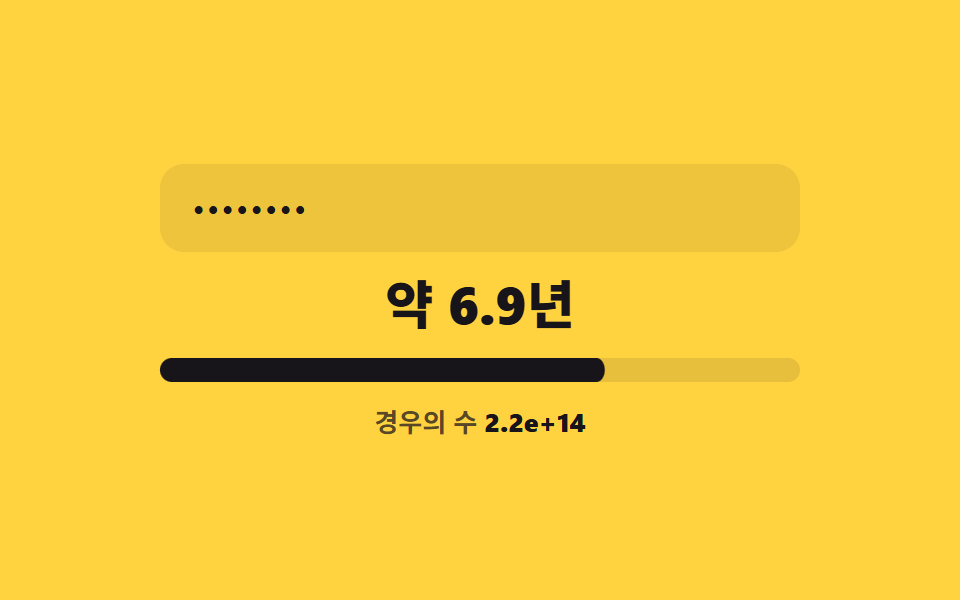 입력 UI06 추정 시간 값 단위 전환 — 계산된 비트 값이 경계 값을 지날 때마다 걸리는 시간을 나타내는 값의 단위가 바뀌는 방식비밀번호 강도 UI 9종 — 강도 값이 계산되는 아홉 가지 방식
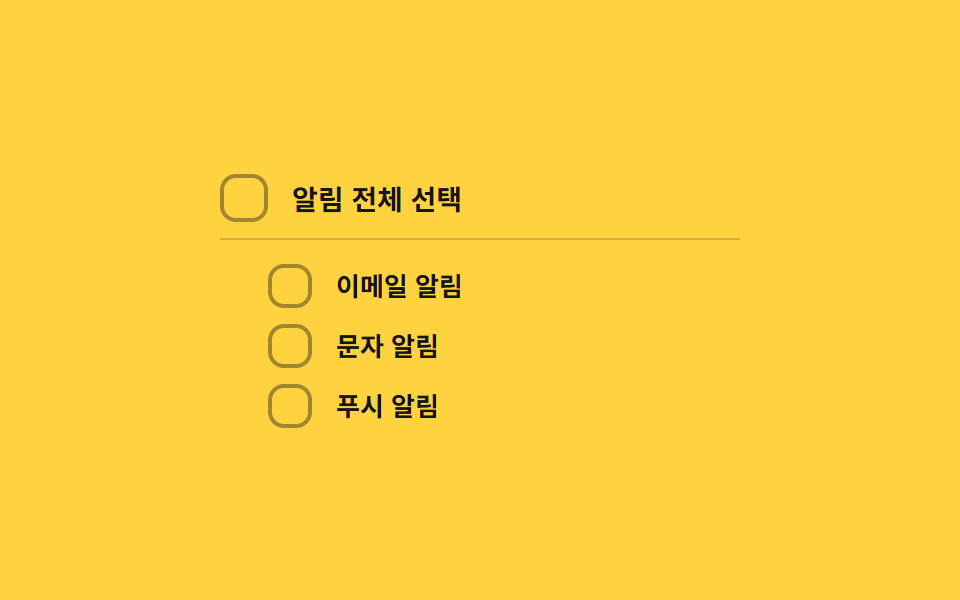 입력 UI02 부분선택 대시 전환 — 하위 항목이 일부만 선택되면 상위 박스의 표시 값이 대시 모양으로 바뀌는 방식커스텀 체크박스 9종 — 체크 값으로 바뀌는 아홉 가지 방식