06오류 값 흔들림 전환 — 번호의 오류 값이 켜지면 칸의 흔들림 값이 커졌다 잦아들며 입력 값이 지워지는 방식
번호의 오류 값이 켜지는 순간 칸의 흔들림 값이 커졌다가 잦아들고, 그 뒤 입력 값이 비워집니다.
쓰임결제 실패 안내가 필요한 카드 입력 폼, 형식이 틀린 번호를 되돌리는 화면
AUTO_CLEAR_MSshakeverify
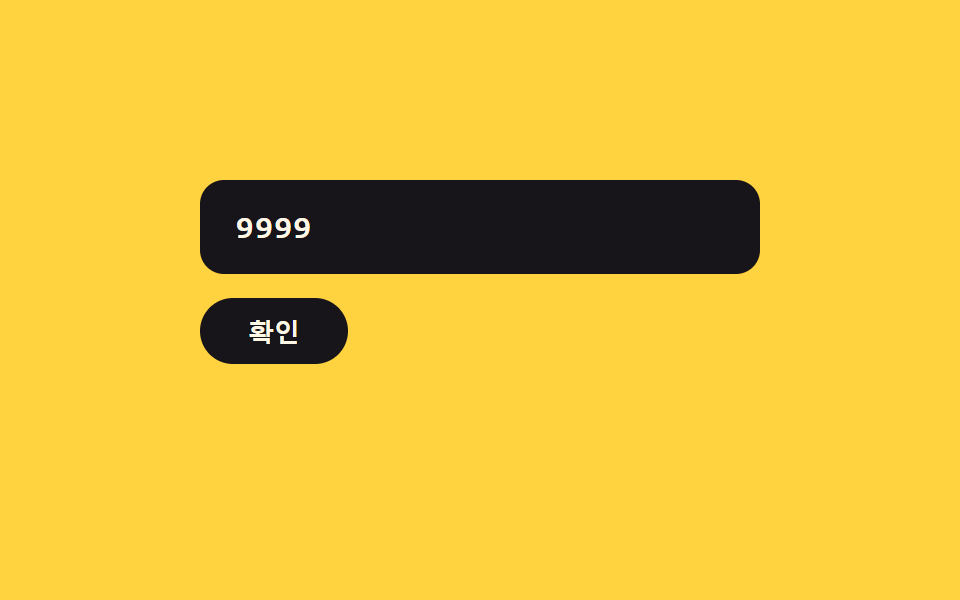
<main class="stage">
<div class="ck is-demo" id="ck">
  <label class="ck__field">
    <input class="ck__input" id="ckInput" type="text" inputmode="numeric" autocomplete="off" spellcheck="false" maxlength="16" value="">
  </label>
  <button type="button" class="ck__btn" id="ckBtn">확인</button>
  <p class="ck__msg" id="ckMsg" aria-live="polite"></p>
</div>
</main>
@use "../../../../site/static/demo-tokens" as *;
// 계산 겹: 감쇠 사인파(A0=9px · k=3.0 · w=2π×2.2, 10% 간격 표본)로 흔들림 폭이 줄어든다.
@include stage($stage-yellow);
.ck {
width: 100%;
max-width: 280px;
display: grid;
gap: $sp-3;
justify-items: start;
}
.ck__field { display: block; width: 100%; }
.ck__input {
width: 100%;
box-sizing: border-box;
padding: $sp-3 $sp-4;
border-radius: $r-control;
border: 2px solid transparent;
background: $subject-ink;
color: $subject-cream;
font-family: "SFMono-Regular", Consolas, monospace;
font-weight: 600;
font-size: 16px;
letter-spacing: .05em;
transition: border-color $dur-quick $ease-out;
&:focus { outline: 2px solid $subject-ink; outline-offset: 2px; }
}
.ck__field--error {
animation: ckShake $dur-enter $ease-out;
.ck__input { border-color: $error; }
}
@keyframes ckShake {
0% { transform: translateX(0); }
10% { transform: translateX(6.5px); }
20% { transform: translateX(1.8px); }
30% { transform: translateX(-3.1px); }
40% { transform: translateX(-1.9px); }
50% { transform: translateX(1.2px); }
60% { transform: translateX(1.4px); }
70% { transform: translateX(-0.3px); }
80% { transform: translateX(-0.8px); }
90% { transform: translateX(-0.1px); }
100% { transform: translateX(0); }
}
.ck__btn {
border: 0;
border-radius: $r-pill;
padding: $sp-2 $sp-6;
background: $subject-ink;
color: $subject-cream;
font-weight: 700;
font-size: 13px;
cursor: pointer;
transition: transform $dur-instant $ease-out;
&:active { transform: scale(.95); }
}
.ck__msg {
margin: 0;
min-height: 16px;
color: $subject-ink;
font-weight: 700;
font-size: 12px;
}
@media (max-width: 340px) {
.ck__input { padding: $sp-2 $sp-3; font-size: 14px; }
}
@media (prefers-reduced-motion: reduce) {
.ck__field--error { animation: none; }
.ck__input { transition: none; }
}html, body {
margin: 0;
overflow: hidden;
}
.stage {
box-sizing: border-box;
min-height: 100vh;
display: grid;
place-items: center;
margin: 0;
background: #ffd23f;
font-family: -apple-system, "Segoe UI", "Noto Sans KR", sans-serif;
padding: clamp(8px, 4vw, 24px);
}
.ck {
width: 100%;
max-width: 280px;
display: grid;
gap: 12px;
justify-items: start;
}
.ck__field {
display: block;
width: 100%;
}
.ck__input {
width: 100%;
box-sizing: border-box;
padding: 12px 16px;
border-radius: 12px;
border: 2px solid transparent;
background: #17141a;
color: #fff7e6;
font-family: "SFMono-Regular", Consolas, monospace;
font-weight: 600;
font-size: 16px;
letter-spacing: 0.05em;
transition: border-color 220ms ease-out;
}
.ck__input:focus {
outline: 2px solid #17141a;
outline-offset: 2px;
}
.ck__field--error {
animation: ckShake 600ms ease-out;
}
.ck__field--error .ck__input {
border-color: #c2361a;
}
@keyframes ckShake {
0% {
transform: translateX(0);
}
10% {
transform: translateX(6.5px);
}
20% {
transform: translateX(1.8px);
}
30% {
transform: translateX(-3.1px);
}
40% {
transform: translateX(-1.9px);
}
50% {
transform: translateX(1.2px);
}
60% {
transform: translateX(1.4px);
}
70% {
transform: translateX(-0.3px);
}
80% {
transform: translateX(-0.8px);
}
90% {
transform: translateX(-0.1px);
}
100% {
transform: translateX(0);
}
}
.ck__btn {
border: 0;
border-radius: 999px;
padding: 8px 24px;
background: #17141a;
color: #fff7e6;
font-weight: 700;
font-size: 13px;
cursor: pointer;
transition: transform 140ms ease-out;
}
.ck__btn:active {
transform: scale(0.95);
}
.ck__msg {
margin: 0;
min-height: 16px;
color: #17141a;
font-weight: 700;
font-size: 12px;
}
@media (max-width: 340px) {
.ck__input {
padding: 8px 12px;
font-size: 14px;
}
}
@media (prefers-reduced-motion: reduce) {
.ck__field--error {
animation: none;
}
.ck__input {
transition: none;
}
}(function () {
var root = document.getElementById('ck');
var input = document.getElementById('ckInput');
var field = input.parentElement;
var btn = document.getElementById('ckBtn');
var msg = document.getElementById('ckMsg');
var AUTO_CLEAR_MS = 700; // 계산 겹: 흔들림 애니메이션이 잦아든 뒤 입력 값을 비우는 지연
function shake() {
field.classList.remove('ck__field--error');
void field.offsetWidth;
field.classList.add('ck__field--error');
}
function verify() {
var digits = input.value.replace(/\D/g, '');
if (digits.length === 16) {
msg.textContent = '';
return true;
}
msg.textContent = '16자리 값이 아닙니다';
shake();
setTimeout(function () {
input.value = '';
msg.textContent = '';
}, AUTO_CLEAR_MS);
return false;
}
input.addEventListener('input', function () {
root.classList.remove('is-demo');
stopAutoplay();
input.value = input.value.replace(/\D/g, '').slice(0, 16);
});
btn.addEventListener('click', function () {
root.classList.remove('is-demo');
stopAutoplay();
verify();
});
// 자동 루프: 16자리에 못 미치는 값을 타이핑해 확인 버튼을 누르면 흔들림 뒤 자동으로 지워진다.
var TYPED = '9999';
var stopped = false;
var autoHandle = null;
function stopAutoplay() { stopped = true; if (autoHandle) { clearTimeout(autoHandle); autoHandle = null; } }
function typeStep(i) {
if (stopped) return;
input.value = TYPED.slice(0, i);
if (i < TYPED.length) { autoHandle = setTimeout(function () { typeStep(i + 1); }, 220); }
else { autoHandle = setTimeout(doVerify, 500); }
}
function doVerify() {
if (stopped) return;
verify();
autoHandle = setTimeout(function () { typeStep(0); }, AUTO_CLEAR_MS + 700);
}
var reduce = window.matchMedia('(prefers-reduced-motion: reduce)').matches;
if (!reduce) { typeStep(0); }
else { input.value = TYPED; }
})();import { useEffect, useRef } from "react";
import styles from "./ErrorShakeClear.module.scss";
type Box<T> = { current: T };
const AUTO_CLEAR_MS = 700; // 계산 겹: 흔들림 애니메이션이 잦아든 뒤 입력 값을 비우는 지연
export default function ErrorShakeClear() {
const rootRef = useRef(null) as unknown as Box<HTMLDivElement | null>;
useEffect(() => {
const root = rootRef.current;
if (!root) return;
const input = root.querySelector(`.${styles.input}`) as HTMLInputElement | null;
const field = root.querySelector(`.${styles.field}`) as HTMLElement | null;
const btn = root.querySelector(`.${styles.btn}`) as HTMLButtonElement | null;
const msg = root.querySelector(`.${styles.msg}`) as HTMLElement | null;
if (!input || !field || !btn || !msg) return;
function shake() {
field!.classList.remove(styles["field--error"]);
void field!.offsetWidth;
field!.classList.add(styles["field--error"]);
}
let clearHandle: number | null = null;
function verify() {
const digits = input!.value.replace(/\D/g, "");
if (digits.length === 16) {
msg!.textContent = "";
return true;
}
msg!.textContent = "16자리 값이 아닙니다";
shake();
clearHandle = window.setTimeout(function () {
input!.value = "";
msg!.textContent = "";
}, AUTO_CLEAR_MS);
return false;
}
function onInput() {
root!.classList.remove(styles["is-demo"]);
stopAutoplay();
input!.value = input!.value.replace(/\D/g, "").slice(0, 16);
}
function onClick() {
root!.classList.remove(styles["is-demo"]);
stopAutoplay();
verify();
}
input.addEventListener("input", onInput);
btn.addEventListener("click", onClick);
// 자동 루프: 16자리에 못 미치는 값을 타이핑해 확인 버튼을 누르면 흔들림 뒤 자동으로 지워진다.
const TYPED = "9999";
let stopped = false;
let autoHandle: number | null = null;
function stopAutoplay() {
stopped = true;
if (autoHandle !== null) { window.clearTimeout(autoHandle); autoHandle = null; }
if (clearHandle !== null) { window.clearTimeout(clearHandle); clearHandle = null; }
}
function typeStep(i: number) {
if (stopped) return;
input!.value = TYPED.slice(0, i);
if (i < TYPED.length) { autoHandle = window.setTimeout(function () { typeStep(i + 1); }, 220); }
else { autoHandle = window.setTimeout(doVerify, 500); }
}
function doVerify() {
if (stopped) return;
verify();
autoHandle = window.setTimeout(function () { typeStep(0); }, AUTO_CLEAR_MS + 700);
}
const reduce = window.matchMedia("(prefers-reduced-motion: reduce)").matches;
if (!reduce) { typeStep(0); } else { input.value = TYPED; }
return () => {
stopAutoplay();
input.removeEventListener("input", onInput);
btn.removeEventListener("click", onClick);
};
}, []);
return (
<div ref={rootRef} className={`${styles.stage} ${styles.ck} ${styles["is-demo"]}`}>
<label className={styles.field}>
<input className={styles.input} type="text" inputMode="numeric" autoComplete="off" spellCheck={false} maxLength={16} defaultValue="" />
</label>
<button type="button" className={styles.btn}>확인</button>
<p className={styles.msg} aria-live="polite"></p>
</div>
);
}06 오류 값 흔들림 전환 — 번호의 오류 값이 켜지면 칸의 흔들림 값이 커졌다 잦아들며 입력 값이 지워지는 방식 — 측정 누적면적 2.292% · 움직인 프레임 11/23GODRICH 원작 · zip 에 SCSS·React 포함 · 카드 번호 입력 UI 9종 — 자릿수 값마다 반응이 달라지는 아홉 가지 방식
이 데모가 속한 글
 카드 번호 입력 UI 9종 — 자릿수 값마다 반응이 달라지는 아홉 가지 방식카드 번호 입력 ui는 자릿수 값이 채워지는 상태에 따라 화면 여러 곳의 값이 함께 바뀌는 인터랙션인데, 아홉 개 중 하나는 입력된 숫자 값이 네 자리에 이를 때마다 그 사이 간격 값이 자동으로 생기고, 하나는 자릿 이 글의 데모 전부 보기
이 효과가 마음에 들면 — 비슷한 데모
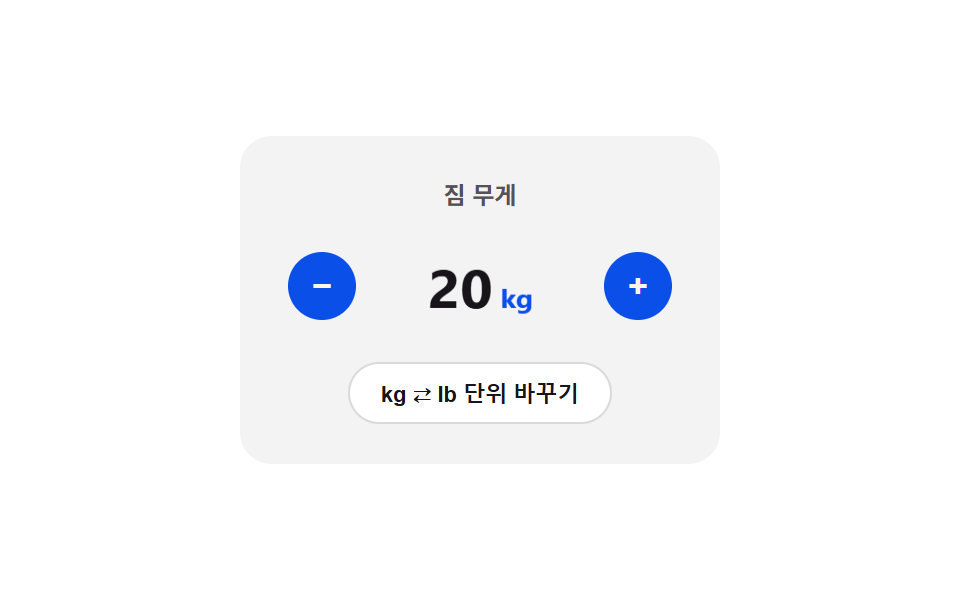 입력 UI08 단위 플립 전환 — 단위가 바뀐 상태가 되면 카드가 뒤집히며 90도 지점에서 표시 값이 바뀌는 스텝퍼숫자 스텝퍼 UI 패턴 9종 — 길게 누를수록 빨라지는 것부터 눈금에 붙는 것까지
 입력 UI01 체크 선 그리기 전환 — 체크 값이 켜지면 체크 표시의 선 길이 값이 0에서 끝까지 순서대로 그려지는 방식커스텀 체크박스 9종 — 체크 값으로 바뀌는 아홉 가지 방식
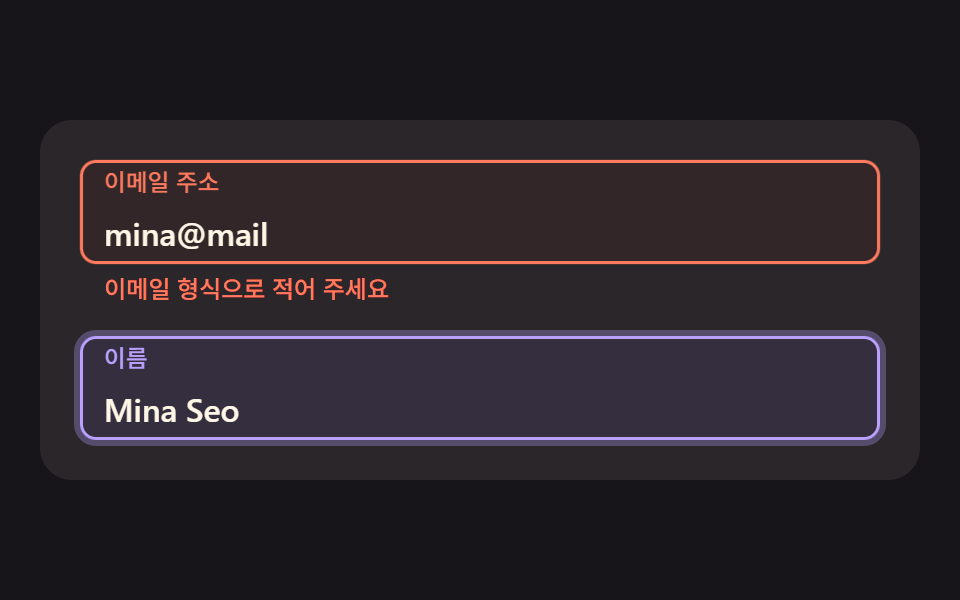 입력 UI06 오류가 나면 감쇠 사인으로 흔들리고 라벨이 안내 색으로 바뀌는 칸css floating label 9가지 — 입력칸 라벨이 스프링·관성으로 움직이는 폼