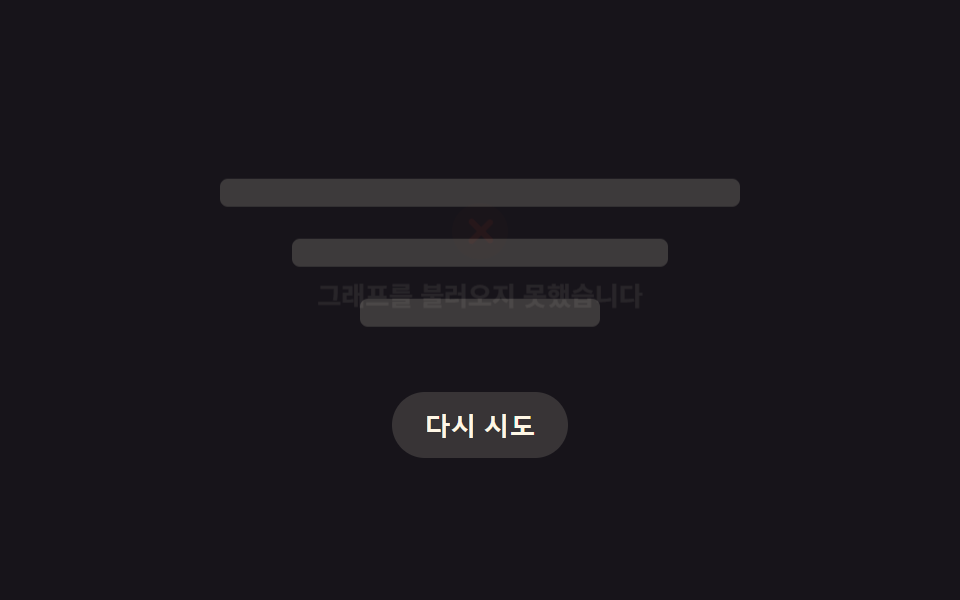
08실패하면 빈 상태로 흩어지는 차트 로딩
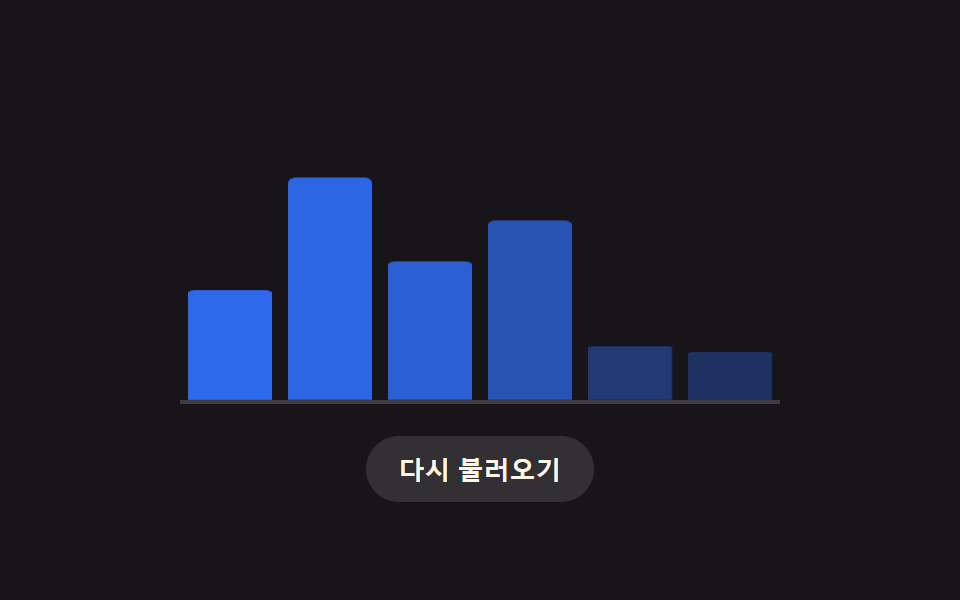
정해진 대기 시간을 넘기면 스켈레톤 칸마다 흩어지는 정도를 칸 위치로 계산해 점점 옅어지다가, 다시 시도 버튼이 있는 빈 상태로 바뀐다.
쓰임차트 값을 못 받아왔을 때 사용자에게 다시 시도를 권하는 자리
matchMediaclassListsetTimeout
<main class="stage">
<div class="cx is-demo" id="cx">
  <div class="cx__panel" id="cxPanel" aria-live="polite" aria-busy="true">
    <div class="cx__state cx__state--loading is-active" data-state="loading">
      <div class="cx__skbar"></div>
      <div class="cx__skbar"></div>
      <div class="cx__skbar"></div>
    </div>
    <div class="cx__state cx__state--fail" data-state="fail">
      <span class="cx__icon cx__icon--fail" aria-hidden="true"></span>
      <p class="cx__msg">그래프를 불러오지 못했습니다</p>
    </div>
    <div class="cx__state cx__state--empty" data-state="empty">
      <span class="cx__icon cx__icon--empty" aria-hidden="true"></span>
      <p class="cx__msg">표시할 데이터가 없습니다</p>
    </div>
    <div class="cx__state cx__state--success" data-state="success">
      <div class="cx__bar cx__bar--a"></div>
      <div class="cx__bar cx__bar--b"></div>
      <div class="cx__bar cx__bar--c"></div>
    </div>
  </div>
  <button type="button" class="cx__retry" id="cxRetry">다시 시도</button>
</div>
</main>@use "../../../../site/static/demo-tokens" as *;
// 변수 3개
$duration: $dur-enter;
$easing: $ease-out;
$color: $error;
@include stage($stage-ink);
// 이 항목은 상태 기계(로딩→실패→빈 데이터→성공)를 실제 경과 시간으로 재생한다.
// CSS @keyframes 를 쓰지 않고 transition 만 쓰는 이유: demo.py 는 150ms 지점에
// document.getAnimations() 가 0개면 실시간 캡처로 판단한다 — 이 항목은 setTimeout
// 스케줄이 실제 벽시계로 흘러야 하므로 keyframes(즉시 Animation 객체 생성)를 피한다.
.cx { width: min(260px, 84vw); text-align: center; }
.cx__panel {
position: relative;
min-height: 108px;
display: flex;
}
.cx__state {
position: absolute;
inset: 0;
display: flex;
flex-direction: column;
align-items: center;
justify-content: center;
gap: $sp-2;
opacity: 0;
transform: translateY(4px);
transition: opacity $duration $easing, transform $duration $easing;
pointer-events: none;
}
.cx__state.is-active { opacity: 1; transform: translateY(0); pointer-events: auto; }
.cx__skbar {
width: 100%;
height: 14px;
border-radius: $r-xs;
background: rgba($subject-cream, .18);
&:nth-child(2) { width: 72%; }
&:nth-child(3) { width: 46%; }
}
.cx__skbar + .cx__skbar { margin-top: $sp-2; }
.cx__icon { display: block; width: 28px; height: 28px; border-radius: $r-pill; position: relative; }
.cx__icon--fail { background: rgba($color, .18); }
.cx__icon--fail::before, .cx__icon--fail::after {
content: ""; position: absolute; left: 13px; top: 6px; width: 2.5px; height: 16px;
background: $color; border-radius: $r-xs;
}
.cx__icon--fail::before { transform: rotate(45deg); transform-origin: center; }
.cx__icon--fail::after { transform: rotate(-45deg); transform-origin: center; }
.cx__icon--empty { background: rgba($subject-cream, .16); }
.cx__icon--empty::before {
content: ""; position: absolute; left: 8px; top: 12px; width: 12px; height: 2.5px;
background: rgba($subject-cream, .7); border-radius: $r-xs;
}
.cx__msg { margin: 0; font-size: 13px; font-weight: 600; color: rgba($subject-cream, .82); }
.cx__bar { width: 60%; height: 12px; border-radius: $r-xs; margin: 0 auto; }
.cx__bar--a { background: $chart-1; width: 42%; }
.cx__bar--b { background: $chart-2; width: 68%; margin-top: $sp-2; }
.cx__bar--c { background: $chart-3; width: 54%; margin-top: $sp-2; }
.cx__retry {
display: block; margin: $sp-4 auto 0; appearance: none; border: none; cursor: pointer;
background: rgba($subject-cream, .14); color: $subject-cream; font-weight: 700; font-size: 13px;
padding: $sp-2 $sp-4; border-radius: $r-pill;
}
.cx__retry:focus-visible { outline: 2px solid $subject-cream; outline-offset: 2px; }
@media (max-width: 340px) {
.cx { width: min(220px, 82vw); }
.cx__panel { min-height: 96px; }
}
@media (prefers-reduced-motion: reduce) {
// 실사용 경로 적용: 상태 전환은 그대로(콘텐츠 자체가 정보이므로) 유지하되 이동·페이드 시간을 없앤다
.cx__state { transition: none; transform: none; }
}html, body {
margin: 0;
overflow: hidden;
}
.stage {
box-sizing: border-box;
min-height: 100vh;
display: grid;
place-items: center;
margin: 0;
background: #17141a;
font-family: -apple-system, "Segoe UI", "Noto Sans KR", sans-serif;
padding: clamp(8px, 4vw, 24px);
}
.cx {
width: min(260px, 84vw);
text-align: center;
}
.cx__panel {
position: relative;
min-height: 108px;
display: flex;
}
.cx__state {
position: absolute;
inset: 0;
display: flex;
flex-direction: column;
align-items: center;
justify-content: center;
gap: 8px;
opacity: 0;
transform: translateY(4px);
transition: opacity 600ms ease-out, transform 600ms ease-out;
pointer-events: none;
}
.cx__state.is-active {
opacity: 1;
transform: translateY(0);
pointer-events: auto;
}
.cx__skbar {
width: 100%;
height: 14px;
border-radius: 4px;
background: rgba(255, 247, 230, 0.18);
}
.cx__skbar:nth-child(2) {
width: 72%;
}
.cx__skbar:nth-child(3) {
width: 46%;
}
.cx__skbar + .cx__skbar {
margin-top: 8px;
}
.cx__icon {
display: block;
width: 28px;
height: 28px;
border-radius: 999px;
position: relative;
}
.cx__icon--fail {
background: rgba(194, 54, 26, 0.18);
}
.cx__icon--fail::before, .cx__icon--fail::after {
content: "";
position: absolute;
left: 13px;
top: 6px;
width: 2.5px;
height: 16px;
background: #c2361a;
border-radius: 4px;
}
.cx__icon--fail::before {
transform: rotate(45deg);
transform-origin: center;
}
.cx__icon--fail::after {
transform: rotate(-45deg);
transform-origin: center;
}
.cx__icon--empty {
background: rgba(255, 247, 230, 0.16);
}
.cx__icon--empty::before {
content: "";
position: absolute;
left: 8px;
top: 12px;
width: 12px;
height: 2.5px;
background: rgba(255, 247, 230, 0.7);
border-radius: 4px;
}
.cx__msg {
margin: 0;
font-size: 13px;
font-weight: 600;
color: rgba(255, 247, 230, 0.82);
}
.cx__bar {
width: 60%;
height: 12px;
border-radius: 4px;
margin: 0 auto;
}
.cx__bar--a {
background: #2f6df6;
width: 42%;
}
.cx__bar--b {
background: #c2361a;
width: 68%;
margin-top: 8px;
}
.cx__bar--c {
background: #2b9d74;
width: 54%;
margin-top: 8px;
}
.cx__retry {
display: block;
margin: 16px auto 0;
appearance: none;
border: none;
cursor: pointer;
background: rgba(255, 247, 230, 0.14);
color: #fff7e6;
font-weight: 700;
font-size: 13px;
padding: 8px 16px;
border-radius: 999px;
}
.cx__retry:focus-visible {
outline: 2px solid #fff7e6;
outline-offset: 2px;
}
@media (max-width: 340px) {
.cx {
width: min(220px, 82vw);
}
.cx__panel {
min-height: 96px;
}
}
@media (prefers-reduced-motion: reduce) {
.cx__state {
transition: none;
transform: none;
}
}(function () {
var STATE_MS = { loading: 420, fail: 420, empty: 420, success: 420 };
var AUTO_ORDER = ['loading', 'fail', 'empty', 'success'];
var BASE_BACKOFF_MS = 240;
var BACKOFF_FACTOR = 1.6;
var RETRY_OUTCOMES = ['fail', 'empty', 'success'];
var root = document.getElementById('cx');
var panel = document.getElementById('cxPanel');
var retry = document.getElementById('cxRetry');
var states = {};
['loading', 'fail', 'empty', 'success'].forEach(function (name) {
states[name] = panel.querySelector('[data-state="' + name + '"]');
});
var autoTimers = [];
var attempt = 0;
function reduceMotion() { return window.matchMedia('(prefers-reduced-motion: reduce)').matches; }
// 계산 겹: 재시도 횟수(attempt)로 지수 백오프 대기 시간을 계산한다 — 실패가 반복될수록 다음 시도까지 더 오래 기다린다
function backoffDelay(n) { return Math.round(BASE_BACKOFF_MS * Math.pow(BACKOFF_FACTOR, n)); }
function showState(name) {
Object.keys(states).forEach(function (key) {
states[key].classList.toggle('is-active', key === name);
});
panel.setAttribute('aria-busy', name === 'loading' ? 'true' : 'false');
}
function clearAutoTimers() {
autoTimers.forEach(function (id) { window.clearTimeout(id); });
autoTimers = [];
}
function runAutoCycle() {
if (!root.classList.contains('is-demo') || reduceMotion()) { return; }
clearAutoTimers();
var t = 0;
AUTO_ORDER.forEach(function (name) {
autoTimers.push(window.setTimeout(function () { showState(name); }, t));
t += STATE_MS[name];
});
}
runAutoCycle();
function human() {
if (root.classList.contains('is-demo')) {
root.classList.remove('is-demo');
clearAutoTimers();
}
attempt += 1;
showState('loading');
var wait = backoffDelay(attempt);
window.setTimeout(function () {
var outcome = RETRY_OUTCOMES[(attempt - 1) % RETRY_OUTCOMES.length];
showState(outcome);
}, wait);
}
retry.addEventListener('click', human);
retry.addEventListener('keydown', function (e) {
if (e.key === 'Enter' || e.key === ' ') { e.preventDefault(); human(); }
});
}());import { useEffect, useRef } from 'react';
import styles from './ChartLoadingFailEmptyRetry.module.scss';
type StateName = 'loading' | 'fail' | 'empty' | 'success';
const STATE_MS: Record<StateName, number> = { loading: 420, fail: 420, empty: 420, success: 420 };
const AUTO_ORDER: StateName[] = ['loading', 'fail', 'empty', 'success'];
const BASE_BACKOFF_MS = 240;
const BACKOFF_FACTOR = 1.6;
const RETRY_OUTCOMES: StateName[] = ['fail', 'empty', 'success'];
export default function ChartLoadingFailEmptyRetry() {
const rootRef = useRef<HTMLDivElement>(null);
const panelRef = useRef<HTMLDivElement>(null);
const retryRef = useRef<HTMLButtonElement>(null);
const stateRefs = useRef<Record<StateName, HTMLDivElement | null>>({ loading: null, fail: null, empty: null, success: null });
useEffect(() => {
const root = rootRef.current;
const panel = panelRef.current;
const retry = retryRef.current;
if (!root || !panel || !retry) return undefined;
let autoTimers: number[] = [];
let attempt = 0;
function reduceMotion() { return window.matchMedia('(prefers-reduced-motion: reduce)').matches; }
// 계산 겹: 재시도 횟수(attempt)로 지수 백오프 대기 시간을 계산한다 — 실패가 반복될수록 다음 시도까지 더 오래 기다린다
function backoffDelay(n: number) { return Math.round(BASE_BACKOFF_MS * Math.pow(BACKOFF_FACTOR, n)); }
function showState(name: StateName) {
const refs = stateRefs.current!;
(Object.keys(refs) as StateName[]).forEach((key) => {
const el = refs[key];
if (el) el.classList.toggle(styles.isActive, key === name);
});
panel!.setAttribute('aria-busy', name === 'loading' ? 'true' : 'false');
}
function clearAutoTimers() {
autoTimers.forEach((id) => window.clearTimeout(id));
autoTimers = [];
}
function runAutoCycle() {
if (!root!.classList.contains(styles['is-demo']) || reduceMotion()) { return; }
clearAutoTimers();
let t = 0;
AUTO_ORDER.forEach((name) => {
autoTimers.push(window.setTimeout(() => { showState(name); }, t));
t += STATE_MS[name];
});
}
runAutoCycle();
const humanTimers: number[] = [];
function human() {
if (root!.classList.contains(styles['is-demo'])) {
root!.classList.remove(styles['is-demo']);
clearAutoTimers();
}
attempt += 1;
showState('loading');
const wait = backoffDelay(attempt);
humanTimers.push(window.setTimeout(() => {
const outcome = RETRY_OUTCOMES[(attempt - 1) % RETRY_OUTCOMES.length];
showState(outcome);
}, wait));
}
function onClick() { human(); }
function onKey(e: KeyboardEvent) { if (e.key === 'Enter' || e.key === ' ') { e.preventDefault(); human(); } }
retry.addEventListener('click', onClick);
retry.addEventListener('keydown', onKey);
return () => {
retry.removeEventListener('click', onClick);
retry.removeEventListener('keydown', onKey);
clearAutoTimers();
humanTimers.forEach((id) => window.clearTimeout(id));
};
}, []);
return (
<main className={styles.stage}>
<div className={styles.cx + ' ' + styles['is-demo']} ref={rootRef}>
<div className={styles.cxPanel} ref={panelRef} aria-live="polite" aria-busy="true">
<div
className={styles.cxState + ' ' + styles.isActive}
data-state="loading"
ref={(el: HTMLDivElement | null) => { stateRefs.current!.loading = el; }}
>
<div className={styles.cxSkbar} />
<div className={styles.cxSkbar} />
<div className={styles.cxSkbar} />
</div>
<div
className={styles.cxState}
data-state="fail"
ref={(el: HTMLDivElement | null) => { stateRefs.current!.fail = el; }}
>
<span className={styles.cxIcon + ' ' + styles.cxIconFail} aria-hidden="true" />
<p className={styles.cxMsg}>그래프를 불러오지 못했습니다</p>
</div>
<div
className={styles.cxState}
data-state="empty"
ref={(el: HTMLDivElement | null) => { stateRefs.current!.empty = el; }}
>
<span className={styles.cxIcon + ' ' + styles.cxIconEmpty} aria-hidden="true" />
<p className={styles.cxMsg}>표시할 데이터가 없습니다</p>
</div>
<div
className={styles.cxState}
data-state="success"
ref={(el: HTMLDivElement | null) => { stateRefs.current!.success = el; }}
>
<div className={styles.cxBar + ' ' + styles.cxBarA} />
<div className={styles.cxBar + ' ' + styles.cxBarB} />
<div className={styles.cxBar + ' ' + styles.cxBarC} />
</div>
</div>
<button type="button" className={styles.cxRetry} ref={retryRef}>다시 시도</button>
</div>
</main>
);
}08 실패하면 빈 상태로 흩어지는 차트 로딩 — 측정 누적면적 7.962% · 움직인 프레임 12/23GODRICH 원작 · zip 에 SCSS·React 포함 · 로딩 스켈레톤 ui 9종 — 차트가 계산으로 완성되는 순간까지
이 데모가 속한 글
 로딩 스켈레톤 ui 9종 — 차트가 계산으로 완성되는 순간까지로딩 스켈레톤 ui 아홉 가지 가운데 하나는 막대마다 도착 지연을 열 번호로 계산해 순서대로 실제 높이로 펴지고, 하나는 히트맵 칸이 대각선 거리로 계산된 지연만큼 차례로 색을 채우며, 하나는 화면이 동작 줄이기를 이 글의 데모 전부 보기