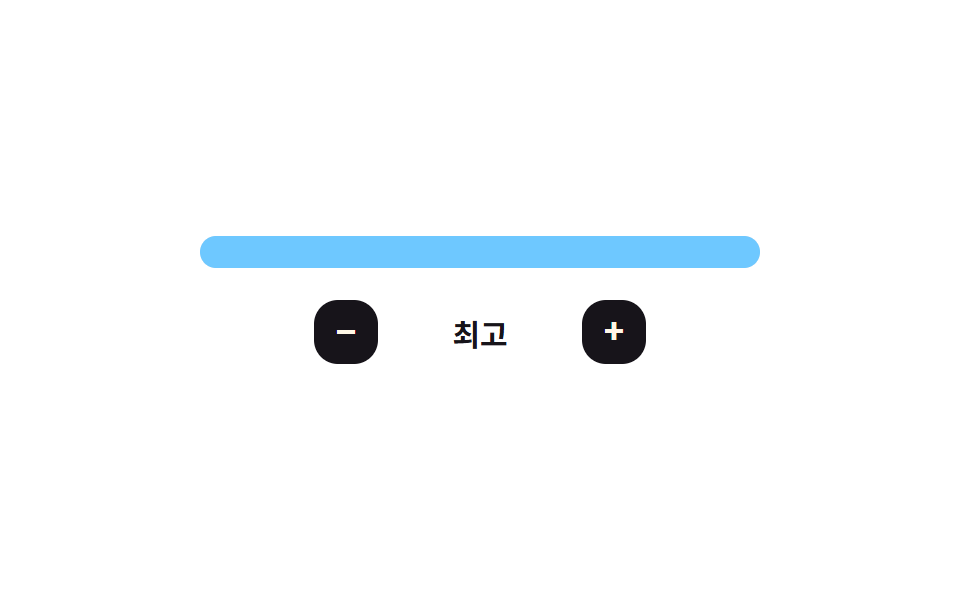
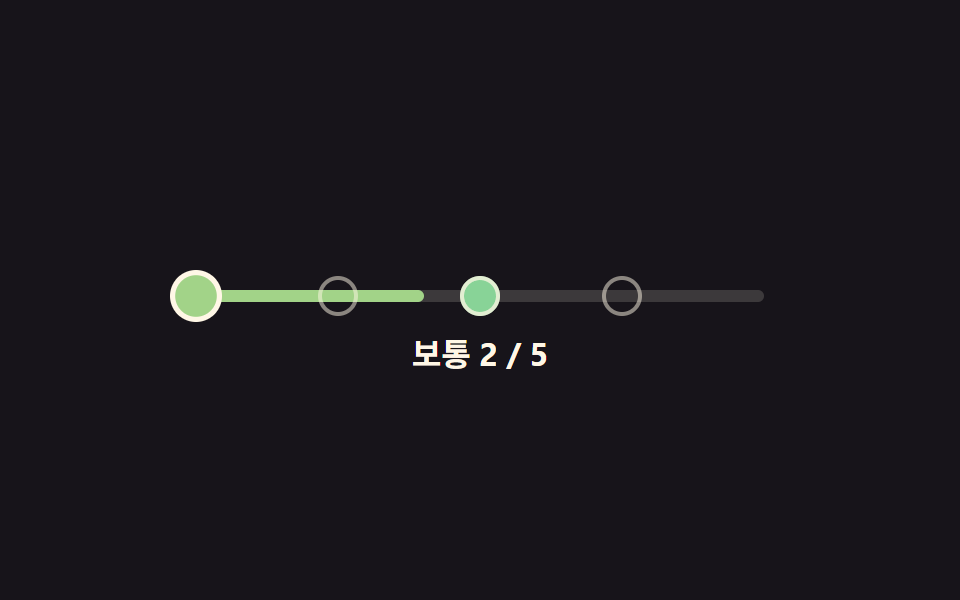
04광택이 훑고 지나가는 막대 난이도 게이지
난이도가 바뀔 때마다 막대 안에서 밝은 띠 하나가 왼쪽에서 오른쪽으로 훑고 지나가는 위치를 매 프레임 계산해 그린다.
쓰임대시보드에서 현재 난이도 수준을 한눈에 보여주는 자리
easeOutCubicsweeppaint
<main class="stage">
<div class="bmf is-demo" id="bmf">
  <div class="bmf__meter" id="bmfMeter" role="slider" tabindex="0"
    aria-label="난이도" aria-valuemin="0" aria-valuemax="4" aria-valuenow="2" aria-valuetext="어려움">
    <div class="bmf__fill" id="bmfFill"></div>
    <div class="bmf__gloss" id="bmfGloss"></div>
  </div>
  <div class="bmf__row">
    <button type="button" class="bmf__btn" id="bmfMinus" aria-label="난이도 낮추기">−</button>
    <span class="bmf__name" id="bmfName">어려움</span>
    <button type="button" class="bmf__btn" id="bmfPlus" aria-label="난이도 높이기">+</button>
  </div>
</div>
</main>
@use "../../../../site/static/demo-tokens" as *;
// 변수 3개
$duration: $dur-base;
$easing: $ease-out;
$color: $subject-sky;
// 계산 겹: sweep() 이 광택 띠 위치를 easeOutCubic(경과비율) 로 매 프레임 계산한다(JS)
@include stage($stage-paper);
.bmf { width: min(280px, 84vw); color: $subject-ink; text-align: center; }
.bmf__meter {
position: relative; height: 16px; border-radius: $r-sm; overflow: hidden;
background: rgba($subject-ink, .1); cursor: pointer;
}
.bmf__meter:focus-visible { outline: 2px solid $subject-ink; outline-offset: 2px; }
.bmf__fill {
position: absolute; top: 0; bottom: 0; left: 0; width: 60%;
background: $color; transition: width $duration $easing;
}
.bmf__gloss {
position: absolute; top: 0; bottom: 0; left: 0; width: 28px;
background: linear-gradient(90deg, rgba($subject-cream, 0), rgba($subject-cream, .85), rgba($subject-cream, 0));
opacity: 0; transform: translateX(-50%);
}
.bmf__row { display: flex; align-items: center; justify-content: center; gap: $sp-3; margin-top: $sp-4; }
.bmf__btn {
appearance: none; border: 0; border-radius: $r-control; width: 32px; height: 32px;
background: $subject-ink; color: $subject-cream; font-size: 18px; font-weight: 700; cursor: pointer;
transition: transform $dur-quick $ease-pop;
}
.bmf__btn:active { transform: scale(.9); }
.bmf__btn:focus-visible { outline: 2px solid $subject-ink; outline-offset: 2px; }
.bmf__name { font-weight: 700; font-size: 15px; min-width: 78px; }
@media (max-width: 340px) {
.bmf { width: min(240px, 80vw); }
.bmf__name { font-size: 13px; min-width: 64px; }
.bmf__btn { width: 28px; height: 28px; font-size: 16px; }
}
@media (prefers-reduced-motion: reduce) {
// 실사용 경로 적용: 채움 너비 전환을 끄고, 광택 띠는 JS 의 reduce 분기가 아예 돌리지 않는다(위 스크립트)
.bmf__fill { transition: none; }
}html, body {
margin: 0;
overflow: hidden;
}
.stage {
box-sizing: border-box;
min-height: 100vh;
display: grid;
place-items: center;
margin: 0;
background: #ffffff;
font-family: -apple-system, "Segoe UI", "Noto Sans KR", sans-serif;
padding: clamp(8px, 4vw, 24px);
}
.bmf {
width: min(280px, 84vw);
color: #17141a;
text-align: center;
}
.bmf__meter {
position: relative;
height: 16px;
border-radius: 8px;
overflow: hidden;
background: rgba(23, 20, 26, 0.1);
cursor: pointer;
}
.bmf__meter:focus-visible {
outline: 2px solid #17141a;
outline-offset: 2px;
}
.bmf__fill {
position: absolute;
top: 0;
bottom: 0;
left: 0;
width: 60%;
background: #6ec8ff;
transition: width 300ms ease-out;
}
.bmf__gloss {
position: absolute;
top: 0;
bottom: 0;
left: 0;
width: 28px;
background: linear-gradient(90deg, rgba(255, 247, 230, 0), rgba(255, 247, 230, 0.85), rgba(255, 247, 230, 0));
opacity: 0;
transform: translateX(-50%);
}
.bmf__row {
display: flex;
align-items: center;
justify-content: center;
gap: 12px;
margin-top: 16px;
}
.bmf__btn {
appearance: none;
border: 0;
border-radius: 12px;
width: 32px;
height: 32px;
background: #17141a;
color: #fff7e6;
font-size: 18px;
font-weight: 700;
cursor: pointer;
transition: transform 220ms cubic-bezier(0.2, 1.4, 0.4, 1);
}
.bmf__btn:active {
transform: scale(0.9);
}
.bmf__btn:focus-visible {
outline: 2px solid #17141a;
outline-offset: 2px;
}
.bmf__name {
font-weight: 700;
font-size: 15px;
min-width: 78px;
}
@media (max-width: 340px) {
.bmf {
width: min(240px, 80vw);
}
.bmf__name {
font-size: 13px;
min-width: 64px;
}
.bmf__btn {
width: 28px;
height: 28px;
font-size: 16px;
}
}
@media (prefers-reduced-motion: reduce) {
.bmf__fill {
transition: none;
}
}(function () {
var LEVELS = ['쉬움', '보통', '어려움', '매우 어려움', '최고'];
var N = LEVELS.length;
var SWEEP_MS = 480;
var root = document.getElementById('bmf');
var meter = document.getElementById('bmfMeter');
var fill = document.getElementById('bmfFill');
var gloss = document.getElementById('bmfGloss');
var name = document.getElementById('bmfName');
var tier = 2;
var raf = 0, t0 = 0;
var reduce = window.matchMedia('(prefers-reduced-motion: reduce)').matches;
function easeOutCubic(t) { return 1 - Math.pow(1 - t, 3); }
// 계산 겹: 채움이 바뀔 때마다 밝은 띠의 위치를 easeOutCubic(경과비율) 로 매 프레임 계산해 왼쪽에서 오른쪽으로 훑는다
function sweep() {
cancelAnimationFrame(raf);
if (reduce) { gloss.style.opacity = '0'; return; }
t0 = performance.now();
gloss.style.opacity = '1';
function step(now) {
var t = Math.min(1, (now - t0) / SWEEP_MS);
gloss.style.left = (easeOutCubic(t) * 100) + '%';
if (t < 1) raf = requestAnimationFrame(step);
else gloss.style.opacity = '0';
}
raf = requestAnimationFrame(step);
}
function paint() {
fill.style.width = ((tier + 1) / N * 100) + '%';
meter.setAttribute('aria-valuenow', String(tier));
meter.setAttribute('aria-valuetext', LEVELS[tier]);
name.textContent = LEVELS[tier];
}
function human() { root.classList.remove('is-demo'); clearInterval(timer); }
function set(t) {
var next = Math.max(0, Math.min(N - 1, t));
if (next === tier) return;
tier = next; paint(); sweep();
}
document.getElementById('bmfPlus').addEventListener('click', function () { human(); set(tier + 1); });
document.getElementById('bmfMinus').addEventListener('click', function () { human(); set(tier - 1); });
meter.addEventListener('pointerdown', function (e) {
human();
var r = meter.getBoundingClientRect();
var ratio = Math.max(0, Math.min(1, (e.clientX - r.left) / r.width));
set(Math.round(ratio * (N - 1)));
});
meter.addEventListener('keydown', function (e) {
if (e.key === 'ArrowRight' || e.key === 'ArrowUp') { e.preventDefault(); human(); set(tier + 1); }
else if (e.key === 'ArrowLeft' || e.key === 'ArrowDown') { e.preventDefault(); human(); set(tier - 1); }
});
var sequence = [4, 1, 3, 0, 2];
var si = 0;
function tick() {
var t = sequence[si % sequence.length]; si++;
tier = t; paint(); sweep();
}
var timer = reduce ? null : setInterval(tick, 900);
paint();
}());import { useEffect, useRef } from 'react';
import styles from './DifficultySelectorBarMeterFill.module.scss';
const LEVELS = ['쉬움', '보통', '어려움', '매우 어려움', '최고'];
const N = LEVELS.length;
const SWEEP_MS = 480;
const SEQUENCE = [4, 1, 3, 0, 2];
const TICK_MS = 900;
export default function DifficultySelectorBarMeterFill() {
const rootRef = useRef<HTMLDivElement>(null);
const meterRef = useRef<HTMLDivElement>(null);
const fillRef = useRef<HTMLDivElement>(null);
const glossRef = useRef<HTMLDivElement>(null);
const nameRef = useRef<HTMLSpanElement>(null);
const plusRef = useRef<HTMLButtonElement>(null);
const minusRef = useRef<HTMLButtonElement>(null);
useEffect(() => {
const root = rootRef.current;
const meter = meterRef.current;
const fill = fillRef.current;
const gloss = glossRef.current;
const name = nameRef.current;
const plus = plusRef.current;
const minus = minusRef.current;
if (!root || !meter || !fill || !gloss || !name || !plus || !minus) return undefined;
let tier = 2;
let raf = 0, t0 = 0;
const reduce = window.matchMedia('(prefers-reduced-motion: reduce)').matches;
function easeOutCubic(t: number) { return 1 - Math.pow(1 - t, 3); }
// 계산 겹: 채움이 바뀔 때마다 밝은 띠의 위치를 easeOutCubic(경과비율) 로 매 프레임 계산해 왼쪽에서 오른쪽으로 훑는다
function sweep() {
cancelAnimationFrame(raf);
if (reduce) { gloss!.style.opacity = '0'; return; }
t0 = performance.now();
gloss!.style.opacity = '1';
function step(now: number) {
const t = Math.min(1, (now - t0) / SWEEP_MS);
gloss!.style.left = (easeOutCubic(t) * 100) + '%';
if (t < 1) raf = requestAnimationFrame(step);
else gloss!.style.opacity = '0';
}
raf = requestAnimationFrame(step);
}
function paint() {
fill!.style.width = ((tier + 1) / N * 100) + '%';
meter!.setAttribute('aria-valuenow', String(tier));
meter!.setAttribute('aria-valuetext', LEVELS[tier]);
name!.textContent = LEVELS[tier];
}
let timer = 0;
function human() { root!.classList.remove(styles['is-demo']); window.clearInterval(timer); }
function set(t: number) {
const next = Math.max(0, Math.min(N - 1, t));
if (next === tier) return;
tier = next; paint(); sweep();
}
function onPlus() { human(); set(tier + 1); }
function onMinus() { human(); set(tier - 1); }
function onDown(e: PointerEvent) {
human();
const r = meter!.getBoundingClientRect();
const ratio = Math.max(0, Math.min(1, (e.clientX - r.left) / r.width));
set(Math.round(ratio * (N - 1)));
}
function onKey(e: KeyboardEvent) {
if (e.key === 'ArrowRight' || e.key === 'ArrowUp') { e.preventDefault(); human(); set(tier + 1); }
else if (e.key === 'ArrowLeft' || e.key === 'ArrowDown') { e.preventDefault(); human(); set(tier - 1); }
}
plus.addEventListener('click', onPlus);
minus.addEventListener('click', onMinus);
meter.addEventListener('pointerdown', onDown);
meter.addEventListener('keydown', onKey);
let si = 0;
function tick() {
const t = SEQUENCE[si % SEQUENCE.length]; si++;
tier = t; paint(); sweep();
}
if (!reduce) timer = window.setInterval(tick, TICK_MS);
paint();
return () => {
plus!.removeEventListener('click', onPlus);
minus!.removeEventListener('click', onMinus);
meter!.removeEventListener('pointerdown', onDown);
meter!.removeEventListener('keydown', onKey);
cancelAnimationFrame(raf);
window.clearInterval(timer);
};
}, []);
return (
<main className={styles.stage}>
<div className={styles.bmf + ' ' + styles['is-demo']} ref={rootRef}>
<div
className={styles.bmfMeter}
ref={meterRef}
role="slider"
tabIndex={0}
aria-label="난이도"
aria-valuemin={0}
aria-valuemax={N - 1}
aria-valuenow={2}
aria-valuetext="어려움"
>
<div className={styles.bmfFill} ref={fillRef} />
<div className={styles.bmfGloss} ref={glossRef} />
</div>
<div className={styles.bmfRow}>
<button type="button" className={styles.bmfBtn} ref={minusRef} aria-label="난이도 낮추기">−</button>
<span className={styles.bmfName} ref={nameRef}>어려움</span>
<button type="button" className={styles.bmfBtn} ref={plusRef} aria-label="난이도 높이기">+</button>
</div>
</div>
</main>
);
}04 광택이 훑고 지나가는 막대 난이도 게이지 — 측정 누적면적 2.773% · 움직인 프레임 12/23GODRICH 원작 · zip 에 SCSS·React 포함 · 난이도 선택 ui 9종 — 드래그 각도로 값이 바뀌는 계산까지
이 데모가 속한 글
 난이도 선택 ui 9종 — 드래그 각도로 값이 바뀌는 계산까지난이도 선택 ui 아홉 가지 가운데 하나는 손을 떼면 슬라이더 손잡이가 단계를 살짝 지나쳤다가 스프링 계산으로 되튕겨 멈추고, 하나는 배지 다섯 개의 색을 고정값이 아니라 단계 번호를 넣은 색상각 수식으로 계산하며, 이 글의 데모 전부 보기