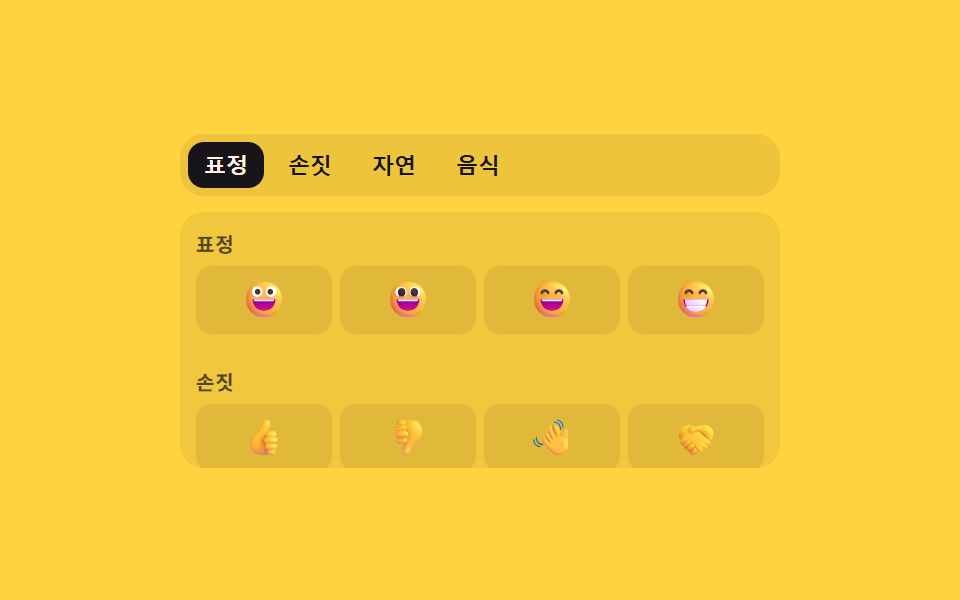
02스크롤 위치 값과 탭 번호가 서로 맞춰지는 카테고리 전환
패널을 손으로 내리면 지나간 거리 값을 읽어 지금 보이는 카테고리의 탭이 자동으로 밝아지고, 반대로 탭을 누르면 그 탭의 번호 값만큼 패널이 스크롤되어 둘이 항상 같은 자리를 가리킨다.
쓰임긴 이모지 목록의 카테고리 내비게이션
CATSsetActivescrollTop
<main class="stage">
<div class="cx is-demo" id="cx">
  <div class="cx__tabs" role="tablist" aria-label="이모지 카테고리" id="cxTabs">
    <span class="cx__ind" id="cxInd" aria-hidden="true"></span>
  </div>
  <div class="cx__panel" id="cxPanel" tabindex="0" aria-label="이모지 패널"></div>
  <p class="cx__sr" role="status" aria-live="polite" id="cxLive"></p>
</div>
</main>
@use "../../../../site/static/demo-tokens" as *;
// 계산 겹: index.html onScroll() 이 패널의 scrollTop(지나간 거리 값)을 섹션 오프셋과 비교해 카테고리
// 번호를 역산하고, goTo() 는 반대로 그 번호 × 섹션 오프셋으로 패널을 스크롤한다 — 둘이 늘 같은 자리를 가리킨다.
@include stage($stage-yellow);
.cx { width: min(100%, 300px); display: flex; flex-direction: column; gap: $sp-2; }
.cx__tabs {
position: relative; display: flex; gap: $sp-1; background: rgba($subject-ink, .08);
border-radius: $r-control; padding: $sp-1;
}
.cx__tab {
flex: 0 0 auto; border: none; background: transparent; color: $subject-ink; font-size: 11px; font-weight: 600;
padding: $sp-1 $sp-2; border-radius: $r-sm; cursor: pointer; position: relative; z-index: 1;
}
.cx__tab[aria-selected="true"] { color: $subject-cream; }
.cx__ind {
position: absolute; top: $sp-1; left: 0; height: calc(100% - #{$sp-1 * 2}); border-radius: $r-sm;
background: $subject-ink; transition: transform $dur-base $ease-spring, width $dur-base $ease-spring; z-index: 0;
}
.cx__panel { height: 128px; overflow-y: auto; border-radius: $r-control; background: rgba($subject-ink, .06); }
.cx__section { padding: $sp-2; }
.cx__h {
margin: 0 0 $sp-1; font-size: 10px; font-weight: 700; color: rgba($subject-ink, .72);
text-transform: uppercase; letter-spacing: .04em;
}
.cx__grid { display: grid; grid-template-columns: repeat(4, 1fr); gap: $sp-1; }
.cx__ch {
border: none; background: rgba($subject-ink, .08); border-radius: $r-sm; font-size: 18px; line-height: 1;
padding: $sp-2 0; cursor: pointer; display: grid; place-items: center;
}
.cx__ch:hover, .cx__ch:focus-visible { background: rgba($subject-ink, .18); }
.cx__ch:focus-visible { outline: 2px solid $subject-blue-deep; outline-offset: 1px; }
.cx__sr { position: absolute; width: 1px; height: 1px; overflow: hidden; clip: rect(0 0 0 0); margin: -1px; padding: 0; border: 0; }
@media (max-width: 340px) {
.cx { width: 100%; }
.cx__panel { height: 112px; }
}
@media (prefers-reduced-motion: reduce) {
.cx__ind { transition: none; }
}html, body {
margin: 0;
overflow: hidden;
}
.stage {
box-sizing: border-box;
min-height: 100vh;
display: grid;
place-items: center;
margin: 0;
background: #ffd23f;
font-family: -apple-system, "Segoe UI", "Noto Sans KR", sans-serif;
padding: clamp(8px, 4vw, 24px);
}
.cx {
width: min(100%, 300px);
display: flex;
flex-direction: column;
gap: 8px;
}
.cx__tabs {
position: relative;
display: flex;
gap: 4px;
background: rgba(23, 20, 26, 0.08);
border-radius: 12px;
padding: 4px;
}
.cx__tab {
flex: 0 0 auto;
border: none;
background: transparent;
color: #17141a;
font-size: 11px;
font-weight: 600;
padding: 4px 8px;
border-radius: 8px;
cursor: pointer;
position: relative;
z-index: 1;
}
.cx__tab[aria-selected=true] {
color: #fff7e6;
}
.cx__ind {
position: absolute;
top: 4px;
left: 0;
height: calc(100% - 8px);
border-radius: 8px;
background: #17141a;
transition: transform 300ms cubic-bezier(0.2, 0.8, 0.2, 1), width 300ms cubic-bezier(0.2, 0.8, 0.2, 1);
z-index: 0;
}
.cx__panel {
height: 128px;
overflow-y: auto;
border-radius: 12px;
background: rgba(23, 20, 26, 0.06);
}
.cx__section {
padding: 8px;
}
.cx__h {
margin: 0 0 4px;
font-size: 10px;
font-weight: 700;
color: rgba(23, 20, 26, 0.72);
text-transform: uppercase;
letter-spacing: 0.04em;
}
.cx__grid {
display: grid;
grid-template-columns: repeat(4, 1fr);
gap: 4px;
}
.cx__ch {
border: none;
background: rgba(23, 20, 26, 0.08);
border-radius: 8px;
font-size: 18px;
line-height: 1;
padding: 8px 0;
cursor: pointer;
display: grid;
place-items: center;
}
.cx__ch:hover, .cx__ch:focus-visible {
background: rgba(23, 20, 26, 0.18);
}
.cx__ch:focus-visible {
outline: 2px solid #0a4fe8;
outline-offset: 1px;
}
.cx__sr {
position: absolute;
width: 1px;
height: 1px;
overflow: hidden;
clip: rect(0 0 0 0);
margin: -1px;
padding: 0;
border: 0;
}
@media (max-width: 340px) {
.cx {
width: 100%;
}
.cx__panel {
height: 112px;
}
}
@media (prefers-reduced-motion: reduce) {
.cx__ind {
transition: none;
}
}(function () {
var CATS = [
{ id: 'smiley', name: '표정', emoji: ['\u{1F600}', '\u{1F603}', '\u{1F604}', '\u{1F601}'] },
{ id: 'gesture', name: '손짓', emoji: ['\u{1F44D}', '\u{1F44E}', '\u{1F44B}', '\u{1F91D}'] },
{ id: 'nature', name: '자연', emoji: ['\u{1F338}', '\u{1F319}', '\u{2B50}', '\u{1F308}'] },
{ id: 'food', name: '음식', emoji: ['\u{1F355}', '\u{1F354}', '\u{1F369}', '\u{1F34E}'] }
];
var root = document.getElementById('cx');
var tabsEl = document.getElementById('cxTabs');
var panelEl = document.getElementById('cxPanel');
var indEl = document.getElementById('cxInd');
var live = document.getElementById('cxLive');
var tabs = [], sections = [];
var active = 0, syncing = false;
function human() { if (root.classList.contains('is-demo')) root.classList.remove('is-demo'); }
CATS.forEach(function (cat, i) {
var tab = document.createElement('button');
tab.type = 'button'; tab.className = 'cx__tab'; tab.id = 'cxTab' + i;
tab.setAttribute('role', 'tab');
tab.setAttribute('aria-selected', i === 0 ? 'true' : 'false');
tab.setAttribute('aria-controls', 'cxSec' + i);
tab.textContent = cat.name;
tab.addEventListener('click', function () { human(); goTo(i, false); });
tabsEl.appendChild(tab);
tabs.push(tab);
var sec = document.createElement('section');
sec.className = 'cx__section'; sec.id = 'cxSec' + i;
sec.setAttribute('role', 'region'); sec.setAttribute('aria-labelledby', 'cxTab' + i);
var h = document.createElement('h3'); h.className = 'cx__h'; h.textContent = cat.name;
var grid = document.createElement('div'); grid.className = 'cx__grid'; grid.setAttribute('role', 'listbox'); grid.setAttribute('aria-label', cat.name);
cat.emoji.forEach(function (ch) {
var b = document.createElement('button');
b.type = 'button'; b.className = 'cx__ch'; b.setAttribute('role', 'option'); b.setAttribute('aria-selected', 'false');
b.textContent = ch;
grid.appendChild(b);
});
sec.appendChild(h); sec.appendChild(grid);
panelEl.appendChild(sec);
sections.push(sec);
});
// 계산 겹: 탭을 누르면 그 탭의 번호 값 × 섹션 오프셋을 읽어 패널을 그 위치로 스크롤한다.
function goTo(i, silent) {
active = i;
var top = sections[i].offsetTop - panelEl.clientTop;
syncing = true;
panelEl.scrollTo({ top: top, behavior: reduce ? 'auto' : 'smooth' });
setActive(i);
window.setTimeout(function () { syncing = false; }, reduce ? 30 : 420);
if (!silent) live.textContent = CATS[i].name + ' 카테고리로 이동';
}
function setActive(i) {
tabs.forEach(function (t, k) { t.setAttribute('aria-selected', k === i ? 'true' : 'false'); });
var r = tabs[i].getBoundingClientRect(), pr = tabsEl.getBoundingClientRect();
indEl.style.width = r.width + 'px';
indEl.style.transform = 'translateX(' + (r.left - pr.left) + 'px)';
}
// 계산 겹: 패널을 손으로 내리면 지나간 거리 값(scrollTop)을 각 섹션의 오프셋과 비교해
// 지금 보이는 카테고리 번호를 역산하고, 그 번호로 탭 표시를 맞춘다.
function onScroll() {
if (syncing) return;
var dist = panelEl.scrollTop, i = 0;
for (var k = 0; k < sections.length; k++) {
if (sections[k].offsetTop - panelEl.clientTop <= dist + 18) i = k;
}
if (i !== active) { active = i; setActive(i); live.textContent = CATS[i].name + ' 카테고리 보임'; }
}
panelEl.addEventListener('scroll', function () { human(); onScroll(); });
var reduce = window.matchMedia('(prefers-reduced-motion: reduce)').matches;
setActive(0);
window.addEventListener('resize', function () { setActive(active); });
var SEQ = [1, 2, 3, 0, 2];
var i = 0, timer = 0;
function loop() {
if (!root.classList.contains('is-demo')) return;
goTo(SEQ[i % SEQ.length], true);
i++;
timer = window.setTimeout(loop, 780);
}
if (!reduce) { timer = window.setTimeout(loop, 500); }
else { root.classList.remove('is-demo'); }
})();// EmojiCategoryIndexScrollSync — vanilla 판(run/402/demo/02-.../index.html) 의 React 포트.
// onScroll() 이 패널의 scrollTop(지나간 거리 값)을 섹션 오프셋과 비교해 카테고리 번호를 역산하고,
// goTo() 는 반대로 그 번호 값으로 패널을 스크롤한다 — 둘은 항상 같은 자리를 가리킨다.
import { useEffect, useRef, useState } from "react";
import styles from "./EmojiCategoryIndexScrollSync.module.scss";
type Box<T> = { current: T };
type Cat = { id: string; name: string; emoji: string[] };
const CATS: Cat[] = [
{ id: "smiley", name: "표정", emoji: ["\u{1F600}", "\u{1F603}", "\u{1F604}", "\u{1F601}"] },
{ id: "gesture", name: "손짓", emoji: ["\u{1F44D}", "\u{1F44E}", "\u{1F44B}", "\u{1F91D}"] },
{ id: "nature", name: "자연", emoji: ["\u{1F338}", "\u{1F319}", "\u{2B50}", "\u{1F308}"] },
{ id: "food", name: "음식", emoji: ["\u{1F355}", "\u{1F354}", "\u{1F369}", "\u{1F34E}"] },
];
const SEQ = [1, 2, 3, 0, 2];
export default function EmojiCategoryIndexScrollSync() {
const [active, setActiveState] = useState(0);
const [isDemo, setIsDemo] = useState(true);
const [live, setLive] = useState("");
const [ind, setInd] = useState({ w: 0, x: 0 });
const isDemoRef = useRef(true) as unknown as Box<boolean>;
const syncingRef = useRef(false) as unknown as Box<boolean>;
const activeRef = useRef(0) as unknown as Box<number>;
const timerRef = useRef(0) as unknown as Box<number>;
const tabsRef = useRef(null) as unknown as Box<HTMLDivElement>;
const tabRefs = useRef([] as HTMLButtonElement[]) as unknown as Box<HTMLButtonElement[]>;
const panelRef = useRef(null) as unknown as Box<HTMLDivElement>;
const secRefs = useRef([] as HTMLDivElement[]) as unknown as Box<HTMLDivElement[]>;
function human() { if (isDemoRef.current) { isDemoRef.current = false; setIsDemo(false); } }
function measureInd(i: number) {
const tab = tabRefs.current[i], wrap = tabsRef.current;
if (!tab || !wrap) return;
const r = tab.getBoundingClientRect(), pr = wrap.getBoundingClientRect();
setInd({ w: r.width, x: r.left - pr.left });
}
function setActive(i: number) {
activeRef.current = i;
setActiveState(i);
measureInd(i);
}
function goTo(i: number, silent: boolean) {
const reduce = window.matchMedia("(prefers-reduced-motion: reduce)").matches;
const panel = panelRef.current, sec = secRefs.current[i];
if (panel && sec) {
syncingRef.current = true;
panel.scrollTo({ top: sec.offsetTop - panel.clientTop, behavior: reduce ? "auto" : "smooth" });
window.setTimeout(() => { syncingRef.current = false; }, reduce ? 30 : 420);
}
setActive(i);
if (!silent) setLive(CATS[i].name + " 카테고리로 이동");
}
function onScroll() {
human();
if (syncingRef.current) return;
const panel = panelRef.current;
if (!panel) return;
const dist = panel.scrollTop;
let i = 0;
for (let k = 0; k < secRefs.current.length; k++) {
const sec = secRefs.current[k];
if (sec && sec.offsetTop - panel.clientTop <= dist + 18) i = k;
}
if (i !== activeRef.current) { setActive(i); setLive(CATS[i].name + " 카테고리 보임"); }
}
useEffect(() => {
measureInd(0);
const onResize = () => measureInd(activeRef.current);
window.addEventListener("resize", onResize);
const reduce = window.matchMedia("(prefers-reduced-motion: reduce)").matches;
let i = 0;
function loop() {
if (!isDemoRef.current) return;
goTo(SEQ[i % SEQ.length], true);
i++;
timerRef.current = window.setTimeout(loop, 780);
}
if (!reduce) { timerRef.current = window.setTimeout(loop, 500); }
else { isDemoRef.current = false; setIsDemo(false); }
return () => { window.removeEventListener("resize", onResize); window.clearTimeout(timerRef.current); };
// eslint-disable-next-line react-hooks/exhaustive-deps
}, []);
return (
<main className={styles.stage}>
<div className={styles.cx + " " + (isDemo ? styles.isDemo : "")}>
<div className={styles.tabs} role="tablist" aria-label="이모지 카테고리" ref={tabsRef}>
<span className={styles.ind} aria-hidden="true" style={{ width: ind.w, transform: "translateX(" + ind.x + "px)" }} />
{CATS.map((cat, i) => (
<button key={cat.id} type="button" className={styles.tab} id={"cxTab" + i} role="tab"
aria-selected={active === i} aria-controls={"cxSec" + i}
ref={(el: HTMLButtonElement | null) => { if (el) tabRefs.current[i] = el; }}
onClick={() => { human(); goTo(i, false); }}>{cat.name}</button>
))}
</div>
<div className={styles.panel} tabIndex={0} aria-label="이모지 패널" ref={panelRef} onScroll={onScroll}>
{CATS.map((cat, i) => (
<section key={cat.id} className={styles.section} id={"cxSec" + i} role="region" aria-labelledby={"cxTab" + i}
ref={(el: HTMLDivElement | null) => { if (el) secRefs.current[i] = el; }}>
<h3 className={styles.h}>{cat.name}</h3>
<div className={styles.grid} role="listbox" aria-label={cat.name}>
{cat.emoji.map((ch, j) => (
<button key={j} type="button" className={styles.ch} role="option" aria-selected="false">{ch}</button>
))}
</div>
</section>
))}
</div>
<p className={styles.sr} role="status" aria-live="polite">{live}</p>
</div>
</main>
);
}02 스크롤 위치 값과 탭 번호가 서로 맞춰지는 카테고리 전환 — 측정 누적면적 16.651% · 움직인 프레임 9/23GODRICH 원작 · zip 에 SCSS·React 포함 · 이모지 검색기 9가지 — 값 하나로 여닫는 패턴
이 데모가 속한 글
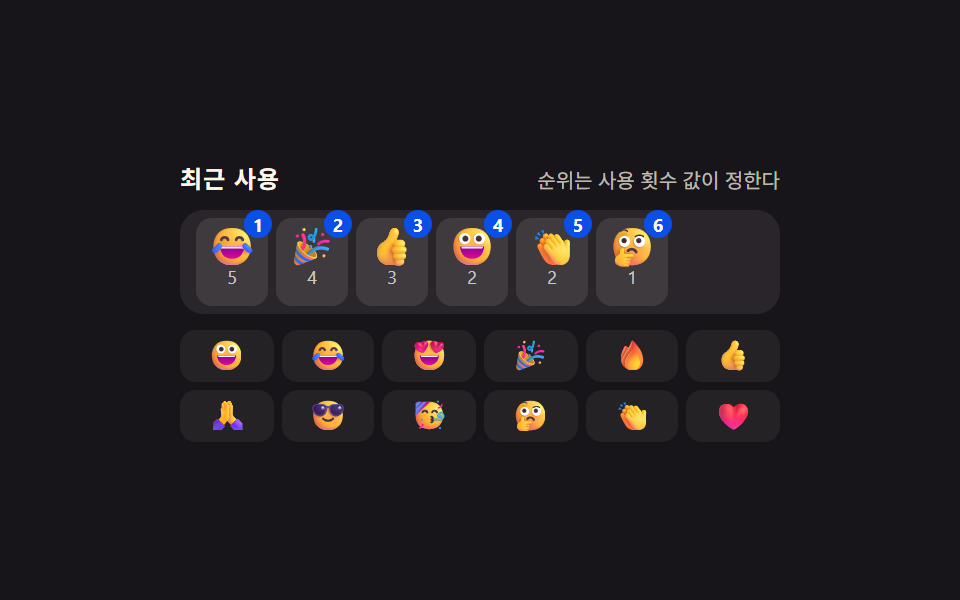 이모지 검색기 9가지 — 값 하나로 여닫는 패턴이모지 검색기 아홉 가지를 나란히 놓고 보면, 입력창 아래 남은 공간 값이 패널 높이보다 작을 때만 패널이 위로 열리는 자리로 바뀌고, 누르고 있는 시간 값이 정해둔 값을 넘을 때만 같은 이모지의 변형이 부채꼴로 펼 이 글의 데모 전부 보기