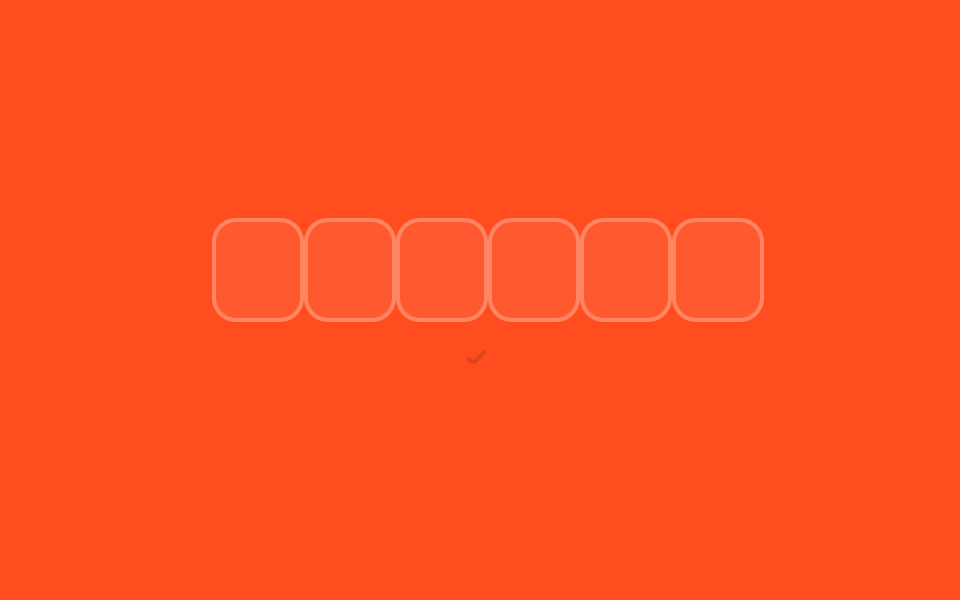
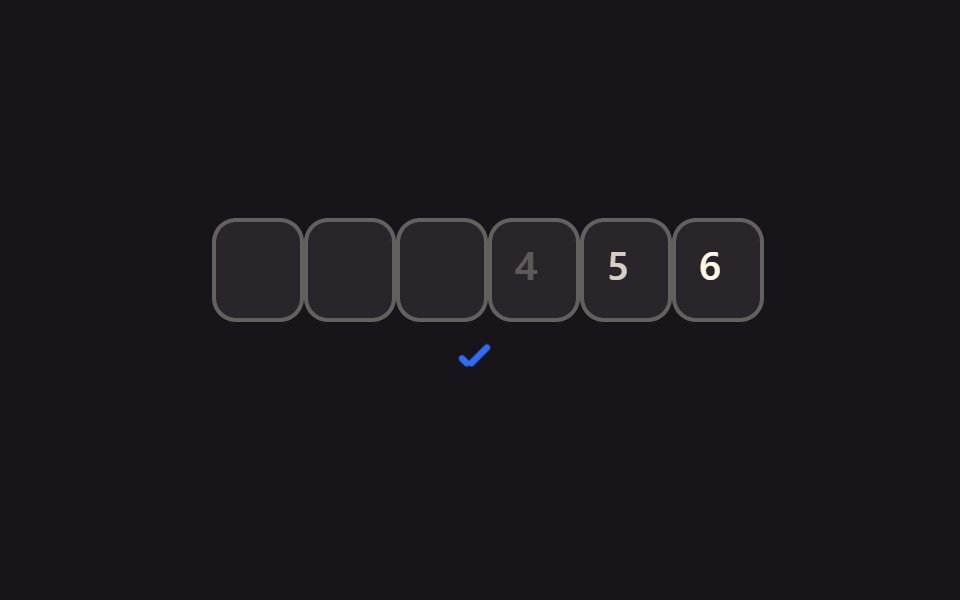
03코드 전체 붙여넣기 분배
복사한 6자리 코드를 붙여넣으면 한 번에 칸마다 나눠 들어간다.
쓰임메일 앱에서 복사한 인증코드 붙여넣기
clipboard6칸 분배숫자 외 무시
<main class="stage">
  <div class="pin is-demo" role="group" aria-label="인증번호 입력">
    <div class="pin__row">
      <span class="pin__box">
        <input class="pin__input" type="text" inputmode="numeric" pattern="[0-9]*" maxlength="1" autocomplete="one-time-code" aria-label="인증번호 1번째 자리">
        <span class="pin__ghost" aria-hidden="true">1</span>
        <span class="pin__scramble" aria-hidden="true"></span>
      </span>
      <span class="pin__box">
        <input class="pin__input" type="text" inputmode="numeric" pattern="[0-9]*" maxlength="1" autocomplete="one-time-code" aria-label="인증번호 2번째 자리">
        <span class="pin__ghost" aria-hidden="true">2</span>
        <span class="pin__scramble" aria-hidden="true"></span>
      </span>
      <span class="pin__box">
        <input class="pin__input" type="text" inputmode="numeric" pattern="[0-9]*" maxlength="1" autocomplete="one-time-code" aria-label="인증번호 3번째 자리">
        <span class="pin__ghost" aria-hidden="true">3</span>
        <span class="pin__scramble" aria-hidden="true"></span>
      </span>
      <span class="pin__box">
        <input class="pin__input" type="text" inputmode="numeric" pattern="[0-9]*" maxlength="1" autocomplete="one-time-code" aria-label="인증번호 4번째 자리">
        <span class="pin__ghost" aria-hidden="true">4</span>
        <span class="pin__scramble" aria-hidden="true"></span>
      </span>
      <span class="pin__box">
        <input class="pin__input" type="text" inputmode="numeric" pattern="[0-9]*" maxlength="1" autocomplete="one-time-code" aria-label="인증번호 5번째 자리">
        <span class="pin__ghost" aria-hidden="true">5</span>
        <span class="pin__scramble" aria-hidden="true"></span>
      </span>
      <span class="pin__box">
        <input class="pin__input" type="text" inputmode="numeric" pattern="[0-9]*" maxlength="1" autocomplete="one-time-code" aria-label="인증번호 6번째 자리">
        <span class="pin__ghost" aria-hidden="true">6</span>
        <span class="pin__scramble" aria-hidden="true"></span>
      </span>
    </div>
    <span class="pin__signal pin__signal--check" aria-hidden="true"></span>
  </div>
</main>@use "../../../../site/static/demo-tokens" as *;
$duration: $dur-quick;
$easing: $ease-spring;
$color: $subject-ink;
$fg: $subject-cream;
@include stage($stage-orange);
.pin {
display: flex;
flex-direction: column;
align-items: center;
gap: 14px;
font-family: -apple-system, "Segoe UI", "Noto Sans KR", sans-serif;
}
.pin__row {
position: relative;
display: flex;
gap: 8px;
}
.pin__box {
position: relative;
width: 38px;
height: 46px;
}
.pin__input {
position: absolute;
inset: 0;
width: 100%;
height: 100%;
border: 2px solid rgba($fg, .28);
border-radius: $r-control;
background: rgba($fg, .08);
color: $fg;
text-align: center;
font-weight: 600; font-size: 20px; line-height: 1;
outline: none;
transition: border-color $duration $easing;
-webkit-tap-highlight-color: transparent;
}
.pin__input:focus { border-color: $color; }
.pin__ghost {
position: absolute;
inset: 0;
display: grid;
place-items: center;
color: $fg;
font-weight: 600; font-size: 20px; line-height: 1;
opacity: 0;
pointer-events: none;
}
// 슬롯머신 스크램블 오버레이: 정착 전까지 실제 입력값 위에 무작위 숫자를 보여준다
.pin__scramble {
position: absolute;
inset: 0;
display: grid;
place-items: center;
color: $color;
font-weight: 600; font-size: 20px; line-height: 1;
font-variant-numeric: tabular-nums;
opacity: 0;
pointer-events: none;
}
.pin__box.is-scrambling .pin__input { color: transparent; }
.pin__box.is-scrambling .pin__scramble { opacity: 1; }
.pin__signal {
position: relative;
width: 22px;
height: 22px;
opacity: 0;
transform: scale(.6);
}
.pin__signal--check::before,
.pin__signal--check::after {
content: "";
position: absolute;
background: $color;
border-radius: 2px;
}
.pin__signal--check::before { left: 6px; top: 12px; width: 6px; height: 3px; transform: rotate(225deg); transform-origin: left center; } // 같은 꼭짓점(6,12)
.pin__signal--check::after { left: 6px; top: 12px; width: 13px; height: 3px; transform: rotate(-45deg); transform-origin: left center; }
.pin.is-demo .pin__ghost { animation: pin-ghost-burst $dur-loop linear infinite; }
@keyframes pin-ghost-burst {
0%, 100% { opacity: 0; }
4% { opacity: 1; }
70% { opacity: 1; }
78% { opacity: 0; }
}
.pin.is-demo .pin__signal--check { animation: pin-signal $dur-loop linear infinite; }
@keyframes pin-signal {
0%, 78% { opacity: 0; transform: scale(.6); }
86% { opacity: 1; transform: scale(1.12); }
94%, 100% { opacity: 1; transform: scale(1); }
}
@media (prefers-reduced-motion: reduce) {
.pin__ghost, .pin__ghost--dot, .pin__ghost--digit, .pin__caret, .pin__signal,
.pin__row, .pin__timer-n, .pin__resend, .pin__input {
animation: none !important;
transition: none !important;
}
.pin__scramble { display: none !important; }
.pin__box.is-scrambling .pin__input { color: $fg !important; }
.pin.is-demo .pin__ghost,
.pin.is-demo .pin__ghost--digit { opacity: 1; }
.pin.is-demo .pin__ghost--dot { opacity: 0; }
.pin.is-demo .pin__caret { opacity: .9; transform: translateX(230px); }
.pin.is-demo .pin__signal { opacity: 1; transform: scale(1); }
.pin.is-demo .pin__signal--toggle::before { transform: translateX(16px); }
.pin.is-demo .pin__resend { opacity: 1; transform: scale(1); }
}html, body {
margin: 0;
overflow: hidden;
}
.stage {
box-sizing: border-box;
min-height: 100vh;
display: grid;
place-items: center;
margin: 0;
background: #ff4d1f;
font-family: -apple-system, "Segoe UI", "Noto Sans KR", sans-serif;
padding: clamp(8px, 4vw, 24px);
}
.pin {
display: flex;
flex-direction: column;
align-items: center;
gap: 14px;
font-family: -apple-system, "Segoe UI", "Noto Sans KR", sans-serif;
}
.pin__row {
position: relative;
display: flex;
gap: 8px;
}
.pin__box {
position: relative;
width: 38px;
height: 46px;
}
.pin__input {
position: absolute;
inset: 0;
width: 100%;
height: 100%;
border: 2px solid rgba(255, 247, 230, 0.28);
border-radius: 12px;
background: rgba(255, 247, 230, 0.08);
color: #fff7e6;
text-align: center;
font-weight: 600;
font-size: 20px;
line-height: 1;
outline: none;
transition: border-color 220ms cubic-bezier(0.2, 0.8, 0.2, 1);
-webkit-tap-highlight-color: transparent;
}
.pin__input:focus {
border-color: #17141a;
}
.pin__ghost {
position: absolute;
inset: 0;
display: grid;
place-items: center;
color: #fff7e6;
font-weight: 600;
font-size: 20px;
line-height: 1;
opacity: 0;
pointer-events: none;
}
.pin__scramble {
position: absolute;
inset: 0;
display: grid;
place-items: center;
color: #17141a;
font-weight: 600;
font-size: 20px;
line-height: 1;
font-variant-numeric: tabular-nums;
opacity: 0;
pointer-events: none;
}
.pin__box.is-scrambling .pin__input {
color: transparent;
}
.pin__box.is-scrambling .pin__scramble {
opacity: 1;
}
.pin__signal {
position: relative;
width: 22px;
height: 22px;
opacity: 0;
transform: scale(0.6);
}
.pin__signal--check::before,
.pin__signal--check::after {
content: "";
position: absolute;
background: #17141a;
border-radius: 2px;
}
.pin__signal--check::before {
left: 6px;
top: 12px;
width: 6px;
height: 3px;
transform: rotate(225deg);
transform-origin: left center;
}
.pin__signal--check::after {
left: 6px;
top: 12px;
width: 13px;
height: 3px;
transform: rotate(-45deg);
transform-origin: left center;
}
.pin.is-demo .pin__ghost {
animation: pin-ghost-burst 2s linear infinite;
}
@keyframes pin-ghost-burst {
0%, 100% {
opacity: 0;
}
4% {
opacity: 1;
}
70% {
opacity: 1;
}
78% {
opacity: 0;
}
}
.pin.is-demo .pin__signal--check {
animation: pin-signal 2s linear infinite;
}
@keyframes pin-signal {
0%, 78% {
opacity: 0;
transform: scale(0.6);
}
86% {
opacity: 1;
transform: scale(1.12);
}
94%, 100% {
opacity: 1;
transform: scale(1);
}
}
@media (prefers-reduced-motion: reduce) {
.pin__ghost, .pin__ghost--dot, .pin__ghost--digit, .pin__caret, .pin__signal,
.pin__row, .pin__timer-n, .pin__resend, .pin__input {
animation: none !important;
transition: none !important;
}
.pin__scramble {
display: none !important;
}
.pin__box.is-scrambling .pin__input {
color: #fff7e6 !important;
}
.pin.is-demo .pin__ghost,
.pin.is-demo .pin__ghost--digit {
opacity: 1;
}
.pin.is-demo .pin__ghost--dot {
opacity: 0;
}
.pin.is-demo .pin__caret {
opacity: 0.9;
transform: translateX(230px);
}
.pin.is-demo .pin__signal {
opacity: 1;
transform: scale(1);
}
.pin.is-demo .pin__signal--toggle::before {
transform: translateX(16px);
}
.pin.is-demo .pin__resend {
opacity: 1;
transform: scale(1);
}
}(function () {
var pin = document.querySelector('.pin');
var boxes = [].slice.call(pin.querySelectorAll('.pin__input'));
var reduceMotionQuery = window.matchMedia('(prefers-reduced-motion: reduce)');
function wake() { pin.classList.remove('is-demo'); }
// 슬롯머신 스크램블: 최종 숫자를 바로 보여주지 않고 무작위 숫자가 지나가다 감속하며 정착한다
function cancelScramble(box) {
if (box._scrambleTimer) {
clearTimeout(box._scrambleTimer);
box._scrambleTimer = null;
}
}
function scrambleDigit(box, finalDigit) {
var display = box.querySelector('.pin__scramble');
if (!display) return;
cancelScramble(box);
if (reduceMotionQuery.matches) {
box.classList.remove('is-scrambling');
display.textContent = '';
return;
}
box.classList.add('is-scrambling');
var startedAt = Date.now();
var totalMs = 280; // 스크램블 총 지속시간
var delay = 24; // 초기 간격(빠름)
var growth = 1.35; // 감속 배율
var maxDelay = 200; // 최대 간격(느려짐)
function tick() {
var elapsed = Date.now() - startedAt;
if (elapsed >= totalMs) {
display.textContent = finalDigit;
box._scrambleTimer = setTimeout(function () {
box.classList.remove('is-scrambling');
display.textContent = '';
box._scrambleTimer = null;
}, 70);
return;
}
display.textContent = String(Math.floor(Math.random() * 10));
delay = Math.min(delay * growth, maxDelay);
box._scrambleTimer = setTimeout(tick, delay);
}
tick();
}
boxes.forEach(function (b, i) {
var box = b.closest('.pin__box');
b.addEventListener('focus', wake);
b.addEventListener('input', function () {
b.value = b.value.replace(/[^0-9]/g, '').slice(-1);
if (b.value) {
scrambleDigit(box, b.value);
if (boxes[i + 1]) boxes[i + 1].focus({ preventScroll: true });
} else {
cancelScramble(box);
box.classList.remove('is-scrambling');
var display = box.querySelector('.pin__scramble');
if (display) display.textContent = '';
}
});
b.addEventListener('keydown', function (e) {
if (e.key === 'Backspace' && !b.value && boxes[i - 1]) boxes[i - 1].focus({ preventScroll: true });
});
b.addEventListener('paste', function (e) {
var t = (e.clipboardData || window.clipboardData).getData('text').replace(/[^0-9]/g, '');
if (!t) return;
e.preventDefault();
t.slice(0, 6).split('').forEach(function (ch, k) {
if (boxes[k]) {
boxes[k].value = ch;
scrambleDigit(boxes[k].closest('.pin__box'), ch);
}
});
(boxes[Math.min(t.length, 6) - 1] || boxes[0]).focus({ preventScroll: true });
});
});
})();import { useEffect, useRef, useState } from "react";
import type { CSSProperties } from "react";
import styles from "./PinPasteFullCode.module.scss";
function siblings(el: any): HTMLInputElement[] {
var row = el.closest("[data-pin-row]");
return row ? Array.prototype.slice.call(row.querySelectorAll("input")) : [];
}
export type PinPasteFullCodeProps = {
/** 칸 수 (기본 6) */
length?: number;
/** 6칸이 다 채워지면 호출 */
onComplete?: (code: string) => void;
/** 강조 색 */
color?: string;
className?: string;
};
type Vars = CSSProperties & { "--color"?: string };
// useRef 는 T | null 을 돌려준다. 값이 항상 있는 상자는 이렇게 좁혀 쓴다 (077 관례)
type Box<T> = { current: T };
type TimerMap = Record<number, ReturnType<typeof setTimeout> | null>;
export default function PinPasteFullCode({
length = 6,
onComplete,
color = "#2f6df6",
className = "",
}: PinPasteFullCodeProps) {
const [values, setValues] = useState<string[]>(Array(length).fill(""));
const [scrambleText, setScrambleText] = useState<string[]>(Array(length).fill(""));
const [scrambling, setScrambling] = useState<boolean[]>(Array(length).fill(false));
const scrambleTimers = useRef<TimerMap>({}) as Box<TimerMap>;
const vars: Vars = { "--color": color };
// 슬롯머신 스크램블: 최종 숫자를 바로 보여주지 않고 무작위 숫자가 지나가다 감속하며 정착한다
function cancelScramble(i: number) {
const timer = scrambleTimers.current[i];
if (timer) {
clearTimeout(timer);
scrambleTimers.current[i] = null;
}
}
function setScramblingAt(i: number, on: boolean) {
setScrambling((prev) => {
const next = prev.slice();
next[i] = on;
return next;
});
}
function setScrambleTextAt(i: number, text: string) {
setScrambleText((prev) => {
const next = prev.slice();
next[i] = text;
return next;
});
}
function runScramble(i: number, finalDigit: string) {
cancelScramble(i);
const reduceMotion =
typeof window !== "undefined" &&
window.matchMedia("(prefers-reduced-motion: reduce)").matches;
if (reduceMotion) {
setScramblingAt(i, false);
setScrambleTextAt(i, "");
return;
}
setScramblingAt(i, true);
const startedAt = Date.now();
const totalMs = 280; // 스크램블 총 지속시간
const growth = 1.35; // 감속 배율
const maxDelay = 200; // 최대 간격(느려짐)
let delay = 24; // 초기 간격(빠름)
function tick() {
const elapsed = Date.now() - startedAt;
if (elapsed >= totalMs) {
setScrambleTextAt(i, finalDigit);
scrambleTimers.current[i] = setTimeout(() => {
setScramblingAt(i, false);
setScrambleTextAt(i, "");
scrambleTimers.current[i] = null;
}, 70);
return;
}
setScrambleTextAt(i, String(Math.floor(Math.random() * 10)));
delay = Math.min(delay * growth, maxDelay);
scrambleTimers.current[i] = setTimeout(tick, delay);
}
tick();
}
useEffect(() => {
const timers: TimerMap = scrambleTimers.current;
return () => {
Object.keys(timers).forEach((key) => {
const timer = timers[Number(key)];
if (timer) clearTimeout(timer);
});
};
}, []);
function handleChange(e: any, i: number) {
const el = e.currentTarget;
const v = String(el.value).replace(/[^0-9]/g, "").slice(-1);
const next = values.slice();
next[i] = v;
setValues(next);
if (v) {
runScramble(i, v);
const boxes = siblings(el);
if (boxes[i + 1]) boxes[i + 1].focus({ preventScroll: true });
} else {
cancelScramble(i);
setScramblingAt(i, false);
setScrambleTextAt(i, "");
}
if (next.every(Boolean)) onComplete?.(next.join(""));
}
function handleKeyDown(e: any, i: number) {
if (e.key === "Backspace" && !values[i]) {
const boxes = siblings(e.currentTarget);
if (boxes[i - 1]) boxes[i - 1].focus({ preventScroll: true });
}
}
function handlePaste(e: any) {
const text = String(e.clipboardData.getData("text")).replace(/[^0-9]/g, "").slice(0, length);
if (!text) return;
e.preventDefault();
const next = text.split("");
while (next.length < length) next.push("");
setValues(next);
text.split("").forEach((ch, k) => runScramble(k, ch));
if (text.length === length) onComplete?.(text);
}
return (
<div className={`${styles.pin} ${className}`} style={vars} data-pin-row>
{values.map((v, i) => (
<span
key={i}
className={scrambling[i] ? `${styles.boxWrap} ${styles.isScrambling}` : styles.boxWrap}
>
<input
className={styles.box}
type="text"
inputMode="numeric"
pattern="[0-9]*"
maxLength={1}
autoComplete="one-time-code"
aria-label={`인증번호 ${i + 1}번째 자리`}
value={v}
onChange={(e: any) => handleChange(e, i)}
onKeyDown={(e: any) => handleKeyDown(e, i)}
onPaste={(e: any) => handlePaste(e)}
/>
<span className={styles.scramble} aria-hidden="true">{scrambleText[i]}</span>
</span>
))}
</div>
);
}03 코드 전체 붙여넣기 분배 — 측정 누적면적 0.432% · 움직인 프레임 8/23GODRICH 원작 · zip 에 SCSS·React 포함 · 인증번호 입력 UI 만들 때 겪는 9가지 상황 — 폼 검증까지 챙긴
이 데모가 속한 글
 인증번호 입력 UI 만들 때 겪는 9가지 상황 — 폼 검증까지 챙긴인증번호 입력 UI는 6자리 숫자를 한 칸씩 나눠 받는 폼 부품으로, 다음 칸 이동부터 붙여넣기·오류 처리까지 한 번에 챙겨야 동작이 매끄러워집니다. 아홉 개 중 하나는 화면에 아무것도 안 보여도 실제로는 코드를 통 이 글의 데모 전부 보기