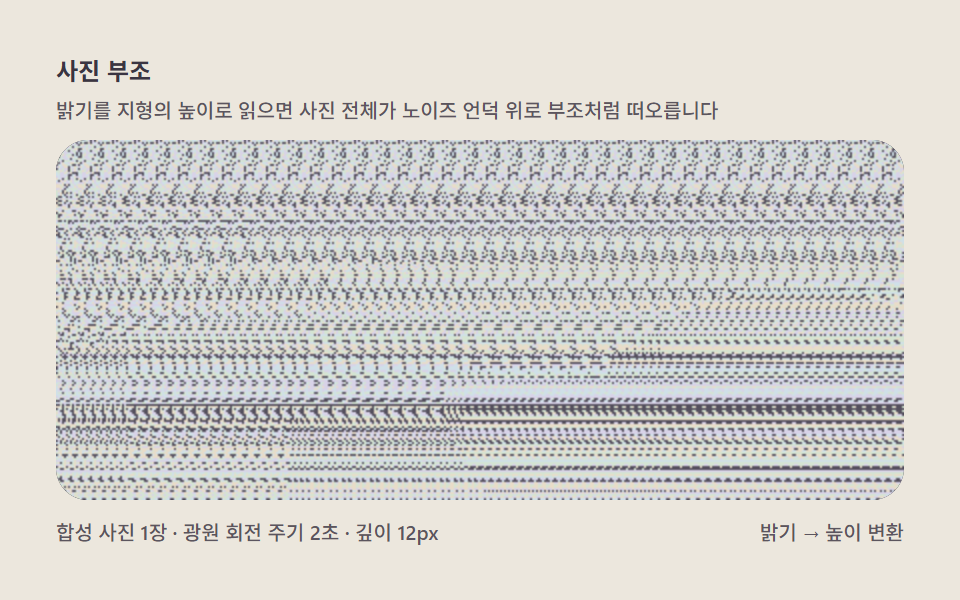
04사진 부조 — 밝기를 지형의 높이로 읽어 들어올린다
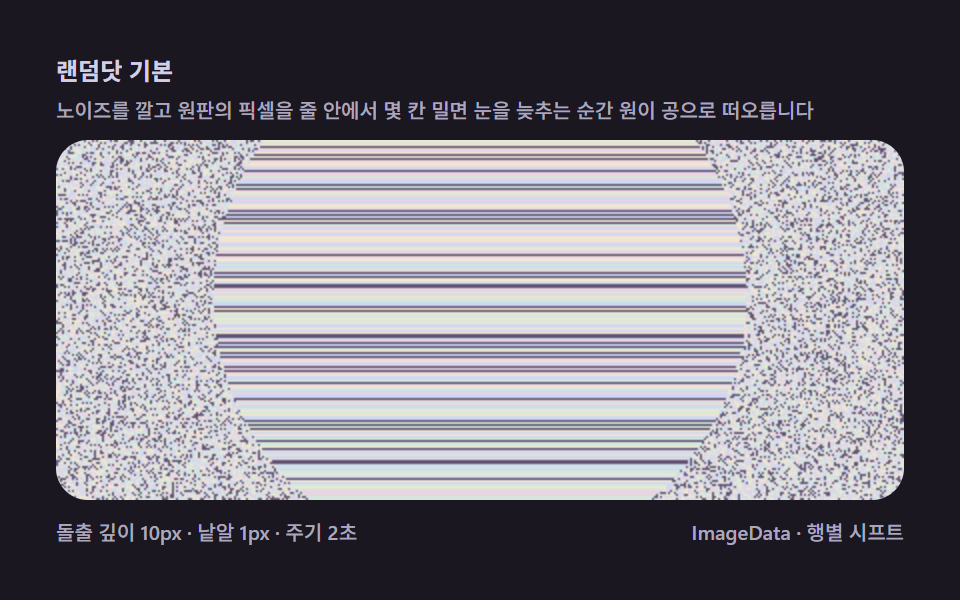
어두운 사진 한 장을 불러와 밝기를 그대로 깊이로 쓰면 얼굴과 사물이 노이즈 언덕 위로 부조처럼 떠오르는데, 실측 데이터 없이 사진 한 장으로 입체를 만드는 변환기입니다.
쓰임초상 아트, SNS 공유용 놀이
ImagegetImageDataImageData
<main class="stage">
<div class="me is-demo" id="meRoot">
  <p class="me__hint">
    <span>사진 부조</span>
    <span class="me__desc">밝기를 지형의 높이로 읽으면 사진 전체가 노이즈 언덕 위로 부조처럼 떠오릅니다</span>
  </p>
  <div class="me__field" role="application" aria-label="사진 부조 변환기" tabindex="0">
    <canvas class="me__cv" id="meCv"></canvas>
  </div>
  <div class="me__bar">
    <span class="me__meta">합성 사진 1장 · 광원 회전 주기 2초 · 깊이 12px</span>
    <span class="me__meta me__meta--dim">밝기 → 높이 변환</span>
  </div>
</div>
</main>
@use "../../../../site/static/demo-tokens" as *;
// 사진 부조(04) — keyframes 없음. 합성 사진 밝기 → 깊이 → 행별 시프트.
// 무대 페이퍼 — 밝은 도화지 위 어두운 판에 부조를 띄운다.
$me-stage: #ece7dd;
@include stage($me-stage);
$me-panel: #2e2a36; // 부조 판 바닥 — 어두운 먹보라(노이즈가 잘 뜨는 바탕)
$me-text: #3a3542; // 라벨 글자 — 잉크보라
$me-p0: #d8d2e8; // 노이즈 파스텔 1 — 라일락 화이트
$me-p1: #cfe0e8; // 노이즈 파스텔 2 — 파스텔 스카이
$me-p2: #e8dcc8; // 노이즈 파스텔 3 — 크림
$me-p3: #d4e4d2; // 노이즈 파스텔 4 — 민트 크림
$me-p4: #55505e; // 노이즈 어두운 칸 — 저채도 보라
$duration: $dur-loop;
$easing: $ease-out;
$color: $me-p0;
.me {
--me-p0: #{$me-p0};
--me-p1: #{$me-p1};
--me-p2: #{$me-p2};
--me-p3: #{$me-p3};
--me-p4: #{$me-p4};
display: flex; flex-direction: column; gap: $sp-2;
width: 100%; max-width: 424px;
}
.me__hint {
display: flex; flex-direction: column; gap: 0; margin: 0;
font-weight: 700; font-size: clamp(10px, 2.8vw, 12px); line-height: 1.35;
color: $me-text;
}
.me__desc {
margin-top: $sp-1;
font-weight: 500; font-size: clamp(9px, 2.4vw, 10px); line-height: 1.4;
color: rgba($me-text, .82);
}
.me__field {
position: relative; height: 180px;
border-radius: $r-card; overflow: hidden;
background: $me-panel;
box-shadow: inset 0 0 0 1px rgba($me-text, .18);
}
.me__field:focus-visible { outline: 2px solid $me-p0; outline-offset: 2px; }
.me__cv { display: block; width: 100%; height: 100%; }
.me__bar { display: flex; align-items: baseline; justify-content: space-between; gap: $sp-2; }
.me__meta { font-size: 10px; font-weight: 500; color: rgba($me-text, .82); }
@media (max-width: 340px) {
.me { gap: $sp-1; }
.me__field { height: 100px; }
.me__meta--dim { display: none; }
}
// reduce — 광원 한 방향의 부조 한 장만 남는다.
@media (prefers-reduced-motion: reduce) {
.me.is-still .me__field { cursor: default !important; }
}html, body {
margin: 0;
overflow: hidden;
}
.stage {
box-sizing: border-box;
min-height: 100vh;
display: grid;
place-items: center;
margin: 0;
background: #ece7dd;
font-family: -apple-system, "Segoe UI", "Noto Sans KR", sans-serif;
padding: clamp(8px, 4vw, 24px);
}
.me {
--me-p0: #d8d2e8;
--me-p1: #cfe0e8;
--me-p2: #e8dcc8;
--me-p3: #d4e4d2;
--me-p4: #55505e;
display: flex;
flex-direction: column;
gap: 8px;
width: 100%;
max-width: 424px;
}
.me__hint {
display: flex;
flex-direction: column;
gap: 0;
margin: 0;
font-weight: 700;
font-size: clamp(10px, 2.8vw, 12px);
line-height: 1.35;
color: #3a3542;
}
.me__desc {
margin-top: 4px;
font-weight: 500;
font-size: clamp(9px, 2.4vw, 10px);
line-height: 1.4;
color: rgba(58, 53, 66, 0.82);
}
.me__field {
position: relative;
height: 180px;
border-radius: 16px;
overflow: hidden;
background: #2e2a36;
box-shadow: inset 0 0 0 1px rgba(58, 53, 66, 0.18);
}
.me__field:focus-visible {
outline: 2px solid #d8d2e8;
outline-offset: 2px;
}
.me__cv {
display: block;
width: 100%;
height: 100%;
}
.me__bar {
display: flex;
align-items: baseline;
justify-content: space-between;
gap: 8px;
}
.me__meta {
font-size: 10px;
font-weight: 500;
color: rgba(58, 53, 66, 0.82);
}
@media (max-width: 340px) {
.me {
gap: 4px;
}
.me__field {
height: 100px;
}
.me__meta--dim {
display: none;
}
}
@media (prefers-reduced-motion: reduce) {
.me.is-still .me__field {
cursor: default !important;
}
}// 사진 부조(04) — 사진 한 장의 밝기를 지형 높이로 읽어 올린다.
// 외부 이미지 없이 캔버스로 "사진"을 합성한다(구름 하늘 그라디언트 + 언덕 두 개 + 얼굴 실루엣 언덕).
// 광원 방향이 주기마다 돌면 언덕의 음영이 바뀌고, 음영이 곧 높이(깊이)라서 부조 전체가 살아 움직인다.
// 실 서비스에서는 드래그앤드롭된 임의 사진의 getImageData 를 같은 파이프라인에 넣으면 된다.
(function () {
// ── 변형 상수 블록 ──
var MAXSHIFT = 12; // 부조 깊이(px)
var CYCLE = 2.0; // 광원 회전 주기(초)
// ─────────────────
var root = document.getElementById('meRoot');
var cvEl = document.getElementById('meCv');
if (!root || !cvEl) return;
var fieldEl = cvEl.parentElement;
var css = getComputedStyle(root);
function tokRGB(name) {
var s = css.getPropertyValue(name).trim();
var hx = s.length === 4
? s.charAt(1) + s.charAt(1) + s.charAt(2) + s.charAt(2) + s.charAt(3) + s.charAt(3)
: s.slice(1);
return [parseInt(hx.slice(0, 2), 16), parseInt(hx.slice(2, 4), 16), parseInt(hx.slice(4, 6), 16)];
}
var PAL = [];
for (var i = 0; i < 5; i++) PAL.push(tokRGB('--me-p' + i));
function baseIdx(x, y) {
var h = (Math.imul(x + 11, 374761393) + Math.imul(y + 7, 668265263)) >>> 0;
h ^= h >>> 13;
h = Math.imul(h, 1274126177) >>> 0;
h ^= h >>> 16;
return ((h % PAL.length) + PAL.length) % PAL.length;
}
var ctx = cvEl.getContext('2d');
var W = 0, H = 0, img = null;
// 합성 사진 — 회전 광원 아래 언덕 지형. 라스터를 읽어 밝기 → 깊이로 쓴다.
var phCv = document.createElement('canvas');
var phCtx = phCv.getContext('2d');
function paintPhoto(t) {
var ang = t / CYCLE * Math.PI * 2;
var lx = W * 0.5 + Math.cos(ang) * W * 0.4; // 광원이 좌우로 돈다
var ly = H * 0.28 + Math.sin(ang) * H * 0.1;
// 하늘 — 세로 그라디언트(밝기가 위에서 아래로 낮아진다 = 뒤로 낮아지는 지형)
var sky = phCtx.createLinearGradient(0, 0, 0, H);
sky.addColorStop(0, '#e8e2d4');
sky.addColorStop(0.7, '#c9c0ae');
sky.addColorStop(1, '#b3a894');
phCtx.fillStyle = sky;
phCtx.fillRect(0, 0, W, H);
// 광원 패치 — 하늘의 가장 밝은 점(가장 앞으로 나온 봉우리로 읽힌다)
var glow = phCtx.createRadialGradient(lx, ly, 2, lx, ly, W * 0.16);
glow.addColorStop(0, '#ffffff');
glow.addColorStop(1, 'rgba(255,255,255,0)');
phCtx.fillStyle = glow;
phCtx.fillRect(0, 0, W, H);
// 언덕 세 개 — 포물선 낙차. 광원 쪽이 밝다(높이 음영)
function hill(cx2, baseY, halfW, lift, hue) {
var g2 = phCtx.createLinearGradient(cx2 - halfW, 0, cx2 + halfW, 0);
var lit = Math.max(0, Math.min(1, 0.5 + (lx - cx2) / W));
var r = Math.round(hue[0] + (255 - hue[0]) * lit * lift);
var g3 = Math.round(hue[1] + (255 - hue[1]) * lit * lift);
var b2 = Math.round(hue[2] + (255 - hue[2]) * lit * lift);
var dk = 0.82;
g2.addColorStop(0, 'rgb(' + Math.round(r * dk) + ',' + Math.round(g3 * dk) + ',' + Math.round(b2 * dk) + ')');
g2.addColorStop(0.5, 'rgb(' + r + ',' + g3 + ',' + b2 + ')');
g2.addColorStop(1, 'rgb(' + Math.round(r * dk) + ',' + Math.round(g3 * dk) + ',' + Math.round(b2 * dk) + ')');
phCtx.fillStyle = g2;
phCtx.beginPath();
phCtx.moveTo(cx2 - halfW, H);
for (var sx = -halfW; sx <= halfW; sx += 4) {
phCtx.lineTo(cx2 + sx, baseY - Math.cos(sx / halfW * Math.PI / 2) * lift * H * 0.3);
}
phCtx.lineTo(cx2 + halfW, H);
phCtx.closePath();
phCtx.fill();
}
hill(W * 0.24, H * 0.66, W * 0.30, 0.55, [96, 104, 88]);
hill(W * 0.62, H * 0.78, W * 0.34, 0.40, [80, 90, 78]);
hill(W * 0.88, H * 0.60, W * 0.22, 0.66, [110, 112, 92]);
// 실루엣 초상 — 오른쪽 언덕 위 이마·코·턱 곡선(부조의 주인공)
phCtx.fillStyle = '#8d8474';
phCtx.beginPath();
phCtx.moveTo(W * 0.30, H);
phCtx.lineTo(W * 0.30, H * 0.52);
phCtx.quadraticCurveTo(W * 0.33, H * 0.30, W * 0.44, H * 0.34); // 이마
phCtx.quadraticCurveTo(W * 0.50, H * 0.36, W * 0.50, H * 0.44); // 콧등
phCtx.quadraticCurveTo(W * 0.53, H * 0.56, W * 0.47, H * 0.66); // 입·턱
phCtx.quadraticCurveTo(W * 0.44, H * 0.78, W * 0.52, H);
phCtx.closePath();
phCtx.fill();
}
function fit() {
var r = fieldEl.getBoundingClientRect();
W = Math.round(r.width); H = Math.round(r.height);
cvEl.width = W; cvEl.height = H;
phCv.width = W; phCv.height = H;
img = ctx.createImageData(W, H);
}
function draw(t) {
paintPhoto(t);
var ph = phCtx.getImageData(0, 0, W, H).data;
var d = img.data, x, y, di;
var col = new Int32Array(W);
for (y = 0; y < H; y++) {
var rowOff = y * W;
for (x = 0; x < W; x++) {
var lum = ph[(rowOff + x) * 4]; // 밝기 0..255
var s = Math.round(lum / 255 * MAXSHIFT);
if (s <= 0) {
col[x] = baseIdx(x, y);
} else {
var from = x - s;
col[x] = from >= 0 ? col[from] : baseIdx(from + W, y);
}
}
for (x = 0; x < W; x++) {
var c = PAL[col[x]];
di = (y * W + x) * 4;
d[di] = c[0]; d[di + 1] = c[1]; d[di + 2] = c[2]; d[di + 3] = 255;
}
}
ctx.putImageData(img, 0, 0);
}
var reduce = window.matchMedia('(prefers-reduced-motion: reduce)').matches;
var t0 = -1;
function frame(now) {
if (t0 < 0) t0 = now;
draw((now - t0) / 1000);
requestAnimationFrame(frame);
}
window.addEventListener('resize', function () {
fit();
if (reduce) draw(0.3);
});
fit();
if (reduce) {
draw(0.3); // reduce — 광원이 오른쪽에 있는 부조 한 장만 고정
root.classList.add('is-still');
} else {
requestAnimationFrame(frame);
}
})();// MagicEyePhotoDepthmapLift — vanilla 판(run/325/demo/04-magic-eye-photo-depthmap-lift/index.html) 의 React 포트.
// 사진 한 장의 밝기를 지형 높이로 읽어 올린다. 외부 이미지 없이 캔버스로 "사진"을 합성한다
// (구름 하늘 그라디언트 + 언덕 두 개 + 얼굴 실루엣 언덕). 광원 방향이 주기마다 돌면 언덕의 음영이
// 바뀌고, 음영이 곧 높이(깊이)라서 부조 전체가 살아 움직인다.
// 실 서비스에서는 드래그앤드롭된 임의 사진의 getImageData 를 같은 파이프라인에 넣으면 된다.
import { useEffect, useRef, useState } from "react";
import type { CSSProperties } from "react";
import styles from "./MagicEyePhotoDepthmapLift.module.scss";
export type MagicEyePhotoDepthmapLiftProps = {
duration?: string;
easing?: string;
color?: string;
maxshift?: number; // 부조 깊이(px)
cycle?: number; // 광원 회전 주기(초)
};
// ── 변형 상수(기본값) — vanilla 판과 동일 ──
const MAXSHIFT = 12; // 부조 깊이(px)
const CYCLE = 2.0; // 광원 회전 주기(초) — 설정 초(2s)와 같아 한 바퀴가 한 루프
type Vars = CSSProperties & { "--duration"?: string; "--easing"?: string; "--color"?: string };
type Box<T> = { current: T };
type RGB = [number, number, number];
const FIELD_LABEL = "사진 부조 변환기";
const META_LEFT = "합성 사진 1장 · 광원 회전 주기 2초 · 깊이 12px";
const META_RIGHT = "밝기 → 높이 변환";
const HINT_TITLE = "사진 부조";
const HINT_DESC = "밝기를 지형의 높이로 읽으면 사진 전체가 노이즈 언덕 위로 부조처럼 떠오릅니다";
export default function MagicEyePhotoDepthmapLift({
duration = "2s",
easing = "ease-out",
color = "#d8d2e8",
maxshift = MAXSHIFT,
cycle = CYCLE
}: MagicEyePhotoDepthmapLiftProps) {
const rootRef = useRef<HTMLDivElement | null>(null);
const fieldRef = useRef<HTMLDivElement | null>(null);
const cvRef = useRef<HTMLCanvasElement | null>(null);
const ctxRef = useRef<CanvasRenderingContext2D | null>(null);
const palRef = useRef<RGB[] | null>(null);
const imgRef = useRef<ImageData | null>(null);
const phRef = useRef<HTMLCanvasElement | null>(null);
const phCtxRef = useRef<CanvasRenderingContext2D | null>(null);
const wRef = useRef(0) as Box<number>;
const hRef = useRef(0) as Box<number>;
const rafRef = useRef(0) as Box<number>;
const [still, setStill] = useState(false);
const vars: Vars = { "--duration": duration, "--easing": easing, "--color": color };
function reduced(): boolean {
return window.matchMedia("(prefers-reduced-motion: reduce)").matches;
}
function tokRGB(root: HTMLDivElement, name: string): RGB {
const s = getComputedStyle(root).getPropertyValue(name).trim();
const hx = s.length === 4
? s.charAt(1) + s.charAt(1) + s.charAt(2) + s.charAt(2) + s.charAt(3) + s.charAt(3)
: s.slice(1);
return [parseInt(hx.slice(0, 2), 16), parseInt(hx.slice(2, 4), 16), parseInt(hx.slice(4, 6), 16)];
}
function baseIdx(x: number, y: number): number {
const pal = palRef.current;
if (!pal) return 0;
let h = (Math.imul(x + 11, 374761393) + Math.imul(y + 7, 668265263)) >>> 0;
h ^= h >>> 13;
h = Math.imul(h, 1274126177) >>> 0;
h ^= h >>> 16;
return ((h % pal.length) + pal.length) % pal.length;
}
function fit(): void {
const field = fieldRef.current;
const cv = cvRef.current;
const ctx = ctxRef.current;
const phCv = phRef.current;
if (!field || !cv || !ctx || !phCv) return;
const r = field.getBoundingClientRect();
wRef.current = Math.round(r.width);
hRef.current = Math.round(r.height);
cv.width = wRef.current;
cv.height = hRef.current;
phCv.width = wRef.current;
phCv.height = hRef.current;
imgRef.current = ctx.createImageData(wRef.current, hRef.current);
}
// 합성 사진 — 회전 광원 아래 언덕 지형. 라스터를 읽어 밝기 → 깊이로 쓴다.
function paintPhoto(t: number): void {
const phCtx: CanvasRenderingContext2D | null = phCtxRef.current;
const W = wRef.current, H = hRef.current;
if (!phCtx || W <= 0) return;
const ang = t / cycle * Math.PI * 2;
const lx = W * 0.5 + Math.cos(ang) * W * 0.4; // 광원이 좌우로 돈다
const ly = H * 0.28 + Math.sin(ang) * H * 0.1;
const P: CanvasRenderingContext2D = phCtx;
// 하늘 — 세로 그라디언트(밝기가 위에서 아래로 낮아진다 = 뒤로 낮아지는 지형)
const sky = P.createLinearGradient(0, 0, 0, H);
sky.addColorStop(0, "#e8e2d4");
sky.addColorStop(0.7, "#c9c0ae");
sky.addColorStop(1, "#b3a894");
P.fillStyle = sky;
P.fillRect(0, 0, W, H);
// 광원 패치 — 하늘의 가장 밝은 점(가장 앞으로 나온 봉우리로 읽힌다)
const glow = P.createRadialGradient(lx, ly, 2, lx, ly, W * 0.16);
glow.addColorStop(0, "#ffffff");
glow.addColorStop(1, "rgba(255,255,255,0)");
P.fillStyle = glow;
P.fillRect(0, 0, W, H);
// 언덕 세 개 — 포물선 낙차. 광원 쪽이 밝다(높이 음영)
function hill(cx2: number, baseY: number, halfW: number, lift: number, hue: RGB): void {
const g2 = P.createLinearGradient(cx2 - halfW, 0, cx2 + halfW, 0);
const lit = Math.max(0, Math.min(1, 0.5 + (lx - cx2) / W));
const r = Math.round(hue[0] + (255 - hue[0]) * lit * lift);
const g3 = Math.round(hue[1] + (255 - hue[1]) * lit * lift);
const b2 = Math.round(hue[2] + (255 - hue[2]) * lit * lift);
const dk = 0.82;
g2.addColorStop(0, "rgb(" + Math.round(r * dk) + "," + Math.round(g3 * dk) + "," + Math.round(b2 * dk) + ")");
g2.addColorStop(0.5, "rgb(" + r + "," + g3 + "," + b2 + ")");
g2.addColorStop(1, "rgb(" + Math.round(r * dk) + "," + Math.round(g3 * dk) + "," + Math.round(b2 * dk) + ")");
P.fillStyle = g2;
P.beginPath();
P.moveTo(cx2 - halfW, H);
for (let sx = -halfW; sx <= halfW; sx += 4) {
P.lineTo(cx2 + sx, baseY - Math.cos(sx / halfW * Math.PI / 2) * lift * H * 0.3);
}
P.lineTo(cx2 + halfW, H);
P.closePath();
P.fill();
}
hill(W * 0.24, H * 0.66, W * 0.30, 0.55, [96, 104, 88]);
hill(W * 0.62, H * 0.78, W * 0.34, 0.40, [80, 90, 78]);
hill(W * 0.88, H * 0.60, W * 0.22, 0.66, [110, 112, 92]);
// 실루엣 초상 — 오른쪽 언덕 위 이마·코·턱 곡선(부조의 주인공)
P.fillStyle = "#8d8474";
P.beginPath();
P.moveTo(W * 0.30, H);
P.lineTo(W * 0.30, H * 0.52);
P.quadraticCurveTo(W * 0.33, H * 0.30, W * 0.44, H * 0.34); // 이마
P.quadraticCurveTo(W * 0.50, H * 0.36, W * 0.50, H * 0.44); // 콧등
P.quadraticCurveTo(W * 0.53, H * 0.56, W * 0.47, H * 0.66); // 입·턱
P.quadraticCurveTo(W * 0.44, H * 0.78, W * 0.52, H);
P.closePath();
P.fill();
}
function draw(t: number): void {
const ctx = ctxRef.current;
const phCtx = phCtxRef.current;
const img = imgRef.current;
const pal = palRef.current;
const W = wRef.current, H = hRef.current;
if (!ctx || !phCtx || !img || !pal) return;
paintPhoto(t);
const ph = phCtx.getImageData(0, 0, W, H).data;
const d = img.data;
const col = new Int32Array(W);
for (let y = 0; y < H; y++) {
const rowOff = y * W;
for (let x = 0; x < W; x++) {
const lum = ph[(rowOff + x) * 4]; // 밝기 0..255
const s = Math.round(lum / 255 * maxshift);
if (s <= 0) {
col[x] = baseIdx(x, y);
} else {
const from = x - s;
col[x] = from >= 0 ? col[from] : baseIdx(from + W, y);
}
}
for (let x = 0; x < W; x++) {
const c = pal[col[x]];
const di = (y * W + x) * 4;
d[di] = c[0]; d[di + 1] = c[1]; d[di + 2] = c[2]; d[di + 3] = 255;
}
}
ctx.putImageData(img, 0, 0);
}
let t0 = -1;
function frame(now: number): void {
if (t0 < 0) t0 = now;
draw((now - t0) / 1000);
rafRef.current = requestAnimationFrame(frame);
}
useEffect(() => {
const root = rootRef.current;
const cv = cvRef.current;
if (!root || !cv) return;
const pal: RGB[] = [];
for (let i = 0; i < 5; i++) pal.push(tokRGB(root, "--me-p" + i));
palRef.current = pal;
// 합성 사진용 오프스크린 캔버스 — ref 로 만들어 재사용한다
const phCv = document.createElement("canvas");
phRef.current = phCv;
phCtxRef.current = phCv.getContext("2d");
ctxRef.current = cv.getContext("2d");
fit();
function onResize(): void {
fit();
if (reduced()) draw(0.3);
}
window.addEventListener("resize", onResize);
if (reduced()) {
draw(0.3); // reduce — 광원이 오른쪽에 있는 부조 한 장만 고정
setStill(true);
} else {
t0 = -1;
rafRef.current = requestAnimationFrame(frame);
}
return () => {
window.removeEventListener("resize", onResize);
cancelAnimationFrame(rafRef.current);
};
// eslint-disable-next-line react-hooks/exhaustive-deps
}, [maxshift, cycle]);
const rootCls = still ? `${styles.root} ${styles.isStill}` : styles.root;
return (
<main className={styles.stage}>
<div className={rootCls} ref={rootRef} style={vars}>
<p className={styles.hint}>
<span>{HINT_TITLE}</span>
<span className={styles.desc}>{HINT_DESC}</span>
</p>
<div
className={styles.field}
ref={fieldRef}
role="application"
aria-label={FIELD_LABEL}
tabIndex={0}
>
<canvas className={styles.cv} ref={cvRef}></canvas>
</div>
<div className={styles.bar}>
<span className={styles.meta}>{META_LEFT}</span>
<span className={styles.metaDim}>{META_RIGHT}</span>
</div>
</div>
</main>
);
}04 사진 부조 — 밝기를 지형의 높이로 읽어 들어올린다 — 측정 누적면적 50.087% · 움직인 프레임 23/23GODRICH 원작 · zip 에 SCSS·React 포함 · 매직아이 9종 — 깊이 지도를 주사선 밀기 한 겹으로 짜는 스테레오그램 캔버스
이 데모가 속한 글
 매직아이 9종 — 깊이 지도를 주사선 밀기 한 겹으로 짜는 스테레오그램 캔버스픽셀의 밝기를 깊이로 읽어 같은 줄 안에서 몇 픽셀 밀어 붙이면 평면 무늬 속에 입체가 숨습니다. 라이브러리 없이 복붙으로 가져가는 숨은그림 엔진입니다. 매직아이 그림 한 장을 채우는 일이 이미지 없이 계산만으로 되 이 글의 데모 전부 보기