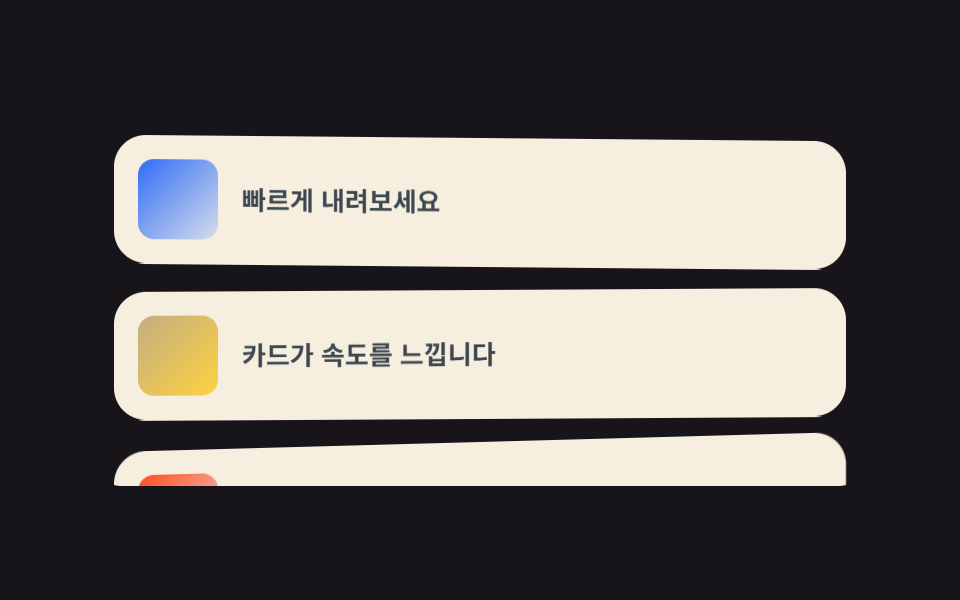
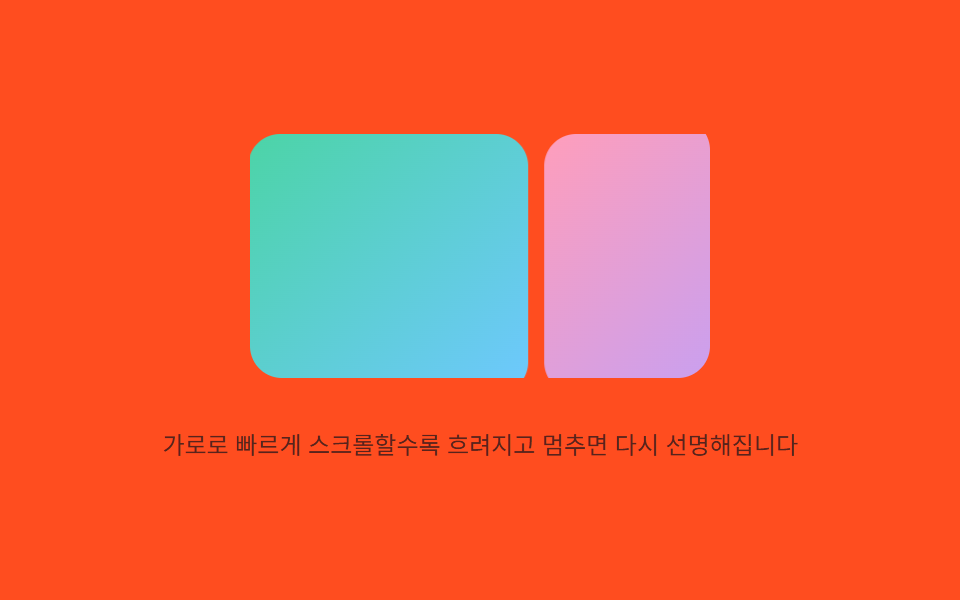
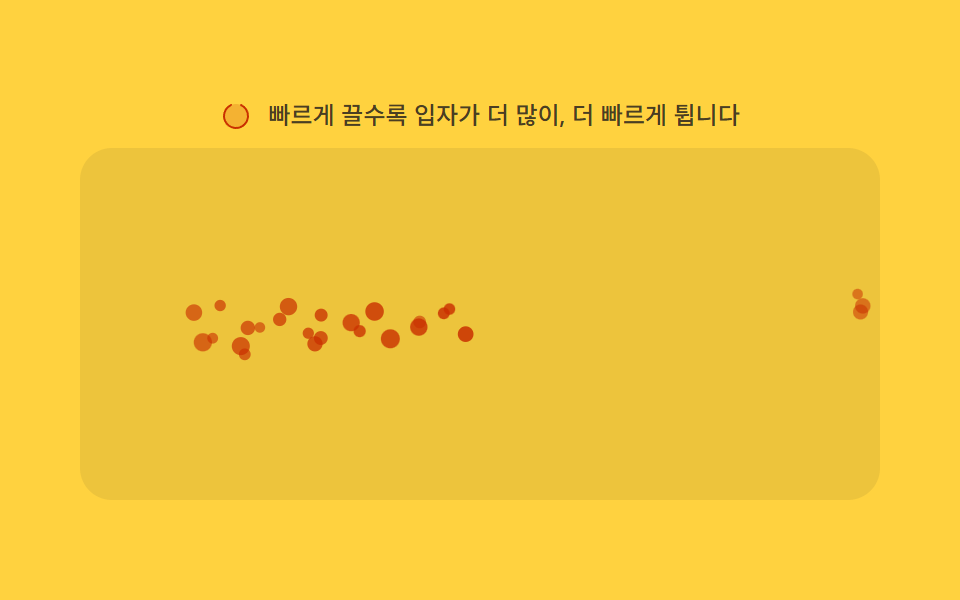
07속도 반응
프레임 사이 이동량으로 스크롤 속도를 재고, 빠를수록 글자가 눕고 벌어지게 --vel 에 넘깁니다. 속도가 0 이 되면 clamp 범위 안에서 제자리로 돌아옵니다.
쓰임매거진 이미지·타이틀 왜곡
skewYclamp()--vel
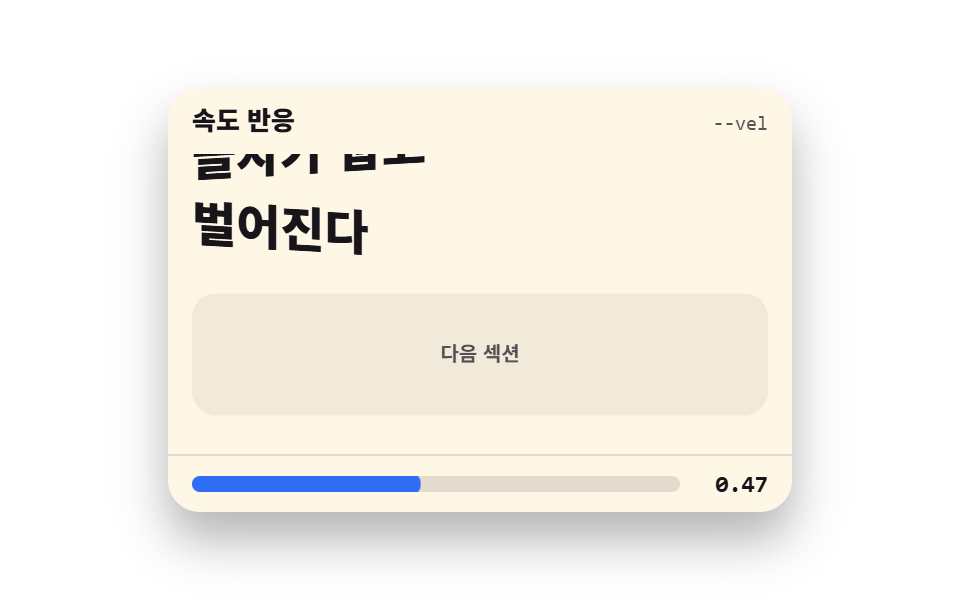
<main class="stage">
  <section class="vl is-demo" id="vl" aria-label="속도 반응 데모">
    <header class="vl__head">
      <p class="vl__title">속도 반응</p>
      <p class="vl__attr"><code>--vel</code></p>
    </header>
    <div class="vl__view" id="vl-view" tabindex="0" role="region" aria-label="타이틀 미리보기 — 빠르게 스크롤해 보세요">
      <div class="vl__track">
        <div class="vl__rule" aria-hidden="true"><span></span><span></span></div>
        <h2 class="vl__line">빠르게 내리면</h2>
        <h2 class="vl__line">글자가 눕고</h2>
        <h2 class="vl__line">벌어진다</h2>
        <p class="vl__filler" aria-hidden="true">다음 섹션</p>
      </div>
    </div>
    <footer class="vl__meter" aria-label="스크롤 속도">
      <span class="vl__bar"><span class="vl__fill" id="vl-fill"></span></span>
      <b class="vl__num" id="vl-num">0.00</b>
    </footer>
  </section>
</main>
@use "../../../../site/static/demo-tokens" as *;
// 속도 반응 — 스크롤 속도를 --vel 로 넘겨 글자가 skewY 로 눕고 줄이 벌어진다
// 각도는 clamp() 로 ±6deg 안에 묶인다. 속도 0 이면 제자리. @property 등록이 있어야 값이 보간된다
$duration: $dur-loop;
$easing: $ease-spring;
$color: $subject-blue;
@property --vel {
syntax: "<number>";
inherits: true;
initial-value: 0;
}
@include stage($stage-paper);
.vl {
position: relative;
box-sizing: border-box;
width: min(312px, 92vw);
border-radius: $r-card;
background: $subject-cream;
color: $subject-ink;
font-family: -apple-system, "Segoe UI", "Noto Sans KR", sans-serif;
overflow: hidden;
box-shadow: $shadow-raised;
}
.vl__head {
display: flex;
align-items: baseline;
justify-content: space-between;
gap: $sp-2;
padding: $sp-2 $sp-3;
}
.vl__title {
margin: 0;
font-size: 13px;
font-weight: 800;
line-height: 1.3;
}
.vl__attr {
margin: 0;
font-size: 10px;
font-weight: 400;
line-height: 1.3;
color: rgba($subject-ink, .72);
code { font-family: "Consolas", "Menlo", monospace; }
}
.vl__view {
height: 150px;
overflow-y: auto;
padding: 0 $sp-3;
outline: none;
}
.vl__track {
display: grid;
gap: $sp-3;
padding-top: $sp-2;
padding-bottom: 140px;
}
// 윗세기 — 타이틀 위의 쉬어가는 자리 (텍스트 없는 장식 규칙 두 줄)
.vl__rule {
display: grid;
gap: $sp-1;
span {
height: 8px;
border-radius: $r-pill;
background: rgba($subject-ink, .12);
&:last-child { width: 64%; }
}
}
.vl__line {
margin: 0;
font-size: 24px;
font-weight: 800;
line-height: 1.4;
// 홀수 줄은 왼쪽으로 눕고 위로 벌어진다, 짝수 줄은 반대 — 각도·벌어짐 모두 clamp() 범위 안
&:nth-child(odd) {
transform: skewY(clamp(-6deg, calc(var(--vel, 0) * -7deg), 6deg)) translateY(calc(var(--vel, 0) * -4px));
}
&:nth-child(even) {
transform: skewY(clamp(-6deg, calc(var(--vel, 0) * 7deg), 6deg)) translateY(calc(var(--vel, 0) * 4px));
}
}
.vl__filler {
margin: 0;
font-size: 10px;
font-weight: 700;
line-height: 1.3;
color: rgba($subject-ink, .72);
border-radius: $r-control;
background: rgba($subject-ink, .06);
padding: $sp-6 0;
text-align: center;
}
.vl__meter {
display: flex;
align-items: center;
gap: $sp-2;
padding: $sp-2 $sp-3;
border-top: 1px solid rgba($subject-ink, .12);
}
.vl__bar {
flex: 1;
height: 8px;
border-radius: $r-pill;
background: rgba($subject-ink, .12);
overflow: hidden;
}
.vl__fill {
display: block;
height: 100%;
border-radius: $r-pill;
background: $color;
transform-origin: left center;
transform: scaleX(clamp(0, var(--vel, 0), 1));
}
.vl__num {
font-family: "Consolas", "Menlo", monospace;
font-size: 12px;
font-weight: 700;
line-height: 1;
min-width: 36px;
text-align: right;
}
// 미리보기 — --vel 을 등록된 애니메이션으로 물결치게 하고 트랙이 두 번 흘러간다
// 애니메이션 값은 인라인 --vel 보다 우선하므로 미리보기 중 숫자·기울기가 함께 움직인다
.vl.is-demo {
animation-name: vl-vel;
animation-duration: $duration;
animation-timing-function: linear;
animation-iteration-count: infinite;
.vl__track {
animation-name: vl-flow;
animation-duration: $duration;
animation-timing-function: $easing;
animation-iteration-count: infinite;
animation-fill-mode: backwards;
}
}
@keyframes vl-vel {
0%, 5% { --vel: 0; }
18% { --vel: 1; }
30%, 38% { --vel: 0.1; }
55% { --vel: 0.9; }
68%, 100% { --vel: 0; }
}
@keyframes vl-flow {
0%, 5% { transform: translateY(0); }
18%, 40% { transform: translateY(-60px); }
62%, 100% { transform: translateY(-120px); }
}
@media (max-width: 340px) {
.vl { width: 100%; }
.vl__view { height: 104px; }
.vl__line { font-size: 20px; }
.vl__filler { padding: $sp-4 0; }
}
@media (prefers-reduced-motion: reduce) {
.vl.is-demo { animation: none !important; }
.vl.is-demo .vl__track { animation: none !important; }
// 정지 상태 — 기울기 없이 글자가 바르게 보인다
.vl.is-demo .vl__line { transform: none !important; }
.vl.is-demo .vl__fill { transform: none !important; }
}@property --vel {
syntax: "<number>";
inherits: true;
initial-value: 0;
}
html, body {
margin: 0;
overflow: hidden;
}
.stage {
box-sizing: border-box;
min-height: 100vh;
display: grid;
place-items: center;
margin: 0;
background: #ffffff;
font-family: -apple-system, "Segoe UI", "Noto Sans KR", sans-serif;
padding: clamp(8px, 4vw, 24px);
}
.vl {
position: relative;
box-sizing: border-box;
width: min(312px, 92vw);
border-radius: 16px;
background: #fff7e6;
color: #17141a;
font-family: -apple-system, "Segoe UI", "Noto Sans KR", sans-serif;
overflow: hidden;
box-shadow: 0 14px 24px rgba(23, 20, 26, 0.32);
}
.vl__head {
display: flex;
align-items: baseline;
justify-content: space-between;
gap: 8px;
padding: 8px 12px;
}
.vl__title {
margin: 0;
font-size: 13px;
font-weight: 800;
line-height: 1.3;
}
.vl__attr {
margin: 0;
font-size: 10px;
font-weight: 400;
line-height: 1.3;
color: rgba(23, 20, 26, 0.72);
}
.vl__attr code {
font-family: "Consolas", "Menlo", monospace;
}
.vl__view {
height: 150px;
overflow-y: auto;
padding: 0 12px;
outline: none;
}
.vl__track {
display: grid;
gap: 12px;
padding-top: 8px;
padding-bottom: 140px;
}
.vl__rule {
display: grid;
gap: 4px;
}
.vl__rule span {
height: 8px;
border-radius: 999px;
background: rgba(23, 20, 26, 0.12);
}
.vl__rule span:last-child {
width: 64%;
}
.vl__line {
margin: 0;
font-size: 24px;
font-weight: 800;
line-height: 1.4;
}
.vl__line:nth-child(odd) {
transform: skewY(clamp(-6deg, var(--vel, 0) * -7deg, 6deg)) translateY(calc(var(--vel, 0) * -4px));
}
.vl__line:nth-child(even) {
transform: skewY(clamp(-6deg, var(--vel, 0) * 7deg, 6deg)) translateY(calc(var(--vel, 0) * 4px));
}
.vl__filler {
margin: 0;
font-size: 10px;
font-weight: 700;
line-height: 1.3;
color: rgba(23, 20, 26, 0.72);
border-radius: 12px;
background: rgba(23, 20, 26, 0.06);
padding: 24px 0;
text-align: center;
}
.vl__meter {
display: flex;
align-items: center;
gap: 8px;
padding: 8px 12px;
border-top: 1px solid rgba(23, 20, 26, 0.12);
}
.vl__bar {
flex: 1;
height: 8px;
border-radius: 999px;
background: rgba(23, 20, 26, 0.12);
overflow: hidden;
}
.vl__fill {
display: block;
height: 100%;
border-radius: 999px;
background: #2f6df6;
transform-origin: left center;
transform: scaleX(clamp(0, var(--vel, 0), 1));
}
.vl__num {
font-family: "Consolas", "Menlo", monospace;
font-size: 12px;
font-weight: 700;
line-height: 1;
min-width: 36px;
text-align: right;
}
.vl.is-demo {
animation-name: vl-vel;
animation-duration: 2s;
animation-timing-function: linear;
animation-iteration-count: infinite;
}
.vl.is-demo .vl__track {
animation-name: vl-flow;
animation-duration: 2s;
animation-timing-function: cubic-bezier(0.2, 0.8, 0.2, 1);
animation-iteration-count: infinite;
animation-fill-mode: backwards;
}
@keyframes vl-vel {
0%, 5% {
--vel: 0;
}
18% {
--vel: 1;
}
30%, 38% {
--vel: 0.1;
}
55% {
--vel: 0.9;
}
68%, 100% {
--vel: 0;
}
}
@keyframes vl-flow {
0%, 5% {
transform: translateY(0);
}
18%, 40% {
transform: translateY(-60px);
}
62%, 100% {
transform: translateY(-120px);
}
}
@media (max-width: 340px) {
.vl {
width: 100%;
}
.vl__view {
height: 104px;
}
.vl__line {
font-size: 20px;
}
.vl__filler {
padding: 16px 0;
}
}
@media (prefers-reduced-motion: reduce) {
.vl.is-demo {
animation: none !important;
}
.vl.is-demo .vl__track {
animation: none !important;
}
.vl.is-demo .vl__line {
transform: none !important;
}
.vl.is-demo .vl__fill {
transform: none !important;
}
}// 속도 반응 — 프레임 사이 이동량으로 스크롤 속도를 재고 --vel 커스텀 속성로 넘긴다
// CSS 는 그 값을 skewY 각도로 쓰고 각도는 clamp() 로 ±6deg 안에 묶인다. 속도가 0 이 되면 제자리로 돌아온다
var root = document.getElementById('vl');
var view = document.getElementById('vl-view');
var num = document.getElementById('vl-num');
var lastY = view.scrollTop;
var vel = 0;
function tick() {
var y = view.scrollTop;
var dy = Math.abs(y - lastY);
lastY = y;
// 이동량을 0~1 로 정규화해 여유있게 따라간다 — 급변하지 않고 멈추면 감쇠해 0 으로 돌아온다
var target = Math.min(dy / 26, 1);
vel += (target - vel) * 0.16;
if (vel < 0.004) vel = 0;
root.style.setProperty('--vel', vel.toFixed(4));
// 읽는 순간의 --vel — 미리보기(.is-demo) 중에는 애니메이션 값이 인라인 값보다 우선한다
var shown = parseFloat(getComputedStyle(root).getPropertyValue('--vel')) || 0;
num.textContent = shown.toFixed(2);
requestAnimationFrame(tick);
}
// reduce 에서는 속도 효과만 끈다 — 엔진을 돌리지 않아 --vel 은 0 그대로다 (기울기 0deg)
if (!matchMedia('(prefers-reduced-motion: reduce)').matches) requestAnimationFrame(tick);
function start() { root.classList.remove('is-demo'); }
view.addEventListener('scroll', start, { passive: true });
view.addEventListener('pointerdown', start);
view.addEventListener('keydown', function (e) {
if (e.key === 'ArrowDown' || e.key === 'ArrowUp') start();
});import { useEffect, useRef, useState } from "react";
import type { CSSProperties } from "react";
import styles from "./VelocityResponse.module.scss";
export type VelocityResponseProps = {
title?: string;
attr?: string;
lines?: string[];
filler?: string;
meterLabel?: string;
groupLabel?: string;
listLabel?: string;
/** 격자 미리보기용 2초 자동 루프. 사람이 손대면 꺼진다 */
demo?: boolean;
duration?: number;
easing?: string;
color?: string;
};
type Vars = CSSProperties & { "--duration"?: string; "--easing"?: string; "--color"?: string };
// ambient 가 얇아 DOM 요소 타입을 못 쓴다 — 필요한 꼴만 로컬 타입으로 선언
type Box<T> = { current: T };
type KeyEvt = { key: string };
const DEFAULT_LINES: string[] = ["빠르게 내리면", "글자가 눕고", "벌어진다"];
export default function VelocityResponse({
title = "속도 반응",
attr = "--vel",
lines = DEFAULT_LINES,
filler = "다음 섹션",
meterLabel = "스크롤 속도",
groupLabel = "속도 반응 데모",
listLabel = "타이틀 미리보기 — 빠르게 스크롤해 보세요",
demo = true,
duration = 2000,
easing = "cubic-bezier(.2, .8, .2, 1)",
color = "#2f6df6",
}: VelocityResponseProps) {
const [live, setLive] = useState(demo);
const [num, setNum] = useState("0.00");
const rootRef = useRef<HTMLElement>(null) as unknown as Box<HTMLElement | null>;
const viewRef = useRef<HTMLDivElement>(null) as unknown as Box<HTMLDivElement | null>;
useEffect(() => {
const root = rootRef.current;
const view = viewRef.current;
if (!root || !view) return;
let lastY = view.scrollTop;
let vel = 0;
let raf = 0;
// 프레임 사이 이동량으로 스크롤 속도를 재고 --vel 로 넘긴다 — 멈추면 감쇠해 0 으로 돌아온다
const tick = () => {
const y = view.scrollTop;
const dy = Math.abs(y - lastY);
lastY = y;
const target = Math.min(dy / 26, 1);
vel += (target - vel) * 0.16;
if (vel < 0.004) vel = 0;
root.style.setProperty("--vel", vel.toFixed(4));
// 읽는 순간의 --vel — 미리보기 중에는 애니메이션 값이 인라인 값보다 우선한다
const shown = parseFloat(getComputedStyle(root).getPropertyValue("--vel")) || 0;
setNum(shown.toFixed(2));
raf = requestAnimationFrame(tick);
};
// reduce 에서는 속도 효과만 끈다 — 엔진을 돌리지 않아 --vel 은 0 그대로다 (기울기 0deg)
const reduce = matchMedia("(prefers-reduced-motion: reduce)").matches;
if (!reduce) raf = requestAnimationFrame(tick);
return () => cancelAnimationFrame(raf);
}, []);
const vars: Vars = {
"--duration": `${duration}ms`,
"--easing": easing,
"--color": color,
};
return (
<section
ref={rootRef as unknown as Box<HTMLElement>}
className={`${styles.vl} ${live ? styles.isDemo : ""}`}
style={vars}
aria-label={groupLabel}
>
<header className={styles.head}>
<p className={styles.title}>{title}</p>
<p className={styles.attr}><code>{attr}</code></p>
</header>
<div
className={styles.view}
ref={viewRef as unknown as Box<HTMLDivElement>}
onScroll={() => setLive(false)}
onPointerDown={() => setLive(false)}
onKeyDown={(e: KeyEvt) => {
if (e.key === "ArrowDown" || e.key === "ArrowUp") setLive(false);
}}
tabIndex={0}
role="region"
aria-label={listLabel}
>
<div className={styles.track}>
<div className={styles.rule} aria-hidden="true"><span /><span /></div>
{lines.map((text, i) => (
<h2 key={text} className={`${styles.line} ${i % 2 === 0 ? styles.lineOdd : styles.lineEven}`}>
{text}
</h2>
))}
<p className={styles.filler} aria-hidden="true">{filler}</p>
</div>
</div>
<footer className={styles.meter} aria-label={meterLabel}>
<span className={styles.bar}><span className={styles.fill} /></span>
<b className={styles.num}>{num}</b>
</footer>
</section>
);
}07 속도 반응 — 측정 누적면적 25.483% · 움직인 프레임 23/23GODRICH 원작 · zip 에 SCSS·React 포함 · 스크롤 트리거 애니메이션 9종 — GSAP 없이 바닐라 JS 엔진으로
이 데모가 속한 글
 스크롤 트리거 애니메이션 9종 — GSAP 없이 바닐라 JS 엔진으로스크롤 트리거 애니메이션이란 화면을 내리다가 요소가 뷰포트에 들어오는 순간 움직임을 시작하게 하는 장치입니다. GSAP 없이 IntersectionObserver 하나로 아홉 개의 엔진을 직접 만들었고, 아래 격자에 이 글의 데모 전부 보기