03링크 복사 토스트
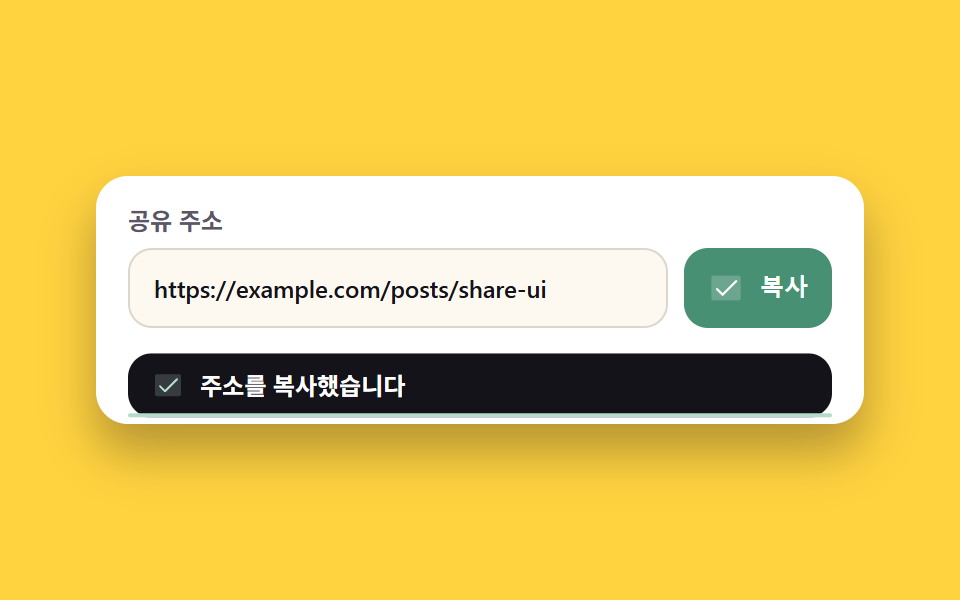
복사 버튼을 누르면 navigator.clipboard 로 주소가 실제로 복사되고, 아래에서 올라온 토스트가 확인 아이콘과 함께 결과를 알립니다.
쓰임제품·강의 소개 페이지의 친구 추천 자리
navigator.clipboardrole=statussteps(1, end)
<div class="stage">
  <section class="ct" aria-label="링크 복사">

    <p class="ct__label">공유 주소</p>
    <div class="ct__field">
      <input class="ct__url" type="text" value="https://example.com/posts/share-ui" readonly aria-label="공유 주소">
      <button class="ct__btn" type="button">
        <span class="ct__ics" aria-hidden="true">
          <span class="ct__ic ct__ic--copy"><svg width="18" height="18" aria-hidden="true" xmlns="http://www.w3.org/2000/svg" viewBox="0 0 256 256" fill="currentColor"><path d="M216,40V168H168V88H88V40Z" opacity="0.2"/><path d="M216,32H88a8,8,0,0,0-8,8V80H40a8,8,0,0,0-8,8V216a8,8,0,0,0,8,8H168a8,8,0,0,0,8-8V176h40a8,8,0,0,0,8-8V40A8,8,0,0,0,216,32ZM160,208H48V96H160Zm48-48H176V88a8,8,0,0,0-8-8H96V48H208Z"/></svg></span>
          <span class="ct__ic ct__ic--done"><svg width="18" height="18" aria-hidden="true" xmlns="http://www.w3.org/2000/svg" viewBox="0 0 256 256" fill="currentColor"><path d="M232,56V200a16,16,0,0,1-16,16H40a16,16,0,0,1-16-16V56A16,16,0,0,1,40,40H216A16,16,0,0,1,232,56Z" opacity="0.2"/><path d="M205.66,85.66l-96,96a8,8,0,0,1-11.32,0l-40-40a8,8,0,0,1,11.32-11.32L104,164.69l90.34-90.35a8,8,0,0,1,11.32,11.32Z"/></svg></span>
        </span>
        <span class="ct__btnLabel">복사</span>
      </button>
    </div>

    <p class="ct__toast" role="status" aria-live="polite">
      <span class="ct__toastIcs" aria-hidden="true">
        <span class="ct__toastIc ct__toastIc--ok" aria-hidden="true"><svg width="16" height="16" aria-hidden="true" xmlns="http://www.w3.org/2000/svg" viewBox="0 0 256 256" fill="currentColor"><path d="M232,56V200a16,16,0,0,1-16,16H40a16,16,0,0,1-16-16V56A16,16,0,0,1,40,40H216A16,16,0,0,1,232,56Z" opacity="0.2"/><path d="M205.66,85.66l-96,96a8,8,0,0,1-11.32,0l-40-40a8,8,0,0,1,11.32-11.32L104,164.69l90.34-90.35a8,8,0,0,1,11.32,11.32Z"/></svg></span>
        <span class="ct__toastIc ct__toastIc--bad" aria-hidden="true"><svg width="16" height="16" aria-hidden="true" xmlns="http://www.w3.org/2000/svg" viewBox="0 0 256 256" fill="currentColor"><path d="M216,56V200a16,16,0,0,1-16,16H56a16,16,0,0,1-16-16V56A16,16,0,0,1,56,40H200A16,16,0,0,1,216,56Z" opacity="0.2"/><path d="M205.66,194.34a8,8,0,0,1-11.32,11.32L128,139.31,61.66,205.66a8,8,0,0,1-11.32-11.32L116.69,128,50.34,61.66A8,8,0,0,1,61.66,50.34L128,116.69l66.34-66.35a8,8,0,0,1,11.32,11.32L139.31,128Z"/></svg></span>
      </span>
      <span class="ct__toastText">주소를 복사했습니다</span>
    </p>

  </section>
</div>@use "../../../../site/static/demo-tokens" as *;
// 편 277 공유 팔레트 (01 과 같은 값)
$sh-ink: #15131a;
$sh-ink2: #26232e;
$sh-paper: #ffffff;
$sh-cream: #fdf8f0;
$sh-slate: #5b5566;
$sh-deep: #477690; // 흰 면 위 강조 6.94:1
$sh-moss: #479074; // 완료 색 — 흰 면 위 6.65:1
$duration: $dur-loop; // 누름 → 복사 → 토스트 한 바퀴
$easing: $ease-pop; // 버튼 누름과 토스트 등장
$color: $sh-moss; // 완료 상태 색
@include stage($stage-yellow);
.ct {
position: relative;
box-sizing: border-box;
display: flex;
flex-direction: column;
gap: $sp-2;
width: clamp(280px, 86vw, 384px);
padding: $sp-4;
padding-bottom: $sp-12; // 아래에서 올라오는 토스트 자리. 절대배치라 높이 계산에서 빠진다
border-radius: $r-card;
background: $sh-paper;
box-shadow: $shadow-raised;
}
.ct__label {
margin: 0;
color: $sh-slate; // 흰 면 위 보조 글자 7.15:1
font-weight: 600; font-size: 12px; line-height: 1;
font-family: inherit;
}
.ct__field {
display: flex;
gap: $sp-2;
}
.ct__url {
flex: 1 1 auto;
box-sizing: border-box;
min-width: 0;
height: 40px;
padding: 0 $sp-3;
border: 1px solid #ddd6ca;
border-radius: $r-control;
background: $sh-cream;
color: $sh-ink;
font-weight: 500; font-size: 12px; line-height: 1;
font-family: inherit;
}
.ct__url:focus-visible {
outline: 2px solid $sh-deep;
outline-offset: 1px;
}
.ct__btn {
flex: 0 0 auto;
box-sizing: border-box;
display: flex;
align-items: center;
gap: $sp-2;
height: 40px;
padding: 0 $sp-3;
border: 0;
border-radius: $r-control;
background: $sh-ink;
color: $sh-paper;
cursor: pointer;
transition: transform $dur-quick $easing, background-color $dur-quick $easing;
}
.ct__btn:focus-visible {
outline: 2px solid $sh-ink;
outline-offset: 2px;
}
// 아이콘 두 장을 같은 칸에 포갠다 — 상태가 바뀌어도 버튼 폭이 안 흔들린다
.ct__ics {
display: grid;
place-items: center;
width: 18px;
height: 18px;
}
.ct__ic {
grid-area: 1 / 1;
display: grid;
place-items: center;
opacity: 0;
}
.ct__ic svg { display: block; }
.ct__ic--copy { opacity: 1; }
.ct__btnLabel {
font-weight: 700; font-size: 12px; line-height: 1;
font-family: inherit;
}
// 손으로 쓰는 경로 — .is-demo 를 뗀 뒤에도 완료 상태가 그대로 보인다
.ct.is-done .ct__btn { background: $color; }
.ct.is-done .ct__ic--copy { opacity: 0; }
.ct.is-done .ct__ic--done { opacity: 1; }
.ct__toast {
position: absolute;
left: $sp-4;
right: $sp-4;
bottom: $sp-3;
box-sizing: border-box;
display: flex;
align-items: center;
gap: $sp-2;
margin: 0;
padding: $sp-2 $sp-3;
border-radius: $r-control;
background: $sh-ink;
color: $sh-paper; // 잉크 위 흰 글자 18.42:1
font-weight: 600; font-size: 12px; line-height: 1.2;
font-family: inherit;
transform: translateY(120%);
transition: transform $dur-base $easing;
}
.ct.is-done .ct__toast { transform: translateY(0); }
// 확인 표시와 가위표를 같은 칸에 포갠다 — 결과가 바뀌어도 문장 자리가 안 밀린다
.ct__toastIc {
grid-area: 1 / 1;
display: grid;
place-items: center;
color: #b5dbcb; // 잉크 위 민트 확인 표시 11.51:1
}
.ct__toastIcs {
flex: 0 0 auto;
display: grid;
width: 16px;
height: 16px;
}
.ct__toastIc--bad { color: #ffb3a0; opacity: 0; } // 잉크 위 살구 가위표 10.71:1
.ct.is-bad .ct__toastIc--ok { opacity: 0; }
.ct.is-bad .ct__toastIc--bad { opacity: 1; }
.ct__toastIc svg { display: block; }
// 토스트가 스스로 사라지기까지 남은 시간 — 바닥에 붙은 가는 막대
.ct__toast::after {
content: "";
position: absolute;
left: 0;
right: 0;
bottom: 0;
height: 2px;
border-radius: $r-pill;
background: #b5dbcb;
transform: scaleX(0);
transform-origin: left center; // 규칙8: 좌변서 차오름
}
// ── 자동 재생 ───────────────────────────────────────────────
// 토스트는 루프 안에서 사라지지 않는다 — 대표 이미지는 앞 장과 가장 크게 달라진 장이라
// 퇴장을 재현하면 토스트 없는 빈 장이 뽑힌다. 되돌림은 루프 경계에서만 일어난다
.is-demo .ct__btn {
animation-name: ctPress;
animation-duration: $duration;
animation-timing-function: $easing;
animation-iteration-count: infinite;
}
// 아이콘 교체는 steps(1, end) 컷 — 두 아이콘이 겹친 반투명 유령 장이 안 생긴다
.is-demo .ct__ic {
animation-duration: $duration;
animation-timing-function: steps(1, end);
animation-iteration-count: infinite;
}
.is-demo .ct__ic--copy { animation-name: ctIcCopy; }
.is-demo .ct__ic--done { animation-name: ctIcDone; }
.is-demo .ct__toast {
animation-name: ctRise;
animation-duration: $duration;
animation-timing-function: $easing;
animation-iteration-count: infinite;
}
// 막대가 천천히 닳으며 프레임을 채운다 — 컷만 있으면 움직인 프레임이 두 장뿐이다
.is-demo .ct__toast::after {
animation-name: ctDrain;
animation-duration: $duration;
animation-timing-function: linear;
animation-iteration-count: infinite;
}
@keyframes ctPress {
0%, 6% { transform: scale(1); background-color: $sh-ink; }
10% { transform: scale(.94); background-color: $sh-ink; }
16%, 100% { transform: scale(1); background-color: $color; }
}
@keyframes ctIcCopy { 0%, 13.9% { opacity: 1; } 14%, 100% { opacity: 0; } }
@keyframes ctIcDone { 0%, 13.9% { opacity: 0; } 14%, 100% { opacity: 1; } }
@keyframes ctRise {
0%, 14% { transform: translateY(120%); }
30%, 100% { transform: translateY(0); }
}
@keyframes ctDrain {
0%, 30% { transform: scaleX(1); }
96%, 100% { transform: scaleX(.04); }
}
@media (max-width: 340px), (max-height: 220px) {
.ct { gap: $sp-1; padding: $sp-3; padding-bottom: $sp-10; }
.ct__url { height: 36px; padding: 0 $sp-2; font-size: 11px; }
.ct__btn { height: 36px; padding: 0 $sp-2; }
.ct__toast { left: $sp-2; right: $sp-2; bottom: $sp-2; padding: $sp-2; font-size: 11px; }
}
@media (prefers-reduced-motion: reduce) {
// .is-demo 쪽 선택자가 (0,2,0) 이라 !important 없이는 진다
.is-demo .ct__btn, .is-demo .ct__ic, .is-demo .ct__toast, .is-demo .ct__toast::after {
animation: none !important;
}
.ct__btn, .ct__toast { transition: none !important; }
// 움직임을 끊어도 복사 결과는 토스트로 그대로 읽힌다
.ct.is-done .ct__toast { transform: translateY(0); }
.ct__toast::after { transform: scaleX(1); }
}html, body {
margin: 0;
overflow: hidden;
}
.stage {
box-sizing: border-box;
min-height: 100vh;
display: grid;
place-items: center;
margin: 0;
background: #ffd23f;
font-family: -apple-system, "Segoe UI", "Noto Sans KR", sans-serif;
padding: clamp(8px, 4vw, 24px);
}
.ct {
position: relative;
box-sizing: border-box;
display: flex;
flex-direction: column;
gap: 8px;
width: clamp(280px, 86vw, 384px);
padding: 16px;
padding-bottom: 48px;
border-radius: 16px;
background: #ffffff;
box-shadow: 0 14px 24px rgba(23, 20, 26, 0.32);
}
.ct__label {
margin: 0;
color: #5b5566;
font-weight: 600;
font-size: 12px;
line-height: 1;
font-family: inherit;
}
.ct__field {
display: flex;
gap: 8px;
}
.ct__url {
flex: 1 1 auto;
box-sizing: border-box;
min-width: 0;
height: 40px;
padding: 0 12px;
border: 1px solid #ddd6ca;
border-radius: 12px;
background: #fdf8f0;
color: #15131a;
font-weight: 500;
font-size: 12px;
line-height: 1;
font-family: inherit;
}
.ct__url:focus-visible {
outline: 2px solid #477690;
outline-offset: 1px;
}
.ct__btn {
flex: 0 0 auto;
box-sizing: border-box;
display: flex;
align-items: center;
gap: 8px;
height: 40px;
padding: 0 12px;
border: 0;
border-radius: 12px;
background: #15131a;
color: #ffffff;
cursor: pointer;
transition: transform 220ms cubic-bezier(0.2, 1.4, 0.4, 1), background-color 220ms cubic-bezier(0.2, 1.4, 0.4, 1);
}
.ct__btn:focus-visible {
outline: 2px solid #15131a;
outline-offset: 2px;
}
.ct__ics {
display: grid;
place-items: center;
width: 18px;
height: 18px;
}
.ct__ic {
grid-area: 1/1;
display: grid;
place-items: center;
opacity: 0;
}
.ct__ic svg {
display: block;
}
.ct__ic--copy {
opacity: 1;
}
.ct__btnLabel {
font-weight: 700;
font-size: 12px;
line-height: 1;
font-family: inherit;
}
.ct.is-done .ct__btn {
background: #479074;
}
.ct.is-done .ct__ic--copy {
opacity: 0;
}
.ct.is-done .ct__ic--done {
opacity: 1;
}
.ct__toast {
position: absolute;
left: 16px;
right: 16px;
bottom: 12px;
box-sizing: border-box;
display: flex;
align-items: center;
gap: 8px;
margin: 0;
padding: 8px 12px;
border-radius: 12px;
background: #15131a;
color: #ffffff;
font-weight: 600;
font-size: 12px;
line-height: 1.2;
font-family: inherit;
transform: translateY(120%);
transition: transform 300ms cubic-bezier(0.2, 1.4, 0.4, 1);
}
.ct.is-done .ct__toast {
transform: translateY(0);
}
.ct__toastIc {
grid-area: 1/1;
display: grid;
place-items: center;
color: #b5dbcb;
}
.ct__toastIcs {
flex: 0 0 auto;
display: grid;
width: 16px;
height: 16px;
}
.ct__toastIc--bad {
color: #ffb3a0;
opacity: 0;
}
.ct.is-bad .ct__toastIc--ok {
opacity: 0;
}
.ct.is-bad .ct__toastIc--bad {
opacity: 1;
}
.ct__toastIc svg {
display: block;
}
.ct__toast::after {
content: "";
position: absolute;
left: 0;
right: 0;
bottom: 0;
height: 2px;
border-radius: 999px;
background: #b5dbcb;
transform: scaleX(0);
transform-origin: left center;
}
.is-demo .ct__btn {
animation-name: ctPress;
animation-duration: 2s;
animation-timing-function: cubic-bezier(0.2, 1.4, 0.4, 1);
animation-iteration-count: infinite;
}
.is-demo .ct__ic {
animation-duration: 2s;
animation-timing-function: steps(1, end);
animation-iteration-count: infinite;
}
.is-demo .ct__ic--copy {
animation-name: ctIcCopy;
}
.is-demo .ct__ic--done {
animation-name: ctIcDone;
}
.is-demo .ct__toast {
animation-name: ctRise;
animation-duration: 2s;
animation-timing-function: cubic-bezier(0.2, 1.4, 0.4, 1);
animation-iteration-count: infinite;
}
.is-demo .ct__toast::after {
animation-name: ctDrain;
animation-duration: 2s;
animation-timing-function: linear;
animation-iteration-count: infinite;
}
@keyframes ctPress {
0%, 6% {
transform: scale(1);
background-color: #15131a;
}
10% {
transform: scale(0.94);
background-color: #15131a;
}
16%, 100% {
transform: scale(1);
background-color: #479074;
}
}
@keyframes ctIcCopy {
0%, 13.9% {
opacity: 1;
}
14%, 100% {
opacity: 0;
}
}
@keyframes ctIcDone {
0%, 13.9% {
opacity: 0;
}
14%, 100% {
opacity: 1;
}
}
@keyframes ctRise {
0%, 14% {
transform: translateY(120%);
}
30%, 100% {
transform: translateY(0);
}
}
@keyframes ctDrain {
0%, 30% {
transform: scaleX(1);
}
96%, 100% {
transform: scaleX(0.04);
}
}
@media (max-width: 340px), (max-height: 220px) {
.ct {
gap: 4px;
padding: 12px;
padding-bottom: 40px;
}
.ct__url {
height: 36px;
padding: 0 8px;
font-size: 11px;
}
.ct__btn {
height: 36px;
padding: 0 8px;
}
.ct__toast {
left: 8px;
right: 8px;
bottom: 8px;
padding: 8px;
font-size: 11px;
}
}
@media (prefers-reduced-motion: reduce) {
.is-demo .ct__btn, .is-demo .ct__ic, .is-demo .ct__toast, .is-demo .ct__toast::after {
animation: none !important;
}
.ct__btn, .ct__toast {
transition: none !important;
}
.ct.is-done .ct__toast {
transform: translateY(0);
}
.ct__toast::after {
transform: scaleX(1);
}
}(function () {
var body = document.body;
var btn = document.querySelector('.ct__btn');
var input = document.querySelector('.ct__url');
var root = document.querySelector('.ct');
var text = document.querySelector('.ct__toastText');
var timer = 0;
function hand() { body.classList.remove('is-demo'); } // 사람이 손을 대면 자동 재생을 끈다
function show(msg, bad) {
text.textContent = msg;
root.classList.toggle('is-bad', !!bad); // 막힌 경우엔 확인 표시 대신 가위표
root.classList.add('is-done');
clearTimeout(timer);
timer = setTimeout(function () { root.classList.remove('is-done'); }, 1800);
}
btn.addEventListener('click', function () {
hand();
var url = input.value;
if (navigator.clipboard && navigator.clipboard.writeText) {
navigator.clipboard.writeText(url).then(
function () { show('주소를 복사했습니다', false); },
function () { show('복사가 막혔습니다. 직접 선택해 주세요', true); }
);
return;
}
input.select(); // 클립보드 API 가 없는 환경의 대비책
show('주소를 선택했습니다. 직접 복사해 주세요', true);
});
btn.addEventListener('pointerdown', hand);
btn.addEventListener('focusin', hand);
input.addEventListener('focusin', hand);
})();import { useRef, useState } from "react";
import type { CSSProperties } from "react";
import styles from "./ShareCopyToast.module.scss";
/* ambient 에 React 의 이벤트 제네릭·타이머 타입이 없어 필요한 것만 로컬로 선언한다 */
type Box<T> = { current: T };
type InputEl = { value: string; select(): void };
export type ShareCopyToastProps = {
/** 복사될 주소 */
url?: string;
/** 누름 → 복사 → 토스트 한 바퀴(ms) */
duration?: number;
easing?: string;
/** 완료 상태 색 */
color?: string;
autoPlay?: boolean;
};
type Vars = CSSProperties & { "--duration"?: string; "--easing"?: string; "--color"?: string };
export default function ShareCopyToast({
url = "https://example.com/posts/share-ui",
duration = 2000,
easing = "cubic-bezier(.2,1.4,.4,1)",
color = "#17694a",
autoPlay = true,
}: ShareCopyToastProps) {
const [demo, setDemo] = useState(autoPlay);
const [done, setDone] = useState(false);
const [bad, setBad] = useState(false);
const [message, setMessage] = useState("주소를 복사했습니다");
const inputRef = useRef<InputEl>(null) as Box<InputEl | null>;
const timerRef = useRef<number>(0) as Box<number>;
/* 사람이 손을 대면 자동 재생을 끈다 */
function stopDemo() {
setDemo(false);
}
function showResult(text: string, failed: boolean) {
setMessage(text);
setBad(failed);
setDone(true);
clearTimeout(timerRef.current);
timerRef.current = setTimeout(() => setDone(false), 1800) as unknown as number;
}
function applyCopy() {
stopDemo();
if (navigator.clipboard && navigator.clipboard.writeText) {
navigator.clipboard.writeText(url).then(
() => showResult("주소를 복사했습니다", false),
() => showResult("복사가 막혔습니다. 직접 선택해 주세요", true)
);
return;
}
/* 클립보드 API 가 없는 환경의 대비책 */
if (inputRef.current) inputRef.current.select();
showResult("주소를 선택했습니다. 직접 복사해 주세요", true);
}
const vars: Vars = { "--duration": duration + "ms", "--easing": easing, "--color": color };
const rootClass =
styles.copy + (done ? " " + styles.isDone : "") + (bad ? " " + styles.isBad : "");
return (
<div className={styles.stage + (demo ? " " + styles.isDemo : "")} style={vars}>
<section className={rootClass} aria-label="링크 복사">
<p className={styles.label}>공유 주소</p>
<div className={styles.field}>
<input
className={styles.url}
type="text"
defaultValue={url}
readOnly
aria-label="공유 주소"
ref={inputRef as unknown as never}
onFocus={stopDemo}
/>
<button className={styles.btn} type="button" onClick={applyCopy} onPointerDown={stopDemo}>
<span className={styles.ics} aria-hidden="true">
<span className={styles.ic + " " + styles.icCopy}><svg width="18" height="18" aria-hidden="true" xmlns="http://www.w3.org/2000/svg" viewBox="0 0 256 256" fill="currentColor"><path d="M216,40V168H168V88H88V40Z" opacity="0.2"/><path d="M216,32H88a8,8,0,0,0-8,8V80H40a8,8,0,0,0-8,8V216a8,8,0,0,0,8,8H168a8,8,0,0,0,8-8V176h40a8,8,0,0,0,8-8V40A8,8,0,0,0,216,32ZM160,208H48V96H160Zm48-48H176V88a8,8,0,0,0-8-8H96V48H208Z"/></svg></span>
<span className={styles.ic + " " + styles.icDone}><svg width="18" height="18" aria-hidden="true" xmlns="http://www.w3.org/2000/svg" viewBox="0 0 256 256" fill="currentColor"><path d="M232,56V200a16,16,0,0,1-16,16H40a16,16,0,0,1-16-16V56A16,16,0,0,1,40,40H216A16,16,0,0,1,232,56Z" opacity="0.2"/><path d="M205.66,85.66l-96,96a8,8,0,0,1-11.32,0l-40-40a8,8,0,0,1,11.32-11.32L104,164.69l90.34-90.35a8,8,0,0,1,11.32,11.32Z"/></svg></span>
</span>
<span className={styles.btnLabel}>복사</span>
</button>
</div>
<p className={styles.toast} role="status" aria-live="polite">
<span className={styles.toastIcs} aria-hidden="true">
<span className={styles.toastIc + " " + styles.toastIcOk}><svg width="16" height="16" aria-hidden="true" xmlns="http://www.w3.org/2000/svg" viewBox="0 0 256 256" fill="currentColor"><path d="M232,56V200a16,16,0,0,1-16,16H40a16,16,0,0,1-16-16V56A16,16,0,0,1,40,40H216A16,16,0,0,1,232,56Z" opacity="0.2"/><path d="M205.66,85.66l-96,96a8,8,0,0,1-11.32,0l-40-40a8,8,0,0,1,11.32-11.32L104,164.69l90.34-90.35a8,8,0,0,1,11.32,11.32Z"/></svg></span>
<span className={styles.toastIc + " " + styles.toastIcBad}><svg width="16" height="16" aria-hidden="true" xmlns="http://www.w3.org/2000/svg" viewBox="0 0 256 256" fill="currentColor"><path d="M216,56V200a16,16,0,0,1-16,16H56a16,16,0,0,1-16-16V56A16,16,0,0,1,56,40H200A16,16,0,0,1,216,56Z" opacity="0.2"/><path d="M205.66,194.34a8,8,0,0,1-11.32,11.32L128,139.31,61.66,205.66a8,8,0,0,1-11.32-11.32L116.69,128,50.34,61.66A8,8,0,0,1,61.66,50.34L128,116.69l66.34-66.35a8,8,0,0,1,11.32,11.32L139.31,128Z"/></svg></span>
</span>
<span className={styles.toastText}>{message}</span>
</p>
</section>
</div>
);
}03 링크 복사 토스트 — 측정 누적면적 19.812% · 움직인 프레임 22/23GODRICH 원작 · zip 에 SCSS·React 포함 · 공유하기 버튼 UI 9종 — 붙이면 실제로 복사되는
이 데모가 속한 글
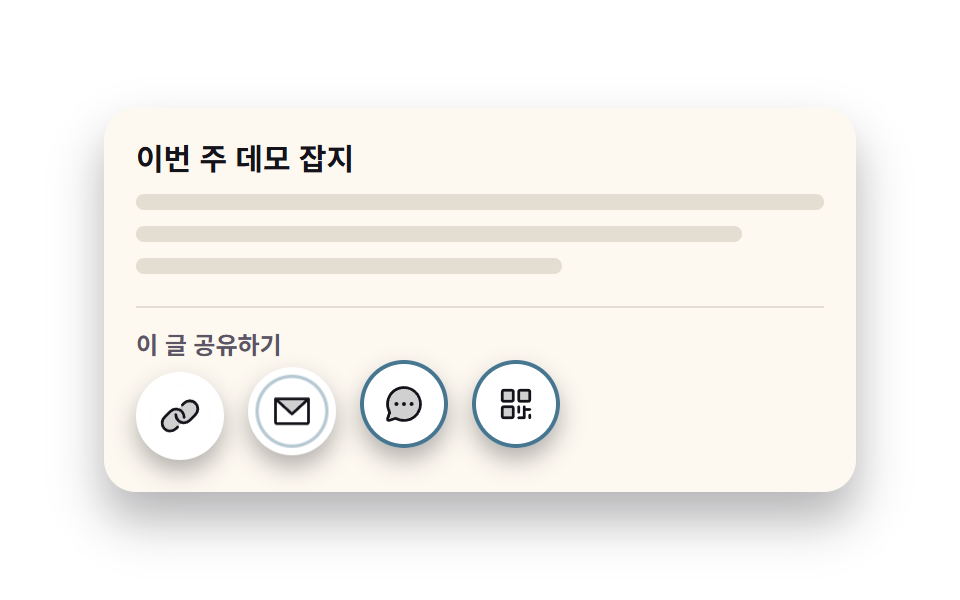 공유하기 버튼 UI 9종 — 붙이면 실제로 복사되는공유하기 버튼은 방문자가 누른 한 번으로 글을 밖으로 내보내는 마지막 문입니다. 여기 모은 아홉 가지는 겉만 그려 둔 게 아니라 누르면 진짜 복사가 되는 공유 UI 를 HTML·CSS·자바스크립트로 짜 둔 것이라, 이 글의 데모 전부 보기