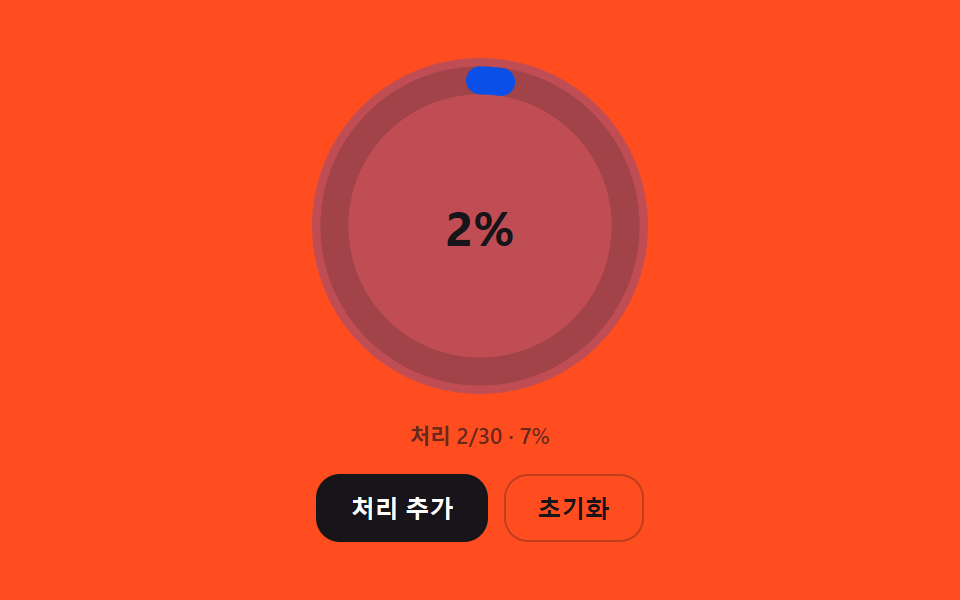
03완료 비율을 계산해 채워지는 대기열 진행 링
처리된 인원 수를 전체 대기 인원으로 나눈 비율을 계산해 원형 링이 그 비율만큼 채워지고, 남은 인원이 줄어들수록 링의 색이 단계적으로 바뀐다.
쓰임대기열 전체 진행 상황 요약판
RING_FILL_DURATION_MSCIRCUMFERENCEtweenRing
<main class="stage">
<div class="wpr is-demo" id="wprRoot">
  <div class="wpr__ringWrap">
    <svg class="wpr__ring" viewBox="0 0 120 120" aria-hidden="true">
      <circle class="wpr__track" cx="60" cy="60" r="52"></circle>
      <circle class="wpr__fill" id="wprFill" cx="60" cy="60" r="52"></circle>
    </svg>
    <div class="wpr__pct" id="wprPct" aria-hidden="true">0%</div>
  </div>
  <p class="wpr__status" id="wprStatus" aria-live="polite"></p>
  <div class="wpr__controls">
    <button type="button" class="wpr__btn wpr__btn--primary" id="wprProcess">처리 추가</button>
    <button type="button" class="wpr__btn" id="wprReset">초기화</button>
  </div>
</div>
</main>
@use "../../../../site/static/demo-tokens" as *;
// 핵심: 처리 비율(0~1)을 stroke-dashoffset 으로 환산해 링을 채우고, 비율 구간마다
// 링 색을 세 단계로 계산해 전파한다 — 색은 속성이 아니라 비율값에서 매번 다시 계산된다.
@include stage($stage-orange);
.wpr {
position: relative;
display: grid;
gap: $sp-3;
justify-items: center;
width: min(90vw, 300px);
}
.wpr__ringWrap {
border-radius: 50%;
position: relative;
width: 168px;
height: 168px;
display: grid;
place-items: center;
}
.wpr__ring {
width: 168px;
height: 168px;
transform: rotate(-90deg);
}
.wpr__track {
fill: none;
stroke: rgba($stage-ink, .18);
stroke-width: 10;
}
.wpr__fill {
fill: none;
stroke: $subject-blue-deep;
stroke-width: 10;
stroke-linecap: round;
}
.wpr__fill.is-early { stroke: $subject-blue-deep; }
.wpr__fill.is-mid { stroke: $stage-ink; }
.wpr__fill.is-late { stroke: $tick-up; }
.wpr__pct {
position: absolute;
font-size: 24px;
font-weight: 700;
color: $stage-ink;
font-variant-numeric: tabular-nums;
}
.wpr__status {
margin: 0;
font-size: 11px;
font-weight: 600;
color: rgba($stage-ink, .65);
}
.wpr__controls {
display: flex;
gap: $sp-2;
}
.wpr__btn {
border: 1px solid rgba($stage-ink, .28);
background: transparent;
color: $stage-ink;
border-radius: $r-control;
padding: $sp-2 $sp-4;
font-size: 12px;
font-weight: 600;
cursor: pointer;
}
.wpr__btn--primary {
background: $stage-ink;
border-color: $stage-ink;
color: $stage-paper;
}
.wpr__btn:focus-visible {
outline: 2px solid $stage-ink;
outline-offset: 2px;
}
@media (max-width: 340px) {
.wpr__ringWrap { width: 104px; height: 104px; }
.wpr__ring { width: 104px; height: 104px; }
.wpr__pct { font-size: 19px; }
}
@media (prefers-reduced-motion: reduce) {
.wpr__fill { transition: none; }
}
@media (max-height: 240px) {
.wpr { gap: $sp-2; }
.wpr__status { position: absolute; width: 1px; height: 1px; overflow: hidden; clip: rect(0 0 0 0); }
.wpr__btn { padding-top: $sp-1; padding-bottom: $sp-1; }
}
// 처리 인원이 늘 때마다 링 안쪽이 한 번 밝아졌다 가라앉는다.
.wpr__ringWrap.is-flash { animation: wprFlash 900ms ease-out; }
@keyframes wprFlash {
from { background: rgba($subject-blue-deep, .3); }
to { background: rgba($subject-blue-deep, 0); }
}
@media (prefers-reduced-motion: reduce) {
.wpr__ringWrap.is-flash { animation: none; }
}html, body {
margin: 0;
overflow: hidden;
}
.stage {
box-sizing: border-box;
min-height: 100vh;
display: grid;
place-items: center;
margin: 0;
background: #ff4d1f;
font-family: -apple-system, "Segoe UI", "Noto Sans KR", sans-serif;
padding: clamp(8px, 4vw, 24px);
}
.wpr {
position: relative;
display: grid;
gap: 12px;
justify-items: center;
width: min(90vw, 300px);
}
.wpr__ringWrap {
border-radius: 50%;
position: relative;
width: 168px;
height: 168px;
display: grid;
place-items: center;
}
.wpr__ring {
width: 168px;
height: 168px;
transform: rotate(-90deg);
}
.wpr__track {
fill: none;
stroke: rgba(23, 20, 26, 0.18);
stroke-width: 10;
}
.wpr__fill {
fill: none;
stroke: #0a4fe8;
stroke-width: 10;
stroke-linecap: round;
}
.wpr__fill.is-early {
stroke: #0a4fe8;
}
.wpr__fill.is-mid {
stroke: #17141a;
}
.wpr__fill.is-late {
stroke: #3ddc97;
}
.wpr__pct {
position: absolute;
font-size: 24px;
font-weight: 700;
color: #17141a;
font-variant-numeric: tabular-nums;
}
.wpr__status {
margin: 0;
font-size: 11px;
font-weight: 600;
color: rgba(23, 20, 26, 0.65);
}
.wpr__controls {
display: flex;
gap: 8px;
}
.wpr__btn {
border: 1px solid rgba(23, 20, 26, 0.28);
background: transparent;
color: #17141a;
border-radius: 12px;
padding: 8px 16px;
font-size: 12px;
font-weight: 600;
cursor: pointer;
}
.wpr__btn--primary {
background: #17141a;
border-color: #17141a;
color: #ffffff;
}
.wpr__btn:focus-visible {
outline: 2px solid #17141a;
outline-offset: 2px;
}
@media (max-width: 340px) {
.wpr__ringWrap {
width: 104px;
height: 104px;
}
.wpr__ring {
width: 104px;
height: 104px;
}
.wpr__pct {
font-size: 19px;
}
}
@media (prefers-reduced-motion: reduce) {
.wpr__fill {
transition: none;
}
}
@media (max-height: 240px) {
.wpr {
gap: 8px;
}
.wpr__status {
position: absolute;
width: 1px;
height: 1px;
overflow: hidden;
clip: rect(0 0 0 0);
}
.wpr__btn {
padding-top: 4px;
padding-bottom: 4px;
}
}
.wpr__ringWrap.is-flash {
animation: wprFlash 900ms ease-out;
}
@keyframes wprFlash {
from {
background: rgba(10, 79, 232, 0.3);
}
to {
background: rgba(10, 79, 232, 0);
}
}
@media (prefers-reduced-motion: reduce) {
.wpr__ringWrap.is-flash {
animation: none;
}
}(function () {
// 기법: 처리된 인원 수를 전체 인원으로 나눈 비율을 다시 계산해 원 둘레(2πr)에서 그 비율만큼을
// stroke-dashoffset 으로 채운다. 채워지는 동안 RING_FILL_DURATION_MS 로 easeOutCubic 보간하고,
// 비율 구간(0~1/3, 1/3~2/3, 2/3~1)에 따라 링 색을 세 단계로 계산해 함께 바꾼다.
var RING_FILL_DURATION_MS = 500;
var TOTAL = 30;
var RADIUS = 52;
var CIRCUMFERENCE = 2 * Math.PI * RADIUS;
function seedRand(seed) {
var s = seed >>> 0;
return function () { s = (s * 1664525 + 1013904223) >>> 0; return s / 4294967296; };
}
var rand = seedRand(434031);
function easeOutCubic(t) { return 1 - Math.pow(1 - t, 3); }
var root = document.getElementById('wprRoot');
var fillEl = document.getElementById('wprFill');
var pctEl = document.getElementById('wprPct');
var status = document.getElementById('wprStatus');
var reduce = window.matchMedia('(prefers-reduced-motion: reduce)').matches;
if (reduce) root.classList.remove('is-demo');
fillEl.style.strokeDasharray = CIRCUMFERENCE.toFixed(2);
var processed = 0;
var shownRatio = 0;
var ringAnim = null;
function stageOf(ratio) {
if (ratio >= 2 / 3) return 'is-late';
if (ratio >= 1 / 3) return 'is-mid';
return 'is-early';
}
function paintRing(ratio) {
var offset = CIRCUMFERENCE * (1 - ratio);
fillEl.style.strokeDashoffset = offset.toFixed(2);
fillEl.classList.remove('is-early', 'is-mid', 'is-late');
fillEl.classList.add(stageOf(ratio));
pctEl.textContent = Math.round(ratio * 100) + '%';
}
function flash(el) {
if (reduce) return;
el.classList.remove('is-flash');
void el.offsetWidth;
el.classList.add('is-flash');
}
function tweenRing(from, to) {
flash(fillEl.parentNode.parentNode);
if (ringAnim) cancelAnimationFrame(ringAnim);
if (reduce) { shownRatio = to; paintRing(to); return; }
var start = null;
function step(ts) {
if (start === null) start = ts;
var t = Math.min(1, (ts - start) / RING_FILL_DURATION_MS);
var e = easeOutCubic(t);
var v = from + (to - from) * e;
shownRatio = v;
paintRing(v);
if (t < 1) { ringAnim = requestAnimationFrame(step); } else { ringAnim = null; }
}
ringAnim = requestAnimationFrame(step);
}
function paintStatus() {
status.textContent = '처리 ' + processed + '/' + TOTAL + ' · ' + Math.round((processed / TOTAL) * 100) + '%';
}
function addProcessed() {
if (processed >= TOTAL) { paintStatus(); return; }
var step = 1 + Math.floor(rand() * 3);
processed = Math.min(TOTAL, processed + step);
tweenRing(shownRatio, processed / TOTAL);
paintStatus();
}
function resetAll() {
processed = 0;
shownRatio = 0;
paintRing(0);
paintStatus();
}
var processBtn = document.getElementById('wprProcess');
var resetBtn = document.getElementById('wprReset');
function onProcess() { root.classList.remove('is-demo'); addProcessed(); }
function onReset() { root.classList.remove('is-demo'); resetAll(); }
processBtn.addEventListener('click', onProcess);
processBtn.addEventListener('keydown', function (e) {
if (e.key === 'Enter' || e.key === ' ') { e.preventDefault(); onProcess(); }
});
resetBtn.addEventListener('click', onReset);
resetBtn.addEventListener('keydown', function (e) {
if (e.key === 'Enter' || e.key === ' ') { e.preventDefault(); onReset(); }
});
var demoSchedule = [200, 1200];
var demoIndex = 0;
var t0 = null;
function tick(ts) {
if (t0 === null) t0 = ts;
var now = ts - t0;
if (!reduce && root.classList.contains('is-demo') && demoIndex < demoSchedule.length && now >= demoSchedule[demoIndex]) {
if (processed >= TOTAL) { resetAll(); } else { addProcessed(); }
demoIndex += 1;
if (demoIndex >= demoSchedule.length) { demoIndex = 0; demoSchedule = demoSchedule.map(function (v) { return v + now + 2000; }); }
}
requestAnimationFrame(tick);
}
paintRing(0);
paintStatus();
requestAnimationFrame(tick);
})();// WaitingQueueProgressRingCompletionRatio — vanilla 판(03-waiting-queue-progress-ring-completion-ratio) 의
// React 포트. 처리 인원 / 전체 인원 비율을 다시 계산해 stroke-dashoffset 으로 링을 채우고,
// 비율 구간(0~1/3, 1/3~2/3, 2/3~1)마다 링 색을 계산해 함께 바꾼다.
import { useEffect, useRef, useState } from "react";
import styles from "./WaitingQueueProgressRingCompletionRatio.module.scss";
type Box<T> = { current: T };
const RING_FILL_DURATION_MS = 500;
const TOTAL = 30;
const RADIUS = 52;
const CIRCUMFERENCE = 2 * Math.PI * RADIUS;
function seedRand(seed: number): () => number {
let s = seed >>> 0;
return function () { s = (s * 1664525 + 1013904223) >>> 0; return s / 4294967296; };
}
function easeOutCubic(t: number): number { return 1 - Math.pow(1 - t, 3); }
function stageOf(ratio: number): string {
if (ratio >= 2 / 3) return styles.isLate;
if (ratio >= 1 / 3) return styles.isMid;
return styles.isEarly;
}
function flash(el: HTMLElement | null, cls: string, reduce: boolean): void {
if (reduce || !el) return;
el.classList.remove(cls);
void el.offsetWidth;
el.classList.add(cls);
}
export default function WaitingQueueProgressRingCompletionRatio() {
const [offset, setOffset] = useState(CIRCUMFERENCE);
const [stageClass, setStageClass] = useState("");
const [pctText, setPctText] = useState("0%");
const [status, setStatus] = useState("");
const [reduce, setReduce] = useState(false);
const randRef = useRef<() => number>(seedRand(434031)) as Box<() => number>;
const processedRef = useRef<number>(0) as Box<number>;
const shownRatioRef = useRef<number>(0) as Box<number>;
const ringAnimRef = useRef<number>(0) as Box<number>;
const demoRef = useRef<boolean>(true) as Box<boolean>;
const demoIndexRef = useRef<number>(0) as Box<number>;
const demoScheduleRef = useRef<number[]>([200, 1200]) as Box<number[]>;
const frameRef = useRef<number>(0) as Box<number>;
const ringWrapRef = useRef<HTMLDivElement | null>(null) as Box<HTMLDivElement | null>;
useEffect(() => {
setReduce(window.matchMedia("(prefers-reduced-motion: reduce)").matches);
}, []);
function paintRing(ratio: number): void {
setOffset(CIRCUMFERENCE * (1 - ratio));
setStageClass(stageOf(ratio));
setPctText(Math.round(ratio * 100) + "%");
}
function paintStatus(): void {
setStatus("처리 " + processedRef.current + "/" + TOTAL + " · " + Math.round((processedRef.current / TOTAL) * 100) + "%");
}
function tweenRing(from: number, to: number): void {
flash(ringWrapRef.current, styles.isFlash, reduce);
if (ringAnimRef.current) cancelAnimationFrame(ringAnimRef.current);
if (reduce) { shownRatioRef.current = to; paintRing(to); return; }
let start = 0;
function step(ts: number): void {
if (start === 0) start = ts;
const t = Math.min(1, (ts - start) / RING_FILL_DURATION_MS);
const e = easeOutCubic(t);
const v = from + (to - from) * e;
shownRatioRef.current = v;
paintRing(v);
if (t < 1) { ringAnimRef.current = requestAnimationFrame(step); } else { ringAnimRef.current = 0; }
}
ringAnimRef.current = requestAnimationFrame(step);
}
function addProcessed(): void {
if (processedRef.current >= TOTAL) { paintStatus(); return; }
const step = 1 + Math.floor(randRef.current() * 3);
processedRef.current = Math.min(TOTAL, processedRef.current + step);
tweenRing(shownRatioRef.current, processedRef.current / TOTAL);
paintStatus();
}
function resetAll(): void {
processedRef.current = 0;
shownRatioRef.current = 0;
paintRing(0);
paintStatus();
}
function stopDemo(): void { demoRef.current = false; }
useEffect(() => {
paintRing(0);
paintStatus();
let t0 = 0;
function tick(ts: number): void {
if (t0 === 0) t0 = ts;
const now = ts - t0;
const sched = demoScheduleRef.current;
if (!reduce && demoRef.current && demoIndexRef.current < sched.length && now >= sched[demoIndexRef.current]) {
if (processedRef.current >= TOTAL) { resetAll(); } else { addProcessed(); }
demoIndexRef.current += 1;
if (demoIndexRef.current >= sched.length) {
demoIndexRef.current = 0;
demoScheduleRef.current = sched.map((v) => v + now + 2000);
}
}
frameRef.current = requestAnimationFrame(tick);
}
frameRef.current = requestAnimationFrame(tick);
return () => cancelAnimationFrame(frameRef.current);
// eslint-disable-next-line react-hooks/exhaustive-deps
}, [reduce]);
function onProcess(): void { stopDemo(); addProcessed(); }
function onReset(): void { stopDemo(); resetAll(); }
function onKeyDown(e: { key: string; preventDefault: () => void }, fn: () => void): void {
if (e.key === "Enter" || e.key === " ") { e.preventDefault(); fn(); }
}
return (
<main className={styles.stage}>
<div className={styles.wpr}>
<div className={styles.ringWrap} ref={ringWrapRef}>
<svg className={styles.ring} viewBox="0 0 120 120" aria-hidden="true">
<circle className={styles.track} cx="60" cy="60" r="52" />
<circle
className={[styles.fill, stageClass].join(" ")}
cx="60" cy="60" r="52"
style={{ strokeDasharray: CIRCUMFERENCE.toFixed(2), strokeDashoffset: offset.toFixed(2) }}
/>
</svg>
<div className={styles.pct} aria-hidden="true">{pctText}</div>
</div>
<p className={styles.status} aria-live="polite">{status}</p>
<div className={styles.controls}>
<button type="button" className={[styles.btn, styles.btnPrimary].join(" ")} onClick={onProcess} onKeyDown={(e: { key: string; preventDefault: () => void }) => onKeyDown(e, onProcess)}>처리 추가</button>
<button type="button" className={styles.btn} onClick={onReset} onKeyDown={(e: { key: string; preventDefault: () => void }) => onKeyDown(e, onReset)}>초기화</button>
</div>
</div>
</main>
);
}03 완료 비율을 계산해 채워지는 대기열 진행 링 — 측정 누적면적 15.848% · 움직인 프레임 11/23GODRICH 원작 · zip 에 SCSS·React 포함 · 웨이팅 화면 9가지 — 대기 순서와 예상 시간을 계산하는 순번판
이 데모가 속한 글
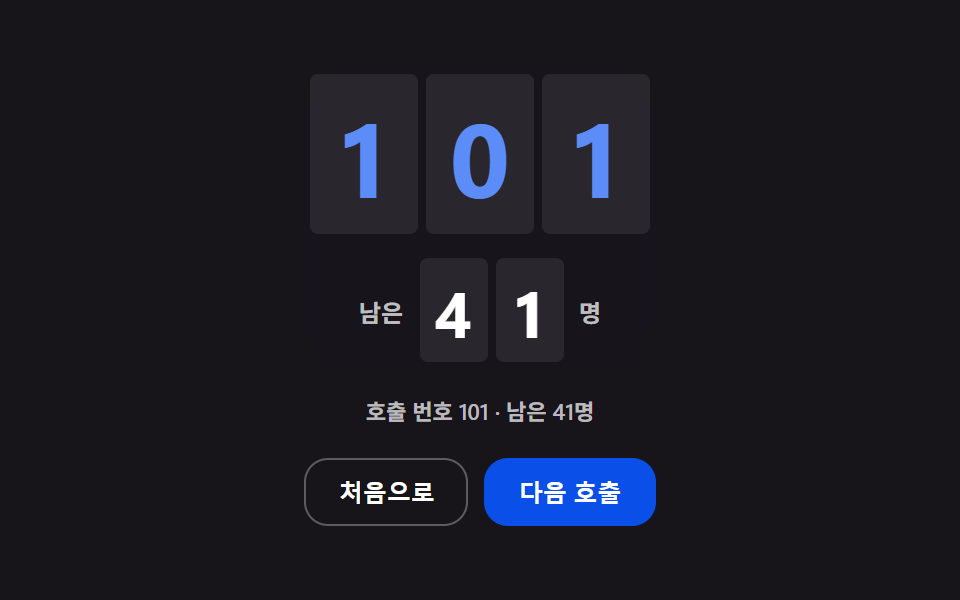 웨이팅 화면 9가지 — 대기 순서와 예상 시간을 계산하는 순번판웨이팅 화면은 호출 번호와 남은 인원, 예상 대기 시간을 숫자로 보여 주는 대기 안내 화면이다. 평균 처리 시간이 바뀌면 남은 대기 인원과 곱해진 값도 같이 바뀌어 예상 대기 시간이 숫자로 다시 뜨고, 목록은 빠진 이 글의 데모 전부 보기