01Xoay cube 3D
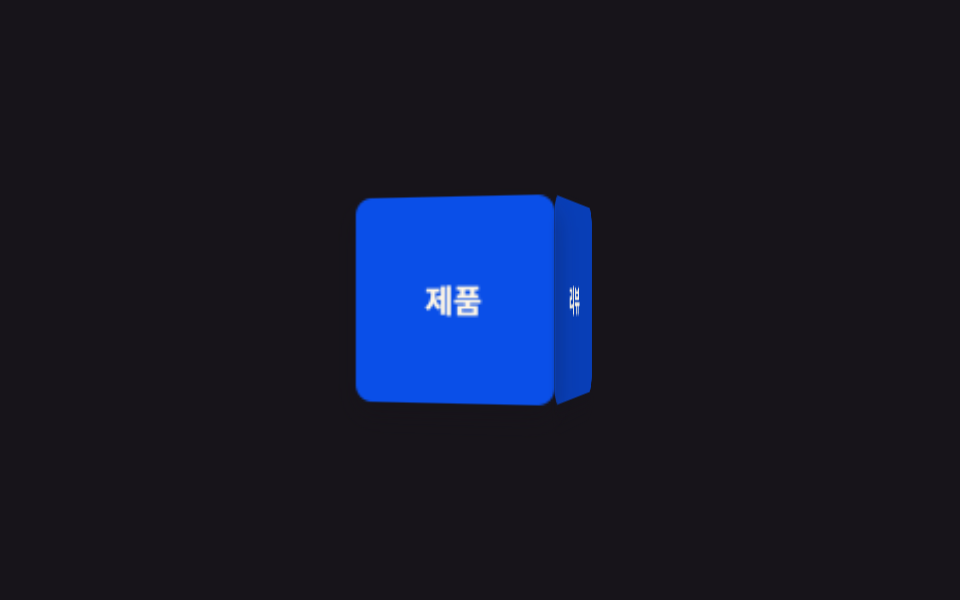
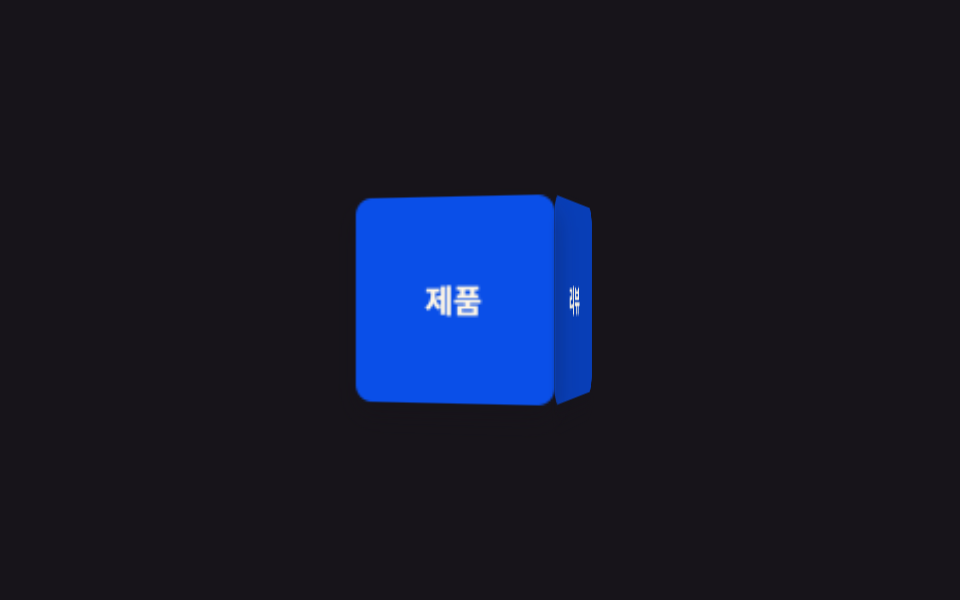
Khối lập phương 4 mặt xoay liên tục quanh trục Y bên trong perspective của phần tử cha, mỗi mặt hiện một nhãn khác nhau lần lượt khi quay tới.
Dùng choCube giới thiệu sản phẩm ở hero landing, banner đổi thông tin theo vòng
perspectivetransform-style: preserve-3dbackface-visibility
<main class="stage">
  <div class="scene">
    <div class="cube is-demo">
      <div class="cube__face cube__face--front">Sản phẩm</div>
      <div class="cube__face cube__face--right">Đánh giá</div>
      <div class="cube__face cube__face--back">Giá</div>
      <div class="cube__face cube__face--left">Liên hệ</div>
    </div>
  </div>
</main>
@use "../../../../site/static/demo-tokens" as *;
// ── 변수 3개. 변형은 이것만 바꾼다 ──────────────────────────
$duration: $dur-loop; // 한 바퀴 도는 시간
$easing: linear; // 등속. 튀면 큐브가 멈칫거려 보인다
$color: $subject-blue-deep; // 큐브 면 색 (크림 글자가 얹히므로 진한 파랑)
@include stage($stage-ink);
$size: 96px;
$half: 48px;
.scene { perspective: 640px; } // 자식 큐브가 이 값 기준으로 입체로 보인다
.cube {
position: relative;
width: $size;
height: $size;
transform-style: preserve-3d; // 자식 4면이 평면으로 뭉개지지 않게
animation: spin $duration $easing infinite;
}
.cube__face {
position: absolute;
inset: 0;
display: grid;
place-items: center;
border-radius: $r-sm;
font-weight: 700;
font-size: 15px;
line-height: 1;
font-family: inherit;
color: $subject-cream;
background: $color;
backface-visibility: hidden; // 뒤로 돌아간 면의 글자가 거울처럼 비치지 않게
box-shadow: $shadow-press;
}
.cube__face--front { transform: translateZ($half); }
.cube__face--right { transform: rotateY(90deg) translateZ($half); background: darken($color, 10%); }
.cube__face--back { transform: rotateY(180deg) translateZ($half); }
.cube__face--left { transform: rotateY(-90deg) translateZ($half); background: darken($color, 10%); }
@keyframes spin {
from { transform: rotateY(0deg); }
to { transform: rotateY(360deg); }
}
// ── 접근성: 움직임 줄이기 설정이면 한쪽 면에서 멈춘다 ────────────
@media (prefers-reduced-motion: reduce) {
.cube { animation: none; transform: rotateY(-28deg); }
}html, body {
margin: 0;
overflow: hidden;
}
.stage {
box-sizing: border-box;
min-height: 100vh;
display: grid;
place-items: center;
margin: 0;
background: #17141a;
font-family: -apple-system, "Segoe UI", "Noto Sans KR", sans-serif;
padding: clamp(8px, 4vw, 24px);
}
.scene {
perspective: 640px;
}
.cube {
position: relative;
width: 96px;
height: 96px;
transform-style: preserve-3d;
animation: spin 2s linear infinite;
}
.cube__face {
position: absolute;
inset: 0;
display: grid;
place-items: center;
border-radius: 8px;
font-weight: 700;
font-size: 15px;
line-height: 1;
font-family: inherit;
color: #fff7e6;
background: #0a4fe8;
backface-visibility: hidden;
box-shadow: 0 6px 12px rgba(23, 20, 26, 0.32);
}
.cube__face--front {
transform: translateZ(48px);
}
.cube__face--right {
transform: rotateY(90deg) translateZ(48px);
background: rgb(3.0951223465%, 24.451466537%, 71.8068384379%);
}
.cube__face--back {
transform: rotateY(180deg) translateZ(48px);
}
.cube__face--left {
transform: rotateY(-90deg) translateZ(48px);
background: rgb(3.0951223465%, 24.451466537%, 71.8068384379%);
}
@keyframes spin {
from {
transform: rotateY(0deg);
}
to {
transform: rotateY(360deg);
}
}
@media (prefers-reduced-motion: reduce) {
.cube {
animation: none;
transform: rotateY(-28deg);
}
}import type { CSSProperties } from "react";
import styles from "./CubeRotate.module.scss";
export type CubeRotateProps = {
/** 한 바퀴 도는 시간 (기본 2000ms) */
duration?: number;
/** CSS easing (기본 linear — 등속이어야 멈칫거리지 않는다) */
easing?: string;
/** 큐브 면 색 */
color?: string;
/** 4면에 넣을 라벨 */
faces?: [string, string, string, string];
className?: string;
};
type Vars = CSSProperties & {
"--duration"?: string;
"--easing"?: string;
"--color"?: string;
};
export default function CubeRotate({
duration = 2000,
easing = "linear",
color = "#2f6df6",
faces = ["제품", "리뷰", "가격", "문의"],
className = "",
}: CubeRotateProps) {
const vars: Vars = { "--duration": `${duration}ms`, "--easing": easing, "--color": color };
return (
<div className={`${styles.scene} ${className}`} style={vars}>
<div className={styles.cube}>
<div className={`${styles.face} ${styles.front}`}>{faces[0]}</div>
<div className={`${styles.face} ${styles.right}`}>{faces[1]}</div>
<div className={`${styles.face} ${styles.back}`}>{faces[2]}</div>
<div className={`${styles.face} ${styles.left}`}>{faces[3]}</div>
</div>
</div>
);
}01 Xoay cube 3D — Diện tích đo được 9.847% · khung hình chuyển động 23/23Nguyên tác GODRICH · SCSS và React nằm trong tệp zip · 9 CSS 3D Cube Effects — dán 1 dòng là chạy
Bài viết chứa demo này
 9 CSS 3D Cube Effects — dán 1 dòng là chạyCSS 3D cube là nhóm hiệu ứng khối lập phương xoay, carousel hình trụ và card nghiêng khi hover, dựng bằng perspective và Xem tất cả demo trong bài này