08Chữ nổi 3D
8 lớp text-shadow cùng màu, mỗi lớp đậm hơn một chút, tạo độ dày cho chữ trong khi rotateX xoay cả tiêu đề quanh cạnh dưới rồi quay lại.
Dùng choTiêu đề hero landing, tên sự kiện trên banner
다중 text-shadowperspectiverotateX

<main class="stage">
  <div class="scene">
    <h2 class="sign is-demo">Chào mừng</h2>
  </div>
</main>
@use "../../../../site/static/demo-tokens" as *;
@use "sass:list";
// ── 변수 3개 ──────────────────────────────
$duration: $dur-loop; // 기울었다 돌아오는 한 주기
$easing: $ease-spring;
$color: $subject-blue; // 글자 정면 색
@include stage($stage-ink);
.scene { perspective: 500px; }
// 같은 색을 한 단계씩 어둡게 8겹 겹쳐서 글자에 두께(압출)가 있는 것처럼 보이게 한다
@function extrudeShadow($c, $n) {
$out: ();
@for $i from 1 through $n {
$out: list.append($out, #{$i}px #{$i}px darken($c, $i * 4%), comma);
}
@return $out;
}
.sign {
margin: 0;
font-weight: 800;
font-size: clamp(28px, 8vw, 40px);
line-height: 1;
font-family: inherit;
color: $subject-cream;
text-shadow: extrudeShadow($color, 8);
transform-origin: center bottom;
animation: tilt $duration $easing infinite;
}
@keyframes tilt {
0%, 20% { transform: rotateX(0deg); }
55% { transform: rotateX(-34deg); }
100% { transform: rotateX(0deg); }
}
// ── 접근성: 움직임 줄이기 설정이면 기운 상태로 고정 ────────────
@media (prefers-reduced-motion: reduce) {
.sign { animation: none; transform: rotateX(-20deg); }
}html, body {
margin: 0;
overflow: hidden;
}
.stage {
box-sizing: border-box;
min-height: 100vh;
display: grid;
place-items: center;
margin: 0;
background: #17141a;
font-family: -apple-system, "Segoe UI", "Noto Sans KR", sans-serif;
padding: clamp(8px, 4vw, 24px);
}
.scene {
perspective: 500px;
}
.sign {
margin: 0;
font-weight: 800;
font-size: clamp(28px, 8vw, 40px);
line-height: 1;
font-family: inherit;
color: #fff7e6;
text-shadow: 1px 1px rgb(10.763169784%, 37.36260956%, 96.1387910003%), 2px 2px rgb(4.1019246408%, 32.3596277221%, 94.8000361435%), 3px 3px rgb(3.7701274058%, 29.7421162013%, 87.1318333785%), 4px 4px rgb(3.4383301708%, 27.1246046806%, 79.4636306135%), 5px 5px rgb(3.1065329358%, 24.5070931598%, 71.7954278486%), 6px 6px rgb(2.7747357007%, 21.8895816391%, 64.1272250836%), 7px 7px rgb(2.4429384657%, 19.2720701184%, 56.4590223186%), 8px 8px rgb(2.1111412307%, 16.6545585976%, 48.7908195536%);
transform-origin: center bottom;
animation: tilt 2s cubic-bezier(0.2, 0.8, 0.2, 1) infinite;
}
@keyframes tilt {
0%, 20% {
transform: rotateX(0deg);
}
55% {
transform: rotateX(-34deg);
}
100% {
transform: rotateX(0deg);
}
}
@media (prefers-reduced-motion: reduce) {
.sign {
animation: none;
transform: rotateX(-20deg);
}
}import type { CSSProperties } from "react";
import styles from "./PerspectiveText.module.scss";
export type PerspectiveTextProps = {
duration?: number;
easing?: string;
/** 글자 정면 색 */
color?: string;
text?: string;
/** 압출 두께(겹) */
depth?: number;
};
type Vars = CSSProperties & { "--duration"?: string; "--easing"?: string };
// 같은 색을 한 단계씩 어둡게 겹쳐서 글자에 두께(압출)가 있는 것처럼 보이게 한다 (vanilla 의 extrudeShadow() 와 같은 계산)
function extrudeShadow(hex: string, n: number): string {
const num = parseInt(hex.replace("#", ""), 16);
let [r, g, b] = [(num >> 16) & 255, (num >> 8) & 255, num & 255];
const layers: string[] = [];
for (let i = 1; i <= n; i++) {
const f = 1 - i * 0.04;
const rr = Math.max(0, Math.round(r * f));
const gg = Math.max(0, Math.round(g * f));
const bb = Math.max(0, Math.round(b * f));
layers.push(`${i}px ${i}px rgb(${rr},${gg},${bb})`);
}
return layers.join(", ");
}
export default function PerspectiveText({
duration = 2000,
easing = "cubic-bezier(.2,.8,.2,1)",
color = "#2f6df6",
text = "환영합니다",
depth = 8,
}: PerspectiveTextProps) {
const vars: Vars = { "--duration": `${duration}ms`, "--easing": easing };
return (
<div className={styles.scene}>
<h2 className={styles.sign} style={{ ...vars, textShadow: extrudeShadow(color, depth) } as CSSProperties}>
{text}
</h2>
</div>
);
}08 Chữ nổi 3D — Diện tích đo được 3.422% · khung hình chuyển động 14/23Nguyên tác GODRICH · SCSS và React nằm trong tệp zip · 9 CSS 3D Cube Effects — dán 1 dòng là chạy
Bài viết chứa demo này
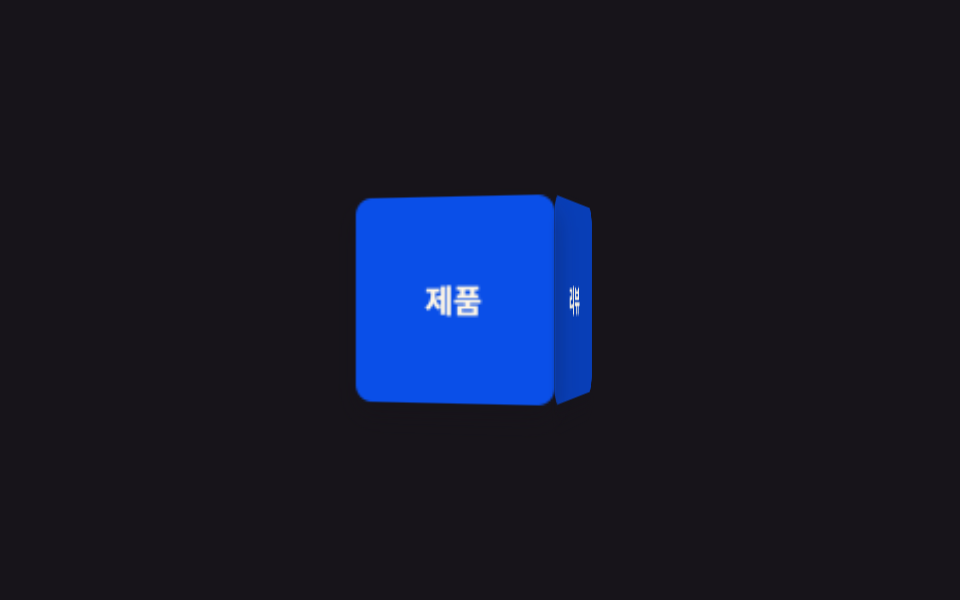 9 CSS 3D Cube Effects — dán 1 dòng là chạyCSS 3D cube là nhóm hiệu ứng khối lập phương xoay, carousel hình trụ và card nghiêng khi hover, dựng bằng perspective và Xem tất cả demo trong bài này