05Blob biến hình
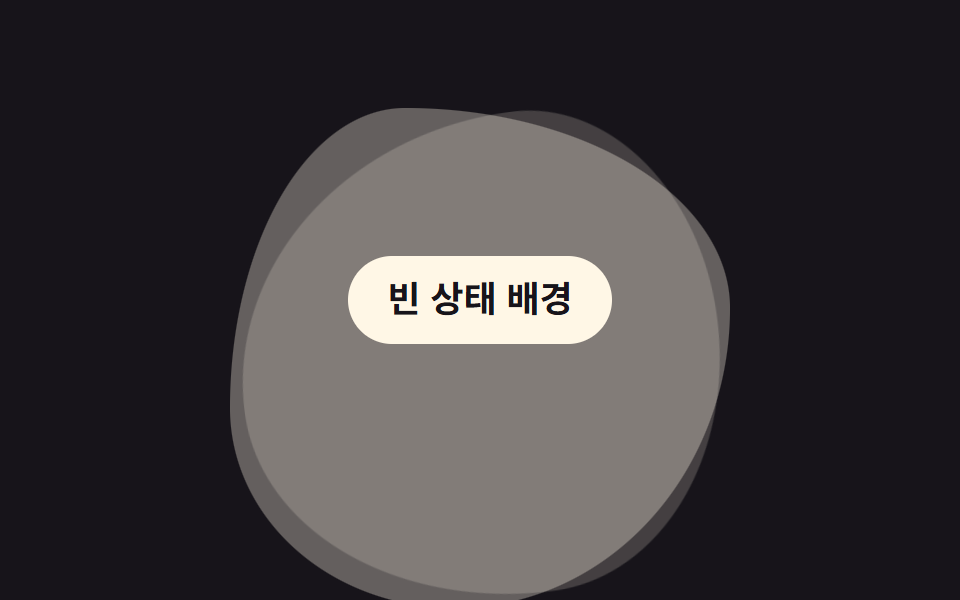
Hai ba lớp blob hình dạng khác nhau chồng lên nhau, chỉ opacity và transform (scale, rotate) thay phiên chuyển động nên khối trông như liên tục đổi hình mà không phải tính lại border-radius mỗi khung hình.
Dùng choNền trang trí trang giới thiệu, nền minh hoạ empty state
레이어 크로스페이드transform: scale·rotateopacity
<main class="stage">
  <span class="blob m1" aria-hidden="true"></span>
  <span class="blob m2" aria-hidden="true"></span>
  <span class="blob m3" aria-hidden="true"></span>
  <p class="hint">Trạng thái trống</p>
</main>
@use "../../../../site/static/demo-tokens" as *;
// ── 변수 3개 ──────────────────────────────────────────
$duration: $dur-loop; // 세 블롭이 한 바퀴 교차하는 시간
$easing: $ease-spring;
$color: $subject-cream; // 블롭 색
// ── 데모 무대 ──────────────────────────────────────────
@include stage($stage-ink);
.stage {
position: relative;
overflow: hidden;
}
// border-radius 는 세 블롭마다 고정값. opacity·transform 만 움직여 border-radius 를 매 프레임 다시 계산하지 않는다
.blob {
position: absolute;
width: 52%;
aspect-ratio: 1;
left: 24%;
top: 18%;
background: $color;
}
.m1 { border-radius: 42% 58% 63% 37% / 41% 44% 56% 59%; animation: morph1 $duration $easing infinite; }
.m2 { border-radius: 63% 37% 41% 59% / 55% 48% 52% 45%; opacity: 0; animation: morph2 $duration $easing infinite; }
.m3 { border-radius: 35% 65% 55% 45% / 60% 40% 60% 40%; opacity: 0; animation: morph3 $duration $easing infinite; }
@keyframes morph1 {
0% { opacity: 1; transform: scale(1) rotate(0deg); }
28% { opacity: 1; transform: scale(1.05) rotate(4deg); }
38% { opacity: 0; transform: scale(.94) rotate(8deg); }
92% { opacity: 0; }
100% { opacity: 1; transform: scale(1) rotate(0deg); }
}
@keyframes morph2 {
0%, 30% { opacity: 0; }
40% { opacity: 1; transform: scale(1) rotate(0deg); }
68% { opacity: 1; transform: scale(1.05) rotate(-4deg); }
78% { opacity: 0; transform: scale(.94) rotate(-8deg); }
100% { opacity: 0; }
}
@keyframes morph3 {
0%, 70% { opacity: 0; }
80% { opacity: 1; transform: scale(1) rotate(0deg); }
96% { opacity: 1; transform: scale(1.05) rotate(4deg); }
100% { opacity: 0; }
}
.hint {
position: relative;
margin: 0;
padding: 10px 20px;
border-radius: $r-pill;
background: $subject-cream;
color: $subject-ink;
font: 700 clamp(14px, 4vw, 18px)/1.3 -apple-system, "Segoe UI", "Noto Sans KR", sans-serif;
}
@media (prefers-reduced-motion: reduce) {
.blob { animation: none; }
.m1 { opacity: 1; }
.m2, .m3 { opacity: 0; }
}html, body {
margin: 0;
overflow: hidden;
}
.stage {
box-sizing: border-box;
min-height: 100vh;
display: grid;
place-items: center;
margin: 0;
background: #17141a;
font-family: -apple-system, "Segoe UI", "Noto Sans KR", sans-serif;
padding: clamp(8px, 4vw, 24px);
}
.stage {
position: relative;
overflow: hidden;
}
.blob {
position: absolute;
width: 52%;
aspect-ratio: 1;
left: 24%;
top: 18%;
background: #fff7e6;
}
.m1 {
border-radius: 42% 58% 63% 37%/41% 44% 56% 59%;
animation: morph1 2s cubic-bezier(0.2, 0.8, 0.2, 1) infinite;
}
.m2 {
border-radius: 63% 37% 41% 59%/55% 48% 52% 45%;
opacity: 0;
animation: morph2 2s cubic-bezier(0.2, 0.8, 0.2, 1) infinite;
}
.m3 {
border-radius: 35% 65% 55% 45%/60% 40% 60% 40%;
opacity: 0;
animation: morph3 2s cubic-bezier(0.2, 0.8, 0.2, 1) infinite;
}
@keyframes morph1 {
0% {
opacity: 1;
transform: scale(1) rotate(0deg);
}
28% {
opacity: 1;
transform: scale(1.05) rotate(4deg);
}
38% {
opacity: 0;
transform: scale(0.94) rotate(8deg);
}
92% {
opacity: 0;
}
100% {
opacity: 1;
transform: scale(1) rotate(0deg);
}
}
@keyframes morph2 {
0%, 30% {
opacity: 0;
}
40% {
opacity: 1;
transform: scale(1) rotate(0deg);
}
68% {
opacity: 1;
transform: scale(1.05) rotate(-4deg);
}
78% {
opacity: 0;
transform: scale(0.94) rotate(-8deg);
}
100% {
opacity: 0;
}
}
@keyframes morph3 {
0%, 70% {
opacity: 0;
}
80% {
opacity: 1;
transform: scale(1) rotate(0deg);
}
96% {
opacity: 1;
transform: scale(1.05) rotate(4deg);
}
100% {
opacity: 0;
}
}
.hint {
position: relative;
margin: 0;
padding: 10px 20px;
border-radius: 999px;
background: #fff7e6;
color: #17141a;
font: 700 clamp(14px, 4vw, 18px)/1.3 -apple-system, "Segoe UI", "Noto Sans KR", sans-serif;
}
@media (prefers-reduced-motion: reduce) {
.blob {
animation: none;
}
.m1 {
opacity: 1;
}
.m2, .m3 {
opacity: 0;
}
}import type { CSSProperties, ReactNode } from "react";
import styles from "./BlobMorphBg.module.scss";
export type BlobMorphBgProps = {
children?: ReactNode;
/** 세 블롭이 한 바퀴 교차하는 시간 (기본 2000ms) */
duration?: number;
easing?: string;
/** 블롭 색 */
color?: string;
className?: string;
};
type Vars = CSSProperties & { "--duration"?: string; "--easing"?: string; "--color"?: string };
export default function BlobMorphBg({
children,
duration = 2000,
easing = "cubic-bezier(.2,.8,.2,1)",
color = "#fff7e6",
className = "",
}: BlobMorphBgProps) {
const vars: Vars = { "--duration": `${duration}ms`, "--easing": easing, "--color": color };
return (
<div className={`${styles.stage} ${className}`} style={vars}>
<span className={`${styles.blob} ${styles.m1}`} aria-hidden="true" />
<span className={`${styles.blob} ${styles.m2}`} aria-hidden="true" />
<span className={`${styles.blob} ${styles.m3}`} aria-hidden="true" />
{children}
</div>
);
}05 Blob biến hình — Diện tích đo được 36.54% · khung hình chuyển động 22/23Nguyên tác GODRICH · SCSS và React nằm trong tệp zip · 9 hiệu ứng css background animation dán là chạy
Bài viết chứa demo này
 9 hiệu ứng css background animation dán là chạyCss background animation là cách khiến nền sau nội dung — gradient, lưới, chấm, nhiễu — tự chuyển động mà không cần ảnh Xem tất cả demo trong bài này