04Nhấp nháy nhẹ
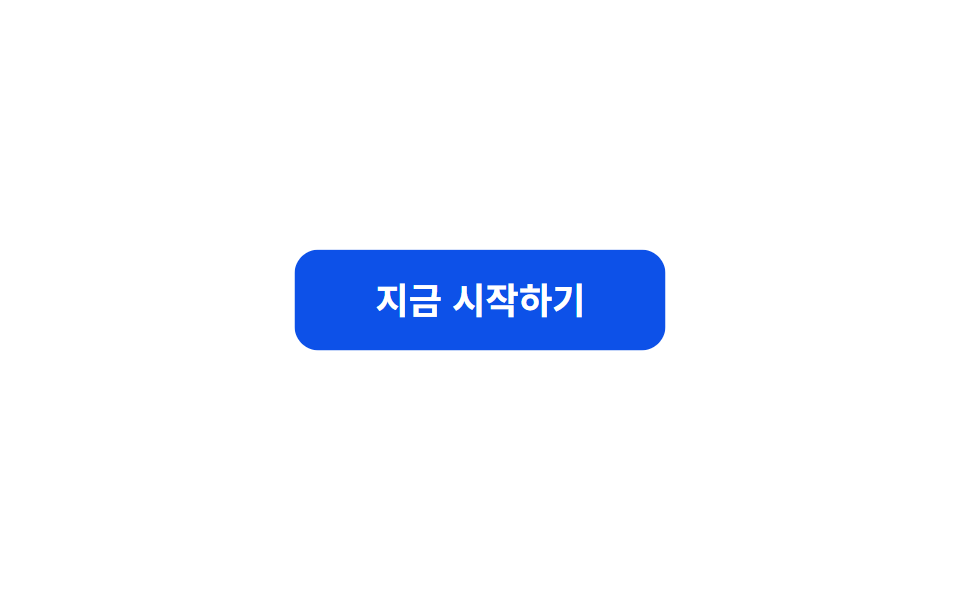
`.a-pulse` đưa scale qua lại giữa 1 và 1.06 đồng thời hạ rồi nâng opacity, tạo điểm nhấn kín đáo mà không buộc trình duyệt vẽ lại layout.
Dùng choChấm trạng thái đang live, badge tính năng mới, nút CTA cần thêm một chút chú ý
scaleopacity2초
<main class="stage">
  <button class="btn a-pulse" type="button">Bắt đầu ngay</button>
</main>
@use "../../../../site/static/demo-tokens" as *;
// ── 변수 3개 ──────────────────────────────────────────
$duration: $dur-loop; // 2초 — 너무 빠르면 강조가 아니라 깜빡임으로 읽힌다
$easing: $ease-out;
$color: $subject-blue;
// ── 데모 무대 ───────────────────────────────
@include stage($stage-paper);
.btn {
border: 0;
border-radius: $r-control;
padding: 16px 40px;
background: $subject-blue-deep; // AA: 파란 면을 깊게 — 흰 글자 6.3:1
color: #fff;
font-weight: 700; font-size: clamp(15px, 4vw, 18px); line-height: 1; font-family: inherit;
cursor: pointer;
-webkit-tap-highlight-color: transparent;
}
// ── .a-pulse 는 레이아웃을 다시 그리지 않고 scale·opacity 만 쓴다 ─
.a-pulse {
animation: pulse $duration $easing infinite;
}
@keyframes pulse {
0%, 100% { transform: scale(1); opacity: 1; }
50% { transform: scale(1.06); opacity: .92; }
}
@media (prefers-reduced-motion: reduce) {
.a-pulse { animation: none; }
}html, body {
margin: 0;
overflow: hidden;
}
.stage {
box-sizing: border-box;
min-height: 100vh;
display: grid;
place-items: center;
margin: 0;
background: #ffffff;
font-family: -apple-system, "Segoe UI", "Noto Sans KR", sans-serif;
padding: clamp(8px, 4vw, 24px);
}
.btn {
border: 0;
border-radius: 12px;
padding: 16px 40px;
background: #0a4fe8;
color: #fff;
font-weight: 700;
font-size: clamp(15px, 4vw, 18px);
line-height: 1;
font-family: inherit;
cursor: pointer;
-webkit-tap-highlight-color: transparent;
}
.a-pulse {
animation: pulse 2s ease-out infinite;
}
@keyframes pulse {
0%, 100% {
transform: scale(1);
opacity: 1;
}
50% {
transform: scale(1.06);
opacity: 0.92;
}
}
@media (prefers-reduced-motion: reduce) {
.a-pulse {
animation: none;
}
}import type { CSSProperties, MouseEvent, ReactNode } from "react";
import styles from "./PulseButton.module.scss";
export type PulseButtonProps = {
children: ReactNode;
/** 한 번 오가는 데 걸리는 시간 (기본 2000ms) */
duration?: number;
/** CSS easing (기본 ease-out) */
easing?: string;
/** 버튼 색 */
color?: string;
onClick?: (e: MouseEvent<HTMLButtonElement>) => void;
type?: "button" | "submit";
};
type Vars = CSSProperties & {
"--duration"?: string;
"--easing"?: string;
"--color"?: string;
};
export default function PulseButton({
children,
duration = 2000,
easing = "ease-out",
color = "#0a4fe8",
onClick,
type = "button",
}: PulseButtonProps) {
const vars: Vars = {
"--duration": `${duration}ms`,
"--easing": easing,
"--color": color,
};
return (
<button type={type} className={styles.btn} style={vars} onClick={onClick}>
{children}
</button>
);
}04 Nhấp nháy nhẹ — Diện tích đo được 7.199% · khung hình chuyển động 23/23Nguyên tác GODRICH · SCSS và React nằm trong tệp zip · 9 CSS Keyframe Animations — dán 1 dòng là chạy
Bài viết chứa demo này
 9 CSS Keyframe Animations — dán 1 dòng là chạyCSS keyframe animation là chuyển động lặp được định nghĩa bằng @keyframes rồi gộp vào một class duy nhất, dán vào phần t Xem tất cả demo trong bài này