05Bong bóng ảnh đang tải
Lớp skeleton xám có dải sáng quét qua bằng translateX trước khi ảnh thật hiện ra qua opacity.
Dùng choChat trao đổi ảnh hoặc GIF, chat hỏi hàng có kèm ảnh sản phẩm
skeleton shimmer@keyframes photo-in-loop0.3초
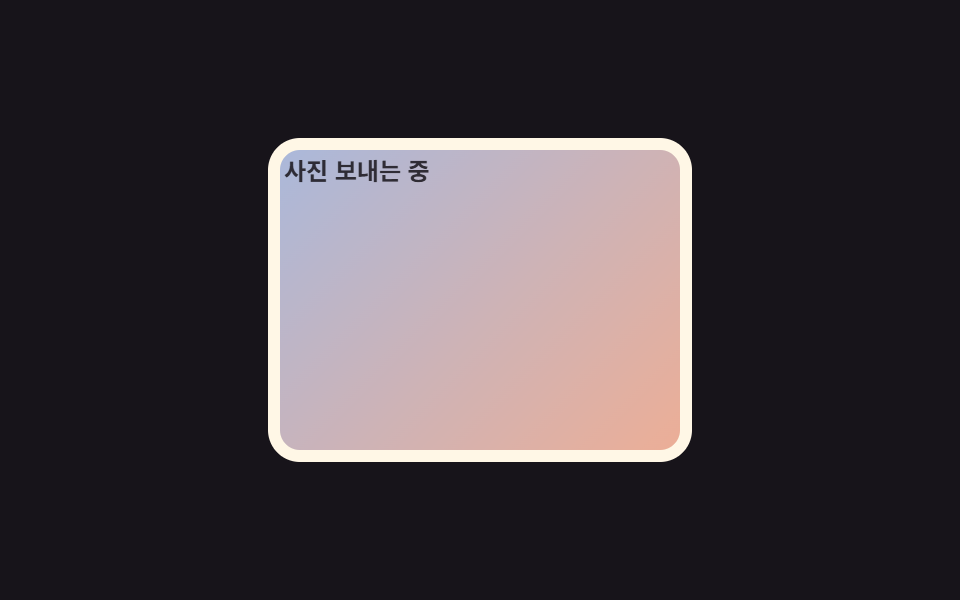
<main class="stage">
  <figure class="bubble is-demo">
    <span class="skeleton">
      <span class="shine"></span>
    </span>
    <span class="photo"></span>
    <figcaption class="caption">Đang gửi ảnh</figcaption>
  </figure>
</main>
@use "../../../../site/static/demo-tokens" as *;
// ── 변수 3개 ──────────────────────────────────────────────
$duration: $dur-enter; // 스켈레톤이 사진으로 바뀌는 데 걸리는 시간
$easing: $ease-out;
$color: $subject-cream; // 말풍선 틀 색 (ink 무대라 cream)
@include stage($stage-ink);
.bubble {
position: relative;
width: min(200px, 60vw);
aspect-ratio: 4 / 3;
margin: 0;
padding: 6px;
border-radius: $r-card;
background: $color;
overflow: hidden;
}
.skeleton, .photo {
position: absolute;
inset: 6px;
border-radius: 10px;
}
.skeleton { background: rgba($stage-ink, .12); overflow: hidden; }
.shine {
position: absolute;
top: 0;
left: -60%;
width: 60%;
height: 100%;
background: linear-gradient(100deg, rgba(255, 255, 255, 0), rgba(255, 255, 255, .55), rgba(255, 255, 255, 0));
.bubble.is-demo & { animation: shine-loop $dur-loop $easing infinite; }
}
.photo {
background: linear-gradient(135deg, $subject-blue, $stage-orange);
opacity: 0;
.bubble.is-demo & { animation: photo-in-loop $dur-loop $easing infinite; }
}
.caption {
margin: 4px 2px 0;
font-weight: 600; font-size: clamp(10px, 3vw, 12px); line-height: 1; font-family: inherit;
color: $subject-ink; // 말풍선(크림) 안 스켈레톤 위 글자 — AA 4.5 (blog-design 글자 대비)
opacity: .85;
}
// 셰이머가 두 번 훑고 지나간 뒤 사진이 opacity 로 나타난다
@keyframes shine-loop {
0% { transform: translateX(0); }
60% { transform: translateX(360%); }
100% { transform: translateX(360%); }
}
@keyframes photo-in-loop {
0% { opacity: 0; }
62% { opacity: 0; }
85% { opacity: 1; }
100% { opacity: 1; }
}
@media (prefers-reduced-motion: reduce) {
.shine, .photo { animation: none !important; }
.photo { opacity: 1; }
.shine { opacity: 0; }
}html, body {
margin: 0;
overflow: hidden;
}
.stage {
box-sizing: border-box;
min-height: 100vh;
display: grid;
place-items: center;
margin: 0;
background: #17141a;
font-family: -apple-system, "Segoe UI", "Noto Sans KR", sans-serif;
padding: clamp(8px, 4vw, 24px);
}
.bubble {
position: relative;
width: min(200px, 60vw);
aspect-ratio: 4/3;
margin: 0;
padding: 6px;
border-radius: 16px;
background: #fff7e6;
overflow: hidden;
}
.skeleton, .photo {
position: absolute;
inset: 6px;
border-radius: 10px;
}
.skeleton {
background: rgba(23, 20, 26, 0.12);
overflow: hidden;
}
.shine {
position: absolute;
top: 0;
left: -60%;
width: 60%;
height: 100%;
background: linear-gradient(100deg, rgba(255, 255, 255, 0), rgba(255, 255, 255, 0.55), rgba(255, 255, 255, 0));
}
.bubble.is-demo .shine {
animation: shine-loop 2s ease-out infinite;
}
.photo {
background: linear-gradient(135deg, #2f6df6, #ff4d1f);
opacity: 0;
}
.bubble.is-demo .photo {
animation: photo-in-loop 2s ease-out infinite;
}
.caption {
margin: 4px 2px 0;
font-weight: 600;
font-size: clamp(10px, 3vw, 12px);
line-height: 1;
font-family: inherit;
color: #17141a;
opacity: 0.85;
}
@keyframes shine-loop {
0% {
transform: translateX(0);
}
60% {
transform: translateX(360%);
}
100% {
transform: translateX(360%);
}
}
@keyframes photo-in-loop {
0% {
opacity: 0;
}
62% {
opacity: 0;
}
85% {
opacity: 1;
}
100% {
opacity: 1;
}
}
@media (prefers-reduced-motion: reduce) {
.shine, .photo {
animation: none !important;
}
.photo {
opacity: 1;
}
.shine {
opacity: 0;
}
}import type { CSSProperties } from "react";
import styles from "./ImageBubbleLoading.module.scss";
export type ImageBubbleLoadingProps = {
/** 이미지 로드가 끝났는가 */
loaded: boolean;
duration?: number;
easing?: string;
className?: string;
};
type Vars = CSSProperties & { "--duration"?: string; "--easing"?: string };
export default function ImageBubbleLoading({
loaded,
duration = 600,
easing = "ease-out",
className = "",
}: ImageBubbleLoadingProps) {
const vars: Vars = { "--duration": `${duration}ms`, "--easing": easing };
return (
<figure className={`${styles.bubble} ${className}`} style={vars}>
<span className={`${styles.skeleton} ${loaded ? styles.fade : ""}`}>
<span className={styles.shine} />
</span>
<span className={`${styles.photo} ${loaded ? styles.show : ""}`} />
</figure>
);
}05 Bong bóng ảnh đang tải — Diện tích đo được 20.786% · khung hình chuyển động 13/23Nguyên tác GODRICH · SCSS và React nằm trong tệp zip · 9 CSS Chat Bubble Animation — dán 1 dòng là chạy
Bài viết chứa demo này
 9 CSS Chat Bubble Animation — dán 1 dòng là chạyCSS chat bubble animation là hiệu ứng bong bóng chat chạy bằng CSS thuần khi tin nhắn xuất hiện hoặc được xem. Chín kiểu Xem tất cả demo trong bài này