03Radio tô đầy dần
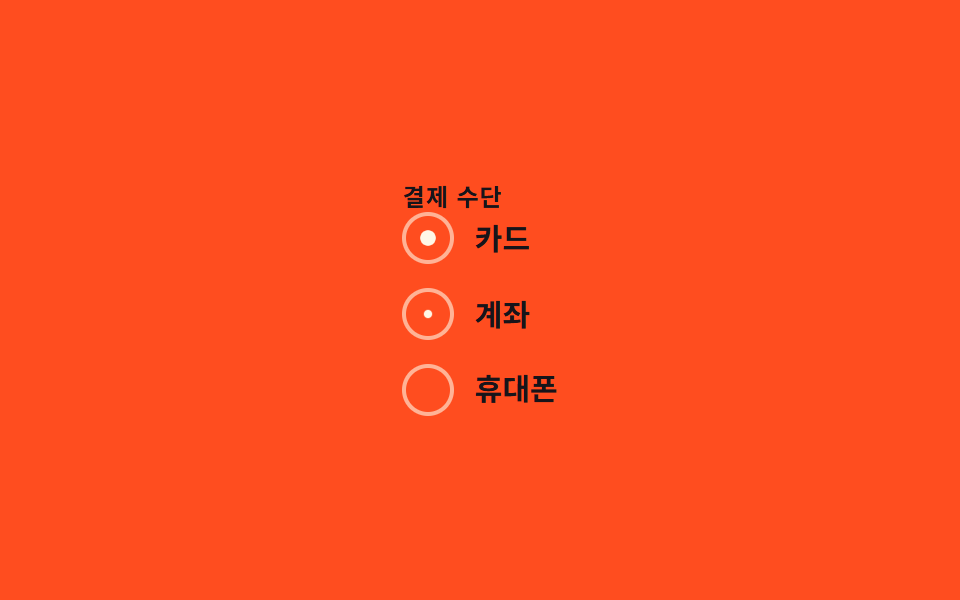
Chọn một radio thì chấm tròn bên trong phóng từ scale(0) lên scale(1), nên chỉ đúng một lựa chọn trông đầy.
Dùng choChọn phương thức thanh toán, chọn tùy chọn giao hàng
scale:checked0.22초
<main class="stage">
  <fieldset class="radio-group is-demo">
    <legend class="radio-group__legend">Phương thức thanh toán</legend>
    <label class="radio"><input type="radio" name="pay" class="sr-input" checked><span class="radio__dot" aria-hidden="true"></span><span>Thẻ</span></label>
    <label class="radio"><input type="radio" name="pay" class="sr-input"><span class="radio__dot" aria-hidden="true"></span><span>Chuyển khoản</span></label>
    <label class="radio"><input type="radio" name="pay" class="sr-input"><span class="radio__dot" aria-hidden="true"></span><span>Điện thoại</span></label>
  </fieldset>
</main>
@use "../../../../site/static/demo-tokens" as *;
// ── 변수 3개 ──────────────────────────────
$duration: $dur-quick;
$easing: $ease-out;
$color: $subject-cream;
// ── 데모 무대 ───────────────────────────────
@include stage($stage-orange);
.sr-input {
position: absolute; width: 1px; height: 1px; padding: 0; margin: -1px;
overflow: hidden; clip: rect(0, 0, 0, 0); white-space: nowrap; border: 0;
}
.sr-only {
position: absolute; width: 1px; height: 1px; padding: 0; margin: -1px;
overflow: hidden; clip: rect(0, 0, 0, 0); white-space: nowrap; border: 0;
}
.radio-group { display: flex; flex-direction: column; gap: clamp(8px, 2.4vw, 12px); border: 0; margin: 0; padding: 0; }
.radio-group__legend {
color: $subject-ink; font-weight: 700; font-size: 12px; line-height: 1; font-family: inherit; letter-spacing: .04em; text-transform: uppercase;
padding: 0 0 2px;
}
.radio { display: inline-flex; align-items: center; gap: 10px; cursor: pointer;
font-weight: 600; font-size: clamp(13px, 3.8vw, 15px); line-height: 1; font-family: inherit; color: $subject-ink; }
.radio__dot { flex: none; width: 22px; height: 22px; border-radius: 50%;
border: 2px solid rgba($subject-cream, .6); display: grid; place-items: center; }
.radio__dot::after {
content: ""; width: 12px; height: 12px; border-radius: 50%; background: $color;
transform: scale(0); transition: transform $duration $easing;
}
.sr-input:checked ~ .radio__dot::after { transform: scale(1); }
.sr-input:focus-visible ~ .radio__dot { box-shadow: 0 0 0 3px rgba($subject-cream, .5); }
@media (prefers-reduced-motion: reduce) {
// 접근성: 움직임 줄이기 설정이면 트랜지션을 즉시 끝낸다
.radio__dot::after { transition-duration: 1ms !important; }
}html, body {
margin: 0;
overflow: hidden;
}
.stage {
box-sizing: border-box;
min-height: 100vh;
display: grid;
place-items: center;
margin: 0;
background: #ff4d1f;
font-family: -apple-system, "Segoe UI", "Noto Sans KR", sans-serif;
padding: clamp(8px, 4vw, 24px);
}
.sr-input {
position: absolute;
width: 1px;
height: 1px;
padding: 0;
margin: -1px;
overflow: hidden;
clip: rect(0, 0, 0, 0);
white-space: nowrap;
border: 0;
}
.sr-only {
position: absolute;
width: 1px;
height: 1px;
padding: 0;
margin: -1px;
overflow: hidden;
clip: rect(0, 0, 0, 0);
white-space: nowrap;
border: 0;
}
.radio-group {
display: flex;
flex-direction: column;
gap: clamp(8px, 2.4vw, 12px);
border: 0;
margin: 0;
padding: 0;
}
.radio-group__legend {
color: #17141a;
font-weight: 700;
font-size: 12px;
line-height: 1;
font-family: inherit;
letter-spacing: 0.04em;
text-transform: uppercase;
padding: 0 0 2px;
}
.radio {
display: inline-flex;
align-items: center;
gap: 10px;
cursor: pointer;
font-weight: 600;
font-size: clamp(13px, 3.8vw, 15px);
line-height: 1;
font-family: inherit;
color: #17141a;
}
.radio__dot {
flex: none;
width: 22px;
height: 22px;
border-radius: 50%;
border: 2px solid rgba(255, 247, 230, 0.6);
display: grid;
place-items: center;
}
.radio__dot::after {
content: "";
width: 12px;
height: 12px;
border-radius: 50%;
background: #fff7e6;
transform: scale(0);
transition: transform 220ms ease-out;
}
.sr-input:checked ~ .radio__dot::after {
transform: scale(1);
}
.sr-input:focus-visible ~ .radio__dot {
box-shadow: 0 0 0 3px rgba(255, 247, 230, 0.5);
}
@media (prefers-reduced-motion: reduce) {
.radio__dot::after {
transition-duration: 1ms !important;
}
}// .is-demo 데모용 자동 순환. 실제로는 클릭이 :checked 를 바꾼다 (6줄)
document.querySelectorAll('.is-demo').forEach(function (grp) {
var inputs = grp.querySelectorAll('.sr-input'); var i = 0;
var t = function () { inputs[i % inputs.length].checked = true; i++; };
t(); setInterval(t, 500);
});import { useState } from "react";
import type { CSSProperties } from "react";
import styles from "./RadioFill.module.scss";
export type RadioFillOption = { value: string; label: string };
export type RadioFillProps = {
legend?: string;
options?: RadioFillOption[];
duration?: number;
easing?: string;
color?: string;
};
type Vars = CSSProperties & { "--duration"?: string; "--easing"?: string; "--color"?: string };
export default function RadioFill({
legend = "Payment method",
options = [
{ value: "card", label: "Card" },
{ value: "bank", label: "Bank transfer" },
{ value: "phone", label: "Phone" },
],
duration = 220,
easing = "ease-out",
color = "#fff7e6",
}: RadioFillProps) {
const [value, setValue] = useState(options[0]?.value);
const vars: Vars = { "--duration": `${duration}ms`, "--easing": easing, "--color": color };
return (
<fieldset className={styles.group} style={vars}>
<legend className={styles.legend}>{legend}</legend>
{options.map((o) => (
<label className={styles.radio} key={o.value}>
<input
type="radio"
name="radio-fill"
className={styles.srInput}
checked={value === o.value}
onChange={() => setValue(o.value)}
/>
<span className={styles.dot} aria-hidden="true" />
<span>{o.label}</span>
</label>
))}
</fieldset>
);
}03 Radio tô đầy dần — Diện tích đo được 0.258% · khung hình chuyển động 14/23Nguyên tác GODRICH · SCSS và React nằm trong tệp zip · 9 CSS Checkbox Radio — dán 1 dòng là chạy
Bài viết chứa demo này
 9 CSS Checkbox Radio — dán 1 dòng là chạyCSS checkbox radio tùy biến là cách vẽ lại hình dạng cạnh input gốc bằng một pseudo-class :checked, input thật vẫn còn n Xem tất cả demo trong bài này