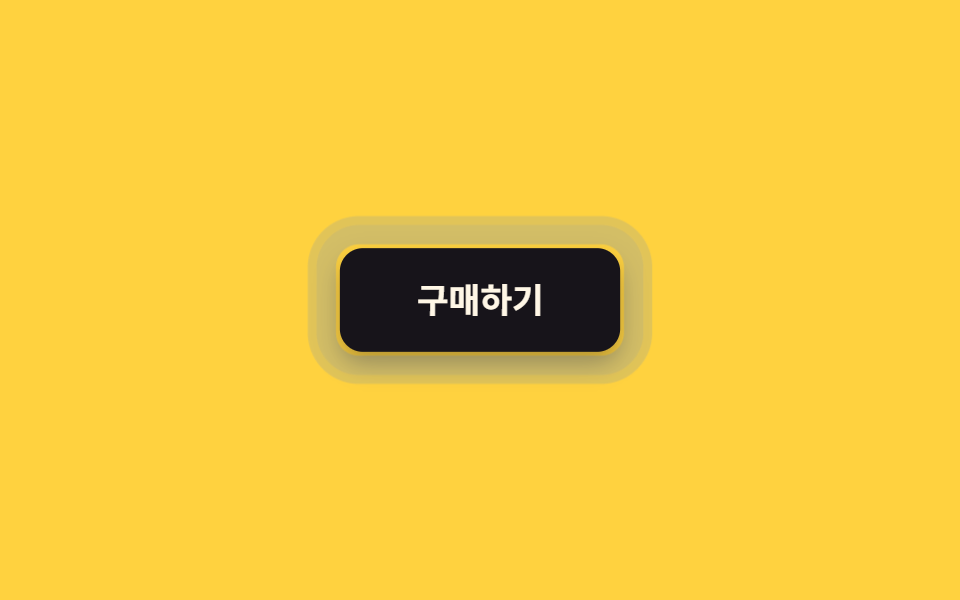
02Co lại khi nhấn
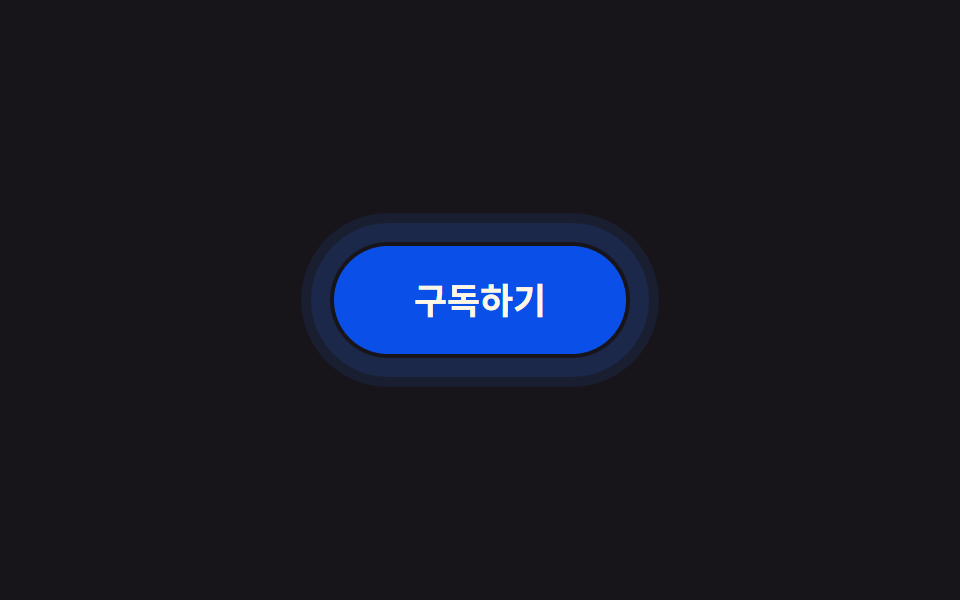
Trong lúc giữ, nút co về scale(.96) trong khi box-shadow cũng lõm xuống cùng lúc, buông tay là bật lại ngay, không có độ nảy kiểu lò xo.
Dùng choNút gửi hoặc thanh toán, nơi cần người dùng thấy chắc chắn rằng nút vừa được nhấn.
scalebox-shadow0.2초
<main class="stage">
  <button class="btn is-demo" type="button">Mua ngay</button>
</main>
@use "../../../../site/static/demo-tokens" as *;
$duration: $dur-quick; // 눌렸다가 돌아오는 시간 (바운스 없음)
$easing: $ease-out;
$color: $subject-ink; // 버튼 색
@include stage($stage-yellow);
.btn {
position: relative;
border: 0;
border-radius: $r-control;
padding: 18px 40px;
font-weight: 600; font-size: 18px; line-height: 1; font-family: inherit;
color: $subject-cream;
background: $color;
cursor: pointer;
-webkit-tap-highlight-color: transparent;
touch-action: manipulation; // 더블탭 확대·300ms 지연 제거
box-shadow: $shadow-raised;
transform: scale(1);
transition: transform $duration $easing, box-shadow $duration $easing;
// 규칙8 한 겹: 눌리는 순간 버튼 바깥으로 두 겹 링이 서로 다른 속도로 불규칙하게 번지다 감쇠
&::after {
content: "";
position: absolute;
inset: -2px;
border-radius: inherit;
box-shadow: 0 0 0 0 rgba($subject-blue, .5), 0 0 0 0 rgba($subject-blue, .3);
opacity: 0;
pointer-events: none;
}
}
.btn:active {
transform: scale(.96);
box-shadow: $shadow-press;
}
.btn:active::after {
animation: ripple-wave $dur-enter $easing;
}
.btn:focus-visible {
outline: 3px solid $subject-blue;
outline-offset: 3px;
}
.btn.is-demo { animation: press-loop $dur-loop $easing infinite; }
.btn.is-demo::after { animation: ripple-loop $dur-loop $easing infinite; }
@keyframes press-loop {
0%, 20% { transform: scale(1); box-shadow: $shadow-raised; }
45%, 60% { transform: scale(.96); box-shadow: $shadow-press; }
100% { transform: scale(1); box-shadow: $shadow-raised; }
}
@keyframes ripple-wave {
0% { box-shadow: 0 0 0 0 rgba($subject-blue, .55), 0 0 0 0 rgba($subject-blue, .34); opacity: 1; }
20% { box-shadow: 0 0 0 8px rgba($subject-blue, .55), 0 0 0 3px rgba($subject-blue, .34); opacity: 1; }
55% { box-shadow: 0 0 0 14px rgba($subject-blue, .3), 0 0 0 9px rgba($subject-blue, .2); opacity: .9; }
85% { box-shadow: 0 0 0 16px rgba($subject-blue, .06), 0 0 0 12px rgba($subject-blue, .04); opacity: .2; }
100% { box-shadow: 0 0 0 16px rgba($subject-blue, 0), 0 0 0 12px rgba($subject-blue, 0); opacity: 0; }
}
@keyframes ripple-loop {
0%, 40% { box-shadow: 0 0 0 0 rgba($subject-blue, .55), 0 0 0 0 rgba($subject-blue, .34); opacity: 1; }
46% { box-shadow: 0 0 0 8px rgba($subject-blue, .55), 0 0 0 3px rgba($subject-blue, .34); opacity: 1; }
53% { box-shadow: 0 0 0 14px rgba($subject-blue, .3), 0 0 0 9px rgba($subject-blue, .2); opacity: .9; }
58% { box-shadow: 0 0 0 16px rgba($subject-blue, .06), 0 0 0 12px rgba($subject-blue, .04); opacity: .2; }
63%, 100% { box-shadow: 0 0 0 16px rgba($subject-blue, 0), 0 0 0 12px rgba($subject-blue, 0); opacity: 0; }
}
@media (prefers-reduced-motion: reduce) {
.btn { transition: none; }
.btn::after { animation: none !important; opacity: 0; }
.btn.is-demo { animation: none; box-shadow: $shadow-press; }
}html, body {
margin: 0;
overflow: hidden;
}
.stage {
box-sizing: border-box;
min-height: 100vh;
display: grid;
place-items: center;
margin: 0;
background: #ffd23f;
font-family: -apple-system, "Segoe UI", "Noto Sans KR", sans-serif;
padding: clamp(8px, 4vw, 24px);
}
.btn {
position: relative;
border: 0;
border-radius: 12px;
padding: 18px 40px;
font-weight: 600;
font-size: 18px;
line-height: 1;
font-family: inherit;
color: #fff7e6;
background: #17141a;
cursor: pointer;
-webkit-tap-highlight-color: transparent;
touch-action: manipulation;
box-shadow: 0 14px 24px rgba(23, 20, 26, 0.32);
transform: scale(1);
transition: transform 220ms ease-out, box-shadow 220ms ease-out;
}
.btn::after {
content: "";
position: absolute;
inset: -2px;
border-radius: inherit;
box-shadow: 0 0 0 0 rgba(47, 109, 246, 0.5), 0 0 0 0 rgba(47, 109, 246, 0.3);
opacity: 0;
pointer-events: none;
}
.btn:active {
transform: scale(0.96);
box-shadow: 0 6px 12px rgba(23, 20, 26, 0.32);
}
.btn:active::after {
animation: ripple-wave 600ms ease-out;
}
.btn:focus-visible {
outline: 3px solid #2f6df6;
outline-offset: 3px;
}
.btn.is-demo {
animation: press-loop 2s ease-out infinite;
}
.btn.is-demo::after {
animation: ripple-loop 2s ease-out infinite;
}
@keyframes press-loop {
0%, 20% {
transform: scale(1);
box-shadow: 0 14px 24px rgba(23, 20, 26, 0.32);
}
45%, 60% {
transform: scale(0.96);
box-shadow: 0 6px 12px rgba(23, 20, 26, 0.32);
}
100% {
transform: scale(1);
box-shadow: 0 14px 24px rgba(23, 20, 26, 0.32);
}
}
@keyframes ripple-wave {
0% {
box-shadow: 0 0 0 0 rgba(47, 109, 246, 0.55), 0 0 0 0 rgba(47, 109, 246, 0.34);
opacity: 1;
}
20% {
box-shadow: 0 0 0 8px rgba(47, 109, 246, 0.55), 0 0 0 3px rgba(47, 109, 246, 0.34);
opacity: 1;
}
55% {
box-shadow: 0 0 0 14px rgba(47, 109, 246, 0.3), 0 0 0 9px rgba(47, 109, 246, 0.2);
opacity: 0.9;
}
85% {
box-shadow: 0 0 0 16px rgba(47, 109, 246, 0.06), 0 0 0 12px rgba(47, 109, 246, 0.04);
opacity: 0.2;
}
100% {
box-shadow: 0 0 0 16px rgba(47, 109, 246, 0), 0 0 0 12px rgba(47, 109, 246, 0);
opacity: 0;
}
}
@keyframes ripple-loop {
0%, 40% {
box-shadow: 0 0 0 0 rgba(47, 109, 246, 0.55), 0 0 0 0 rgba(47, 109, 246, 0.34);
opacity: 1;
}
46% {
box-shadow: 0 0 0 8px rgba(47, 109, 246, 0.55), 0 0 0 3px rgba(47, 109, 246, 0.34);
opacity: 1;
}
53% {
box-shadow: 0 0 0 14px rgba(47, 109, 246, 0.3), 0 0 0 9px rgba(47, 109, 246, 0.2);
opacity: 0.9;
}
58% {
box-shadow: 0 0 0 16px rgba(47, 109, 246, 0.06), 0 0 0 12px rgba(47, 109, 246, 0.04);
opacity: 0.2;
}
63%, 100% {
box-shadow: 0 0 0 16px rgba(47, 109, 246, 0), 0 0 0 12px rgba(47, 109, 246, 0);
opacity: 0;
}
}
@media (prefers-reduced-motion: reduce) {
.btn {
transition: none;
}
.btn::after {
animation: none !important;
opacity: 0;
}
.btn.is-demo {
animation: none;
box-shadow: 0 6px 12px rgba(23, 20, 26, 0.32);
}
}import type { CSSProperties } from "react";
import styles from "./PressShrinkButton.module.scss";
export type PressShrinkButtonProps = {
label: string;
/** 눌렸다가 돌아오는 시간, 바운스 없음 (기본 220ms) */
duration?: number;
easing?: string;
color?: string;
};
type Vars = CSSProperties & { "--duration"?: string; "--easing"?: string; "--color"?: string };
export default function PressShrinkButton({
label,
duration = 220,
easing = "ease-out",
color = "#17141a",
}: PressShrinkButtonProps) {
const vars: Vars = { "--duration": `${duration}ms`, "--easing": easing, "--color": color };
return (
<button type="button" className={styles.btn} style={vars}>
{label}
</button>
);
}02 Co lại khi nhấn — Diện tích đo được 6.326% · khung hình chuyển động 19/23Nguyên tác GODRICH · SCSS và React nằm trong tệp zip · 9 CSS Button Click Feedback, dán 1 dòng chạy ngay
Bài viết chứa demo này
 9 CSS Button Click Feedback, dán 1 dòng chạy ngayCSS button click feedback là chuyển động CSS ngắn xuất hiện khi bạn nhấn hoặc chạm vào một nút, báo hiệu rằng thao tác đ Xem tất cả demo trong bài này