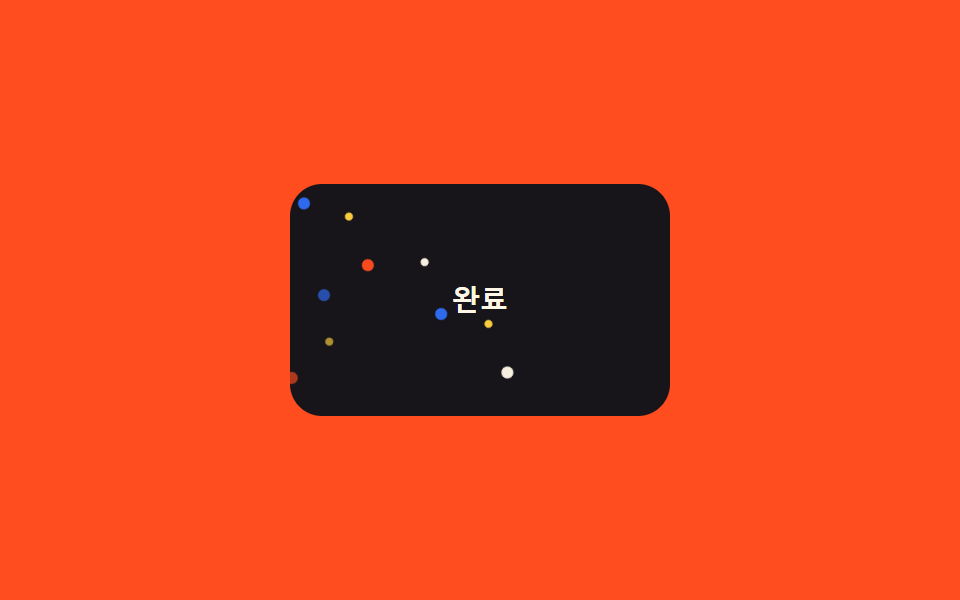
07Confetti chỉ bằng pseudo-element
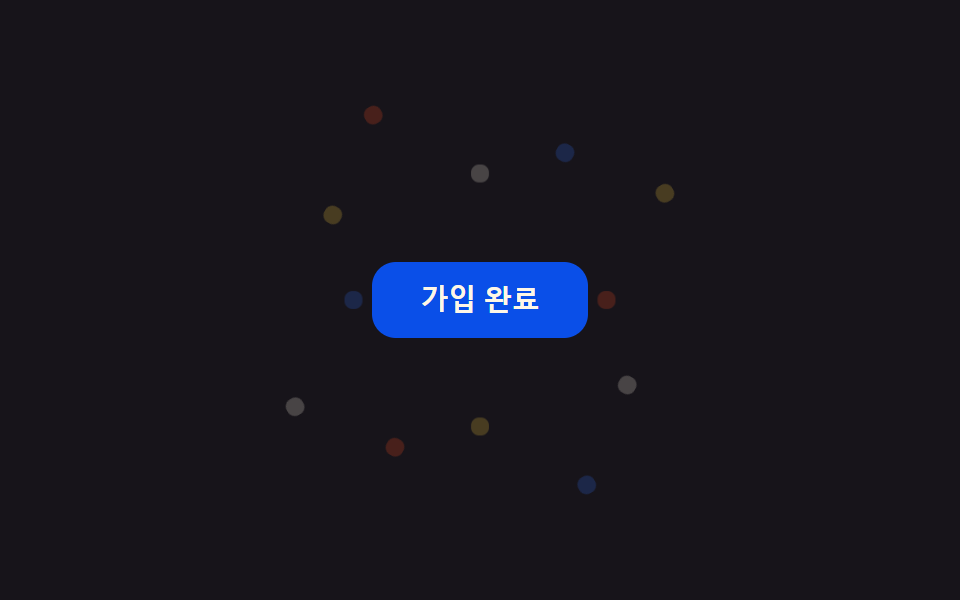
Không thêm một phần tử nào vào DOM của card, riêng ::before và ::after vẽ nhiều chấm bằng dải box-shadow, mỗi cụm rơi đúng thời điểm của nó bằng translateY+rotate.
Dùng choComponent card không thể phình markup, card trạng thái hoàn tất
::before/::afterbox-shadow 다중점1.2s
<main class="stage">
  <div class="pc-card is-demo">
    <span class="pc-label">Hoàn tất</span>
  </div>
</main>
@use "../../../../site/static/demo-tokens" as *;
// ── 변수 3개 ──────────────────────────────────────────
$duration: 1.2s;
$easing: $ease-out;
$color: $subject-blue;
@include stage($stage-orange);
.pc-card {
position: relative;
width: 190px;
height: 116px;
border-radius: $r-card;
background: $subject-ink;
overflow: hidden;
display: grid;
place-items: center;
}
.pc-label {
color: $subject-cream;
font: 700 14px/1 -apple-system, "Segoe UI", sans-serif;
}
// 마크업엔 요소를 하나도 더하지 않는다 — ::before·::after 각각 box-shadow 로 점 6개씩을 그린다
.pc-card::before,
.pc-card::after {
content: "";
position: absolute;
top: -18px;
left: 14px;
width: 6px;
height: 6px;
border-radius: $r-pill;
background: $color;
box-shadow:
22px -8px 0 -1px $stage-yellow,
44px 6px 0 0 $stage-orange,
66px -12px 0 -1px $subject-cream,
88px 4px 0 0 $color,
110px -6px 0 -1px $stage-yellow,
132px 8px 0 0 $subject-cream;
opacity: 0;
}
.pc-card::after { left: 4px; }
@keyframes pc-fall {
0% { transform: translateY(0) rotate(0deg); opacity: 0; }
12% { opacity: 1; }
100% { transform: translateY(150px) rotate(220deg); opacity: 0; }
}
.pc-card.is-demo::before,
.pc-card.is-demo::after { animation: pc-fall $duration $easing infinite; }
.pc-card.is-demo::after { animation-delay: 260ms; }
@media (prefers-reduced-motion: reduce) {
.pc-card.is-demo::before,
.pc-card.is-demo::after { animation: none !important; opacity: 0 !important; }
}html, body {
margin: 0;
overflow: hidden;
}
.stage {
box-sizing: border-box;
min-height: 100vh;
display: grid;
place-items: center;
margin: 0;
background: #ff4d1f;
font-family: -apple-system, "Segoe UI", "Noto Sans KR", sans-serif;
padding: clamp(8px, 4vw, 24px);
}
.pc-card {
position: relative;
width: 190px;
height: 116px;
border-radius: 16px;
background: #17141a;
overflow: hidden;
display: grid;
place-items: center;
}
.pc-label {
color: #fff7e6;
font: 700 14px/1 -apple-system, "Segoe UI", sans-serif;
}
.pc-card::before,
.pc-card::after {
content: "";
position: absolute;
top: -18px;
left: 14px;
width: 6px;
height: 6px;
border-radius: 999px;
background: #2f6df6;
box-shadow: 22px -8px 0 -1px #ffd23f, 44px 6px 0 0 #ff4d1f, 66px -12px 0 -1px #fff7e6, 88px 4px 0 0 #2f6df6, 110px -6px 0 -1px #ffd23f, 132px 8px 0 0 #fff7e6;
opacity: 0;
}
.pc-card::after {
left: 4px;
}
@keyframes pc-fall {
0% {
transform: translateY(0) rotate(0deg);
opacity: 0;
}
12% {
opacity: 1;
}
100% {
transform: translateY(150px) rotate(220deg);
opacity: 0;
}
}
.pc-card.is-demo::before,
.pc-card.is-demo::after {
animation: pc-fall 1.2s ease-out infinite;
}
.pc-card.is-demo::after {
animation-delay: 260ms;
}
@media (prefers-reduced-motion: reduce) {
.pc-card.is-demo::before,
.pc-card.is-demo::after {
animation: none !important;
opacity: 0 !important;
}
}import { CSSProperties } from "react";
import styles from "./PseudoOnlyConfetti.module.scss";
type Vars = CSSProperties & Record<string, string>;
export interface PseudoOnlyConfettiProps {
duration?: string;
easing?: string;
color?: string;
}
// 마크업엔 요소를 하나도 더하지 않는다 — ::before·::after(module.scss) 만으로 점을 그린다
export default function PseudoOnlyConfetti({
duration = "1.2s",
easing = "ease-out",
color = "#2f6df6",
}: PseudoOnlyConfettiProps) {
const style: Vars = { "--duration": duration, "--easing": easing, "--color": color };
return (
<div className={styles.card} style={style}>
<span className={styles.label}>완료</span>
</div>
);
}07 Confetti chỉ bằng pseudo-element — Diện tích đo được 2.233% · khung hình chuyển động 23/23Nguyên tác GODRICH · SCSS và React nằm trong tệp zip · 9 css confetti animation — dán một file là chạy
Bài viết chứa demo này
 9 css confetti animation — dán một file là chạyBạn hẳn đã gặp css confetti animation ít nhất một lần: giấy màu bắn ra khoảnh khắc đăng ký hay thanh toán xong. Chín các Xem tất cả demo trong bài này