08Đồng bộ marker tiến trình
Một thanh mỏng phía trên slide đầy thêm một đoạn mỗi khi ảnh lật, nên không phải đếm cũng biết mình đang xem tới đâu.
Dùng choBanner kiểu story, slide hướng dẫn từng bước
:checkedwidth 전환형제결합자
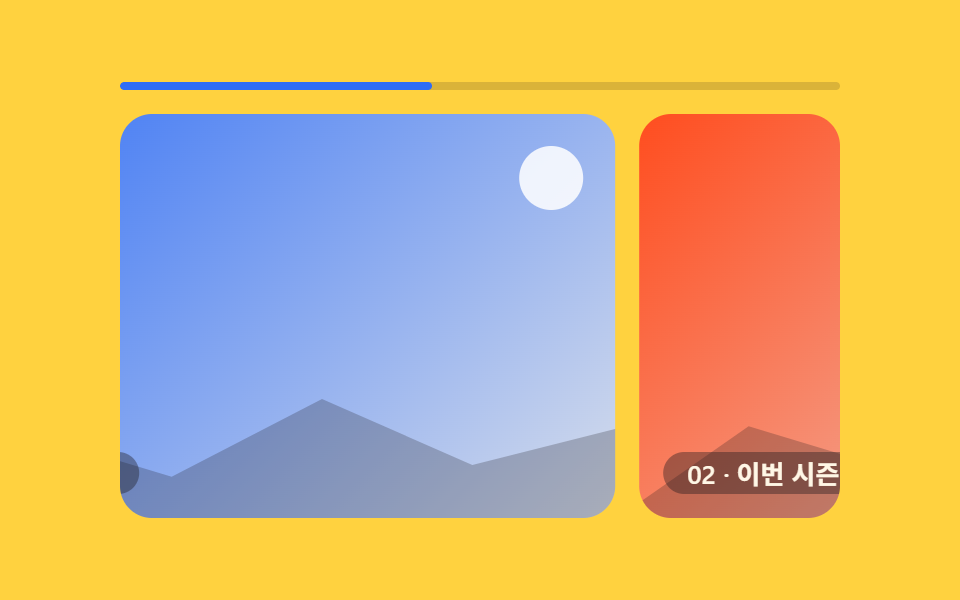
<main class="stage">
  <div class="pm is-demo">
    <input type="radio" name="pm-tab" id="pm-1" class="pm__radio" checked>
    <input type="radio" name="pm-tab" id="pm-2" class="pm__radio">
    <input type="radio" name="pm-tab" id="pm-3" class="pm__radio">
    <div class="pm__bar">
      <span class="pm__fill"></span>
      <label class="pm__seg" for="pm-1" aria-label="Chuyển tới slide 1"></label>
      <label class="pm__seg" for="pm-2" aria-label="Chuyển tới slide 2"></label>
      <label class="pm__seg" for="pm-3" aria-label="Chuyển tới slide 3"></label>
    </div>
    <div class="pm__viewport">
      <div class="pm__track">
        <div class="pm__slide pm__slide--1"><span class="pm__cap">01 · Câu chuyện thương hiệu</span></div>
        <div class="pm__slide pm__slide--2"><span class="pm__cap">02 · Bộ sưu tập mùa này</span></div>
        <div class="pm__slide pm__slide--3"><span class="pm__cap">03 · Thông tin cửa hàng</span></div>
        <div class="pm__slide pm__slide--1" aria-hidden="true"><span class="pm__cap">01 · Câu chuyện thương hiệu</span></div>
      </div>
    </div>
  </div>
</main>
@use "../../../../site/static/demo-tokens" as *;
// ── 변수 3개 ──────────────────────────────────────────
$duration: $dur-base;
$easing: $ease-out;
$color: $subject-blue; // 진행 바 색
@include stage($stage-yellow);
.pm { width: min(360px, 84vw); }
.pm__radio { position: absolute; opacity: 0; pointer-events: none; }
.pm__bar {
position: relative;
display: flex;
height: 4px;
border-radius: $r-pill;
background: rgba(23, 20, 26, .16);
overflow: hidden;
margin-bottom: $sp-3;
}
.pm__fill {
position: absolute;
left: 0; top: 0;
display: block;
height: 100%;
width: calc(100% / 3);
border-radius: $r-pill;
background: $color;
transition: width $duration $easing;
}
// 진행 바 위에 놓인 투명 클릭 영역 — 원하는 번호를 바로 누를 수 있다 (0줄 JS)
.pm__seg {
position: relative;
z-index: 1;
flex: 1;
cursor: pointer;
}
#pm-2:checked ~ .pm__bar .pm__fill { width: calc(200% / 3); }
#pm-3:checked ~ .pm__bar .pm__fill { width: 100%; }
// ── 실제 동작: 트랙이 :checked 만으로 한 칸씩 옮겨가고, 진행 바는 같은 신호로 채워진다 ──
// 트랙 끝에는 1번의 복제본(aria-hidden)이 한 장 더 — 예고편 루프가 그곳까지 가고 되돌아간다 (텔레포트 금지)
.pm__viewport { overflow: hidden; border-radius: $r-card; }
.pm__track {
display: flex;
width: 400%;
transform: translateX(0%);
transition: transform $duration $easing;
}
#pm-2:checked ~ .pm__viewport .pm__track { transform: translateX(calc(-25% - #{$sp-3})); }
#pm-3:checked ~ .pm__viewport .pm__track { transform: translateX(calc(-50% - #{$sp-3 * 2})); }
.pm__slide {
flex: 0 0 25%;
aspect-ratio: 16 / 9;
margin-right: $sp-3;
border-radius: $r-card;
position: relative;
overflow: hidden;
display: grid;
place-items: end start;
box-sizing: border-box;
}
.pm__slide:last-child { margin-right: 0; }
.pm__slide::before {
content: ""; position: absolute; top: $sp-4; right: $sp-4;
width: $sp-8; height: $sp-8; border-radius: 50%;
background: rgba(255, 255, 255, .85);
}
.pm__slide::after {
content: ""; position: absolute; left: -8%; right: -8%; bottom: -6%; height: 48%;
background: rgba(23, 20, 26, .24);
clip-path: polygon(0% 100%, 20% 40%, 40% 66%, 58% 26%, 76% 60%, 100% 34%, 100% 100%);
}
.pm__slide--1 { background: linear-gradient(135deg, $color, #d6ddeb); }
.pm__slide--2 { background: linear-gradient(135deg, $stage-orange, #ebdbd6); }
.pm__slide--3 { background: linear-gradient(135deg, $subject-ink, #4a3f5c); }
.pm__cap {
position: relative; z-index: 1;
margin: $sp-3;
padding: $sp-1 $sp-3;
border-radius: $r-pill;
background: rgba(23, 20, 26, .38);
color: $subject-cream;
font-weight: 600;
font-size: clamp(11px, 3vw, 13px);
line-height: 1;
font-family: inherit;
}
// ── 데모 루프: 클릭 전까지 진행 바와 트랙이 같은 박자로 스스로 넘어간다 ──
// 트랙의 마지막 칸은 1번의 복제본 — 100%→0% 점프가 안 보인다.
// 진행 바는 한 바퀴가 끝나면 100%→1/3 로 부드럽게 빠져 돌아간다(스토리 프로그레스 링과 같은 리셋)
.pm.is-demo .pm__track { animation: pm-track $dur-loop $easing infinite; }
.pm.is-demo .pm__fill { animation: pm-fill $dur-loop $easing infinite; }
@keyframes pm-track {
0%, 8% { transform: translateX(0%); }
31%, 39% { transform: translateX(calc(-25% - #{$sp-3})); }
62%, 70% { transform: translateX(calc(-50% - #{$sp-3 * 2})); }
92%, 100% { transform: translateX(calc(-75% - #{$sp-3 * 3})); }
}
@keyframes pm-fill {
0%, 8% { width: calc(100% / 3); }
31%, 39% { width: calc(200% / 3); }
62%, 66% { width: 100%; }
88%, 100% { width: calc(100% / 3); }
}
// ── 접근성 ──────────────────────────────────────────
@media (prefers-reduced-motion: reduce) {
.pm__track, .pm__fill { transition: none; }
.pm.is-demo .pm__track, .pm.is-demo .pm__fill { animation: none !important; }
}html, body {
margin: 0;
overflow: hidden;
}
.stage {
box-sizing: border-box;
min-height: 100vh;
display: grid;
place-items: center;
margin: 0;
background: #ffd23f;
font-family: -apple-system, "Segoe UI", "Noto Sans KR", sans-serif;
padding: clamp(8px, 4vw, 24px);
}
.pm {
width: min(360px, 84vw);
}
.pm__radio {
position: absolute;
opacity: 0;
pointer-events: none;
}
.pm__bar {
position: relative;
display: flex;
height: 4px;
border-radius: 999px;
background: rgba(23, 20, 26, 0.16);
overflow: hidden;
margin-bottom: 12px;
}
.pm__fill {
position: absolute;
left: 0;
top: 0;
display: block;
height: 100%;
width: 33.3333333333%;
border-radius: 999px;
background: #2f6df6;
transition: width 300ms ease-out;
}
.pm__seg {
position: relative;
z-index: 1;
flex: 1;
cursor: pointer;
}
#pm-2:checked ~ .pm__bar .pm__fill {
width: 66.6666666667%;
}
#pm-3:checked ~ .pm__bar .pm__fill {
width: 100%;
}
.pm__viewport {
overflow: hidden;
border-radius: 16px;
}
.pm__track {
display: flex;
width: 400%;
transform: translateX(0%);
transition: transform 300ms ease-out;
}
#pm-2:checked ~ .pm__viewport .pm__track {
transform: translateX(calc(-25% - 12px));
}
#pm-3:checked ~ .pm__viewport .pm__track {
transform: translateX(calc(-50% - 24px));
}
.pm__slide {
flex: 0 0 25%;
aspect-ratio: 16/9;
margin-right: 12px;
border-radius: 16px;
position: relative;
overflow: hidden;
display: grid;
place-items: end start;
box-sizing: border-box;
}
.pm__slide:last-child {
margin-right: 0;
}
.pm__slide::before {
content: "";
position: absolute;
top: 16px;
right: 16px;
width: 32px;
height: 32px;
border-radius: 50%;
background: rgba(255, 255, 255, 0.85);
}
.pm__slide::after {
content: "";
position: absolute;
left: -8%;
right: -8%;
bottom: -6%;
height: 48%;
background: rgba(23, 20, 26, 0.24);
clip-path: polygon(0% 100%, 20% 40%, 40% 66%, 58% 26%, 76% 60%, 100% 34%, 100% 100%);
}
.pm__slide--1 {
background: linear-gradient(135deg, #2f6df6, #d6ddeb);
}
.pm__slide--2 {
background: linear-gradient(135deg, #ff4d1f, #ebdbd6);
}
.pm__slide--3 {
background: linear-gradient(135deg, #17141a, #4a3f5c);
}
.pm__cap {
position: relative;
z-index: 1;
margin: 12px;
padding: 4px 12px;
border-radius: 999px;
background: rgba(23, 20, 26, 0.38);
color: #fff7e6;
font-weight: 600;
font-size: clamp(11px, 3vw, 13px);
line-height: 1;
font-family: inherit;
}
.pm.is-demo .pm__track {
animation: pm-track 2s ease-out infinite;
}
.pm.is-demo .pm__fill {
animation: pm-fill 2s ease-out infinite;
}
@keyframes pm-track {
0%, 8% {
transform: translateX(0%);
}
31%, 39% {
transform: translateX(calc(-25% - 12px));
}
62%, 70% {
transform: translateX(calc(-50% - 24px));
}
92%, 100% {
transform: translateX(calc(-75% - 36px));
}
}
@keyframes pm-fill {
0%, 8% {
width: 33.3333333333%;
}
31%, 39% {
width: 66.6666666667%;
}
62%, 66% {
width: 100%;
}
88%, 100% {
width: 33.3333333333%;
}
}
@media (prefers-reduced-motion: reduce) {
.pm__track, .pm__fill {
transition: none;
}
.pm.is-demo .pm__track, .pm.is-demo .pm__fill {
animation: none !important;
}
}// 실제 동작은 :checked 만으로 끝난다(0줄). 이 3줄은 미리보기 자동 재생만 멈춘다.
document.querySelectorAll('.pm__radio').forEach(function (r) {
r.addEventListener('pointerdown', function () { document.querySelector('.pm').classList.remove('is-demo'); });
});import { useState } from "react";
import type { CSSProperties } from "react";
import styles from "./ProgressMarker.module.scss";
const SLIDES = ["01 · 브랜드 소개", "02 · 이번 시즌 컬렉션", "03 · 매장 안내"];
export type ProgressMarkerProps = {
duration?: number;
easing?: string;
color?: string;
};
type Vars = CSSProperties & { "--duration"?: string; "--easing"?: string; "--color"?: string; "--i"?: number };
export default function ProgressMarker({ duration = 300, easing = "ease-out", color = "#2f6df6" }: ProgressMarkerProps) {
const [active, setActive] = useState(0);
const vars: Vars = { "--duration": `${duration}ms`, "--easing": easing, "--color": color, "--i": active };
return (
<div className={styles.pm} style={vars}>
<div className={styles.bar}>
<span className={styles.fill} style={{ width: `${((active + 1) / SLIDES.length) * 100}%` }} />
{SLIDES.map((label, i) => (
<button key={label} type="button" aria-label={`${i + 1}번으로 이동`} className={styles.seg} onClick={() => setActive(i)} />
))}
</div>
<div className={styles.viewport}>
<div className={styles.track} style={{ transform: `translateX(calc(${-active * 100}% / ${SLIDES.length}))` }}>
{SLIDES.map((label, i) => (
<button key={label} type="button" className={styles.slide} onClick={() => setActive(i)}>
<span className={styles.cap}>{label}</span>
</button>
))}
</div>
</div>
</div>
);
}08 Đồng bộ marker tiến trình — Diện tích đo được 51.043% · khung hình chuyển động 21/23Nguyên tác GODRICH · SCSS và React nằm trong tệp zip · CSS only carousel — 9 image slider css dán là chạy
Bài viết chứa demo này
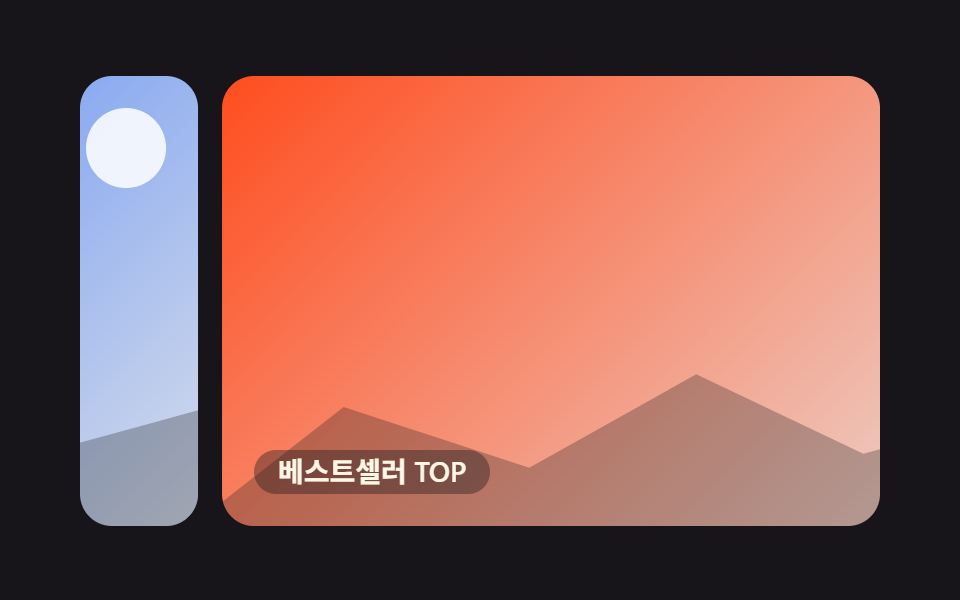 CSS only carousel — 9 image slider css dán là chạyCSS only carousel là màn hình cho vài tấm ảnh trượt ngang lần lượt, kiểu hay gặp ở shop online hay trang portfolio. Khôn Xem tất cả demo trong bài này