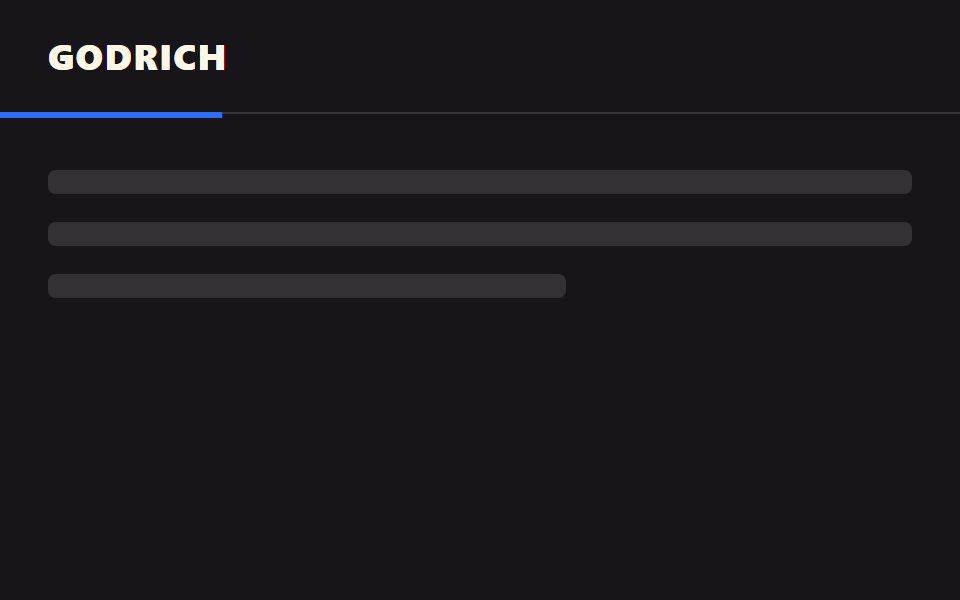
01Thanh mỏng phía trên
Thanh 3px trên cùng lấp đầy từ trái theo mức đã đọc, chỉ dùng animation-timeline: scroll(), không cần JS.
Dùng choĐầu bài blog, dưới header tài liệu hướng dẫn
scroll()3px왼쪽 정렬

<main class="stage">
  <div class="track" role="progressbar" aria-label="Tiến độ đọc" aria-valuemin="0" aria-valuemax="100" aria-valuenow="0">
    <div class="bar is-demo"></div>
  </div>
  <div class="page">
    <div class="page__block"></div>
    <div class="page__block"></div>
    <div class="page__block short"></div>
  </div>
</main>
@use "../../../../site/static/demo-tokens" as *;
// ── 변수 3개. 변형은 이것만 바꾼다 ──────────────────────────
$thickness: 3px; // 바 두께. 굵게 6px
$color: $subject-blue; // 채워진 구간 색
$track: rgba(255, 255, 255, .16); // 안 읽은 구간
@include stage($stage-ink);
.track {
position: fixed;
top: 0; left: 0; right: 0;
height: $thickness;
background: $track;
}
.bar {
height: 100%;
width: 100%;
background: $color;
transform: scaleX(0);
transform-origin: left; // 규칙8: 진행바 left 채움
// 실제 사용: 문서 스크롤 진행률이 곧 바 길이 (Chrome·Edge 115+ · Safari 26+ · Firefox 158+ 플래그, 편브리프 표)
@supports (animation-timeline: scroll()) {
animation: fill linear both;
animation-timeline: scroll(root);
}
}
@keyframes fill { to { transform: scaleX(1); } }
// ── 데모(.is-demo): 스크롤 없이 2초 루프로 흉내 ────────────────
.bar.is-demo { animation: fill-loop $dur-loop linear infinite; }
@keyframes fill-loop {
0% { transform: scaleX(0); }
92% { transform: scaleX(1); }
100% { transform: scaleX(1); }
}
.page { padding: $sp-10 $sp-6 0; }
.page__block {
height: $sp-6;
margin: 0 0 $sp-4;
border-radius: $r-sm;
background: rgba(255, 255, 255, .12);
&.short { width: 55%; }
}
// ── 접근성: 움직임 줄이기 — 다 채워진 상태로 고정 ────────────
@media (prefers-reduced-motion: reduce) {
.bar, .bar.is-demo { animation: none !important; transform: scaleX(1); }
}html, body {
margin: 0;
overflow: hidden;
}
.stage {
box-sizing: border-box;
min-height: 100vh;
display: grid;
place-items: center;
margin: 0;
background: #17141a;
font-family: -apple-system, "Segoe UI", "Noto Sans KR", sans-serif;
padding: clamp(8px, 4vw, 24px);
}
.track {
position: fixed;
top: 0;
left: 0;
right: 0;
height: 3px;
background: rgba(255, 255, 255, 0.16);
}
.bar {
height: 100%;
width: 100%;
background: #2f6df6;
transform: scaleX(0);
transform-origin: left;
}
@supports (animation-timeline: scroll()) {
.bar {
animation: fill linear both;
animation-timeline: scroll(root);
}
}
@keyframes fill {
to {
transform: scaleX(1);
}
}
.bar.is-demo {
animation: fill-loop 2s linear infinite;
}
@keyframes fill-loop {
0% {
transform: scaleX(0);
}
92% {
transform: scaleX(1);
}
100% {
transform: scaleX(1);
}
}
.page {
padding: 40px 24px 0;
}
.page__block {
height: 24px;
margin: 0 0 16px;
border-radius: 8px;
background: rgba(255, 255, 255, 0.12);
}
.page__block.short {
width: 55%;
}
@media (prefers-reduced-motion: reduce) {
.bar, .bar.is-demo {
animation: none !important;
transform: scaleX(1);
}
}import { useEffect, useState } from "react";
import type { CSSProperties } from "react";
import styles from "./TopBar.module.scss";
export type TopBarProps = {
/** 바 두께 (기본 3px) */
thickness?: number;
/** 바 색 */
color?: string;
};
type Vars = CSSProperties & { "--thickness"?: string; "--color"?: string };
// 실제 쓰임: 문서 스크롤 비율을 window scroll 로 재서 --scale 에 반영한다.
// scroll() 타임라인을 쓸 수 있는 브라우저(Chrome·Edge 115+, Safari 26+)에서는 CSS 만으로도 되지만,
// React 컴포넌트는 아직 지원이 갈린 Firefox 를 포함해 항상 움직여야 하므로 스크롤 리스너로 재계산한다.
export default function TopBar({ thickness = 3, color = "#2f6df6" }: TopBarProps) {
const [scale, setScale] = useState(0);
useEffect(() => {
const onScroll = () => {
const max = document.documentElement.scrollHeight - window.innerHeight;
setScale(max > 0 ? Math.min(1, window.scrollY / max) : 0);
};
onScroll();
window.addEventListener("scroll", onScroll, { passive: true });
return () => window.removeEventListener("scroll", onScroll);
}, []);
const vars: Vars = { "--thickness": `${thickness}px`, "--color": color };
return (
<div className={styles.track} style={vars} role="progressbar" aria-label="Reading progress"
aria-valuemin={0} aria-valuemax={100} aria-valuenow={Math.round(scale * 100)}>
<div className={styles.bar} style={{ transform: `scaleX(${scale})` }} />
</div>
);
}01 Thanh mỏng phía trên — Diện tích đo được 1.0% · khung hình chuyển động 23/23Nguyên tác GODRICH · SCSS và React nằm trong tệp zip · 9 CSS Scroll Progress Bar — không cần JS
Bài viết chứa demo này
 9 CSS Scroll Progress Bar — không cần JSCSS scroll progress bar là thanh, vòng hay con số cho biết bạn đã đọc được bao nhiêu phần trang, tính trực tiếp từ vị tr Xem tất cả demo trong bài này