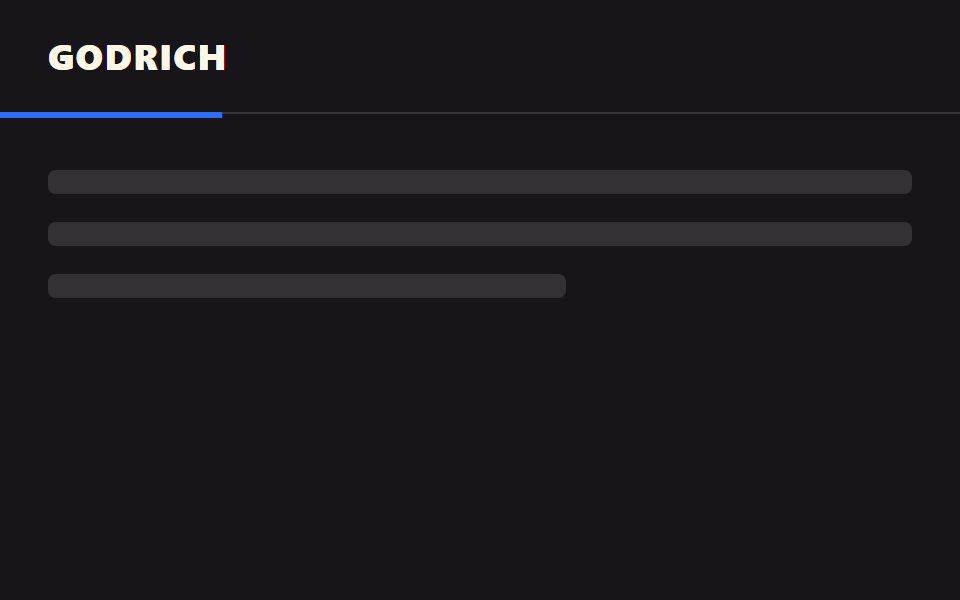
05Gắn thanh tiến độ
Một thanh mỏng ở mép dưới header lấp đầy theo mức bạn đã đọc, di chuyển liền một khối với header.
Dùng choHeader bài blog dài, đầu trang tài liệu hướng dẫn
scroll() 타임라인하단 3px헤더 자식 요소
<main class="stage">
  <header class="head">
    <span class="head__logo">GODRICH</span>
    <span class="head__bar is-demo" aria-hidden="true"></span>
  </header>
  <div class="page">
    <p class="page__line"></p>
    <p class="page__line"></p>
    <p class="page__line short"></p>
  </div>
</main>
@use "../../../../site/static/demo-tokens" as *;
// ── 변수 3개 ──────────────────────────────────────────
$thickness: 3px; // 바 두께. 굵게 6px
$color: $subject-blue; // 바 색
$track: rgba(255, 255, 255, .14); // 안 읽은 구간
// ── 데모 무대 ──────────────────────────────────────────
html, body { margin: 0; overflow: hidden; }
.stage {
min-height: 100vh;
margin: 0;
background: $stage-ink;
font-family: -apple-system, "Segoe UI", "Noto Sans KR", sans-serif;
}
.head {
position: sticky;
top: 0;
height: 56px;
display: flex;
align-items: center;
padding: 0 clamp(16px, 5vw, 24px);
background: $stage-ink;
border-bottom: 1px solid $track;
&__logo { color: $subject-cream; font-weight: 800; font-size: 18px; line-height: 1; font-family: inherit; letter-spacing: .04em; }
// 진행 바는 헤더의 자식 요소라 헤더와 한 덩어리로 스크롤을 따라간다
&__bar {
position: absolute;
left: 0; bottom: -$thickness;
width: 100%;
height: $thickness;
background: $color;
transform: scaleX(0);
transform-origin: left; // 규칙8: 스크롤 진행띠 좌측 채움
// 실제 사용: 문서 전체 스크롤 진행률이 곧 바 길이다
@supports (animation-timeline: scroll()) {
animation: fill-bar linear both;
animation-timeline: scroll(root);
}
}
}
@keyframes fill-bar {
from { transform: scaleX(0); }
to { transform: scaleX(1); }
}
// ── 데모(.is-demo): 2초 루프로 흉내 ────────────────────
.head__bar.is-demo {
animation: fill-loop $dur-loop linear infinite;
}
@keyframes fill-loop {
0% { transform: scaleX(0); }
90% { transform: scaleX(1); }
100% { transform: scaleX(1); }
}
// ── 배경: 문서처럼 보이는 자리 ─────────────────────────
.page { padding: 28px 24px 0; }
.page__line {
height: 12px;
margin: 0 0 14px;
border-radius: 4px;
background: rgba(255, 255, 255, .12);
&.short { width: 60%; }
}
@media (prefers-reduced-motion: reduce) {
.head__bar, .head__bar.is-demo { animation: none !important; transform: scaleX(1); }
}html, body {
margin: 0;
overflow: hidden;
}
.stage {
min-height: 100vh;
margin: 0;
background: #17141a;
font-family: -apple-system, "Segoe UI", "Noto Sans KR", sans-serif;
}
.head {
position: sticky;
top: 0;
height: 56px;
display: flex;
align-items: center;
padding: 0 clamp(16px, 5vw, 24px);
background: #17141a;
border-bottom: 1px solid rgba(255, 255, 255, 0.14);
}
.head__logo {
color: #fff7e6;
font-weight: 800;
font-size: 18px;
line-height: 1;
font-family: inherit;
letter-spacing: 0.04em;
}
.head__bar {
position: absolute;
left: 0;
bottom: -3px;
width: 100%;
height: 3px;
background: #2f6df6;
transform: scaleX(0);
transform-origin: left;
}
@supports (animation-timeline: scroll()) {
.head__bar {
animation: fill-bar linear both;
animation-timeline: scroll(root);
}
}
@keyframes fill-bar {
from {
transform: scaleX(0);
}
to {
transform: scaleX(1);
}
}
.head__bar.is-demo {
animation: fill-loop 2s linear infinite;
}
@keyframes fill-loop {
0% {
transform: scaleX(0);
}
90% {
transform: scaleX(1);
}
100% {
transform: scaleX(1);
}
}
.page {
padding: 28px 24px 0;
}
.page__line {
height: 12px;
margin: 0 0 14px;
border-radius: 4px;
background: rgba(255, 255, 255, 0.12);
}
.page__line.short {
width: 60%;
}
@media (prefers-reduced-motion: reduce) {
.head__bar, .head__bar.is-demo {
animation: none !important;
transform: scaleX(1);
}
}import type { CSSProperties } from "react";
import styles from "./HeaderProgressBar.module.scss";
export type HeaderProgressBarProps = {
logo: string;
/** 바 두께 (기본 3px) */
thickness?: number;
color?: string;
track?: string;
};
type Vars = CSSProperties & { "--thickness"?: string; "--color"?: string; "--track"?: string };
export default function HeaderProgressBar({
logo,
thickness = 3,
color = "#2f6df6",
track = "rgba(255,255,255,.14)",
}: HeaderProgressBarProps) {
const vars: Vars = { "--thickness": `${thickness}px`, "--color": color, "--track": track };
return (
<header className={styles.head} style={vars}>
<span className={styles.logo}>{logo}</span>
{/* scroll() 타임라인만으로 채워진다 — JS 없이 */}
<span className={styles.bar} aria-hidden="true" />
</header>
);
}05 Gắn thanh tiến độ — Diện tích đo được 1.0% · khung hình chuyển động 22/23Nguyên tác GODRICH · SCSS và React nằm trong tệp zip · 9 CSS sticky header không cần JS
Bài viết chứa demo này
 9 CSS sticky header không cần JSCss sticky header là kiểu header dùng position: sticky để dính lại trên đầu màn hình khi bạn cuộn trang, thay vì trôi mấ Xem tất cả demo trong bài này