05Con trỏ mix-blend-mode
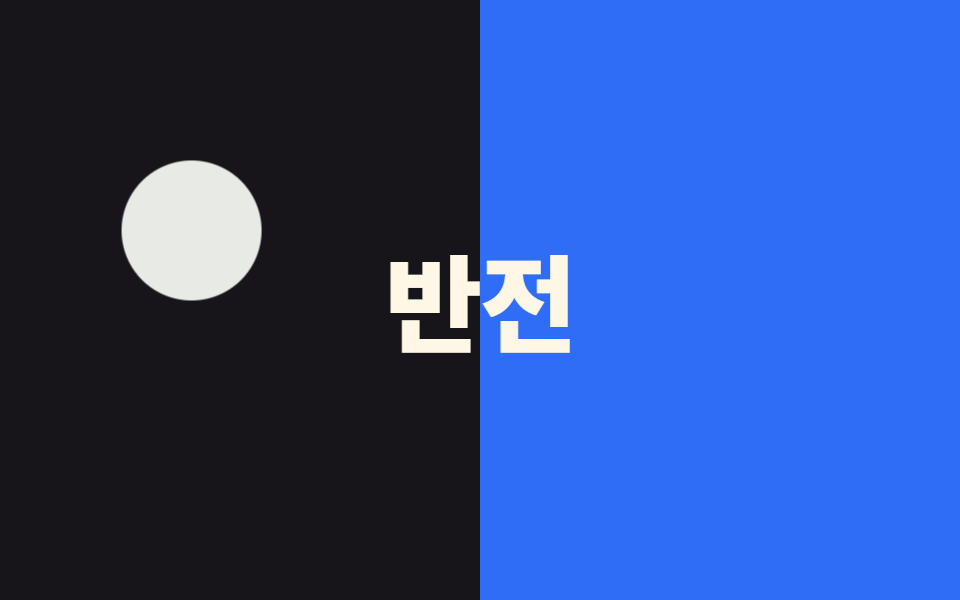
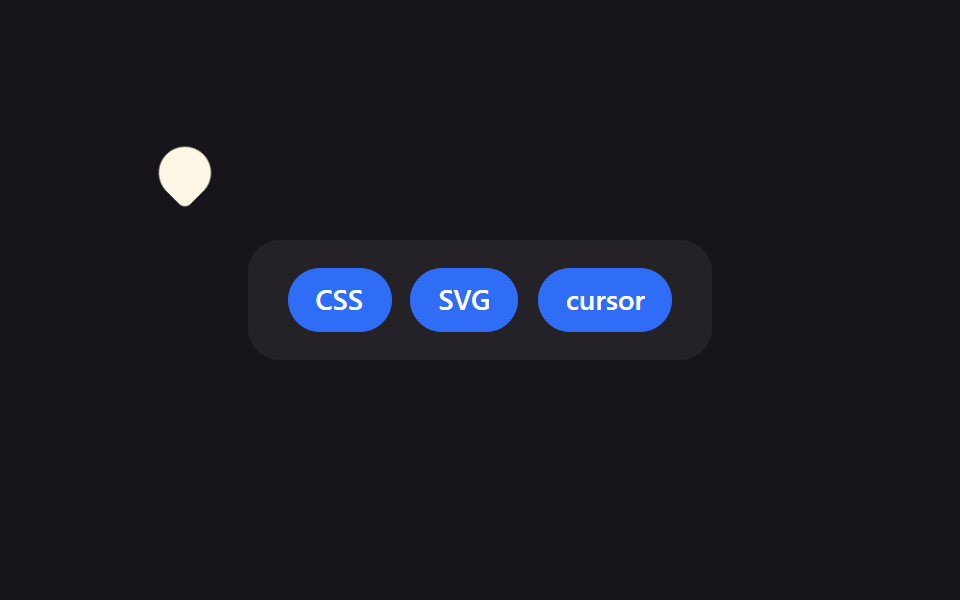
Con trỏ hình tròn có mix-blend-mode: difference đảo ngược màu bên dưới khi nó đi qua, nên con trỏ luôn rõ trên mọi nền.
Dùng choTrang một trang trộn cả section tối và sáng, con trỏ chữ đè lên ảnh
mix-blend-modedifferencez-index
<main class="stage">
  <div class="half half--left"></div>
  <div class="half half--right"></div>
  <p class="banner">Đảo màu</p>
  <div class="cursor is-demo" aria-hidden="true"></div>
</main>
@use "../../../../site/static/demo-tokens" as *;
$duration: $dur-loop; // 원이 두 영역을 오가는 한 바퀴
$easing: $ease-spring;
$color: $stage-paper; // 블렌드 원은 흰색이어야 difference 가 또렷하다
@include stage($stage-ink);
.stage { position: relative; overflow: hidden; cursor: none; }
.half {
position: absolute;
top: 0;
bottom: 0;
width: 50%;
z-index: 0;
}
.half--left { left: 0; background: $stage-ink; }
.half--right { right: 0; background: $subject-blue; }
.banner {
position: relative;
z-index: 1;
margin: 0;
font-weight: 800; font-size: clamp(34px, 11vw, 56px); line-height: 1; font-family: inherit;
color: $subject-cream;
letter-spacing: -.02em;
}
.cursor {
position: absolute;
top: 0;
left: 0;
z-index: 2;
width: 70px;
height: 70px;
margin: -35px 0 0 -35px;
border-radius: 50%;
background: $color;
mix-blend-mode: difference; // 지나가는 배경 색을 반전시킨다
pointer-events: none;
&.is-demo { animation: cursor-path $duration $easing infinite; }
}
@keyframes cursor-path {
0% { transform: translate(80px, 60px); }
35% { transform: translate(280px, 150px); } // 오른쪽 영역으로 넘어간다
70% { transform: translate(120px, 200px); }
100% { transform: translate(80px, 60px); }
}
@media (pointer: coarse) {
.cursor { display: none; }
.stage { cursor: auto; }
}
@media (prefers-reduced-motion: reduce) {
.cursor.is-demo { animation: none; transform: translate(80px, 60px); }
}html, body {
margin: 0;
overflow: hidden;
}
.stage {
box-sizing: border-box;
min-height: 100vh;
display: grid;
place-items: center;
margin: 0;
background: #17141a;
font-family: -apple-system, "Segoe UI", "Noto Sans KR", sans-serif;
padding: clamp(8px, 4vw, 24px);
}
.stage {
position: relative;
overflow: hidden;
cursor: none;
}
.half {
position: absolute;
top: 0;
bottom: 0;
width: 50%;
z-index: 0;
}
.half--left {
left: 0;
background: #17141a;
}
.half--right {
right: 0;
background: #2f6df6;
}
.banner {
position: relative;
z-index: 1;
margin: 0;
font-weight: 800;
font-size: clamp(34px, 11vw, 56px);
line-height: 1;
font-family: inherit;
color: #fff7e6;
letter-spacing: -0.02em;
}
.cursor {
position: absolute;
top: 0;
left: 0;
z-index: 2;
width: 70px;
height: 70px;
margin: -35px 0 0 -35px;
border-radius: 50%;
background: #ffffff;
mix-blend-mode: difference;
pointer-events: none;
}
.cursor.is-demo {
animation: cursor-path 2s cubic-bezier(0.2, 0.8, 0.2, 1) infinite;
}
@keyframes cursor-path {
0% {
transform: translate(80px, 60px);
}
35% {
transform: translate(280px, 150px);
}
70% {
transform: translate(120px, 200px);
}
100% {
transform: translate(80px, 60px);
}
}
@media (pointer: coarse) {
.cursor {
display: none;
}
.stage {
cursor: auto;
}
}
@media (prefers-reduced-motion: reduce) {
.cursor.is-demo {
animation: none;
transform: translate(80px, 60px);
}
}// 실제 포인터가 움직이면 블렌드 원이 그 좌표를 따라가며 지나는 배경 색을 반전시킨다.
if (matchMedia('(pointer: fine)').matches) {
var stage = document.querySelector('.stage'), cur = document.querySelector('.cursor');
stage.addEventListener('pointermove', function (e) {
cur.classList.remove('is-demo');
var r = stage.getBoundingClientRect();
cur.style.transform = 'translate(' + (e.clientX - r.left) + 'px,' + (e.clientY - r.top) + 'px)';
});
}import { useState } from "react";
import type { CSSProperties, PointerEvent } from "react";
import styles from "./BlendModeCursor.module.scss";
export type BlendModeCursorProps = {
text?: string;
duration?: number;
easing?: string;
color?: string;
};
type Vars = CSSProperties & { "--duration"?: string; "--easing"?: string; "--color"?: string };
export default function BlendModeCursor({
text = "반전",
duration = 2000,
easing = "cubic-bezier(.2,.8,.2,1)",
color = "#ffffff",
}: BlendModeCursorProps) {
const [demo, setDemo] = useState(true);
const [pos, setPos] = useState({ x: 80, y: 60 });
const move = (e: PointerEvent<HTMLDivElement>) => {
const r = e.currentTarget.getBoundingClientRect();
setDemo(false);
setPos({ x: e.clientX - r.left, y: e.clientY - r.top });
};
const vars: Vars = { "--duration": `${duration}ms`, "--easing": easing, "--color": color };
return (
<div className={styles.stage} style={vars} onPointerMove={move}>
<div className={`${styles.half} ${styles.halfLeft}`} />
<div className={`${styles.half} ${styles.halfRight}`} />
<p className={styles.banner}>{text}</p>
<div
className={demo ? `${styles.cursor} ${styles.isDemo}` : styles.cursor}
style={demo ? undefined : { transform: `translate(${pos.x}px,${pos.y}px)` }}
aria-hidden="true"
/>
</div>
);
}05 Con trỏ mix-blend-mode — Diện tích đo được 20.953% · khung hình chuyển động 23/23Nguyên tác GODRICH · SCSS và React nằm trong tệp zip · 9 hiệu ứng custom cursor css — copy dán một dòng
Bài viết chứa demo này
 9 hiệu ứng custom cursor css — copy dán một dòngCustom cursor css là cách thay mũi tên mặc định của trình duyệt bằng một phần tử tự vẽ, bám theo toạ độ chuột thật qua p Xem tất cả demo trong bài này