03Lan tỏa hình tròn (View Transitions)
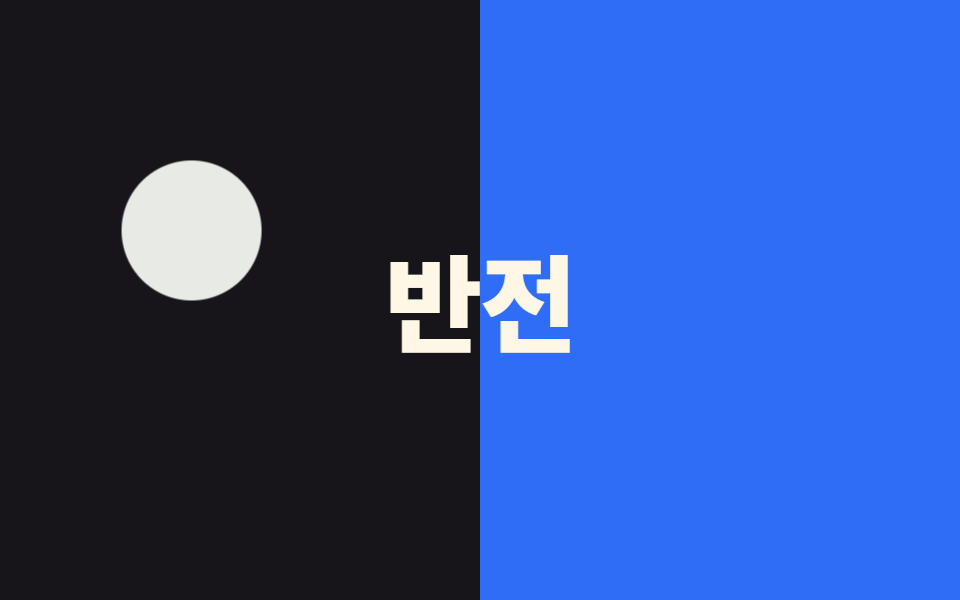
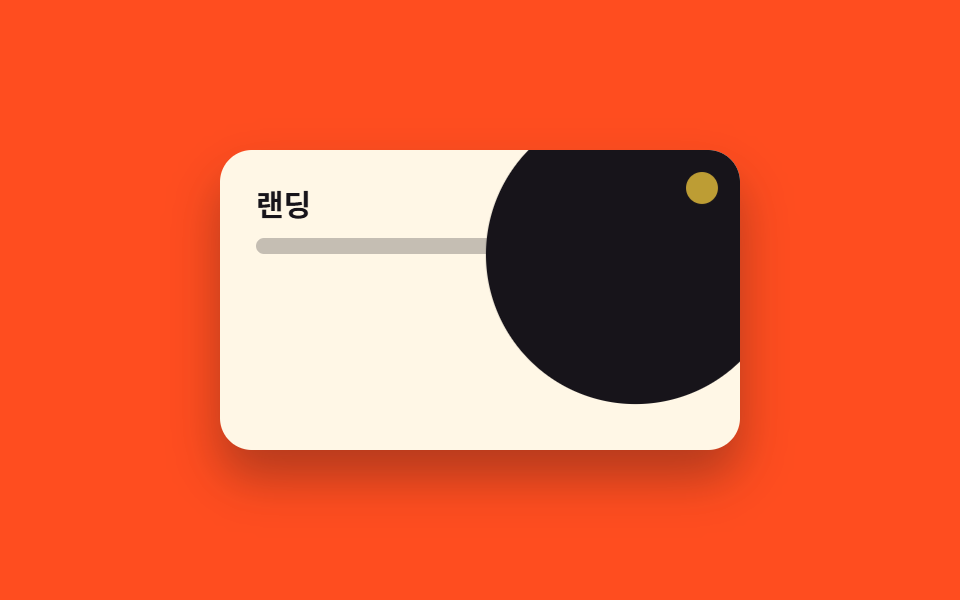
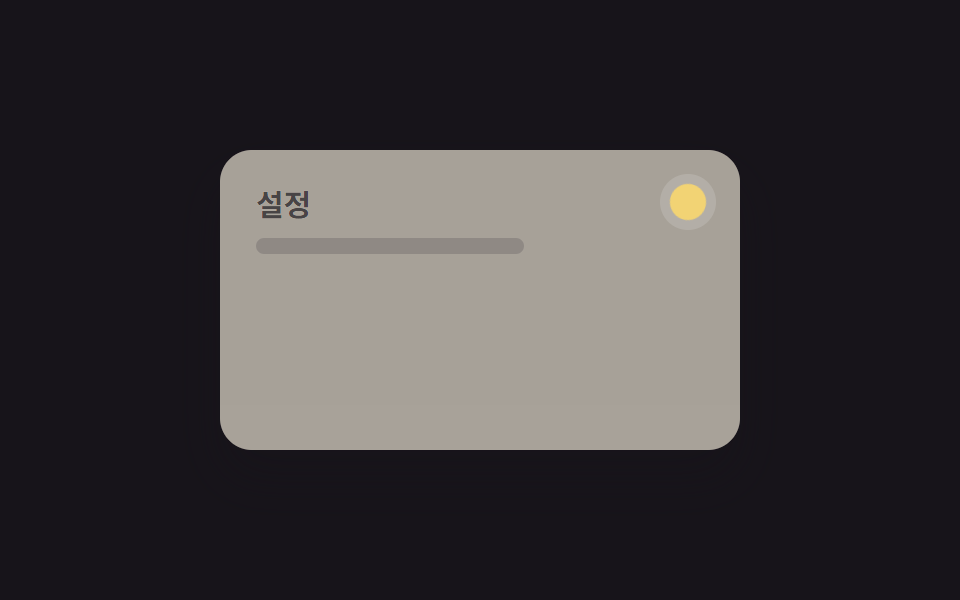
Vòng tròn lan ra từ điểm nhấn, cả trang chuyển sang dark mode, chỉ dùng View Transitions API.
Dùng choToggle hero trang landing, màn hình mở đầu app
중앙에서1.2배속사각 확산
<main class="stage">
  <div class="panel">
    <p class="panel__title">Landing</p>
    <p class="panel__line"></p>
    <span class="wipe"></span>
    <span class="origin"></span>
  </div>
</main>
@use "../../../../site/static/demo-tokens" as *;
// ── 변수 3개 ──────────────────────────────
$duration: $dur-enter;
$easing: $ease-pop;
$color: $stage-ink;
// ── 데모 무대 ───────────────────────────────
@include stage($stage-orange);
.panel {
position: relative; overflow: hidden;
width: clamp(200px, 70vw, 260px); height: clamp(120px, 42vw, 150px);
border-radius: $r-card; box-shadow: $shadow-raised;
background: $subject-cream; color: $subject-ink;
box-sizing: border-box; padding: clamp(12px, 5vw, 18px); text-align: left;
}
.panel__title { position: relative; z-index: 1; margin: 0 0 6px; font-weight: 700; font-size: clamp(12px, 3.6vw, 15px); line-height: 1.3; font-family: inherit; }
.panel__line { position: relative; z-index: 1; margin: 0; width: 55%; height: 8px; border-radius: 4px; background: currentColor; opacity: .25; }
// 클릭 지점(우상단 토글 자리)에서 원이 퍼져 화면을 다크모드로 덮는다. transform: scale 하나로.
.wipe {
position: absolute; z-index: 0; top: -60px; right: -60px;
width: 320px; height: 320px; border-radius: 50%;
background: $color; transform-origin: 78% 22%; // 규칙8: 클릭 지점서 퍼짐
transform: scale(0); animation: wipe-scale $dur-loop $easing infinite;
}
.origin {
position: absolute; z-index: 2; top: clamp(8px, 3vw, 12px); right: clamp(8px, 3vw, 12px);
width: 14px; height: 14px; border-radius: 50%; background: $stage-yellow;
animation: origin-pulse $dur-loop $easing infinite;
}
@keyframes wipe-scale {
0%, 10% { transform: scale(0); }
45%, 55% { transform: scale(1); }
90%, 100% { transform: scale(0); }
}
@keyframes origin-pulse {
0%, 10% { opacity: 1; transform: scale(1); }
45%, 55% { opacity: .4; transform: scale(1.3); }
90%, 100% { opacity: 1; transform: scale(1); }
}
// ── 접근성: 움직임 줄이기 설정이면 원이 퍼지지 않는다 ──────────
@media (prefers-reduced-motion: reduce) {
.wipe, .origin { animation: none !important; transform: scale(0); }
}html, body {
margin: 0;
overflow: hidden;
}
.stage {
box-sizing: border-box;
min-height: 100vh;
display: grid;
place-items: center;
margin: 0;
background: #ff4d1f;
font-family: -apple-system, "Segoe UI", "Noto Sans KR", sans-serif;
padding: clamp(8px, 4vw, 24px);
}
.panel {
position: relative;
overflow: hidden;
width: clamp(200px, 70vw, 260px);
height: clamp(120px, 42vw, 150px);
border-radius: 16px;
box-shadow: 0 14px 24px rgba(23, 20, 26, 0.32);
background: #fff7e6;
color: #17141a;
box-sizing: border-box;
padding: clamp(12px, 5vw, 18px);
text-align: left;
}
.panel__title {
position: relative;
z-index: 1;
margin: 0 0 6px;
font-weight: 700;
font-size: clamp(12px, 3.6vw, 15px);
line-height: 1.3;
font-family: inherit;
}
.panel__line {
position: relative;
z-index: 1;
margin: 0;
width: 55%;
height: 8px;
border-radius: 4px;
background: currentColor;
opacity: 0.25;
}
.wipe {
position: absolute;
z-index: 0;
top: -60px;
right: -60px;
width: 320px;
height: 320px;
border-radius: 50%;
background: #17141a;
transform-origin: 78% 22%;
transform: scale(0);
animation: wipe-scale 2s cubic-bezier(0.2, 1.4, 0.4, 1) infinite;
}
.origin {
position: absolute;
z-index: 2;
top: clamp(8px, 3vw, 12px);
right: clamp(8px, 3vw, 12px);
width: 14px;
height: 14px;
border-radius: 50%;
background: #ffd23f;
animation: origin-pulse 2s cubic-bezier(0.2, 1.4, 0.4, 1) infinite;
}
@keyframes wipe-scale {
0%, 10% {
transform: scale(0);
}
45%, 55% {
transform: scale(1);
}
90%, 100% {
transform: scale(0);
}
}
@keyframes origin-pulse {
0%, 10% {
opacity: 1;
transform: scale(1);
}
45%, 55% {
opacity: 0.4;
transform: scale(1.3);
}
90%, 100% {
opacity: 1;
transform: scale(1);
}
}
@media (prefers-reduced-motion: reduce) {
.wipe, .origin {
animation: none !important;
transform: scale(0);
}
}import type { CSSProperties, ReactNode } from "react";
import styles from "./CircleExpandToggle.module.scss";
export type CircleExpandToggleProps = {
dark: boolean;
onToggle?: () => void;
/** 원이 다 퍼지는 시간 (기본 600ms) */
duration?: number;
easing?: string;
/** 다크모드로 덮는 원의 색 */
color?: string;
children?: ReactNode;
className?: string;
};
type Vars = CSSProperties & { "--duration"?: string; "--easing"?: string; "--color"?: string };
export default function CircleExpandToggle({
dark,
onToggle,
duration = 600,
easing = "cubic-bezier(.2,1.4,.4,1)",
color = "#17141a",
children,
className = "",
}: CircleExpandToggleProps) {
const vars: Vars = { "--duration": `${duration}ms`, "--easing": easing, "--color": color };
return (
<div className={`${styles.panel} ${className}`} style={vars} data-dark={dark}>
<div className={styles.content}>{children}</div>
<span className={styles.wipe} />
<button type="button" className={styles.origin} aria-label="다크모드 전환" onClick={onToggle} />
</div>
);
}03 Lan tỏa hình tròn (View Transitions) — Diện tích đo được 26.663% · khung hình chuyển động 19/23Nguyên tác GODRICH · SCSS và React nằm trong tệp zip · 9 hiệu ứng css dark mode toggle 1 dòng CSS
Bài viết chứa demo này
 9 hiệu ứng css dark mode toggle 1 dòng CSSCss dark mode toggle là nút chuyển đổi giữa giao diện sáng và tối, thường đặt ở header hoặc menu cài đặt. Đây là chín hi Xem tất cả demo trong bài này