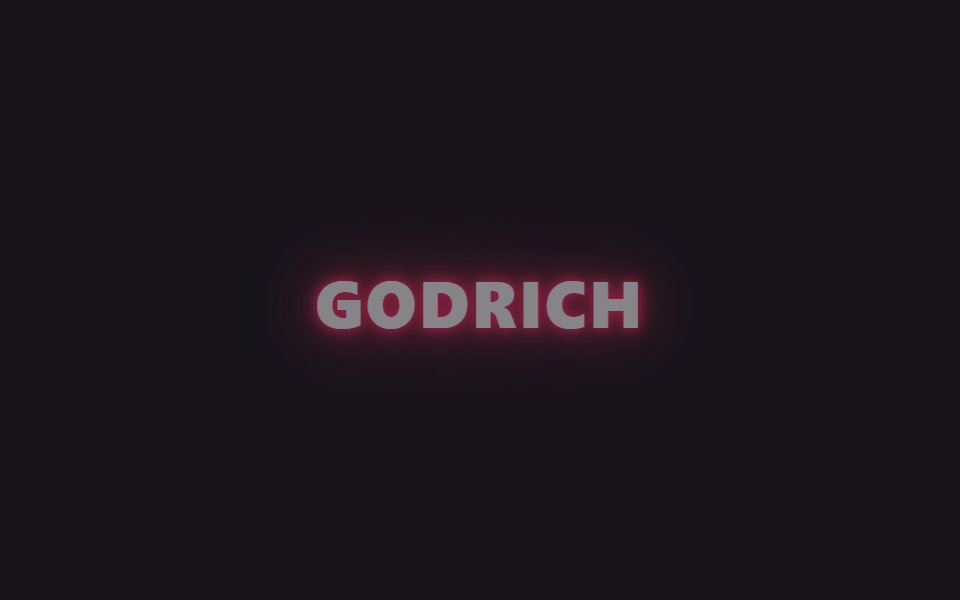
01Chữ neon chớp tắt
Nhiều lớp text-shadow chồng trên chữ sáng lên rồi mờ đi như đèn neon lỏng, các mốc dừng @keyframes cố tình lệch nhau nên cú chớp không đều như nhịp metronom.
Dùng choTiêu đề hero trang landing, chữ trên badge sale và sự kiện
text-shadow@keyframes flicker다중 그림자

<main class="stage is-demo">
  <h1 class="neon">GODRICH</h1>
</main>
@use "../../../../site/static/demo-tokens" as *;
// ── 변수 3개 ──────────────────────────────────────────
$duration: $dur-loop; // 2s — 깜빡임 한 주기
$easing: linear;
$color: #ff2e63; // 네온 핑크
@include stage($stage-ink);
.neon {
margin: 0;
font: 800 clamp(30px, 11vmin, 56px)/1 "Segoe UI", -apple-system, "Noto Sans KR", sans-serif;
letter-spacing: .04em;
color: $stage-paper;
text-shadow:
0 0 $sp-1 $color,
0 0 $sp-2 $color,
0 0 $sp-4 rgba($color, .8),
0 0 $sp-8 rgba($color, .6),
0 0 $sp-12 rgba($color, .35);
}
// opacity 하나만 흔들어도 색+text-shadow 전체가 같이 어두워진다 — transform·opacity 원칙 유지
.stage.is-demo .neon {
animation: flicker $duration $easing infinite;
}
@keyframes flicker {
0% { opacity: 1; }
6% { opacity: .3; }
14% { opacity: 1; }
20% { opacity: 1; }
26% { opacity: .4; }
34% { opacity: 1; }
50% { opacity: 1; }
56% { opacity: .25; }
64% { opacity: 1; }
80% { opacity: 1; }
86% { opacity: .35; }
94% { opacity: 1; }
100% { opacity: 1; }
}
@media (prefers-reduced-motion: reduce) {
.stage.is-demo .neon { animation: none; opacity: 1; }
}html, body {
margin: 0;
overflow: hidden;
}
.stage {
box-sizing: border-box;
min-height: 100vh;
display: grid;
place-items: center;
margin: 0;
background: #17141a;
font-family: -apple-system, "Segoe UI", "Noto Sans KR", sans-serif;
padding: clamp(8px, 4vw, 24px);
}
.neon {
margin: 0;
font: 800 clamp(30px, 11vmin, 56px)/1 "Segoe UI", -apple-system, "Noto Sans KR", sans-serif;
letter-spacing: 0.04em;
color: #ffffff;
text-shadow: 0 0 4px #ff2e63, 0 0 8px #ff2e63, 0 0 16px rgba(255, 46, 99, 0.8), 0 0 32px rgba(255, 46, 99, 0.6), 0 0 48px rgba(255, 46, 99, 0.35);
}
.stage.is-demo .neon {
animation: flicker 2s linear infinite;
}
@keyframes flicker {
0% {
opacity: 1;
}
6% {
opacity: 0.3;
}
14% {
opacity: 1;
}
20% {
opacity: 1;
}
26% {
opacity: 0.4;
}
34% {
opacity: 1;
}
50% {
opacity: 1;
}
56% {
opacity: 0.25;
}
64% {
opacity: 1;
}
80% {
opacity: 1;
}
86% {
opacity: 0.35;
}
94% {
opacity: 1;
}
100% {
opacity: 1;
}
}
@media (prefers-reduced-motion: reduce) {
.stage.is-demo .neon {
animation: none;
opacity: 1;
}
}import type { CSSProperties } from "react";
import styles from "./NeonTextFlicker.module.scss";
export type NeonTextFlickerProps = {
/** 화면에 뜨는 글자 (기본 "GODRICH") */
text?: string;
/** 깜빡임 한 주기 (기본 2000ms) */
duration?: number;
color?: string;
};
export default function NeonTextFlicker({
text = "GODRICH",
duration = 2000,
color = "#ff2e63",
}: NeonTextFlickerProps) {
const vars: CSSProperties = { "--duration": `${duration}ms`, "--color": color } as CSSProperties;
return (
<div className={styles.stage} style={vars}>
<h1 className={styles.neon}>{text}</h1>
</div>
);
}01 Chữ neon chớp tắt — Diện tích đo được 6.513% · khung hình chuyển động 14/23Nguyên tác GODRICH · SCSS và React nằm trong tệp zip · 9 css glow effect — nút chữ phát sáng như neon
Bài viết chứa demo này
 9 css glow effect — nút chữ phát sáng như neoncss glow effect là lớp trang trí tạo vầng sáng lan ra quanh nút hoặc dòng chữ, trông như biển neon nhưng chỉ làm bằng và Xem tất cả demo trong bài này