07Xoay màu glow bằng @property
Đăng ký --hue là góc qua @property rồi cho keyframes quay từ 0 đến 360, hsl(var(--hue) …) được nội suy mượt mà, cho ra vệt glow cầu vồng mà custom property chưa đăng ký không làm được.
Dùng choBadge sale thời hạn, nhãn tính năng mới cần nổi bật
@propertyhsl(var(--hue))무한 색상 순환
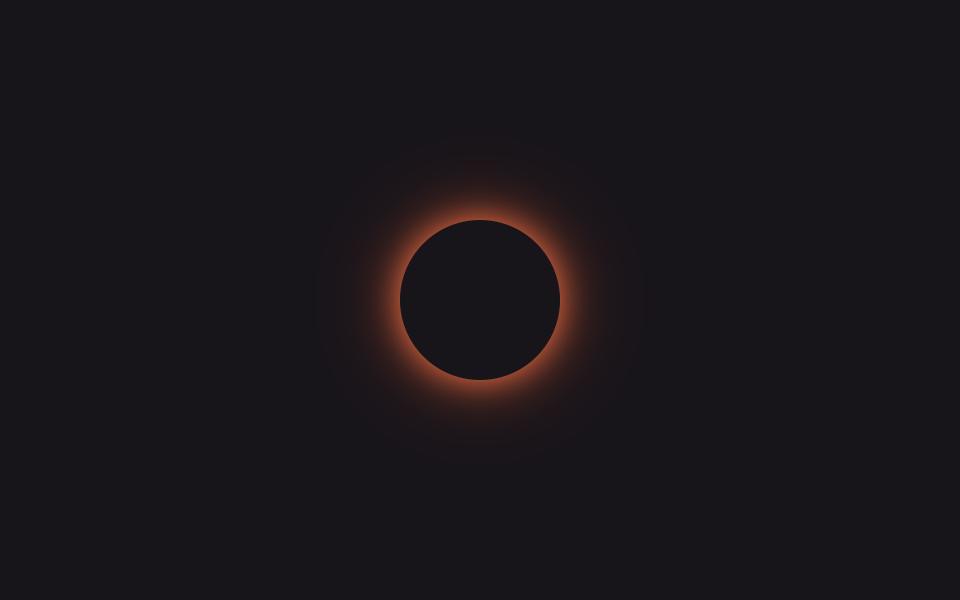
<main class="stage is-demo">
  <span class="badge" aria-hidden="true"></span>
</main>
@use "../../../../site/static/demo-tokens" as *;
// ── 변수 3개 ──────────────────────────────────────────
$duration: $dur-loop; // 2s — 색상 한 바퀴
$easing: linear;
$color: #8b5cf6; // @property 미지원 브라우저용 대체 색(첫 색조와 맞춤)
@include stage($stage-ink);
// 등록 없는 커스텀 프로퍼티는 숫자로 안 보이기 때문에 hsl() 이 튄다 — @property 로 <number> 를 선언해야 보간된다
@property --hue { syntax: '<number>'; inherits: false; initial-value: 262; }
.badge {
display: block;
width: 80px; height: 80px;
border-radius: 50%;
background: $stage-ink;
// @supports 로 감싸지 않아도 @property 를 모르는 엔진은 --hue 를 그냥 무시하고 이 고정값을 쓴다
box-shadow: 0 0 $sp-4 $color, 0 0 $sp-10 rgba($color, .5);
}
@supports (background: hsl(var(--hue) 100% 50%)) {
.badge {
box-shadow: 0 0 $sp-4 hsl(var(--hue) 90% 62%), 0 0 $sp-10 hsl(var(--hue) 90% 55% / .55);
}
}
// --hue 하나만 0→360 으로 돈다 — box-shadow 색이 같이 보간된다
.stage.is-demo .badge {
animation: cycle $duration $easing infinite;
}
@keyframes cycle {
from { --hue: 0; }
to { --hue: 360; }
}
@media (prefers-reduced-motion: reduce) {
.stage.is-demo .badge { animation: none; --hue: 262; }
}html, body {
margin: 0;
overflow: hidden;
}
.stage {
box-sizing: border-box;
min-height: 100vh;
display: grid;
place-items: center;
margin: 0;
background: #17141a;
font-family: -apple-system, "Segoe UI", "Noto Sans KR", sans-serif;
padding: clamp(8px, 4vw, 24px);
}
@property --hue {
syntax: "<number>";
inherits: false;
initial-value: 262;
}
.badge {
display: block;
width: 80px;
height: 80px;
border-radius: 50%;
background: #17141a;
box-shadow: 0 0 16px #8b5cf6, 0 0 40px rgba(139, 92, 246, 0.5);
}
@supports (background: hsl(var(--hue), 100%, 50%)) {
.badge {
box-shadow: 0 0 16px hsl(var(--hue), 90%, 62%), 0 0 40px hsl(var(--hue), 90%, 55%, 0.55);
}
}
.stage.is-demo .badge {
animation: cycle 2s linear infinite;
}
@keyframes cycle {
from {
--hue: 0;
}
to {
--hue: 360;
}
}
@media (prefers-reduced-motion: reduce) {
.stage.is-demo .badge {
animation: none;
--hue: 262;
}
}import type { CSSProperties } from "react";
import styles from "./PropertyGlowCycle.module.scss";
export type PropertyGlowCycleProps = {
/** 색상 한 바퀴 도는 시간 (기본 2000ms) */
duration?: number;
/** @property 미지원 브라우저용 대체 색 */
color?: string;
};
export default function PropertyGlowCycle({ duration = 2000, color = "#8b5cf6" }: PropertyGlowCycleProps) {
const vars: CSSProperties = { "--duration": `${duration}ms`, "--color": color } as CSSProperties;
return <span className={styles.badge} style={vars} aria-hidden="true" />;
}07 Xoay màu glow bằng @property — Diện tích đo được 4.603% · khung hình chuyển động 23/23Nguyên tác GODRICH · SCSS và React nằm trong tệp zip · 9 css glow effect — nút chữ phát sáng như neon
Bài viết chứa demo này
 9 css glow effect — nút chữ phát sáng như neoncss glow effect là lớp trang trí tạo vầng sáng lan ra quanh nút hoặc dòng chữ, trông như biển neon nhưng chỉ làm bằng và Xem tất cả demo trong bài này