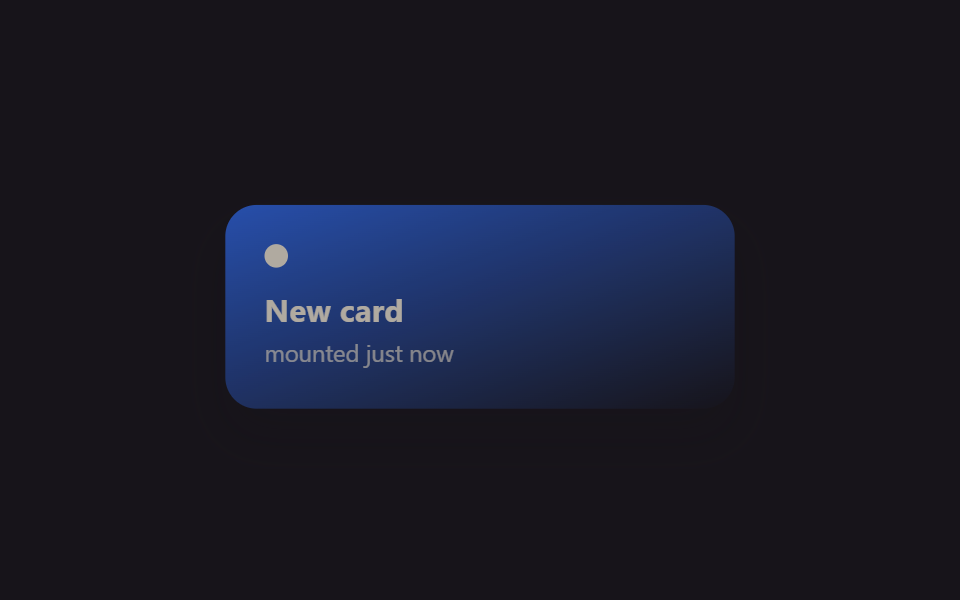
01Fade lúc mount bằng @starting-style
Đúng khoảnh khắc component card được mount, @starting-style định nghĩa giá trị opacity của nó lúc chưa tồn tại trong DOM, nên nó transition từ 0 lên 1 mà không cần cờ 'mounted' riêng đặt trong useEffect.
Dùng choThẻ thông báo render theo điều kiện, mục vừa được thêm vào list
@starting-style@keyframes mf-mountReact 19
<main class="stage">
  <div class="mf-wrap is-demo">
    <div class="mf-card">
      <span class="mf-card__dot"></span>
      <span class="mf-card__title">New card</span>
      <span class="mf-card__sub">mounted just now</span>
    </div>
  </div>
</main>
@use "../../../../site/static/demo-tokens" as *;
// ── 변수 3개 ──────────────────────────────────────────
$duration: $dur-enter;
$easing: $ease-spring;
$color: $subject-blue;
@include stage($stage-ink);
.mf-wrap {
width: min(320px, 90vw);
display: grid;
place-items: center;
}
.mf-card {
width: min(260px, 84vw);
box-sizing: border-box;
padding: $sp-5 $sp-5;
border-radius: $r-card;
background: linear-gradient(160deg, $color, rgba(23, 20, 26, .9));
box-shadow: $shadow-raised;
display: flex;
flex-direction: column;
gap: $sp-1;
color: $subject-cream;
font-family: -apple-system, "Segoe UI", sans-serif;
}
.mf-card__dot {
width: $sp-3;
height: $sp-3;
border-radius: $r-pill;
background: $subject-cream;
margin-bottom: $sp-2;
}
.mf-card__title { font-weight: 700; font-size: 16px; line-height: 1.2; font-family: inherit; }
.mf-card__sub { font-weight: 400; font-size: 12px; line-height: 1.4; font-family: inherit; opacity: .72; }
// 실사용 원리: React 19 는 새 노드가 DOM 에 붙는 순간 @starting-style 의 값에서
// 실제 스타일로 트랜지션한다 (useEffect 로 "mounted" 플래그를 따로 안 만들어도 됨).
// 여기 데모는 그 등장 곡선을 무한 반복으로 보여준다.
@starting-style {
.mf-card { opacity: 0; transform: translateY(10px) scale(.94); }
}
.mf-card {
opacity: 1;
transform: none;
transition: opacity $duration $easing, transform $duration $easing;
}
// 캡처용 루프: 마운트 순간을 2초마다 재생 (demo.py 는 WAAPI 로 이 keyframes 를 직접 스크럽한다)
@keyframes mf-mount {
0% { opacity: 0; transform: translateY(10px) scale(.94); }
22% { opacity: 1; transform: none; }
82% { opacity: 1; transform: none; }
100% { opacity: 0; transform: translateY(10px) scale(.94); }
}
.mf-wrap.is-demo .mf-card { animation: mf-mount $dur-loop $easing infinite; }
@media (prefers-reduced-motion: reduce) {
.mf-card { transition: none; }
.mf-wrap.is-demo .mf-card { animation: none !important; opacity: 1; transform: none; }
}html, body {
margin: 0;
overflow: hidden;
}
.stage {
box-sizing: border-box;
min-height: 100vh;
display: grid;
place-items: center;
margin: 0;
background: #17141a;
font-family: -apple-system, "Segoe UI", "Noto Sans KR", sans-serif;
padding: clamp(8px, 4vw, 24px);
}
.mf-wrap {
width: min(320px, 90vw);
display: grid;
place-items: center;
}
.mf-card {
width: min(260px, 84vw);
box-sizing: border-box;
padding: 20px 20px;
border-radius: 16px;
background: linear-gradient(160deg, #2f6df6, rgba(23, 20, 26, 0.9));
box-shadow: 0 14px 24px rgba(23, 20, 26, 0.32);
display: flex;
flex-direction: column;
gap: 4px;
color: #fff7e6;
font-family: -apple-system, "Segoe UI", sans-serif;
}
.mf-card__dot {
width: 12px;
height: 12px;
border-radius: 999px;
background: #fff7e6;
margin-bottom: 8px;
}
.mf-card__title {
font-weight: 700;
font-size: 16px;
line-height: 1.2;
font-family: inherit;
}
.mf-card__sub {
font-weight: 400;
font-size: 12px;
line-height: 1.4;
font-family: inherit;
opacity: 0.72;
}
@starting-style {
.mf-card {
opacity: 0;
transform: translateY(10px) scale(0.94);
}
}
.mf-card {
opacity: 1;
transform: none;
transition: opacity 600ms cubic-bezier(0.2, 0.8, 0.2, 1), transform 600ms cubic-bezier(0.2, 0.8, 0.2, 1);
}
@keyframes mf-mount {
0% {
opacity: 0;
transform: translateY(10px) scale(0.94);
}
22% {
opacity: 1;
transform: none;
}
82% {
opacity: 1;
transform: none;
}
100% {
opacity: 0;
transform: translateY(10px) scale(0.94);
}
}
.mf-wrap.is-demo .mf-card {
animation: mf-mount 2s cubic-bezier(0.2, 0.8, 0.2, 1) infinite;
}
@media (prefers-reduced-motion: reduce) {
.mf-card {
transition: none;
}
.mf-wrap.is-demo .mf-card {
animation: none !important;
opacity: 1;
transform: none;
}
}import { CSSProperties, useEffect, useState } from "react";
import styles from "./MountFadeStartingStyle.module.scss";
export interface MountFadeStartingStyleProps {
duration?: string;
easing?: string;
color?: string;
}
function Card({ color }: { color: string }) {
// React 19: @starting-style (in the CSS module below) defines what this card looked
// like before it existed in the DOM, so no useEffect("mounted") flag is needed for
// the fade-in — the browser transitions from that starting state automatically.
return (
<div className={styles.card} style={{ background: color }}>
<span className={styles.dot} />
<span className={styles.title}>New card</span>
<span className={styles.sub}>mounted just now</span>
</div>
);
}
export default function MountFadeStartingStyle({
duration = "600ms",
easing = "cubic-bezier(.2, .8, .2, 1)",
color = "#2f6df6",
}: MountFadeStartingStyleProps) {
const [mounted, setMounted] = useState(true);
useEffect(() => {
const id = setInterval(() => setMounted((m) => !m), 1400);
return () => clearInterval(id);
}, []);
const style: CSSProperties & { "--duration"?: string; "--easing"?: string } = {
"--duration": duration,
"--easing": easing,
};
return (
<div className={styles.wrap} style={style}>
{mounted ? <Card color={color} /> : null}
</div>
);
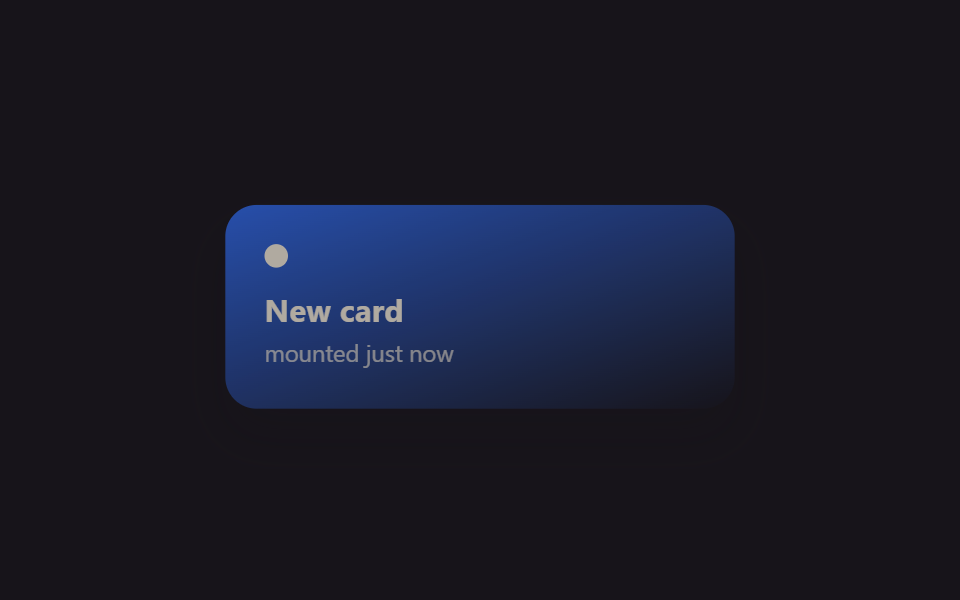
}01 Fade lúc mount bằng @starting-style — Diện tích đo được 19.029% · khung hình chuyển động 8/23Nguyên tác GODRICH · SCSS và React nằm trong tệp zip · 9 hiệu ứng react css animation không cần library
Bài viết chứa demo này
 9 hiệu ứng react css animation không cần libraryReact css animation là cách thêm chuyển động cho component bằng chính CSS, không cần cài library. Chín hiệu ứng dưới đây Xem tất cả demo trong bài này