02Huy hiệu vòng tròn
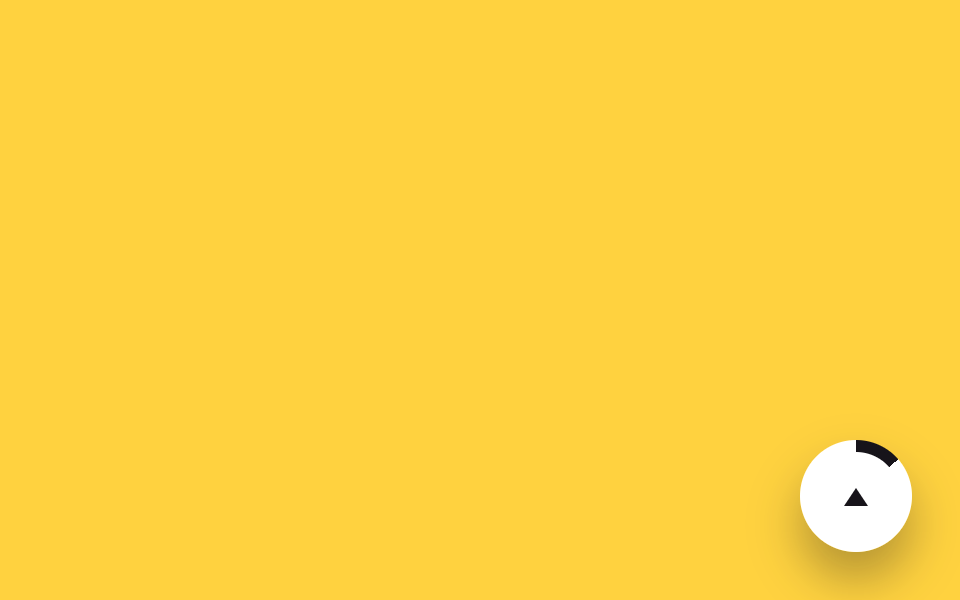
Huy hiệu tròn nổi ở góc dưới bên phải được lấp đầy dần bằng vòng conic-gradient theo mức đã cuộn.
Dùng choKết hợp với nút back-to-top nổi, bên cạnh bài hướng dẫn dài
conic-gradient@property고정 위치
<main class="stage">
  <div class="badge is-demo" role="progressbar" aria-label="Lên đầu trang" aria-valuemin="0" aria-valuemax="100" aria-valuenow="0">
    <span class="badge__inner"><span class="badge__arrow" aria-hidden="true"></span></span>
  </div>
</main>
@use "../../../../site/static/demo-tokens" as *;
// ── 변수 3개 ──────────────────────────────────────────
$size: 56px; // 배지 지름
$color: $subject-ink; // 링 색
$duration: $dur-loop; // 한 바퀴(스크롤 전체) 도는 시간
@include stage($stage-yellow);
// 정수라야 링 각도가 매끄럽게 보간된다
@property --p {
syntax: '<number>';
initial-value: 0;
inherits: false;
}
.badge {
--p: 0;
position: fixed;
right: $sp-6; bottom: $sp-6;
width: $size; height: $size;
border-radius: 50%;
display: grid;
place-items: center;
background: conic-gradient($color calc(var(--p) * 1%), $stage-paper 0);
box-shadow: $shadow-raised;
// 실제 사용: 링 배지는 플로팅 위로가기 버튼에 흔히 결합된다
@supports (animation-timeline: scroll()) {
animation: fill-ring linear both;
animation-timeline: scroll(root);
}
}
@keyframes fill-ring { from { --p: 0; } to { --p: 100; } }
.badge.is-demo { animation: fill-ring-loop $duration linear infinite; }
@keyframes fill-ring-loop {
0% { --p: 0; }
92% { --p: 100; }
100% { --p: 100; }
}
.badge__inner {
width: 44px; height: 44px;
border-radius: 50%;
background: $stage-paper;
display: grid;
place-items: center;
}
.badge__arrow {
width: 0; height: 0;
border-left: 6px solid transparent;
border-right: 6px solid transparent;
border-bottom: 9px solid $subject-ink;
}
@media (prefers-reduced-motion: reduce) {
.badge, .badge.is-demo { animation: none !important; --p: 100; }
}html, body {
margin: 0;
overflow: hidden;
}
.stage {
box-sizing: border-box;
min-height: 100vh;
display: grid;
place-items: center;
margin: 0;
background: #ffd23f;
font-family: -apple-system, "Segoe UI", "Noto Sans KR", sans-serif;
padding: clamp(8px, 4vw, 24px);
}
@property --p {
syntax: "<number>";
initial-value: 0;
inherits: false;
}
.badge {
--p: 0;
position: fixed;
right: 24px;
bottom: 24px;
width: 56px;
height: 56px;
border-radius: 50%;
display: grid;
place-items: center;
background: conic-gradient(#17141a calc(var(--p) * 1%), #ffffff 0);
box-shadow: 0 14px 24px rgba(23, 20, 26, 0.32);
}
@supports (animation-timeline: scroll()) {
.badge {
animation: fill-ring linear both;
animation-timeline: scroll(root);
}
}
@keyframes fill-ring {
from {
--p: 0;
}
to {
--p: 100;
}
}
.badge.is-demo {
animation: fill-ring-loop 2s linear infinite;
}
@keyframes fill-ring-loop {
0% {
--p: 0;
}
92% {
--p: 100;
}
100% {
--p: 100;
}
}
.badge__inner {
width: 44px;
height: 44px;
border-radius: 50%;
background: #ffffff;
display: grid;
place-items: center;
}
.badge__arrow {
width: 0;
height: 0;
border-left: 6px solid transparent;
border-right: 6px solid transparent;
border-bottom: 9px solid #17141a;
}
@media (prefers-reduced-motion: reduce) {
.badge, .badge.is-demo {
animation: none !important;
--p: 100;
}
}import { useEffect, useState } from "react";
import type { CSSProperties, MouseEvent } from "react";
import styles from "./RingBadge.module.scss";
export type RingBadgeProps = {
/** 배지 지름 (기본 56px) */
size?: number;
/** 링 색 */
color?: string;
onClick?: (e: MouseEvent<HTMLButtonElement>) => void;
};
type Vars = CSSProperties & { "--size"?: string; "--color"?: string; "--p"?: number };
// 실제 쓰임: 위로가기 버튼과 결합. percent 만큼 conic-gradient 링이 채워진다.
export default function RingBadge({ size = 56, color = "#17141a", onClick }: RingBadgeProps) {
const [percent, setPercent] = useState(0);
useEffect(() => {
const onScroll = () => {
const max = document.documentElement.scrollHeight - window.innerHeight;
setPercent(max > 0 ? Math.min(100, Math.round((window.scrollY / max) * 100)) : 0);
};
onScroll();
window.addEventListener("scroll", onScroll, { passive: true });
return () => window.removeEventListener("scroll", onScroll);
}, []);
const vars: Vars = { "--size": `${size}px`, "--color": color, "--p": percent };
return (
<button
type="button"
className={styles.badge}
style={vars}
role="progressbar"
aria-label="Back to top"
aria-valuemin={0}
aria-valuemax={100}
aria-valuenow={percent}
onClick={(e: MouseEvent<HTMLButtonElement>) => { window.scrollTo({ top: 0, behavior: "smooth" }); onClick?.(e); }}
>
<span className={styles.inner}><span className={styles.arrow} /></span>
</button>
);
}02 Huy hiệu vòng tròn — Diện tích đo được 0.736% · khung hình chuyển động 23/23Nguyên tác GODRICH · SCSS và React nằm trong tệp zip · 9 CSS Scroll Progress Bar — không cần JS
Bài viết chứa demo này
 9 CSS Scroll Progress Bar — không cần JSCSS scroll progress bar là thanh, vòng hay con số cho biết bạn đã đọc được bao nhiêu phần trang, tính trực tiếp từ vị tr Xem tất cả demo trong bài này