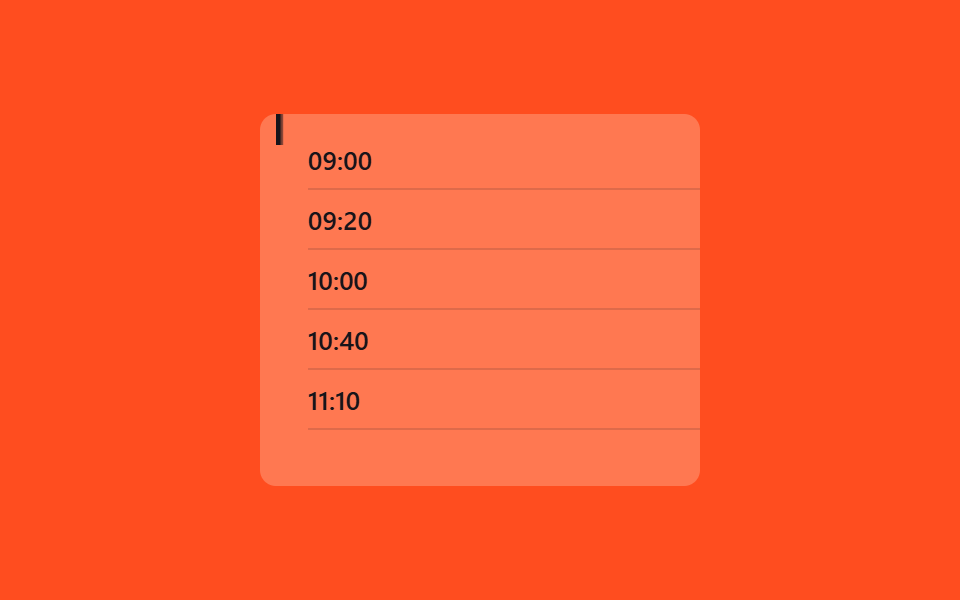
06Số phần trăm
Số nhỏ ở góc trên bên phải tăng từ 0 đến 100 theo mức cuộn, nội suy dạng số nguyên bằng @property.
Dùng choHiển thị tiến độ cho khảo sát, hướng dẫn dài
@property정수 보간% 붙이기

<main class="stage">
  <div class="counter" role="status" aria-label="Tiến độ đọc">
    <span class="counter__num is-demo" aria-hidden="true"></span>
  </div>
</main>
@use "../../../../site/static/demo-tokens" as *;
// ── 변수 3개 ──────────────────────────────────────────
$color: $subject-ink; // 숫자 색
$duration: $dur-loop;
$easing: linear; // 스크롤과 1:1로 움직이니 linear 가 맞다
@include stage($stage-yellow);
// 정수라야 애니메이션 중간값도 정수로 보간된다 (029 와 같은 기법)
@property --num {
syntax: '<integer>';
initial-value: 0;
inherits: false;
}
.counter {
position: fixed;
top: $sp-6; right: $sp-6;
}
.counter__num {
--num: 0;
counter-reset: num var(--num);
display: block;
font-weight: 800;
font-size: clamp(26px, 8vw, 36px);
line-height: 1;
font-family: inherit;
font-variant-numeric: tabular-nums;
color: $color;
&::before { content: counter(num) '%'; }
// 실제 사용: 전체 문서를 스크롤한 비율이 그대로 숫자가 된다
@supports (animation-timeline: scroll()) {
animation: count-up $easing both;
animation-timeline: scroll(root);
}
}
@keyframes count-up { from { --num: 0; } to { --num: 100; } }
.counter__num.is-demo { animation: count-up-loop $duration $easing infinite; }
@keyframes count-up-loop {
0% { --num: 0; }
92% { --num: 100; }
100% { --num: 100; }
}
@media (prefers-reduced-motion: reduce) {
.counter__num, .counter__num.is-demo { animation: none !important; --num: 100; }
}html, body {
margin: 0;
overflow: hidden;
}
.stage {
box-sizing: border-box;
min-height: 100vh;
display: grid;
place-items: center;
margin: 0;
background: #ffd23f;
font-family: -apple-system, "Segoe UI", "Noto Sans KR", sans-serif;
padding: clamp(8px, 4vw, 24px);
}
@property --num {
syntax: "<integer>";
initial-value: 0;
inherits: false;
}
.counter {
position: fixed;
top: 24px;
right: 24px;
}
.counter__num {
--num: 0;
counter-reset: num var(--num);
display: block;
font-weight: 800;
font-size: clamp(26px, 8vw, 36px);
line-height: 1;
font-family: inherit;
font-variant-numeric: tabular-nums;
color: #17141a;
}
.counter__num::before {
content: counter(num) "%";
}
@supports (animation-timeline: scroll()) {
.counter__num {
animation: count-up linear both;
animation-timeline: scroll(root);
}
}
@keyframes count-up {
from {
--num: 0;
}
to {
--num: 100;
}
}
.counter__num.is-demo {
animation: count-up-loop 2s linear infinite;
}
@keyframes count-up-loop {
0% {
--num: 0;
}
92% {
--num: 100;
}
100% {
--num: 100;
}
}
@media (prefers-reduced-motion: reduce) {
.counter__num, .counter__num.is-demo {
animation: none !important;
--num: 100;
}
}import { useEffect, useState } from "react";
import styles from "./PercentCounter.module.scss";
export type PercentCounterProps = {
/** 숫자 색 */
color?: string;
};
// 실제 쓰임: 스크롤 진행률을 그대로 정수 퍼센트로 보여준다.
export default function PercentCounter({ color = "#17141a" }: PercentCounterProps) {
const [percent, setPercent] = useState(0);
useEffect(() => {
const onScroll = () => {
const max = document.documentElement.scrollHeight - window.innerHeight;
setPercent(max > 0 ? Math.min(100, Math.round((window.scrollY / max) * 100)) : 0);
};
onScroll();
window.addEventListener("scroll", onScroll, { passive: true });
return () => window.removeEventListener("scroll", onScroll);
}, []);
return (
<div className={styles.counter} role="status" aria-label="Reading progress">
<span className={styles.num} style={{ color }}>{percent}%</span>
</div>
);
}06 Số phần trăm — Diện tích đo được 0.872% · khung hình chuyển động 22/23Nguyên tác GODRICH · SCSS và React nằm trong tệp zip · 9 CSS Scroll Progress Bar — không cần JS
Bài viết chứa demo này
 9 CSS Scroll Progress Bar — không cần JSCSS scroll progress bar là thanh, vòng hay con số cho biết bạn đã đọc được bao nhiêu phần trang, tính trực tiếp từ vị tr Xem tất cả demo trong bài này