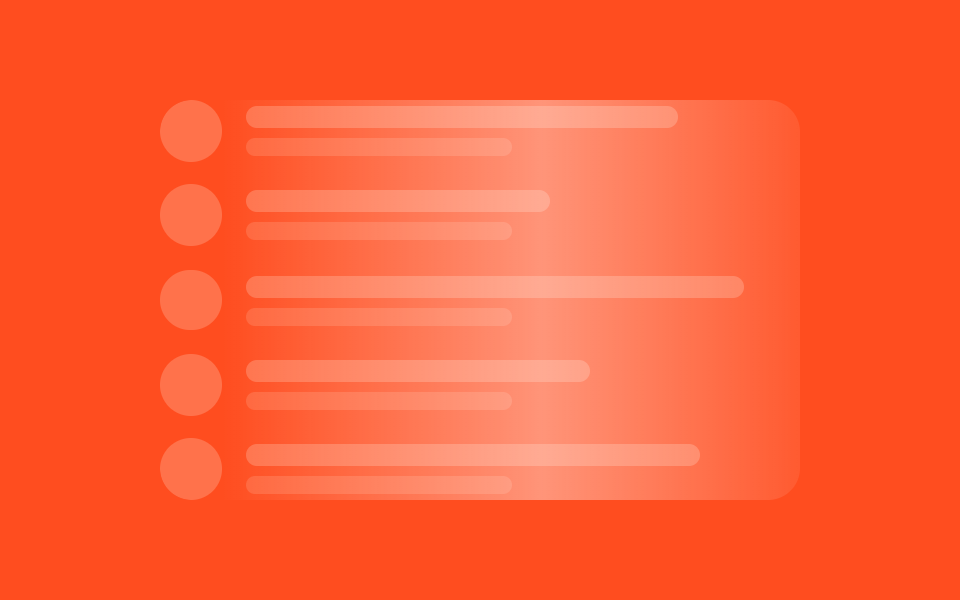
03Danh sách avatar
Avatar tròn cùng hai dòng chữ lặp lại.
Dùng choChat, danh sách người theo dõi
5줄작게글 한 줄
<main class="stage">
  <div class="list">
    <div class="row"><span class="avatar"></span><span class="meta"><span class="l1"></span><span class="l2"></span></span></div>
    <div class="row"><span class="avatar"></span><span class="meta"><span class="l1"></span><span class="l2"></span></span></div>
    <div class="row"><span class="avatar"></span><span class="meta"><span class="l1"></span><span class="l2"></span></span></div>
    <div class="row"><span class="avatar"></span><span class="meta"><span class="l1"></span><span class="l2"></span></span></div>
    <div class="row"><span class="avatar"></span><span class="meta"><span class="l1"></span><span class="l2"></span></span></div>
    <span class="sheen" aria-hidden="true"></span>
  </div>
</main>
@use "../../../../site/static/demo-tokens" as *;
// ── 변수 3개 ──────────────────────────────────────────
$duration: $dur-loop; // 빛이 목록 전체를 훑는 시간
$easing: $ease-out;
$color: $subject-cream; // 아바타·막대 색 (주황 무대라 크림)
@include stage($stage-orange);
.list {
position: relative; // 훑는 빛의 기준
overflow: hidden; // 빛이 목록 밖으로 안 나가게
width: clamp(210px, 76%, 320px);
display: grid;
gap: clamp(6px, 2.4vw, 12px);
border-radius: $r-card;
}
.row { display: flex; align-items: center; gap: clamp(8px, 2.6vw, 12px); }
.avatar {
flex: none;
width: clamp(20px, 6.4vw, 32px);
height: clamp(20px, 6.4vw, 32px);
border-radius: $r-pill; // 동그란 아바타
background: rgba($color, .22);
}
.meta { flex: 1; display: grid; gap: 5px; }
.l1 { height: clamp(8px, 2.6vw, 11px); border-radius: $r-control; background: rgba($color, .22); width: 78%; }
.l2 { height: clamp(6px, 2.2vw, 9px); border-radius: $r-control; background: rgba($color, .14); width: 48%; }
.row:nth-child(2) .l1 { width: 55%; }
.row:nth-child(3) .l1 { width: 90%; }
.row:nth-child(4) .l1 { width: 62%; }
.row:nth-child(5) .l1 { width: 82%; }
// ── 빛 한 줄기가 목록 전체를 한 번에 훑는다 (01·02는 막대마다, 03은 하나로) ──
.sheen {
position: absolute;
inset: 0;
background: linear-gradient(90deg, transparent, rgba($stage-paper, .4), transparent);
transform: translateX(-120%);
animation: shimmer $duration $easing infinite;
pointer-events: none;
}
@keyframes shimmer {
to { transform: translateX(120%); }
}
@media (prefers-reduced-motion: reduce) {
.sheen { animation: none !important; opacity: 0; }
}html, body {
margin: 0;
overflow: hidden;
}
.stage {
box-sizing: border-box;
min-height: 100vh;
display: grid;
place-items: center;
margin: 0;
background: #ff4d1f;
font-family: -apple-system, "Segoe UI", "Noto Sans KR", sans-serif;
padding: clamp(8px, 4vw, 24px);
}
.list {
position: relative;
overflow: hidden;
width: clamp(210px, 76%, 320px);
display: grid;
gap: clamp(6px, 2.4vw, 12px);
border-radius: 16px;
}
.row {
display: flex;
align-items: center;
gap: clamp(8px, 2.6vw, 12px);
}
.avatar {
flex: none;
width: clamp(20px, 6.4vw, 32px);
height: clamp(20px, 6.4vw, 32px);
border-radius: 999px;
background: rgba(255, 247, 230, 0.22);
}
.meta {
flex: 1;
display: grid;
gap: 5px;
}
.l1 {
height: clamp(8px, 2.6vw, 11px);
border-radius: 12px;
background: rgba(255, 247, 230, 0.22);
width: 78%;
}
.l2 {
height: clamp(6px, 2.2vw, 9px);
border-radius: 12px;
background: rgba(255, 247, 230, 0.14);
width: 48%;
}
.row:nth-child(2) .l1 {
width: 55%;
}
.row:nth-child(3) .l1 {
width: 90%;
}
.row:nth-child(4) .l1 {
width: 62%;
}
.row:nth-child(5) .l1 {
width: 82%;
}
.sheen {
position: absolute;
inset: 0;
background: linear-gradient(90deg, transparent, rgba(255, 255, 255, 0.4), transparent);
transform: translateX(-120%);
animation: shimmer 2s ease-out infinite;
pointer-events: none;
}
@keyframes shimmer {
to {
transform: translateX(120%);
}
}
@media (prefers-reduced-motion: reduce) {
.sheen {
animation: none !important;
opacity: 0;
}
}import type { CSSProperties } from "react";
import styles from "./AvatarListSkeleton.module.scss";
export type AvatarListSkeletonProps = {
/** 빛이 목록 전체를 훑는 시간 (기본 2000ms) */
duration?: number;
/** CSS easing (기본 ease-out) */
easing?: string;
/** 아바타·막대 색 */
color?: string;
/** 줄 수 (기본 5) */
rows?: number;
className?: string;
};
const L1_WIDTHS = ["78%", "55%", "90%", "62%", "82%"];
export default function AvatarListSkeleton({
duration = 2000,
easing = "ease-out",
color = "#fff7e6",
rows = 5,
className = "",
}: AvatarListSkeletonProps) {
const vars = { "--duration": `${duration}ms`, "--easing": easing, "--color": color } as CSSProperties;
return (
<div className={`${styles.list} ${className}`} style={vars}>
{Array.from({ length: rows }).map((_, i) => (
<div key={i} className={styles.row}>
<span className={styles.avatar} />
<span className={styles.meta}>
<span className={styles.l1} style={{ width: L1_WIDTHS[i % L1_WIDTHS.length] } as CSSProperties} />
<span className={styles.l2} />
</span>
</div>
))}
<span className={styles.sheen} aria-hidden="true" />
</div>
);
}03 Danh sách avatar — Diện tích đo được 44.317% · khung hình chuyển động 17/23Nguyên tác GODRICH · SCSS và React nằm trong tệp zip · 9 hiệu ứng css skeleton loading copy-paste
Bài viết chứa demo này
 9 hiệu ứng css skeleton loading copy-pasteCss skeleton loading là kỹ thuật hiện khối xám giữ đúng hình dạng của nội dung thật trong lúc chờ dữ liệu, thay cho màn Xem tất cả demo trong bài này


